修改12個檔案
刪除12個檔案
修改1個檔案名稱
複製1個檔案
新增184個檔案
| | |
|---|
| | | __history/ |
|---|
| | | .idea |
|---|
| | | __recovery |
|---|
| | | |
|---|
| | |
|---|
| | | # 業務邏輯與資料解析模組 (Business Logic & Parser) 深度分析 |
|---|
| | | |
|---|
| | | 在 `CB_IMGPSScanImp.pas` 中,「業務邏輯與資料解析模組」扮演了將底層掃描影像與上層銀行/保險業務需求結合的橋樑。它將前端網頁傳入的原始設定資料,轉換為系統可理解的「案件 (Case)」、「文件 (Document)」與「表單 (Form)」結構,並執行極度複雜的業務規則檢核 (OMR 檢核)。 |
|---|
| | | 在 `CB_IMGPSScanImp.pas.bk` 中,「業務邏輯與資料解析模組」扮演了將底層掃描影像與上層銀行/保險業務需求結合的橋樑。它將前端網頁傳入的原始設定資料,轉換為系統可理解的「案件 (Case)」、「文件 (Document)」與「表單 (Form)」結構,並執行極度複雜的業務規則檢核 (OMR 檢核)。 |
|---|
| | | |
|---|
| | | 若要將此模組進一步細拆,其內部組成可分為以下四大子分類: |
|---|
| | | |
|---|
| | |
|---|
| | | # **相依套件分析報告** |
|---|
| | | |
|---|
| | | 本報告針對 ActiveX 元件核心實作檔 CB_IMGPSScanImp.pas 進行功能解構,並分析其與第三方套件的綁定關係,以作為後續維護或現代化升級之參考。 |
|---|
| | | 本報告針對 ActiveX 元件核心實作檔 CB_IMGPSScanImp.pas.bk 進行功能解構,並分析其與第三方套件的綁定關係,以作為後續維護或現代化升級之參考。 |
|---|
| | | |
|---|
| | | ## **壹、 依功能拆分模組與第三方套件綁定分析** |
|---|
| | | |
|---|
| | | 根據原始碼結構,CB_IMGPSScanImp.pas 是一個將介面、硬體、網路與業務邏輯高度耦合的「上帝物件 (God Object)」。若要進行重構或拆件,建議依據以下五個核心模組進行解耦: |
|---|
| | | 根據原始碼結構,CB_IMGPSScanImp.pas.bk 是一個將介面、硬體、網路與業務邏輯高度耦合的「上帝物件 (God Object)」。若要進行重構或拆件,建議依據以下五個核心模組進行解耦: |
|---|
| | | |
|---|
| | | ### **1. 硬體掃描控制模組 (Scanner Controller)** |
|---|
| | | detail: [Scanner_Controller_Analysis.md](Scanner_Controller_Analysis.md) |
|---|
| | | |
|---|
| | | - **功能描述**:負責與實體掃描機溝通,處理 TWAIN 介面初始化、設定掃描參數(DPI、色彩、雙面)、觸發掃描指令,以及接收掃描完成的記憶體影像 (DibHandle)。 |
|---|
| | | - **子模組細分建議**: |
|---|
| | |
|---|
| | | - 依賴 EnMisc 處理底層記憶體或雜項運算。 |
|---|
| | | |
|---|
| | | ### **2. 影像處理與轉換模組 (Image Processor)** |
|---|
| | | detail: [Image_Processer_Analysis.md](Image_Processer_Analysis.md) |
|---|
| | | |
|---|
| | | - **功能描述**:負責對擷取到的原始影像進行後製處理,包括:裁切(如 A3 裁 A4)、去斜 (Deskew)、旋轉、二值化 (轉黑白)、格式轉換 (轉 TIFF/JPEG),以及讀取影像上的條碼。 |
|---|
| | | - **子模組細分建議**: |
|---|
| | |
|---|
| | | - 依賴 **MPS Barcode** (mpsBarco, BarcodesFinder) 進行影像條碼掃描與解析。 |
|---|
| | | |
|---|
| | | ### **3. 安全傳輸與 API 通訊模組 (Transport Manager)** |
|---|
| | | detail: [Transport_Manager_Analysis.md](Transport_Manager_Analysis.md) |
|---|
| | | |
|---|
| | | - **功能描述**:負責將掃描並壓縮後的檔案上傳至伺服器,或從伺服器下載檔案。同時處理與後端 Java Servlet 的參數交換(如校時、取得 FTP 資訊、更新案件狀態)。 |
|---|
| | | - **子模組細分建議**: |
|---|
| | |
|---|
| | | - 依賴自訂/第三方加密庫 (Encryp) 處理字串加解密。 |
|---|
| | | |
|---|
| | | ### **4. 業務邏輯與資料解析模組 (Business Logic & Parser)** |
|---|
| | | detail: [Business_Logic_Analysis.md](Business_Logic_Analysis.md) |
|---|
| | | |
|---|
| | | - **功能描述**:專案核心的領域邏輯,包含接收網頁端傳入的參數字串進行解析、定義文件歸類邏輯(由條碼推導文件類型)、OMR (光學標記辨識) 檢核定義等。 |
|---|
| | | - **子模組細分建議**: |
|---|
| | |
|---|
| | | - 依賴 **VCLZip** (VCLZip, VCLUnZip) 將多個影像檔打包成 ZIP 進行單一傳輸。 |
|---|
| | | |
|---|
| | | ### **5. UI 與介面呈現模組 (UI View)** |
|---|
| | | detail: [UI_View_Analysis.md](UI_View_Analysis.md) |
|---|
| | | |
|---|
| | | - **功能描述**:負責 ActiveX 控制項的視覺化介面,包含左側的樹狀文件清單 (TreeView)、右側的影像預覽區 (ScrollBox),以及按鈕與多國語言切換。 |
|---|
| | | - **子模組細分建議**: |
|---|
| | |
|---|
| | | # 影像處理與轉換模組 (Image Processor) 深度分析 |
|---|
| | | |
|---|
| | | 在 `CB_IMGPSScanImp.pas` 中,「影像處理與轉換模組」負責在硬體掃描取得原始影像後,以及上傳/顯示之前,對影像進行一系列的強化、分析與格式轉換。這個模組是決定影像品質、檔案大小與後續 OMR 辨識準確率的關鍵。 |
|---|
| | | 在 `CB_IMGPSScanImp.pas.bk` 與 `iis_image_process.pas` 中,「影像處理與轉換模組」負責在硬體掃描取得原始影像後,以及上傳/顯示之前,對影像進行一系列的強化、分析與格式轉換。這個模組是決定影像品質、檔案大小與後續 OMR 辨識準確率的關鍵。 |
|---|
| | | |
|---|
| | | 若要將此模組進一步細拆,其內部組成可分為以下四大子分類: |
|---|
| | | 根據源碼分析,其內部組成可細拆為以下六大子分類: |
|---|
| | | |
|---|
| | | --- |
|---|
| | | |
|---|
| | |
|---|
| | | |
|---|
| | | **職責**:專責處理影像的空間座標轉換、旋轉、去斜以及裁切,確保最終儲存的影像端正且符合業務規定的尺寸。 |
|---|
| | | **核心實作特性**: |
|---|
| | | * **影像去斜與轉正**: |
|---|
| | | * `DeskewImg`:透過演算法自動偵測影像傾斜角度並將其校正。 |
|---|
| | | * `Rotate`:依據條碼辨識出的角度 (`MpsBarcodeinf.r180`) 或使用者手動點擊按鈕 (`SpeedButton14Click` 等),進行 90、180、270 度的旋轉。 |
|---|
| | | * **影像去斜與轉正 (Deskew & Rotate)**: |
|---|
| | | * `DeskewImg`:透過演算法自動偵測影像傾斜角度並將其校正。支援先以黑白影像偵測角度再套用於彩色影像的優化路徑。 |
|---|
| | | * `Rotate`:執行 90、180、270 度的旋轉,可用於條碼方向校正或使用者手動轉向。 |
|---|
| | | * **幾何校正規範 (Geometric Validation)**: |
|---|
| | | * `GetPosAngle`:計算三個定位點之間的夾角,用以判定影像是否嚴重形變。 |
|---|
| | | * `CheckSize`:比對定位點距離與標準長寬,若有巨大落差則記錄並自動執行補償性縮放。 |
|---|
| | | * **影像裁切與分割**: |
|---|
| | | * `CheckNeedCrop`:根據影像寬高比與偵測到的條碼數量,判斷是否為需要分割的 A3 雙頁合併影像。 |
|---|
| | | * `CropImg`:給定 `TRect` 座標,將 A3 影像精準裁切為兩張 A4 (`iGraphic_First`, `iGraphic_sec`)。 |
|---|
| | | * `CheckNeedCrop` 與 `CropImg`:針對 A3 雙頁合併影像進行自動分割或特定區域裁切。 |
|---|
| | | * **影像縮放 (Resize)**: |
|---|
| | | * `ImageReSize_FormID` / `ImageReSize_tmp`:依據表單定義檔 (`FORM_INF`) 中的長寬設定與尋找到的十字定位點,強制將影像縮放變形至標準尺寸,以利後續的 OMR 座標對位。 |
|---|
| | | * `DpiResize`:調整影像的 DPI 解析度參數。 |
|---|
| | | * `ImageReSize_FormID` / `ImageResize`:依據表單定義或目標解析度強制縮放影像,確保 OMR 座標對位精準。 |
|---|
| | | |
|---|
| | | ## 2. 色彩處理與編碼轉換器 (Color & Format Converter) |
|---|
| | | |
|---|
| | | **職責**:處理影像的色彩深度 (位元深度) 轉換,以及針對不同色彩模式套用最適合的檔案壓縮演算法,以達到最佳的畫質與檔案大小平衡。 |
|---|
| | | **職責**:處理影像色彩深度轉換,套用最適合的壓縮演算法,並進行濾鏡強化以提升辨識率。 |
|---|
| | | **核心實作特性**: |
|---|
| | | * **色彩空間轉換**: |
|---|
| | | * `ConvertToBW`:將彩色或灰階影像強制二值化 (Binarization) 轉為黑白影像,這不僅能大幅縮小檔案,也是條碼與 OMR 辨識的必要前置步驟 (系統通常會保留一個隱藏的 `ISB_BW` 物件專做辨識用)。 |
|---|
| | | * `ConvertToGray`:將彩色轉換為灰階 (`ifGray256`)。 |
|---|
| | | * `Image_Smooth` / `NegativeImg` / `CleanupBorder`:影像平滑化、反相處理與清除黑邊。 |
|---|
| | | * **格式與壓縮決策**: |
|---|
| | | * 針對黑白影像 (`ifBlackWhite`):使用 `tcGroup4` (CCITT Group 4 Fax Compression) 或 `tcPackBits` 壓縮,並儲存為 `.tif`。 |
|---|
| | | * 針對彩色/灰階影像 (`ifTrueColor`, `ifGray256`, `ifColor256`):轉換為 `TJpegGraphic`,套用 `tcJpeg` 壓縮與指定的壓縮率 (`FJpgCompression` / `SaveQuality`),並儲存為 `.jpg`。 |
|---|
| | | * **先進二值化 (Advanced Binarization)**: |
|---|
| | | * `ConvertToBW`:標準二值化處理。 |
|---|
| | | * `Gray2BW_RTS` / `Color2BW_RTS`:整合 VRS (Virtual ReScan) 技術,透過特定參數精細化灰階轉黑白的過程,保留關鍵特徵。 |
|---|
| | | * **影像增強濾鏡**: |
|---|
| | | * `Image_Smooth`(平滑)、`Emboss`(浮雕)、`BrightnessImg`(亮度調整)。 |
|---|
| | | * `FilterColor`:濾掉特定顏色(如紅字或背景色)僅保留黑白內容。 |
|---|
| | | * `CleanupBorder`:自動清除影像邊緣的掃描黑邊。 |
|---|
| | | |
|---|
| | | ## 3. 條碼識別與解析器 (Barcode Recognizer) |
|---|
| | | |
|---|
| | | **職責**:獨立負責掃描與解析影像上的一維或二維條碼,這是系統實現「文件自動歸類」的核心依賴。 |
|---|
| | | **職責**:獨立負責解析影像上的一維或二維條碼,實現「文件自動歸類」。 |
|---|
| | | **核心實作特性**: |
|---|
| | | * **條碼引擎呼叫**: |
|---|
| | | * `MpsGetBarcode`:呼叫底層的 MPS Barcode 引擎,傳入二值化的影像 (`ISB_BW.Graphic`)。 |
|---|
| | | * 回傳 `TMpsBarcodeinf` 結構,包含條碼內容字串陣列 (`Text`) 與每個條碼的方向資訊 (`r180`)。 |
|---|
| | | * **應用與邏輯綁定**: |
|---|
| | | * 透過條碼字串找出對應的 `FormID` 與 `DocNo`。 |
|---|
| | | * 檢查條碼長度是否符合規範 (`FormIDLength`),過濾雜訊或誤判的條碼。 |
|---|
| | | * **條碼引擎調用**: |
|---|
| | | * `MpsGetBarcode`:呼叫底層引擎解析二值化影像。 |
|---|
| | | * `PrintBarcode`:反向操作,將文字轉換為 Code39 條碼並繪製於影像上。 |
|---|
| | | * **邏輯綁定**:根據條碼字串自動關聯 `FormID` 與 `DocNo`。 |
|---|
| | | |
|---|
| | | ## 4. OMR 與十字定位點分析器 (OMR & Anchor Analyzer) |
|---|
| | | ## 4. OMR 與定位分析引擎 (OMR & Anchor Analyzer) |
|---|
| | | |
|---|
| | | **職責**:專門為「光學標記辨識 (OMR)」服務,負責找出影像上的基準定位點,並計算特定區域內的黑白像素分佈。 |
|---|
| | | **職責**:為光學標記辨識服務,尋找基準點並計算像素分佈。 |
|---|
| | | **核心實作特性**: |
|---|
| | | * **基準點尋找 (Anchor Finding)**: |
|---|
| | | * `FindPoint`:根據 XML 定義的模式 (`ANCHOR` 或 `FRAME`),在影像四個角落尋找定位基準點 (`UpLPoint`, `UpRPoint`, `DownLPoint`, `DownRPoint`)。 |
|---|
| | | * `CheckSize`:比對找到的定位點距離與標準長寬是否有巨大落差,若找不到則記錄至 `AnchorError.dat`。 |
|---|
| | | * **像素計算與標記判定 (Pixel Calculation)**: |
|---|
| | | * `GetSiteOMR`:根據 XML 傳入的相對座標字串 (`Site`),將其換算為實際的 `TRect`。 |
|---|
| | | * `Get_OMR`:計算該區域內黑色像素的數量。 |
|---|
| | | * 結合雜訊過濾 (`ClearLine`) 與容差值 (`SafePixel`, `bt`),最終判定該 OMR 欄位是否「有畫記」。 |
|---|
| | | * **基準點偵測 (Anchor & Spot Detection)**: |
|---|
| | | * `FindPoint`:支援 `ANCHOR` (十字) 或 `FRAME` (框線) 定位模式。 |
|---|
| | | * `FindBlackPoint` / `GetBlackSpots`:在指定邊界內搜尋特定比例的黑塊作為定位參考。 |
|---|
| | | * **像素判定**: |
|---|
| | | * `Get_OMR`:計算區域內黑色像素數量。 |
|---|
| | | * `GetPixBW`:底層像素層級的黑白狀態讀取。 |
|---|
| | | |
|---|
| | | ## 5. 影像合成與標記引擎 (Image Synthesis & Annotation) —— [NEW] |
|---|
| | | |
|---|
| | | **職責**:在影像上疊加業務資訊,或自動生成業務用的單據影像。 |
|---|
| | | **核心實作特性**: |
|---|
| | | * **動態浮水印 (Watermark)**: |
|---|
| | | * `Watermark1_Hong`:支援透明度、自定義文字與旋轉(如斜向 330 度)的水印疊加。 |
|---|
| | | * **業務戳記與單據生成**: |
|---|
| | | * `CreateStamp`:產生包含 UserID 與日期的電子圓戳記。 |
|---|
| | | * `CreateNote` / `CreateDraft`:產生空白的便條或草稿圖層。 |
|---|
| | | * `CreateReportImg_JSON`:根據 JSON 資料自動合成補件清單影像,整合背景、條碼與文字內容。 |
|---|
| | | |
|---|
| | | ## 6. UI 互動輔助與元數據管理 (UI & Metadata) —— [NEW] |
|---|
| | | |
|---|
| | | **職責**:處理視窗介面上的標記、框選,以及影像檔案內部的隱藏資訊。 |
|---|
| | | **核心實作特性**: |
|---|
| | | * **互動標記**: |
|---|
| | | * `ShowKeyinRect` / `SetKeyinRect_New`:在畫面上動態顯示黃色或透明遮罩,引導人員登打特定欄位。 |
|---|
| | | * `GetSelectRect2String`:將人員在 UI 上拖曳的框選區域轉換為公分單位。 |
|---|
| | | * **元數據處理**: |
|---|
| | | * `GetTag` / `SetTag`:利用 Tiff 檔案的 `ImageDescriptionTag` 儲存自定義業務資訊。 |
|---|
| | | * `JpgReSize_Exif`:在處理 JPG 影像時保留或讀取拍攝日期等 EXIF 資訊。 |
|---|
| | | |
|---|
| | | --- |
|---|
| | | |
|---|
| | | ## 影像相關關鍵字: |
|---|
| | | ```js |
|---|
| | | [ |
|---|
| | | 'BrightnessImg', |
|---|
| | | 'CheckSize', |
|---|
| | | 'CleanupBorder', |
|---|
| | | 'Color2BW_RTS', |
|---|
| | | 'ConvertToBW', |
|---|
| | | 'ConvertToGray', |
|---|
| | | 'CreateReportImg_JSON', |
|---|
| | | 'CreateStamp', |
|---|
| | | 'CropImg', |
|---|
| | | 'DeskewImg', |
|---|
| | | 'DpiResize', |
|---|
| | | 'FilterColor', |
|---|
| | | 'FindBlackPoint', |
|---|
| | | 'FindPoint', |
|---|
| | | 'GetBlackSpots', |
|---|
| | | 'GetSelectRect2String', |
|---|
| | | 'GetTag', |
|---|
| | | 'Get_OMR', |
|---|
| | | 'Gray2BW_RTS', |
|---|
| | | 'ImageResize', |
|---|
| | | 'Image_Smooth', |
|---|
| | | 'JpgReSize_Exif', |
|---|
| | | 'MpsGetBarcode', |
|---|
| | | 'PrintBarcode', |
|---|
| | | 'Rotate', |
|---|
| | | 'SetTag', |
|---|
| | | 'ShowKeyinRect', |
|---|
| | | 'TDibGraphic', |
|---|
| | | 'TJpegGraphic', |
|---|
| | | 'TNBCleanupBorderTransform', |
|---|
| | | 'TTiffGraphic', |
|---|
| | | 'TWatermarkTransform', |
|---|
| | | 'Watermark1_Hong', |
|---|
| | | ] |
|---|
| | | ``` |
|---|
| | | |
|---|
| | | ## 💡 未來重構與微服務化建議 |
|---|
| | | |
|---|
| | | 若要對此影像處理模組進行重構,建議方向如下: |
|---|
| | | |
|---|
| | | 1. **抽離為獨立的 Pipeline 模式 (管線模式)**: |
|---|
| | | 目前這些功能散落在 `OnAcquire` 與各個事件中。應將其重構為一條清晰的影像處理管線:`Image -> Deskew -> Crop -> ConvertBW -> BarcodeRead -> Resize -> Compress -> Save`。每個步驟 (Step) 應該是獨立的類別,方便抽換或開關。 |
|---|
| | | 2. **解耦 UI 與影像處理**: |
|---|
| | | 目前大量依賴畫面上隱藏的 `ISB_BW` (TImageScrollBox) 來進行二值化和條碼辨識。這違反了 MVC 原則且耗費額外的 GDI 資源。應改用純記憶體物件 (如獨立的 `TDibGraphic` 或 `TBitmap`) 在背景執行緒中進行這些運算,不要綁定可見的 UI 元件。 |
|---|
| | | 3. **引入更現代的影像引擎 (如 OpenCV)**: |
|---|
| | | 早期依賴的 Envision SDK 在尋找十字定位點 (FindPoint) 和去斜 (DeskewImg) 的演算法可能較為老舊。若未來轉型為微服務架構,可將這部分邏輯移植為 Python/C++ 並使用 OpenCV 來達成更精準的高速運算。 |
|---|
| | | 1. **抽離為獨立的 Pipeline 模式**: |
|---|
| | | 應將影像處理流程標準化:`Image -> PreProcess -> Recognize -> Synthesize -> Output`。 |
|---|
| | | 2. **Web 化對策**: |
|---|
| | | * **Canvas 合成**:影像合成(水印、戳記)功能可轉移至瀏覽器端的 Canvas API 實作。 |
|---|
| | | * **影像處理庫**:OpenCV.js 可用於處理去斜與 OMR 偵測;EXIF.js 用於處理照片元數據。 |
|---|
| | | 3. **解耦 UI 與影像處理**: |
|---|
| | | 避免依賴 `TImageScrollBox` 等 UI 元件進行二值化運算。改用純記憶體物件處理,以利於在 Web Worker 中平行運算。 |
|---|
| | |
|---|
| | | # **IO 路徑與檔案操作分析** |
|---|
| | | |
|---|
| | | 本報告詳列了 CB_IMGPSScanImp.pas 檔案中定義的所有 IO 相關變數,以及執行目錄與檔案管理的關鍵方法,並定義了抽像化所需的介面原型。 |
|---|
| | | 本報告詳列了 CB_IMGPSScanImp.pas.bk 檔案中定義的所有 IO 相關變數,以及執行目錄與檔案管理的關鍵方法,並定義了抽像化所需的介面原型。 |
|---|
| | | |
|---|
| | | ## **壹、 關鍵路徑與檔案變數 (Variables)** |
|---|
| | | |
|---|
| | |
|---|
| | | |
|---|
| | | ## **陸、 IO 方法具體實作邏輯細部說明 (Detailed Implementation Logic)** |
|---|
| | | |
|---|
| | | 本節針對 CB_IMGPSScanImp.pas 內部如何透過 Windows API 實作這些 IO 操作進行細部解說。 |
|---|
| | | 本節針對 CB_IMGPSScanImp.pas.bk 內部如何透過 Windows API 實作這些 IO 操作進行細部解說。 |
|---|
| | | |
|---|
| | | ### **1. Str2Dir(Path: string) 的運作機制** |
|---|
| | | |
|---|
| | |
|---|
| | | } |
|---|
| | | |
|---|
| | | /** |
|---|
| | | * 掃描服務抽象介面 (IScanService) |
|---|
| | | * 掃描服務抽象介面 (IOCXService) |
|---|
| | | * UI 層僅與此介面溝通,不直接操作底層實作 |
|---|
| | | */ |
|---|
| | | export interface IScanService { |
|---|
| | | export interface IOCXService { |
|---|
| | | initialize(config: ScanConfig): Promise<void>; |
|---|
| | | startScan(): Promise<boolean>; |
|---|
| | | uploadFiles(): Promise<boolean>; |
|---|
| | |
|---|
| | | * 實作 A: ActiveX 適配器 (Legacy Adapter) |
|---|
| | | * 用於目前環境:UI (TS) -> Delphi Browser -> ActiveX (OCX) |
|---|
| | | */ |
|---|
| | | export class ActiveXScanAdapter implements IScanService { |
|---|
| | | export class ActiveXScanAdapter implements IOCXService { |
|---|
| | | private ocx: any; |
|---|
| | | |
|---|
| | | constructor() { |
|---|
| | |
|---|
| | | * 實作 B: Backend Server 適配器 (Future Adapter) |
|---|
| | | * 用於未來環境:UI (TS) -> REST API / WebSocket -> Rust/Go Backend |
|---|
| | | */ |
|---|
| | | export class BackendServerAdapter implements IScanService { |
|---|
| | | export class BackendServerAdapter implements IOCXService { |
|---|
| | | private apiUrl = "http://localhost:8080/api/scanner"; |
|---|
| | | |
|---|
| | | async initialize(config: ScanConfig): Promise<void> { |
|---|
| | |
|---|
| | | * 根據環境自動切換實作 |
|---|
| | | */ |
|---|
| | | export class ScannerFactory { |
|---|
| | | static getService(): IScanService { |
|---|
| | | static getService(): IOCXService { |
|---|
| | | if ((window as any).OCX_INSTANCE) { |
|---|
| | | console.log("偵測到 ActiveX 環境,啟用 ActiveX 適配器"); |
|---|
| | | return new ActiveXScanAdapter(); |
|---|
| | |
|---|
| | | |
|---|
| | | ActiveX 的方法通常是同步阻塞的,而後端 API 是非同步的。 |
|---|
| | | |
|---|
| | | - **建議**:在抽象介面(IScanService)中,所有方法都回傳 Promise。 |
|---|
| | | - **建議**:在抽象介面(IOCXService)中,所有方法都回傳 Promise。 |
|---|
| | | - **原因**:這樣當你未來切換到後端伺服器(fetch API)時,UI 的調用邏輯(await service.startScan())不需要做任何修改。 |
|---|
| | | |
|---|
| | | ### **3. 實作「心跳」或「狀態輪詢」** |
|---|
| | | |
|---|
| | | 原本 GetSetInf1~7 主要是靠宿主程式主動去「問」OCX。 |
|---|
| | | |
|---|
| | | - **抽象層建議**:在 IScanService 中實作一個 subscribeStatus(callback) 的觀察者模式。 |
|---|
| | | - **抽象層建議**:在 IOCXService 中實作一個 subscribeStatus(callback) 的觀察者模式。 |
|---|
| | | - **ActiveX 模式下**:在適配器內部啟動一個 setInterval 去輪詢 GetSetInf。 |
|---|
| | | - **未來後端模式下**:適配器改用 **WebSocket** 接收後端主動推播的掃描事件。 |
|---|
| | | - **UI 層感受**:UI 只需要處理 onStatusUpdate 事件,根本不用管底層是用輪詢還是 WebSocket。 |
|---|
| | |
|---|
| | | # **核心源碼與物件實作解析** |
|---|
| | | |
|---|
| | | 本文件針對 CB_IMGPSScanImp.pas 中的核心方法與隱藏物件進行原始碼級別的邏輯拆解與推導。 |
|---|
| | | 本文件針對 CB_IMGPSScanImp.pas.bk 中的核心方法與隱藏物件進行原始碼級別的邏輯拆解與推導。 |
|---|
| | | |
|---|
| | | ## **壹、 核心方法源碼說明** |
|---|
| | | |
|---|
| | |
|---|
| | | # 硬體掃描控制模組 (Scanner Controller) 深度分析 |
|---|
| | | |
|---|
| | | 在 `CB_IMGPSScanImp.pas` 中,「硬體掃描控制模組」是系統與實體掃描設備溝通的唯一橋樑。它深度依賴 TWAIN 協定(透過第三方元件 `EnScan` 封裝),負責控制硬體行為並將紙本文件轉換為記憶體中的數位影像資料。 |
|---|
| | | 在 `CB_IMGPSScanImp.pas.bk` 中,「硬體掃描控制模組」是系統與實體掃描設備溝通的唯一橋樑。它深度依賴 TWAIN 協定(透過第三方元件 `EnScan` 封裝),負責控制硬體行為並將紙本文件轉換為記憶體中的數位影像資料。 |
|---|
| | | |
|---|
| | | 若要將此模組進一步細拆,其內部組成可分為以下三大子分類: |
|---|
| | | |
|---|
| | |
|---|
| | | 該服務可以透過 **WebSocket** 或 **Local REST API** 接收來自網頁端的掃描指令,控制 TWAIN 掃描機,並將接收到的影像轉為 Base64 或二進位流回傳給網頁前端。 |
|---|
| | | 3. **單一職責分離 (Separation of Concerns)**: |
|---|
| | | 應將 `OnAcquire` 中厚重的「條碼辨識」、「A3 裁切」與「黑邊處理」移出此模組。Scanner Controller 的唯一職責應該只有:**「將紙本轉為電腦中的 Bitmap」**。後續的處理應交給 `Image Processor` (影像處理模組) 透過管線 (Pipeline) 的方式接手處理。 |
|---|
| | | |
|---|
| | | |
|---|
| | | |
|---|
| | | R_W_Scanini|GetDefScanIni |
|---|
| | | |
|---|
| | | ## 相關關鍵字: |
|---|
| | | OnAcquire|SelectScanner|scanner.SelectScanner|initkscan|CheckScannerConfig|PageEnd|PageDone|ScannerControl.twainWrapper|StatrTwainScan|Scanner.OpenSource|Scanner.AcquireWithSourceOpen|Scanner.CloseSource|Scanner |
|---|
| | | |
|---|
| | | |
|---|
| | | |
|---|
| | |
|---|
| | | # 安全傳輸與 API 通訊模組 (Transport Manager) 深度分析 |
|---|
| | | |
|---|
| | | 在 `CB_IMGPSScanImp.pas` 中,「安全傳輸與 API 通訊模組」負責處理 ActiveX 客戶端與後端伺服器 (如 Java Servlet 平台) 之間的所有資料交換與檔案傳輸。由於涉及機敏的金融/保險文件,此模組高度依賴加密與安全通訊協定。 |
|---|
| | | 在 `CB_IMGPSScanImp.pas.bk` 中,「安全傳輸與 API 通訊模組」負責處理 ActiveX 客戶端與後端伺服器 (如 Java Servlet 平台) 之間的所有資料交換與檔案傳輸。由於涉及機敏的金融/保險文件,此模組高度依賴加密與安全通訊協定。 |
|---|
| | | |
|---|
| | | 若要將此模組進一步細拆,其內部組成可分為以下四大子分類: |
|---|
| | | |
|---|
| | |
|---|
| | | # UI 視圖與介面呈現模組 (UI View) 深度分析 |
|---|
| | | |
|---|
| | | 在 `CB_IMGPSScanImp.pas` 中,「UI 與介面呈現模組」主要負責與使用者的視覺互動,這是作為 ActiveX 控制項的核心表現形式。它管理了表單的佈局、多國語言切換、快捷鍵操作以及各種滑鼠拖拉 (Drag and Drop) 與捲動行為。 |
|---|
| | | 在 `CB_IMGPSScanImp.pas.bk` 中,「UI 與介面呈現模組」主要負責與使用者的視覺互動,這是作為 ActiveX 控制項的核心表現形式。它管理了表單的佈局、多國語言切換、快捷鍵操作以及各種滑鼠拖拉 (Drag and Drop) 與捲動行為。 |
|---|
| | | |
|---|
| | | 以下是針對 UI View 模組的深度組成與分類分析: |
|---|
| | | |
|---|
| 比對新檔案 |
| | |
|---|
| | | ### 2.1 DFM 轉換需求: .dfm Delphi 轉換為 vue 實作 |
|---|
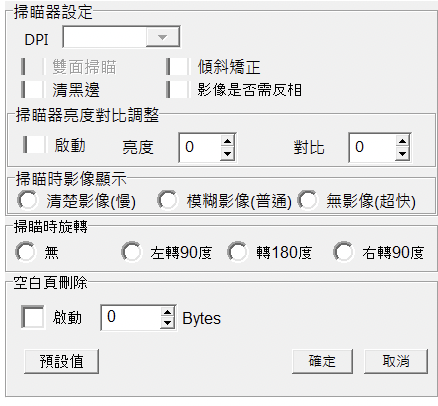
| | | @/CB_IMGPSScanImp.dfm 為 Delphi 的 ui 介面定義, 請幫我轉換為相對應的 /uiOutput/CB_IMGPSScanImp/CB_IMGPSScanImp.vue |
|---|
| | | @/CB_IMGPSScanImp.pas 為 Delphi 的 ui 介面定義實作, 也請幫我轉換為相應的 /uiOutput/CB_IMGPSScanImp/CB_IMGPSScanImp.ts |
|---|
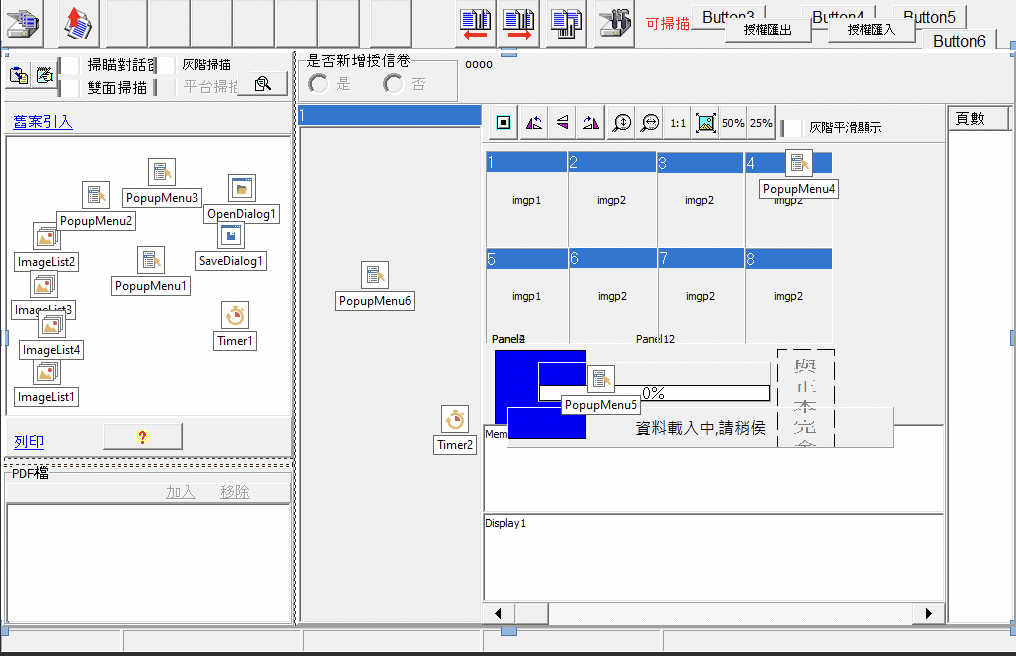
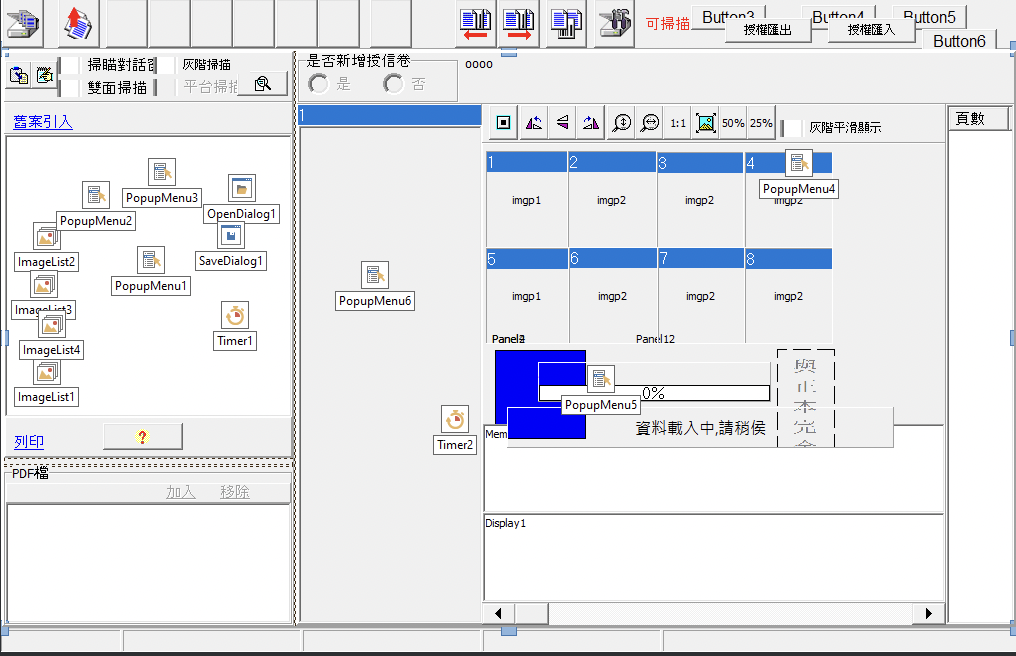
| | | @/doc/curtis/screenShot/CB_IMGPSScanImp.png 則是 @/CB_IMGPSScanImp.dfm 介面的截圖, 轉換後的 /uiOutput/CB_IMGPSScanImp/CB_IMGPSScanImp.vue 必須與 @/doc/curtis/screenShot/CB_IMGPSScanImp.png 一致 |
|---|
| | | |
|---|
| | | #### 2.2 轉換原則 |
|---|
| | | ##### 2.2.1 CB_IMGPSScanImp.vue 轉換原則 |
|---|
| | | - ui layout 及風格請完全參照 CB_IMGPSScanImp.png, 因為這是使用者要的設計, 大小定義請完全參照 CB_IMGPSScanImp.dfm |
|---|
| | | - Delphi DFM 結構轉換為使用 Tailwind CSS, 請參考其 Left, Top, Width, Height 屬性來推斷相對位置 |
|---|
| | | - dfm 檔案內所指向的物件進行轉換時請生成相對應的 vue 元件, 如下 TPanel 在轉換成 vue 時請生成對應的 TPanel元件 |
|---|
| | | ```dfm |
|---|
| | | object ErrlistForm: TErrlistForm |
|---|
| | | Left = 0 |
|---|
| | | Top = 0 |
|---|
| | | ... |
|---|
| | | object Panel2: TPanel |
|---|
| | | Left = 0 |
|---|
| | | Top = 0 |
|---|
| | | Width = 841 |
|---|
| | | Height = 636 |
|---|
| | | Align = alClient |
|---|
| | | Caption = 'Panel2' |
|---|
| | | ``` |
|---|
| | | - CB_IMGPSScanImp.dfm 參照 CB_IMGPSScanImp.png 的截圖回推 vue 的實作方式,並 以 vuejs 實作 CB_IMGPSScanImp.vue, |
|---|
| | | |
|---|
| | | ##### 2.2.2 CB_IMGPSScanImp.ts 轉換原則 |
|---|
| | | - 將 CB_IMGPSScanImp.pas 的實作轉換為 ts 實作, 並完全保留其介面及大小寫, 將其 transpile 為 CB_IMGPSScanImp.ts |
|---|
| | | - 若 CB_IMGPSScanImp.pas 找不到相依方法的實作方式則於 ts 應完全保留該方法及界面,讓使用者另行實作 |
|---|
| | | - 2.2.1 於實作 CB_IMGPSScanImp.vue 時能引用 CB_IMGPSScanImp.ts 用相關方法 |
|---|
| | | |
|---|
| | | #### 2.3 生成後輸出 |
|---|
| | | - 生成後的檔案請輸出至對應的 /uiOutput/CB_IMGPSScanImp/CB_IMGPSScanImp.vue 和 /uiOutput/CB_IMGPSScanImp/CB_IMGPSScanImp.ts 路徑 |
|---|
| | | |
|---|
| | | #### 2.4 更新 preview 入口 |
|---|
| | | - 2.4.1 preview 入口功能定義: |
|---|
| | | - 2.4.1.1 確保 @/uiOutput/index.html 中的 `availableComponents` 陣列包含此新轉換的元件 |
|---|
| | | - 2.4.1.2 此新元件的設定應包含 id, name, vuePath, jsPath (指向 ts 檔案) 和 windowTitle |
|---|
| 比對新檔案 |
| | |
|---|
| | | ### 2.1 DFM 轉換需求: .dfm Delphi 轉換為 vue 實作 |
|---|
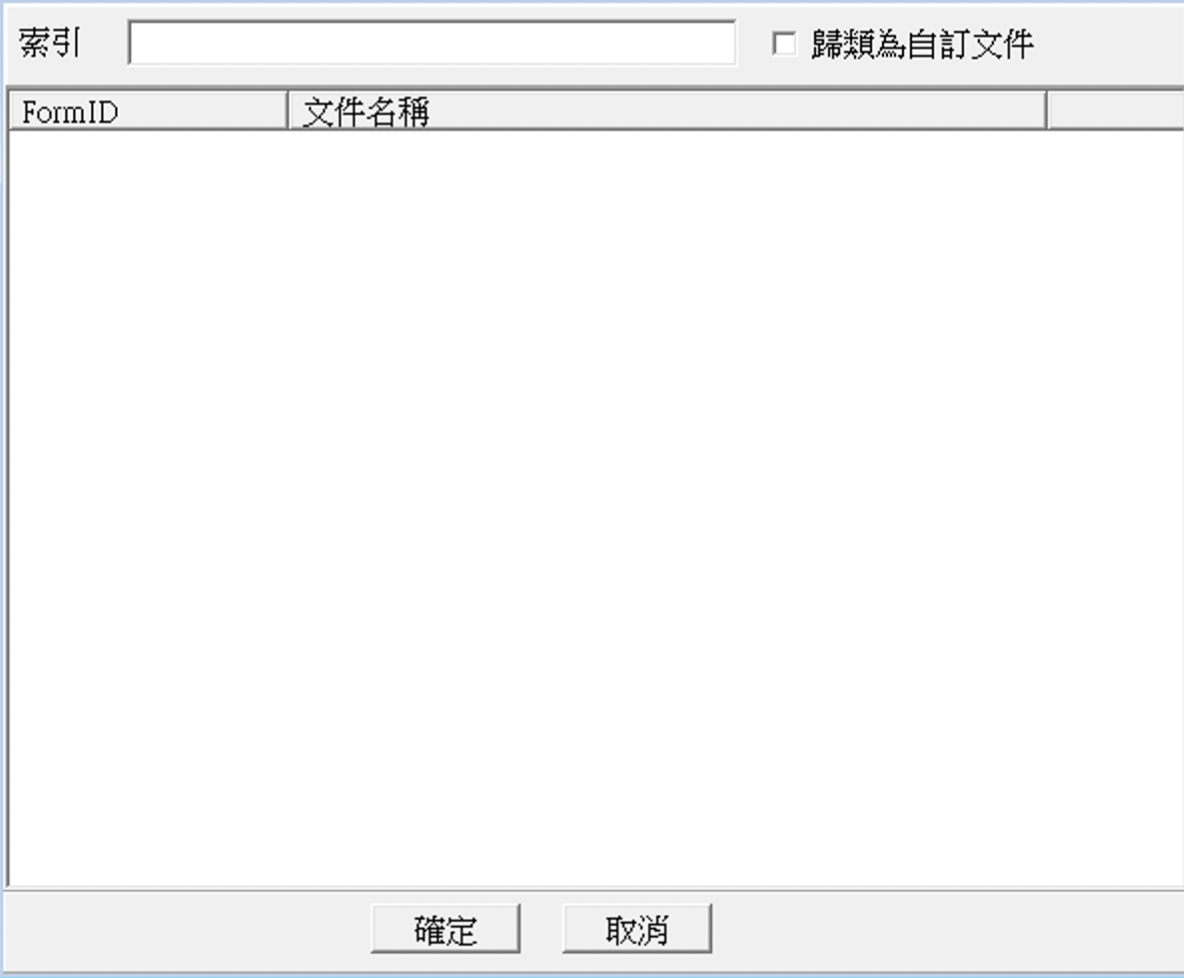
| | | @/DocList.dfm 為 Delphi 的 ui 介面定義, 請幫我轉換為相對應的 /uiOutput/DocList/DocList.vue |
|---|
| | | @/DocList.pas 為 Delphi 的 ui 介面定義實作, 也請幫我轉換為相應的 /uiOutput/DocList/DocList.ts |
|---|
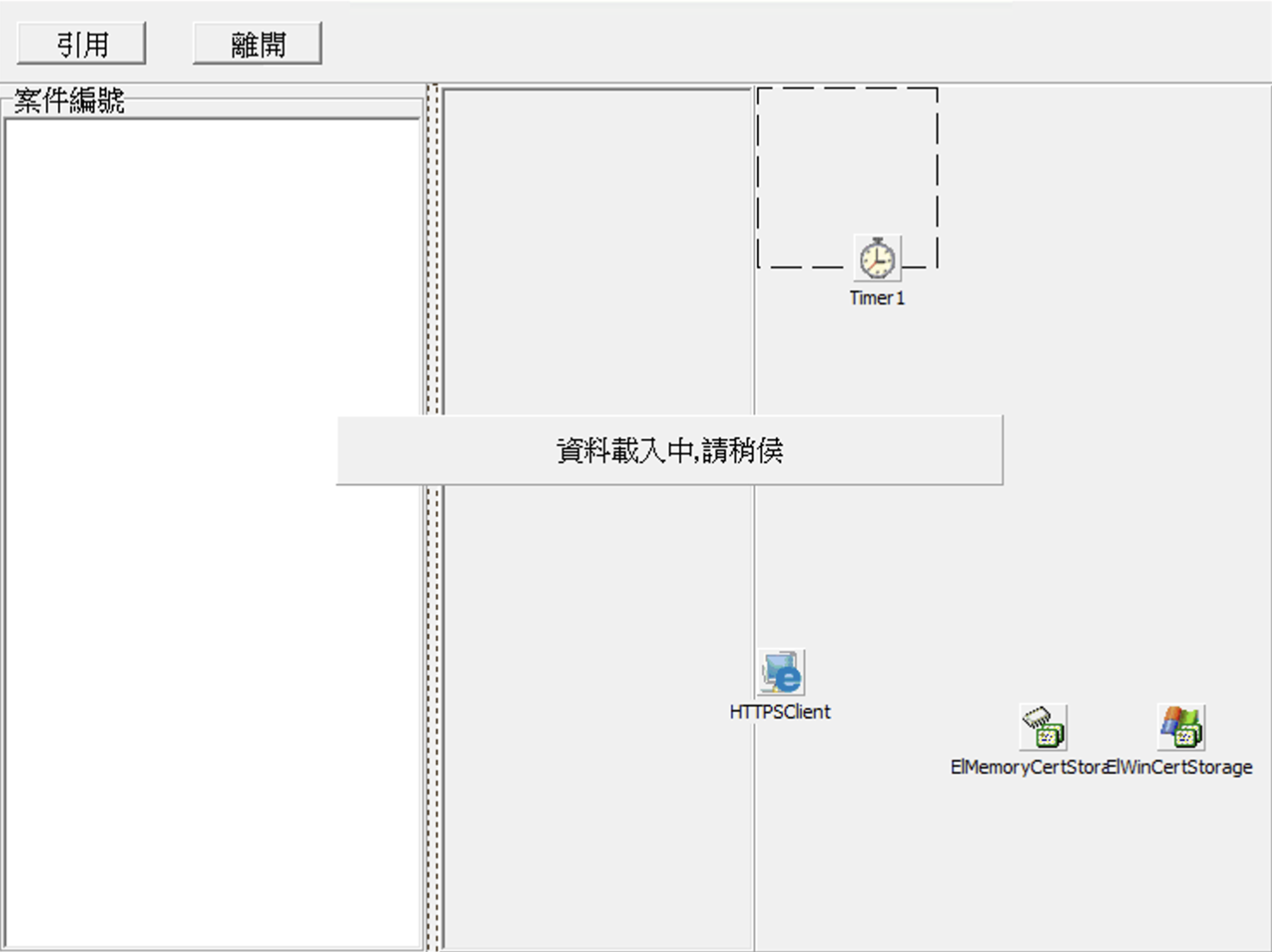
| | | @/doc/curtis/screenShot/DocList.png 則是 @/DocList.dfm 介面的截圖, 轉換後的 /uiOutput/DocList/DocList.vue 必須與 @/doc/curtis/screenShot/DocList.png 一致 |
|---|
| | | |
|---|
| | | #### 2.2 轉換原則 |
|---|
| | | ##### 2.2.1 DocList.vue 轉換原則 |
|---|
| | | - ui layout 及風格請完全參照 DocList.png, 因為這是使用者要的設計, 大小定義請完全參照 DocList.dfm |
|---|
| | | - Delphi DFM 結構轉換為使用 Tailwind CSS, 請參考其 Left, Top, Width, Height 屬性來推斷相對位置 |
|---|
| | | - dfm 檔案內所指向的物件進行轉換時請生成相對應的 vue 元件, 如下 TPanel 在轉換成 vue 時請生成對應的 TPanel元件 |
|---|
| | | ```dfm |
|---|
| | | object ErrlistForm: TErrlistForm |
|---|
| | | Left = 0 |
|---|
| | | Top = 0 |
|---|
| | | ... |
|---|
| | | object Panel2: TPanel |
|---|
| | | Left = 0 |
|---|
| | | Top = 0 |
|---|
| | | Width = 841 |
|---|
| | | Height = 636 |
|---|
| | | Align = alClient |
|---|
| | | Caption = 'Panel2' |
|---|
| | | ``` |
|---|
| | | - DocList.dfm 參照 DocList.png 的截圖回推 vue 的實作方式,並 以 vuejs 實作 DocList.vue, |
|---|
| | | |
|---|
| | | ##### 2.2.2 DocList.ts 轉換原則 |
|---|
| | | - 將 DocList.pas 的實作轉換為 ts 實作, 並完全保留其介面及大小寫, 將其 transpile 為 DocList.ts |
|---|
| | | - 若 DocList.pas 找不到相依方法的實作方式則於 ts 應完全保留該方法及界面,讓使用者另行實作 |
|---|
| | | - 2.2.1 於實作 DocList.vue 時能引用 DocList.ts 用相關方法 |
|---|
| | | |
|---|
| | | #### 2.3 生成後輸出 |
|---|
| | | - 生成後的檔案請輸出至對應的 /uiOutput/DocList/DocList.vue 和 /uiOutput/DocList/DocList.ts 路徑 |
|---|
| | | |
|---|
| | | #### 2.4 更新 preview 入口 |
|---|
| | | - 2.4.1 preview 入口功能定義: |
|---|
| | | - 2.4.1.1 確保 @/uiOutput/index.html 中的 `availableComponents` 陣列包含此新轉換的元件 |
|---|
| | | - 2.4.1.2 此新元件的設定應包含 id, name, vuePath, jsPath (指向 ts 檔案) 和 windowTitle |
|---|
| 比對新檔案 |
| | |
|---|
| | | ### 2.1 DFM 轉換需求: .dfm Delphi 轉換為 vue 實作 |
|---|
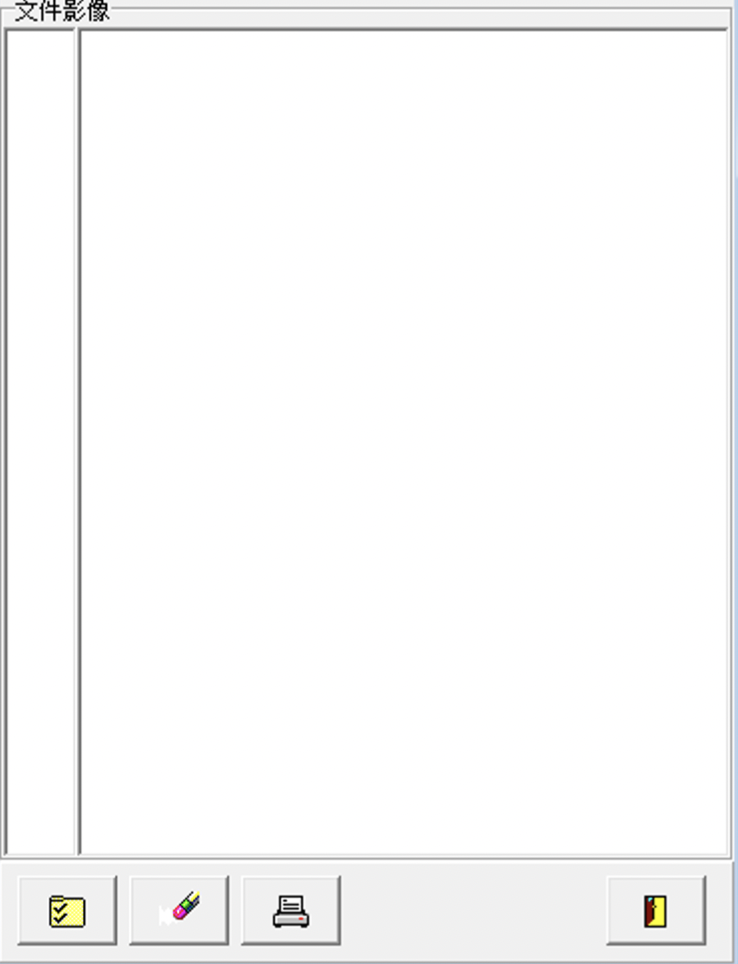
| | | @/DocPrt.dfm 為 Delphi 的 ui 介面定義, 請幫我轉換為相對應的 /uiOutput/DocPrt/DocPrt.vue |
|---|
| | | @/DocPrt.pas 為 Delphi 的 ui 介面定義實作, 也請幫我轉換為相應的 /uiOutput/DocPrt/DocPrt.ts |
|---|
| | | @/doc/curtis/screenShot/DocPrt.png 則是 @/DocPrt.dfm 介面的截圖, 轉換後的 /uiOutput/DocPrt/DocPrt.vue 必須與 @/doc/curtis/screenShot/DocPrt.png 一致 |
|---|
| | | |
|---|
| | | #### 2.2 轉換原則 |
|---|
| | | ##### 2.2.1 DocPrt.vue 轉換原則 |
|---|
| | | - ui layout 及風格請完全參照 DocPrt.png, 因為這是使用者要的設計, 大小定義請完全參照 DocPrt.dfm |
|---|
| | | - Delphi DFM 結構轉換為使用 Tailwind CSS, 請參考其 Left, Top, Width, Height 屬性來推斷相對位置 |
|---|
| | | - dfm 檔案內所指向的物件進行轉換時請生成相對應的 vue 元件, 如下 TPanel 在轉換成 vue 時請生成對應的 TPanel元件 |
|---|
| | | ```dfm |
|---|
| | | object ErrlistForm: TErrlistForm |
|---|
| | | Left = 0 |
|---|
| | | Top = 0 |
|---|
| | | ... |
|---|
| | | object Panel2: TPanel |
|---|
| | | Left = 0 |
|---|
| | | Top = 0 |
|---|
| | | Width = 841 |
|---|
| | | Height = 636 |
|---|
| | | Align = alClient |
|---|
| | | Caption = 'Panel2' |
|---|
| | | ``` |
|---|
| | | - DocPrt.dfm 參照 DocPrt.png 的截圖回推 vue 的實作方式,並 以 vuejs 實作 DocPrt.vue, |
|---|
| | | |
|---|
| | | ##### 2.2.2 DocPrt.ts 轉換原則 |
|---|
| | | - 將 DocPrt.pas 的實作轉換為 ts 實作, 並完全保留其介面及大小寫, 將其 transpile 為 DocPrt.ts |
|---|
| | | - 若 DocPrt.pas 找不到相依方法的實作方式則於 ts 應完全保留該方法及界面,讓使用者另行實作 |
|---|
| | | - 2.2.1 於實作 DocPrt.vue 時能引用 DocPrt.ts 用相關方法 |
|---|
| | | |
|---|
| | | #### 2.3 生成後輸出 |
|---|
| | | - 生成後的檔案請輸出至對應的 /uiOutput/DocPrt/DocPrt.vue 和 /uiOutput/DocPrt/DocPrt.ts 路徑 |
|---|
| | | |
|---|
| | | #### 2.4 更新 preview 入口 |
|---|
| | | - 2.4.1 preview 入口功能定義: |
|---|
| | | - 2.4.1.1 確保 @/uiOutput/index.html 中的 `availableComponents` 陣列包含此新轉換的元件 |
|---|
| | | - 2.4.1.2 此新元件的設定應包含 id, name, vuePath, jsPath (指向 ts 檔案) 和 windowTitle |
|---|
| 比對新檔案 |
| | |
|---|
| | | ### 2.1 DFM 轉換需求: .dfm Delphi 轉換為 vue 實作 |
|---|
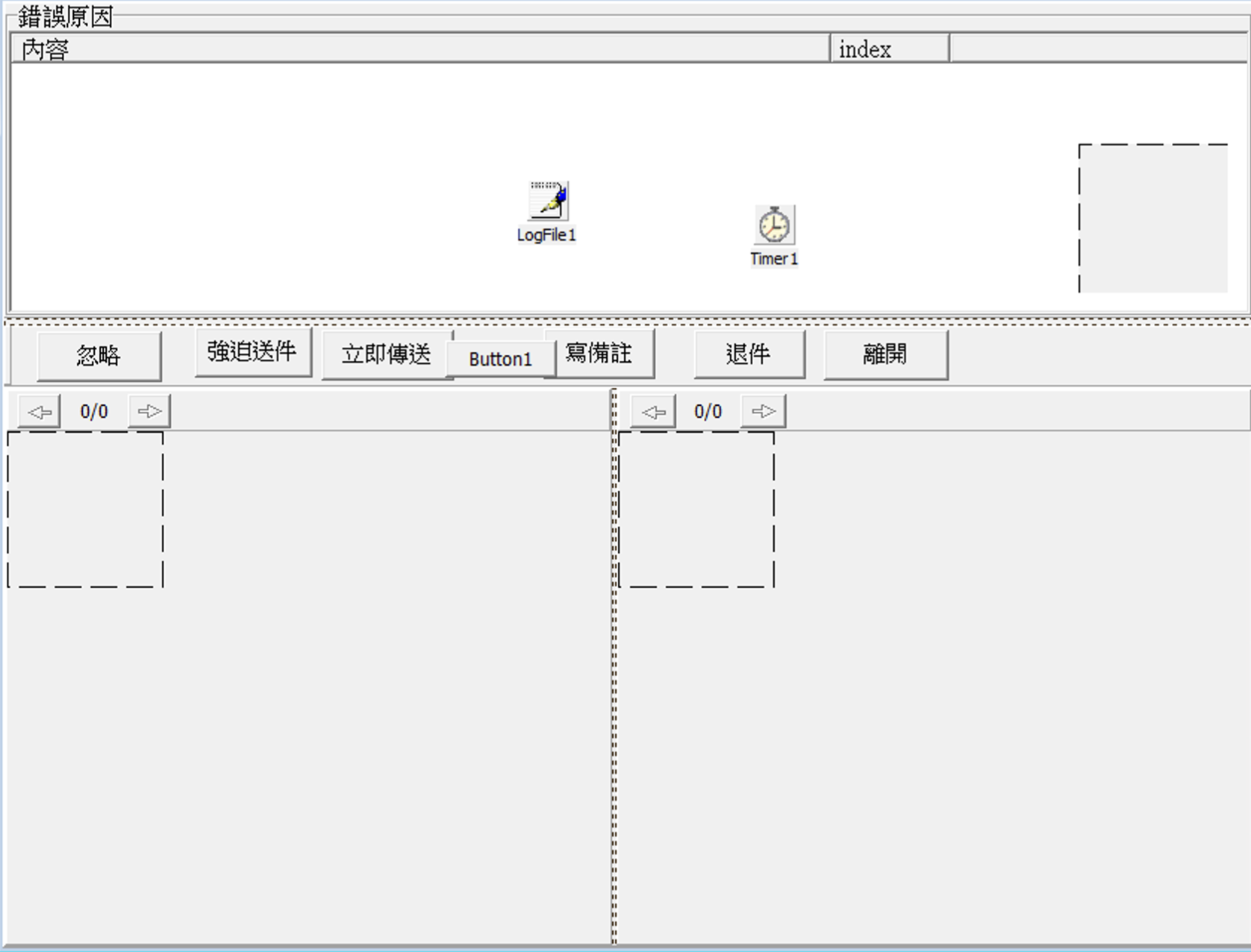
| | | @/ErrList.dfm 為 Delphi 的 ui 介面定義, 請幫我轉換為相對應的 /uiOutput/ErrList/ErrList.vue |
|---|
| | | @/ErrList.pas 為 Delphi 的 ui 介面定義實作, 也請幫我轉換為相應的 /uiOutput/ErrList/ErrList.ts |
|---|
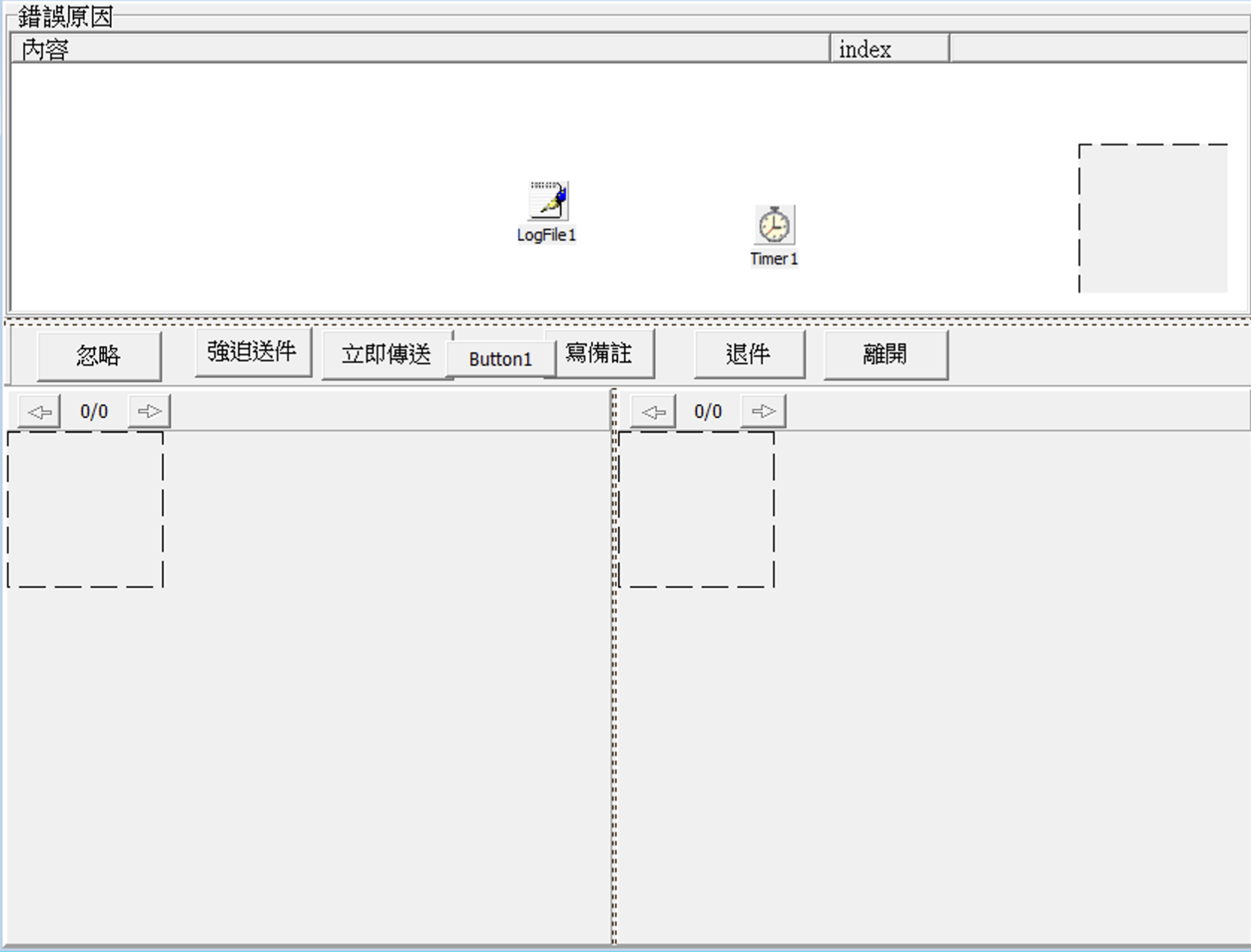
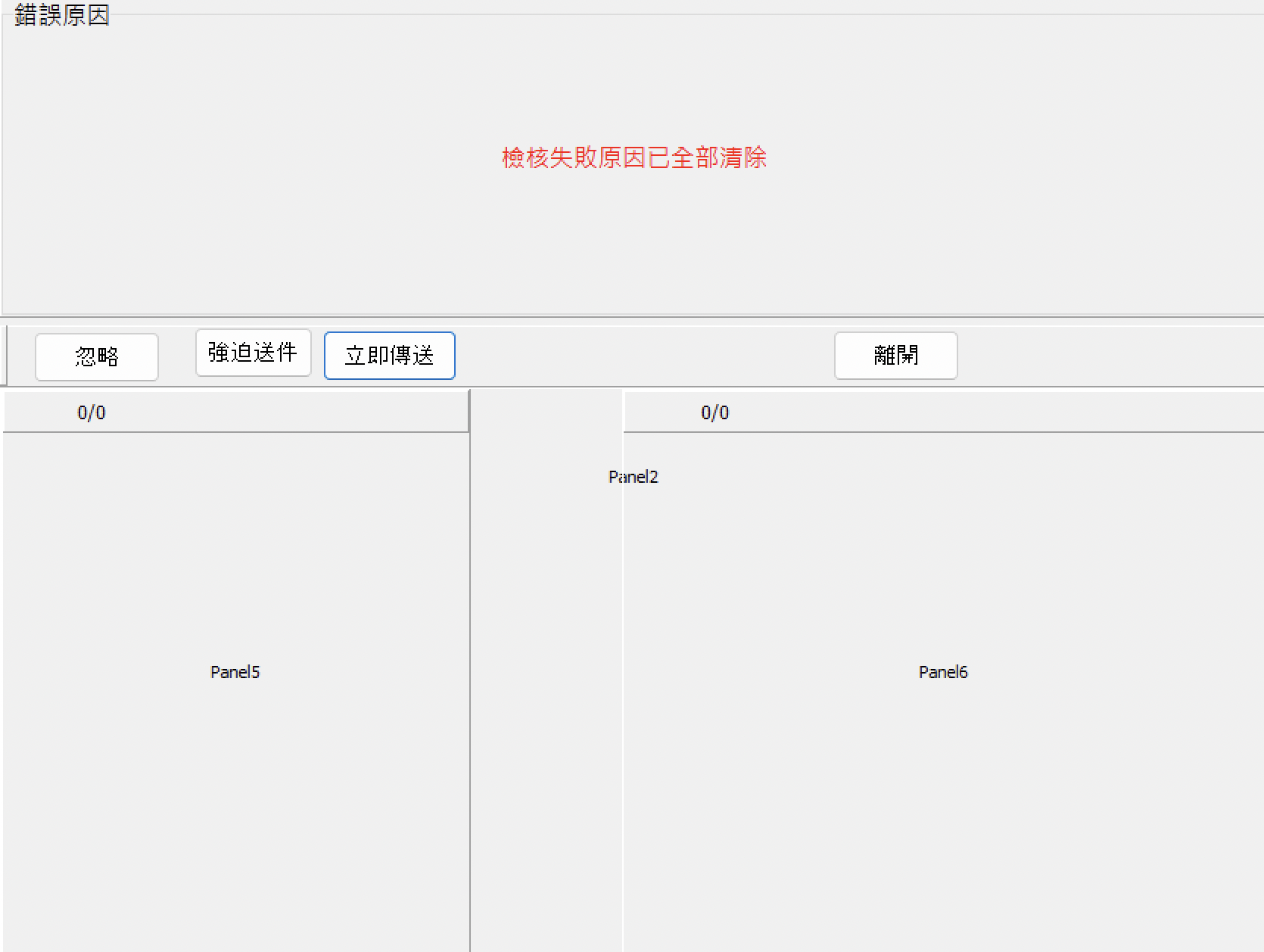
| | | @/doc/curtis/screenShot/ErrList.png 則是 @/ErrList.dfm 介面的截圖, 轉換後的 /uiOutput/ErrList/ErrList.vue 必須與 @/doc/curtis/screenShot/ErrList.png 一致 |
|---|
| | | |
|---|
| | | #### 2.2 轉換原則 |
|---|
| | | ##### 2.2.1 ErrList.vue 轉換原則 |
|---|
| | | - ui layout 及風格請完全參照 ErrList.png, 因為這是使用者要的設計, 大小定義請完全參照 ErrList.dfm |
|---|
| | | - Delphi DFM 結構轉換為使用 Tailwind CSS, 請參考其 Left, Top, Width, Height 屬性來推斷相對位置 |
|---|
| | | - dfm 檔案內所指向的物件進行轉換時請生成相對應的 vue 元件, 如下 TPanel 在轉換成 vue 時請生成對應的 TPanel元件 |
|---|
| | | ```dfm |
|---|
| | | object ErrlistForm: TErrlistForm |
|---|
| | | Left = 0 |
|---|
| | | Top = 0 |
|---|
| | | ... |
|---|
| | | object Panel2: TPanel |
|---|
| | | Left = 0 |
|---|
| | | Top = 0 |
|---|
| | | Width = 841 |
|---|
| | | Height = 636 |
|---|
| | | Align = alClient |
|---|
| | | Caption = 'Panel2' |
|---|
| | | ``` |
|---|
| | | - ErrList.dfm 參照 ErrList.png 的截圖回推 vue 的實作方式,並 以 vuejs 實作 ErrList.vue, |
|---|
| | | |
|---|
| | | ##### 2.2.2 ErrList.ts 轉換原則 |
|---|
| | | - 將 ErrList.pas 的實作轉換為 ts 實作, 並完全保留其介面及大小寫, 將其 transpile 為 ErrList.ts |
|---|
| | | - 若 ErrList.pas 找不到相依方法的實作方式則於 ts 應完全保留該方法及界面,讓使用者另行實作 |
|---|
| | | - 2.2.1 於實作 ErrList.vue 時能引用 ErrList.ts 用相關方法 |
|---|
| | | |
|---|
| | | #### 2.3 生成後輸出 |
|---|
| | | - 生成後的檔案請輸出至對應的 /uiOutput/ErrList/ErrList.vue 和 /uiOutput/ErrList/ErrList.ts 路徑 |
|---|
| | | |
|---|
| | | #### 2.4 更新 preview 入口 |
|---|
| | | - 2.4.1 preview 入口功能定義: |
|---|
| | | - 2.4.1.1 確保 @/uiOutput/index.html 中的 `availableComponents` 陣列包含此新轉換的元件 |
|---|
| | | - 2.4.1.2 此新元件的設定應包含 id, name, vuePath, jsPath (指向 ts 檔案) 和 windowTitle |
|---|
| 比對新檔案 |
| | |
|---|
| | | ### 2.1 DFM 轉換需求: .dfm Delphi 轉換為 vue 實作 |
|---|
| | | @/OldCaseInfo.dfm 為 Delphi 的 ui 介面定義, 請幫我轉換為相對應的 /uiOutput/OldCaseInfo/OldCaseInfo.vue |
|---|
| | | @/OldCaseInfo.pas 為 Delphi 的 ui 介面定義實作, 也請幫我轉換為相應的 /uiOutput/OldCaseInfo/OldCaseInfo.ts |
|---|
| | | @/doc/curtis/screenShot/OldCaseInfo.png 則是 @/OldCaseInfo.dfm 介面的截圖, 轉換後的 /uiOutput/OldCaseInfo/OldCaseInfo.vue 必須與 @/doc/curtis/screenShot/OldCaseInfo.png 一致 |
|---|
| | | |
|---|
| | | #### 2.2 轉換原則 |
|---|
| | | ##### 2.2.1 OldCaseInfo.vue 轉換原則 |
|---|
| | | - ui layout 及風格請完全參照 OldCaseInfo.png, 因為這是使用者要的設計, 大小定義請完全參照 OldCaseInfo.dfm |
|---|
| | | - Delphi DFM 結構轉換為使用 Tailwind CSS, 請參考其 Left, Top, Width, Height 屬性來推斷相對位置 |
|---|
| | | - dfm 檔案內所指向的物件進行轉換時請生成相對應的 vue 元件, 如下 TPanel 在轉換成 vue 時請生成對應的 TPanel元件 |
|---|
| | | ```dfm |
|---|
| | | object ErrlistForm: TErrlistForm |
|---|
| | | Left = 0 |
|---|
| | | Top = 0 |
|---|
| | | ... |
|---|
| | | object Panel2: TPanel |
|---|
| | | Left = 0 |
|---|
| | | Top = 0 |
|---|
| | | Width = 841 |
|---|
| | | Height = 636 |
|---|
| | | Align = alClient |
|---|
| | | Caption = 'Panel2' |
|---|
| | | ``` |
|---|
| | | - OldCaseInfo.dfm 參照 OldCaseInfo.png 的截圖回推 vue 的實作方式,並 以 vuejs 實作 OldCaseInfo.vue, |
|---|
| | | |
|---|
| | | ##### 2.2.2 OldCaseInfo.ts 轉換原則 |
|---|
| | | - 將 OldCaseInfo.pas 的實作轉換為 ts 實作, 並完全保留其介面及大小寫, 將其 transpile 為 OldCaseInfo.ts |
|---|
| | | - 若 OldCaseInfo.pas 找不到相依方法的實作方式則於 ts 應完全保留該方法及界面,讓使用者另行實作 |
|---|
| | | - 2.2.1 於實作 OldCaseInfo.vue 時能引用 OldCaseInfo.ts 用相關方法 |
|---|
| | | |
|---|
| | | #### 2.3 生成後輸出 |
|---|
| | | - 生成後的檔案請輸出至對應的 /uiOutput/OldCaseInfo/OldCaseInfo.vue 和 /uiOutput/OldCaseInfo/OldCaseInfo.ts 路徑 |
|---|
| | | |
|---|
| | | #### 2.4 更新 preview 入口 |
|---|
| | | - 2.4.1 preview 入口功能定義: |
|---|
| | | - 2.4.1.1 確保 @/uiOutput/index.html 中的 `availableComponents` 陣列包含此新轉換的元件 |
|---|
| | | - 2.4.1.2 此新元件的設定應包含 id, name, vuePath, jsPath (指向 ts 檔案) 和 windowTitle |
|---|
| 比對新檔案 |
| | |
|---|
| | | ### 2.1 DFM 轉換需求: .dfm Delphi 轉換為 vue 實作 |
|---|
| | | @/PatchFom.dfm 為 Delphi 的 ui 介面定義, 請幫我轉換為相對應的 /uiOutput/PatchFom/PatchFom.vue |
|---|
| | | @/PatchFom.pas 為 Delphi 的 ui 介面定義實作, 也請幫我轉換為相應的 /uiOutput/PatchFom/PatchFom.ts |
|---|
| | | @/doc/curtis/screenShot/PatchFom.png 則是 @/PatchFom.dfm 介面的截圖, 轉換後的 /uiOutput/PatchFom/PatchFom.vue 必須與 @/doc/curtis/screenShot/PatchFom.png 一致 |
|---|
| | | |
|---|
| | | #### 2.2 轉換原則 |
|---|
| | | ##### 2.2.1 PatchFom.vue 轉換原則 |
|---|
| | | - ui layout 及風格請完全參照 PatchFom.png, 因為這是使用者要的設計, 大小定義請完全參照 PatchFom.dfm |
|---|
| | | - Delphi DFM 結構轉換為使用 Tailwind CSS, 請參考其 Left, Top, Width, Height 屬性來推斷相對位置 |
|---|
| | | - dfm 檔案內所指向的物件進行轉換時請生成相對應的 vue 元件, 如下 TPanel 在轉換成 vue 時請生成對應的 TPanel元件 |
|---|
| | | ```dfm |
|---|
| | | object ErrlistForm: TErrlistForm |
|---|
| | | Left = 0 |
|---|
| | | Top = 0 |
|---|
| | | ... |
|---|
| | | object Panel2: TPanel |
|---|
| | | Left = 0 |
|---|
| | | Top = 0 |
|---|
| | | Width = 841 |
|---|
| | | Height = 636 |
|---|
| | | Align = alClient |
|---|
| | | Caption = 'Panel2' |
|---|
| | | ``` |
|---|
| | | - PatchFom.dfm 參照 PatchFom.png 的截圖回推 vue 的實作方式,並 以 vuejs 實作 PatchFom.vue, |
|---|
| | | |
|---|
| | | ##### 2.2.2 PatchFom.ts 轉換原則 |
|---|
| | | - 將 PatchFom.pas 的實作轉換為 ts 實作, 並完全保留其介面及大小寫, 將其 transpile 為 PatchFom.ts |
|---|
| | | - 若 PatchFom.pas 找不到相依方法的實作方式則於 ts 應完全保留該方法及界面,讓使用者另行實作 |
|---|
| | | - 2.2.1 於實作 PatchFom.vue 時能引用 PatchFom.ts 用相關方法 |
|---|
| | | |
|---|
| | | #### 2.3 生成後輸出 |
|---|
| | | - 生成後的檔案請輸出至對應的 /uiOutput/PatchFom/PatchFom.vue 和 /uiOutput/PatchFom/PatchFom.ts 路徑 |
|---|
| | | |
|---|
| | | #### 2.4 更新 preview 入口 |
|---|
| | | - 2.4.1 preview 入口功能定義: |
|---|
| | | - 2.4.1.1 確保 @/uiOutput/index.html 中的 `availableComponents` 陣列包含此新轉換的元件 |
|---|
| | | - 2.4.1.2 此新元件的設定應包含 id, name, vuePath, jsPath (指向 ts 檔案) 和 windowTitle |
|---|
| 比對新檔案 |
| | |
|---|
| | | ### 2.1 DFM 轉換需求: .dfm Delphi 轉換為 vue 實作 |
|---|
| | | @{{dfm}} 為 Delphi 的 ui 介面定義, 請幫我轉換為相對應的 {{vue}} |
|---|
| | | @{{pas}} 為 Delphi 的 ui 介面定義實作, 也請幫我轉換為相應的 {{ts}} |
|---|
| | | @{{png}} 則是 @{{dfm}} 介面的截圖, 轉換後的 {{vue}} 必須與 @{{png}} 一致 |
|---|
| | | |
|---|
| | | #### 2.2 轉換原則 |
|---|
| | | ##### 2.2.1 {{vue_filename}} 轉換原則 |
|---|
| | | - ui layout 及風格請完全參照 {{png_filename}}, 因為這是使用者要的設計, 大小定義請完全參照 {{dfm_filename}} |
|---|
| | | - Delphi DFM 結構轉換為使用 Tailwind CSS, 請參考其 Left, Top, Width, Height 屬性來推斷相對位置 |
|---|
| | | - dfm 檔案內所指向的物件進行轉換時請生成相對應的 vue 元件, 如下 TPanel 在轉換成 vue 時請生成對應的 TPanel元件 |
|---|
| | | ```dfm |
|---|
| | | object ErrlistForm: TErrlistForm |
|---|
| | | Left = 0 |
|---|
| | | Top = 0 |
|---|
| | | ... |
|---|
| | | object Panel2: TPanel |
|---|
| | | Left = 0 |
|---|
| | | Top = 0 |
|---|
| | | Width = 841 |
|---|
| | | Height = 636 |
|---|
| | | Align = alClient |
|---|
| | | Caption = 'Panel2' |
|---|
| | | ``` |
|---|
| | | - {{dfm_filename}} 參照 {{png_filename}} 的截圖回推 vue 的實作方式,並 以 vuejs 實作 {{vue_filename}}, |
|---|
| | | |
|---|
| | | ##### 2.2.2 {{ts_filename}} 轉換原則 |
|---|
| | | - 將 {{pas_filename}} 的實作轉換為 ts 實作, 並完全保留其介面及大小寫, 將其 transpile 為 {{ts_filename}} |
|---|
| | | - 若 {{pas_filename}} 找不到相依方法的實作方式則於 ts 應完全保留該方法及界面,讓使用者另行實作 |
|---|
| | | - 2.2.1 於實作 {{vue_filename}} 時能引用 {{ts_filename}} 用相關方法 |
|---|
| | | |
|---|
| | | #### 2.3 生成後輸出 |
|---|
| | | - 生成後的檔案請輸出至對應的 {{vue}} 和 {{ts}} 路徑 |
|---|
| | | |
|---|
| | | #### 2.4 更新 preview 入口 |
|---|
| | | - 2.4.1 preview 入口功能定義: |
|---|
| | | - 2.4.1.1 確保 @/uiOutput/index.html 中的 `availableComponents` 陣列包含此新轉換的元件 |
|---|
| | | - 2.4.1.2 此新元件的設定應包含 id, name, vuePath, jsPath (指向 ts 檔案) 和 windowTitle |
|---|
| 比對新檔案 |
| | |
|---|
| | | [ |
|---|
| | | { |
|---|
| | | "dfm": "/PatchFom.dfm", |
|---|
| | | "pas": "/PatchFom.pas", |
|---|
| | | "png": "/doc/curtis/screenShot/PatchFom.png", |
|---|
| | | "vue": "/uiOutput/PatchFom/PatchFom.vue", |
|---|
| | | "ts": "/uiOutput/PatchFom/PatchFom.ts" |
|---|
| | | }, |
|---|
| | | { |
|---|
| | | "dfm": "/CB_IMGPSScanImp.dfm", |
|---|
| | | "pas": "/CB_IMGPSScanImp.pas", |
|---|
| | | "png": "/doc/curtis/screenShot/CB_IMGPSScanImp.png", |
|---|
| | | "vue": "/uiOutput/CB_IMGPSScanImp/CB_IMGPSScanImp.vue", |
|---|
| | | "ts": "/uiOutput/CB_IMGPSScanImp/CB_IMGPSScanImp.ts" |
|---|
| | | }, |
|---|
| | | { |
|---|
| | | "dfm": "/DocList.dfm", |
|---|
| | | "pas": "/DocList.pas", |
|---|
| | | "png": "/doc/curtis/screenShot/DocList.png", |
|---|
| | | "vue": "/uiOutput/DocList/DocList.vue", |
|---|
| | | "ts": "/uiOutput/DocList/DocList.ts" |
|---|
| | | }, |
|---|
| | | { |
|---|
| | | "dfm": "/ErrList.dfm", |
|---|
| | | "pas": "/ErrList.pas", |
|---|
| | | "png": "/doc/curtis/screenShot/ErrList.png", |
|---|
| | | "vue": "/uiOutput/ErrList/ErrList.vue", |
|---|
| | | "ts": "/uiOutput/ErrList/ErrList.ts" |
|---|
| | | }, |
|---|
| | | { |
|---|
| | | "dfm": "/DocPrt.dfm", |
|---|
| | | "pas": "/DocPrt.pas", |
|---|
| | | "png": "/doc/curtis/screenShot/DocPrt.png", |
|---|
| | | "vue": "/uiOutput/DocPrt/DocPrt.vue", |
|---|
| | | "ts": "/uiOutput/DocPrt/DocPrt.ts" |
|---|
| | | }, |
|---|
| | | { |
|---|
| | | "dfm": "/OldCaseInfo.dfm", |
|---|
| | | "pas": "/OldCaseInfo.pas", |
|---|
| | | "png": "/doc/curtis/screenShot/OldCaseInfo.png", |
|---|
| | | "vue": "/uiOutput/OldCaseInfo/OldCaseInfo.vue", |
|---|
| | | "ts": "/uiOutput/OldCaseInfo/OldCaseInfo.ts" |
|---|
| | | } |
|---|
| | | ] |
|---|
| 比對新檔案 |
| | |
|---|
| | | ### Delphi dfm 轉 vue |
|---|
| | | |
|---|
| | | template: [dfm_to_web_prompt_template.md](dfm_to_web_prompt_template.md) |
|---|
| | | template_render: [batch_dfm_to_web.js](../../../../scripts/batch_dfm_to_web.js) |
|---|
| 比對新檔案 |
| | |
|---|
| | | |
|---|
| | | --- |
|---|
| | | base_path: "doc/curtis/prompt/scanimpl_analysis" |
|---|
| | | script_path: "script" |
|---|
| | | --- |
|---|
| | | |
|---|
| | | |
|---|
| | | ## B1.1 分析方法集合: |
|---|
| | | 請依 @Delphi_套件相依.md 裡 「依功能拆分模組與第三方套件綁定分析」要項 |
|---|
| | | 對 @CB_IMGPSScanImp.pas 檔案進行分析,將合於該分類的方法名集合找出來 |
|---|
| | | 生成對應的 json 檔, 該生成的 json 檔可用來代表 @CB_IMGPSScanImp.pas.bk |
|---|
| | | 拆分前的每個方法,其分類是什麼,其所在區段是什麼,最後該 json 檔將餵入 |
|---|
| | | 腳本,透過腳本執行,進行檔案拆分及測試,而不是透過 AI 拆分 |
|---|
| | | |
|---|
| | | 以下是詳細規格需求: |
|---|
| | | ### B1.1.1. **輸入檔案**: |
|---|
| | | * 程式需讀取同一目錄下的 `CB_IMGPSScanImp.pas.bk` 檔案。 |
|---|
| | | |
|---|
| | | ### B1.1.2. **方法擷取**: |
|---|
| | | * 尋找檔案中所有以 `procedure TCB_IMGPSScanX.` 或 `function TCB_IMGPSScanX.` 開頭的行。 |
|---|
| | | * 紀錄每個方法的: |
|---|
| | | * `lIndex`:該方法在檔案中的起始行號(從 1 開始計算)。 |
|---|
| | | * `methodName`:方法的完整簽名字串 (例如:`procedure TCB_IMGPSScanX.StatrTwainScan;`, `procedure TCB_IMGPSScanX.OnAcquire( const DibHandle : THandle;`)。 |
|---|
| | | |
|---|
| | | ### B1.1.3. **計算 `rIndex`**: |
|---|
| | | * 每個方法的結束行 (`rIndex`) 可以假設是下一個方法開始的前一行 (`lIndex - 1`)。 |
|---|
| | | * 如果是最後一個方法,它的 `rIndex` 應該是檔案的總行數。 |
|---|
| | | |
|---|
| | | ### B1.1.4. **分類邏輯 (tags)**: |
|---|
| | | 我需要你將找到的每個方法,分配到對應的 `tags`。 |
|---|
| | | 請根據以下關鍵字進行簡單的字串比對分類 (如果不在此列表內,則預設分類到 `"UIView"` / `"UIView.misc"`): |
|---|
| | | |
|---|
| | | * **ScannerControl (硬體掃描控制模組)** |
|---|
| | | * `StatrTwainScan`, `OnAcquire`, `initkscan`, `CheckScannerConfig`, `PageEnd`, `PageDone`, `R_W_Scanini`, `GetDefScanIni` -> `ScannerControl.twainWrapper` |
|---|
| | | |
|---|
| | | * **ImageProcessor (影像處理與轉換模組)** |
|---|
| | | * `DeskewImg`, `Rotate`, `CropImg`, `ImageReSize_FormID`, `ImageReSize_tmp`, `CheckNeedCrop` -> `ImageProcessor.transformer` |
|---|
| | | * `ConvertToBW`, `ConvertToGray`, `Image_Smooth`, `NegativeImg`, `CleanupBorder` -> `ImageProcessor.converter` |
|---|
| | | * `MpsGetBarcode`, `Get_OMR` -> `ImageProcessor.barcodeRecognizer` |
|---|
| | | * `FindPoint`, `CheckSize`, `GetSiteOMR` -> `ImageProcessor.anchorAnalyzer` |
|---|
| | | |
|---|
| | | * **TransportManager (安全傳輸與 API 通訊模組)** |
|---|
| | | * `ProcessServlet`, `ProcessServlet_Get`, `ProcessServlet_FormData` -> `TransportManager.requestWrapper` |
|---|
| | | * `upFile`, `dnFile`, `dnFile_Get`, `GetftpInfo`, `SetFtpInfo`, `FtpCaseComplete` -> `TransportManager.fileTransfer` |
|---|
| | | * `En_DecryptionStr_Base64`, `LoadFileGetMD5`, `HTTPSClientCertificateValidate` -> `TransportManager.utilities` |
|---|
| | | * `ZipMainFile`, `ZipMaskFile`, `ExecuteUnZip` -> `TransportManager.payloadArchiver` |
|---|
| | | |
|---|
| | | * **BusinessLogic (業務邏輯與資料解析模組)** |
|---|
| | | * `SetSQLData`, `GetSQLData`, `FindSQLData`, `GetSetInf1`, `GetSetInf2`, `GetSetInf3`, `GetSetInf4`, `GetSetInf5`, `GetSetInf6`, `GetSetInf7` -> `BusinessLogic.paramState` |
|---|
| | | * `BarCode2FormID`, `BarCode2CaseID`, `FormCode2DocNo`, `DocNo2DocName`, `DocNoNeedDiv`, `CreateDocNo_Info`, `CreateCustDocNo_Info` -> `BusinessLogic.entityMapping` |
|---|
| | | * `OMRCheckCase`, `OMRErr2ini`, `OMRErrini2List` -> `BusinessLogic.ormRuleEngine` |
|---|
| | | * `SetUseCase`, `GetUseCase`, `OldCasetoNewCase`, `ErrFormtoCurrentForm`, `DeleteDocNoFileForESCAN` -> `BusinessLogic.caseManager` |
|---|
| | | |
|---|
| | | * **UIView (UI 視圖與介面呈現模組)** |
|---|
| | | * 包含 `TreeView` 的方法 (如 `TreeView1Click`, `DrawDocItem2` 等) -> `UIView.treeView` |
|---|
| | | * 包含 `ISB`, `ImageScrollBox`, `ScrollBox` 的方法 (如 `ISB1Click`, `CreatePreViewISB` 等) -> `UIView.scrollView` |
|---|
| | | * `InitialLanguage`, `DownLanguage` -> `UIView.i18n` |
|---|
| | | * `DisplayMode`, `GoViewMode` -> `UIView.misc` |
|---|
| | | * `DataLoading`, `Timer2Timer`, `StatusBar1DblClick` -> `UIView.statusMessenger` |
|---|
| | | |
|---|
| | | ### B1.1.5. **方法分類 tags 說明**: |
|---|
| | | |
|---|
| | | #### ScannerController (掃描硬體控制模組) |
|---|
| | | - ScannerController.twainWrapper (TWAIN 介面與硬體初始化) |
|---|
| | | - ScannerController.acquisitionHandler (硬體取像非同步回呼與後處理) |
|---|
| | | |
|---|
| | | #### ImageProcessor |
|---|
| | | - ImageProcessor.transformer (影像幾何與物理變換):如各種縮放 (ReSize)、裁切 (CheckNeedCrop)、旋轉 (Rotate)、去斜 (Deskew) 及所有 UI 比例變換等。 |
|---|
| | | - ImageProcessor.converter (影像色彩與品質轉換):包含黑白轉換 (ConvertToBW)、平滑化 (Smooth)、遮罩處理 (Mask)、浮水印列印 (PrintImg)。 |
|---|
| | | - ImageProcessor.anchorAnalyzer (特徵定位與 OMR 分析):包含了分析黑點密度的 GetSiteOMR。 |
|---|
| | | |
|---|
| | | #### TransportManager (傳輸與網路管理模組),新增了: |
|---|
| | | - TransportManager.apiClient (RESTful / Servlet 參數與組態拉取) |
|---|
| | | - TransportManager.fileTransfer (大檔、影像、FTP 實體傳輸) |
|---|
| | | - TransportManager.certificateManager (HTTPS 與 SSL 憑證驗證) |
|---|
| | | - TransportManager.payloadArchiver (ZIP 壓縮、解壓縮與進匯出封裝) |
|---|
| | | |
|---|
| | | #### BusinessLogic |
|---|
| | | - BusinessLogic.systemInternal': 系統參數與組態儲存庫 (Config & Parameter Repository), |
|---|
| | | - BusinessLogic.configRepository: 系統參數與組態儲存庫 (Config & Parameter Repository), |
|---|
| | | - BusinessLogic.ormRuleEngine': OMR 與業務規則檢核引擎 (OMR & Business Rule Engine), |
|---|
| | | - BusinessLogic.entityMapping: 領域實體對映與結構管理器 (Entity Mapping & Structure Manager), |
|---|
| | | - BusinessLogic.entityModel: 領域實體對映與結構管理器 (Entity Mapping & Structure Manager), |
|---|
| | | - BusinessLogic.fileManager': 案件異動與舊案引用處理器 (Case Modification & Legacy Handler), |
|---|
| | | - BusinessLogic.caseManager': 案件異動與舊案引用處理器 (Case Modification & Legacy Handler), |
|---|
| | | - BusinessLogic.activeXWrapper': 處理 ActiveX 相關, |
|---|
| | | |
|---|
| | | #### UIView |
|---|
| | | - UIView.treeView:樹狀結構呈現與操作 (如 TreeView 的節點刷新、拖曳、點擊) |
|---|
| | | - UIView.listView:清單結構呈現 (如 PageLV, AttListBox) |
|---|
| | | - UIView.imageScrollBox:影像預覽與捲動 (對應 EnImgScr / TImageScrollBox 相關的視覺控制與預覽) |
|---|
| | | - UIView.toolBar:互動工具與面板按鈕 (如各類 BtnClick、FC 分類按鈕) |
|---|
| | | - UIView.popupMenu:快顯選單控制 (各類 PMxxxClick 或是 PopupMenuPopup) |
|---|
| | | - UIView.i18n:多國語言與翻譯載入 |
|---|
| | | - UIView.feedback:系統狀態與進度回饋 (包含 Timer、DataLoading、StatusBar) |
|---|
| | | |
|---|
| | | ### B1.1.5. **輸出格式**: |
|---|
| | | * JSON 輸出的結構應該類似這樣: |
|---|
| | | ```json |
|---|
| | | [ |
|---|
| | | { |
|---|
| | | "matcher": "procedure TCB_IMGPSScanX.OnAcquire( const DibHandle : THandle;", |
|---|
| | | "tags": [ |
|---|
| | | "ScannerController", |
|---|
| | | "ScannerController.acquisitionHandler" |
|---|
| | | ], |
|---|
| | | "deps": [], |
|---|
| | | "lIndex": "4444", |
|---|
| | | "rIndex": "4476", |
|---|
| | | "description": "" |
|---|
| | | } |
|---|
| | | ] |
|---|
| | | ``` |
|---|
| | | * 盡量將相同 `tags` 的 items 群組在一個 block 內。 |
|---|
| | | * deps 保持空陣列 |
|---|
| | | |
|---|
| | | |
|---|
| | | ## B1.2 分類結果生成: |
|---|
| | | ### B1.2.1 生成分類結果 json - tags 說明: |
|---|
| | | 透過 B1.1 取得的結果將各個方法名進行分類,分類時請合於 @Delphi_套件相依.md |
|---|
| | | 的分類方法,並依 "B1.1.5 方法分類 tags 說明" 判定其 tags 屬性 |
|---|
| | | |
|---|
| | | **example:** |
|---|
| | | ```pascal |
|---|
| | | // CB_IMGPSScanImp.pas, 假定該分類為 ImageProcessor.anchorAnalyzer |
|---|
| | | function TCB_IMGPSScanX.GetSiteOMR(FileName,Site:String;bt: Integer): Integer; |
|---|
| | | ``` |
|---|
| | | |
|---|
| | | ```json |
|---|
| | | { |
|---|
| | | "matcher": "function TCB_IMGPSScanX.GetSiteOMR(FileName,Site:String;bt: Integer): Integer;", |
|---|
| | | "tags": [ |
|---|
| | | "ImageProcessor", |
|---|
| | | "ImageProcessor.anchorAnalyzer" |
|---|
| | | ], |
|---|
| | | "deps": [], |
|---|
| | | "lIndex": "5173", |
|---|
| | | "rIndex": "5226", |
|---|
| | | "description": "" |
|---|
| | | } |
|---|
| | | ``` |
|---|
| | | |
|---|
| | | ### B1.2.2 生成分類結果 json - 輸出位置說明: |
|---|
| | | - B1.2.2.1 - 若 tag 名其一綴包含 ScannerController: |
|---|
| | | > output: `{{base_path}}/scanimpl_annalysis.ScannerController.json` |
|---|
| | | - B1.2.2.2 - 若 tag 名其一綴包含 BusinessLogic: |
|---|
| | | > output: `{{base_path}}/scanimpl_annalysis.BusinessLogic.json` |
|---|
| | | - B1.2.2.3 - 若 tag 名其一綴包含 ImageProcessor: |
|---|
| | | > output: `{{base_path}}/scanimpl_annalysis.ImageProcessor.json` |
|---|
| | | - B1.2.2.4 - 若 tag 名其一綴包含 TransportManager: |
|---|
| | | > output: `{{base_path}}/scanimpl_annalysis.TransportManager.json` |
|---|
| | | - B1.2.2.5 - 若 tag 名其一綴包含 UIView: |
|---|
| | | > output: `{{base_path}}/scanimpl_annalysis.UIView.json` |
|---|
| | | |
|---|
| | | |
|---|
| | | ## B1.3 生成分類結果 json 驗證腳本 |
|---|
| | | 生成腳本,以驗證 "B1.2 分類結果生成" 是否正確,該腳本檔針對 @CB_IMGPSScanImp.pas.bk |
|---|
| | | 與 '"B1.2 分類結果生成" 生成之 json'(以下簡程 [B1.2Jsons] ) 進行驗證 |
|---|
| | | |
|---|
| | | ### B1.3.1 驗證原則說明: |
|---|
| | | - B1.3.1.1: [B1.2Jsons] 其方法名(matcher) 必須等於 @CB_IMGPSScanImp.pas 所對應的 lIndex |
|---|
| | | - B1.3.1.2: [B1.2Jsons] 裡的 rIndex, lIndex 不可能為 -1, 因為該值必須正確映射 @CB_IMGPSScanImp.pas.bk 的行號 |
|---|
| | | - B1.3.1.3: 移除 @CB_IMGPSScanImp.pas 中於 [B1.2Jsons] 所標示之區段另存為文字檔,並於腳本結束時,顯其文字檔路徑,我想人工審核 |
|---|
| | | > output: `{{base_path}}/scanimpl_annalysis.remainings.txt` |
|---|
| | | |
|---|
| | | ### B1.3.2 驗證腳本路徑: |
|---|
| | | > output: `{{script_path}}/scanimpl_annalysis_json.test.js` |
|---|
| 比對新檔案 |
| | |
|---|
| | | |
|---|
| | | |
|---|
| | | ### 0.1.1. 專案背景與目標 |
|---|
| | | 本文件定義了將大型實體檔案 `CB_IMGPSScanImp.pas.bk` 進行解耦與重構的標準流程。 |
|---|
| | | 核心策略在於「步驟間解耦(Step Decoupling)」,透過引入中介產出物,確保流程中斷時可從失敗步驟直接重試,無需重複耗時的掃描作業。 |
|---|
| | | |
|---|
| | | ### 0.1.2. 環境變數定義 |
|---|
| | | - {{base_path}} = "doc/curtis/prompt/scanimpl_analysis" |
|---|
| | | - {{script_path}} = "script" |
|---|
| | | - {{source_file}} = "CB_IMGPSScanImp.pas.bk" |
|---|
| | | |
|---|
| | | ### 0.1.3. 四階段執行程序規格 |
|---|
| | | |
|---|
| | | ### 0.1.3.1 階段一:原始碼結構提取 (Physical Extraction) |
|---|
| | | - **目標**:識別所有 `TCB_IMGPSScanX` 類別的方法實體邊界,建立物理行號索引。 |
|---|
| | | - **輸入**:{{source_file}}。 |
|---|
| | | - **處理邏輯**: |
|---|
| | | 1. 執行逐行掃描。 |
|---|
| | | 2. 匹配正則表達式:`^(procedure|function)\s+TCB_IMGPSScanX\.`。 |
|---|
| | | 3. 紀錄 `lIndex`:該方法宣告所在的起始行號(從 1 開始計算)。 |
|---|
| | | 4. 紀錄 `matcher`:該行的完整原始碼字串。 |
|---|
| | | 5. 計算 `rIndex`:將「下一個方法」的 `lIndex - 1` 作為當前方法的結束行;若為最後一個方法,則 `rIndex` 為檔案總行數。 |
|---|
| | | - **中介輸出**:`{{base_path}}/step1_raw_methods.json` |
|---|
| | | - **中介輸出腳本**: `{{script_path}}/scanimpl_annalysis_extract_methods.js` |
|---|
| | | - **結構範例**:`[{"matcher": "...", "lIndex": 120, "rIndex": 150}]` |
|---|
| | | |
|---|
| | | ### 0.1.3.2 階段二:特徵比對與標籤分類 (Semantic Tagging) |
|---|
| | | - **目標**:讀取邊界索引,根據關鍵字字典規則賦予業務分類標籤 (Tags)。 |
|---|
| | | - **輸入**:`{{base_path}}/step1_raw_methods.json`。 |
|---|
| | | - **處理邏輯**: |
|---|
| | | 1. 遍歷中介 JSON 中的所有項目。 |
|---|
| | | 2. 依據 `matcher` 內容進行關鍵字匹配(分類規則詳見第 4 節)。 |
|---|
| | | 3. 賦予對應的主標籤(如 `UIView`)與次標籤(如 `UIView.treeView`)。 |
|---|
| | | 4. 統一初始化 `deps: []` 與 `description: ""` 欄位。 |
|---|
| | | - **中介輸出**:`{{base_path}}/step2_classified_methods.json` |
|---|
| | | - **中介輸出腳本**:`{{base_path}}/scanimpl_annalysis_classify.js` |
|---|
| | | |
|---|
| | | ### 0.1.3.3 階段三:模組分流實體化 (Module Disaggregation) |
|---|
| | | - **目標**:將分類完成的總集合,物理性地拆分為五個符合專案規範的正式模組 JSON。 |
|---|
| | | - **輸入**:`{{base_path}}/step2_classified_methods.json`。 |
|---|
| | | - **處理邏輯**: |
|---|
| | | 1. 依據項目中的主標籤(ScannerController, BusinessLogic, ImageProcessor, TransportManager, UIView)進行分流。 |
|---|
| | | 2. 格式化 JSON:使用 UTF-8 編碼,縮排為 2 個空格。 |
|---|
| | | - **目標產出**: |
|---|
| | | - `{{base_path}}/scanimpl_annalysis.ScannerController.json` |
|---|
| | | - `{{base_path}}/scanimpl_annalysis.BusinessLogic.json` |
|---|
| | | - `{{base_path}}/scanimpl_annalysis.ImageProcessor.json` |
|---|
| | | - `{{base_path}}/scanimpl_annalysis.TransportManager.json` |
|---|
| | | - `{{base_path}}/scanimpl_annalysis.UIView.json` |
|---|
| | | - **目標產出腳本**: `{{script_path}}/scanimpl_annalysis_disaggregate.js` |
|---|
| | | |
|---|
| | | ### 0.1.3.4 階段四:邊界驗證與死角萃取 (Validation & Dead Zone Analysis) |
|---|
| | | - **目標**:產出並執行驗證腳本,確保 JSON 數據與原始碼 100% 對齊。 |
|---|
| | | - **輸入**:上述 5 個模組 JSON 與 {{source_file}}。 |
|---|
| | | - **驗證腳本規格** (`{{script_path}}/scanimpl_annalysis_json.test.js`): |
|---|
| | | 1. **字串對齊斷言**:斷言 JSON 裡的 `matcher` 必須精確等於原檔在 `lIndex` 行的內容。 |
|---|
| | | 2. **範圍合法性斷言**:斷言所有 `lIndex` 與 `rIndex` 均 > 0,嚴禁出現 -1。 |
|---|
| | | 3. **覆蓋率分析**:標記所有被捕捉的行區段,將未被標記的代碼區塊(如全域變數、Type 定義區)匯出至 `remainings.txt`。 |
|---|
| | | - **驗證產出**: |
|---|
| | | - `{{script_path}}/dist/scanimpl_annalysis.remainings.txt` (死角清單) |
|---|
| | | |
|---|
| | | ### 0.1.4. 方法分類 Tags 映射規則 |
|---|
| | | 請根據以下關鍵字進行簡單的字串比對分類 (如果不在此列表內,則預設分類到 `"UIView"` / `"UIView.misc"`), tags 應允許多組: |
|---|
| | | * **ScannerControl (硬體掃描控制模組)** |
|---|
| | | * `StatrTwainScan`, `OnAcquire`, `initkscan`, `CheckScannerConfig`, `PageEnd`, `PageDone`, `R_W_Scanini`, `GetDefScanIni` -> `ScannerControl.twainWrapper` |
|---|
| | | |
|---|
| | | * **ImageProcessor (影像處理與轉換模組)** |
|---|
| | | * `DeskewImg`, `Rotate`, `CropImg`, `ImageReSize_FormID`, `ImageReSize_tmp`, `CheckNeedCrop` -> `ImageProcessor.transformer` |
|---|
| | | * `ConvertToBW`, `ConvertToGray`, `Image_Smooth`, `NegativeImg`, `CleanupBorder` -> `ImageProcessor.converter` |
|---|
| | | * `MpsGetBarcode`, `Get_OMR` -> `ImageProcessor.barcodeRecognizer` |
|---|
| | | * `FindPoint`, `CheckSize`, `GetSiteOMR` -> `ImageProcessor.anchorAnalyzer` |
|---|
| | | |
|---|
| | | * **TransportManager (安全傳輸與 API 通訊模組)** |
|---|
| | | * `ProcessServlet`, `ProcessServlet_Get`, `ProcessServlet_FormData` -> `TransportManager.requestWrapper` |
|---|
| | | * `upFile`, `dnFile`, `dnFile_Get`, `GetftpInfo`, `SetFtpInfo`, `FtpCaseComplete` -> `TransportManager.fileTransfer` |
|---|
| | | * `En_DecryptionStr_Base64`, `LoadFileGetMD5`, `HTTPSClientCertificateValidate` -> `TransportManager.utilities` |
|---|
| | | * `ZipMainFile`, `ZipMaskFile`, `ExecuteUnZip` -> `TransportManager.payloadArchiver` |
|---|
| | | |
|---|
| | | * **BusinessLogic (業務邏輯與資料解析模組)** |
|---|
| | | * `SetSQLData`, `GetSQLData`, `FindSQLData`, `GetSetInf1`, `GetSetInf2`, `GetSetInf3`, `GetSetInf4`, `GetSetInf5`, `GetSetInf6`, `GetSetInf7` -> `BusinessLogic.paramState` |
|---|
| | | * `BarCode2FormID`, `BarCode2CaseID`, `FormCode2DocNo`, `DocNo2DocName`, `DocNoNeedDiv`, `CreateDocNo_Info`, `CreateCustDocNo_Info` -> `BusinessLogic.entityMapping` |
|---|
| | | * `OMRCheckCase`, `OMRErr2ini`, `OMRErrini2List` -> `BusinessLogic.ormRuleEngine` |
|---|
| | | * `SetUseCase`, `GetUseCase`, `OldCasetoNewCase`, `ErrFormtoCurrentForm`, `DeleteDocNoFileForESCAN` -> `BusinessLogic.caseManager` |
|---|
| | | |
|---|
| | | * **UIView (UI 視圖與介面呈現模組)** |
|---|
| | | * 包含 `TreeView` 的方法 (如 `TreeView1Click`, `DrawDocItem2` 等) -> `UIView.treeView` |
|---|
| | | * 包含 `ISB`, `ImageScrollBox`, `ScrollBox` 的方法 (如 `ISB1Click`, `CreatePreViewISB` 等) -> `UIView.scrollView` |
|---|
| | | * `InitialLanguage`, `DownLanguage` -> `UIView.i18n` |
|---|
| | | * `DisplayMode`, `GoViewMode` -> `UIView.layouts` |
|---|
| | | * `DataLoading`, `Timer2Timer`, `StatusBar1DblClick` -> `UIView.statusMessenger` |
|---|
| | | |
|---|
| | | |
|---|
| | | **example:** |
|---|
| | | ```pascal |
|---|
| | | // CB_IMGPSScanImp.pas, 假定該分類為 ImageProcessor.anchorAnalyzer |
|---|
| | | function TCB_IMGPSScanX.GetSiteOMR(FileName,Site:String;bt: Integer): Integer; |
|---|
| | | ``` |
|---|
| | | |
|---|
| | | ```json |
|---|
| | | { |
|---|
| | | "matcher": "function TCB_IMGPSScanX.GetSiteOMR(FileName,Site:String;bt: Integer): Integer;", |
|---|
| | | "tags": [ |
|---|
| | | "ImageProcessor", |
|---|
| | | "ImageProcessor.anchorAnalyzer" |
|---|
| | | ], |
|---|
| | | "deps": [], |
|---|
| | | "lIndex": "5173", |
|---|
| | | "rIndex": "5226", |
|---|
| | | "description": "" |
|---|
| | | } |
|---|
| | | ``` |
|---|
| | | |
|---|
| | | #### 0.1.4.1 ScannerController (掃描硬體控制模組) |
|---|
| | | - ScannerController.twainWrapper (TWAIN 介面與硬體初始化) |
|---|
| | | - ScannerController.acquisitionHandler (硬體取像非同步回呼與後處理) |
|---|
| | | |
|---|
| | | #### 0.1.4.2 ImageProcessor |
|---|
| | | - ImageProcessor.transformer (影像幾何與物理變換):如各種縮放 (ReSize)、裁切 (CheckNeedCrop)、旋轉 (Rotate)、去斜 (Deskew) 及所有 UI 比例變換等。 |
|---|
| | | - ImageProcessor.converter (影像色彩與品質轉換):包含黑白轉換 (ConvertToBW)、平滑化 (Smooth)、遮罩處理 (Mask)、浮水印列印 (PrintImg)。 |
|---|
| | | - ImageProcessor.anchorAnalyzer (特徵定位與 OMR 分析):包含了分析黑點密度的 GetSiteOMR。 |
|---|
| | | |
|---|
| | | #### 0.1.4.3 TransportManager (傳輸與網路管理模組),新增了: |
|---|
| | | - TransportManager.apiClient (RESTful / Servlet 參數與組態拉取) |
|---|
| | | - TransportManager.fileTransfer (大檔、影像、FTP 實體傳輸) |
|---|
| | | - TransportManager.certificateManager (HTTPS 與 SSL 憑證驗證) |
|---|
| | | - TransportManager.payloadArchiver (ZIP 壓縮、解壓縮與進匯出封裝) |
|---|
| | | |
|---|
| | | #### 0.1.4.4 BusinessLogic |
|---|
| | | - BusinessLogic.systemInternal': 系統參數與組態儲存庫 (Config & Parameter Repository), |
|---|
| | | - BusinessLogic.configRepository: 系統參數與組態儲存庫 (Config & Parameter Repository), |
|---|
| | | - BusinessLogic.ormRuleEngine': OMR 與業務規則檢核引擎 (OMR & Business Rule Engine), |
|---|
| | | - BusinessLogic.entityMapping: 領域實體對映與結構管理器 (Entity Mapping & Structure Manager), |
|---|
| | | - BusinessLogic.entityModel: 領域實體對映與結構管理器 (Entity Mapping & Structure Manager), |
|---|
| | | - BusinessLogic.fileManager': 案件異動與舊案引用處理器 (Case Modification & Legacy Handler), |
|---|
| | | - BusinessLogic.caseManager': 案件異動與舊案引用處理器 (Case Modification & Legacy Handler), |
|---|
| | | - BusinessLogic.activeXWrapper': 處理 ActiveX 相關, |
|---|
| | | |
|---|
| | | #### 0.1.4.5 UIView |
|---|
| | | - UIView.treeView:樹狀結構呈現與操作 (如 TreeView 的節點刷新、拖曳、點擊) |
|---|
| | | - UIView.listView:清單結構呈現 (如 PageLV, AttListBox) |
|---|
| | | - UIView.imageScrollBox:影像預覽與捲動 (對應 EnImgScr / TImageScrollBox 相關的視覺控制與預覽) |
|---|
| | | - UIView.toolBar:互動工具與面板按鈕 (如各類 BtnClick、FC 分類按鈕) |
|---|
| | | - UIView.popupMenu:快顯選單控制 (各類 PMxxxClick 或是 PopupMenuPopup) |
|---|
| | | - UIView.i18n:多國語言與翻譯載入 |
|---|
| | | - UIView.feedback:系統狀態與進度回饋 (包含 Timer、DataLoading、StatusBar) |
|---|
| 比對新檔案 |
| | |
|---|
| | | |
|---|
| | | |
|---|
| | | - team_tasks_classification.json |
|---|
| | | 用於合併 excel 分類 |
|---|
| | | |
|---|
| | | |
|---|
| | | excel[https://docs.google.com/spreadsheets/d/1500m32ysXtdHw16iCfuMZsQpDhZbtJksPkoK5aEg_Bg/edit?gid=370660718#gid=370660718] |
|---|
| 比對新檔案 |
| | |
|---|
| | | |
|---|
| | | --- |
|---|
| | | base_path: "doc/curtis/prompt/scanimpl_analysis" |
|---|
| | | script_path: "script" |
|---|
| | | assets_json: "team_tasks_classification.json" |
|---|
| | | current_step: "02" |
|---|
| | | output_script: "scanimpl_annalysis_addon_json.js" |
|---|
| | | --- |
|---|
| | | |
|---|
| | | |
|---|
| | | [定義: |
|---|
| | | - 以下 @{{json}} 指的是 @scanimpl_annalysis_step_ver.md 需求 "0.1.3.3 階段三:模組分流實體化 (Module Disaggregation)" 所輸出的五個檔案]() |
|---|
| | | |
|---|
| | | |
|---|
| | | ## 0.3 處理額外分類 |
|---|
| | | ## 0.3.1 生成處理額外分類腳本 |
|---|
| | | 透過額外分類檔 @team_tasks_classification.json 生成一腳本, 能夠為 @{{jsons}} 額外添加新的分類 |
|---|
| | | |
|---|
| | | - 0.3.1.1 步驟1 變更資料 |
|---|
| | | 由 @team_tasks_classification.json 中的 lineno 找出於 @{{jsons}} 所對應的 lineno, |
|---|
| | | 為其添加新的 tag, 並於 0.3.1.2 進行寫入 |
|---|
| | | |
|---|
| | | **範例A** |
|---|
| | | |
|---|
| | | 檔案: team_tasks_classification.json |
|---|
| | | 用於為 需求0.2 生成的 json 額外新增新的 tag, 以下面為例,將為行號 4117 的 ActiveFormCreate 方法新增 tag "初始化與生命週期" |
|---|
| | | ```json |
|---|
| | | { |
|---|
| | | "tag": "初始化與生命週期", |
|---|
| | | "methodName": "`ActiveFormCreate`", |
|---|
| | | "lineno": "4117" |
|---|
| | | } |
|---|
| | | ``` |
|---|
| | | |
|---|
| | | 檔案: scanimpl_annalysis.UIView.json |
|---|
| | | 行號 4117 的 ActiveFormCreate 方法位於 @scanimpl_annalysis.UIView.json 中,應為 @scanimpl_annalysis.UIView.json |
|---|
| | | 添加新的 tag "初始化與生命週期", 結果應如下 |
|---|
| | | ```json |
|---|
| | | { |
|---|
| | | "matcher": "procedure TCB_IMGPSScanX.ActiveFormCreate", |
|---|
| | | "tags": [ |
|---|
| | | "UIView", "初始化與生命週期" |
|---|
| | | ], |
|---|
| | | "lIndex": "4117", |
|---|
| | | "rIndex": "4137" |
|---|
| | | } |
|---|
| | | ``` |
|---|
| | | |
|---|
| | | - 0.3.1.2 步驟2 寫入資料 |
|---|
| | | 寫入 0.3.1.1 的結果至相應的 json 檔 |
|---|
| | | |
|---|
| | | **腳本檔案輸出位置:** |
|---|
| | | > output: {{script_path}}/{{output_script}} |
|---|
| | | |
|---|
| | | |
|---|
| 比對新檔案 |
| | |
|---|
| | | [ |
|---|
| | | { |
|---|
| | | "tag": "初始化與生命週期", |
|---|
| | | "methodName": "`ActiveFormCreate`", |
|---|
| | | "lineno": "4117" |
|---|
| | | }, |
|---|
| | | { |
|---|
| | | "tag": "初始化與生命週期", |
|---|
| | | "methodName": "`Timer1Timer`", |
|---|
| | | "lineno": "14904" |
|---|
| | | }, |
|---|
| | | { |
|---|
| | | "tag": "初始化與生命週期", |
|---|
| | | "methodName": "`Timer2Timer`", |
|---|
| | | "lineno": "15338" |
|---|
| | | }, |
|---|
| | | { |
|---|
| | | "tag": "初始化與生命週期", |
|---|
| | | "methodName": "`DestroyEvent`", |
|---|
| | | "lineno": "1710" |
|---|
| | | }, |
|---|
| | | { |
|---|
| | | "tag": "初始化與生命週期", |
|---|
| | | "methodName": "`ActivateEvent`", |
|---|
| | | "lineno": "1685" |
|---|
| | | }, |
|---|
| | | { |
|---|
| | | "tag": "初始化與生命週期", |
|---|
| | | "methodName": "`DeactivateEvent`", |
|---|
| | | "lineno": "1705" |
|---|
| | | }, |
|---|
| | | { |
|---|
| | | "tag": "初始化與生命週期", |
|---|
| | | "methodName": "`CreateEvent`", |
|---|
| | | "lineno": "1695" |
|---|
| | | }, |
|---|
| | | { |
|---|
| | | "tag": "初始化與生命週期", |
|---|
| | | "methodName": "`PaintEvent`", |
|---|
| | | "lineno": "1805" |
|---|
| | | }, |
|---|
| | | { |
|---|
| | | "tag": "初始化與生命週期", |
|---|
| | | "methodName": "`ClickEvent`", |
|---|
| | | "lineno": "1690" |
|---|
| | | }, |
|---|
| | | { |
|---|
| | | "tag": "初始化與生命週期", |
|---|
| | | "methodName": "`DblClickEvent`", |
|---|
| | | "lineno": "1700" |
|---|
| | | }, |
|---|
| | | { |
|---|
| | | "tag": "初始化與生命週期", |
|---|
| | | "methodName": "`MouseEnterEvent`", |
|---|
| | | "lineno": "1795" |
|---|
| | | }, |
|---|
| | | { |
|---|
| | | "tag": "初始化與生命週期", |
|---|
| | | "methodName": "`MouseLeaveEvent`", |
|---|
| | | "lineno": "1800" |
|---|
| | | }, |
|---|
| | | { |
|---|
| | | "tag": "初始化與生命週期", |
|---|
| | | "methodName": "`KeyPressEvent`", |
|---|
| | | "lineno": "1756" |
|---|
| | | }, |
|---|
| | | { |
|---|
| | | "tag": "初始化與生命週期", |
|---|
| | | "methodName": "`EventSinkChanged`", |
|---|
| | | "lineno": "1254" |
|---|
| | | }, |
|---|
| | | { |
|---|
| | | "tag": "初始化與生命週期", |
|---|
| | | "methodName": "`DefinePropertyPages`", |
|---|
| | | "lineno": "1247" |
|---|
| | | }, |
|---|
| | | { |
|---|
| | | "tag": "初始化與生命週期", |
|---|
| | | "methodName": "`InitialLanguage`", |
|---|
| | | "lineno": "5095" |
|---|
| | | }, |
|---|
| | | { |
|---|
| | | "tag": "初始化與生命週期", |
|---|
| | | "methodName": "`HotKeyDown`", |
|---|
| | | "lineno": "5090" |
|---|
| | | }, |
|---|
| | | { |
|---|
| | | "tag": "API 呼叫相關", |
|---|
| | | "methodName": "`GetServerDate`", |
|---|
| | | "lineno": "5600" |
|---|
| | | }, |
|---|
| | | { |
|---|
| | | "tag": "API 呼叫相關", |
|---|
| | | "methodName": "`GetSampleInf`", |
|---|
| | | "lineno": "5632" |
|---|
| | | }, |
|---|
| | | { |
|---|
| | | "tag": "API 呼叫相關", |
|---|
| | | "methodName": "`GetSetInf1`", |
|---|
| | | "lineno": "5665" |
|---|
| | | }, |
|---|
| | | { |
|---|
| | | "tag": "API 呼叫相關", |
|---|
| | | "methodName": "`GetSetInf2`", |
|---|
| | | "lineno": "5708" |
|---|
| | | }, |
|---|
| | | { |
|---|
| | | "tag": "API 呼叫相關", |
|---|
| | | "methodName": "`GetSetInf3`", |
|---|
| | | "lineno": "5747" |
|---|
| | | }, |
|---|
| | | { |
|---|
| | | "tag": "API 呼叫相關", |
|---|
| | | "methodName": "`GetSetInf4`", |
|---|
| | | "lineno": "5787" |
|---|
| | | }, |
|---|
| | | { |
|---|
| | | "tag": "API 呼叫相關", |
|---|
| | | "methodName": "`GetSetInf5`", |
|---|
| | | "lineno": "5828" |
|---|
| | | }, |
|---|
| | | { |
|---|
| | | "tag": "API 呼叫相關", |
|---|
| | | "methodName": "`GetSetInf6`", |
|---|
| | | "lineno": "5867" |
|---|
| | | }, |
|---|
| | | { |
|---|
| | | "tag": "API 呼叫相關", |
|---|
| | | "methodName": "`GetSetInf7`", |
|---|
| | | "lineno": "5907" |
|---|
| | | }, |
|---|
| | | { |
|---|
| | | "tag": "API 呼叫相關", |
|---|
| | | "methodName": "`GetOMRCheckSet`", |
|---|
| | | "lineno": "14507" |
|---|
| | | }, |
|---|
| | | { |
|---|
| | | "tag": "API 呼叫相關", |
|---|
| | | "methodName": "`GetKeyinSet`", |
|---|
| | | "lineno": "14566" |
|---|
| | | }, |
|---|
| | | { |
|---|
| | | "tag": "API 呼叫相關", |
|---|
| | | "methodName": "`CaseAsk`", |
|---|
| | | "lineno": "14625" |
|---|
| | | }, |
|---|
| | | { |
|---|
| | | "tag": "API 呼叫相關", |
|---|
| | | "methodName": "`CaseComplete`", |
|---|
| | | "lineno": "14675" |
|---|
| | | }, |
|---|
| | | { |
|---|
| | | "tag": "API 呼叫相關", |
|---|
| | | "methodName": "`DownLanguage`", |
|---|
| | | "lineno": "13059" |
|---|
| | | }, |
|---|
| | | { |
|---|
| | | "tag": "API 呼叫相關", |
|---|
| | | "methodName": "`DownLoadImage`", |
|---|
| | | "lineno": "6840+" |
|---|
| | | }, |
|---|
| | | { |
|---|
| | | "tag": "API 呼叫相關", |
|---|
| | | "methodName": "`Down_Img`", |
|---|
| | | "lineno": "6988+" |
|---|
| | | }, |
|---|
| | | { |
|---|
| | | "tag": "API 呼叫相關", |
|---|
| | | "methodName": "`TransCaseID`", |
|---|
| | | "lineno": "6458" |
|---|
| | | }, |
|---|
| | | { |
|---|
| | | "tag": "API 呼叫相關", |
|---|
| | | "methodName": "`TransOldCaseFile`", |
|---|
| | | "lineno": "10877" |
|---|
| | | }, |
|---|
| | | { |
|---|
| | | "tag": "API 呼叫相關", |
|---|
| | | "methodName": "`WriteLog`", |
|---|
| | | "lineno": "10938" |
|---|
| | | }, |
|---|
| | | { |
|---|
| | | "tag": "API 呼叫相關", |
|---|
| | | "methodName": "`CheckAvailable`", |
|---|
| | | "lineno": "9835+" |
|---|
| | | }, |
|---|
| | | { |
|---|
| | | "tag": "FTP 相關", |
|---|
| | | "methodName": "`GetFtpinfo`", |
|---|
| | | "lineno": "10964" |
|---|
| | | }, |
|---|
| | | { |
|---|
| | | "tag": "FTP 相關", |
|---|
| | | "methodName": "`SetFtpInfo`", |
|---|
| | | "lineno": "11042" |
|---|
| | | }, |
|---|
| | | { |
|---|
| | | "tag": "FTP 相關", |
|---|
| | | "methodName": "`FtpCaseComplete`", |
|---|
| | | "lineno": "11072" |
|---|
| | | }, |
|---|
| | | { |
|---|
| | | "tag": "轉換區(名稱/格式轉換)", |
|---|
| | | "methodName": "`FormCode2FormName`", |
|---|
| | | "lineno": "11845" |
|---|
| | | }, |
|---|
| | | { |
|---|
| | | "tag": "轉換區(名稱/格式轉換)", |
|---|
| | | "methodName": "`FormCode2FileName`", |
|---|
| | | "lineno": "11896" |
|---|
| | | }, |
|---|
| | | { |
|---|
| | | "tag": "轉換區(名稱/格式轉換)", |
|---|
| | | "methodName": "`FileName2FormCode`", |
|---|
| | | "lineno": "11919" |
|---|
| | | }, |
|---|
| | | { |
|---|
| | | "tag": "轉換區(名稱/格式轉換)", |
|---|
| | | "methodName": "`FileName2FormName`", |
|---|
| | | "lineno": "11936" |
|---|
| | | }, |
|---|
| | | { |
|---|
| | | "tag": "轉換區(名稱/格式轉換)", |
|---|
| | | "methodName": "`FileName2ScanPage`", |
|---|
| | | "lineno": "11941" |
|---|
| | | }, |
|---|
| | | { |
|---|
| | | "tag": "轉換區(名稱/格式轉換)", |
|---|
| | | "methodName": "`FileName2NoQuene_Filename`", |
|---|
| | | "lineno": "11953" |
|---|
| | | }, |
|---|
| | | { |
|---|
| | | "tag": "轉換區(名稱/格式轉換)", |
|---|
| | | "methodName": "`FileName2Index`", |
|---|
| | | "lineno": "11966" |
|---|
| | | }, |
|---|
| | | { |
|---|
| | | "tag": "轉換區(名稱/格式轉換)", |
|---|
| | | "methodName": "`FileName2NowDcoNo`", |
|---|
| | | "lineno": "11980" |
|---|
| | | }, |
|---|
| | | { |
|---|
| | | "tag": "轉換區(名稱/格式轉換)", |
|---|
| | | "methodName": "`FormCode2DocNo`", |
|---|
| | | "lineno": "11994" |
|---|
| | | }, |
|---|
| | | { |
|---|
| | | "tag": "轉換區(名稱/格式轉換)", |
|---|
| | | "methodName": "`FormCode2Version`", |
|---|
| | | "lineno": "12019" |
|---|
| | | }, |
|---|
| | | { |
|---|
| | | "tag": "轉換區(名稱/格式轉換)", |
|---|
| | | "methodName": "`FormCode2Page`", |
|---|
| | | "lineno": "12024" |
|---|
| | | }, |
|---|
| | | { |
|---|
| | | "tag": "轉換區(名稱/格式轉換)", |
|---|
| | | "methodName": "`DocNo2DocName`", |
|---|
| | | "lineno": "12029" |
|---|
| | | }, |
|---|
| | | { |
|---|
| | | "tag": "轉換區(名稱/格式轉換)", |
|---|
| | | "methodName": "`DocNo2FileName`", |
|---|
| | | "lineno": "12067" |
|---|
| | | }, |
|---|
| | | { |
|---|
| | | "tag": "轉換區(名稱/格式轉換)", |
|---|
| | | "methodName": "`FormCode2WorkNo`", |
|---|
| | | "lineno": "12082" |
|---|
| | | }, |
|---|
| | | { |
|---|
| | | "tag": "轉換區(名稱/格式轉換)", |
|---|
| | | "methodName": "`DocNo2WorkNo`", |
|---|
| | | "lineno": "12091" |
|---|
| | | }, |
|---|
| | | { |
|---|
| | | "tag": "轉換區(名稱/格式轉換)", |
|---|
| | | "methodName": "`DocNoNeedDiv`", |
|---|
| | | "lineno": "12100" |
|---|
| | | }, |
|---|
| | | { |
|---|
| | | "tag": "轉換區(名稱/格式轉換)", |
|---|
| | | "methodName": "`CaseNode2Info`", |
|---|
| | | "lineno": "12113" |
|---|
| | | }, |
|---|
| | | { |
|---|
| | | "tag": "轉換區(名稱/格式轉換)", |
|---|
| | | "methodName": "`DocNode2Info`", |
|---|
| | | "lineno": "12127" |
|---|
| | | }, |
|---|
| | | { |
|---|
| | | "tag": "轉換區(名稱/格式轉換)", |
|---|
| | | "methodName": "`FormNode2Info`", |
|---|
| | | "lineno": "12145" |
|---|
| | | }, |
|---|
| | | { |
|---|
| | | "tag": "轉換區(名稱/格式轉換)", |
|---|
| | | "methodName": "`Node2DocNo`", |
|---|
| | | "lineno": "6780+" |
|---|
| | | }, |
|---|
| | | { |
|---|
| | | "tag": "轉換區(名稱/格式轉換)", |
|---|
| | | "methodName": "`Node3DocNo`", |
|---|
| | | "lineno": "6795+" |
|---|
| | | }, |
|---|
| | | { |
|---|
| | | "tag": "轉換區(名稱/格式轉換)", |
|---|
| | | "methodName": "`Node3FormID`", |
|---|
| | | "lineno": "6808+" |
|---|
| | | }, |
|---|
| | | { |
|---|
| | | "tag": "轉換區(名稱/格式轉換)", |
|---|
| | | "methodName": "`GetNode2Name`", |
|---|
| | | "lineno": "6821+" |
|---|
| | | }, |
|---|
| | | { |
|---|
| | | "tag": "轉換區(名稱/格式轉換)", |
|---|
| | | "methodName": "`Path2DocDir`", |
|---|
| | | "lineno": "10640" |
|---|
| | | }, |
|---|
| | | { |
|---|
| | | "tag": "掃描相關", |
|---|
| | | "methodName": "`StatrTwainScan`", |
|---|
| | | "lineno": "4390" |
|---|
| | | }, |
|---|
| | | { |
|---|
| | | "tag": "掃描相關", |
|---|
| | | "methodName": "`OnAcquire`", |
|---|
| | | "lineno": "4444" |
|---|
| | | }, |
|---|
| | | { |
|---|
| | | "tag": "掃描相關", |
|---|
| | | "methodName": "`PageDone`", |
|---|
| | | "lineno": "4684" |
|---|
| | | }, |
|---|
| | | { |
|---|
| | | "tag": "掃描相關", |
|---|
| | | "methodName": "`PageEnd`", |
|---|
| | | "lineno": "4734" |
|---|
| | | }, |
|---|
| | | { |
|---|
| | | "tag": "掃描相關", |
|---|
| | | "methodName": "`R_W_ScanIni`", |
|---|
| | | "lineno": "5254" |
|---|
| | | }, |
|---|
| | | { |
|---|
| | | "tag": "掃描相關", |
|---|
| | | "methodName": "`GetDefScanIni`", |
|---|
| | | "lineno": "5296" |
|---|
| | | }, |
|---|
| | | { |
|---|
| | | "tag": "影像處理", |
|---|
| | | "methodName": "`CaseReSize`", |
|---|
| | | "lineno": "6320" |
|---|
| | | }, |
|---|
| | | { |
|---|
| | | "tag": "影像處理", |
|---|
| | | "methodName": "`ImageReSize_FormID`", |
|---|
| | | "lineno": "6343" |
|---|
| | | }, |
|---|
| | | { |
|---|
| | | "tag": "影像處理", |
|---|
| | | "methodName": "`ImageReSize_tmp`", |
|---|
| | | "lineno": "6421" |
|---|
| | | }, |
|---|
| | | { |
|---|
| | | "tag": "影像處理", |
|---|
| | | "methodName": "`ImageScrollBox1NewGraphic`", |
|---|
| | | "lineno": "6447" |
|---|
| | | }, |
|---|
| | | { |
|---|
| | | "tag": "影像處理", |
|---|
| | | "methodName": "`CheckNeedCrop`", |
|---|
| | | "lineno": "9996" |
|---|
| | | }, |
|---|
| | | { |
|---|
| | | "tag": "影像處理", |
|---|
| | | "methodName": "`Case2Mask`", |
|---|
| | | "lineno": "9932" |
|---|
| | | }, |
|---|
| | | { |
|---|
| | | "tag": "OMR 檢核", |
|---|
| | | "methodName": "`OMRCheckCase`", |
|---|
| | | "lineno": "12255" |
|---|
| | | }, |
|---|
| | | { |
|---|
| | | "tag": "OMR 檢核", |
|---|
| | | "methodName": "`OMRErr2ini`", |
|---|
| | | "lineno": "12951" |
|---|
| | | }, |
|---|
| | | { |
|---|
| | | "tag": "OMR 檢核", |
|---|
| | | "methodName": "`OMRErrini2List`", |
|---|
| | | "lineno": "12991" |
|---|
| | | }, |
|---|
| | | { |
|---|
| | | "tag": "OMR 檢核", |
|---|
| | | "methodName": "`OMRErrini2ListForLog`", |
|---|
| | | "lineno": "13021" |
|---|
| | | }, |
|---|
| | | { |
|---|
| | | "tag": "OMR 檢核", |
|---|
| | | "methodName": "`CheckRule2OMRErrInfo`", |
|---|
| | | "lineno": "5983" |
|---|
| | | }, |
|---|
| | | { |
|---|
| | | "tag": "OMR 檢核", |
|---|
| | | "methodName": "`GetSiteOMR`", |
|---|
| | | "lineno": "5173" |
|---|
| | | }, |
|---|
| | | { |
|---|
| | | "tag": "OMR 檢核", |
|---|
| | | "methodName": "`DistinctFormCode`", |
|---|
| | | "lineno": "12209" |
|---|
| | | }, |
|---|
| | | { |
|---|
| | | "tag": "案件管理(TreeView / 案件操作)", |
|---|
| | | "methodName": "`LoadImgFile`", |
|---|
| | | "lineno": "9500+" |
|---|
| | | }, |
|---|
| | | { |
|---|
| | | "tag": "案件管理(TreeView / 案件操作)", |
|---|
| | | "methodName": "`LoadImgFile1`", |
|---|
| | | "lineno": "9685+" |
|---|
| | | }, |
|---|
| | | { |
|---|
| | | "tag": "案件管理(TreeView / 案件操作)", |
|---|
| | | "methodName": "`LoadAttFile`", |
|---|
| | | "lineno": "9785+" |
|---|
| | | }, |
|---|
| | | { |
|---|
| | | "tag": "案件管理(TreeView / 案件操作)", |
|---|
| | | "methodName": "`NewTreeNodeRefresh`", |
|---|
| | | "lineno": "6762" |
|---|
| | | }, |
|---|
| | | { |
|---|
| | | "tag": "案件管理(TreeView / 案件操作)", |
|---|
| | | "methodName": "`MyTreeNode1Refresh`", |
|---|
| | | "lineno": "6772" |
|---|
| | | }, |
|---|
| | | { |
|---|
| | | "tag": "案件管理(TreeView / 案件操作)", |
|---|
| | | "methodName": "`MyTreeNode2ReFresh`", |
|---|
| | | "lineno": "6779" |
|---|
| | | }, |
|---|
| | | { |
|---|
| | | "tag": "案件管理(TreeView / 案件操作)", |
|---|
| | | "methodName": "`MyTreeNode3ReFresh`", |
|---|
| | | "lineno": "6786" |
|---|
| | | }, |
|---|
| | | { |
|---|
| | | "tag": "案件管理(TreeView / 案件操作)", |
|---|
| | | "methodName": "`DocNoExistsinTree`", |
|---|
| | | "lineno": "12183" |
|---|
| | | }, |
|---|
| | | { |
|---|
| | | "tag": "案件管理(TreeView / 案件操作)", |
|---|
| | | "methodName": "`DocnoNeedGroup`", |
|---|
| | | "lineno": "12199" |
|---|
| | | }, |
|---|
| | | { |
|---|
| | | "tag": "案件管理(TreeView / 案件操作)", |
|---|
| | | "methodName": "`CaseDelete_Enable`", |
|---|
| | | "lineno": "11369" |
|---|
| | | }, |
|---|
| | | { |
|---|
| | | "tag": "清單管理", |
|---|
| | | "methodName": "`SetFormID_DocNo`", |
|---|
| | | "lineno": "5947" |
|---|
| | | }, |
|---|
| | | { |
|---|
| | | "tag": "清單管理", |
|---|
| | | "methodName": "`SetIn_WH_DocNo`", |
|---|
| | | "lineno": "5959" |
|---|
| | | }, |
|---|
| | | { |
|---|
| | | "tag": "檔案操作", |
|---|
| | | "methodName": "`ReNameContext`", |
|---|
| | | "lineno": "6011" |
|---|
| | | }, |
|---|
| | | { |
|---|
| | | "tag": "檔案操作", |
|---|
| | | "methodName": "`DeleteImageFile`", |
|---|
| | | "lineno": "6028" |
|---|
| | | }, |
|---|
| | | { |
|---|
| | | "tag": "檔案操作", |
|---|
| | | "methodName": "`DeleteFormCodeFile`", |
|---|
| | | "lineno": "6060" |
|---|
| | | }, |
|---|
| | | { |
|---|
| | | "tag": "檔案操作", |
|---|
| | | "methodName": "`DeleteDocNoFile`", |
|---|
| | | "lineno": "6115" |
|---|
| | | }, |
|---|
| | | { |
|---|
| | | "tag": "檔案操作", |
|---|
| | | "methodName": "`DeleteDocNoFileForESCAN`", |
|---|
| | | "lineno": "6141" |
|---|
| | | }, |
|---|
| | | { |
|---|
| | | "tag": "檔案操作", |
|---|
| | | "methodName": "`DeleteShowFile`", |
|---|
| | | "lineno": "6175" |
|---|
| | | }, |
|---|
| | | { |
|---|
| | | "tag": "檔案操作", |
|---|
| | | "methodName": "`DeleteCustomDocDir`", |
|---|
| | | "lineno": "10197" |
|---|
| | | }, |
|---|
| | | { |
|---|
| | | "tag": "檔案操作", |
|---|
| | | "methodName": "`ReSortFileName`", |
|---|
| | | "lineno": "14427" |
|---|
| | | }, |
|---|
| | | { |
|---|
| | | "tag": "檔案操作", |
|---|
| | | "methodName": "`ReSortFileName_New`", |
|---|
| | | "lineno": "14455" |
|---|
| | | }, |
|---|
| | | { |
|---|
| | | "tag": "檔案操作", |
|---|
| | | "methodName": "`ReSortFileName2Scanlist`", |
|---|
| | | "lineno": "14482" |
|---|
| | | }, |
|---|
| | | { |
|---|
| | | "tag": "上傳前置資料產生", |
|---|
| | | "methodName": "`Case2upload`", |
|---|
| | | "lineno": "11547" |
|---|
| | | }, |
|---|
| | | { |
|---|
| | | "tag": "上傳前置資料產生", |
|---|
| | | "methodName": "`Download2Case`", |
|---|
| | | "lineno": "11673" |
|---|
| | | }, |
|---|
| | | { |
|---|
| | | "tag": "上傳前置資料產生", |
|---|
| | | "methodName": "`GetCaseFormID`", |
|---|
| | | "lineno": "13890" |
|---|
| | | }, |
|---|
| | | { |
|---|
| | | "tag": "上傳前置資料產生", |
|---|
| | | "methodName": "`CreateFormID_FormName`", |
|---|
| | | "lineno": "13912" |
|---|
| | | }, |
|---|
| | | { |
|---|
| | | "tag": "上傳前置資料產生", |
|---|
| | | "methodName": "`CreateDocNo_DocName`", |
|---|
| | | "lineno": "13932" |
|---|
| | | }, |
|---|
| | | { |
|---|
| | | "tag": "上傳前置資料產生", |
|---|
| | | "methodName": "`CreateIn_WH`", |
|---|
| | | "lineno": "13954" |
|---|
| | | }, |
|---|
| | | { |
|---|
| | | "tag": "上傳前置資料產生", |
|---|
| | | "methodName": "`CreateDocNo_Info`", |
|---|
| | | "lineno": "13985" |
|---|
| | | }, |
|---|
| | | { |
|---|
| | | "tag": "上傳前置資料產生", |
|---|
| | | "methodName": "`CreateCustDocNo_Info`", |
|---|
| | | "lineno": "14069" |
|---|
| | | }, |
|---|
| | | { |
|---|
| | | "tag": "上傳前置資料產生", |
|---|
| | | "methodName": "`CreateDocnoFrom_Info`", |
|---|
| | | "lineno": "14122" |
|---|
| | | }, |
|---|
| | | { |
|---|
| | | "tag": "上傳前置資料產生", |
|---|
| | | "methodName": "`CreateCustDocNoFrom_Info`", |
|---|
| | | "lineno": "14187" |
|---|
| | | }, |
|---|
| | | { |
|---|
| | | "tag": "上傳前置資料產生", |
|---|
| | | "methodName": "`CreateAttach_Info`", |
|---|
| | | "lineno": "14245" |
|---|
| | | }, |
|---|
| | | { |
|---|
| | | "tag": "上傳前置資料產生", |
|---|
| | | "methodName": "`CreateCaseNeedData`", |
|---|
| | | "lineno": "10795" |
|---|
| | | }, |
|---|
| | | { |
|---|
| | | "tag": "文件份數/頁數/查詢", |
|---|
| | | "methodName": "`GetDocNo_Count`", |
|---|
| | | "lineno": "14292" |
|---|
| | | }, |
|---|
| | | { |
|---|
| | | "tag": "文件份數/頁數/查詢", |
|---|
| | | "methodName": "`GetDocNo_Page`", |
|---|
| | | "lineno": "14332" |
|---|
| | | }, |
|---|
| | | { |
|---|
| | | "tag": "文件份數/頁數/查詢", |
|---|
| | | "methodName": "`GetDataDocNoPage`", |
|---|
| | | "lineno": "6189" |
|---|
| | | }, |
|---|
| | | { |
|---|
| | | "tag": "文件份數/頁數/查詢", |
|---|
| | | "methodName": "`CheckCaseDocNoPage`", |
|---|
| | | "lineno": "6204" |
|---|
| | | }, |
|---|
| | | { |
|---|
| | | "tag": "文件份數/頁數/查詢", |
|---|
| | | "methodName": "`FindFormCodePages`", |
|---|
| | | "lineno": "6278" |
|---|
| | | }, |
|---|
| | | { |
|---|
| | | "tag": "文件份數/頁數/查詢", |
|---|
| | | "methodName": "`GetDataFormCodePages`", |
|---|
| | | "lineno": "6309" |
|---|
| | | }, |
|---|
| | | { |
|---|
| | | "tag": "文件份數/頁數/查詢", |
|---|
| | | "methodName": "`GetDocNoEdit`", |
|---|
| | | "lineno": "14252" |
|---|
| | | }, |
|---|
| | | { |
|---|
| | | "tag": "文件份數/頁數/查詢", |
|---|
| | | "methodName": "`FormIDExists`", |
|---|
| | | "lineno": "14359" |
|---|
| | | }, |
|---|
| | | { |
|---|
| | | "tag": "文件份數/頁數/查詢", |
|---|
| | | "methodName": "`Case_DocNoExists`", |
|---|
| | | "lineno": "14397" |
|---|
| | | }, |
|---|
| | | { |
|---|
| | | "tag": "文件份數/頁數/查詢", |
|---|
| | | "methodName": "`GetDocNoCount`", |
|---|
| | | "lineno": "11138" |
|---|
| | | }, |
|---|
| | | { |
|---|
| | | "tag": "文件份數/頁數/查詢", |
|---|
| | | "methodName": "`GetDocDirCopies`", |
|---|
| | | "lineno": "11168" |
|---|
| | | }, |
|---|
| | | { |
|---|
| | | "tag": "文件份數/頁數/查詢", |
|---|
| | | "methodName": "`SetDocDirCopies`", |
|---|
| | | "lineno": "11198" |
|---|
| | | }, |
|---|
| | | { |
|---|
| | | "tag": "文件份數/頁數/查詢", |
|---|
| | | "methodName": "`GetDocDirCopies_Rec`", |
|---|
| | | "lineno": "11226" |
|---|
| | | }, |
|---|
| | | { |
|---|
| | | "tag": "文件份數/頁數/查詢", |
|---|
| | | "methodName": "`GetDocDir_Page`", |
|---|
| | | "lineno": "10623" |
|---|
| | | }, |
|---|
| | | { |
|---|
| | | "tag": "自訂文件", |
|---|
| | | "methodName": "`GetNewCustomDocNo`", |
|---|
| | | "lineno": "10022" |
|---|
| | | }, |
|---|
| | | { |
|---|
| | | "tag": "自訂文件", |
|---|
| | | "methodName": "`GetCustomDocName`", |
|---|
| | | "lineno": "10087" |
|---|
| | | }, |
|---|
| | | { |
|---|
| | | "tag": "自訂文件", |
|---|
| | | "methodName": "`GetCustomFormID`", |
|---|
| | | "lineno": "10099" |
|---|
| | | }, |
|---|
| | | { |
|---|
| | | "tag": "自訂文件", |
|---|
| | | "methodName": "`GetCustomDocDir`", |
|---|
| | | "lineno": "10111" |
|---|
| | | }, |
|---|
| | | { |
|---|
| | | "tag": "自訂文件", |
|---|
| | | "methodName": "`FindCustomDocName`", |
|---|
| | | "lineno": "10138" |
|---|
| | | }, |
|---|
| | | { |
|---|
| | | "tag": "自訂文件", |
|---|
| | | "methodName": "`GetCustomNameCount`", |
|---|
| | | "lineno": "11278" |
|---|
| | | }, |
|---|
| | | { |
|---|
| | | "tag": "自訂文件", |
|---|
| | | "methodName": "`GetCustomDocNoCount`", |
|---|
| | | "lineno": "11302" |
|---|
| | | }, |
|---|
| | | { |
|---|
| | | "tag": "自訂文件", |
|---|
| | | "methodName": "`Create_Cust_DocDir`", |
|---|
| | | "lineno": "10365" |
|---|
| | | }, |
|---|
| | | { |
|---|
| | | "tag": "舊案/異動件處理", |
|---|
| | | "methodName": "`OldCasetoNewCase`", |
|---|
| | | "lineno": "10456" |
|---|
| | | }, |
|---|
| | | { |
|---|
| | | "tag": "舊案/異動件處理", |
|---|
| | | "methodName": "`ErrFormtoCurrentForm`", |
|---|
| | | "lineno": "10525" |
|---|
| | | }, |
|---|
| | | { |
|---|
| | | "tag": "舊案/異動件處理", |
|---|
| | | "methodName": "`SetRecordEditedDocDir`", |
|---|
| | | "lineno": "10575" |
|---|
| | | }, |
|---|
| | | { |
|---|
| | | "tag": "入庫文件/可見性", |
|---|
| | | "methodName": "`GetDocNo_IS_WH`", |
|---|
| | | "lineno": "10665" |
|---|
| | | }, |
|---|
| | | { |
|---|
| | | "tag": "入庫文件/可見性", |
|---|
| | | "methodName": "`DocNoIs_In_WH`", |
|---|
| | | "lineno": "10775" |
|---|
| | | }, |
|---|
| | | { |
|---|
| | | "tag": "入庫文件/可見性", |
|---|
| | | "methodName": "`FormIDAppear`", |
|---|
| | | "lineno": "11095" |
|---|
| | | }, |
|---|
| | | { |
|---|
| | | "tag": "入庫文件/可見性", |
|---|
| | | "methodName": "`DocNoAppear`", |
|---|
| | | "lineno": "11121" |
|---|
| | | }, |
|---|
| | | { |
|---|
| | | "tag": "入庫文件/可見性", |
|---|
| | | "methodName": "`ISGuideFormID`", |
|---|
| | | "lineno": "11326" |
|---|
| | | }, |
|---|
| | | { |
|---|
| | | "tag": "入庫文件/可見性", |
|---|
| | | "methodName": "`ISDivPageFormID`", |
|---|
| | | "lineno": "11341" |
|---|
| | | }, |
|---|
| | | { |
|---|
| | | "tag": "入庫文件/可見性", |
|---|
| | | "methodName": "`FindDivFormCode`", |
|---|
| | | "lineno": "9850+" |
|---|
| | | }, |
|---|
| | | { |
|---|
| | | "tag": "影像瀏覽/顯示", |
|---|
| | | "methodName": "`FindISB2View`", |
|---|
| | | "lineno": "5228" |
|---|
| | | }, |
|---|
| | | { |
|---|
| | | "tag": "影像瀏覽/顯示", |
|---|
| | | "methodName": "`FindMpsView`", |
|---|
| | | "lineno": "13864" |
|---|
| | | }, |
|---|
| | | { |
|---|
| | | "tag": "影像瀏覽/顯示", |
|---|
| | | "methodName": "`DesableImage`", |
|---|
| | | "lineno": "5499" |
|---|
| | | }, |
|---|
| | | { |
|---|
| | | "tag": "影像瀏覽/顯示", |
|---|
| | | "methodName": "`EnableImage`", |
|---|
| | | "lineno": "5485" |
|---|
| | | }, |
|---|
| | | { |
|---|
| | | "tag": "影像瀏覽/顯示", |
|---|
| | | "methodName": "`ViewMouseMode`", |
|---|
| | | "lineno": "5519" |
|---|
| | | }, |
|---|
| | | { |
|---|
| | | "tag": "影像瀏覽/顯示", |
|---|
| | | "methodName": "`GoViewMode`", |
|---|
| | | "lineno": "5544" |
|---|
| | | }, |
|---|
| | | { |
|---|
| | | "tag": "影像瀏覽/顯示", |
|---|
| | | "methodName": "`DisplayMode`", |
|---|
| | | "lineno": "5556" |
|---|
| | | }, |
|---|
| | | { |
|---|
| | | "tag": "影像瀏覽/顯示", |
|---|
| | | "methodName": "`view_image_FormCode`", |
|---|
| | | "lineno": "13084" |
|---|
| | | }, |
|---|
| | | { |
|---|
| | | "tag": "影像瀏覽/顯示", |
|---|
| | | "methodName": "`view_image_DocNo`", |
|---|
| | | "lineno": "13200" |
|---|
| | | }, |
|---|
| | | { |
|---|
| | | "tag": "影像瀏覽/顯示", |
|---|
| | | "methodName": "`PriorPage`", |
|---|
| | | "lineno": "12161" |
|---|
| | | }, |
|---|
| | | { |
|---|
| | | "tag": "影像瀏覽/顯示", |
|---|
| | | "methodName": "`NextPage`", |
|---|
| | | "lineno": "12172" |
|---|
| | | }, |
|---|
| | | { |
|---|
| | | "tag": "縮圖預覽(PreViewISB)", |
|---|
| | | "methodName": "`CreatePreViewISB`", |
|---|
| | | "lineno": "13502" |
|---|
| | | }, |
|---|
| | | { |
|---|
| | | "tag": "縮圖預覽(PreViewISB)", |
|---|
| | | "methodName": "`FreePreViewISB`", |
|---|
| | | "lineno": "13551" |
|---|
| | | }, |
|---|
| | | { |
|---|
| | | "tag": "縮圖預覽(PreViewISB)", |
|---|
| | | "methodName": "`FitPreViewISB`", |
|---|
| | | "lineno": "13581" |
|---|
| | | }, |
|---|
| | | { |
|---|
| | | "tag": "縮圖預覽(PreViewISB)", |
|---|
| | | "methodName": "`PaintShape`", |
|---|
| | | "lineno": "13618" |
|---|
| | | }, |
|---|
| | | { |
|---|
| | | "tag": "縮圖預覽(PreViewISB)", |
|---|
| | | "methodName": "`FreeShapeobj`", |
|---|
| | | "lineno": "13674" |
|---|
| | | }, |
|---|
| | | { |
|---|
| | | "tag": "縮圖預覽(PreViewISB)", |
|---|
| | | "methodName": "`ISBClick`", |
|---|
| | | "lineno": "13695" |
|---|
| | | }, |
|---|
| | | { |
|---|
| | | "tag": "縮圖預覽(PreViewISB)", |
|---|
| | | "methodName": "`ISBMouseMove`", |
|---|
| | | "lineno": "13734" |
|---|
| | | }, |
|---|
| | | { |
|---|
| | | "tag": "縮圖預覽(PreViewISB)", |
|---|
| | | "methodName": "`ISBImageMouseDown`", |
|---|
| | | "lineno": "13748" |
|---|
| | | }, |
|---|
| | | { |
|---|
| | | "tag": "縮圖預覽(PreViewISB)", |
|---|
| | | "methodName": "`ISBImageMouseUp`", |
|---|
| | | "lineno": "13822" |
|---|
| | | }, |
|---|
| | | { |
|---|
| | | "tag": "縮圖預覽(PreViewISB)", |
|---|
| | | "methodName": "`ISBEndDrag`", |
|---|
| | | "lineno": "13828" |
|---|
| | | }, |
|---|
| | | { |
|---|
| | | "tag": "縮圖預覽(PreViewISB)", |
|---|
| | | "methodName": "`ISBDragDrop`", |
|---|
| | | "lineno": "13833" |
|---|
| | | }, |
|---|
| | | { |
|---|
| | | "tag": "縮圖預覽(PreViewISB)", |
|---|
| | | "methodName": "`ISBDragOver`", |
|---|
| | | "lineno": "13843" |
|---|
| | | }, |
|---|
| | | { |
|---|
| | | "tag": "縮圖預覽(PreViewISB)", |
|---|
| | | "methodName": "`ShapeName2PreViewISBName`", |
|---|
| | | "lineno": "13395" |
|---|
| | | }, |
|---|
| | | { |
|---|
| | | "tag": "其他內部", |
|---|
| | | "methodName": "`GetCurrentVersionNo`", |
|---|
| | | "lineno": "1052" |
|---|
| | | }, |
|---|
| | | { |
|---|
| | | "tag": "其他內部", |
|---|
| | | "methodName": "`WMMOUSEWHEEL`", |
|---|
| | | "lineno": "1086" |
|---|
| | | }, |
|---|
| | | { |
|---|
| | | "tag": "其他內部", |
|---|
| | | "methodName": "`InitExistImgList`", |
|---|
| | | "lineno": "1338" |
|---|
| | | } |
|---|
| | | ] |
|---|
| 比對新檔案 |
| | |
|---|
| | | |
|---|
| | | |
|---|
| | | --- |
|---|
| | | all_csv: "scripts/dist/deps.all.csv" |
|---|
| | | script_path: "script" |
|---|
| | | --- |
|---|
| | | |
|---|
| | | 定義: |
|---|
| | | - 以下 @{{json}} 指的是 @scanimpl_annalysis_step_ver.md |
|---|
| | | 需求 "0.1.3.3 階段三:模組分流實體化 (Module Disaggregation)" |
|---|
| | | 所輸出的五個檔案。 |
|---|
| | | |
|---|
| | | ## 0.4 處理方法描述,方法引用,方法分類 |
|---|
| | | ### 0.4.1 生成引用 |
|---|
| | | - **目標**: 生成腳本, 該腳本能將{{all_csv}}所記錄的"引用相依"寫入至 @{{json}} deps 屬性中 |
|---|
| | | - **輸入**:@{{json}}, {{all_csv}} |
|---|
| | | - **處理邏輯**: |
|---|
| | | 1. 遍歷 {{all_csv}} 取出 "方法名" 所對應的 "引用了什麼相依" |
|---|
| | | 2. 匹配 `1. 的"方法名"` 與 @{{json}} 中 matcher 所對應的 "方法名" 並將 `1. 的引用相依` 寫入 @{{json}} deps 屬性中 |
|---|
| | | 3. 引用相依有多個,其格式為陣列 |
|---|
| | | - **輸出腳本**:`{{script_path}}/scanimpl_annalysis_json_deps.js` |
|---|
| | | - **範例**: |
|---|
| | | 若以下為 @{{json}}: |
|---|
| | | ```json |
|---|
| | | { |
|---|
| | | "matcher": "procedure TCB_IMGPSScanX.ImageScrollBox1NewGraphic(", |
|---|
| | | "tags": [ |
|---|
| | | "ImageProcessor", |
|---|
| | | "影像處理" |
|---|
| | | ], |
|---|
| | | "lIndex": "6447", |
|---|
| | | "rIndex": "6455", |
|---|
| | | "description": "載入新圖形事件" |
|---|
| | | } |
|---|
| | | ``` |
|---|
| | | 若以下為 @deps.all.csv: |
|---|
| | | ```csv |
|---|
| | | [ ],方法名,所在檔名,行號,引用了什麼相依,方法描述(請手動填寫),原始程式碼片段 |
|---|
| | | [V],TCB_IMGPSScanX.ImageScrollBox1NewGraphic,CB_IMGPSScanImp.pas.bk,6447,TDibGraphic,,procedure TCB_IMGPSScanX.ImageScrollBox1NewGraphic(const Graphic: TDibGraphic); |
|---|
| | | [V],TCB_IMGPSScanX.ImageScrollBox1NewGraphic,CB_IMGPSScanImp.pas.bk,6453,ConvertToBW,,ConvertToBW(ISB_BW.Graphic); |
|---|
| | | ``` |
|---|
| | | |
|---|
| | | 則 @{{json}} 應寫入: |
|---|
| | | ```json |
|---|
| | | { |
|---|
| | | "matcher": "procedure TCB_IMGPSScanX.ImageScrollBox1NewGraphic(", |
|---|
| | | "tags": [ |
|---|
| | | "ImageProcessor", |
|---|
| | | "影像處理" |
|---|
| | | ], |
|---|
| | | "deps": [ |
|---|
| | | "TDibGraphic", "ConvertToBW" |
|---|
| | | ], |
|---|
| | | "lIndex": "6447", |
|---|
| | | "rIndex": "6455", |
|---|
| | | "description": "載入新圖形事件" |
|---|
| | | } |
|---|
| | | ``` |
|---|
| | | |
|---|
| | | ### 0.4.2 生成描述 |
|---|
| | | - **目標**:針對重要方法生成方法描述 |
|---|
| | | - **輸入**:@{{jsons}}, @CB_IMGPSScanImp.pas.bk |
|---|
| | | - **處理邏輯**: |
|---|
| | | 1. 請就 @{{json}} 中的方法進行描述,該方法的實作於 @CB_IMGPSScanImp.pas.bk,對應的 lIndex, rIndex 區段中 |
|---|
| | | 2. 重要方法(行數大於 14 行)做詳盡描述, 簡易方法做簡易描述, 請使用中文作為描述語言 |
|---|
| | | 3. 方法描述請寫入 @{{json}} 檔中的 description 欄位 |
|---|
| | | 4. description 若為多行請考慮斷行符號 |
|---|
| | | - **目標產出**: @{{json}} |
|---|
| | | |
|---|
| | | |
|---|
| 比對新檔案 |
| | |
|---|
| | | |
|---|
| | | --- |
|---|
| | | description: 用於 CB_IMPSScan 檔案拆分 |
|---|
| | | all_csv: "scripts/dist/deps.all.csv" |
|---|
| | | script_path: "script" |
|---|
| | | output_path: "reassemble" |
|---|
| | | --- |
|---|
| | | |
|---|
| | | |
|---|
| | | 定義: |
|---|
| | | - 以下 @{{json}} 指的是 @scanimpl_annalysis_step_ver.md |
|---|
| | | 需求 "0.1.3.3 階段三:模組分流實體化 (Module Disaggregation)" |
|---|
| | | 所輸出的五個檔案。 |
|---|
| | | |
|---|
| | | ### 0.5 ScanImplScann 分類 |
|---|
| | | @{{json}} 代表 @CB_IMGPSScanImp.pas 檔案中拆分前的每個方法,其分類是什麼(tags),其方法名(matcher) |
|---|
| | | 對應的原始碼區段(lIndex, rIndex)在哪,及其引用相依(deps)為什麼,現欲使用 @{{json}} 對 @CB_IMGPSScanImp.pas |
|---|
| | | 進行分類 |
|---|
| | | |
|---|
| | | #### 0.5.1 tags 與拆分檔案對應 |
|---|
| | | ##### 0.5.1.1 tags:ScannerController 拆分檔案對應 |
|---|
| | | - ScannerController.acquisitionHandler: {{output_path}}/scan/acquisition.pas |
|---|
| | | - ScannerController.twainWrapper: {{output_path}}/scan/twain.pas |
|---|
| | | |
|---|
| | | ##### 0.5.1.2 tags:TransportManager 拆分檔案對應 |
|---|
| | | - TransportManager.apiClient: {{output_path}}/transp/apiClient.pas |
|---|
| | | - TransportManager.fileTransfer: {{output_path}}/transp/fileClient.pas |
|---|
| | | - TransportManager.certificateManager: {{output_path}}/transp/certManager.pas |
|---|
| | | - TransportManager.payloadArchiver: {{output_path}}/transp/payloadArchiver.pas |
|---|
| | | |
|---|
| | | ##### 0.5.1.3 tags:ImageProcessor 拆分檔案對應 |
|---|
| | | - ImageProcessor.transformer: {{output_path}}/img/transformer.pas |
|---|
| | | - ImageProcessor.converter: {{output_path}}/img/converter.pas |
|---|
| | | - ImageProcessor.anchorAnalyzer: {{output_path}}/img/anchor.pas |
|---|
| | | - ImageProcessor.payloadArchiver: {{output_path}}/img/imgArchiver.pas |
|---|
| | | - ImageProcessor.annotation: {{output_path}}/img/annotation.pas |
|---|
| | | - ImageProcessor.metadata: {{output_path}}/img/metadata.pas |
|---|
| | | |
|---|
| | | |
|---|
| | | ##### 0.5.1.4 tags:BusinessLogic 拆分檔案對應 |
|---|
| | | - BusinessLogic.systemInternal: {{output_path}}/bloc/sys.pas |
|---|
| | | - BusinessLogic.configRepository: {{output_path}}/bloc/cfg.pas |
|---|
| | | - BusinessLogic.ormRuleEngine: {{output_path}}/bloc/ormRuleEngine.pas |
|---|
| | | - BusinessLogic.entityMapping: {{output_path}}/bloc/entityMapping.pas |
|---|
| | | - BusinessLogic.fileManager: {{output_path}}/bloc/fileManager.pas |
|---|
| | | - BusinessLogic.caseManager: {{output_path}}/bloc/caseManager.pas |
|---|
| | | - BusinessLogic.entityModel: {{output_path}}/bloc/entityModel.pas |
|---|
| | | - BusinessLogic.activeXWrapper: {{output_path}}/bloc/ocx.pas |
|---|
| | | |
|---|
| | | ##### 0.5.1.5 tags:UIView 拆分檔案對應 |
|---|
| | | - UIView.statusMessenger: {{output_path}}/view/msger.pas, |
|---|
| | | - UIView.events: {{output_path}}/view/events.pas, |
|---|
| | | - UIView.i18n: {{output_path}}/view/i18n.pas, |
|---|
| | | - UIView.inputHandler: {{output_path}}/view/input.pas, |
|---|
| | | - UIView.configRepository: {{output_path}}/view/cfg.pas, |
|---|
| | | - UIView.treeView: {{output_path}}/view/treeView.pas, |
|---|
| | | - UIView.toolBar: {{output_path}}/view/toolBar.pas, |
|---|
| | | - UIView.imageScrollBox: {{output_path}}/view/isb.pas, |
|---|
| | | - UIView.popupMenu: {{output_path}}/view/popupMenu.pas, |
|---|
| | | - UIView.listView: {{output_path}}/view/listView.pas, |
|---|
| | | - UIView.scrollView: {{output_path}}/view/scrollView.pas, |
|---|
| | | - UIView.misc: {{output_path}}/view/misc.pas |
|---|
| | | |
|---|
| | | |
|---|
| | | ### 0.6 ScanImplScann 分類腳本生成 |
|---|
| | | **目標**: 依據 @{{json}} 所提供的拆分資料及 需求 "0.5 ScanImplScann 分類" 規格寫一 javascript 腳本 |
|---|
| | | 並針對 @CB_IMGPSScanImp.pas, 檔案進行拆分 |
|---|
| | | **輸入**:@{{json}} |
|---|
| | | **目標產出腳本**:scripts/final_classify_scanImp_pas.js |
|---|
| | | |
|---|
| | | #### 0.6.1 拆分腳本原則 |
|---|
| | | ##### 0.6.1.1 檔案拆分前先複制確保乾淨 |
|---|
| | | **目標**: 拆分應不影響原始檔案內容 |
|---|
| | | **處理邏輯**: |
|---|
| | | - 拆分前將主檔案 @CB_IMGPSScanImp.pas.bk 複制一份並命名為 "CB_IMGPSScanImp.pas" |
|---|
| | | 拆分作業請在 CB_IMGPSScanImp.pas 檔案中進行, 拆分時請透過 delphi include |
|---|
| | | 語句將相應的檔案 include 至 CB_IMGPSScanImp.pas |
|---|
| | | - 若 "0.6 ScanImplScann 分類腳本生成"所定義之拆分腳本已存在,應保留其結構再行修改,因此拆分 |
|---|
| | | 前請先行讀取 "0.6 ScanImplScann 分類腳本生成"所定義之拆分腳本,了解其結構 |
|---|
| | | |
|---|
| | | ##### 0.6.1.2 生成人工審核資料 |
|---|
| | | **目標**: 拆分後可人工審核 |
|---|
| | | **處理邏輯**:移除 @CB_IMGPSScanImp.pas 中於 @{{json}} 所標示之區段,並於腳本 |
|---|
| | | 結束時顯示移除後的內容,我想人工審核 |
|---|
| | | **中介輸出**: `scripts/dist/scanimpl_annalysis.remainings.txt` |
|---|
| | | |
|---|
| | | #### 0.6.2 拆分腳請一併寫入相依及描述 |
|---|
| | | **目標**: 依 @{{jsons}} 寫入 "0.5.1 tags 與拆分檔案對應" 時,需一併寫入相依(deps),及描述(description),描述需保持其可閱讀性 |
|---|
| | | **處理邏輯**: |
|---|
| | | - 見 "0.6.2.1 方法描述 template" |
|---|
| | | - description: column 字元長為 60 字元,超過情加斷行符 |
|---|
| | | - description: 若有標示 1., 2., 3., ... 等要點,請確保可閱讀性,也必須須一併斷行 |
|---|
| | | |
|---|
| | | ##### 0.6.2.1 方法描述 template |
|---|
| | | **腳本-docstring-template** |
|---|
| | | ```pascal |
|---|
| | | { ============================================================================== |
|---|
| | | 方法名稱:StatrTwainScan |
|---|
| | | 引用相依:{{deps}} |
|---|
| | | {{description}} |
|---|
| | | ============================================================================== } |
|---|
| | | ``` |
|---|
| | | |
|---|
| | | **example** |
|---|
| | | 若 @{{jsons}} deps, description 分別為 |
|---|
| | | - deps: Scanner (TEnScan), TTiffGraphic |
|---|
| | | - |
|---|
| | | ```pascal |
|---|
| | | { ============================================================================== |
|---|
| | | 方法名稱:StatrTwainScan |
|---|
| | | 引用相依:Scanner (TEnScan), TTiffGraphic |
|---|
| | | 方法描述:觸發實體掃描器進行取像的核心起點。將系統參數 (如解析度 ScanDpi、色彩格式 |
|---|
| | | ScanColor、雙面掃描 ScanDuplex、亮度、對比等) 寫入 Scanner 物件,並宣告 |
|---|
| | | TTiffGraphic 容器。最後呼叫 AcquireWithSourceOpen 開始掃描,並綁定 |
|---|
| | | OnAcquire 作為非同步接收影像的回呼函式。 |
|---|
| | | ============================================================================== } |
|---|
| | | ``` |
|---|
| | | |
|---|
| | | |
|---|
| | | ### 0.7 測試柝分正確性 |
|---|
| | | 撰寫 js 測試, 驗證拆分前後是否正確, 細項如下 |
|---|
| | | |
|---|
| | | #### 0.7.1 拆分代碼字串比對 |
|---|
| | | 透過 @{{json}} 中對應的 rIndex, lIndex 由原始檔案 @CB_IMGPSScanImp.pas 中取得對應的代碼,與下列 |
|---|
| | | 拆分後的檔案與原始檔案進行字串比對 |
|---|
| | | |
|---|
| | | - 0.6.2.1.1 比對 ScannerControl 相關檔案 |
|---|
| | | 相關檔案參照 0.5.1 |
|---|
| | | - 0.6.2.1.2 比對 ImageProcessor 相關檔案 |
|---|
| | | 相關檔案參照 0.5.1 |
|---|
| | | - 0.6.2.1.3 比對 TransportManager 相關檔案 |
|---|
| | | 相關檔案參照 0.5.1 |
|---|
| | | - 0.6.2.1.4 比對 BusinessLogic 相關檔案 |
|---|
| | | 相關檔案參照 0.5.1 |
|---|
| | | - 0.6.2.1.5 比對 UIView 相關檔案 |
|---|
| | | 相關檔案參照 0.5.1 |
|---|
| | | |
|---|
| | | > output: scripts/final_classify_scanImp_pas.test.js |
|---|
| | | |
|---|
| | | |
|---|
| | | |
|---|
| 比對新檔案 |
| | |
|---|
| | | |
|---|
| | | |
|---|
| | | ### 0.8 影像相關方法 flow chart 繪制 |
|---|
| | | - **目標**: 針對目標路徑下的所有 pascal 對其重要方法進行 mermaid chart 繪制 |
|---|
| | | - **輸入**: reassemble/scan/*.pas, reassemble/img/*.pas |
|---|
| | | - **處理邏輯**: |
|---|
| | | 1. 遍歷目標資料夾下的方法,若該方法描述超過一行為其繪制 mermaid flow chart |
|---|
| | | - **輸出腳本**:`{{目標路徑}}/mermaid/{{方法名稱}}.md` |
|---|
| | | |
|---|
| | | |
|---|
| | | ### 0.9 View 相關方法 flow chart 繪制 |
|---|
| | | - **目標**: 針對目標路徑下的所有 pascal 對其重要方法進行 mermaid chart 繪制 |
|---|
| | | - **輸入**: reassemble/view/*.pas, reassemble/CB_IMGPSScanImp.lfcycle.pas |
|---|
| | | - **處理邏輯**: |
|---|
| | | 1. 遍歷目標資料夾下的方法,若該方法描述超過一行為其繪制 mermaid flow chart |
|---|
| | | - **輸出腳本**:`{{目標路徑}}/mermaid/{{方法名稱}}.md` |
|---|
| | | |
|---|
| | | ### 0.10 bloc 相關方法 flow chart 繪制 |
|---|
| | | - **目標**: 針對目標路徑下的所有 pascal 對其重要方法進行 mermaid chart 繪制 |
|---|
| | | - **輸入**: reassemble/bloc/*.pas, reassemble/CB_IMGPSScanImp.omr.pas |
|---|
| | | - **處理邏輯**: |
|---|
| | | 1. 遍歷目標資料夾下的方法,若該方法描述超過一行為其繪制 mermaid flow chart |
|---|
| | | - **輸出腳本**:`{{目標路徑}}/mermaid/{{方法名稱}}.md` |
|---|
| | | |
|---|
| 比對新檔案 |
| | |
|---|
| | | |
|---|
| | | |
|---|
| | | |
|---|
| | | |
|---|
| | | |
|---|
| | | |
|---|
| | | |
|---|
| | | ### 拆分說明: |
|---|
| | | #### UIView |
|---|
| | | - UIView.treeView:樹狀結構呈現與操作 (如 TreeView 的節點刷新、拖曳、點擊) |
|---|
| | | - UIView.toolBar: 'CB_IMGPSScanImp.view.toolbar.pas' |
|---|
| | | - UIView.listView:清單結構呈現 (如 PageLV, AttListBox) |
|---|
| | | - UIView.imageScrollBox:影像預覽與捲動 (對應 EnImgScr / TImageScrollBox 相關的視覺控制與預覽) |
|---|
| | | - UIView.toolBar:互動工具與面板按鈕 (如各類 BtnClick、FC 分類按鈕) |
|---|
| | | - UIView.popupMenu:快顯選單控制 (各類 PMxxxClick 或是 PopupMenuPopup) |
|---|
| | | - UIView.i18n:多國語言與翻譯載入 |
|---|
| | | - UIView.feedback:系統狀態與進度回饋 (包含 Timer、DataLoading、StatusBar) |
|---|
| | | |
|---|
| | | #### ScannerController (掃描硬體控制模組) |
|---|
| | | - ScannerController.twainWrapper (TWAIN 介面與硬體初始化) |
|---|
| | | - ScannerController.acquisitionHandler (硬體取像非同步回呼與後處理) |
|---|
| | | |
|---|
| | | #### TransportManager (傳輸與網路管理模組),新增了: |
|---|
| | | - TransportManager.apiClient (RESTful / Servlet 參數與組態拉取) |
|---|
| | | - TransportManager.fileTransfer (大檔、影像、FTP 實體傳輸) |
|---|
| | | - TransportManager.certificateManager (HTTPS 與 SSL 憑證驗證) |
|---|
| | | - TransportManager.payloadArchiver (ZIP 壓縮、解壓縮與進匯出封裝) |
|---|
| | | |
|---|
| | | #### ImageProcessor |
|---|
| | | - ImageProcessor.transformer (影像幾何與物理變換):如各種縮放 (ReSize)、裁切 (CheckNeedCrop)、旋轉 (Rotate)、去斜 (Deskew) 及所有 UI 比例變換等。 |
|---|
| | | - ImageProcessor.converter (影像色彩與品質轉換):包含黑白轉換 (ConvertToBW)、平滑化 (Smooth)、遮罩處理 (Mask)、浮水印列印 (PrintImg)。 |
|---|
| | | - ImageProcessor.anchorAnalyzer (特徵定位與 OMR 分析):包含了分析黑點密度的 GetSiteOMR。 |
|---|
| | | |
|---|
| 比對新檔案 |
| | |
|---|
| | | [ |
|---|
| | | { |
|---|
| | | "matcher": "Function TCB_IMGPSScanX.GetSetInf1 : Boolean; //取系統設定資訊Mode1 DOC_INF", |
|---|
| | | "tags": [ |
|---|
| | | "BusinessLogic", |
|---|
| | | "BusinessLogic.paramState", |
|---|
| | | "API 呼叫相關" |
|---|
| | | ], |
|---|
| | | "deps": [ |
|---|
| | | "En_DecryptionStr_Base64", |
|---|
| | | "ProcessServlet_Get" |
|---|
| | | ], |
|---|
| | | "lIndex": "5665", |
|---|
| | | "rIndex": "5707", |
|---|
| | | "description": "向伺服器請求 DOC_INF 資料表資訊(模式 1)。方法會加密目前伺服器時間戳記並發送 HTTP GET 請求。若成功取得資料(狀態碼 '0'),則利用 SetSQLData 將結果解析並存入本地快取 Doc_Inf_List;若發生通訊錯誤或 Session 逾時(偵測到登入頁面標籤),則會記錄對應的 HttpErrStr 並返回 False。" |
|---|
| | | }, |
|---|
| | | { |
|---|
| | | "matcher": "Function TCB_IMGPSScanX.GetSetInf2 : Boolean; //取系統設定資訊Mode2 DM_FORM_INF", |
|---|
| | | "tags": [ |
|---|
| | | "BusinessLogic", |
|---|
| | | "BusinessLogic.paramState", |
|---|
| | | "API 呼叫相關" |
|---|
| | | ], |
|---|
| | | "deps": [ |
|---|
| | | "En_DecryptionStr_Base64", |
|---|
| | | "ProcessServlet_Get" |
|---|
| | | ], |
|---|
| | | "lIndex": "5708", |
|---|
| | | "rIndex": "5746", |
|---|
| | | "description": "向伺服器請求 DM_FORM_INF 表單關聯資訊(模式 2)。流程包含加密請求參數與發送 GET 請求。此方法負責取得表單間的主從關係、相依性以及互斥規則,並將回傳的資料行解析後存入本地的 DM_FORM_INF_List。若通訊失敗或 Session 過期,會設定錯誤訊息並中斷流程。" |
|---|
| | | }, |
|---|
| | | { |
|---|
| | | "matcher": "Function TCB_IMGPSScanX.GetSetInf3 : Boolean; //取系統設定資訊mode3 FORM_INF", |
|---|
| | | "tags": [ |
|---|
| | | "BusinessLogic", |
|---|
| | | "BusinessLogic.paramState", |
|---|
| | | "API 呼叫相關" |
|---|
| | | ], |
|---|
| | | "deps": [ |
|---|
| | | "En_DecryptionStr_Base64", |
|---|
| | | "ProcessServlet_Get" |
|---|
| | | ], |
|---|
| | | "lIndex": "5747", |
|---|
| | | "rIndex": "5786", |
|---|
| | | "description": "向伺服器請求 FORM_INF 表單詳細資料(模式 3)。方法會取得包含表單名稱、說明、分類、定位點類型(ANCHOR/FRAME)、最大頁數及預設高寬等中繼數據。取得的資料會被快取至 FORM_INF_List,作為影像處理(如自動縮放與 OMR 檢核)的重要依據。" |
|---|
| | | }, |
|---|
| | | { |
|---|
| | | "matcher": "Function TCB_IMGPSScanX.GetSetInf4 : Boolean; //取系統設定資訊mode4 CHECK_RULE_INF", |
|---|
| | | "tags": [ |
|---|
| | | "BusinessLogic", |
|---|
| | | "BusinessLogic.paramState", |
|---|
| | | "API 呼叫相關" |
|---|
| | | ], |
|---|
| | | "deps": [ |
|---|
| | | "En_DecryptionStr_Base64", |
|---|
| | | "ProcessServlet_Get" |
|---|
| | | ], |
|---|
| | | "lIndex": "5787", |
|---|
| | | "rIndex": "5827", |
|---|
| | | "description": "向伺服器請求 CHECK_RULE_INF 檢核規則資訊(模式 4)。此方法取得包含檢核代號、描述及顯示類型在內的驗證規則,並將其儲存於 CHECK_RULE_INF_List。最後會呼叫 CheckRule2OMRErrInfo,將取得的規則同步更新至 OMR 錯誤資訊記錄中,以確保前端檢核邏輯與伺服器同步。" |
|---|
| | | }, |
|---|
| | | { |
|---|
| | | "matcher": "Function TCB_IMGPSScanX.GetSetInf5 : Boolean; //取系統設定資訊mode5 MEMO_INF", |
|---|
| | | "tags": [ |
|---|
| | | "BusinessLogic", |
|---|
| | | "BusinessLogic.paramState", |
|---|
| | | "API 呼叫相關" |
|---|
| | | ], |
|---|
| | | "deps": [ |
|---|
| | | "En_DecryptionStr_Base64", |
|---|
| | | "ProcessServlet_Get" |
|---|
| | | ], |
|---|
| | | "lIndex": "5828", |
|---|
| | | "rIndex": "5866", |
|---|
| | | "description": "向伺服器請求 MEMO_INF 註記資訊(模式 5)。方法會取得預設的註記內容及其對應的類型名稱,並將其快取至 MEMO_INF_List。這些資料通常用於 UI 上的註記選擇選單,方便掃瞄人員在影像處理過程中快速標註預設的說明文字。" |
|---|
| | | }, |
|---|
| | | { |
|---|
| | | "matcher": "Function TCB_IMGPSScanX.GetSetInf6 : Boolean; //取系統設定資訊mode5 WORK_INF", |
|---|
| | | "tags": [ |
|---|
| | | "BusinessLogic", |
|---|
| | | "BusinessLogic.paramState", |
|---|
| | | "API 呼叫相關" |
|---|
| | | ], |
|---|
| | | "deps": [ |
|---|
| | | "En_DecryptionStr_Base64", |
|---|
| | | "ProcessServlet_Get" |
|---|
| | | ], |
|---|
| | | "lIndex": "5867", |
|---|
| | | "rIndex": "5906", |
|---|
| | | "description": "向伺服器請求 WORK_INF 工作參數資訊(模式 6)。此方法取得當前工作項目的全域參數(如 PARA_NO 與 PARA_CONTENT),並儲存於 WORK_INF_List。這些參數控制了掃瞄器的預設行為(如 DPI、雙面掃瞄等),是系統初始化環境設定的關鍵步驟。" |
|---|
| | | }, |
|---|
| | | { |
|---|
| | | "matcher": "Function TCB_IMGPSScanX.GetSetInf7 : Boolean; //取系統設定資訊mode5 LASTEST_FORM_INF", |
|---|
| | | "tags": [ |
|---|
| | | "BusinessLogic", |
|---|
| | | "BusinessLogic.paramState", |
|---|
| | | "API 呼叫相關" |
|---|
| | | ], |
|---|
| | | "deps": [ |
|---|
| | | "En_DecryptionStr_Base64", |
|---|
| | | "ProcessServlet_Get" |
|---|
| | | ], |
|---|
| | | "lIndex": "5907", |
|---|
| | | "rIndex": "5946", |
|---|
| | | "description": "向伺服器請求 LASTEST_FORM_INF 最新表單版本資訊(模式 7)。方法會獲取各文件編號對應的最新表單 ID 與版本號,並儲存於 LASTEST_FORM_INF_List。此資訊用於確保使用者掃瞄的是最新版表單,或是用於舊案件轉檔時與歷史版本對照。" |
|---|
| | | }, |
|---|
| | | { |
|---|
| | | "matcher": "Function TCB_IMGPSScanX.DeleteDocNoFileForESCAN(Path,DocNo:String):Boolean; //刪除指定DocNo文件", |
|---|
| | | "tags": [ |
|---|
| | | "BusinessLogic", |
|---|
| | | "BusinessLogic.caseManager", |
|---|
| | | "檔案操作" |
|---|
| | | ], |
|---|
| | | "deps": [ |
|---|
| | | "DeleteDocNoFile", |
|---|
| | | "LoadFromFile", |
|---|
| | | "SaveToFile", |
|---|
| | | "_DelTree" |
|---|
| | | ], |
|---|
| | | "lIndex": "6141", |
|---|
| | | "rIndex": "6174", |
|---|
| | | "description": "在補件模式 (ESCAN) 下刪除屬於特定文件類型 (DocNo) 的影像。方法會從索引清單 (ContextList) 的末尾開始向前遍歷,識別符合目標文件編號或附件名稱的圖檔。若該檔案並非預先存在的(ISExistImg 返回 False),則執行實體刪除並從索引清單中移除。若整個文件目錄因此清空,則會進一步移除該目錄並從文件清單中刪除紀錄。" |
|---|
| | | }, |
|---|
| | | { |
|---|
| | | "matcher": "Function TCB_IMGPSScanX.BarCode2CaseID : String; //Barcode依規則轉成CaseID", |
|---|
| | | "tags": [ |
|---|
| | | "BusinessLogic", |
|---|
| | | "BusinessLogic.entityMapping" |
|---|
| | | ], |
|---|
| | | "deps": [], |
|---|
| | | "lIndex": "8155", |
|---|
| | | "rIndex": "8172", |
|---|
| | | "description": "從目前掃瞄到的條碼清單中提取案件編號 (CaseID)。方法會遍歷條碼暫存對象 (MpsBarcodeinf),並將第一個長度正好等於預設 CaseIDLength 的條碼值視為合法的案件編號返回。若遍歷結束仍未找到符合長度限制的條碼,則返回空字串。" |
|---|
| | | }, |
|---|
| | | { |
|---|
| | | "matcher": "Function TCB_IMGPSScanX.BarCode2FormID : String; //Barcode依規則轉成FormID", |
|---|
| | | "tags": [ |
|---|
| | | "BusinessLogic", |
|---|
| | | "BusinessLogic.entityMapping" |
|---|
| | | ], |
|---|
| | | "deps": [], |
|---|
| | | "lIndex": "8173", |
|---|
| | | "rIndex": "8195", |
|---|
| | | "description": "從目前掃瞄到的條碼清單中識別有效的表單代碼 (FormID)。方法會過濾長度符合 FormIDLength 的條碼,並呼叫 FormIDAppear 驗證其格式。若初步驗證通過,會進一步呼叫 FormIDExists 確認該代碼在系統中已註冊且可用。返回第一個完全符合條件的表單代碼,否則返回空。" |
|---|
| | | }, |
|---|
| | | { |
|---|
| | | "matcher": "Procedure TCB_IMGPSScanX.SetSQLData(ColumeStr:String;FromList,ToList:TStringlist); //把SQL值塞入", |
|---|
| | | "tags": [ |
|---|
| | | "BusinessLogic", |
|---|
| | | "BusinessLogic.paramState" |
|---|
| | | ], |
|---|
| | | "deps": [], |
|---|
| | | "lIndex": "8651", |
|---|
| | | "rIndex": "8662", |
|---|
| | | "description": "將 SQL 查詢結果格式化後塞入目標字串清單。此方法會先清除目標清單 (ToList),第一行加入欄位定義字串 (ColumeStr),隨後將來源清單 (FromList) 中扣除標題後的資料列依序填入,用於更新系統本地的資料快取。" |
|---|
| | | }, |
|---|
| | | { |
|---|
| | | "matcher": "Function TCB_IMGPSScanX.GetSQLData(TableList:TStringlist;Colname:String;colNo:Integer):String; //依欄位及索引取值", |
|---|
| | | "tags": [ |
|---|
| | | "BusinessLogic", |
|---|
| | | "BusinessLogic.paramState" |
|---|
| | | ], |
|---|
| | | "deps": [], |
|---|
| | | "lIndex": "8663", |
|---|
| | | "rIndex": "8723", |
|---|
| | | "description": "從結構化字串清單中提取特定欄位的值。邏輯如下:1. 解析 TableList 的第一行(欄位定義)以確定目標欄位 (Colname) 的索引位置。2. 讀取指定行 (colNo) 的資料字串,該字串使用 '!@!' 作為欄位分隔符。3. 透過循環將資料拆分並存入臨時清單,最後返回對應欄位索引位置的數值內容。若找不到欄位或索引超出範圍,則返回空字串。" |
|---|
| | | }, |
|---|
| | | { |
|---|
| | | "matcher": "Function TCB_IMGPSScanX.FindSQLData(TableList:TStringlist;ColumeStr,KeyColumeStr,KeyStr:String;ColNo:Integer;Var ResultList:TStringlist):Boolean; //找指定的資料", |
|---|
| | | "tags": [ |
|---|
| | | "BusinessLogic", |
|---|
| | | "BusinessLogic.paramState" |
|---|
| | | ], |
|---|
| | | "deps": [], |
|---|
| | | "lIndex": "8724", |
|---|
| | | "rIndex": "8802", |
|---|
| | | "description": "在資料快取清單中搜尋符合鍵值的紀錄。核心邏輯:1. 支援多個鍵值比對 (KeyColumeStr 與 KeyStr 可包含多個欄位)。2. 若 ColNo 為 0,則從頭搜尋清單;若非 0 則僅檢查該指定行。3. 搜尋時會調用 GetSQLData 提取欄位值並與目標鍵值比對。4. 一旦匹配成功,會將 ColumeStr 中指定的所有欄位名稱及其對應數值(格式為「欄位名,數值」)填入 ResultList 中並返回 True。若搜尋無結果則返回 False。" |
|---|
| | | }, |
|---|
| | | { |
|---|
| | | "matcher": "Procedure TCB_IMGPSScanX.OldCasetoNewCase(CaseID:String); //將舊案份數轉成新規則", |
|---|
| | | "tags": [ |
|---|
| | | "BusinessLogic", |
|---|
| | | "BusinessLogic.caseManager", |
|---|
| | | "舊案/異動件處理" |
|---|
| | | ], |
|---|
| | | "deps": [ |
|---|
| | | "LoadFromFile", |
|---|
| | | "SaveToFile" |
|---|
| | | ], |
|---|
| | | "lIndex": "10456", |
|---|
| | | "rIndex": "10524", |
|---|
| | | "description": "將舊系統格式的案件文件份數轉換為新系統規則。方法會載入案件的文件目錄清單 (CaseDocNo.dat),並解析由全域變數傳入的舊案文件編號與名稱清單(以 Tab 字串傳遞)。流程中會針對每個目錄編號統計其在舊資料中的出現次數,並將統計後的份數結果更新至 CaseDocNo_Copies.dat 檔案中,以完成歷史資料的規格對接。" |
|---|
| | | }, |
|---|
| | | { |
|---|
| | | "matcher": "Procedure TCB_IMGPSScanX.ErrFormtoCurrentForm(CaseID,EFormID,CFormID:String);//將舊案的錯誤FormID改正確的FormID", |
|---|
| | | "tags": [ |
|---|
| | | "BusinessLogic", |
|---|
| | | "BusinessLogic.caseManager", |
|---|
| | | "舊案/異動件處理" |
|---|
| | | ], |
|---|
| | | "deps": [ |
|---|
| | | "FileExists", |
|---|
| | | "LoadFromFile", |
|---|
| | | "MoveFile", |
|---|
| | | "RenameFile", |
|---|
| | | "SaveToFile" |
|---|
| | | ], |
|---|
| | | "lIndex": "10525", |
|---|
| | | "rIndex": "10574", |
|---|
| | | "description": "修正案件中歸類錯誤的表單代碼及其關聯檔案。邏輯如下:1. 取得錯誤與正確表單對應的文件編號。2. 遍歷案件下的所有文件目錄,載入各目錄的影像索引檔 (Context.dat)。3. 識別檔名中包含 EFormID 的影像,執行實體重新命名並更新索引。4. 若該目錄編號與錯誤文件編號一致,則會執行 MoveFile 搬移整個目錄至新路徑,並同步更新總文件清單 (CaseDocNo.dat),確保影像與分類資訊的一致性。" |
|---|
| | | }, |
|---|
| | | { |
|---|
| | | "matcher": "Procedure TCB_IMGPSScanX.SetUseCase(Mode:Char;Path,DocDir,FormCaseID,ToCaseID:String); //記錄引用其他案件 A:加入 D:刪掉", |
|---|
| | | "tags": [ |
|---|
| | | "BusinessLogic", |
|---|
| | | "BusinessLogic.caseManager" |
|---|
| | | ], |
|---|
| | | "deps": [], |
|---|
| | | "lIndex": "11506", |
|---|
| | | "rIndex": "11526", |
|---|
| | | "description": "管理案件間的文件引用紀錄。此方法使用 Tinifile 操作案件目錄下的 UseCase.ini 檔案。當 Mode 為 'A' (Add) 時,會在指定的 DocDir 區段下紀錄來源案件 (FROM_CASEID) 與目標案件 (TO_CASEID) 的引用關係;當 Mode 為 'D' (Delete) 時,則會移除該目錄對應的引用資訊。這用於追蹤不同案件間影像資源的重複利用情況。" |
|---|
| | | }, |
|---|
| | | { |
|---|
| | | "matcher": "Function TCB_IMGPSScanX.GetUseCase(Mode:Char;Path,DocDir:String):String; //F:取被引用 To:引用", |
|---|
| | | "tags": [ |
|---|
| | | "BusinessLogic", |
|---|
| | | "BusinessLogic.caseManager" |
|---|
| | | ], |
|---|
| | | "deps": [], |
|---|
| | | "lIndex": "11527", |
|---|
| | | "rIndex": "11546", |
|---|
| | | "description": "取得指定目錄的文件引用資訊。方法讀取 UseCase.ini 設定檔,根據 Mode 參數返回對應的案件 ID:模式 'F' 返回被引用的來源案件 ID (FROM_CASEID),模式 'T' 返回執行引用的目標案件 ID (TO_CASEID)。若查無紀錄則返回空字串。" |
|---|
| | | }, |
|---|
| | | { |
|---|
| | | "matcher": "Function TCB_IMGPSScanX.FormCode2DocNo(FormCode:String):String; //FormCode轉Docno", |
|---|
| | | "tags": [ |
|---|
| | | "BusinessLogic", |
|---|
| | | "BusinessLogic.entityMapping", |
|---|
| | | "轉換區(名稱/格式轉換)" |
|---|
| | | ], |
|---|
| | | "deps": [], |
|---|
| | | "lIndex": "11994", |
|---|
| | | "rIndex": "12018", |
|---|
| | | "description": "將表單代碼 (FormCode) 轉換為對應的文件編號 (DocNo)。方法遍歷預載的 FormID_List,若找到匹配的表單代碼,則返回 DocNo_List 中相同索引位置的數值。若表單代碼不在清單中(通常為使用者自訂的文件),則預設截取代碼的前 8 位字元作為文件編號返回。" |
|---|
| | | }, |
|---|
| | | { |
|---|
| | | "matcher": "Function TCB_IMGPSScanX.DocNo2DocName(CaseID,DocNo:String):String; //Docno轉Doc名稱", |
|---|
| | | "tags": [ |
|---|
| | | "BusinessLogic", |
|---|
| | | "BusinessLogic.entityMapping", |
|---|
| | | "轉換區(名稱/格式轉換)" |
|---|
| | | ], |
|---|
| | | "deps": [], |
|---|
| | | "lIndex": "12029", |
|---|
| | | "rIndex": "12066", |
|---|
| | | "description": "解析文件編號對應的描述性名稱。優先權邏輯為:1. 若編號符合附件名稱 (AttName),返回「未歸類」。2. 從系統定義快取 (Doc_Inf_List) 中搜尋對應的描述 (DOC_U_DESC)。3. 若系統定義查無結果,則呼叫 GetCustomDocName 從案件本地的自訂文件設定中尋找對應名稱。此方法確保 UI 上能顯示人類可讀的文件類別名稱。" |
|---|
| | | }, |
|---|
| | | { |
|---|
| | | "matcher": "Function TCB_IMGPSScanX.DocNoNeedDiv(DocNo:String):Boolean; //是否是需分份數的文件代號", |
|---|
| | | "tags": [ |
|---|
| | | "BusinessLogic", |
|---|
| | | "BusinessLogic.entityMapping", |
|---|
| | | "轉換區(名稱/格式轉換)" |
|---|
| | | ], |
|---|
| | | "deps": [], |
|---|
| | | "lIndex": "12100", |
|---|
| | | "rIndex": "12112", |
|---|
| | | "description": "檢查指定的文件類型是否需要執行頁面拆分(分份數)。方法透過 FindSQLData 在 Doc_Inf_List 中查詢該編號的 'IS_DOC_DIV' 欄位,若旗標值為 'Y' 則返回 True,否則返回 False。此設定決定了掃瞄流程中是否需要根據條碼自動切分文件目錄。" |
|---|
| | | }, |
|---|
| | | { |
|---|
| | | "matcher": "Function TCB_IMGPSScanX.OMRCheckCase(CaseID:String):Boolean; //OMR檢核", |
|---|
| | | "tags": [ |
|---|
| | | "BusinessLogic", |
|---|
| | | "BusinessLogic.ormRuleEngine", |
|---|
| | | "OMR 檢核" |
|---|
| | | ], |
|---|
| | | "deps": [ |
|---|
| | | "FileExists", |
|---|
| | | "FindPoint", |
|---|
| | | "GetSiteOMR", |
|---|
| | | "ImageReSize_FormID", |
|---|
| | | "ImageResize", |
|---|
| | | "LoadFromFile", |
|---|
| | | "SaveToFile" |
|---|
| | | ], |
|---|
| | | "lIndex": "12255", |
|---|
| | | "rIndex": "12950", |
|---|
| | | "description": "執行案件的自動化 OMR 規則檢核,這是確保掃瞄案件合規性的核心邏輯。程序流程:1. 初始化檢核日誌。2. 識別主文件並驗證必要文件是否缺漏、相依與互斥文件是否衝突、以及表單是否已停用。3. 檢查各文件類型是否超過預設的最大頁數。4. 針對案件內每張影像,執行十字定位點縮放 (ImageReSize_FormID) 後,載入對應表單的 XML 規則檔。5. 執行欄位級檢核,包含必填項 (settype1)、跨文件欄位關聯 (settype3/settype8)、相依文件需求 (settype4) 及備註填寫要求 (settype6) 等。6. 將所有檢核失敗原因紀錄至 Checkerr.ini。最終返回案件是否通過所有檢核規則。" |
|---|
| | | }, |
|---|
| | | { |
|---|
| | | "matcher": "Procedure TCB_IMGPSScanX.OMRErr2ini(CaseID,Reason,FileName,Site,RelaFileName,RelaSite,Anchor,Anchor1:String;Del,Ingnore,Display:Boolean); //OMR檢核失敗寫入ini", |
|---|
| | | "tags": [ |
|---|
| | | "BusinessLogic", |
|---|
| | | "BusinessLogic.ormRuleEngine", |
|---|
| | | "OMR 檢核" |
|---|
| | | ], |
|---|
| | | "deps": [ |
|---|
| | | "FileExists", |
|---|
| | | "LoadFromFile", |
|---|
| | | "SaveToFile" |
|---|
| | | ], |
|---|
| | | "lIndex": "12951", |
|---|
| | | "rIndex": "12990", |
|---|
| | | "description": "紀錄 OMR 檢核失敗的詳細資訊。方法根據 Display 旗標決定紀錄方式:若為 True,則在案件目錄下的 Checkerr.ini 中建立新的錯誤序號區段,詳細紀錄失敗原因、檔案路徑、OMR 座標點、關聯檔案及定位點類型,用於後續 UI 呈現;若為 False,則僅將錯誤原因字串附加於 CheckMemo.dat 純文字日誌中,作為背景紀錄之用。" |
|---|
| | | }, |
|---|
| | | { |
|---|
| | | "matcher": "Procedure TCB_IMGPSScanX.OMRErrini2List(CaseID:String;ErrlistForm:TErrlistForm); //OMR檢核失敗從ini寫入ListView", |
|---|
| | | "tags": [ |
|---|
| | | "BusinessLogic", |
|---|
| | | "BusinessLogic.ormRuleEngine", |
|---|
| | | "UIView", |
|---|
| | | "UIView.listView", |
|---|
| | | "OMR 檢核" |
|---|
| | | ], |
|---|
| | | "deps": [], |
|---|
| | | "lIndex": "12991", |
|---|
| | | "rIndex": "13020", |
|---|
| | | "description": "將檢核失敗紀錄從 INI 設定檔載入至 UI 介面。方法會讀取 Checkerr.ini,遍歷所有錯誤紀錄,並過濾掉已標記為刪除 (Del) 的項目。將符合條件的錯誤原因填入 ErrlistForm 中的 ListView 元件,供使用者查看與修正。若清單中仍存在錯誤,會同步停用介面上的上傳按鈕以防止不合規案件送出。" |
|---|
| | | }, |
|---|
| | | { |
|---|
| | | "matcher": "function TCB_IMGPSScanX.OMRErrini2ListForLog(CaseID: String): String;", |
|---|
| | | "tags": [ |
|---|
| | | "BusinessLogic", |
|---|
| | | "BusinessLogic.ormRuleEngine", |
|---|
| | | "OMR 檢核" |
|---|
| | | ], |
|---|
| | | "deps": [ |
|---|
| | | "LoadFromFile" |
|---|
| | | ], |
|---|
| | | "lIndex": "13021", |
|---|
| | | "rIndex": "13058", |
|---|
| | | "description": "彙整系統中所有活動案件的 OMR 檢核錯誤訊息。方法讀取全域的 CaseList.dat,依次遍歷每個案件子目錄下的 Checkerr.ini,收集所有未被移除的錯誤原因,並將其合併為一個完整的文字區塊返回。此功能主要用於產生系統運行日誌,方便追蹤與審查多案件的檢核狀態。" |
|---|
| | | }, |
|---|
| | | { |
|---|
| | | "matcher": "Function TCB_IMGPSScanX.CreateDocNo_Info(CaseID:String):String; //產生 DocNo[tab]份數[tab]總頁數[tab]是否異動[換行]DocNo[tab]份數[tab]總頁數[tab]是否異動", |
|---|
| | | "tags": [ |
|---|
| | | "BusinessLogic", |
|---|
| | | "BusinessLogic.entityMapping", |
|---|
| | | "上傳前置資料產生" |
|---|
| | | ], |
|---|
| | | "deps": [ |
|---|
| | | "FileExists", |
|---|
| | | "LoadFromFile" |
|---|
| | | ], |
|---|
| | | "lIndex": "13985", |
|---|
| | | "rIndex": "14068", |
|---|
| | | "description": "產生案件內標準文件(非自訂)的彙總資訊字串。方法讀取 CaseDocNo.dat,針對每個非 'ZZZZZ' 開頭的文件編號,計算其在案件中的總份數、累計總頁數,並檢查編輯狀態(異動旗標)。結果以「編號[Tab]份數[Tab]頁數[Tab]狀態」的格式逐行組成,作為案件上傳時與伺服器比對資料完整性的核心依據。" |
|---|
| | | }, |
|---|
| | | { |
|---|
| | | "matcher": "Function TCB_IMGPSScanX.CreateCustDocNo_Info(CaseID:String):String; //產生自訂文件 DocName[tab]份數[tab]總頁數[tab]是否異動[#13#10]DocName[tab]份數[tab]總頁數[tab]是否異動", |
|---|
| | | "tags": [ |
|---|
| | | "BusinessLogic", |
|---|
| | | "BusinessLogic.entityMapping", |
|---|
| | | "上傳前置資料產生" |
|---|
| | | ], |
|---|
| | | "deps": [ |
|---|
| | | "FileExists", |
|---|
| | | "LoadFromFile" |
|---|
| | | ], |
|---|
| | | "lIndex": "14069", |
|---|
| | | "rIndex": "14121", |
|---|
| | | "description": "產生案件內自訂文件的彙總資訊字串。方法專門處理代碼開頭為 'ZZZZZ' 的文件目錄,透過 GetCustomDocName 取得使用者定義的文件名稱,並彙整其總份數、總頁數與編輯異動狀態。最終格式與標準文件一致,但首位欄位改為顯示自訂名稱,確保自訂類別的文件也能正確被伺服器識別與儲存。" |
|---|
| | | } |
|---|
| | | ] |
|---|
| 比對新檔案 |
| | |
|---|
| | | [ |
|---|
| | | { |
|---|
| | | "matcher": "function TCB_IMGPSScanX.GetSiteOMR(FileName,Site:String;bt: Integer): Integer;", |
|---|
| | | "tags": [ |
|---|
| | | "ImageProcessor", |
|---|
| | | "ImageProcessor.anchorAnalyzer", |
|---|
| | | "OMR 檢核" |
|---|
| | | ], |
|---|
| | | "deps": [ |
|---|
| | | "ClearLine", |
|---|
| | | "FindPoint", |
|---|
| | | "GetSiteOMR", |
|---|
| | | "Get_OMR", |
|---|
| | | "LoadFromFile" |
|---|
| | | ], |
|---|
| | | "lIndex": "5173", |
|---|
| | | "rIndex": "5227", |
|---|
| | | "description": "在影像指定座標執行 OMR 辨識。載入影像、計算相對於定位點的座標偏移、限制邊界並呼叫核心辨識程式獲取結果。" |
|---|
| | | }, |
|---|
| | | { |
|---|
| | | "matcher": "Procedure TCB_IMGPSScanX.ImageReSize_FormID(CaseID,FileName:String); //依十字定位點做縮放", |
|---|
| | | "tags": [ |
|---|
| | | "ImageProcessor", |
|---|
| | | "ImageProcessor.transformer", |
|---|
| | | "影像處理" |
|---|
| | | ], |
|---|
| | | "deps": [ |
|---|
| | | "CheckSize", |
|---|
| | | "FileExists", |
|---|
| | | "FindPoint", |
|---|
| | | "ImageReSize_FormID", |
|---|
| | | "ImageResize", |
|---|
| | | "LoadFileGetMD5", |
|---|
| | | "LoadFromFile", |
|---|
| | | "SaveToFile" |
|---|
| | | ], |
|---|
| | | "lIndex": "6343", |
|---|
| | | "rIndex": "6420", |
|---|
| | | "description": "依據定位點縮放影像。查詢表單規格,載入影像(過濾補件模式),尋找十字線或邊框定位點,執行縮放並紀錄 MD5 與日誌。" |
|---|
| | | }, |
|---|
| | | { |
|---|
| | | "matcher": "Procedure TCB_IMGPSScanX.ImageReSize_tmp(FormID,FileName:String); //依十字定位點做縮放(暫存檔)", |
|---|
| | | "tags": [ |
|---|
| | | "ImageProcessor", |
|---|
| | | "ImageProcessor.transformer", |
|---|
| | | "影像處理" |
|---|
| | | ], |
|---|
| | | "deps": [ |
|---|
| | | "CheckSize", |
|---|
| | | "ImageReSize_tmp", |
|---|
| | | "ImageResize", |
|---|
| | | "LoadFromFile", |
|---|
| | | "SaveToFile" |
|---|
| | | ], |
|---|
| | | "lIndex": "6421", |
|---|
| | | "rIndex": "6446", |
|---|
| | | "description": "針對暫存檔執行定位點縮放。簡化版 Resize 邏輯,若偵測到尺寸偏移則直接覆蓋原始檔案,用於處理臨時影像。" |
|---|
| | | }, |
|---|
| | | { |
|---|
| | | "matcher": "Function TCB_IMGPSScanX.CheckNeedCrop(Graphic:TDibGraphic):Boolean; //是否是A3要切影像", |
|---|
| | | "tags": [ |
|---|
| | | "ImageProcessor", |
|---|
| | | "ImageProcessor.transformer", |
|---|
| | | "影像處理" |
|---|
| | | ], |
|---|
| | | "deps": [ |
|---|
| | | "CheckNeedCrop", |
|---|
| | | "TDibGraphic" |
|---|
| | | ], |
|---|
| | | "lIndex": "9996", |
|---|
| | | "rIndex": "10021", |
|---|
| | | "description": "判斷影像是否需執行 A3 切割。依據影像寬度(大於 4 倍 DPI)及條碼清單中有效表單代碼的數量(需為 2 個)作為判定據。" |
|---|
| | | } |
|---|
| | | ] |
|---|
| 比對新檔案 |
| | |
|---|
| | | [ |
|---|
| | | { |
|---|
| | | "matcher": "procedure TCB_IMGPSScanX.StatrTwainScan;", |
|---|
| | | "tags": [ |
|---|
| | | "ScannerController", |
|---|
| | | "ScannerController.twainWrapper", |
|---|
| | | "掃描相關" |
|---|
| | | ], |
|---|
| | | "deps": [ |
|---|
| | | "OnAcquire", |
|---|
| | | "Scanner", |
|---|
| | | "Scanner.AcquireWithSourceOpen", |
|---|
| | | "Scanner.CloseSource", |
|---|
| | | "Scanner.OpenSource", |
|---|
| | | "StatrTwainScan", |
|---|
| | | "TTiffGraphic" |
|---|
| | | ], |
|---|
| | | "lIndex": "4390", |
|---|
| | | "rIndex": "4443", |
|---|
| | | "description": "啟動 TWAIN 掃描流程。檢查驅動是否安裝,初始化 ScanInfo 並設定 DPI、影像格式、UI 顯示及雙面掃描模式。執行 AcquireWithSourceOpen 並利用 try...finally 確保資源釋放。" |
|---|
| | | }, |
|---|
| | | { |
|---|
| | | "matcher": "procedure TCB_IMGPSScanX.OnAcquire( const DibHandle : THandle;", |
|---|
| | | "tags": [ |
|---|
| | | "ScannerController", |
|---|
| | | "ScannerController.twainWrapper", |
|---|
| | | "掃描相關" |
|---|
| | | ], |
|---|
| | | "deps": [ |
|---|
| | | "OnAcquire", |
|---|
| | | "TJpegGraphic", |
|---|
| | | "TTiffGraphic" |
|---|
| | | ], |
|---|
| | | "lIndex": "4444", |
|---|
| | | "rIndex": "4683", |
|---|
| | | "description": "掃描影像獲取後的回調處理。處理 DIB 句柄、設定 DPI、執行條碼辨識、影像旋轉、反向、去偏斜及清黑邊。支援 A3 裁切判定與空白頁過濾。" |
|---|
| | | }, |
|---|
| | | { |
|---|
| | | "matcher": "procedure TCB_IMGPSScanX.PageDone;", |
|---|
| | | "tags": [ |
|---|
| | | "ScannerController", |
|---|
| | | "ScannerController.twainWrapper", |
|---|
| | | "掃描相關" |
|---|
| | | ], |
|---|
| | | "deps": [ |
|---|
| | | "LoadFromFile", |
|---|
| | | "PageDone" |
|---|
| | | ], |
|---|
| | | "lIndex": "4684", |
|---|
| | | "rIndex": "4733", |
|---|
| | | "description": "單頁影像處理後的 UI 更新。累加計數,根據模式(新建、取代、插入、取樣)將影像載入對應的顯示元件,並依設定調整反鋸齒與縮放。" |
|---|
| | | }, |
|---|
| | | { |
|---|
| | | "matcher": "procedure TCB_IMGPSScanX.PageEnd;", |
|---|
| | | "tags": [ |
|---|
| | | "ScannerController", |
|---|
| | | "ScannerController.twainWrapper", |
|---|
| | | "掃描相關" |
|---|
| | | ], |
|---|
| | | "deps": [ |
|---|
| | | "DirectoryExists", |
|---|
| | | "GetNoNameCase", |
|---|
| | | "PageEnd", |
|---|
| | | "SaveToFile", |
|---|
| | | "Str2Dir", |
|---|
| | | "_DelTree" |
|---|
| | | ], |
|---|
| | | "lIndex": "4734", |
|---|
| | | "rIndex": "4950", |
|---|
| | | "description": "管理影像儲存路徑與命名。辨識條碼區分表單、導引頁或分案頁;處理分份邏輯與自動建立目錄,並更新樹狀結構索引。" |
|---|
| | | }, |
|---|
| | | { |
|---|
| | | "matcher": "Procedure TCB_IMGPSScanX.R_W_Scanini(Mode:Char); //'R'讀取;'W'寫入", |
|---|
| | | "tags": [ |
|---|
| | | "ScannerController", |
|---|
| | | "ScannerController.twainWrapper", |
|---|
| | | "掃描相關" |
|---|
| | | ], |
|---|
| | | "deps": [ |
|---|
| | | "Scanner" |
|---|
| | | ], |
|---|
| | | "lIndex": "5254", |
|---|
| | | "rIndex": "5295", |
|---|
| | | "description": "讀取或寫入 FBScan.ini。處理包含空白頁刪除、影像反向、清黑邊、旋轉、去偏斜、亮度對比及顯示模式等掃描參數。" |
|---|
| | | }, |
|---|
| | | { |
|---|
| | | "matcher": "Procedure TCB_IMGPSScanX.GetDefScanIni; //取得掃瞄的預設值", |
|---|
| | | "tags": [ |
|---|
| | | "ScannerController", |
|---|
| | | "ScannerController.twainWrapper", |
|---|
| | | "掃描相關" |
|---|
| | | ], |
|---|
| | | "deps": [ |
|---|
| | | "FJpgCompression", |
|---|
| | | "Rotate", |
|---|
| | | "Scanner" |
|---|
| | | ], |
|---|
| | | "lIndex": "5296", |
|---|
| | | "rIndex": "5472", |
|---|
| | | "description": "從資料庫參數清單初始化掃描預設值。設定 DPI、雙面模式、旋轉角度、路徑、導引頁及分案頁代碼等關鍵系統變數。" |
|---|
| | | }, |
|---|
| | | { |
|---|
| | | "matcher": "procedure TCB_IMGPSScanX.initkscan;", |
|---|
| | | "tags": [ |
|---|
| | | "ScannerController", |
|---|
| | | "ScannerController.twainWrapper" |
|---|
| | | ], |
|---|
| | | "deps": [ |
|---|
| | | "Scanner", |
|---|
| | | "Scanner.CloseSource", |
|---|
| | | "Scanner.OpenSource", |
|---|
| | | "initkscan" |
|---|
| | | ], |
|---|
| | | "lIndex": "9242", |
|---|
| | | "rIndex": "9262", |
|---|
| | | "description": "偵測掃描器硬體能力。嘗試開啟掃描來源以檢查是否支援雙面掃描 (DuplexCap),並據此啟用 UI 控制項。" |
|---|
| | | } |
|---|
| | | ] |
|---|
| 比對新檔案 |
| | |
|---|
| | | [ |
|---|
| | | { |
|---|
| | | "matcher": "procedure TCB_IMGPSScanX.HTTPSClientCertificateValidate(Sender: TObject;", |
|---|
| | | "tags": [ |
|---|
| | | "TransportManager", |
|---|
| | | "TransportManager.utilities" |
|---|
| | | ], |
|---|
| | | "deps": [ |
|---|
| | | "HTTPSClientCertificateValidate" |
|---|
| | | ], |
|---|
| | | "lIndex": "5473", |
|---|
| | | "rIndex": "5478", |
|---|
| | | "description": "HTTPS 用戶端憑證驗證回呼函數,預設直接將 Validate 設為 True,以接受所有伺服器憑證。" |
|---|
| | | }, |
|---|
| | | { |
|---|
| | | "matcher": "Procedure TCB_IMGPSScanX.ZipMainFile(SoPath,DePath,ZipName:String);", |
|---|
| | | "tags": [ |
|---|
| | | "TransportManager", |
|---|
| | | "TransportManager.payloadArchiver" |
|---|
| | | ], |
|---|
| | | "deps": [ |
|---|
| | | "FileExists", |
|---|
| | | "LoadFromFile" |
|---|
| | | ], |
|---|
| | | "lIndex": "8388", |
|---|
| | | "rIndex": "8460", |
|---|
| | | "description": "將案件的主要圖檔與所有中繼資料檔案打包壓縮為 ZIP。流程如下:1. 遍歷影像清單 (ContextList) 與附件清單 (AttContextList) 加入實體圖檔。2. 自動偵測並加入多種系統紀錄檔,包含索引檔 (Context.dat)、掃瞄清單 (scanlist.dat)、縮放紀錄 (ReSize.dat)、案件分類資訊 (CaseDocNo_Copies.dat) 及跨案引用設定 (UseCase.ini) 等。3. 檢查是否存在特殊壓縮檔 (FirstImg.zip) 並併入。4. 呼叫 ExeCuteZip 執行壓縮作業,確保上傳時案件資料的完整性。" |
|---|
| | | }, |
|---|
| | | { |
|---|
| | | "matcher": "Procedure TCB_IMGPSScanX.ZipMaskFile(SoPath,MarkPath,DePath,ZipName:String); //壓縮遮罩影像檔", |
|---|
| | | "tags": [ |
|---|
| | | "TransportManager", |
|---|
| | | "TransportManager.payloadArchiver" |
|---|
| | | ], |
|---|
| | | "deps": [ |
|---|
| | | "FileExists" |
|---|
| | | ], |
|---|
| | | "lIndex": "8461", |
|---|
| | | "rIndex": "8494", |
|---|
| | | "description": "壓縮遮罩影像檔及其相關設定檔。此方法會從指定遮罩路徑 (MarkPath) 收集與影像索引 (ContextList) 對應的遮罩圖檔,同時併入基本的案件資訊檔(如 Context.dat, scanlist.dat, DocNo_Name.dat)以及系統預設的錯誤與授權圖檔(Err.jpg, auth.jpg)。最後將這些檔案統一壓縮至目標路徑,供後續遮罩影像的上傳作業使用。" |
|---|
| | | }, |
|---|
| | | { |
|---|
| | | "matcher": "function TCB_IMGPSScanX.LoadFileGetMD5(const filename: string): string;", |
|---|
| | | "tags": [ |
|---|
| | | "TransportManager", |
|---|
| | | "TransportManager.utilities" |
|---|
| | | ], |
|---|
| | | "deps": [ |
|---|
| | | "LoadFileGetMD5", |
|---|
| | | "TIdHashMessageDigest5" |
|---|
| | | ], |
|---|
| | | "lIndex": "9551", |
|---|
| | | "rIndex": "9574", |
|---|
| | | "description": "計算指定檔案的 MD5 雜湊值。方法會以唯讀模式開啟檔案串流 (TFileStream),利用 TIdHashMessageDigest5 元件處理串流內容,並返回以十六進位字串表示的 MD5 值。此功能主要用於確認影像檔案在傳輸或處理前後的完整性與一致性,防止資料受損或被重複處理。" |
|---|
| | | }, |
|---|
| | | { |
|---|
| | | "matcher": "Function TCB_IMGPSScanX.GetFtpinfo(CaseID,Action:String):Boolean;", |
|---|
| | | "tags": [ |
|---|
| | | "TransportManager", |
|---|
| | | "TransportManager.fileTransfer", |
|---|
| | | "FTP 相關" |
|---|
| | | ], |
|---|
| | | "deps": [], |
|---|
| | | "lIndex": "10964", |
|---|
| | | "rIndex": "11041", |
|---|
| | | "description": "向伺服器請求案件上傳所需的 FTP 連線資訊。核心邏輯:1. 發送包含案件編號與動作代碼的 HTTP POST 請求至後台 Servlet。2. 解析伺服器回傳結果,若回傳 'nodata' 則維持 tsNone 模式;若回傳成功,則根據標籤判斷是否啟用 FTP 模式 (tsFtp)。3. 若為 FTP 模式,會進一步解析並呼叫 DecodeFtpInfo 對包含連線協定、IP、Port、帳號及密碼的加密字串進行解密,並存入系統全域變數中。" |
|---|
| | | }, |
|---|
| | | { |
|---|
| | | "matcher": "Procedure TCB_IMGPSScanX.SetFtpInfo; //餵入FTP資訊", |
|---|
| | | "tags": [ |
|---|
| | | "TransportManager", |
|---|
| | | "TransportManager.fileTransfer", |
|---|
| | | "FTP 相關" |
|---|
| | | ], |
|---|
| | | "deps": [ |
|---|
| | | "IIS_Ftp", |
|---|
| | | "SetFtpInfo" |
|---|
| | | ], |
|---|
| | | "lIndex": "11042", |
|---|
| | | "rIndex": "11071", |
|---|
| | | "description": "將 FTP 連線參數與事件回呼設定至 FTP 傳輸元件 (IIS_Ftp)。此方法會將先前取得並解碼的連線資訊(如 FTP IP、帳號、密碼、路徑、連接埠)指派給 IIS_Ftp 物件,並根據協定類型設定是否開啟 SSL/TLS 以及被動模式 (Passive)。此外,也會關聯各項事件處理器(如 SSLError, CertificateValidate, TextDataLine 等),以監控傳輸過程中的通訊狀態。" |
|---|
| | | }, |
|---|
| | | { |
|---|
| | | "matcher": "Function TCB_IMGPSScanX.FtpCaseComplete(SendData:String):Boolean;", |
|---|
| | | "tags": [ |
|---|
| | | "TransportManager", |
|---|
| | | "TransportManager.fileTransfer", |
|---|
| | | "FTP 相關" |
|---|
| | | ], |
|---|
| | | "deps": [ |
|---|
| | | "FtpCaseComplete", |
|---|
| | | "ProcessServlet_FormData" |
|---|
| | | ], |
|---|
| | | "lIndex": "11072", |
|---|
| | | "rIndex": "11094", |
|---|
| | | "description": "通知後台伺服器 FTP 案件上傳已完成。方法會將包含案件狀態的上傳數據發送至特定的 Servlet 介面。邏輯包含檢查 HTTP 通訊是否成功、解析伺服器回傳的結果代碼,並處理可能的登入過期(Session Timeout)情況。若執行失敗,會將錯誤原因記錄至 HttpErrStr,供後續 UI 顯示錯誤訊息。" |
|---|
| | | } |
|---|
| | | ] |
|---|
copy from separate/scanImp/CB_IMGPSScanImp_Main.pas
copy to doc/curtis/prompt/scanimpl_analysis/scanimpl_annalysis.remainings.txt
| File was copied from separate/scanImp/CB_IMGPSScanImp_Main.pas |
| | |
|---|
| | | unit CB_IMGPSScanImp; |
|---|
| | | [Lines 1 - 1051] |
|---|
| | | unit CB_IMGPSScanImp; |
|---|
| | | //TEST |
|---|
| | | {$WARN SYMBOL_PLATFORM OFF} |
|---|
| | | |
|---|
| | |
|---|
| | | |
|---|
| | | { TCB_IMGPSScanX } |
|---|
| | | |
|---|
| | | {$I CB_IMGPSScanImp_UI.pas}{$I CB_IMGPSScanImp_Scan.pas}{$I CB_IMGPSScanImp_Data.pas}{$I CB_IMGPSScanImp_Utils.pas}initialization |
|---|
| | | TActiveFormFactory.Create( |
|---|
| | | ComServer, |
|---|
| | | TActiveFormControl, |
|---|
| | | TCB_IMGPSScanX, |
|---|
| | | Class_CB_IMGPSScanX, |
|---|
| | | 1, |
|---|
| | | '', |
|---|
| | | OLEMISC_SIMPLEFRAME or OLEMISC_ACTSLIKELABEL, |
|---|
| | | tmApartment); |
|---|
| | | ---------------------------------------- |
|---|
| | | |
|---|
| | | {SetLicenseKey('5B4451E676A1D2976FBB0F3BB18341336AF114C80B5ABAE7F6926B1CAF671F44' + |
|---|
| | | 'BD2F098CCEDA922F6389BFAE398DA6AEE67F97EEA0C17234C20D75C12173DBDA' + |
|---|
| | | '594924D56DD8E342F454389C836AD880BB4352CA3BE62C4933B1BA3828E7462C' + |
|---|
| | | '60514F2ECDAD322E6128D841F12D24DA00B623106D3F08EBCAA917D8A97CAA34' + |
|---|
| | | '3D65F2DA567316457395BF9123EE53DF235D181F191A5712DBB27735284AA92D' + |
|---|
| | | '5DFA0C8308308505F384707E900C6063F53F1BFF4C6972607955D1AE517B19D0' + |
|---|
| | | '82CDD16301885403AD229D57BAEF98C056F31430861E5F68F339D658D72E1F92' + |
|---|
| | | '63899412EC2D07891FE3AFD35F3E4A4390B2F0A8A1BF1B7D6160E5F1CC009B17'); } |
|---|
| | | SetLicenseKey('4B2CF65E8C2A86CE8A0DD0F6A7DB03BC0B0126168B48AE4C27EBD78CAE75CF0F' + |
|---|
| | | 'A612190861E0D99F6FAE3ED97AC1941B5E97843CFFCF705A3787989072D4EB2C' + |
|---|
| | | 'AE6CAB3F5B69B86616ACC8A37AD6A2AB21C7BDD5C9AE1EDF9E4193D353805C9A' + |
|---|
| | | '403631CE8A3D0803FEBB1BE4C209CE7A63B1298EF080EB34B8628CED567D2B68' + |
|---|
| | | 'E777FAC58E2E32B7411FC217A04336231D1E861A93474759DAA6EDF53F6EB632' + |
|---|
| | | 'A3055229A52F3053FB844754741409022DDE3DFB19473510F2BE63328E74BE20' + |
|---|
| | | 'A6A29AA24878F91ADA9DF8CE1F320AF4DAF58EBF95D9BE761D70EEA274E19475' + |
|---|
| | | '1C15948B184264C5C49E60493F3BCD2FFAE2CA8B021D00B96F45550C5F050D8A'); |
|---|
| | | [Lines 9996 - 10021] |
|---|
| | | Function TCB_IMGPSScanX.CheckNeedCrop(Graphic:TDibGraphic):Boolean; //是否是A3要切影像 |
|---|
| | | Var |
|---|
| | | i,FormIDCount : Integer; |
|---|
| | | begin |
|---|
| | | Result := False; |
|---|
| | | FormIDCount := 0; |
|---|
| | | if (Graphic.Width > (4 * Graphic.XDotsPerInch)) {or (Graphic.Height > (15 * Graphic.YDotsPerInch))} then |
|---|
| | | //if (Graphic.Width > (6 * Graphic.XDotsPerInch)) then |
|---|
| | | begin |
|---|
| | | for I := 1 to MpsBarcodeinf.Count do |
|---|
| | | begin |
|---|
| | | if (Length(MpsBarcodeinf.Text[i])=FormIDLength) and FormIDExists(MpsBarcodeinf.Text[i],False,0) then |
|---|
| | | begin |
|---|
| | | inc(FormIDCount); |
|---|
| | | end; |
|---|
| | | end; |
|---|
| | | |
|---|
| | | end; |
|---|
| | | |
|---|
| | | SetLicenseKey('A6A94A8D91B08A9D58F300C0573EA9EF1B9DB0BF69B90E13B958DB4CB6B44F5A' + |
|---|
| | | '4EE9CB22C9A68C2D07ED52ED4D13C755D890E4074996755361E6CDE2A6F1B563' + |
|---|
| | | '5DDC8999AC4D71FB092EA9F1F87BFA25694FBF0D6D250087D2B39629713FCCB0' + |
|---|
| | | 'D0A83135BC14FC63A4E8331CFF9E24C45C2D9CFD837EB70BAFDB79A75B7B97D5' + |
|---|
| | | 'E9EB271685118C29D90A7C85E7793908989E295DA50021C795A448366026E975' + |
|---|
| | | 'F49EA75B721B80427B99E5CF24A225FB498C07946ED7B806B483654C00D85C66' + |
|---|
| | | 'E34215CA3EDEF1D4C3F5896090E97E1E2C9752BA2D5B49EE58CF19A0D374077F' + |
|---|
| | | '6D13B90B6FED22D9EBC3AD6CDC76E595E08725BF2E12B8EF30A524A2E00504DF'); |
|---|
| | | end. |
|---|
| | | //ShowMessage('FormIDCount='+IntToStr(FormIDCount)+#10#13+'MpsBarcodeinf.count='+IntToStr(MpsBarcodeinf.count)); |
|---|
| | | if FormIDCount = 2 then |
|---|
| | | begin |
|---|
| | | Result := True; |
|---|
| | | end; |
|---|
| | | end; |
|---|
| | | |
|---|
| | | ---------------------------------------- |
|---|
| 比對新檔案 |
| | |
|---|
| | | |
|---|
| | | /** lIndex matcher, 於 {import('src/CB_IMGPSScanImp.pas.bk)} 找出方法分類中的 lIndex */ |
|---|
| | | type MethodLinenoMather = string |
|---|
| | | |
|---|
| | | /** 方法分類, 可以有多個分類, 用於找出不同分類的集合, 分類方式見需求 B1.1.5 @see {@link scanimpl_annalysis.md}*/ |
|---|
| | | type Tags = string[] |
|---|
| | | /** 方實作中引用的其他依賴 */ |
|---|
| | | type Deps = string[] |
|---|
| | | type MethodName = string |
|---|
| | | |
|---|
| | | /** 定義 Pascal 方法區段 */ |
|---|
| | | type PascalMethodDef = { |
|---|
| | | matcher: MethodLinenoMather, |
|---|
| | | name: MethodName, |
|---|
| | | /** 方法分類 */ |
|---|
| | | tags: Tags |
|---|
| | | /** 引用相依 */ |
|---|
| | | deps: Deps |
|---|
| | | /** 定義 Pascal 方法區段 l, 代表該方法所在行號 lbound, 該值不可能為-1 */ |
|---|
| | | lIndex: number |
|---|
| | | /** 定義 Pascal 方法區段 r, 代表該方法所在行號 rbound, 該值不可能為-1 */ |
|---|
| | | rIndex: number |
|---|
| | | /** 生成方法描述, 可有可無 */ |
|---|
| | | description: string |
|---|
| | | } |
|---|
| | | |
|---|
| | | |
|---|
| 比對新檔案 |
| | |
|---|
| | | [ |
|---|
| | | { |
|---|
| | | "matcher": "function TCB_IMGPSScanX.GetCurrentVersionNo: String; //獲取自身版本號所需要", |
|---|
| | | "lIndex": 1052, |
|---|
| | | "rIndex": 1085 |
|---|
| | | }, |
|---|
| | | { |
|---|
| | | "matcher": "procedure TCB_IMGPSScanX.WMMOUSEWHEEL(var message: TWMMouseWheel);", |
|---|
| | | "lIndex": 1086, |
|---|
| | | "rIndex": 1171 |
|---|
| | | }, |
|---|
| | | { |
|---|
| | | "matcher": "procedure TCB_IMGPSScanX.WNoteBtnClick(Sender: TObject);", |
|---|
| | | "lIndex": 1172, |
|---|
| | | "rIndex": 1246 |
|---|
| | | }, |
|---|
| | | { |
|---|
| | | "matcher": "procedure TCB_IMGPSScanX.DefinePropertyPages(DefinePropertyPage: TDefinePropertyPage);", |
|---|
| | | "lIndex": 1247, |
|---|
| | | "rIndex": 1253 |
|---|
| | | }, |
|---|
| | | { |
|---|
| | | "matcher": "procedure TCB_IMGPSScanX.EventSinkChanged(const EventSink: IUnknown);", |
|---|
| | | "lIndex": 1254, |
|---|
| | | "rIndex": 1259 |
|---|
| | | }, |
|---|
| | | { |
|---|
| | | "matcher": "procedure TCB_IMGPSScanX.FC0Click(Sender: TObject);", |
|---|
| | | "lIndex": 1260, |
|---|
| | | "rIndex": 1270 |
|---|
| | | }, |
|---|
| | | { |
|---|
| | | "matcher": "procedure TCB_IMGPSScanX.FC1Click(Sender: TObject);", |
|---|
| | | "lIndex": 1271, |
|---|
| | | "rIndex": 1281 |
|---|
| | | }, |
|---|
| | | { |
|---|
| | | "matcher": "procedure TCB_IMGPSScanX.FC2Click(Sender: TObject);", |
|---|
| | | "lIndex": 1282, |
|---|
| | | "rIndex": 1292 |
|---|
| | | }, |
|---|
| | | { |
|---|
| | | "matcher": "procedure TCB_IMGPSScanX.FC3Click(Sender: TObject);", |
|---|
| | | "lIndex": 1293, |
|---|
| | | "rIndex": 1303 |
|---|
| | | }, |
|---|
| | | { |
|---|
| | | "matcher": "procedure TCB_IMGPSScanX.FC4Click(Sender: TObject);", |
|---|
| | | "lIndex": 1304, |
|---|
| | | "rIndex": 1314 |
|---|
| | | }, |
|---|
| | | { |
|---|
| | | "matcher": "procedure TCB_IMGPSScanX.FC5Click(Sender: TObject);", |
|---|
| | | "lIndex": 1315, |
|---|
| | | "rIndex": 1325 |
|---|
| | | }, |
|---|
| | | { |
|---|
| | | "matcher": "procedure TCB_IMGPSScanX.FC6Click(Sender: TObject);", |
|---|
| | | "lIndex": 1326, |
|---|
| | | "rIndex": 1337 |
|---|
| | | }, |
|---|
| | | { |
|---|
| | | "matcher": "procedure TCB_IMGPSScanX.InitExistImgList(casepath: String);", |
|---|
| | | "lIndex": 1338, |
|---|
| | | "rIndex": 1362 |
|---|
| | | }, |
|---|
| | | { |
|---|
| | | "matcher": "procedure TCB_IMGPSScanX.Initialize;", |
|---|
| | | "lIndex": 1363, |
|---|
| | | "rIndex": 1386 |
|---|
| | | }, |
|---|
| | | { |
|---|
| | | "matcher": "procedure TCB_IMGPSScanX.ISB1Click(Sender: TObject);", |
|---|
| | | "lIndex": 1387, |
|---|
| | | "rIndex": 1406 |
|---|
| | | }, |
|---|
| | | { |
|---|
| | | "matcher": "procedure TCB_IMGPSScanX.ISB1EndScroll(Sender: TObject);", |
|---|
| | | "lIndex": 1407, |
|---|
| | | "rIndex": 1421 |
|---|
| | | }, |
|---|
| | | { |
|---|
| | | "matcher": "procedure TCB_IMGPSScanX.ISB1Enter(Sender: TObject);", |
|---|
| | | "lIndex": 1422, |
|---|
| | | "rIndex": 1426 |
|---|
| | | }, |
|---|
| | | { |
|---|
| | | "matcher": "procedure TCB_IMGPSScanX.ISB1ImageMouseDown(Sender: TObject; Button: TMouseButton;", |
|---|
| | | "lIndex": 1427, |
|---|
| | | "rIndex": 1463 |
|---|
| | | }, |
|---|
| | | { |
|---|
| | | "matcher": "procedure TCB_IMGPSScanX.ISB1ImageMouseMove(Sender: TObject; Shift: TShiftState;", |
|---|
| | | "lIndex": 1464, |
|---|
| | | "rIndex": 1489 |
|---|
| | | }, |
|---|
| | | { |
|---|
| | | "matcher": "procedure TCB_IMGPSScanX.ISB1ImageMouseUp(Sender: TObject; Button: TMouseButton;", |
|---|
| | | "lIndex": 1490, |
|---|
| | | "rIndex": 1524 |
|---|
| | | }, |
|---|
| | | { |
|---|
| | | "matcher": "function TCB_IMGPSScanX.Get_Active: WordBool;", |
|---|
| | | "lIndex": 1525, |
|---|
| | | "rIndex": 1529 |
|---|
| | | }, |
|---|
| | | { |
|---|
| | | "matcher": "function TCB_IMGPSScanX.Get_AlignDisabled: WordBool;", |
|---|
| | | "lIndex": 1530, |
|---|
| | | "rIndex": 1534 |
|---|
| | | }, |
|---|
| | | { |
|---|
| | | "matcher": "function TCB_IMGPSScanX.Get_AlignWithMargins: WordBool;", |
|---|
| | | "lIndex": 1535, |
|---|
| | | "rIndex": 1539 |
|---|
| | | }, |
|---|
| | | { |
|---|
| | | "matcher": "function TCB_IMGPSScanX.Get_AutoScroll: WordBool;", |
|---|
| | | "lIndex": 1540, |
|---|
| | | "rIndex": 1544 |
|---|
| | | }, |
|---|
| | | { |
|---|
| | | "matcher": "function TCB_IMGPSScanX.Get_AutoSize: WordBool;", |
|---|
| | | "lIndex": 1545, |
|---|
| | | "rIndex": 1549 |
|---|
| | | }, |
|---|
| | | { |
|---|
| | | "matcher": "function TCB_IMGPSScanX.Get_AxBorderStyle: TxActiveFormBorderStyle;", |
|---|
| | | "lIndex": 1550, |
|---|
| | | "rIndex": 1554 |
|---|
| | | }, |
|---|
| | | { |
|---|
| | | "matcher": "function TCB_IMGPSScanX.Get_Caption: WideString;", |
|---|
| | | "lIndex": 1555, |
|---|
| | | "rIndex": 1559 |
|---|
| | | }, |
|---|
| | | { |
|---|
| | | "matcher": "function TCB_IMGPSScanX.Get_Color: OLE_COLOR;", |
|---|
| | | "lIndex": 1560, |
|---|
| | | "rIndex": 1564 |
|---|
| | | }, |
|---|
| | | { |
|---|
| | | "matcher": "function TCB_IMGPSScanX.Get_DockSite: WordBool;", |
|---|
| | | "lIndex": 1565, |
|---|
| | | "rIndex": 1569 |
|---|
| | | }, |
|---|
| | | { |
|---|
| | | "matcher": "function TCB_IMGPSScanX.Get_DoubleBuffered: WordBool;", |
|---|
| | | "lIndex": 1570, |
|---|
| | | "rIndex": 1574 |
|---|
| | | }, |
|---|
| | | { |
|---|
| | | "matcher": "function TCB_IMGPSScanX.Get_DropTarget: WordBool;", |
|---|
| | | "lIndex": 1575, |
|---|
| | | "rIndex": 1579 |
|---|
| | | }, |
|---|
| | | { |
|---|
| | | "matcher": "function TCB_IMGPSScanX.Get_Enabled: WordBool;", |
|---|
| | | "lIndex": 1580, |
|---|
| | | "rIndex": 1584 |
|---|
| | | }, |
|---|
| | | { |
|---|
| | | "matcher": "function TCB_IMGPSScanX.Get_ExplicitHeight: Integer;", |
|---|
| | | "lIndex": 1585, |
|---|
| | | "rIndex": 1589 |
|---|
| | | }, |
|---|
| | | { |
|---|
| | | "matcher": "function TCB_IMGPSScanX.Get_ExplicitLeft: Integer;", |
|---|
| | | "lIndex": 1590, |
|---|
| | | "rIndex": 1594 |
|---|
| | | }, |
|---|
| | | { |
|---|
| | | "matcher": "function TCB_IMGPSScanX.Get_ExplicitTop: Integer;", |
|---|
| | | "lIndex": 1595, |
|---|
| | | "rIndex": 1599 |
|---|
| | | }, |
|---|
| | | { |
|---|
| | | "matcher": "function TCB_IMGPSScanX.Get_ExplicitWidth: Integer;", |
|---|
| | | "lIndex": 1600, |
|---|
| | | "rIndex": 1604 |
|---|
| | | }, |
|---|
| | | { |
|---|
| | | "matcher": "function TCB_IMGPSScanX.Get_Font: IFontDisp;", |
|---|
| | | "lIndex": 1605, |
|---|
| | | "rIndex": 1609 |
|---|
| | | }, |
|---|
| | | { |
|---|
| | | "matcher": "function TCB_IMGPSScanX.Get_HelpFile: WideString;", |
|---|
| | | "lIndex": 1610, |
|---|
| | | "rIndex": 1614 |
|---|
| | | }, |
|---|
| | | { |
|---|
| | | "matcher": "function TCB_IMGPSScanX.Get_KeyPreview: WordBool;", |
|---|
| | | "lIndex": 1615, |
|---|
| | | "rIndex": 1619 |
|---|
| | | }, |
|---|
| | | { |
|---|
| | | "matcher": "function TCB_IMGPSScanX.Get_MouseInClient: WordBool;", |
|---|
| | | "lIndex": 1620, |
|---|
| | | "rIndex": 1624 |
|---|
| | | }, |
|---|
| | | { |
|---|
| | | "matcher": "function TCB_IMGPSScanX.Get_ParentCustomHint: WordBool;", |
|---|
| | | "lIndex": 1625, |
|---|
| | | "rIndex": 1629 |
|---|
| | | }, |
|---|
| | | { |
|---|
| | | "matcher": "function TCB_IMGPSScanX.Get_ParentDoubleBuffered: WordBool;", |
|---|
| | | "lIndex": 1630, |
|---|
| | | "rIndex": 1634 |
|---|
| | | }, |
|---|
| | | { |
|---|
| | | "matcher": "function TCB_IMGPSScanX.Get_PixelsPerInch: Integer;", |
|---|
| | | "lIndex": 1635, |
|---|
| | | "rIndex": 1639 |
|---|
| | | }, |
|---|
| | | { |
|---|
| | | "matcher": "function TCB_IMGPSScanX.Get_PopupMode: TxPopupMode;", |
|---|
| | | "lIndex": 1640, |
|---|
| | | "rIndex": 1644 |
|---|
| | | }, |
|---|
| | | { |
|---|
| | | "matcher": "function TCB_IMGPSScanX.Get_PrintScale: TxPrintScale;", |
|---|
| | | "lIndex": 1645, |
|---|
| | | "rIndex": 1649 |
|---|
| | | }, |
|---|
| | | { |
|---|
| | | "matcher": "function TCB_IMGPSScanX.Get_Scaled: WordBool;", |
|---|
| | | "lIndex": 1650, |
|---|
| | | "rIndex": 1654 |
|---|
| | | }, |
|---|
| | | { |
|---|
| | | "matcher": "function TCB_IMGPSScanX.Get_ScreenSnap: WordBool;", |
|---|
| | | "lIndex": 1655, |
|---|
| | | "rIndex": 1659 |
|---|
| | | }, |
|---|
| | | { |
|---|
| | | "matcher": "function TCB_IMGPSScanX.Get_SnapBuffer: Integer;", |
|---|
| | | "lIndex": 1660, |
|---|
| | | "rIndex": 1664 |
|---|
| | | }, |
|---|
| | | { |
|---|
| | | "matcher": "function TCB_IMGPSScanX.Get_UseDockManager: WordBool;", |
|---|
| | | "lIndex": 1665, |
|---|
| | | "rIndex": 1669 |
|---|
| | | }, |
|---|
| | | { |
|---|
| | | "matcher": "function TCB_IMGPSScanX.Get_Visible: WordBool;", |
|---|
| | | "lIndex": 1670, |
|---|
| | | "rIndex": 1674 |
|---|
| | | }, |
|---|
| | | { |
|---|
| | | "matcher": "function TCB_IMGPSScanX.Get_VisibleDockClientCount: Integer;", |
|---|
| | | "lIndex": 1675, |
|---|
| | | "rIndex": 1679 |
|---|
| | | }, |
|---|
| | | { |
|---|
| | | "matcher": "procedure TCB_IMGPSScanX._Set_Font(var Value: IFontDisp);", |
|---|
| | | "lIndex": 1680, |
|---|
| | | "rIndex": 1684 |
|---|
| | | }, |
|---|
| | | { |
|---|
| | | "matcher": "procedure TCB_IMGPSScanX.ActivateEvent(Sender: TObject);", |
|---|
| | | "lIndex": 1685, |
|---|
| | | "rIndex": 1689 |
|---|
| | | }, |
|---|
| | | { |
|---|
| | | "matcher": "procedure TCB_IMGPSScanX.ClickEvent(Sender: TObject);", |
|---|
| | | "lIndex": 1690, |
|---|
| | | "rIndex": 1694 |
|---|
| | | }, |
|---|
| | | { |
|---|
| | | "matcher": "procedure TCB_IMGPSScanX.CreateEvent(Sender: TObject);", |
|---|
| | | "lIndex": 1695, |
|---|
| | | "rIndex": 1699 |
|---|
| | | }, |
|---|
| | | { |
|---|
| | | "matcher": "procedure TCB_IMGPSScanX.DblClickEvent(Sender: TObject);", |
|---|
| | | "lIndex": 1700, |
|---|
| | | "rIndex": 1704 |
|---|
| | | }, |
|---|
| | | { |
|---|
| | | "matcher": "procedure TCB_IMGPSScanX.DeactivateEvent(Sender: TObject);", |
|---|
| | | "lIndex": 1705, |
|---|
| | | "rIndex": 1709 |
|---|
| | | }, |
|---|
| | | { |
|---|
| | | "matcher": "procedure TCB_IMGPSScanX.DestroyEvent(Sender: TObject);", |
|---|
| | | "lIndex": 1710, |
|---|
| | | "rIndex": 1755 |
|---|
| | | }, |
|---|
| | | { |
|---|
| | | "matcher": "procedure TCB_IMGPSScanX.KeyPressEvent(Sender: TObject; var Key: Char);", |
|---|
| | | "lIndex": 1756, |
|---|
| | | "rIndex": 1764 |
|---|
| | | }, |
|---|
| | | { |
|---|
| | | "matcher": "procedure TCB_IMGPSScanX.mode1Click(Sender: TObject);", |
|---|
| | | "lIndex": 1765, |
|---|
| | | "rIndex": 1772 |
|---|
| | | }, |
|---|
| | | { |
|---|
| | | "matcher": "procedure TCB_IMGPSScanX.mode2Click(Sender: TObject);", |
|---|
| | | "lIndex": 1773, |
|---|
| | | "rIndex": 1780 |
|---|
| | | }, |
|---|
| | | { |
|---|
| | | "matcher": "procedure TCB_IMGPSScanX.mode3Click(Sender: TObject);", |
|---|
| | | "lIndex": 1781, |
|---|
| | | "rIndex": 1787 |
|---|
| | | }, |
|---|
| | | { |
|---|
| | | "matcher": "procedure TCB_IMGPSScanX.mode4Click(Sender: TObject);", |
|---|
| | | "lIndex": 1788, |
|---|
| | | "rIndex": 1794 |
|---|
| | | }, |
|---|
| | | { |
|---|
| | | "matcher": "procedure TCB_IMGPSScanX.MouseEnterEvent(Sender: TObject);", |
|---|
| | | "lIndex": 1795, |
|---|
| | | "rIndex": 1799 |
|---|
| | | }, |
|---|
| | | { |
|---|
| | | "matcher": "procedure TCB_IMGPSScanX.MouseLeaveEvent(Sender: TObject);", |
|---|
| | | "lIndex": 1800, |
|---|
| | | "rIndex": 1804 |
|---|
| | | }, |
|---|
| | | { |
|---|
| | | "matcher": "procedure TCB_IMGPSScanX.PaintEvent(Sender: TObject);", |
|---|
| | | "lIndex": 1805, |
|---|
| | | "rIndex": 1809 |
|---|
| | | }, |
|---|
| | | { |
|---|
| | | "matcher": "procedure TCB_IMGPSScanX.Set_AlignWithMargins(Value: WordBool);", |
|---|
| | | "lIndex": 1810, |
|---|
| | | "rIndex": 1814 |
|---|
| | | }, |
|---|
| | | { |
|---|
| | | "matcher": "procedure TCB_IMGPSScanX.Set_AutoScroll(Value: WordBool);", |
|---|
| | | "lIndex": 1815, |
|---|
| | | "rIndex": 1819 |
|---|
| | | }, |
|---|
| | | { |
|---|
| | | "matcher": "procedure TCB_IMGPSScanX.Set_AutoSize(Value: WordBool);", |
|---|
| | | "lIndex": 1820, |
|---|
| | | "rIndex": 1824 |
|---|
| | | }, |
|---|
| | | { |
|---|
| | | "matcher": "procedure TCB_IMGPSScanX.Set_AxBorderStyle(Value: TxActiveFormBorderStyle);", |
|---|
| | | "lIndex": 1825, |
|---|
| | | "rIndex": 1829 |
|---|
| | | }, |
|---|
| | | { |
|---|
| | | "matcher": "procedure TCB_IMGPSScanX.Set_Caption(const Value: WideString);", |
|---|
| | | "lIndex": 1830, |
|---|
| | | "rIndex": 1834 |
|---|
| | | }, |
|---|
| | | { |
|---|
| | | "matcher": "procedure TCB_IMGPSScanX.Set_Color(Value: OLE_COLOR);", |
|---|
| | | "lIndex": 1835, |
|---|
| | | "rIndex": 1839 |
|---|
| | | }, |
|---|
| | | { |
|---|
| | | "matcher": "procedure TCB_IMGPSScanX.Set_DockSite(Value: WordBool);", |
|---|
| | | "lIndex": 1840, |
|---|
| | | "rIndex": 1844 |
|---|
| | | }, |
|---|
| | | { |
|---|
| | | "matcher": "procedure TCB_IMGPSScanX.Set_DoubleBuffered(Value: WordBool);", |
|---|
| | | "lIndex": 1845, |
|---|
| | | "rIndex": 1849 |
|---|
| | | }, |
|---|
| | | { |
|---|
| | | "matcher": "procedure TCB_IMGPSScanX.Set_DropTarget(Value: WordBool);", |
|---|
| | | "lIndex": 1850, |
|---|
| | | "rIndex": 1854 |
|---|
| | | }, |
|---|
| | | { |
|---|
| | | "matcher": "procedure TCB_IMGPSScanX.Set_Enabled(Value: WordBool);", |
|---|
| | | "lIndex": 1855, |
|---|
| | | "rIndex": 1859 |
|---|
| | | }, |
|---|
| | | { |
|---|
| | | "matcher": "procedure TCB_IMGPSScanX.Set_Font(const Value: IFontDisp);", |
|---|
| | | "lIndex": 1860, |
|---|
| | | "rIndex": 1864 |
|---|
| | | }, |
|---|
| | | { |
|---|
| | | "matcher": "procedure TCB_IMGPSScanX.Set_HelpFile(const Value: WideString);", |
|---|
| | | "lIndex": 1865, |
|---|
| | | "rIndex": 1869 |
|---|
| | | }, |
|---|
| | | { |
|---|
| | | "matcher": "procedure TCB_IMGPSScanX.Set_KeyPreview(Value: WordBool);", |
|---|
| | | "lIndex": 1870, |
|---|
| | | "rIndex": 1874 |
|---|
| | | }, |
|---|
| | | { |
|---|
| | | "matcher": "procedure TCB_IMGPSScanX.Set_ParentCustomHint(Value: WordBool);", |
|---|
| | | "lIndex": 1875, |
|---|
| | | "rIndex": 1879 |
|---|
| | | }, |
|---|
| | | { |
|---|
| | | "matcher": "procedure TCB_IMGPSScanX.Set_ParentDoubleBuffered(Value: WordBool);", |
|---|
| | | "lIndex": 1880, |
|---|
| | | "rIndex": 1884 |
|---|
| | | }, |
|---|
| | | { |
|---|
| | | "matcher": "procedure TCB_IMGPSScanX.Set_PixelsPerInch(Value: Integer);", |
|---|
| | | "lIndex": 1885, |
|---|
| | | "rIndex": 1889 |
|---|
| | | }, |
|---|
| | | { |
|---|
| | | "matcher": "procedure TCB_IMGPSScanX.Set_PopupMode(Value: TxPopupMode);", |
|---|
| | | "lIndex": 1890, |
|---|
| | | "rIndex": 1894 |
|---|
| | | }, |
|---|
| | | { |
|---|
| | | "matcher": "procedure TCB_IMGPSScanX.Set_PrintScale(Value: TxPrintScale);", |
|---|
| | | "lIndex": 1895, |
|---|
| | | "rIndex": 1899 |
|---|
| | | }, |
|---|
| | | { |
|---|
| | | "matcher": "procedure TCB_IMGPSScanX.Set_Scaled(Value: WordBool);", |
|---|
| | | "lIndex": 1900, |
|---|
| | | "rIndex": 1904 |
|---|
| | | }, |
|---|
| | | { |
|---|
| | | "matcher": "procedure TCB_IMGPSScanX.Set_ScreenSnap(Value: WordBool);", |
|---|
| | | "lIndex": 1905, |
|---|
| | | "rIndex": 1909 |
|---|
| | | }, |
|---|
| | | { |
|---|
| | | "matcher": "procedure TCB_IMGPSScanX.Set_SnapBuffer(Value: Integer);", |
|---|
| | | "lIndex": 1910, |
|---|
| | | "rIndex": 1914 |
|---|
| | | }, |
|---|
| | | { |
|---|
| | | "matcher": "procedure TCB_IMGPSScanX.Set_UseDockManager(Value: WordBool);", |
|---|
| | | "lIndex": 1915, |
|---|
| | | "rIndex": 1919 |
|---|
| | | }, |
|---|
| | | { |
|---|
| | | "matcher": "procedure TCB_IMGPSScanX.Set_Visible(Value: WordBool);", |
|---|
| | | "lIndex": 1920, |
|---|
| | | "rIndex": 1924 |
|---|
| | | }, |
|---|
| | | { |
|---|
| | | "matcher": "procedure TCB_IMGPSScanX.PM401Click(Sender: TObject);", |
|---|
| | | "lIndex": 1925, |
|---|
| | | "rIndex": 1978 |
|---|
| | | }, |
|---|
| | | { |
|---|
| | | "matcher": "procedure TCB_IMGPSScanX.PM402Click(Sender: TObject);", |
|---|
| | | "lIndex": 1979, |
|---|
| | | "rIndex": 1988 |
|---|
| | | }, |
|---|
| | | { |
|---|
| | | "matcher": "procedure TCB_IMGPSScanX.PM403Click(Sender: TObject);", |
|---|
| | | "lIndex": 1989, |
|---|
| | | "rIndex": 1998 |
|---|
| | | }, |
|---|
| | | { |
|---|
| | | "matcher": "procedure TCB_IMGPSScanX.PM404Click(Sender: TObject);", |
|---|
| | | "lIndex": 1999, |
|---|
| | | "rIndex": 2067 |
|---|
| | | }, |
|---|
| | | { |
|---|
| | | "matcher": "procedure TCB_IMGPSScanX.PM601Click(Sender: TObject);", |
|---|
| | | "lIndex": 2068, |
|---|
| | | "rIndex": 2221 |
|---|
| | | }, |
|---|
| | | { |
|---|
| | | "matcher": "procedure TCB_IMGPSScanX.PM602Click(Sender: TObject);", |
|---|
| | | "lIndex": 2222, |
|---|
| | | "rIndex": 2300 |
|---|
| | | }, |
|---|
| | | { |
|---|
| | | "matcher": "procedure TCB_IMGPSScanX.PM604Click(Sender: TObject);", |
|---|
| | | "lIndex": 2301, |
|---|
| | | "rIndex": 2323 |
|---|
| | | }, |
|---|
| | | { |
|---|
| | | "matcher": "procedure TCB_IMGPSScanX.PM605Click(Sender: TObject);", |
|---|
| | | "lIndex": 2324, |
|---|
| | | "rIndex": 2361 |
|---|
| | | }, |
|---|
| | | { |
|---|
| | | "matcher": "procedure TCB_IMGPSScanX.N1Click(Sender: TObject);", |
|---|
| | | "lIndex": 2362, |
|---|
| | | "rIndex": 2372 |
|---|
| | | }, |
|---|
| | | { |
|---|
| | | "matcher": "procedure TCB_IMGPSScanX.N51Click(Sender: TObject);", |
|---|
| | | "lIndex": 2373, |
|---|
| | | "rIndex": 2379 |
|---|
| | | }, |
|---|
| | | { |
|---|
| | | "matcher": "procedure TCB_IMGPSScanX.NewScanBtnClick(Sender: TObject);", |
|---|
| | | "lIndex": 2380, |
|---|
| | | "rIndex": 2427 |
|---|
| | | }, |
|---|
| | | { |
|---|
| | | "matcher": "procedure TCB_IMGPSScanX.NextPageBtnClick(Sender: TObject);", |
|---|
| | | "lIndex": 2428, |
|---|
| | | "rIndex": 2450 |
|---|
| | | }, |
|---|
| | | { |
|---|
| | | "matcher": "procedure TCB_IMGPSScanX.OptionBtnClick(Sender: TObject);", |
|---|
| | | "lIndex": 2451, |
|---|
| | | "rIndex": 2527 |
|---|
| | | }, |
|---|
| | | { |
|---|
| | | "matcher": "procedure TCB_IMGPSScanX.PageLVClick(Sender: TObject);", |
|---|
| | | "lIndex": 2528, |
|---|
| | | "rIndex": 2535 |
|---|
| | | }, |
|---|
| | | { |
|---|
| | | "matcher": "procedure TCB_IMGPSScanX.PageLVKeyUp(Sender: TObject; var Key: Word;", |
|---|
| | | "lIndex": 2536, |
|---|
| | | "rIndex": 2542 |
|---|
| | | }, |
|---|
| | | { |
|---|
| | | "matcher": "procedure TCB_IMGPSScanX.PageLVMouseDown(Sender: TObject; Button: TMouseButton;", |
|---|
| | | "lIndex": 2543, |
|---|
| | | "rIndex": 2554 |
|---|
| | | }, |
|---|
| | | { |
|---|
| | | "matcher": "procedure TCB_IMGPSScanX.Panel11DblClick(Sender: TObject);", |
|---|
| | | "lIndex": 2555, |
|---|
| | | "rIndex": 2561 |
|---|
| | | }, |
|---|
| | | { |
|---|
| | | "matcher": "procedure TCB_IMGPSScanX.Panel1DblClick(Sender: TObject);", |
|---|
| | | "lIndex": 2562, |
|---|
| | | "rIndex": 2567 |
|---|
| | | }, |
|---|
| | | { |
|---|
| | | "matcher": "procedure TCB_IMGPSScanX.Panel9Resize(Sender: TObject);", |
|---|
| | | "lIndex": 2568, |
|---|
| | | "rIndex": 2572 |
|---|
| | | }, |
|---|
| | | { |
|---|
| | | "matcher": "procedure TCB_IMGPSScanX.PM101Click(Sender: TObject);", |
|---|
| | | "lIndex": 2573, |
|---|
| | | "rIndex": 2677 |
|---|
| | | }, |
|---|
| | | { |
|---|
| | | "matcher": "function TCB_IMGPSScanX.DocNoIsExistImg(DocNopath:String):boolean;", |
|---|
| | | "lIndex": 2678, |
|---|
| | | "rIndex": 2701 |
|---|
| | | }, |
|---|
| | | { |
|---|
| | | "matcher": "procedure TCB_IMGPSScanX._DelTreeForExistImg(ASourceDir:String);", |
|---|
| | | "lIndex": 2702, |
|---|
| | | "rIndex": 2709 |
|---|
| | | }, |
|---|
| | | { |
|---|
| | | "matcher": "procedure TCB_IMGPSScanX.PM102Click(Sender: TObject);", |
|---|
| | | "lIndex": 2710, |
|---|
| | | "rIndex": 2750 |
|---|
| | | }, |
|---|
| | | { |
|---|
| | | "matcher": "procedure TCB_IMGPSScanX.PM103Click(Sender: TObject);", |
|---|
| | | "lIndex": 2751, |
|---|
| | | "rIndex": 2788 |
|---|
| | | }, |
|---|
| | | { |
|---|
| | | "matcher": "Procedure TCB_IMGPSScanX.PM104Click(Sender: TObject);", |
|---|
| | | "lIndex": 2789, |
|---|
| | | "rIndex": 3186 |
|---|
| | | }, |
|---|
| | | { |
|---|
| | | "matcher": "procedure TCB_IMGPSScanX.PM106Click(Sender: TObject);", |
|---|
| | | "lIndex": 3187, |
|---|
| | | "rIndex": 3280 |
|---|
| | | }, |
|---|
| | | { |
|---|
| | | "matcher": "procedure TCB_IMGPSScanX.PM107Click(Sender: TObject);", |
|---|
| | | "lIndex": 3281, |
|---|
| | | "rIndex": 3285 |
|---|
| | | }, |
|---|
| | | { |
|---|
| | | "matcher": "procedure TCB_IMGPSScanX.PM108Click(Sender: TObject);", |
|---|
| | | "lIndex": 3286, |
|---|
| | | "rIndex": 3381 |
|---|
| | | }, |
|---|
| | | { |
|---|
| | | "matcher": "procedure TCB_IMGPSScanX.PM109Click(Sender: TObject);", |
|---|
| | | "lIndex": 3382, |
|---|
| | | "rIndex": 3411 |
|---|
| | | }, |
|---|
| | | { |
|---|
| | | "matcher": "procedure TCB_IMGPSScanX.PM110Click(Sender: TObject);", |
|---|
| | | "lIndex": 3412, |
|---|
| | | "rIndex": 3441 |
|---|
| | | }, |
|---|
| | | { |
|---|
| | | "matcher": "procedure TCB_IMGPSScanX.PM111Click(Sender: TObject);", |
|---|
| | | "lIndex": 3442, |
|---|
| | | "rIndex": 3472 |
|---|
| | | }, |
|---|
| | | { |
|---|
| | | "matcher": "procedure TCB_IMGPSScanX.PM301Click(Sender: TObject);", |
|---|
| | | "lIndex": 3473, |
|---|
| | | "rIndex": 3480 |
|---|
| | | }, |
|---|
| | | { |
|---|
| | | "matcher": "procedure TCB_IMGPSScanX.PM302Click(Sender: TObject);", |
|---|
| | | "lIndex": 3481, |
|---|
| | | "rIndex": 3489 |
|---|
| | | }, |
|---|
| | | { |
|---|
| | | "matcher": "procedure TCB_IMGPSScanX.PM303Click(Sender: TObject);", |
|---|
| | | "lIndex": 3490, |
|---|
| | | "rIndex": 3498 |
|---|
| | | }, |
|---|
| | | { |
|---|
| | | "matcher": "procedure TCB_IMGPSScanX.PM501Click(Sender: TObject);", |
|---|
| | | "lIndex": 3499, |
|---|
| | | "rIndex": 3505 |
|---|
| | | }, |
|---|
| | | { |
|---|
| | | "matcher": "procedure TCB_IMGPSScanX.PM502Click(Sender: TObject);", |
|---|
| | | "lIndex": 3506, |
|---|
| | | "rIndex": 3512 |
|---|
| | | }, |
|---|
| | | { |
|---|
| | | "matcher": "procedure TCB_IMGPSScanX.PM503Click(Sender: TObject);", |
|---|
| | | "lIndex": 3513, |
|---|
| | | "rIndex": 3519 |
|---|
| | | }, |
|---|
| | | { |
|---|
| | | "matcher": "procedure TCB_IMGPSScanX.PM504Click(Sender: TObject);", |
|---|
| | | "lIndex": 3520, |
|---|
| | | "rIndex": 3526 |
|---|
| | | }, |
|---|
| | | { |
|---|
| | | "matcher": "procedure TCB_IMGPSScanX.PM505Click(Sender: TObject);", |
|---|
| | | "lIndex": 3527, |
|---|
| | | "rIndex": 3547 |
|---|
| | | }, |
|---|
| | | { |
|---|
| | | "matcher": "procedure TCB_IMGPSScanX.PM507Click(Sender: TObject);", |
|---|
| | | "lIndex": 3548, |
|---|
| | | "rIndex": 3615 |
|---|
| | | }, |
|---|
| | | { |
|---|
| | | "matcher": "procedure TCB_IMGPSScanX.PM508Click(Sender: TObject);", |
|---|
| | | "lIndex": 3616, |
|---|
| | | "rIndex": 3656 |
|---|
| | | }, |
|---|
| | | { |
|---|
| | | "matcher": "procedure TCB_IMGPSScanX.PM509Click(Sender: TObject);", |
|---|
| | | "lIndex": 3657, |
|---|
| | | "rIndex": 3661 |
|---|
| | | }, |
|---|
| | | { |
|---|
| | | "matcher": "procedure TCB_IMGPSScanX.PM510Click(Sender: TObject);", |
|---|
| | | "lIndex": 3662, |
|---|
| | | "rIndex": 3668 |
|---|
| | | }, |
|---|
| | | { |
|---|
| | | "matcher": "procedure TCB_IMGPSScanX.PopupMenu1Popup(Sender: TObject);", |
|---|
| | | "lIndex": 3669, |
|---|
| | | "rIndex": 3826 |
|---|
| | | }, |
|---|
| | | { |
|---|
| | | "matcher": "procedure TCB_IMGPSScanX.PopupMenu4Popup(Sender: TObject);", |
|---|
| | | "lIndex": 3827, |
|---|
| | | "rIndex": 3844 |
|---|
| | | }, |
|---|
| | | { |
|---|
| | | "matcher": "procedure TCB_IMGPSScanX.PopupMenu5Popup(Sender: TObject);", |
|---|
| | | "lIndex": 3845, |
|---|
| | | "rIndex": 3874 |
|---|
| | | }, |
|---|
| | | { |
|---|
| | | "matcher": "procedure TCB_IMGPSScanX.PopupMenu6Popup(Sender: TObject);", |
|---|
| | | "lIndex": 3875, |
|---|
| | | "rIndex": 3924 |
|---|
| | | }, |
|---|
| | | { |
|---|
| | | "matcher": "procedure TCB_IMGPSScanX.PrePageBtnClick(Sender: TObject);", |
|---|
| | | "lIndex": 3925, |
|---|
| | | "rIndex": 3952 |
|---|
| | | }, |
|---|
| | | { |
|---|
| | | "matcher": "procedure TCB_IMGPSScanX.SampleScanBtnClick(Sender: TObject);", |
|---|
| | | "lIndex": 3953, |
|---|
| | | "rIndex": 4068 |
|---|
| | | }, |
|---|
| | | { |
|---|
| | | "matcher": "procedure TCB_IMGPSScanX.ScrollBar1Change(Sender: TObject);", |
|---|
| | | "lIndex": 4069, |
|---|
| | | "rIndex": 4086 |
|---|
| | | }, |
|---|
| | | { |
|---|
| | | "matcher": "procedure TCB_IMGPSScanX.ScrollBox1MouseEnter(Sender: TObject);", |
|---|
| | | "lIndex": 4087, |
|---|
| | | "rIndex": 4091 |
|---|
| | | }, |
|---|
| | | { |
|---|
| | | "matcher": "procedure TCB_IMGPSScanX.SelectScanBtnClick(Sender: TObject);", |
|---|
| | | "lIndex": 4092, |
|---|
| | | "rIndex": 4100 |
|---|
| | | }, |
|---|
| | | { |
|---|
| | | "matcher": "procedure TCB_IMGPSScanX.StatusBar1DblClick(Sender: TObject);", |
|---|
| | | "lIndex": 4101, |
|---|
| | | "rIndex": 4116 |
|---|
| | | }, |
|---|
| | | { |
|---|
| | | "matcher": "procedure TCB_IMGPSScanX.ActiveFormCreate(Sender: TObject);", |
|---|
| | | "lIndex": 4117, |
|---|
| | | "rIndex": 4138 |
|---|
| | | }, |
|---|
| | | { |
|---|
| | | "matcher": "procedure TCB_IMGPSScanX.ActiveFormKeyUp(Sender: TObject; var Key: Word;", |
|---|
| | | "lIndex": 4139, |
|---|
| | | "rIndex": 4164 |
|---|
| | | }, |
|---|
| | | { |
|---|
| | | "matcher": "procedure TCB_IMGPSScanX.AddAttFileLBClick(Sender: TObject);", |
|---|
| | | "lIndex": 4165, |
|---|
| | | "rIndex": 4194 |
|---|
| | | }, |
|---|
| | | { |
|---|
| | | "matcher": "procedure TCB_IMGPSScanX.AddCredit1RGClick(Sender: TObject);", |
|---|
| | | "lIndex": 4195, |
|---|
| | | "rIndex": 4207 |
|---|
| | | }, |
|---|
| | | { |
|---|
| | | "matcher": "procedure TCB_IMGPSScanX.AddScanBtnClick(Sender: TObject);", |
|---|
| | | "lIndex": 4208, |
|---|
| | | "rIndex": 4249 |
|---|
| | | }, |
|---|
| | | { |
|---|
| | | "matcher": "procedure TCB_IMGPSScanX.AttListBoxClick(Sender: TObject);", |
|---|
| | | "lIndex": 4250, |
|---|
| | | "rIndex": 4256 |
|---|
| | | }, |
|---|
| | | { |
|---|
| | | "matcher": "procedure TCB_IMGPSScanX.AttListBoxDblClick(Sender: TObject);", |
|---|
| | | "lIndex": 4257, |
|---|
| | | "rIndex": 4269 |
|---|
| | | }, |
|---|
| | | { |
|---|
| | | "matcher": "procedure TCB_IMGPSScanX.BtnMouseEnter(Sender: TObject);", |
|---|
| | | "lIndex": 4270, |
|---|
| | | "rIndex": 4274 |
|---|
| | | }, |
|---|
| | | { |
|---|
| | | "matcher": "procedure TCB_IMGPSScanX.Button3Click(Sender: TObject);", |
|---|
| | | "lIndex": 4275, |
|---|
| | | "rIndex": 4334 |
|---|
| | | }, |
|---|
| | | { |
|---|
| | | "matcher": "procedure TCB_IMGPSScanX.Button4Click(Sender: TObject);", |
|---|
| | | "lIndex": 4335, |
|---|
| | | "rIndex": 4369 |
|---|
| | | }, |
|---|
| | | { |
|---|
| | | "matcher": "procedure TCB_IMGPSScanX.Button5Click(Sender: TObject);", |
|---|
| | | "lIndex": 4370, |
|---|
| | | "rIndex": 4378 |
|---|
| | | }, |
|---|
| | | { |
|---|
| | | "matcher": "procedure TCB_IMGPSScanX.Button6Click(Sender: TObject);", |
|---|
| | | "lIndex": 4379, |
|---|
| | | "rIndex": 4389 |
|---|
| | | }, |
|---|
| | | { |
|---|
| | | "matcher": "procedure TCB_IMGPSScanX.StatrTwainScan;", |
|---|
| | | "lIndex": 4390, |
|---|
| | | "rIndex": 4443 |
|---|
| | | }, |
|---|
| | | { |
|---|
| | | "matcher": "procedure TCB_IMGPSScanX.OnAcquire( const DibHandle : THandle;", |
|---|
| | | "lIndex": 4444, |
|---|
| | | "rIndex": 4683 |
|---|
| | | }, |
|---|
| | | { |
|---|
| | | "matcher": "procedure TCB_IMGPSScanX.PageDone;", |
|---|
| | | "lIndex": 4684, |
|---|
| | | "rIndex": 4733 |
|---|
| | | }, |
|---|
| | | { |
|---|
| | | "matcher": "procedure TCB_IMGPSScanX.PageEnd;", |
|---|
| | | "lIndex": 4734, |
|---|
| | | "rIndex": 4950 |
|---|
| | | }, |
|---|
| | | { |
|---|
| | | "matcher": "procedure TCB_IMGPSScanX.ExportBtClick(Sender: TObject);", |
|---|
| | | "lIndex": 4951, |
|---|
| | | "rIndex": 5013 |
|---|
| | | }, |
|---|
| | | { |
|---|
| | | "matcher": "procedure TCB_IMGPSScanX.ImportBtClick(Sender: TObject);", |
|---|
| | | "lIndex": 5014, |
|---|
| | | "rIndex": 5089 |
|---|
| | | }, |
|---|
| | | { |
|---|
| | | "matcher": "procedure TCB_IMGPSScanX.HotKeyDown (var Msg : TMessage);", |
|---|
| | | "lIndex": 5090, |
|---|
| | | "rIndex": 5094 |
|---|
| | | }, |
|---|
| | | { |
|---|
| | | "matcher": "procedure TCB_IMGPSScanX.InitialLanguage(Sender: TObject);", |
|---|
| | | "lIndex": 5095, |
|---|
| | | "rIndex": 5172 |
|---|
| | | }, |
|---|
| | | { |
|---|
| | | "matcher": "function TCB_IMGPSScanX.GetSiteOMR(FileName,Site:String;bt: Integer): Integer;", |
|---|
| | | "lIndex": 5173, |
|---|
| | | "rIndex": 5227 |
|---|
| | | }, |
|---|
| | | { |
|---|
| | | "matcher": "Function TCB_IMGPSScanX.FindISB2View(Vmode:Integer):TImageScrollBox; //找空的ISB來顯示", |
|---|
| | | "lIndex": 5228, |
|---|
| | | "rIndex": 5253 |
|---|
| | | }, |
|---|
| | | { |
|---|
| | | "matcher": "Procedure TCB_IMGPSScanX.R_W_Scanini(Mode:Char); //'R'讀取;'W'寫入", |
|---|
| | | "lIndex": 5254, |
|---|
| | | "rIndex": 5295 |
|---|
| | | }, |
|---|
| | | { |
|---|
| | | "matcher": "Procedure TCB_IMGPSScanX.GetDefScanIni; //取得掃瞄的預設值", |
|---|
| | | "lIndex": 5296, |
|---|
| | | "rIndex": 5472 |
|---|
| | | }, |
|---|
| | | { |
|---|
| | | "matcher": "procedure TCB_IMGPSScanX.HTTPSClientCertificateValidate(Sender: TObject;", |
|---|
| | | "lIndex": 5473, |
|---|
| | | "rIndex": 5478 |
|---|
| | | }, |
|---|
| | | { |
|---|
| | | "matcher": "procedure TCB_IMGPSScanX.HTTPSClientRedirection(Sender: TObject;", |
|---|
| | | "lIndex": 5479, |
|---|
| | | "rIndex": 5484 |
|---|
| | | }, |
|---|
| | | { |
|---|
| | | "matcher": "procedure TCB_IMGPSScanX.EnableImage(v:integer;Sender : TObject);", |
|---|
| | | "lIndex": 5485, |
|---|
| | | "rIndex": 5498 |
|---|
| | | }, |
|---|
| | | { |
|---|
| | | "matcher": "procedure TCB_IMGPSScanX.DesableImage;", |
|---|
| | | "lIndex": 5499, |
|---|
| | | "rIndex": 5518 |
|---|
| | | }, |
|---|
| | | { |
|---|
| | | "matcher": "Procedure TCB_IMGPSScanX.ViewMouseMode(v:Integer);", |
|---|
| | | "lIndex": 5519, |
|---|
| | | "rIndex": 5543 |
|---|
| | | }, |
|---|
| | | { |
|---|
| | | "matcher": "Procedure TCB_IMGPSScanX.GoViewMode;", |
|---|
| | | "lIndex": 5544, |
|---|
| | | "rIndex": 5555 |
|---|
| | | }, |
|---|
| | | { |
|---|
| | | "matcher": "Procedure TCB_IMGPSScanX.DisplayMode(index,H_Count,W_Count:Integer;BasePanel:TPanel);", |
|---|
| | | "lIndex": 5556, |
|---|
| | | "rIndex": 5599 |
|---|
| | | }, |
|---|
| | | { |
|---|
| | | "matcher": "Function TCB_IMGPSScanX.GetServerDate : Boolean;", |
|---|
| | | "lIndex": 5600, |
|---|
| | | "rIndex": 5631 |
|---|
| | | }, |
|---|
| | | { |
|---|
| | | "matcher": "Function TCB_IMGPSScanX.GetSampleInf : Boolean;", |
|---|
| | | "lIndex": 5632, |
|---|
| | | "rIndex": 5664 |
|---|
| | | }, |
|---|
| | | { |
|---|
| | | "matcher": "Function TCB_IMGPSScanX.GetSetInf1 : Boolean; //取系統設定資訊Mode1 DOC_INF", |
|---|
| | | "lIndex": 5665, |
|---|
| | | "rIndex": 5707 |
|---|
| | | }, |
|---|
| | | { |
|---|
| | | "matcher": "Function TCB_IMGPSScanX.GetSetInf2 : Boolean; //取系統設定資訊Mode2 DM_FORM_INF", |
|---|
| | | "lIndex": 5708, |
|---|
| | | "rIndex": 5746 |
|---|
| | | }, |
|---|
| | | { |
|---|
| | | "matcher": "Function TCB_IMGPSScanX.GetSetInf3 : Boolean; //取系統設定資訊mode3 FORM_INF", |
|---|
| | | "lIndex": 5747, |
|---|
| | | "rIndex": 5786 |
|---|
| | | }, |
|---|
| | | { |
|---|
| | | "matcher": "Function TCB_IMGPSScanX.GetSetInf4 : Boolean; //取系統設定資訊mode4 CHECK_RULE_INF", |
|---|
| | | "lIndex": 5787, |
|---|
| | | "rIndex": 5827 |
|---|
| | | }, |
|---|
| | | { |
|---|
| | | "matcher": "Function TCB_IMGPSScanX.GetSetInf5 : Boolean; //取系統設定資訊mode5 MEMO_INF", |
|---|
| | | "lIndex": 5828, |
|---|
| | | "rIndex": 5866 |
|---|
| | | }, |
|---|
| | | { |
|---|
| | | "matcher": "Function TCB_IMGPSScanX.GetSetInf6 : Boolean; //取系統設定資訊mode5 WORK_INF", |
|---|
| | | "lIndex": 5867, |
|---|
| | | "rIndex": 5906 |
|---|
| | | }, |
|---|
| | | { |
|---|
| | | "matcher": "Function TCB_IMGPSScanX.GetSetInf7 : Boolean; //取系統設定資訊mode5 LASTEST_FORM_INF", |
|---|
| | | "lIndex": 5907, |
|---|
| | | "rIndex": 5946 |
|---|
| | | }, |
|---|
| | | { |
|---|
| | | "matcher": "Procedure TCB_IMGPSScanX.SetFormID_DocNo; //將FormID及Docno抽出來另存入list裡 20130403增加", |
|---|
| | | "lIndex": 5947, |
|---|
| | | "rIndex": 5958 |
|---|
| | | }, |
|---|
| | | { |
|---|
| | | "matcher": "Procedure TCB_IMGPSScanX.SetIn_WH_DocNo; //將要入庫的DocNo抽出來另存入list裡", |
|---|
| | | "lIndex": 5959, |
|---|
| | | "rIndex": 5972 |
|---|
| | | }, |
|---|
| | | { |
|---|
| | | "matcher": "function TCB_IMGPSScanX.CheckRequiredColumnValues(workno, caseno:String): Boolean;", |
|---|
| | | "lIndex": 5973, |
|---|
| | | "rIndex": 5982 |
|---|
| | | }, |
|---|
| | | { |
|---|
| | | "matcher": "Procedure TCB_IMGPSScanX.CheckRule2OMRErrInfo; //檢核規則填入OMRErrINFo Record", |
|---|
| | | "lIndex": 5983, |
|---|
| | | "rIndex": 6010 |
|---|
| | | }, |
|---|
| | | { |
|---|
| | | "matcher": "Procedure TCB_IMGPSScanX.ReNameContext(Path,OldName,NewName:String);", |
|---|
| | | "lIndex": 6011, |
|---|
| | | "rIndex": 6027 |
|---|
| | | }, |
|---|
| | | { |
|---|
| | | "matcher": "Procedure TCB_IMGPSScanX.DeleteImageFile(Path,FileName,CaseID:String); // 刪除檔案 (無法得到DocDir用)", |
|---|
| | | "lIndex": 6028, |
|---|
| | | "rIndex": 6059 |
|---|
| | | }, |
|---|
| | | { |
|---|
| | | "matcher": "Procedure TCB_IMGPSScanX.DeleteFormCodeFile(CaseID,DocDir,FormID:String); //刪除指定FormID文件", |
|---|
| | | "lIndex": 6060, |
|---|
| | | "rIndex": 6114 |
|---|
| | | }, |
|---|
| | | { |
|---|
| | | "matcher": "Function TCB_IMGPSScanX.DeleteDocNoFile(Path,DocNo:String):Boolean; //刪除指定DocNo文件", |
|---|
| | | "lIndex": 6115, |
|---|
| | | "rIndex": 6140 |
|---|
| | | }, |
|---|
| | | { |
|---|
| | | "matcher": "Function TCB_IMGPSScanX.DeleteDocNoFileForESCAN(Path,DocNo:String):Boolean; //刪除指定DocNo文件", |
|---|
| | | "lIndex": 6141, |
|---|
| | | "rIndex": 6174 |
|---|
| | | }, |
|---|
| | | { |
|---|
| | | "matcher": "Procedure TCB_IMGPSScanX.DeleteShowFile(Path:String); //刪除顯示中的影像", |
|---|
| | | "lIndex": 6175, |
|---|
| | | "rIndex": 6188 |
|---|
| | | }, |
|---|
| | | { |
|---|
| | | "matcher": "Function TCB_IMGPSScanX.GetDataDocNoPage(MainDocNo,MainVersion:String):Integer; //取記錄的文件_版本頁數", |
|---|
| | | "lIndex": 6189, |
|---|
| | | "rIndex": 6203 |
|---|
| | | }, |
|---|
| | | { |
|---|
| | | "matcher": "Function TCB_IMGPSScanX.CheckCaseDocNoPage(CaseID,DocNo,Version:String;Pages:Integer):Integer; //取案件裡的文件_版本頁數", |
|---|
| | | "lIndex": 6204, |
|---|
| | | "rIndex": 6277 |
|---|
| | | }, |
|---|
| | | { |
|---|
| | | "matcher": "Function TCB_IMGPSScanX.FindFormCodePages(CaseID,FormCode:String):Integer; //計算案件裡FormID的頁數", |
|---|
| | | "lIndex": 6278, |
|---|
| | | "rIndex": 6308 |
|---|
| | | }, |
|---|
| | | { |
|---|
| | | "matcher": "Function TCB_IMGPSScanX.GetDataFormCodePages(FormCode:String):Integer; //取記錄的FormcID的頁數", |
|---|
| | | "lIndex": 6309, |
|---|
| | | "rIndex": 6319 |
|---|
| | | }, |
|---|
| | | { |
|---|
| | | "matcher": "Procedure TCB_IMGPSScanX.CaseReSize(CaseID:String); //案件的影像縮放", |
|---|
| | | "lIndex": 6320, |
|---|
| | | "rIndex": 6342 |
|---|
| | | }, |
|---|
| | | { |
|---|
| | | "matcher": "Procedure TCB_IMGPSScanX.ImageReSize_FormID(CaseID,FileName:String); //依十字定位點做縮放", |
|---|
| | | "lIndex": 6343, |
|---|
| | | "rIndex": 6420 |
|---|
| | | }, |
|---|
| | | { |
|---|
| | | "matcher": "Procedure TCB_IMGPSScanX.ImageReSize_tmp(FormID,FileName:String); //依十字定位點做縮放(暫存檔)", |
|---|
| | | "lIndex": 6421, |
|---|
| | | "rIndex": 6446 |
|---|
| | | }, |
|---|
| | | { |
|---|
| | | "matcher": "procedure TCB_IMGPSScanX.ImageScrollBox1NewGraphic(const Graphic: TDibGraphic);", |
|---|
| | | "lIndex": 6447, |
|---|
| | | "rIndex": 6456 |
|---|
| | | }, |
|---|
| | | { |
|---|
| | | "matcher": "Function TCB_IMGPSScanX.TransCaseID(Path,CaseID:String;MainCase:Boolean):Boolean; //傳送案件", |
|---|
| | | "lIndex": 6457, |
|---|
| | | "rIndex": 6734 |
|---|
| | | }, |
|---|
| | | { |
|---|
| | | "matcher": "Procedure TCB_IMGPSScanX.NewTreeNodeRefresh;", |
|---|
| | | "lIndex": 6735, |
|---|
| | | "rIndex": 6745 |
|---|
| | | }, |
|---|
| | | { |
|---|
| | | "matcher": "Procedure TCB_IMGPSScanX.MyTreeNode1Refresh;", |
|---|
| | | "lIndex": 6746, |
|---|
| | | "rIndex": 6753 |
|---|
| | | }, |
|---|
| | | { |
|---|
| | | "matcher": "Procedure TCB_IMGPSScanX.MyTreeNode2ReFresh(CaseID:String);", |
|---|
| | | "lIndex": 6754, |
|---|
| | | "rIndex": 6763 |
|---|
| | | }, |
|---|
| | | { |
|---|
| | | "matcher": "Procedure TCB_IMGPSScanX.MyTreeNode3ReFresh(CaseID:String);", |
|---|
| | | "lIndex": 6764, |
|---|
| | | "rIndex": 6771 |
|---|
| | | }, |
|---|
| | | { |
|---|
| | | "matcher": "Function TCB_IMGPSScanX.Node2DocNo(Node2:TTreeNode):String; //MyTreeNode2取DocNo出來", |
|---|
| | | "lIndex": 6772, |
|---|
| | | "rIndex": 6785 |
|---|
| | | }, |
|---|
| | | { |
|---|
| | | "matcher": "Function TCB_IMGPSScanX.Node3DocNo(Node3:TTreeNode):String; //MyTreeNode3取DocNo出來", |
|---|
| | | "lIndex": 6786, |
|---|
| | | "rIndex": 6799 |
|---|
| | | }, |
|---|
| | | { |
|---|
| | | "matcher": "Function TCB_IMGPSScanX.Node3FormID(Node3:TTreeNode):String; //MyTreeNode3取FormCode出來", |
|---|
| | | "lIndex": 6800, |
|---|
| | | "rIndex": 6814 |
|---|
| | | }, |
|---|
| | | { |
|---|
| | | "matcher": "Function TCB_IMGPSScanX.GetNode2Name(Node2:TTreeNode):String; //取MyTreeNode2的識別字出來(記之前點選用)", |
|---|
| | | "lIndex": 6815, |
|---|
| | | "rIndex": 6933 |
|---|
| | | }, |
|---|
| | | { |
|---|
| | | "matcher": "Function TCB_IMGPSScanX.DownLoadImage(Path,CaseID:String):Boolean;", |
|---|
| | | "lIndex": 6934, |
|---|
| | | "rIndex": 6979 |
|---|
| | | }, |
|---|
| | | { |
|---|
| | | "matcher": "Function TCB_IMGPSScanX.Down_Img(Path,CaseID:String):Boolean;", |
|---|
| | | "lIndex": 6980, |
|---|
| | | "rIndex": 7032 |
|---|
| | | }, |
|---|
| | | { |
|---|
| | | "matcher": "Function TCB_IMGPSScanX.GetNoNameCase(Path:String):String; //取未配號XXXX", |
|---|
| | | "lIndex": 7033, |
|---|
| | | "rIndex": 7046 |
|---|
| | | }, |
|---|
| | | { |
|---|
| | | "matcher": "Procedure TCB_IMGPSScanX.CaseResort(Path:String); //案件的檔案重新排序(次文件依Docno排)", |
|---|
| | | "lIndex": 7047, |
|---|
| | | "rIndex": 7184 |
|---|
| | | }, |
|---|
| | | { |
|---|
| | | "matcher": "Procedure TCB_IMGPSScanX.CaseResort2Scanlist(Path:String); //案件的檔案重新排序給scanlist(次文件依FormID排)", |
|---|
| | | "lIndex": 7185, |
|---|
| | | "rIndex": 7306 |
|---|
| | | }, |
|---|
| | | { |
|---|
| | | "matcher": "Procedure TCB_IMGPSScanX.DistinctDocinCase(Path:String); //列出案件裡的Docno_版本", |
|---|
| | | "lIndex": 7307, |
|---|
| | | "rIndex": 7351 |
|---|
| | | }, |
|---|
| | | { |
|---|
| | | "matcher": "Procedure TCB_IMGPSScanX.DistinctDocNoinCase(Path:String); //列出案件裡的Docno", |
|---|
| | | "lIndex": 7352, |
|---|
| | | "rIndex": 7387 |
|---|
| | | }, |
|---|
| | | { |
|---|
| | | "matcher": "Procedure TCB_IMGPSScanX.ClearErrini(CaseID:String;CaseNode:TTreeNode); //清掉檢核檔案", |
|---|
| | | "lIndex": 7388, |
|---|
| | | "rIndex": 7406 |
|---|
| | | }, |
|---|
| | | { |
|---|
| | | "matcher": "Procedure TCB_IMGPSScanX.SetCaseList(Mode:Char;Index:Integer;text:String); //'A:加入,I:插入,D:刪除,E:修改'", |
|---|
| | | "lIndex": 7407, |
|---|
| | | "rIndex": 7445 |
|---|
| | | }, |
|---|
| | | { |
|---|
| | | "matcher": "Procedure TCB_IMGPSScanX.SetDocNoList(Mode:Char;Index:Integer;CaseNo,DocDir,Copies:String); //'A:加入,I:插入,D:刪除,E:修改'", |
|---|
| | | "lIndex": 7446, |
|---|
| | | "rIndex": 7516 |
|---|
| | | }, |
|---|
| | | { |
|---|
| | | "matcher": "Procedure TCB_IMGPSScanX.SetContextList(Mode:Char;Index:Integer;CaseNo,DocDir,FileName:String); //'A:加入,I:插入,D:刪除,E:修改'", |
|---|
| | | "lIndex": 7517, |
|---|
| | | "rIndex": 7565 |
|---|
| | | }, |
|---|
| | | { |
|---|
| | | "matcher": "Procedure TCB_IMGPSScanX.SetAttContextList(Mode:Char;Index:Integer;CaseNo,FileName:String); //'A:加入,I:插入,D:刪除,E:修改'", |
|---|
| | | "lIndex": 7566, |
|---|
| | | "rIndex": 7608 |
|---|
| | | }, |
|---|
| | | { |
|---|
| | | "matcher": "Function TCB_IMGPSScanX.checkCaseOMRDone:Boolean; //檢查案件是否完成OMR檢核", |
|---|
| | | "lIndex": 7609, |
|---|
| | | "rIndex": 7623 |
|---|
| | | }, |
|---|
| | | { |
|---|
| | | "matcher": "function TCB_IMGPSScanX.checkFormCodeIsCustom(path, formcode: string): boolean;", |
|---|
| | | "lIndex": 7624, |
|---|
| | | "rIndex": 7644 |
|---|
| | | }, |
|---|
| | | { |
|---|
| | | "matcher": "Function TCB_IMGPSScanX.CheckCaseID_OK:Boolean; //檢查是否有未配號的案件", |
|---|
| | | "lIndex": 7645, |
|---|
| | | "rIndex": 7659 |
|---|
| | | }, |
|---|
| | | { |
|---|
| | | "matcher": "Function TCB_IMGPSScanX.CheckCaseAttach_OK:Boolean; //檢查是否有未歸類的案件", |
|---|
| | | "lIndex": 7660, |
|---|
| | | "rIndex": 7677 |
|---|
| | | }, |
|---|
| | | { |
|---|
| | | "matcher": "Procedure TCB_IMGPSScanX.CreateEmptyCase(Path,CaseID:String); //產生空白案號(重掃件用)", |
|---|
| | | "lIndex": 7678, |
|---|
| | | "rIndex": 7691 |
|---|
| | | }, |
|---|
| | | { |
|---|
| | | "matcher": "Procedure TCB_IMGPSScanX.InitScrollRec;", |
|---|
| | | "lIndex": 7692, |
|---|
| | | "rIndex": 7701 |
|---|
| | | }, |
|---|
| | | { |
|---|
| | | "matcher": "Procedure TCB_IMGPSScanX.GetScrollData(ISB:TImageScrollBox;Var HS,VS:Integer;Var iRate:Single);", |
|---|
| | | "lIndex": 7702, |
|---|
| | | "rIndex": 7711 |
|---|
| | | }, |
|---|
| | | { |
|---|
| | | "matcher": "Procedure TCB_IMGPSScanX.SetScrollData(ISB:TImageScrollBox;HS,VS:Integer;iRate:Single);", |
|---|
| | | "lIndex": 7712, |
|---|
| | | "rIndex": 7721 |
|---|
| | | }, |
|---|
| | | { |
|---|
| | | "matcher": "Procedure TCB_IMGPSScanX.FormIDReplace(CaseID,DocDir,OldFormID,NewFormID:String); //指定FormID更換成新的FormID", |
|---|
| | | "lIndex": 7722, |
|---|
| | | "rIndex": 7840 |
|---|
| | | }, |
|---|
| | | { |
|---|
| | | "matcher": "Procedure TCB_IMGPSScanX.ShowFileReplace(Path,NewFormID:String);//顯示的影像換成新的FormID", |
|---|
| | | "lIndex": 7841, |
|---|
| | | "rIndex": 7856 |
|---|
| | | }, |
|---|
| | | { |
|---|
| | | "matcher": "Procedure TCB_IMGPSScanX.PageReplaceFormID(Path,NowFormID,NewFormID:String); //選取頁更換FormID", |
|---|
| | | "lIndex": 7857, |
|---|
| | | "rIndex": 7906 |
|---|
| | | }, |
|---|
| | | { |
|---|
| | | "matcher": "Function TCB_IMGPSScanX.ModeNeedCheck(OMRMode,ScanMode:String):Boolean; //掃瞄模式是否要做檢核", |
|---|
| | | "lIndex": 7907, |
|---|
| | | "rIndex": 7913 |
|---|
| | | }, |
|---|
| | | { |
|---|
| | | "matcher": "Function TCB_IMGPSScanX.GetCasePage(Path,CaseID:String):Integer;", |
|---|
| | | "lIndex": 7914, |
|---|
| | | "rIndex": 7984 |
|---|
| | | }, |
|---|
| | | { |
|---|
| | | "matcher": "Function TCB_IMGPSScanX.GetFormIDPage(FileList:TStringlist;FormID:String):Integer;", |
|---|
| | | "lIndex": 7985, |
|---|
| | | "rIndex": 7999 |
|---|
| | | }, |
|---|
| | | { |
|---|
| | | "matcher": "Procedure TCB_IMGPSScanX.SetFile2Case(CaseID,FileName:String);", |
|---|
| | | "lIndex": 8000, |
|---|
| | | "rIndex": 8013 |
|---|
| | | }, |
|---|
| | | { |
|---|
| | | "matcher": "Procedure TCB_IMGPSScanX.WriteResize(ImgName,TxtName:String); //產生Resize.dat", |
|---|
| | | "lIndex": 8014, |
|---|
| | | "rIndex": 8056 |
|---|
| | | }, |
|---|
| | | { |
|---|
| | | "matcher": "Function TCB_IMGPSScanX.GetCase_PageCount(var CaseCount,PageCount:Integer):Boolean; //取出案件的數量及頁數", |
|---|
| | | "lIndex": 8057, |
|---|
| | | "rIndex": 8134 |
|---|
| | | }, |
|---|
| | | { |
|---|
| | | "matcher": "Function TCB_IMGPSScanX.FindNoSaveBarCode : Boolean; //找是否有不要儲存影像的條碼", |
|---|
| | | "lIndex": 8135, |
|---|
| | | "rIndex": 8154 |
|---|
| | | }, |
|---|
| | | { |
|---|
| | | "matcher": "Function TCB_IMGPSScanX.BarCode2CaseID : String; //Barcode依規則轉成CaseID", |
|---|
| | | "lIndex": 8155, |
|---|
| | | "rIndex": 8172 |
|---|
| | | }, |
|---|
| | | { |
|---|
| | | "matcher": "Function TCB_IMGPSScanX.BarCode2FormID : String; //Barcode依規則轉成FormID", |
|---|
| | | "lIndex": 8173, |
|---|
| | | "rIndex": 8195 |
|---|
| | | }, |
|---|
| | | { |
|---|
| | | "matcher": "Procedure TCB_IMGPSScanX.WriteCaseIndex(Path:String);", |
|---|
| | | "lIndex": 8196, |
|---|
| | | "rIndex": 8213 |
|---|
| | | }, |
|---|
| | | { |
|---|
| | | "matcher": "Procedure TCB_IMGPSScanX.ReadCaseIndex(Path:String);", |
|---|
| | | "lIndex": 8214, |
|---|
| | | "rIndex": 8242 |
|---|
| | | }, |
|---|
| | | { |
|---|
| | | "matcher": "procedure TCB_IMGPSScanX.ReduceLogFile; //20171011 必免log檔掌太大", |
|---|
| | | "lIndex": 8243, |
|---|
| | | "rIndex": 8263 |
|---|
| | | }, |
|---|
| | | { |
|---|
| | | "matcher": "Procedure TCB_IMGPSScanX.ClearCaseIndex;", |
|---|
| | | "lIndex": 8264, |
|---|
| | | "rIndex": 8269 |
|---|
| | | }, |
|---|
| | | { |
|---|
| | | "matcher": "Procedure TCB_IMGPSScanX.GetSelectImageFile;", |
|---|
| | | "lIndex": 8270, |
|---|
| | | "rIndex": 8290 |
|---|
| | | }, |
|---|
| | | { |
|---|
| | | "matcher": "Function TCB_IMGPSScanX.GetDocNoDir(Path,DocNo:String):String; //取出目前DocNo的份數", |
|---|
| | | "lIndex": 8291, |
|---|
| | | "rIndex": 8312 |
|---|
| | | }, |
|---|
| | | { |
|---|
| | | "matcher": "Function TCB_IMGPSScanX.CheckFormIDExists(DocNoNode:TTreeNode;FormID:String):Boolean; //檢查FormID是否存在文件裡", |
|---|
| | | "lIndex": 8313, |
|---|
| | | "rIndex": 8327 |
|---|
| | | }, |
|---|
| | | { |
|---|
| | | "matcher": "Function TCB_IMGPSScanX.DocNo2DocNoDir(Path,DocNo:String):String; //DocNo轉成DocNo(份數)目錄", |
|---|
| | | "lIndex": 8328, |
|---|
| | | "rIndex": 8349 |
|---|
| | | }, |
|---|
| | | { |
|---|
| | | "matcher": "Function TCB_IMGPSScanX.DocNoDir2DocNo(DocNoDir:String):String; //DocNo(份數)目錄轉成DocNo", |
|---|
| | | "lIndex": 8350, |
|---|
| | | "rIndex": 8365 |
|---|
| | | }, |
|---|
| | | { |
|---|
| | | "matcher": "Function TCB_IMGPSScanX.DocNoDir2Index(Path,DocNoDir:String):Integer; //DocNo(份數)目錄轉成index", |
|---|
| | | "lIndex": 8366, |
|---|
| | | "rIndex": 8387 |
|---|
| | | }, |
|---|
| | | { |
|---|
| | | "matcher": "Procedure TCB_IMGPSScanX.ZipMainFile(SoPath,DePath,ZipName:String);", |
|---|
| | | "lIndex": 8388, |
|---|
| | | "rIndex": 8460 |
|---|
| | | }, |
|---|
| | | { |
|---|
| | | "matcher": "Procedure TCB_IMGPSScanX.ZipMaskFile(SoPath,MarkPath,DePath,ZipName:String); //壓縮遮罩影像檔", |
|---|
| | | "lIndex": 8461, |
|---|
| | | "rIndex": 8494 |
|---|
| | | }, |
|---|
| | | { |
|---|
| | | "matcher": "Procedure TCB_IMGPSScanX.ParserPoint(S:String); //解析十字點的字串", |
|---|
| | | "lIndex": 8495, |
|---|
| | | "rIndex": 8525 |
|---|
| | | }, |
|---|
| | | { |
|---|
| | | "matcher": "Function TCB_IMGPSScanX.CheckScanDenialTime:Boolean;", |
|---|
| | | "lIndex": 8526, |
|---|
| | | "rIndex": 8539 |
|---|
| | | }, |
|---|
| | | { |
|---|
| | | "matcher": "Function TCB_IMGPSScanX.FormID2Anchor(FormID:String):String; //用FormID取出十字模式", |
|---|
| | | "lIndex": 8540, |
|---|
| | | "rIndex": 8551 |
|---|
| | | }, |
|---|
| | | { |
|---|
| | | "matcher": "Function TCB_IMGPSScanX.Index2Anchor(Anchor:String):String; //十字模式 0->NONE;1->ANCHOR;2->FRAME", |
|---|
| | | "lIndex": 8552, |
|---|
| | | "rIndex": 8561 |
|---|
| | | }, |
|---|
| | | { |
|---|
| | | "matcher": "procedure TCB_IMGPSScanX.ScanDuplexCBClick(Sender: TObject);", |
|---|
| | | "lIndex": 8562, |
|---|
| | | "rIndex": 8567 |
|---|
| | | }, |
|---|
| | | { |
|---|
| | | "matcher": "procedure TCB_IMGPSScanX.ScanGrayCBClick(Sender: TObject);", |
|---|
| | | "lIndex": 8568, |
|---|
| | | "rIndex": 8596 |
|---|
| | | }, |
|---|
| | | { |
|---|
| | | "matcher": "Function TCB_IMGPSScanX.GetFormatID(CaseID: string):String;", |
|---|
| | | "lIndex": 8597, |
|---|
| | | "rIndex": 8620 |
|---|
| | | }, |
|---|
| | | { |
|---|
| | | "matcher": "Function TCB_IMGPSScanX.MemoInfoTransfer(Mode,Str:String;ID_S,Name_S:TStringlist):String; //註記代碼註記類別轉換 Mode 'ID':代碼轉名稱;'NAME':名稱轉代碼", |
|---|
| | | "lIndex": 8621, |
|---|
| | | "rIndex": 8650 |
|---|
| | | }, |
|---|
| | | { |
|---|
| | | "matcher": "Procedure TCB_IMGPSScanX.SetSQLData(ColumeStr:String;FromList,ToList:TStringlist); //把SQL值塞入", |
|---|
| | | "lIndex": 8651, |
|---|
| | | "rIndex": 8662 |
|---|
| | | }, |
|---|
| | | { |
|---|
| | | "matcher": "Function TCB_IMGPSScanX.GetSQLData(TableList:TStringlist;Colname:String;colNo:Integer):String; //依欄位及索引取值", |
|---|
| | | "lIndex": 8663, |
|---|
| | | "rIndex": 8723 |
|---|
| | | }, |
|---|
| | | { |
|---|
| | | "matcher": "Function TCB_IMGPSScanX.FindSQLData(TableList:TStringlist;ColumeStr,KeyColumeStr,KeyStr:String;ColNo:Integer;Var ResultList:TStringlist):Boolean; //找指定的資料", |
|---|
| | | "lIndex": 8724, |
|---|
| | | "rIndex": 8802 |
|---|
| | | }, |
|---|
| | | { |
|---|
| | | "matcher": "Function TCB_IMGPSScanX.GetFindResult(Col:String):String;", |
|---|
| | | "lIndex": 8803, |
|---|
| | | "rIndex": 8820 |
|---|
| | | }, |
|---|
| | | { |
|---|
| | | "matcher": "Procedure TCB_IMGPSScanX.DataLoading(Loading:Boolean;UseTimer:Boolean); //資料載入中要停止點選的動作", |
|---|
| | | "lIndex": 8821, |
|---|
| | | "rIndex": 8855 |
|---|
| | | }, |
|---|
| | | { |
|---|
| | | "matcher": "procedure TCB_IMGPSScanX.CaseHelpBtnClick(Sender: TObject);", |
|---|
| | | "lIndex": 8856, |
|---|
| | | "rIndex": 8926 |
|---|
| | | }, |
|---|
| | | { |
|---|
| | | "matcher": "procedure TCB_IMGPSScanX.CheckCaseBtnClick(Sender: TObject);", |
|---|
| | | "lIndex": 8927, |
|---|
| | | "rIndex": 8965 |
|---|
| | | }, |
|---|
| | | { |
|---|
| | | "matcher": "procedure TCB_IMGPSScanX.ClearView(stkv:Integer);", |
|---|
| | | "lIndex": 8966, |
|---|
| | | "rIndex": 8981 |
|---|
| | | }, |
|---|
| | | { |
|---|
| | | "matcher": "Function TCB_IMGPSScanX.DrawDocItem2(CaseNode : TTreenode;Caseno:String):Boolean; //畫出文件名稱的Tree", |
|---|
| | | "lIndex": 8982, |
|---|
| | | "rIndex": 9241 |
|---|
| | | }, |
|---|
| | | { |
|---|
| | | "matcher": "procedure TCB_IMGPSScanX.initkscan;", |
|---|
| | | "lIndex": 9242, |
|---|
| | | "rIndex": 9262 |
|---|
| | | }, |
|---|
| | | { |
|---|
| | | "matcher": "procedure TCB_IMGPSScanX.initParameter;", |
|---|
| | | "lIndex": 9263, |
|---|
| | | "rIndex": 9304 |
|---|
| | | }, |
|---|
| | | { |
|---|
| | | "matcher": "procedure TCB_IMGPSScanX.PrtLbClick(Sender: TObject);", |
|---|
| | | "lIndex": 9305, |
|---|
| | | "rIndex": 9375 |
|---|
| | | }, |
|---|
| | | { |
|---|
| | | "matcher": "procedure TCB_IMGPSScanX.UseOldCaseLbClick(Sender: TObject);", |
|---|
| | | "lIndex": 9376, |
|---|
| | | "rIndex": 9529 |
|---|
| | | }, |
|---|
| | | { |
|---|
| | | "matcher": "procedure TCB_IMGPSScanX.LastInitFormidListCreate(path: string);", |
|---|
| | | "lIndex": 9530, |
|---|
| | | "rIndex": 9550 |
|---|
| | | }, |
|---|
| | | { |
|---|
| | | "matcher": "function TCB_IMGPSScanX.LoadFileGetMD5(const filename: string): string;", |
|---|
| | | "lIndex": 9551, |
|---|
| | | "rIndex": 9574 |
|---|
| | | }, |
|---|
| | | { |
|---|
| | | "matcher": "procedure TCB_IMGPSScanX.LoadImgFile; //載入新件及替換件", |
|---|
| | | "lIndex": 9575, |
|---|
| | | "rIndex": 9660 |
|---|
| | | }, |
|---|
| | | { |
|---|
| | | "matcher": "procedure TCB_IMGPSScanX.LoadImgFile1; //載入新件及替換件", |
|---|
| | | "lIndex": 9661, |
|---|
| | | "rIndex": 9770 |
|---|
| | | }, |
|---|
| | | { |
|---|
| | | "matcher": "procedure TCB_IMGPSScanX.LoadAttFile(CaseID:String); //載入附加檔案", |
|---|
| | | "lIndex": 9771, |
|---|
| | | "rIndex": 9791 |
|---|
| | | }, |
|---|
| | | { |
|---|
| | | "matcher": "function TCB_IMGPSScanX.logTimeString: String;", |
|---|
| | | "lIndex": 9792, |
|---|
| | | "rIndex": 9796 |
|---|
| | | }, |
|---|
| | | { |
|---|
| | | "matcher": "Function TCB_IMGPSScanX.FindDivFormCode(FormCode:String):Boolean; //找有沒有分案的條碼", |
|---|
| | | "lIndex": 9797, |
|---|
| | | "rIndex": 9824 |
|---|
| | | }, |
|---|
| | | { |
|---|
| | | "matcher": "Function TCB_IMGPSScanX.CheckAvailable:Boolean; //檢查是否可使用元件", |
|---|
| | | "lIndex": 9825, |
|---|
| | | "rIndex": 9922 |
|---|
| | | }, |
|---|
| | | { |
|---|
| | | "matcher": "procedure TCB_IMGPSScanX.SmoothCBClick(Sender: TObject);", |
|---|
| | | "lIndex": 9923, |
|---|
| | | "rIndex": 9931 |
|---|
| | | }, |
|---|
| | | { |
|---|
| | | "matcher": "Function TCB_IMGPSScanX.Case2Mask(SoPath,DePath:String):Boolean;//產生遮罩影像 20170639 發現沒用到", |
|---|
| | | "lIndex": 9932, |
|---|
| | | "rIndex": 9995 |
|---|
| | | }, |
|---|
| | | { |
|---|
| | | "matcher": "Function TCB_IMGPSScanX.CheckNeedCrop(Graphic:TDibGraphic):Boolean; //是否是A3要切影像", |
|---|
| | | "lIndex": 9996, |
|---|
| | | "rIndex": 10021 |
|---|
| | | }, |
|---|
| | | { |
|---|
| | | "matcher": "Function TCB_IMGPSScanX.GetNewCustomDocNo(Path,DocName:String):String; //取出未使用的自訂文件代號", |
|---|
| | | "lIndex": 10022, |
|---|
| | | "rIndex": 10086 |
|---|
| | | }, |
|---|
| | | { |
|---|
| | | "matcher": "Function TCB_IMGPSScanX.GetCustomDocName(Path,DocNo:String):String; //取出自定文件名稱", |
|---|
| | | "lIndex": 10087, |
|---|
| | | "rIndex": 10098 |
|---|
| | | }, |
|---|
| | | { |
|---|
| | | "matcher": "Function TCB_IMGPSScanX.GetCustomFormID(Path,DocNo:String):String; //取出自定文件FormID", |
|---|
| | | "lIndex": 10099, |
|---|
| | | "rIndex": 10110 |
|---|
| | | }, |
|---|
| | | { |
|---|
| | | "matcher": "Function TCB_IMGPSScanX.GetCustomDocDir(Path,DocName:String):String; //取出自定文件DocDir", |
|---|
| | | "lIndex": 10111, |
|---|
| | | "rIndex": 10137 |
|---|
| | | }, |
|---|
| | | { |
|---|
| | | "matcher": "Function TCB_IMGPSScanX.FindCustomDocName(Path,DocName:String):Boolean; //尋找自定文件名稱是否存在", |
|---|
| | | "lIndex": 10138, |
|---|
| | | "rIndex": 10161 |
|---|
| | | }, |
|---|
| | | { |
|---|
| | | "matcher": "procedure TCB_IMGPSScanX.DelAttFileLBClick(Sender: TObject);", |
|---|
| | | "lIndex": 10162, |
|---|
| | | "rIndex": 10196 |
|---|
| | | }, |
|---|
| | | { |
|---|
| | | "matcher": "Procedure TCB_IMGPSScanX.DeleteCustomDocDir(Path,DocNo:String); //刪除自定文件DocNo", |
|---|
| | | "lIndex": 10197, |
|---|
| | | "rIndex": 10208 |
|---|
| | | }, |
|---|
| | | { |
|---|
| | | "matcher": "Function TCB_IMGPSScanX.CheckFormID_Prt(FormID:String):Boolean; //傳入的FormID是否預設列印", |
|---|
| | | "lIndex": 10209, |
|---|
| | | "rIndex": 10218 |
|---|
| | | }, |
|---|
| | | { |
|---|
| | | "matcher": "procedure TCB_IMGPSScanX.PrintImg(FileName, LoginID, Datetime,", |
|---|
| | | "lIndex": 10219, |
|---|
| | | "rIndex": 10297 |
|---|
| | | }, |
|---|
| | | { |
|---|
| | | "matcher": "Function TCB_IMGPSScanX.FindLastestDocDir(CaseID,DocNo:String):String; //找出最新的DocDir", |
|---|
| | | "lIndex": 10298, |
|---|
| | | "rIndex": 10322 |
|---|
| | | }, |
|---|
| | | { |
|---|
| | | "matcher": "Function TCB_IMGPSScanX.FindLastestDocDirForPage(CaseID,DocNo,formid:String):String; //找出最新的DocDir 20180207 排除隱藏的資料夾", |
|---|
| | | "lIndex": 10323, |
|---|
| | | "rIndex": 10364 |
|---|
| | | }, |
|---|
| | | { |
|---|
| | | "matcher": "Procedure TCB_IMGPSScanX.Create_Cust_DocDir(CaseID:String); //產生外面傳入的文件代號及自定文件", |
|---|
| | | "lIndex": 10365, |
|---|
| | | "rIndex": 10455 |
|---|
| | | }, |
|---|
| | | { |
|---|
| | | "matcher": "Procedure TCB_IMGPSScanX.OldCasetoNewCase(CaseID:String); //將舊案份數轉成新規則", |
|---|
| | | "lIndex": 10456, |
|---|
| | | "rIndex": 10524 |
|---|
| | | }, |
|---|
| | | { |
|---|
| | | "matcher": "Procedure TCB_IMGPSScanX.ErrFormtoCurrentForm(CaseID,EFormID,CFormID:String);//將舊案的錯誤FormID改正確的FormID", |
|---|
| | | "lIndex": 10525, |
|---|
| | | "rIndex": 10574 |
|---|
| | | }, |
|---|
| | | { |
|---|
| | | "matcher": "Procedure TCB_IMGPSScanX.SetRecordEditedDocDir(Mode:Char;CaseID,DocDir:String); //記錄被異動的文件目錄 'A:加入D:刪掉'", |
|---|
| | | "lIndex": 10575, |
|---|
| | | "rIndex": 10622 |
|---|
| | | }, |
|---|
| | | { |
|---|
| | | "matcher": "Function TCB_IMGPSScanX.GetDocDir_Page(CaseID,DocDir:String):Integer;", |
|---|
| | | "lIndex": 10623, |
|---|
| | | "rIndex": 10639 |
|---|
| | | }, |
|---|
| | | { |
|---|
| | | "matcher": "Function TCB_IMGPSScanX.Path2DocDir(Path,CaseID:String):String;", |
|---|
| | | "lIndex": 10640, |
|---|
| | | "rIndex": 10664 |
|---|
| | | }, |
|---|
| | | { |
|---|
| | | "matcher": "Function TCB_IMGPSScanX.GetDocNo_IS_WH(DocNo:String):Boolean; //DocNo是否為入庫文件", |
|---|
| | | "lIndex": 10665, |
|---|
| | | "rIndex": 10679 |
|---|
| | | }, |
|---|
| | | { |
|---|
| | | "matcher": "Procedure TCB_IMGPSScanX.SortDocDir_FormID(CaseID,DocDir:String); //將DocDir裡的文件編號排序", |
|---|
| | | "lIndex": 10680, |
|---|
| | | "rIndex": 10752 |
|---|
| | | }, |
|---|
| | | { |
|---|
| | | "matcher": "Procedure TCB_IMGPSScanX.GotoAttach(OldLevel:Integer);", |
|---|
| | | "lIndex": 10753, |
|---|
| | | "rIndex": 10774 |
|---|
| | | }, |
|---|
| | | { |
|---|
| | | "matcher": "Function TCB_IMGPSScanX.DocNoIs_In_WH(DocNo:String):Boolean; //DocNo是否為入庫文件", |
|---|
| | | "lIndex": 10775, |
|---|
| | | "rIndex": 10794 |
|---|
| | | }, |
|---|
| | | { |
|---|
| | | "matcher": "Procedure TCB_IMGPSScanX.CreateCaseNeedData(Path:String);", |
|---|
| | | "lIndex": 10795, |
|---|
| | | "rIndex": 10840 |
|---|
| | | }, |
|---|
| | | { |
|---|
| | | "matcher": "Procedure TCB_IMGPSScanX.SetDocDirtoSelected(CaseNode:TTreeNode;DocDir:String);", |
|---|
| | | "lIndex": 10841, |
|---|
| | | "rIndex": 10853 |
|---|
| | | }, |
|---|
| | | { |
|---|
| | | "matcher": "Function TCB_IMGPSScanX.CheckSelectImg_UseCase(Path,CaseID:String):Boolean; //檢查選擇的影像是否有包含被引用的影像", |
|---|
| | | "lIndex": 10854, |
|---|
| | | "rIndex": 10876 |
|---|
| | | }, |
|---|
| | | { |
|---|
| | | "matcher": "Function TCB_IMGPSScanX.TransOldCaseFile(Path:String):Boolean;", |
|---|
| | | "lIndex": 10877, |
|---|
| | | "rIndex": 10937 |
|---|
| | | }, |
|---|
| | | { |
|---|
| | | "matcher": "Function TCB_IMGPSScanX.Writelog(CaseID : String):Boolean;", |
|---|
| | | "lIndex": 10938, |
|---|
| | | "rIndex": 10963 |
|---|
| | | }, |
|---|
| | | { |
|---|
| | | "matcher": "Function TCB_IMGPSScanX.GetFtpinfo(CaseID,Action:String):Boolean;", |
|---|
| | | "lIndex": 10964, |
|---|
| | | "rIndex": 11041 |
|---|
| | | }, |
|---|
| | | { |
|---|
| | | "matcher": "Procedure TCB_IMGPSScanX.SetFtpInfo; //餵入FTP資訊", |
|---|
| | | "lIndex": 11042, |
|---|
| | | "rIndex": 11071 |
|---|
| | | }, |
|---|
| | | { |
|---|
| | | "matcher": "Function TCB_IMGPSScanX.FtpCaseComplete(SendData:String):Boolean;", |
|---|
| | | "lIndex": 11072, |
|---|
| | | "rIndex": 11094 |
|---|
| | | }, |
|---|
| | | { |
|---|
| | | "matcher": "Function TCB_IMGPSScanX.FormIDAppear(FormID:String):Boolean; //FormID是否可出現", |
|---|
| | | "lIndex": 11095, |
|---|
| | | "rIndex": 11120 |
|---|
| | | }, |
|---|
| | | { |
|---|
| | | "matcher": "Function TCB_IMGPSScanX.DocNoAppear(DocNo:String):Boolean; //DocNo是否可出現", |
|---|
| | | "lIndex": 11121, |
|---|
| | | "rIndex": 11137 |
|---|
| | | }, |
|---|
| | | { |
|---|
| | | "matcher": "Function TCB_IMGPSScanX.GetDocNoCount(CaseID,DocNo:String):Integer; //取DocNo數量", |
|---|
| | | "lIndex": 11138, |
|---|
| | | "rIndex": 11167 |
|---|
| | | }, |
|---|
| | | { |
|---|
| | | "matcher": "Function TCB_IMGPSScanX.GetDocDirCopies(CaseID,DocDir:String):Integer; //取DocDir數量", |
|---|
| | | "lIndex": 11168, |
|---|
| | | "rIndex": 11197 |
|---|
| | | }, |
|---|
| | | { |
|---|
| | | "matcher": "Procedure TCB_IMGPSScanX.SetDocDirCopies(CaseID,DocDir:String;NewCopies:Integer); //修改DocDir份數", |
|---|
| | | "lIndex": 11198, |
|---|
| | | "rIndex": 11225 |
|---|
| | | }, |
|---|
| | | { |
|---|
| | | "matcher": "Function TCB_IMGPSScanX.GetDocDirCopies_Rec(Path,CaseID,DocDir:String):Integer; //取記錄裡的DocDir份數", |
|---|
| | | "lIndex": 11226, |
|---|
| | | "rIndex": 11277 |
|---|
| | | }, |
|---|
| | | { |
|---|
| | | "matcher": "Function TCB_IMGPSScanX.GetCustomNameCount(CustomName:String):Integer; //取外傳的名稱數量", |
|---|
| | | "lIndex": 11278, |
|---|
| | | "rIndex": 11301 |
|---|
| | | }, |
|---|
| | | { |
|---|
| | | "matcher": "Function TCB_IMGPSScanX.GetCustomDocNoCount(Docno:String):Integer; //取外傳的DocNo數量", |
|---|
| | | "lIndex": 11302, |
|---|
| | | "rIndex": 11325 |
|---|
| | | }, |
|---|
| | | { |
|---|
| | | "matcher": "Function TCB_IMGPSScanX.ISGuideFormID(FormID:String):Boolean;", |
|---|
| | | "lIndex": 11326, |
|---|
| | | "rIndex": 11340 |
|---|
| | | }, |
|---|
| | | { |
|---|
| | | "matcher": "Function TCB_IMGPSScanX.ISDivPageFormID(FormID:String):Boolean;", |
|---|
| | | "lIndex": 11341, |
|---|
| | | "rIndex": 11356 |
|---|
| | | }, |
|---|
| | | { |
|---|
| | | "matcher": "function TCB_IMGPSScanX.ISExistImg(const filename: string): boolean;", |
|---|
| | | "lIndex": 11357, |
|---|
| | | "rIndex": 11368 |
|---|
| | | }, |
|---|
| | | { |
|---|
| | | "matcher": "Function TCB_IMGPSScanX.CaseDelete_Enable(CaseID:String):Boolean; //案件可否被刪除", |
|---|
| | | "lIndex": 11369, |
|---|
| | | "rIndex": 11389 |
|---|
| | | }, |
|---|
| | | { |
|---|
| | | "matcher": "Procedure TCB_IMGPSScanX.MoveImage(Path:String;mp:Integer); //移動頁數", |
|---|
| | | "lIndex": 11390, |
|---|
| | | "rIndex": 11447 |
|---|
| | | }, |
|---|
| | | { |
|---|
| | | "matcher": "Procedure TCB_IMGPSScanX.MoveImage_Drag(Path:String;fp,tp:Integer); //拖拉移動頁數", |
|---|
| | | "lIndex": 11448, |
|---|
| | | "rIndex": 11505 |
|---|
| | | }, |
|---|
| | | { |
|---|
| | | "matcher": "Procedure TCB_IMGPSScanX.SetUseCase(Mode:Char;Path,DocDir,FormCaseID,ToCaseID:String); //記錄引用其他案件 A:加入 D:刪掉", |
|---|
| | | "lIndex": 11506, |
|---|
| | | "rIndex": 11526 |
|---|
| | | }, |
|---|
| | | { |
|---|
| | | "matcher": "Function TCB_IMGPSScanX.GetUseCase(Mode:Char;Path,DocDir:String):String; //F:取被引用 To:引用", |
|---|
| | | "lIndex": 11527, |
|---|
| | | "rIndex": 11546 |
|---|
| | | }, |
|---|
| | | { |
|---|
| | | "matcher": "Procedure TCB_IMGPSScanX.Case2upload(CaseID:String);", |
|---|
| | | "lIndex": 11547, |
|---|
| | | "rIndex": 11672 |
|---|
| | | }, |
|---|
| | | { |
|---|
| | | "matcher": "Procedure TCB_IMGPSScanX.Download2Case(SoDir,DeDir:String);", |
|---|
| | | "lIndex": 11673, |
|---|
| | | "rIndex": 11844 |
|---|
| | | }, |
|---|
| | | { |
|---|
| | | "matcher": "Function TCB_IMGPSScanX.FormCode2FormName(CaseID,FormCode:String):String; //用FormCode轉成文件名稱", |
|---|
| | | "lIndex": 11845, |
|---|
| | | "rIndex": 11895 |
|---|
| | | }, |
|---|
| | | { |
|---|
| | | "matcher": "Function TCB_IMGPSScanX.FormCode2FileName(FormCode:String;List:TStrings):String; //用FormCode找出檔名(第一頁)", |
|---|
| | | "lIndex": 11896, |
|---|
| | | "rIndex": 11918 |
|---|
| | | }, |
|---|
| | | { |
|---|
| | | "matcher": "Function TCB_IMGPSScanX.FileName2FormCode(FileName:String):String; //從檔名取出FormCode", |
|---|
| | | "lIndex": 11919, |
|---|
| | | "rIndex": 11935 |
|---|
| | | }, |
|---|
| | | { |
|---|
| | | "matcher": "Function TCB_IMGPSScanX.FileName2FormName(CaseID,FileName:String):String; //從檔名取出文件名稱", |
|---|
| | | "lIndex": 11936, |
|---|
| | | "rIndex": 11940 |
|---|
| | | }, |
|---|
| | | { |
|---|
| | | "matcher": "Function TCB_IMGPSScanX.FileName2ScanPage(FileName:String):Integer; //從檔名轉出掃瞄頁數", |
|---|
| | | "lIndex": 11941, |
|---|
| | | "rIndex": 11952 |
|---|
| | | }, |
|---|
| | | { |
|---|
| | | "matcher": "Function TCB_IMGPSScanX.FileName2NoQuene_Filename(FileName:String):String; //取出沒有序號的檔名", |
|---|
| | | "lIndex": 11953, |
|---|
| | | "rIndex": 11965 |
|---|
| | | }, |
|---|
| | | { |
|---|
| | | "matcher": "Function TCB_IMGPSScanX.FileName2Index(FileName:String):Integer; //從檔名取出在ContextList的序號", |
|---|
| | | "lIndex": 11966, |
|---|
| | | "rIndex": 11979 |
|---|
| | | }, |
|---|
| | | { |
|---|
| | | "matcher": "Function TCB_IMGPSScanX.FileName2NowDcoNo(FileName:String;CtList,DNList:TStrings):String; //從檔名取出歸屬的文件代號", |
|---|
| | | "lIndex": 11980, |
|---|
| | | "rIndex": 11993 |
|---|
| | | }, |
|---|
| | | { |
|---|
| | | "matcher": "Function TCB_IMGPSScanX.FormCode2DocNo(FormCode:String):String; //FormCode轉Docno", |
|---|
| | | "lIndex": 11994, |
|---|
| | | "rIndex": 12018 |
|---|
| | | }, |
|---|
| | | { |
|---|
| | | "matcher": "Function TCB_IMGPSScanX.FormCode2Version(FormCode:String):String; //FormCode轉版本", |
|---|
| | | "lIndex": 12019, |
|---|
| | | "rIndex": 12023 |
|---|
| | | }, |
|---|
| | | { |
|---|
| | | "matcher": "Function TCB_IMGPSScanX.FormCode2Page(FormCode:String):String; //FormCode轉頁數", |
|---|
| | | "lIndex": 12024, |
|---|
| | | "rIndex": 12028 |
|---|
| | | }, |
|---|
| | | { |
|---|
| | | "matcher": "Function TCB_IMGPSScanX.DocNo2DocName(CaseID,DocNo:String):String; //Docno轉Doc名稱", |
|---|
| | | "lIndex": 12029, |
|---|
| | | "rIndex": 12066 |
|---|
| | | }, |
|---|
| | | { |
|---|
| | | "matcher": "Function TCB_IMGPSScanX.DocNo2FileName(DocNo:String;List:TStrings):String; //用DocNo找出檔名(第一頁)", |
|---|
| | | "lIndex": 12067, |
|---|
| | | "rIndex": 12081 |
|---|
| | | }, |
|---|
| | | { |
|---|
| | | "matcher": "Function TCB_IMGPSScanX.FormCode2WorkNo(FormCode:String):String; //用FormCode取出作業別", |
|---|
| | | "lIndex": 12082, |
|---|
| | | "rIndex": 12090 |
|---|
| | | }, |
|---|
| | | { |
|---|
| | | "matcher": "Function TCB_IMGPSScanX.DocNo2WorkNo(DocNo:String):String; //用DocNo取出作業別", |
|---|
| | | "lIndex": 12091, |
|---|
| | | "rIndex": 12099 |
|---|
| | | }, |
|---|
| | | { |
|---|
| | | "matcher": "Function TCB_IMGPSScanX.DocNoNeedDiv(DocNo:String):Boolean; //是否是需分份數的文件代號", |
|---|
| | | "lIndex": 12100, |
|---|
| | | "rIndex": 12112 |
|---|
| | | }, |
|---|
| | | { |
|---|
| | | "matcher": "Function TCB_IMGPSScanX.CaseNode2Info(Node:TTreeNode;Mode:Char):String; //案件Node取案件編號 Mode: I:Caseno;P:Page", |
|---|
| | | "lIndex": 12113, |
|---|
| | | "rIndex": 12126 |
|---|
| | | }, |
|---|
| | | { |
|---|
| | | "matcher": "Function TCB_IMGPSScanX.DocNode2Info(Node:TTreeNode;Mode:Char):String; //文件Node取文件代號 Mode: I:Docno;N:Docname;P:Page;G:Group", |
|---|
| | | "lIndex": 12127, |
|---|
| | | "rIndex": 12144 |
|---|
| | | }, |
|---|
| | | { |
|---|
| | | "matcher": "Function TCB_IMGPSScanX.FormNode2Info(Node:TTreeNode;Mode:Char):String; //表單Node取表單代號 Mode: I:FormID;N:FormName;P:Page", |
|---|
| | | "lIndex": 12145, |
|---|
| | | "rIndex": 12160 |
|---|
| | | }, |
|---|
| | | { |
|---|
| | | "matcher": "Procedure TCB_IMGPSScanX.PriorPage(Page:Integer); //上一頁", |
|---|
| | | "lIndex": 12161, |
|---|
| | | "rIndex": 12171 |
|---|
| | | }, |
|---|
| | | { |
|---|
| | | "matcher": "Procedure TCB_IMGPSScanX.NextPage(Page:Integer); //下一頁", |
|---|
| | | "lIndex": 12172, |
|---|
| | | "rIndex": 12182 |
|---|
| | | }, |
|---|
| | | { |
|---|
| | | "matcher": "Function TCB_IMGPSScanX.DocNoExistsinTree(CaseNode:TTreeNode;DocNo:String):Boolean; //是否己存在樹裡", |
|---|
| | | "lIndex": 12183, |
|---|
| | | "rIndex": 12198 |
|---|
| | | }, |
|---|
| | | { |
|---|
| | | "matcher": "Function TCB_IMGPSScanX.DocnoNeedGroup(DocNo:String):Boolean; //傳入的DocNo是否需分組", |
|---|
| | | "lIndex": 12199, |
|---|
| | | "rIndex": 12208 |
|---|
| | | }, |
|---|
| | | { |
|---|
| | | "matcher": "Procedure TCB_IMGPSScanX.DistinctFormCode(CaseID:String); //從案件裡的FormCode取出第一頁", |
|---|
| | | "lIndex": 12209, |
|---|
| | | "rIndex": 12254 |
|---|
| | | }, |
|---|
| | | { |
|---|
| | | "matcher": "Function TCB_IMGPSScanX.OMRCheckCase(CaseID:String):Boolean; //OMR檢核", |
|---|
| | | "lIndex": 12255, |
|---|
| | | "rIndex": 12950 |
|---|
| | | }, |
|---|
| | | { |
|---|
| | | "matcher": "Procedure TCB_IMGPSScanX.OMRErr2ini(CaseID,Reason,FileName,Site,RelaFileName,RelaSite,Anchor,Anchor1:String;Del,Ingnore,Display:Boolean); //OMR檢核失敗寫入ini", |
|---|
| | | "lIndex": 12951, |
|---|
| | | "rIndex": 12990 |
|---|
| | | }, |
|---|
| | | { |
|---|
| | | "matcher": "Procedure TCB_IMGPSScanX.OMRErrini2List(CaseID:String;ErrlistForm:TErrlistForm); //OMR檢核失敗從ini寫入ListView", |
|---|
| | | "lIndex": 12991, |
|---|
| | | "rIndex": 13020 |
|---|
| | | }, |
|---|
| | | { |
|---|
| | | "matcher": "function TCB_IMGPSScanX.OMRErrini2ListForLog(CaseID: String): String;", |
|---|
| | | "lIndex": 13021, |
|---|
| | | "rIndex": 13058 |
|---|
| | | }, |
|---|
| | | { |
|---|
| | | "matcher": "Function TCB_IMGPSScanX.DownLanguage:Boolean; //下載多國語言檔", |
|---|
| | | "lIndex": 13059, |
|---|
| | | "rIndex": 13083 |
|---|
| | | }, |
|---|
| | | { |
|---|
| | | "matcher": "procedure TCB_IMGPSScanX.view_image_FormCode(Path,FormCode:String;stpage,stview:integer); //用FormCode來找影像", |
|---|
| | | "lIndex": 13084, |
|---|
| | | "rIndex": 13199 |
|---|
| | | }, |
|---|
| | | { |
|---|
| | | "matcher": "procedure TCB_IMGPSScanX.view_image_DocNo(Path,DocNo,FormID:String;Pages:integer); //用DocNo來找影像", |
|---|
| | | "lIndex": 13200, |
|---|
| | | "rIndex": 13394 |
|---|
| | | }, |
|---|
| | | { |
|---|
| | | "matcher": "Function TCB_IMGPSScanX.ShapeName2PreViewISBName(SP:TShape):String; //轉出指定PreViewISBName", |
|---|
| | | "lIndex": 13395, |
|---|
| | | "rIndex": 13399 |
|---|
| | | }, |
|---|
| | | { |
|---|
| | | "matcher": "procedure TCB_IMGPSScanX.SpeedButton14Click(Sender: TObject);", |
|---|
| | | "lIndex": 13400, |
|---|
| | | "rIndex": 13422 |
|---|
| | | }, |
|---|
| | | { |
|---|
| | | "matcher": "procedure TCB_IMGPSScanX.SpeedButton15Click(Sender: TObject);", |
|---|
| | | "lIndex": 13423, |
|---|
| | | "rIndex": 13443 |
|---|
| | | }, |
|---|
| | | { |
|---|
| | | "matcher": "procedure TCB_IMGPSScanX.SpeedButton16Click(Sender: TObject);", |
|---|
| | | "lIndex": 13444, |
|---|
| | | "rIndex": 13464 |
|---|
| | | }, |
|---|
| | | { |
|---|
| | | "matcher": "procedure TCB_IMGPSScanX.SpeedButton17Click(Sender: TObject);", |
|---|
| | | "lIndex": 13465, |
|---|
| | | "rIndex": 13469 |
|---|
| | | }, |
|---|
| | | { |
|---|
| | | "matcher": "procedure TCB_IMGPSScanX.SpeedButton18Click(Sender: TObject);", |
|---|
| | | "lIndex": 13470, |
|---|
| | | "rIndex": 13474 |
|---|
| | | }, |
|---|
| | | { |
|---|
| | | "matcher": "procedure TCB_IMGPSScanX.SpeedButton19Click(Sender: TObject);", |
|---|
| | | "lIndex": 13475, |
|---|
| | | "rIndex": 13479 |
|---|
| | | }, |
|---|
| | | { |
|---|
| | | "matcher": "procedure TCB_IMGPSScanX.SpeedButton20Click(Sender: TObject);", |
|---|
| | | "lIndex": 13480, |
|---|
| | | "rIndex": 13484 |
|---|
| | | }, |
|---|
| | | { |
|---|
| | | "matcher": "procedure TCB_IMGPSScanX.SpeedButton21Click(Sender: TObject);", |
|---|
| | | "lIndex": 13485, |
|---|
| | | "rIndex": 13490 |
|---|
| | | }, |
|---|
| | | { |
|---|
| | | "matcher": "procedure TCB_IMGPSScanX.SpeedButton22Click(Sender: TObject);", |
|---|
| | | "lIndex": 13491, |
|---|
| | | "rIndex": 13496 |
|---|
| | | }, |
|---|
| | | { |
|---|
| | | "matcher": "procedure TCB_IMGPSScanX.SpeedButton3Click(Sender: TObject);", |
|---|
| | | "lIndex": 13497, |
|---|
| | | "rIndex": 13501 |
|---|
| | | }, |
|---|
| | | { |
|---|
| | | "matcher": "Procedure TCB_IMGPSScanX.CreatePreViewISB(Count:Integer);", |
|---|
| | | "lIndex": 13502, |
|---|
| | | "rIndex": 13550 |
|---|
| | | }, |
|---|
| | | { |
|---|
| | | "matcher": "Procedure TCB_IMGPSScanX.FreePreViewISB;", |
|---|
| | | "lIndex": 13551, |
|---|
| | | "rIndex": 13580 |
|---|
| | | }, |
|---|
| | | { |
|---|
| | | "matcher": "Procedure TCB_IMGPSScanX.FitPreViewISB;", |
|---|
| | | "lIndex": 13581, |
|---|
| | | "rIndex": 13617 |
|---|
| | | }, |
|---|
| | | { |
|---|
| | | "matcher": "Procedure TCB_IMGPSScanX.PaintShape(FromImg,ToImg:TImageScrollBox); //畫有被選取的影像", |
|---|
| | | "lIndex": 13618, |
|---|
| | | "rIndex": 13673 |
|---|
| | | }, |
|---|
| | | { |
|---|
| | | "matcher": "Procedure TCB_IMGPSScanX.FreeShapeobj(SelectISB : TImageScrollBox);", |
|---|
| | | "lIndex": 13674, |
|---|
| | | "rIndex": 13694 |
|---|
| | | }, |
|---|
| | | { |
|---|
| | | "matcher": "Procedure TCB_IMGPSScanX.ISBClick(Sender : TObject);", |
|---|
| | | "lIndex": 13695, |
|---|
| | | "rIndex": 13733 |
|---|
| | | }, |
|---|
| | | { |
|---|
| | | "matcher": "Procedure TCB_IMGPSScanX.ISBMouseMove(Sender: TObject; Shift: TShiftState;", |
|---|
| | | "lIndex": 13734, |
|---|
| | | "rIndex": 13747 |
|---|
| | | }, |
|---|
| | | { |
|---|
| | | "matcher": "procedure TCB_IMGPSScanX.ISBImageMouseDown(Sender: TObject; Button: TMouseButton;", |
|---|
| | | "lIndex": 13748, |
|---|
| | | "rIndex": 13821 |
|---|
| | | }, |
|---|
| | | { |
|---|
| | | "matcher": "procedure TCB_IMGPSScanX.ISBImageMouseUp(Sender: TObject; Button: TMouseButton;", |
|---|
| | | "lIndex": 13822, |
|---|
| | | "rIndex": 13827 |
|---|
| | | }, |
|---|
| | | { |
|---|
| | | "matcher": "procedure TCB_IMGPSScanX.ISBEndDrag(Sender, Target: TObject; X, Y: Integer);", |
|---|
| | | "lIndex": 13828, |
|---|
| | | "rIndex": 13832 |
|---|
| | | }, |
|---|
| | | { |
|---|
| | | "matcher": "procedure TCB_IMGPSScanX.ISBDragDrop(Sender, Source: TObject; X, Y: Integer);", |
|---|
| | | "lIndex": 13833, |
|---|
| | | "rIndex": 13842 |
|---|
| | | }, |
|---|
| | | { |
|---|
| | | "matcher": "procedure TCB_IMGPSScanX.ISBDragOver(Sender, Source: TObject; X, Y: Integer;", |
|---|
| | | "lIndex": 13843, |
|---|
| | | "rIndex": 13863 |
|---|
| | | }, |
|---|
| | | { |
|---|
| | | "matcher": "Function TCB_IMGPSScanX.FindMpsView(Vmode: Integer):TImageScrollBox;", |
|---|
| | | "lIndex": 13864, |
|---|
| | | "rIndex": 13889 |
|---|
| | | }, |
|---|
| | | { |
|---|
| | | "matcher": "Function TCB_IMGPSScanX.GetCaseFormID(Path:String):String; //取案件的主FormID", |
|---|
| | | "lIndex": 13890, |
|---|
| | | "rIndex": 13911 |
|---|
| | | }, |
|---|
| | | { |
|---|
| | | "matcher": "Procedure TCB_IMGPSScanX.CreateFormID_FormName(Path,CaseID:String); //產生FormID_FormName.dat", |
|---|
| | | "lIndex": 13912, |
|---|
| | | "rIndex": 13931 |
|---|
| | | }, |
|---|
| | | { |
|---|
| | | "matcher": "Procedure TCB_IMGPSScanX.CreateDocNo_DocName(Path,CaseID:String); //產生DocNo_DocName.dat", |
|---|
| | | "lIndex": 13932, |
|---|
| | | "rIndex": 13953 |
|---|
| | | }, |
|---|
| | | { |
|---|
| | | "matcher": "Procedure TCB_IMGPSScanX.CreateIn_WH(CaseID:String); //產生In_WH.dat", |
|---|
| | | "lIndex": 13954, |
|---|
| | | "rIndex": 13984 |
|---|
| | | }, |
|---|
| | | { |
|---|
| | | "matcher": "Function TCB_IMGPSScanX.CreateDocNo_Info(CaseID:String):String; //產生 DocNo[tab]份數[tab]總頁數[tab]是否異動[換行]DocNo[tab]份數[tab]總頁數[tab]是否異動", |
|---|
| | | "lIndex": 13985, |
|---|
| | | "rIndex": 14068 |
|---|
| | | }, |
|---|
| | | { |
|---|
| | | "matcher": "Function TCB_IMGPSScanX.CreateCustDocNo_Info(CaseID:String):String; //產生自訂文件 DocName[tab]份數[tab]總頁數[tab]是否異動[#13#10]DocName[tab]份數[tab]總頁數[tab]是否異動", |
|---|
| | | "lIndex": 14069, |
|---|
| | | "rIndex": 14121 |
|---|
| | | }, |
|---|
| | | { |
|---|
| | | "matcher": "Function TCB_IMGPSScanX.CreateDocnoFrom_Info(CaseID:String):String; //產生被引進的保管袋文件資訊 Docno[tab]份數[tab]案件編號#13#10Docno[tab]份數[tab]案件編號", |
|---|
| | | "lIndex": 14122, |
|---|
| | | "rIndex": 14186 |
|---|
| | | }, |
|---|
| | | { |
|---|
| | | "matcher": "Function TCB_IMGPSScanX.CreateCustDocNoFrom_Info(CaseID:String):String; //產生被引進的自定文件資訊 Docno[tab]份數[tab]案件編號#13#10Docno[tab]份數[tab]案件編號", |
|---|
| | | "lIndex": 14187, |
|---|
| | | "rIndex": 14244 |
|---|
| | | }, |
|---|
| | | { |
|---|
| | | "matcher": "Function TCB_IMGPSScanX.CreateAttach_Info(CaseID:String):String; //產生是否有Attach Y:有 N:沒有", |
|---|
| | | "lIndex": 14245, |
|---|
| | | "rIndex": 14251 |
|---|
| | | }, |
|---|
| | | { |
|---|
| | | "matcher": "Function TCB_IMGPSScanX.GetDocNoEdit(CaseID,DocNo,DocName:String):String; //取出DocNo是否被異動 (Y/N)", |
|---|
| | | "lIndex": 14252, |
|---|
| | | "rIndex": 14291 |
|---|
| | | }, |
|---|
| | | { |
|---|
| | | "matcher": "Function TCB_IMGPSScanX.GetDocNo_Count(Path,DocNo:String):Integer; //取出文件份數", |
|---|
| | | "lIndex": 14292, |
|---|
| | | "rIndex": 14331 |
|---|
| | | }, |
|---|
| | | { |
|---|
| | | "matcher": "Function TCB_IMGPSScanX.GetDocNo_Page(Path,DocNo:String):Integer; //取出文件總頁數", |
|---|
| | | "lIndex": 14332, |
|---|
| | | "rIndex": 14358 |
|---|
| | | }, |
|---|
| | | { |
|---|
| | | "matcher": "Function TCB_IMGPSScanX.FormIDExists(FormCode:String;CheckDate:Boolean;index:Integer):Boolean; //檢查FormID是否存在", |
|---|
| | | "lIndex": 14359, |
|---|
| | | "rIndex": 14396 |
|---|
| | | }, |
|---|
| | | { |
|---|
| | | "matcher": "Function TCB_IMGPSScanX.Case_DocNoExists(CaseID,Docno:String):Boolean; //Docno是否存在案件裡", |
|---|
| | | "lIndex": 14397, |
|---|
| | | "rIndex": 14421 |
|---|
| | | }, |
|---|
| | | { |
|---|
| | | "matcher": "procedure TCB_IMGPSScanX.CB1Click(Sender: TObject);", |
|---|
| | | "lIndex": 14422, |
|---|
| | | "rIndex": 14426 |
|---|
| | | }, |
|---|
| | | { |
|---|
| | | "matcher": "Procedure TCB_IMGPSScanX.ReSortFileName(Path:String); //檔名重新排序", |
|---|
| | | "lIndex": 14427, |
|---|
| | | "rIndex": 14454 |
|---|
| | | }, |
|---|
| | | { |
|---|
| | | "matcher": "Procedure TCB_IMGPSScanX.ReSortFileName_New(Path:String); //檔名重新排序", |
|---|
| | | "lIndex": 14455, |
|---|
| | | "rIndex": 14481 |
|---|
| | | }, |
|---|
| | | { |
|---|
| | | "matcher": "Procedure TCB_IMGPSScanX.ReSortFileName2Scanlist(Path:String); //檔名重新排序給Scanlist.dat", |
|---|
| | | "lIndex": 14482, |
|---|
| | | "rIndex": 14506 |
|---|
| | | }, |
|---|
| | | { |
|---|
| | | "matcher": "Function TCB_IMGPSScanX.GetOMRCheckSet : Boolean; //下載OMR檢核XML檔", |
|---|
| | | "lIndex": 14507, |
|---|
| | | "rIndex": 14565 |
|---|
| | | }, |
|---|
| | | { |
|---|
| | | "matcher": "Function TCB_IMGPSScanX.GetKeyinSet : Boolean; //取登打設定", |
|---|
| | | "lIndex": 14566, |
|---|
| | | "rIndex": 14624 |
|---|
| | | }, |
|---|
| | | { |
|---|
| | | "matcher": "Function TCB_IMGPSScanX.CaseAsk(CaseID: string):Integer;", |
|---|
| | | "lIndex": 14625, |
|---|
| | | "rIndex": 14674 |
|---|
| | | }, |
|---|
| | | { |
|---|
| | | "matcher": "Function TCB_IMGPSScanX.CaseComplete(Path,CaseID:String;MainCase:Boolean):Boolean; //通知傳送完成", |
|---|
| | | "lIndex": 14675, |
|---|
| | | "rIndex": 14903 |
|---|
| | | }, |
|---|
| | | { |
|---|
| | | "matcher": "procedure TCB_IMGPSScanX.Timer1Timer(Sender: TObject);", |
|---|
| | | "lIndex": 14904, |
|---|
| | | "rIndex": 15337 |
|---|
| | | }, |
|---|
| | | { |
|---|
| | | "matcher": "procedure TCB_IMGPSScanX.Timer2Timer(Sender: TObject);", |
|---|
| | | "lIndex": 15338, |
|---|
| | | "rIndex": 15346 |
|---|
| | | }, |
|---|
| | | { |
|---|
| | | "matcher": "procedure TCB_IMGPSScanX.TransBtnClick(Sender: TObject);", |
|---|
| | | "lIndex": 15347, |
|---|
| | | "rIndex": 15538 |
|---|
| | | }, |
|---|
| | | { |
|---|
| | | "matcher": "procedure TCB_IMGPSScanX.TreeView1Click(Sender: TObject);", |
|---|
| | | "lIndex": 15539, |
|---|
| | | "rIndex": 15766 |
|---|
| | | }, |
|---|
| | | { |
|---|
| | | "matcher": "procedure TCB_IMGPSScanX.TreeView1DragDrop(Sender, Source: TObject; X, Y: Integer);", |
|---|
| | | "lIndex": 15767, |
|---|
| | | "rIndex": 15943 |
|---|
| | | }, |
|---|
| | | { |
|---|
| | | "matcher": "procedure TCB_IMGPSScanX.TreeView1DragOver(Sender, Source: TObject; X, Y: Integer;", |
|---|
| | | "lIndex": 15944, |
|---|
| | | "rIndex": 15978 |
|---|
| | | }, |
|---|
| | | { |
|---|
| | | "matcher": "procedure TCB_IMGPSScanX.TreeView1KeyUp(Sender: TObject; var Key: Word;", |
|---|
| | | "lIndex": 15979, |
|---|
| | | "rIndex": 15992 |
|---|
| | | }, |
|---|
| | | { |
|---|
| | | "matcher": "procedure TCB_IMGPSScanX.TreeView1MouseDown(Sender: TObject;", |
|---|
| | | "lIndex": 15993, |
|---|
| | | "rIndex": 16003 |
|---|
| | | }, |
|---|
| | | { |
|---|
| | | "matcher": "procedure TCB_IMGPSScanX.TreeView1MouseEnter(Sender: TObject);", |
|---|
| | | "lIndex": 16004, |
|---|
| | | "rIndex": 16008 |
|---|
| | | }, |
|---|
| | | { |
|---|
| | | "matcher": "procedure TCB_IMGPSScanX.TreeView1MouseMove(Sender: TObject; Shift: TShiftState;", |
|---|
| | | "lIndex": 16009, |
|---|
| | | "rIndex": 16016 |
|---|
| | | }, |
|---|
| | | { |
|---|
| | | "matcher": "procedure TCB_IMGPSScanX.TreeView1MouseUp(Sender: TObject; Button: TMouseButton;", |
|---|
| | | "lIndex": 16017, |
|---|
| | | "rIndex": 16032 |
|---|
| | | }, |
|---|
| | | { |
|---|
| | | "matcher": "procedure TCB_IMGPSScanX.ViewModeBtnMouseEnter(Sender: TObject);", |
|---|
| | | "lIndex": 16033, |
|---|
| | | "rIndex": 16037 |
|---|
| | | }, |
|---|
| | | { |
|---|
| | | "matcher": "procedure TCB_IMGPSScanX.Set_caseid(const Value: WideString);", |
|---|
| | | "lIndex": 16038, |
|---|
| | | "rIndex": 16042 |
|---|
| | | }, |
|---|
| | | { |
|---|
| | | "matcher": "procedure TCB_IMGPSScanX.Set_data(const Value: WideString);", |
|---|
| | | "lIndex": 16043, |
|---|
| | | "rIndex": 16047 |
|---|
| | | }, |
|---|
| | | { |
|---|
| | | "matcher": "procedure TCB_IMGPSScanX.Set_mode(const Value: WideString);", |
|---|
| | | "lIndex": 16048, |
|---|
| | | "rIndex": 16052 |
|---|
| | | }, |
|---|
| | | { |
|---|
| | | "matcher": "procedure TCB_IMGPSScanX.Set_rewrite(const Value: WideString);", |
|---|
| | | "lIndex": 16053, |
|---|
| | | "rIndex": 16057 |
|---|
| | | }, |
|---|
| | | { |
|---|
| | | "matcher": "procedure TCB_IMGPSScanX.Set_url(const Value: WideString);", |
|---|
| | | "lIndex": 16058, |
|---|
| | | "rIndex": 16062 |
|---|
| | | }, |
|---|
| | | { |
|---|
| | | "matcher": "procedure TCB_IMGPSScanX.Set_userid(const Value: WideString);", |
|---|
| | | "lIndex": 16063, |
|---|
| | | "rIndex": 16067 |
|---|
| | | }, |
|---|
| | | { |
|---|
| | | "matcher": "procedure TCB_IMGPSScanX.Set_username(const Value: WideString);", |
|---|
| | | "lIndex": 16068, |
|---|
| | | "rIndex": 16072 |
|---|
| | | }, |
|---|
| | | { |
|---|
| | | "matcher": "procedure TCB_IMGPSScanX.Set_verify(const Value: WideString);", |
|---|
| | | "lIndex": 16073, |
|---|
| | | "rIndex": 16077 |
|---|
| | | }, |
|---|
| | | { |
|---|
| | | "matcher": "procedure TCB_IMGPSScanX.Set_language(const Value: WideString);", |
|---|
| | | "lIndex": 16078, |
|---|
| | | "rIndex": 16090 |
|---|
| | | }, |
|---|
| | | { |
|---|
| | | "matcher": "procedure TCB_IMGPSScanX.Set_modename(const Value: WideString);", |
|---|
| | | "lIndex": 16091, |
|---|
| | | "rIndex": 16095 |
|---|
| | | }, |
|---|
| | | { |
|---|
| | | "matcher": "procedure TCB_IMGPSScanX.Set_userunit(const Value: WideString);", |
|---|
| | | "lIndex": 16096, |
|---|
| | | "rIndex": 16100 |
|---|
| | | }, |
|---|
| | | { |
|---|
| | | "matcher": "procedure TCB_IMGPSScanX.Set_work_no(const Value: WideString);", |
|---|
| | | "lIndex": 16101, |
|---|
| | | "rIndex": 16105 |
|---|
| | | }, |
|---|
| | | { |
|---|
| | | "matcher": "procedure TCB_IMGPSScanX.Set_loandoc_enable(const Value: WideString);", |
|---|
| | | "lIndex": 16106, |
|---|
| | | "rIndex": 16117 |
|---|
| | | }, |
|---|
| | | { |
|---|
| | | "matcher": "procedure TCB_IMGPSScanX.Set_loandoc_value(const Value: WideString);", |
|---|
| | | "lIndex": 16118, |
|---|
| | | "rIndex": 16122 |
|---|
| | | }, |
|---|
| | | { |
|---|
| | | "matcher": "procedure TCB_IMGPSScanX.Set_useproxy(const Value: WideString);", |
|---|
| | | "lIndex": 16123, |
|---|
| | | "rIndex": 16130 |
|---|
| | | }, |
|---|
| | | { |
|---|
| | | "matcher": "procedure TCB_IMGPSScanX.Set_c_docnamelist(const Value: WideString);", |
|---|
| | | "lIndex": 16131, |
|---|
| | | "rIndex": 16135 |
|---|
| | | }, |
|---|
| | | { |
|---|
| | | "matcher": "procedure TCB_IMGPSScanX.Set_c_docnolist(const Value: WideString);", |
|---|
| | | "lIndex": 16136, |
|---|
| | | "rIndex": 16140 |
|---|
| | | }, |
|---|
| | | { |
|---|
| | | "matcher": "procedure TCB_IMGPSScanX.Set_fixfilelist(const Value: WideString);", |
|---|
| | | "lIndex": 16141, |
|---|
| | | "rIndex": 16145 |
|---|
| | | }, |
|---|
| | | { |
|---|
| | | "matcher": "procedure TCB_IMGPSScanX.Set_is_in_wh(const Value: WideString);", |
|---|
| | | "lIndex": 16146, |
|---|
| | | "rIndex": 16150 |
|---|
| | | }, |
|---|
| | | { |
|---|
| | | "matcher": "procedure TCB_IMGPSScanX.Set_oldcaseinfo(const Value: WideString);", |
|---|
| | | "lIndex": 16151, |
|---|
| | | "rIndex": 16155 |
|---|
| | | }, |
|---|
| | | { |
|---|
| | | "matcher": "function TCB_IMGPSScanX.Get_c_docnamelist: WideString;", |
|---|
| | | "lIndex": 16156, |
|---|
| | | "rIndex": 16160 |
|---|
| | | }, |
|---|
| | | { |
|---|
| | | "matcher": "function TCB_IMGPSScanX.Get_c_docnolist: WideString;", |
|---|
| | | "lIndex": 16161, |
|---|
| | | "rIndex": 16165 |
|---|
| | | }, |
|---|
| | | { |
|---|
| | | "matcher": "function TCB_IMGPSScanX.Get_caseid: WideString;", |
|---|
| | | "lIndex": 16166, |
|---|
| | | "rIndex": 16170 |
|---|
| | | }, |
|---|
| | | { |
|---|
| | | "matcher": "function TCB_IMGPSScanX.Get_data: WideString;", |
|---|
| | | "lIndex": 16171, |
|---|
| | | "rIndex": 16175 |
|---|
| | | }, |
|---|
| | | { |
|---|
| | | "matcher": "function TCB_IMGPSScanX.Get_fixfilelist: WideString;", |
|---|
| | | "lIndex": 16176, |
|---|
| | | "rIndex": 16180 |
|---|
| | | }, |
|---|
| | | { |
|---|
| | | "matcher": "function TCB_IMGPSScanX.Get_is_in_wh: WideString;", |
|---|
| | | "lIndex": 16181, |
|---|
| | | "rIndex": 16185 |
|---|
| | | }, |
|---|
| | | { |
|---|
| | | "matcher": "function TCB_IMGPSScanX.Get_language: WideString;", |
|---|
| | | "lIndex": 16186, |
|---|
| | | "rIndex": 16190 |
|---|
| | | }, |
|---|
| | | { |
|---|
| | | "matcher": "function TCB_IMGPSScanX.Get_loandoc_enable: WideString;", |
|---|
| | | "lIndex": 16191, |
|---|
| | | "rIndex": 16195 |
|---|
| | | }, |
|---|
| | | { |
|---|
| | | "matcher": "function TCB_IMGPSScanX.Get_loandoc_value: WideString;", |
|---|
| | | "lIndex": 16196, |
|---|
| | | "rIndex": 16200 |
|---|
| | | }, |
|---|
| | | { |
|---|
| | | "matcher": "function TCB_IMGPSScanX.Get_mode: WideString;", |
|---|
| | | "lIndex": 16201, |
|---|
| | | "rIndex": 16205 |
|---|
| | | }, |
|---|
| | | { |
|---|
| | | "matcher": "function TCB_IMGPSScanX.Get_modename: WideString;", |
|---|
| | | "lIndex": 16206, |
|---|
| | | "rIndex": 16210 |
|---|
| | | }, |
|---|
| | | { |
|---|
| | | "matcher": "function TCB_IMGPSScanX.Get_oldcaseinfo: WideString;", |
|---|
| | | "lIndex": 16211, |
|---|
| | | "rIndex": 16215 |
|---|
| | | }, |
|---|
| | | { |
|---|
| | | "matcher": "function TCB_IMGPSScanX.Get_rewrite: WideString;", |
|---|
| | | "lIndex": 16216, |
|---|
| | | "rIndex": 16220 |
|---|
| | | }, |
|---|
| | | { |
|---|
| | | "matcher": "function TCB_IMGPSScanX.Get_url: WideString;", |
|---|
| | | "lIndex": 16221, |
|---|
| | | "rIndex": 16225 |
|---|
| | | }, |
|---|
| | | { |
|---|
| | | "matcher": "function TCB_IMGPSScanX.Get_useproxy: WideString;", |
|---|
| | | "lIndex": 16226, |
|---|
| | | "rIndex": 16230 |
|---|
| | | }, |
|---|
| | | { |
|---|
| | | "matcher": "function TCB_IMGPSScanX.Get_userid: WideString;", |
|---|
| | | "lIndex": 16231, |
|---|
| | | "rIndex": 16235 |
|---|
| | | }, |
|---|
| | | { |
|---|
| | | "matcher": "function TCB_IMGPSScanX.Get_username: WideString;", |
|---|
| | | "lIndex": 16236, |
|---|
| | | "rIndex": 16240 |
|---|
| | | }, |
|---|
| | | { |
|---|
| | | "matcher": "function TCB_IMGPSScanX.Get_userunit: WideString;", |
|---|
| | | "lIndex": 16241, |
|---|
| | | "rIndex": 16245 |
|---|
| | | }, |
|---|
| | | { |
|---|
| | | "matcher": "function TCB_IMGPSScanX.Get_verify: WideString;", |
|---|
| | | "lIndex": 16246, |
|---|
| | | "rIndex": 16250 |
|---|
| | | }, |
|---|
| | | { |
|---|
| | | "matcher": "function TCB_IMGPSScanX.Get_work_no: WideString;", |
|---|
| | | "lIndex": 16251, |
|---|
| | | "rIndex": 16255 |
|---|
| | | }, |
|---|
| | | { |
|---|
| | | "matcher": "function TCB_IMGPSScanX.Get_printyn: WideString;", |
|---|
| | | "lIndex": 16256, |
|---|
| | | "rIndex": 16260 |
|---|
| | | }, |
|---|
| | | { |
|---|
| | | "matcher": "procedure TCB_IMGPSScanX.Set_printyn(const Value: WideString);", |
|---|
| | | "lIndex": 16261, |
|---|
| | | "rIndex": 16265 |
|---|
| | | }, |
|---|
| | | { |
|---|
| | | "matcher": "function TCB_IMGPSScanX.Get_is_oldcase: WideString;", |
|---|
| | | "lIndex": 16266, |
|---|
| | | "rIndex": 16270 |
|---|
| | | }, |
|---|
| | | { |
|---|
| | | "matcher": "procedure TCB_IMGPSScanX.Set_is_oldcase(const Value: WideString);", |
|---|
| | | "lIndex": 16271, |
|---|
| | | "rIndex": 16275 |
|---|
| | | }, |
|---|
| | | { |
|---|
| | | "matcher": "function TCB_IMGPSScanX.Get_custdocyn: WideString;", |
|---|
| | | "lIndex": 16276, |
|---|
| | | "rIndex": 16280 |
|---|
| | | }, |
|---|
| | | { |
|---|
| | | "matcher": "procedure TCB_IMGPSScanX.Set_custdocyn(const Value: WideString);", |
|---|
| | | "lIndex": 16281, |
|---|
| | | "rIndex": 16285 |
|---|
| | | }, |
|---|
| | | { |
|---|
| | | "matcher": "function TCB_IMGPSScanX.Get_casenolength: WideString;", |
|---|
| | | "lIndex": 16286, |
|---|
| | | "rIndex": 16290 |
|---|
| | | }, |
|---|
| | | { |
|---|
| | | "matcher": "function TCB_IMGPSScanX.Get_filesizelimit: WideString;", |
|---|
| | | "lIndex": 16291, |
|---|
| | | "rIndex": 16295 |
|---|
| | | }, |
|---|
| | | { |
|---|
| | | "matcher": "function TCB_IMGPSScanX.Get_imgdpi: WideString;", |
|---|
| | | "lIndex": 16296, |
|---|
| | | "rIndex": 16300 |
|---|
| | | }, |
|---|
| | | { |
|---|
| | | "matcher": "function TCB_IMGPSScanX.Get_scancolor: WideString;", |
|---|
| | | "lIndex": 16301, |
|---|
| | | "rIndex": 16305 |
|---|
| | | }, |
|---|
| | | { |
|---|
| | | "matcher": "procedure TCB_IMGPSScanX.Set_casenolength(const Value: WideString);", |
|---|
| | | "lIndex": 16306, |
|---|
| | | "rIndex": 16320 |
|---|
| | | }, |
|---|
| | | { |
|---|
| | | "matcher": "procedure TCB_IMGPSScanX.Set_filesizelimit(const Value: WideString);", |
|---|
| | | "lIndex": 16321, |
|---|
| | | "rIndex": 16335 |
|---|
| | | }, |
|---|
| | | { |
|---|
| | | "matcher": "procedure TCB_IMGPSScanX.Set_imgdpi(const Value: WideString);", |
|---|
| | | "lIndex": 16336, |
|---|
| | | "rIndex": 16351 |
|---|
| | | }, |
|---|
| | | { |
|---|
| | | "matcher": "procedure TCB_IMGPSScanX.Set_scancolor(const Value: WideString);", |
|---|
| | | "lIndex": 16352, |
|---|
| | | "rIndex": 16376 |
|---|
| | | }, |
|---|
| | | { |
|---|
| | | "matcher": "function TCB_IMGPSScanX.Get_imgdelete: WideString;", |
|---|
| | | "lIndex": 16377, |
|---|
| | | "rIndex": 16381 |
|---|
| | | }, |
|---|
| | | { |
|---|
| | | "matcher": "procedure TCB_IMGPSScanX.Set_imgdelete(const Value: WideString);", |
|---|
| | | "lIndex": 16382, |
|---|
| | | "rIndex": 16386 |
|---|
| | | }, |
|---|
| | | { |
|---|
| | | "matcher": "function TCB_IMGPSScanX.Get_check_main_form: WideString;", |
|---|
| | | "lIndex": 16387, |
|---|
| | | "rIndex": 16391 |
|---|
| | | }, |
|---|
| | | { |
|---|
| | | "matcher": "function TCB_IMGPSScanX.Get_isExternal: WideString;", |
|---|
| | | "lIndex": 16392, |
|---|
| | | "rIndex": 16396 |
|---|
| | | }, |
|---|
| | | { |
|---|
| | | "matcher": "procedure TCB_IMGPSScanX.Set_check_main_form(const Value: WideString);", |
|---|
| | | "lIndex": 16397, |
|---|
| | | "rIndex": 16401 |
|---|
| | | }, |
|---|
| | | { |
|---|
| | | "matcher": "procedure TCB_IMGPSScanX.Set_isExternal(const Value: WideString);", |
|---|
| | | "lIndex": 16402, |
|---|
| | | "rIndex": 16406 |
|---|
| | | }, |
|---|
| | | { |
|---|
| | | "matcher": "function TCB_IMGPSScanX.Get_WH_CATEGORY: WideString;", |
|---|
| | | "lIndex": 16407, |
|---|
| | | "rIndex": 16411 |
|---|
| | | }, |
|---|
| | | { |
|---|
| | | "matcher": "procedure TCB_IMGPSScanX.Set_WH_CATEGORY(const Value: WideString);", |
|---|
| | | "lIndex": 16412, |
|---|
| | | "rIndex": 16455 |
|---|
| | | } |
|---|
| | | ] |
|---|
| 比對新檔案 |
| | |
|---|
| | | |
|---|
| | | |
|---|
| | | |
|---|
| | | - [ ] Scan/ImageProcess IO access 部份, |
|---|
| | | - 哪些由 browser 代替, |
|---|
| | | - 哪些是傳給 FTP |
|---|
| | | - 哪些是Scanner |
|---|
| | | - |
|---|
| 比對新檔案 |
| | |
|---|
| | | // 公司 IIS_ImageProcess 相關方法 |
|---|
| | | unit IIS_ImageProcess; |
|---|
| | | |
|---|
| | | interface |
|---|
| | | uses EnImgScr, |
|---|
| | | EnDiGrph, { for TDibGraphic } |
|---|
| | | EnTifGr, { for TTifGraphic } |
|---|
| | | EnJpgGr, { for TJpegGraphic} |
|---|
| | | EnPngGr, { for TPngGraphic } |
|---|
| | | EnTransf, { for TImageTransform } |
|---|
| | | EnMisc, { for MinFloat } |
|---|
| | | EnRubber, { for TRubberbandMouseHandler } |
|---|
| | | EnPrint, { for TEnvisionPrintMode, TDibGraphicPrinter } |
|---|
| | | DeskewTransform, |
|---|
| | | WatermarkTransform, |
|---|
| | | mpsBarco, |
|---|
| | | NBLib, |
|---|
| | | Barcode, |
|---|
| | | vrsx, |
|---|
| | | dExif,dIPTC,jpeg, |
|---|
| | | windows,Graphics,SysUtils,dialogs,classes,iisunit,Printers, |
|---|
| | | FindBlackSpots, |
|---|
| | | ExtCtrls; |
|---|
| | | |
|---|
| | | |
|---|
| | | Procedure Rotate(Graphic:TDibGraphic;Angle : Double); //旋轉 |
|---|
| | | Procedure DeskewImg(Graphic : TDibGraphic);Overload; //歪斜矯正 |
|---|
| | | Procedure DeskewImg(Graphic : TDibGraphic;CR_Graphic : TDibGraphic);Overload; //以黑白影像歪斜矯正後再轉彩色影像 |
|---|
| | | Procedure CleanupBorder(Graphic : TDibGraphic); // 清黑邊 |
|---|
| | | procedure NegativeImg(Graphic : TDibGraphic); //反向 |
|---|
| | | procedure ConvertToGray(Graphic : TDibGraphic); //轉成灰階 |
|---|
| | | Function GetTag(FileName :String):String; //將資訊從CustomTag裡取出 |
|---|
| | | Procedure SetTag(FileName,DataStr :String); //將資訊記在CustomTag裡 |
|---|
| | | Procedure CreateStamp(FileName,Title,UserID,StampDate:String;StampWidth,StampHeight:Single); //產生印章 |
|---|
| | | procedure CreateNote(FileName,Title:String); //產生便條紙 |
|---|
| | | procedure CreateDraft(FileName,Title:String); //產生便條紙 |
|---|
| | | Procedure CreateReportImg(FileName,BarCode,Memo,BGFileName:String;DataList,ItemList:TStringlist); //產生補件清單影像 |
|---|
| | | Procedure CreateReportImg_JSON(FileName,BGFileName,BarCode,JSONStr:String); |
|---|
| | | procedure PrintBarcode(const FileName, Content: WideString; L, T, Width, |
|---|
| | | Height: Integer); //印條碼 |
|---|
| | | procedure Watermark(logoBmp:TBitmap;Opacity:Byte;Content:String;Graphic:TDibGraphic); //讀bmp印在正中央 |
|---|
| | | procedure Watermark1(Opacity:Byte;Content,Content1:String;Graphic:TDibGraphic); //自行產生文字330度印在左上右下 |
|---|
| | | procedure Watermark1_Hong(Opacity:Byte;Content,Content1:String;Graphic:TDibGraphic;ImgH:Integer); //自行產生文字330度印在左上右下 |
|---|
| | | procedure Watermark1_Hong_New(Opacity:Byte;Content,Content1:String;Graphic,DisGraphic:TDibGraphic;ImgH:Integer); //自行產生文字330度印在左上右下 |
|---|
| | | |
|---|
| | | procedure Watermark2(logoBmp:TBitmap;Opacity:Byte;Content:String;Graphic:TDibGraphic); //讀bmp印在左上方 |
|---|
| | | Procedure FindPoint(Graphic:TDibGraphic;Var UpPointL,UpPointR,DownPointL:TPoint;Var FormWidth,FormHeight:Integer;Anchor:String);overload; |
|---|
| | | Procedure FindPoint(Graphic:TDibGraphic;Var UpPointL,UpPointR,DownPointL:TPoint;Anchor:String);overload; |
|---|
| | | function GetBlackSpots(Graphic:TDibGraphic;L, T, R, B, Ratio: Integer): WideString; |
|---|
| | | Procedure FindBlackPoint(Graphic:TDibGraphic;Var BlackPoint:Tpoint); |
|---|
| | | Function Get_OMR(Graphic:TDibGraphic;iRect:Trect):integer; //取點數 |
|---|
| | | Function GetSelectRect(ISB:TImageScrollBox):TRect; //取出影像上的框選範圍 |
|---|
| | | Function GetSelectRect_Back(ISB:TImageScrollBox):TRect; //取出影像上的框選範圍(從右下回來) |
|---|
| | | function GetSelectRect2String(ISB:TImageScrollBox;UpPointL:TPoint): WideString; //取出影像上的框選範圍轉公分字串 |
|---|
| | | function GetSelectRect_Black2String(ISB:TImageScrollBox;BlackPoint:TPoint): WideString; //取出影像上的框選範圍從右下小黑框轉公分字串 |
|---|
| | | |
|---|
| | | Procedure SetSelectRect(ISB:TImageScrollBox;iRect:TRect); //顯示出指定的框 |
|---|
| | | Procedure SetSelectRect_Original(ISB:TImageScrollBox;iRect:TRect); //顯示出指定的框(不縮放) |
|---|
| | | Procedure ShowKeyinRect(ISB:TImageScrollBox;iRect:TRect); //顯示登打位置 |
|---|
| | | procedure ImageResize(Graphic:TDibGraphic;DesWidth,DesHeight:Integer); //影像縮放 |
|---|
| | | Procedure DpiResize(Graphic:TDibGraphic;DesDpi:Integer;CheckDpi:Boolean); //改變Dpi並依Dpi縮放影像 |
|---|
| | | |
|---|
| | | Procedure DrawPointLine(ISB:TImageScrollBox;UpPointL,UpPointR,DownPointL:TPoint); //畫十字位置 |
|---|
| | | Procedure Gray2BW_RTS(ISB:TImageScrollBox;Para1,Para2,Para3:Integer);Overload; |
|---|
| | | Procedure Gray2BW_RTS(ISB:TImageScrollBox;Para1,Para2,Para3:Integer;Part:Trect); Overload; //用RTS灰階轉黑白 |
|---|
| | | Procedure Color2BW_RTS(ISB:TImageScrollBox;Para1,Para2,Para3:Integer); Overload; //用RTS彩色轉黑白 |
|---|
| | | Procedure Color2BW_RTS(ISB:TImageScrollBox;Para1,Para2,Para3:Integer;Part:Trect); Overload; //用RTS彩色轉黑白 |
|---|
| | | procedure Emboss(ISB:TImageScrollBox); |
|---|
| | | Procedure BrightnessImg(ISB:TImageScrollBox;Precent:Integer); //調整亮度 |
|---|
| | | Procedure ConvertToBW(Graphic : TDibGraphic); //轉成黑白 |
|---|
| | | Procedure ConvertTo256Gray(Graphic : TDibGraphic); //轉成256灰階 |
|---|
| | | |
|---|
| | | Procedure ClearLine(Graphic : TDibGraphic;bt:Integer); //清影像上的線條 |
|---|
| | | procedure CropImg(Graphic : TDibGraphic;iRect:TRect); //切範圍影像 |
|---|
| | | Function GetPosAngle(UpL,DownL,UpR:TPoint):Single; //取三點夾角角度 |
|---|
| | | function CheckSize(ISB:TImageScrollBox;UpL,UpR,DownL:TPoint;DefWidth,DefHeight:String): WideString; //檢查Size並縮放 |
|---|
| | | Function GetPixBW( srcGraphic : TDibGraphic; x,y:integer ):integer; |
|---|
| | | Procedure BmpConverJpg(Source,SaveFileName:STring); //Bmp轉不壓縮jpeg |
|---|
| | | Procedure BWTif2Jpg(Graphic:TDibGraphic); //黑白Tif轉彩色jpg |
|---|
| | | Procedure Color2tif(Graphic:TObject;FileName:String); //彩色影像存Tif |
|---|
| | | |
|---|
| | | Procedure FieldMask(ISB:TImageScrollBox;SiteList,Mode: WideString;UpPointL:TPoint); //遮罩 Mode:mark mask |
|---|
| | | procedure SaveAnnotation(ISB:TImageScrollBox;FileName: WideString); //遮罩存檔 |
|---|
| | | Procedure FilterColor(SoISB,DeISB:TImageScrollBox;Ration:Integer); //濾掉顏色 留黑白 |
|---|
| | | procedure JpgReSize_Exif(Maxlength,Quality:integer;OldFile,NewFile:String;WaterGraphic:TGraphic;PrintDate:Boolean); //照片縮放包含Exif |
|---|
| | | Function GetExif_CaptureDateTime(FileName : String):String; //取出檔案裡的Exif拍攝日期 |
|---|
| | | procedure SetKeyinRect_New( ISB:TImageScrollBox; SiteStr, SiteStr_Black,FormHeight: String; UpPointL,UpPointR:TPoint); overload; |
|---|
| | | procedure SetKeyinRect_New( ISB:TImageScrollBox; SiteStr, SiteStr_Black,FormHeight: String; UpPointL,UpPointR:TPoint;SP:TShape); overload; |
|---|
| | | Procedure Image_Smooth(Graphic:TDibGraphic); |
|---|
| | | procedure PrintImg(FileName, LoginID, Datetime,Path: WideString;WaterBmp:TBitmap); overload; |
|---|
| | | procedure PrintImg(FileName, LoginID, Datetime,Path: WideString;WaterBmp:TBitmap;Spec_Page:Integer); overload; |
|---|
| | | procedure PrintImg(FileName, LoginID, Datetime,Path: WideString;WaterBmp:TBitmap;Spec_Page:Integer;NeedSetup:Boolean); overload; |
|---|
| | | |
|---|
| | | |
|---|
| | | |
|---|
| | | implementation |
|---|
| | | |
|---|
| | | Procedure Rotate(Graphic:TDibGraphic;Angle : Double); |
|---|
| | | var |
|---|
| | | Transform : TRotateTransform; |
|---|
| | | AngleStr : String; |
|---|
| | | FUndoGraphic : TDibGraphic; |
|---|
| | | begin |
|---|
| | | FUndoGraphic := TDibGraphic.Create; |
|---|
| | | FUndoGraphic.Assign(Graphic); |
|---|
| | | Transform := TRotateTransform.Create; |
|---|
| | | try |
|---|
| | | Transform.Angle := Angle; |
|---|
| | | //Transform.BackgroundColor := MakeRgb(255, 255, 255); |
|---|
| | | Transform.ApplyOnDest(FUndoGraphic, Graphic); |
|---|
| | | finally |
|---|
| | | Transform.Free; |
|---|
| | | FUndoGraphic.Free; |
|---|
| | | end; |
|---|
| | | end; |
|---|
| | | |
|---|
| | | Procedure DeskewImg(Graphic : TDibGraphic); |
|---|
| | | Var |
|---|
| | | Deskew:TDeskewTransform; |
|---|
| | | begin |
|---|
| | | // Create a deskew component |
|---|
| | | Deskew:=TDeskewTransform.Create; |
|---|
| | | try |
|---|
| | | //Deskew.ImageExpansion := True; |
|---|
| | | //Deskew.FastEstimation := True; |
|---|
| | | // Apply the deskew transform to the image component |
|---|
| | | Deskew.Apply(Graphic); |
|---|
| | | // Redraw the deskewed image |
|---|
| | | finally |
|---|
| | | //Destroy the deskew component |
|---|
| | | Deskew.Free; |
|---|
| | | end; |
|---|
| | | |
|---|
| | | end; |
|---|
| | | |
|---|
| | | Procedure DeskewImg(Graphic : TDibGraphic;CR_Graphic : TDibGraphic);Overload; //以黑白影像歪斜矯正後再轉彩色影像 |
|---|
| | | Var |
|---|
| | | Deskew:TDeskewTransform; |
|---|
| | | Angle : Single; |
|---|
| | | begin |
|---|
| | | // Create a deskew component |
|---|
| | | Deskew:=TDeskewTransform.Create; |
|---|
| | | try |
|---|
| | | //Deskew.ImageExpansion := True; |
|---|
| | | //Deskew.FastEstimation := True; |
|---|
| | | // Apply the deskew transform to the image component |
|---|
| | | Angle := Deskew.DetectSkew(Graphic); |
|---|
| | | Deskew.Apply(Graphic); |
|---|
| | | Rotate(CR_Graphic,Angle); |
|---|
| | | // Redraw the deskewed image |
|---|
| | | finally |
|---|
| | | //Destroy the deskew component |
|---|
| | | Deskew.Free; |
|---|
| | | end; |
|---|
| | | |
|---|
| | | end; |
|---|
| | | |
|---|
| | | |
|---|
| | | Procedure CleanupBorder(Graphic : TDibGraphic); // 清黑邊 |
|---|
| | | var |
|---|
| | | Transform : TNBCleanupBorderTransform; |
|---|
| | | FUndoGraphic : TDibGraphic; |
|---|
| | | begin |
|---|
| | | FUndoGraphic := TDibGraphic.Create; |
|---|
| | | try |
|---|
| | | FUndoGraphic.Assign(Graphic); |
|---|
| | | Transform := TNBCleanupBorderTransform.Create; |
|---|
| | | try |
|---|
| | | Transform.MarginInches := 5; |
|---|
| | | Transform.ApplyOnDest(FUndoGraphic, Graphic); |
|---|
| | | finally |
|---|
| | | Transform.Free; |
|---|
| | | end; |
|---|
| | | Finally |
|---|
| | | FUndoGraphic.Free; |
|---|
| | | end; |
|---|
| | | end; |
|---|
| | | |
|---|
| | | procedure NegativeImg(Graphic : TDibGraphic); //反向 |
|---|
| | | var |
|---|
| | | Transform : TNegativeTransform; |
|---|
| | | FUndoGraphic : TDibGraphic; |
|---|
| | | begin |
|---|
| | | FUndoGraphic := TDibGraphic.Create; |
|---|
| | | try |
|---|
| | | FUndoGraphic.Assign(Graphic); |
|---|
| | | Transform := TNegativeTransform.Create; |
|---|
| | | try |
|---|
| | | Transform.ApplyOnDest(FUndoGraphic, Graphic); |
|---|
| | | finally |
|---|
| | | Transform.Free; |
|---|
| | | end; |
|---|
| | | finally |
|---|
| | | FUndoGraphic.Free; |
|---|
| | | end; |
|---|
| | | end; |
|---|
| | | |
|---|
| | | procedure ConvertToGray(Graphic : TDibGraphic); //轉灰階 |
|---|
| | | var |
|---|
| | | Transform : TConvertToGrayTransform; |
|---|
| | | FUndoGraphic : TDibGraphic; |
|---|
| | | begin |
|---|
| | | FUndoGraphic := TDibGraphic.Create; |
|---|
| | | try |
|---|
| | | FUndoGraphic.Assign(Graphic); |
|---|
| | | Transform := TConvertToGrayTransform.Create; |
|---|
| | | try |
|---|
| | | //Transform.OnProgress := Self.OnProgress; |
|---|
| | | Transform.ApplyOnDest(FUndoGraphic, Graphic); |
|---|
| | | finally |
|---|
| | | Transform.Free; |
|---|
| | | end; |
|---|
| | | finally |
|---|
| | | FUndoGraphic.Free; |
|---|
| | | end; |
|---|
| | | |
|---|
| | | end; |
|---|
| | | |
|---|
| | | Function GetTag(FileName :String):String; //將資訊從CustomTag裡取出 |
|---|
| | | var |
|---|
| | | Tif : TTiffGraphic; |
|---|
| | | begin |
|---|
| | | Result := ''; |
|---|
| | | if (Uppercase(ExtractFileExt(FileName)) = '.TIF') or (Uppercase(ExtractFileExt(FileName))='.TIFF') then |
|---|
| | | begin |
|---|
| | | Tif := TTiffGraphic.Create; |
|---|
| | | Try |
|---|
| | | Tif.LoadFromFile(FileName); |
|---|
| | | IF Tif.ImageDescriptionTag <> '' then |
|---|
| | | Result := Tif.ImageDescriptionTag; |
|---|
| | | Finally |
|---|
| | | Tif.Free; |
|---|
| | | end; |
|---|
| | | end; |
|---|
| | | end; |
|---|
| | | |
|---|
| | | Procedure SetTag(FileName,DataStr :String); //將資訊記在CustomTag裡 |
|---|
| | | var |
|---|
| | | Tif : TTiffGraphic; |
|---|
| | | begin |
|---|
| | | if (Uppercase(ExtractFileExt(FileName)) = '.TIF') or (Uppercase(ExtractFileExt(FileName))='.TIFF') then |
|---|
| | | begin |
|---|
| | | Tif := TTiffGraphic.Create; |
|---|
| | | Try |
|---|
| | | Tif.LoadFromFile(FileName); |
|---|
| | | Tif.ImageDescriptionTag := DataStr; |
|---|
| | | Tif.SaveToFile(FileName); |
|---|
| | | Finally |
|---|
| | | Tif.Free; |
|---|
| | | end; |
|---|
| | | end; |
|---|
| | | end; |
|---|
| | | |
|---|
| | | Procedure CreateStamp(FileName,Title,UserID,StampDate:String;StampWidth,StampHeight:Single); //產生印章 |
|---|
| | | var i,v:integer; |
|---|
| | | bmp:Tbitmap; |
|---|
| | | s:string; |
|---|
| | | ISB : TImageScrollBox; |
|---|
| | | TextH,TextW : Integer; |
|---|
| | | X,Y : Integer; |
|---|
| | | seg:Integer; |
|---|
| | | begin |
|---|
| | | IF FileExists(FileName) Then |
|---|
| | | DeleteFile(FileName); |
|---|
| | | //開新影像檔 |
|---|
| | | bmp := Tbitmap.Create; |
|---|
| | | ISB := TImageScrollBox.Create(nil); |
|---|
| | | try |
|---|
| | | bmp.Width := Round(StampWidth/2.54 *300); |
|---|
| | | bmp.Height:= Round(StampHeight/ 2.54 *300); |
|---|
| | | bmp.Monochrome := False; |
|---|
| | | |
|---|
| | | bmp.Canvas.Font.PixelsPerInch := 300; |
|---|
| | | bmp.Canvas.Font.Size := 24; |
|---|
| | | bmp.Canvas.Font.Style := [fsBold]; |
|---|
| | | bmp.Canvas.Font.Name := '標楷體'; |
|---|
| | | bmp.Canvas.Font.Color := clBlue; |
|---|
| | | |
|---|
| | | bmp.Canvas.Brush.Color:= clwhite; |
|---|
| | | bmp.Canvas.Rectangle(1,1,bmp.Width,bmp.Height); |
|---|
| | | |
|---|
| | | bmp.Canvas.Pen.Width:=24; |
|---|
| | | bmp.Canvas.Pen.Color := clblue; |
|---|
| | | bmp.Canvas.Rectangle(1,1,bmp.Width,bmp.Height); |
|---|
| | | bmp.Transparent := True; |
|---|
| | | TextH := bmp.Canvas.TextHeight('退'); |
|---|
| | | TextW := bmp.Canvas.TextWidth('退'); |
|---|
| | | |
|---|
| | | Seg := ((bmp.Height - 60 - TextH) - (Length(Title)*TextH)) Div (length(Title)-1); |
|---|
| | | X := (Bmp.Width Div 2) - (TextW Div 2); |
|---|
| | | Y := 15; |
|---|
| | | for i := 1 to length(Title) do |
|---|
| | | begin |
|---|
| | | bmp.Canvas.TextOut(X,Y,Title[i]); |
|---|
| | | if i < length(Title) then |
|---|
| | | Y := Y + seg +(TextH) |
|---|
| | | else |
|---|
| | | Y := Y + TextH; |
|---|
| | | end; |
|---|
| | | bmp.Canvas.Font.Size := 10; |
|---|
| | | bmp.Canvas.Font.Name := '標楷體'; |
|---|
| | | TextW := bmp.Canvas.TextWidth(GetDate); |
|---|
| | | bmp.Canvas.TextOut(((bmp.Width) div 2)-(TextW div 2),Y+20,StampDate); |
|---|
| | | Y := Y + 60; |
|---|
| | | bmp.Canvas.Font.Size := 10; |
|---|
| | | bmp.Canvas.Font.Name := '標楷體'; |
|---|
| | | TextW := bmp.Canvas.TextWidth(UserID); |
|---|
| | | bmp.Canvas.TextOut((bmp.Width div 2)-(TextW div 2),Y+20,UserID); |
|---|
| | | {if Title <> '' then |
|---|
| | | begin |
|---|
| | | TextW := bmp.Canvas.TextWidth(Title); |
|---|
| | | bmp.Canvas.TextOut((bmp.Width div 2) - (TextW div 2) ,Round(3*300) ,Title ); |
|---|
| | | |
|---|
| | | end;} |
|---|
| | | bmp.SaveToFile(ExtractFilePath(FileName)+'tmp.bmp'); |
|---|
| | | //ISB.Graphic.Canvas.Assign(bmp.Canvas); |
|---|
| | | ISB.LoadFromFile(ExtractFilePath(FileName)+'tmp.bmp',1); |
|---|
| | | DeleteFile(ExtractFilePath(FileName)+'tmp.bmp'); |
|---|
| | | //showmessage(ViewPath+'note.bmp'); |
|---|
| | | ISB.Graphic.XDotsPerInch:=300; |
|---|
| | | ISB.Graphic.YDotsPerInch:=300; |
|---|
| | | ISB.SaveToFile(FileName); |
|---|
| | | finally |
|---|
| | | bmp.Free; |
|---|
| | | ISB.Free; |
|---|
| | | end; |
|---|
| | | end; |
|---|
| | | |
|---|
| | | procedure CreateNote(FileName,Title:String); //產生便條紙 |
|---|
| | | var i,v:integer; |
|---|
| | | bmp:Tbitmap; |
|---|
| | | s:string; |
|---|
| | | ISB : TImageScrollBox; |
|---|
| | | TextW : Integer; |
|---|
| | | begin |
|---|
| | | IF FileExists(FileName) Then |
|---|
| | | DeleteFile(FileName); |
|---|
| | | //開新影像檔 |
|---|
| | | bmp := Tbitmap.Create; |
|---|
| | | ISB := TImageScrollBox.Create(nil); |
|---|
| | | try |
|---|
| | | bmp.Width := 8 * 300; |
|---|
| | | bmp.Height:= 11 * 300; |
|---|
| | | bmp.Monochrome := true; |
|---|
| | | bmp.Canvas.Font.Size := 60; |
|---|
| | | |
|---|
| | | bmp.Canvas.Brush.Color:= clwhite; |
|---|
| | | bmp.Canvas.Rectangle(1,1,bmp.Width,bmp.Height); |
|---|
| | | if Title <> '' then |
|---|
| | | begin |
|---|
| | | TextW := bmp.Canvas.TextWidth(Title); |
|---|
| | | bmp.Canvas.TextOut((bmp.Width div 2) - (TextW div 2) ,Round(3*300) ,Title ); |
|---|
| | | |
|---|
| | | end; |
|---|
| | | bmp.SaveToFile(ExtractFilePath(FileName)+'tmp.bmp'); |
|---|
| | | //ISB.Graphic.Canvas.Assign(bmp.Canvas); |
|---|
| | | ISB.LoadFromFile(ExtractFilePath(FileName)+'tmp.bmp' ,1); |
|---|
| | | DeleteFile(ExtractFilePath(FileName)+'tmp.bmp'); |
|---|
| | | //showmessage(ViewPath+'note.bmp'); |
|---|
| | | ISB.Graphic.XDotsPerInch:=300; |
|---|
| | | ISB.Graphic.YDotsPerInch:=300; |
|---|
| | | ISB.SaveToFile(FileName); |
|---|
| | | finally |
|---|
| | | bmp.Free; |
|---|
| | | ISB.Free; |
|---|
| | | end; |
|---|
| | | end; |
|---|
| | | |
|---|
| | | procedure CreateDraft(FileName,Title:String); //產生便條紙 |
|---|
| | | var i,v:integer; |
|---|
| | | bmp:Tbitmap; |
|---|
| | | s:string; |
|---|
| | | ISB : TImageScrollBox; |
|---|
| | | TextW : Integer; |
|---|
| | | begin |
|---|
| | | IF FileExists(FileName) Then |
|---|
| | | DeleteFile(FileName); |
|---|
| | | //開新影像檔 |
|---|
| | | bmp := Tbitmap.Create; |
|---|
| | | ISB := TImageScrollBox.Create(nil); |
|---|
| | | try |
|---|
| | | bmp.Width := 8 * 300; |
|---|
| | | bmp.Height:= 11 * 300; |
|---|
| | | bmp.Monochrome := False; |
|---|
| | | bmp.Canvas.Font.Size := 60; |
|---|
| | | |
|---|
| | | bmp.Canvas.Brush.Color:= clwhite; |
|---|
| | | bmp.Canvas.Rectangle(1,1,bmp.Width,bmp.Height); |
|---|
| | | if Title <> '' then |
|---|
| | | begin |
|---|
| | | TextW := bmp.Canvas.TextWidth(Title); |
|---|
| | | bmp.Canvas.TextOut((bmp.Width div 2) - (TextW div 2) ,Round(0.5*300) ,Title ); |
|---|
| | | |
|---|
| | | end; |
|---|
| | | bmp.SaveToFile(ExtractFilePath(FileName)+'tmp.bmp'); |
|---|
| | | //ISB.Graphic.Canvas.Assign(bmp.Canvas); |
|---|
| | | ISB.LoadFromFile(ExtractFilePath(FileName)+'tmp.bmp' ,1); |
|---|
| | | DeleteFile(ExtractFilePath(FileName)+'tmp.bmp'); |
|---|
| | | //showmessage(ViewPath+'note.bmp'); |
|---|
| | | ISB.Graphic.XDotsPerInch:=300; |
|---|
| | | ISB.Graphic.YDotsPerInch:=300; |
|---|
| | | ISB.SaveToFile(FileName); |
|---|
| | | finally |
|---|
| | | bmp.Free; |
|---|
| | | ISB.Free; |
|---|
| | | end; |
|---|
| | | end; |
|---|
| | | |
|---|
| | | |
|---|
| | | procedure PrintBarcode(const FileName, Content: WideString; L, T, |
|---|
| | | Width, Height: Integer); |
|---|
| | | Var |
|---|
| | | Rect : TRect; |
|---|
| | | AsBarCode : TAsBarCode; |
|---|
| | | ISB : TImageScrollBox; |
|---|
| | | TextW : Integer; |
|---|
| | | begin |
|---|
| | | AsBarCode := TAsBarCode.Create(nil); |
|---|
| | | ISB := TImageScrollBox.Create(nil); |
|---|
| | | try |
|---|
| | | Rect.Left := L-40; |
|---|
| | | Rect.Top := T-40; |
|---|
| | | Rect.Right := L+Width+40; |
|---|
| | | Rect.Bottom := T+Height+40; |
|---|
| | | ISB.LoadFromFile(FileName,1); |
|---|
| | | ISB.Graphic.Canvas.Brush.Color := clWhite; |
|---|
| | | ISB.Graphic.Canvas.FillRect(Rect); |
|---|
| | | AsBarcode.Typ := bcCode39; |
|---|
| | | AsBarCode.ShowText := bcoNone; |
|---|
| | | AsBarcode.Text := Content; |
|---|
| | | AsBarcode.Left := L; |
|---|
| | | AsBarcode.Top := T; |
|---|
| | | AsBarcode.Width := Width; |
|---|
| | | AsBarcode.Height := Height; |
|---|
| | | |
|---|
| | | AsBarCode.DrawBarcode(ISB.Graphic.Canvas); |
|---|
| | | |
|---|
| | | ISB.Graphic.Canvas.Font.Size := 28; |
|---|
| | | TextW := ISB.Graphic.Canvas.TextWidth(Content); |
|---|
| | | |
|---|
| | | AsBarcode.Left := L + Round(Width Div 2)-(Textw div 2); |
|---|
| | | AsBarcode.Top := T + Height; |
|---|
| | | //AsBarcode.Top := Round(0.1/2.54*ISB.Graphic.XDotsPerInch); |
|---|
| | | AsBarCode.ShowText := bcoCode; |
|---|
| | | |
|---|
| | | AsBarCode.DrawText(ISB.Graphic.Canvas); |
|---|
| | | ISB.SaveToFile(FileName); |
|---|
| | | finally |
|---|
| | | AsBarCode.Free; |
|---|
| | | ISB.Free; |
|---|
| | | end; |
|---|
| | | end; |
|---|
| | | |
|---|
| | | Procedure CreateReportImg(FileName,BarCode,Memo,BGFileName:String;DataList,ItemList:TStringlist); //產生補件清單影像 |
|---|
| | | var i,v,v1:integer; |
|---|
| | | bmp:Tbitmap; |
|---|
| | | s:string; |
|---|
| | | ISB,ISB1 : TImageScrollBox; |
|---|
| | | TextW,TextH,NowX,NowY : Integer; |
|---|
| | | MemoList : TStringlist; |
|---|
| | | DRect,SRect:TRect; |
|---|
| | | begin |
|---|
| | | IF FileExists(FileName) Then |
|---|
| | | DeleteFile(FileName); |
|---|
| | | //開新影像檔 |
|---|
| | | bmp := Tbitmap.Create; |
|---|
| | | MemoList := TStringlist.Create; |
|---|
| | | ISB := TImageScrollBox.Create(nil); |
|---|
| | | ISB1 := TImageScrollBox.Create(nil); |
|---|
| | | try |
|---|
| | | bmp.Width := 8 * 300; |
|---|
| | | bmp.Height:= 11 * 300; |
|---|
| | | bmp.Monochrome := False; |
|---|
| | | bmp.Canvas.Font.Size := 24; |
|---|
| | | bmp.Canvas.Font.Name := '標楷體'; |
|---|
| | | |
|---|
| | | bmp.Canvas.Brush.Color:= clwhite; |
|---|
| | | bmp.Canvas.Rectangle(1,1,bmp.Width,bmp.Height); |
|---|
| | | |
|---|
| | | TextW := bmp.Canvas.TextWidth('測試'); |
|---|
| | | TextH := bmp.Canvas.TextHeight('測試'); |
|---|
| | | |
|---|
| | | NowY := 600; |
|---|
| | | NowX := bmp.Width Div 2; |
|---|
| | | for i := 0 to DataList.Count - 1 do |
|---|
| | | begin |
|---|
| | | |
|---|
| | | NowX := ((bmp.Width Div 2) * (i mod 2)) + 100; |
|---|
| | | bmp.Canvas.TextOut(NowX,NowY,DataList.Strings[i]); |
|---|
| | | NowY := NowY+ ((TextH * (i mod 2))+ (100*(i mod 2))); |
|---|
| | | end; |
|---|
| | | NowY := NowY +TextH+ 100; |
|---|
| | | bmp.Canvas.TextOut(100,NowY,'說明:'); |
|---|
| | | NowY := NowY + TextH+20; |
|---|
| | | v:=1; |
|---|
| | | v1:=1; |
|---|
| | | for i := 1 to Length(Memo) do //計算要換行字數 |
|---|
| | | begin |
|---|
| | | TextW := bmp.Canvas.TextWidth(Copy(Memo,v,v1)); |
|---|
| | | |
|---|
| | | if TextW >= (bmp.Width - 250) then |
|---|
| | | begin |
|---|
| | | MemoList.Add(Copy(Memo,v,v1)); |
|---|
| | | v := i+1; |
|---|
| | | v1:=0; |
|---|
| | | end; |
|---|
| | | inc(v1); |
|---|
| | | end; |
|---|
| | | |
|---|
| | | if v <= length(Memo) then |
|---|
| | | MemoList.Add(Copy(Memo,v,length(Memo))); |
|---|
| | | for i := 0 to MemoList.Count - 1 do |
|---|
| | | begin |
|---|
| | | bmp.Canvas.TextOut(150,NowY,MemoList.Strings[i]); |
|---|
| | | NowY := NowY+TextH+20; |
|---|
| | | end; |
|---|
| | | |
|---|
| | | //TextW := bmp.Canvas.TextHeight(Memo); |
|---|
| | | |
|---|
| | | |
|---|
| | | //bmp.Canvas.TextOut(150,NowY,Memo); |
|---|
| | | NowY := NowY + 100; |
|---|
| | | bmp.Canvas.TextOut(100,NowY,'補件項目:'); |
|---|
| | | NowY := NowY +TextH+20; |
|---|
| | | |
|---|
| | | for i := 0 to ItemList.Count - 1 do |
|---|
| | | begin |
|---|
| | | bmp.Canvas.TextOut(150,NowY,ItemList.Strings[i]); |
|---|
| | | NowY := NowY+TextH+50; |
|---|
| | | end; |
|---|
| | | |
|---|
| | | |
|---|
| | | bmp.SaveToFile(ExtractFilePath(FileName)+'tmp.bmp'); |
|---|
| | | PrintBarcode(ExtractFilePath(FileName)+'tmp.bmp',BarCode,150,150,1600,150); |
|---|
| | | //ISB.Graphic.Canvas.Assign(bmp.Canvas); |
|---|
| | | ISB.LoadFromFile(ExtractFilePath(FileName)+'tmp.bmp' ,1); |
|---|
| | | DeleteFile(ExtractFilePath(FileName)+'tmp.bmp'); |
|---|
| | | ISB1.LoadFromFile(BGFileName,1); |
|---|
| | | Srect := Rect(1,1,ISB.Graphic.Width,ISB.Graphic.Height); |
|---|
| | | DRect := Rect(1,1,ISB1.Graphic.Width,ISB1.Graphic.Height); |
|---|
| | | |
|---|
| | | ISB1.Graphic.Canvas.CopyMode := SRCAND; |
|---|
| | | ISB1.Graphic.Canvas.CopyRect(DRect,ISB.Graphic.Canvas,SRect); |
|---|
| | | ISB1.Graphic.XDotsPerInch:=300; |
|---|
| | | ISB1.Graphic.YDotsPerInch:=300; |
|---|
| | | ISB1.SaveToFile(FileName); |
|---|
| | | |
|---|
| | | //showmessage(ViewPath+'note.bmp'); |
|---|
| | | {ISB.Graphic.XDotsPerInch:=300; |
|---|
| | | ISB.Graphic.YDotsPerInch:=300; |
|---|
| | | ISB.SaveToFile(FileName);} |
|---|
| | | finally |
|---|
| | | bmp.Free; |
|---|
| | | ISB.Free; |
|---|
| | | ISB1.Free; |
|---|
| | | MemoList.Free; |
|---|
| | | end; |
|---|
| | | end; |
|---|
| | | |
|---|
| | | Procedure CreateReportImg_JSON(FileName,BGFileName,BarCode,JSONStr:String); |
|---|
| | | var i,n,v,v1:integer; |
|---|
| | | bmp:Tbitmap; |
|---|
| | | s:string; |
|---|
| | | ISB,ISB1 : TImageScrollBox; |
|---|
| | | TextW,TextH,NowX,NowY : Integer; |
|---|
| | | MemoList,ItemList,PrtList : TStringlist; |
|---|
| | | DRect,SRect:TRect; |
|---|
| | | begin |
|---|
| | | IF FileExists(FileName) Then |
|---|
| | | DeleteFile(FileName); |
|---|
| | | //開新影像檔 |
|---|
| | | bmp := Tbitmap.Create; |
|---|
| | | MemoList := TStringlist.Create; |
|---|
| | | PrtList := TStringlist.Create; |
|---|
| | | ItemList := TStringlist.Create; |
|---|
| | | ISB := TImageScrollBox.Create(nil); |
|---|
| | | ISB1 := TImageScrollBox.Create(nil); |
|---|
| | | try |
|---|
| | | bmp.Width := 8 * 300; |
|---|
| | | bmp.Height:= 11 * 300; |
|---|
| | | bmp.Monochrome := False; |
|---|
| | | |
|---|
| | | bmp.Canvas.Font.PixelsPerInch := 300; |
|---|
| | | bmp.Canvas.Font.Size := 12; |
|---|
| | | bmp.Canvas.Font.Name := '標楷體'; |
|---|
| | | |
|---|
| | | bmp.Canvas.Brush.Color:= clwhite; |
|---|
| | | bmp.Canvas.Rectangle(1,1,bmp.Width,bmp.Height); |
|---|
| | | |
|---|
| | | TextW := bmp.Canvas.TextWidth('測試'); |
|---|
| | | TextH := bmp.Canvas.TextHeight('測試'); |
|---|
| | | |
|---|
| | | |
|---|
| | | NowY := 600; |
|---|
| | | NowX := bmp.Width Div 2; |
|---|
| | | ////////Title/////// |
|---|
| | | PrtList := Getjsonlist(JSONStr,'Title/Content'); |
|---|
| | | for i := 0 to PrtList.Count - 1 do |
|---|
| | | begin |
|---|
| | | TextW := bmp.Canvas.TextWidth(PrtList.Strings[i]); |
|---|
| | | NowX := 300; |
|---|
| | | if UpperCase(Getjsondata(JSONStr,'Title/Align')) = 'CENTER' Then |
|---|
| | | NowX := (bmp.Width Div 2) - (TextW Div 2); |
|---|
| | | bmp.Canvas.TextOut(NowX,NowY,PrtList.Strings[i]); |
|---|
| | | NowY := NowY +TextH+ 20; |
|---|
| | | end; |
|---|
| | | ////////Prefix/////// |
|---|
| | | NowY := NowY + 80; |
|---|
| | | PrtList := Getjsonlist(JSONStr,'Prefix/Content'); |
|---|
| | | for i := 0 to PrtList.Count - 1 do |
|---|
| | | begin |
|---|
| | | TextW := bmp.Canvas.TextWidth(PrtList.Strings[i]); |
|---|
| | | NowX := 300; |
|---|
| | | if UpperCase(Getjsondata(JSONStr,'Prefix/Align')) = 'CENTER' Then |
|---|
| | | NowX := (bmp.Width Div 2) - (TextW Div 2); |
|---|
| | | bmp.Canvas.TextOut(NowX,NowY,PrtList.Strings[i]); |
|---|
| | | NowY := NowY +TextH+ 20; |
|---|
| | | end; |
|---|
| | | ////////Data///////// |
|---|
| | | NowY := NowY + 80; |
|---|
| | | ItemList := GetJsonObjList(JSONStr,'Data/Content'); |
|---|
| | | for i := 0 to ItemList.Count - 1 do |
|---|
| | | begin |
|---|
| | | NowX := 300; |
|---|
| | | TextW := bmp.Canvas.TextWidth(ItemList.Strings[i]); |
|---|
| | | if UpperCase(Getjsondata(JSONStr,'Data/Align')) = 'CENTER' Then |
|---|
| | | NowX := (bmp.Width Div 2) - (TextW Div 2); |
|---|
| | | bmp.Canvas.TextOut(NowX,NowY,ItemList.Strings[i]); |
|---|
| | | NowX := NowX +TextW; |
|---|
| | | PrtList := Getjsonlist(JSONStr,'Data/Content/'+ItemList.Strings[i]); |
|---|
| | | for n := 0 to PrtList.Count - 1 do |
|---|
| | | begin |
|---|
| | | TextW := bmp.Canvas.TextWidth(PrtList.Strings[n]); |
|---|
| | | bmp.Canvas.TextOut(NowX,NowY,PrtList.Strings[n]); |
|---|
| | | NowY := NowY +TextH+ 20; |
|---|
| | | end; |
|---|
| | | end; |
|---|
| | | ///////Memo//////// |
|---|
| | | NowY := NowY + 80; |
|---|
| | | PrtList := Getjsonlist(JSONStr,'Memo/Content'); |
|---|
| | | for i := 0 to PrtList.Count - 1 do |
|---|
| | | begin |
|---|
| | | TextW := bmp.Canvas.TextWidth(PrtList.Strings[i]); |
|---|
| | | NowX := 300; |
|---|
| | | if UpperCase(Getjsondata(JSONStr,'Memo/Align')) = 'CENTER' Then |
|---|
| | | NowX := (bmp.Width Div 2) - (TextW Div 2); |
|---|
| | | bmp.Canvas.TextOut(NowX,NowY,PrtList.Strings[i]); |
|---|
| | | NowY := NowY +TextH+ 20; |
|---|
| | | end; |
|---|
| | | ///////Suffix/////// |
|---|
| | | NowY := NowY + 80; |
|---|
| | | PrtList := Getjsonlist(JSONStr,'Suffix/Content'); |
|---|
| | | for i := 0 to PrtList.Count - 1 do |
|---|
| | | begin |
|---|
| | | TextW := bmp.Canvas.TextWidth(PrtList.Strings[i]); |
|---|
| | | NowX := 300; |
|---|
| | | if UpperCase(Getjsondata(JSONStr,'Suffix/Align')) = 'CENTER' Then |
|---|
| | | NowX := (bmp.Width Div 2) - (TextW Div 2); |
|---|
| | | bmp.Canvas.TextOut(NowX,NowY,PrtList.Strings[i]); |
|---|
| | | NowY := NowY +TextH+ 20; |
|---|
| | | end; |
|---|
| | | bmp.SaveToFile(ExtractFilePath(FileName)+'tmp.bmp'); |
|---|
| | | PrintBarcode(ExtractFilePath(FileName)+'tmp.bmp',BarCode,150,150,1600,150); |
|---|
| | | //ISB.Graphic.Canvas.Assign(bmp.Canvas); |
|---|
| | | ISB.LoadFromFile(ExtractFilePath(FileName)+'tmp.bmp' ,1); |
|---|
| | | DeleteFile(ExtractFilePath(FileName)+'tmp.bmp'); |
|---|
| | | ISB1.LoadFromFile(BGFileName,1); |
|---|
| | | Srect := Rect(1,1,ISB.Graphic.Width,ISB.Graphic.Height); |
|---|
| | | DRect := Rect(1,1,ISB1.Graphic.Width,ISB1.Graphic.Height); |
|---|
| | | |
|---|
| | | ISB1.Graphic.Canvas.CopyMode := SRCAND; |
|---|
| | | ISB1.Graphic.Canvas.CopyRect(DRect,ISB.Graphic.Canvas,SRect); |
|---|
| | | ISB1.Graphic.XDotsPerInch:=300; |
|---|
| | | ISB1.Graphic.YDotsPerInch:=300; |
|---|
| | | ISB1.SaveToFile(FileName); |
|---|
| | | |
|---|
| | | //showmessage(ViewPath+'note.bmp'); |
|---|
| | | {ISB.Graphic.XDotsPerInch:=300; |
|---|
| | | ISB.Graphic.YDotsPerInch:=300; |
|---|
| | | ISB.SaveToFile(FileName);} |
|---|
| | | finally |
|---|
| | | bmp.Free; |
|---|
| | | ISB.Free; |
|---|
| | | ISB1.Free; |
|---|
| | | MemoList.Free; |
|---|
| | | PrtList.Free; |
|---|
| | | ItemList.Free; |
|---|
| | | end; |
|---|
| | | end; |
|---|
| | | |
|---|
| | | procedure Watermark(logoBmp:TBitmap;Opacity:Byte;Content:String;Graphic:TDibGraphic); |
|---|
| | | Var WatermarkTransform:TWatermarkTransform; |
|---|
| | | WatermarkImage:TDibGraphic; |
|---|
| | | WatermarkImage1:TDibGraphic; |
|---|
| | | S : String; |
|---|
| | | PW,PH : Integer; |
|---|
| | | x,y : Integer; |
|---|
| | | WH,WW : Integer; |
|---|
| | | destrect,sourRect : Trect; |
|---|
| | | WaterH,WaterW : Integer; |
|---|
| | | begin |
|---|
| | | // Allows user to select a file (the watermark) |
|---|
| | | // Create the graphics specific for the selected extension |
|---|
| | | WatermarkImage1:=TDibGraphic.Create; |
|---|
| | | WatermarkImage:=TDibGraphic.Create; |
|---|
| | | try |
|---|
| | | // Load the watermark |
|---|
| | | WatermarkImage1.Assign(logoBmp); |
|---|
| | | IF (Graphic.Height > Graphic.Width) Then |
|---|
| | | begin |
|---|
| | | WaterW := (Graphic.Width div 3); |
|---|
| | | WaterH := Round( WatermarkImage1.Height * (WaterW / WatermarkImage1.Width)); |
|---|
| | | end |
|---|
| | | Else |
|---|
| | | begin |
|---|
| | | WaterH := (Graphic.Height div 3); |
|---|
| | | WaterW := Round( WatermarkImage1.Width * (WaterH / WatermarkImage1.Height)); |
|---|
| | | end; |
|---|
| | | |
|---|
| | | WatermarkImage.NewImage(WaterW,WaterH+30,ifTrueColor, nil, 0, 0); |
|---|
| | | WatermarkImage.Canvas.Brush.Color := clWhite; |
|---|
| | | WatermarkImage.Canvas.FillRect(Rect(0,0,WatermarkImage.width,WatermarkImage.Height)); |
|---|
| | | |
|---|
| | | // Create the watermark transform |
|---|
| | | |
|---|
| | | |
|---|
| | | sourrect.Left := 0; |
|---|
| | | sourrect.Top := 0; |
|---|
| | | sourrect.Right := WatermarkImage1.Width; |
|---|
| | | sourrect.Bottom := WatermarkImage1.Height; |
|---|
| | | destrect.Left := 0; |
|---|
| | | destrect.Top := 0; |
|---|
| | | destrect.Right := WaterW; |
|---|
| | | destrect.Bottom := WaterH; |
|---|
| | | WatermarkImage.Canvas.CopyRect(destrect,WatermarkImage1.Canvas,sourrect); |
|---|
| | | WH := Graphic.Height div 2; |
|---|
| | | WW := Graphic.Width div 2; |
|---|
| | | |
|---|
| | | WatermarkTransform:=TWatermarkTransform.Create; |
|---|
| | | try |
|---|
| | | // Set the watermark to use |
|---|
| | | |
|---|
| | | WatermarkTransform.Watermark:=WatermarkImage; |
|---|
| | | // Select the position where place the watermark: centered ! |
|---|
| | | |
|---|
| | | WatermarkTransform.Position:=Point(WW -(WatermarkImage.Width div 2), |
|---|
| | | WH -(WatermarkImage.Height div 2)); |
|---|
| | | |
|---|
| | | //WatermarkTransform.Position:=Point((ImageScrollBox.DisplayedGraphic.Width-WatermarkImage.Width) div 2, |
|---|
| | | // (ImageScrollBox.DisplayedGraphic.Height-WatermarkImage.Height) div 2); |
|---|
| | | |
|---|
| | | IF Content <> '' Then |
|---|
| | | begin |
|---|
| | | WatermarkTransform.Watermark.Canvas.Font.Style := [fsBold]; |
|---|
| | | WatermarkTransform.Watermark.Canvas.Font.Size := 36; |
|---|
| | | S := Content; |
|---|
| | | PW := WatermarkTransform.Watermark.Canvas.TextWidth(Content); |
|---|
| | | PH := WatermarkTransform.Watermark.Canvas.TextHeight(Content); |
|---|
| | | WatermarkTransform.Watermark.Canvas.TextOut((WatermarkTransform.Watermark.Width - PW) Div 2,WatermarkTransform.Watermark.Height-PH-10,Content); |
|---|
| | | end; |
|---|
| | | |
|---|
| | | // Set the opacity % |
|---|
| | | WatermarkTransform.Opacity:=Opacity; |
|---|
| | | |
|---|
| | | // Apply the watermark |
|---|
| | | WatermarkTransform.Apply(Graphic); |
|---|
| | | //ImageScrollBox.Redraw(False); |
|---|
| | | //ShowMessage('Watermark applied at image center with 25% opacity !'); |
|---|
| | | finally |
|---|
| | | WatermarkTransform.Free; |
|---|
| | | end; |
|---|
| | | finally |
|---|
| | | WatermarkImage.Free; |
|---|
| | | WatermarkImage1.Free; |
|---|
| | | end; |
|---|
| | | end; |
|---|
| | | |
|---|
| | | procedure Watermark1(Opacity:Byte;Content,Content1:String;Graphic:TDibGraphic); |
|---|
| | | Var WatermarkTransform:TWatermarkTransform; |
|---|
| | | WatermarkImage:TDibGraphic; |
|---|
| | | WatermarkImage1:TDibGraphic; |
|---|
| | | WatermarkImage2:TDibGraphic; |
|---|
| | | destrect,sourRect : Trect; |
|---|
| | | WaterH,WaterW : Integer; |
|---|
| | | Text_H,Text_W : Integer; |
|---|
| | | begin |
|---|
| | | // Allows user to select a file (the watermark) |
|---|
| | | // Create the graphics specific for the selected extension |
|---|
| | | if Content = '' then Exit; |
|---|
| | | |
|---|
| | | WatermarkImage1:=TDibGraphic.Create; |
|---|
| | | WatermarkImage2:=TDibGraphic.Create; |
|---|
| | | WatermarkImage:=TDibGraphic.Create; |
|---|
| | | try |
|---|
| | | // Load the watermark |
|---|
| | | //WatermarkImage1.Assign(logoBmp); |
|---|
| | | Graphic.Canvas.Font.Size := 20; |
|---|
| | | Text_W := Graphic.Canvas.TextWidth(Content)+80; |
|---|
| | | Text_H := Graphic.Canvas.TextHeight(Content); |
|---|
| | | WaterW := Text_W; |
|---|
| | | WaterH := Text_W div 6; |
|---|
| | | WatermarkImage1.NewImage(WaterW,WaterH,ifTrueColor, nil, 0, 0); |
|---|
| | | WatermarkImage1.Canvas.Brush.Color := clWhite; |
|---|
| | | WatermarkImage1.Canvas.FillRect(Rect(0,0,WatermarkImage1.width,WatermarkImage1.Height)); |
|---|
| | | WatermarkImage1.Canvas.Font.Size := 20; |
|---|
| | | WatermarkImage1.Canvas.Font.Style := [fsBold]; |
|---|
| | | WatermarkImage1.Canvas.Font.Name := 'Times New Roman'; |
|---|
| | | WatermarkImage1.Canvas.TextOut(1,WaterH div 2,Content); |
|---|
| | | WatermarkImage1.Canvas.TextOut(1,WaterH div 12,content1); |
|---|
| | | Rotate(WatermarkImage1,330); //轉330度 |
|---|
| | | WatermarkImage2.NewImage(WaterW,WaterH,ifTrueColor, nil, 0, 0); |
|---|
| | | WatermarkImage2.Canvas.Brush.Color := clWhite; |
|---|
| | | WatermarkImage2.Canvas.FillRect(Rect(0,0,WatermarkImage2.width,WatermarkImage2.Height)); |
|---|
| | | WatermarkImage2.Canvas.Font.Size := 20; |
|---|
| | | WatermarkImage2.Canvas.Font.Style := [fsBold]; |
|---|
| | | WatermarkImage2.Canvas.Font.Name := 'Times New Roman'; |
|---|
| | | WatermarkImage2.Canvas.TextOut(1,WaterH div 2,Content); |
|---|
| | | WatermarkImage2.Canvas.TextOut(1,WaterH div 12,content1); |
|---|
| | | Rotate(WatermarkImage2,225); //轉330度 |
|---|
| | | WatermarkImage.NewImage(Graphic.Width,Graphic.Height,ifTrueColor, nil, 0, 0); |
|---|
| | | WatermarkImage.Canvas.Brush.Color := clWhite; |
|---|
| | | WatermarkImage.Canvas.FillRect(Rect(0,0,WatermarkImage.width,WatermarkImage.Height)); |
|---|
| | | // Create the watermark transform |
|---|
| | | sourrect.Left := 0; |
|---|
| | | sourrect.Top := 0; |
|---|
| | | sourrect.Right := WatermarkImage1.Width; |
|---|
| | | sourrect.Bottom := WatermarkImage1.Height; |
|---|
| | | destrect.Left := 0; |
|---|
| | | destrect.Top := 0; |
|---|
| | | destrect.Right := WatermarkImage1.Width; |
|---|
| | | destrect.Bottom := WatermarkImage1.Height; |
|---|
| | | WatermarkImage.Canvas.CopyRect(destrect,WatermarkImage1.Canvas,sourrect); |
|---|
| | | sourrect.Left := 0; |
|---|
| | | sourrect.Top := 0; |
|---|
| | | sourrect.Right := WatermarkImage2.Width; |
|---|
| | | sourrect.Bottom := WatermarkImage2.Height; |
|---|
| | | destrect.Left := 0; |
|---|
| | | destrect.Top := WatermarkImage.Height-(WatermarkImage2.Height * 3 div 2); |
|---|
| | | destrect.Right := WatermarkImage2.Width; |
|---|
| | | destrect.Bottom := WatermarkImage.Height-WatermarkImage2.Height div 2; |
|---|
| | | WatermarkImage.Canvas.CopyRect(destrect,WatermarkImage2.Canvas,sourrect); |
|---|
| | | {destrect.Left := WatermarkImage.Width-WatermarkImage1.Width; |
|---|
| | | destrect.Top := WatermarkImage.Height-WatermarkImage1.Height; |
|---|
| | | destrect.Right := WatermarkImage.Width; |
|---|
| | | destrect.Bottom := WatermarkImage.Height; |
|---|
| | | WatermarkImage.Canvas.CopyRect(destrect,WatermarkImage1.Canvas,sourrect); |
|---|
| | | } |
|---|
| | | |
|---|
| | | |
|---|
| | | |
|---|
| | | WatermarkTransform:=TWatermarkTransform.Create; |
|---|
| | | try |
|---|
| | | // Set the watermark to use |
|---|
| | | |
|---|
| | | WatermarkTransform.Watermark:=WatermarkImage; |
|---|
| | | // Select the position where place the watermark: centered ! |
|---|
| | | |
|---|
| | | WatermarkTransform.Position:=Point(80,80); |
|---|
| | | |
|---|
| | | //WatermarkTransform.Position:=Point((ImageScrollBox.DisplayedGraphic.Width-WatermarkImage.Width) div 2, |
|---|
| | | // (ImageScrollBox.DisplayedGraphic.Height-WatermarkImage.Height) div 2); |
|---|
| | | |
|---|
| | | // Set the opacity % |
|---|
| | | WatermarkTransform.Opacity:=Opacity; |
|---|
| | | |
|---|
| | | // Apply the watermark |
|---|
| | | WatermarkTransform.Apply(Graphic); |
|---|
| | | //ImageScrollBox.Redraw(False); |
|---|
| | | //ShowMessage('Watermark applied at image center with 25% opacity !'); |
|---|
| | | finally |
|---|
| | | WatermarkTransform.Free; |
|---|
| | | end; |
|---|
| | | finally |
|---|
| | | WatermarkImage.Free; |
|---|
| | | WatermarkImage1.Free; |
|---|
| | | WatermarkImage2.Free; |
|---|
| | | end; |
|---|
| | | end; |
|---|
| | | |
|---|
| | | procedure Watermark1_Hong(Opacity:Byte;Content,Content1:String;Graphic:TDibGraphic;ImgH:Integer); |
|---|
| | | Var WatermarkTransform:TWatermarkTransform; |
|---|
| | | WatermarkImage:TDibGraphic; |
|---|
| | | WatermarkImage1:TDibGraphic; |
|---|
| | | WatermarkImage2:TDibGraphic; |
|---|
| | | destrect,sourRect : Trect; |
|---|
| | | WaterH,WaterW : Integer; |
|---|
| | | Text_H,Text_W : Integer; |
|---|
| | | i,pre : Integer; |
|---|
| | | Zoompercent : Single; |
|---|
| | | Water_SP : Integer; |
|---|
| | | Constr : String; |
|---|
| | | begin |
|---|
| | | // Allows user to select a file (the watermark) |
|---|
| | | // Create the graphics specific for the selected extension |
|---|
| | | if Content = '' then Exit; |
|---|
| | | Constr := Content; |
|---|
| | | if length(Content1) > length(Content) then |
|---|
| | | Constr := Content1; |
|---|
| | | //Showmessage(inttostr(ImgH)+#13+inttostr(Graphic.Height)+#13+inttostr(Graphic.XDotsPerInch)); |
|---|
| | | |
|---|
| | | Zoompercent := Graphic.Height/ImgH *100; |
|---|
| | | //Showmessage(floattostr(Zoompercent)); |
|---|
| | | WatermarkImage1:=TDibGraphic.Create; |
|---|
| | | WatermarkImage2:=TDibGraphic.Create; |
|---|
| | | WatermarkImage:=TDibGraphic.Create; |
|---|
| | | try |
|---|
| | | // Load the watermark |
|---|
| | | //WatermarkImage1.Assign(logoBmp); |
|---|
| | | //showmessage(inttostr(Graphic.Width)+#13+inttostr(Graphic.Height)); |
|---|
| | | Graphic.Canvas.Font.Style := [fsBold]; |
|---|
| | | Graphic.Canvas.Font.Name := '標楷體'; |
|---|
| | | Graphic.Canvas.Font.PixelsPerInch := Graphic.XDotsPerInch; |
|---|
| | | Graphic.Canvas.Font.Size := Round(32*(Graphic.XDotsPerInch/300)*Zoompercent/100); |
|---|
| | | {Pre := 16; |
|---|
| | | for i in [36,32,28,26,24,22,20,18,16,14,12,10,8,6] do |
|---|
| | | begin |
|---|
| | | Graphic.Canvas.Font.Size := i; |
|---|
| | | Text_W := Graphic.Canvas.TextWidth(Constr); |
|---|
| | | //Showmessage(inttostr(DGraphic.Canvas.Font.Size)+#13+inttostr(Text_W)+#13+inttostr(DGraphic.Width div 2)); |
|---|
| | | if Text_W > ((Graphic.Width div 3) * 2) then |
|---|
| | | begin |
|---|
| | | Graphic.Canvas.Font.Size := Pre; |
|---|
| | | Break; |
|---|
| | | end; |
|---|
| | | Pre := i; |
|---|
| | | end;} |
|---|
| | | //Showmessage(inttostr(Graphic.Canvas.Font.Size)); |
|---|
| | | Text_W := Graphic.Canvas.TextWidth(Constr)+Round(1.5/2.54*Graphic.XDotsPerInch*Zoompercent/100); |
|---|
| | | //Showmessage(inttostr(Graphic.Canvas.Font.Size)+#13+inttostr(Graphic.Width)+#13+inttostr(Text_W)); |
|---|
| | | While Text_W > Graphic.Width do |
|---|
| | | begin |
|---|
| | | Graphic.Canvas.Font.Size := Graphic.Canvas.Font.Size-1; |
|---|
| | | Text_W := Graphic.Canvas.TextWidth(Constr)+Round(1.5/2.54*Graphic.XDotsPerInch*Zoompercent/100); |
|---|
| | | //Showmessage(inttostr(Graphic.Canvas.Font.Size)+#13+inttostr(Graphic.Width)+#13+inttostr(Text_W)); |
|---|
| | | end; |
|---|
| | | //Showmessage(inttostr(Graphic.Canvas.Font.Size)); |
|---|
| | | |
|---|
| | | Text_H := Graphic.Canvas.TextHeight(Constr); |
|---|
| | | Water_SP := Round(0.4/2.54*Graphic.XDotsPerInch*Zoompercent/100); |
|---|
| | | WaterW := Text_W; |
|---|
| | | WaterH := Text_H*2+Water_SP;// div 6; |
|---|
| | | //Showmessage(inttostr(Text_W)+#13+inttostr(Text_H)+#13+inttostr(WaterH)); |
|---|
| | | |
|---|
| | | WatermarkImage1.NewImage(WaterW,WaterH,ifTrueColor, nil, Graphic.XDotsPerInch,Graphic.YDotsPerInch); |
|---|
| | | WatermarkImage1.Canvas.Brush.Color := clWhite; |
|---|
| | | WatermarkImage1.Canvas.FillRect(Rect(0,0,WatermarkImage1.width,WatermarkImage1.Height)); |
|---|
| | | WatermarkImage1.Canvas.Font.PixelsPerInch := Graphic.XDotsPerInch; |
|---|
| | | WatermarkImage1.Canvas.Font.Size := Graphic.Canvas.Font.Size; |
|---|
| | | WatermarkImage1.Canvas.Font.Style := [fsBold]; |
|---|
| | | WatermarkImage1.Canvas.Font.Name := '標楷體'; |
|---|
| | | WatermarkImage1.Canvas.TextOut(1,1,Content); |
|---|
| | | WatermarkImage1.Canvas.TextOut(1,Text_H div 2+Water_SP,content1); |
|---|
| | | //Showmessage(inttostr(WatermarkImage1.Width)+#13+inttostr(WatermarkImage1.Height)); |
|---|
| | | Rotate(WatermarkImage1,-30); //轉330度 |
|---|
| | | //Showmessage(inttostr(WatermarkImage1.Width)+#13+inttostr(WatermarkImage1.Height)); |
|---|
| | | WatermarkImage2.NewImage(WaterW,WaterH,ifTrueColor, nil, 0, 0); |
|---|
| | | WatermarkImage2.Canvas.Brush.Color := clWhite; |
|---|
| | | WatermarkImage2.Canvas.FillRect(Rect(0,0,WatermarkImage2.width,WatermarkImage2.Height)); |
|---|
| | | WatermarkImage2.Canvas.Font.PixelsPerInch := Graphic.XDotsPerInch; |
|---|
| | | WatermarkImage2.Canvas.Font.Size := Graphic.Canvas.Font.Size; |
|---|
| | | WatermarkImage2.Canvas.Font.Style := [fsBold]; |
|---|
| | | WatermarkImage2.Canvas.Font.Name := '標楷體'; |
|---|
| | | WatermarkImage2.Canvas.TextOut(1,1,Content); |
|---|
| | | WatermarkImage2.Canvas.TextOut(1,Text_H div 2+Water_SP,content1); |
|---|
| | | //WatermarkImage2.Canvas.TextOut(1,WaterH div 2,Content); |
|---|
| | | //WatermarkImage2.Canvas.TextOut(1,WaterH div 12,content1); |
|---|
| | | Rotate(WatermarkImage2,40); //轉330度 |
|---|
| | | WatermarkImage.NewImage(Graphic.Width,Graphic.Height,ifTrueColor, nil, 0, 0); |
|---|
| | | WatermarkImage.Canvas.Brush.Color := clWhite; |
|---|
| | | WatermarkImage.Canvas.FillRect(Rect(0,0,WatermarkImage.width,WatermarkImage.Height)); |
|---|
| | | |
|---|
| | | // Create the watermark transform |
|---|
| | | sourrect.Left := 0; |
|---|
| | | sourrect.Top := 0; |
|---|
| | | sourrect.Right := WatermarkImage1.Width; |
|---|
| | | sourrect.Bottom := WatermarkImage1.Height; |
|---|
| | | //showmessage(inttostr(Zoompercent)+#13+inttostr(Round(1/2.54*Graphic.XDotsPerInch*Zoompercent/100))); |
|---|
| | | destrect.Left := Round(3/2.54*Graphic.XDotsPerInch*Zoompercent/100); |
|---|
| | | destrect.Top := (WatermarkImage.Height Div 4)-(WatermarkImage1.Height div 2); |
|---|
| | | destrect.Right := destrect.Left+WatermarkImage1.Width; |
|---|
| | | destrect.Bottom := destrect.Top + WatermarkImage1.Height; |
|---|
| | | //Showmessage(inttostr(WatermarkImage.Height)+#13+inttostr(destrect.Top)+#13+inttostr(destrect.Bottom)+#13+inttostr(WatermarkImage1.Height)); |
|---|
| | | WatermarkImage.Canvas.CopyRect(destrect,WatermarkImage1.Canvas,sourrect); |
|---|
| | | sourrect.Left := 0; |
|---|
| | | sourrect.Top := 0; |
|---|
| | | sourrect.Right := WatermarkImage2.Width; |
|---|
| | | sourrect.Bottom := WatermarkImage2.Height; |
|---|
| | | destrect.Left := Round(3/2.54*Graphic.XDotsPerInch*Zoompercent/100); |
|---|
| | | destrect.Top := ((WatermarkImage.Height div 4) * 3) -(WatermarkImage2.Height div 2); |
|---|
| | | destrect.Right := destrect.Left+WatermarkImage2.Width; |
|---|
| | | destrect.Bottom := destrect.Top+WatermarkImage2.Height; |
|---|
| | | WatermarkImage.Canvas.CopyRect(destrect,WatermarkImage2.Canvas,sourrect); |
|---|
| | | {destrect.Left := WatermarkImage.Width-WatermarkImage1.Width; |
|---|
| | | destrect.Top := WatermarkImage.Height-WatermarkImage1.Height; |
|---|
| | | destrect.Right := WatermarkImage.Width; |
|---|
| | | destrect.Bottom := WatermarkImage.Height; |
|---|
| | | WatermarkImage.Canvas.CopyRect(destrect,WatermarkImage1.Canvas,sourrect); |
|---|
| | | } |
|---|
| | | |
|---|
| | | |
|---|
| | | |
|---|
| | | WatermarkTransform:=TWatermarkTransform.Create; |
|---|
| | | try |
|---|
| | | // Set the watermark to use |
|---|
| | | |
|---|
| | | WatermarkTransform.Watermark:=WatermarkImage; |
|---|
| | | // Select the position where place the watermark: centered ! |
|---|
| | | |
|---|
| | | WatermarkTransform.Position:=Point(0,0); |
|---|
| | | |
|---|
| | | //WatermarkTransform.Position:=Point((ImageScrollBox.DisplayedDGraphic.Width-WatermarkImage.Width) div 2, |
|---|
| | | // (ImageScrollBox.DisplayedDGraphic.Height-WatermarkImage.Height) div 2); |
|---|
| | | |
|---|
| | | // Set the opacity % |
|---|
| | | WatermarkTransform.Opacity:=Opacity; |
|---|
| | | |
|---|
| | | // Apply the watermark |
|---|
| | | WatermarkTransform.Apply(Graphic); |
|---|
| | | //ImageScrollBox.Redraw(False); |
|---|
| | | //ShowMessage('Watermark applied at image center with 25% opacity !'); |
|---|
| | | finally |
|---|
| | | WatermarkTransform.Free; |
|---|
| | | end; |
|---|
| | | finally |
|---|
| | | WatermarkImage.Free; |
|---|
| | | WatermarkImage1.Free; |
|---|
| | | WatermarkImage2.Free; |
|---|
| | | end; |
|---|
| | | end; |
|---|
| | | |
|---|
| | | procedure Watermark1_Hong_New(Opacity:Byte;Content,Content1:String;Graphic,DisGraphic:TDibGraphic;ImgH:Integer); //自行產生文字330度印在左上右下 |
|---|
| | | Var WatermarkTransform:TWatermarkTransform; |
|---|
| | | WatermarkImage:TDibGraphic; |
|---|
| | | WatermarkImage1:TDibGraphic; |
|---|
| | | WatermarkImage2:TDibGraphic; |
|---|
| | | destrect,sourRect : Trect; |
|---|
| | | WaterH,WaterW : Integer; |
|---|
| | | Text_H,Text_W : Integer; |
|---|
| | | i,pre : Integer; |
|---|
| | | Zoompercent : Single; |
|---|
| | | Water_SP : Integer; |
|---|
| | | Constr : String; |
|---|
| | | begin |
|---|
| | | // Allows user to select a file (the watermark) |
|---|
| | | // Create the graphics specific for the selected extension |
|---|
| | | if Content = '' then Exit; |
|---|
| | | Constr := Content; |
|---|
| | | if length(Content1) > length(Content) then |
|---|
| | | Constr := Content1; |
|---|
| | | //Showmessage(inttostr(ImgH)+#13+inttostr(Graphic.Height)+#13+inttostr(Graphic.XDotsPerInch)); |
|---|
| | | |
|---|
| | | Zoompercent := DisGraphic.Height/ImgH *100; |
|---|
| | | //Showmessage(floattostr(Zoompercent)); |
|---|
| | | WatermarkImage1:=TDibGraphic.Create; |
|---|
| | | WatermarkImage2:=TDibGraphic.Create; |
|---|
| | | WatermarkImage:=TDibGraphic.Create; |
|---|
| | | try |
|---|
| | | // Load the watermark |
|---|
| | | //WatermarkImage1.Assign(logoBmp); |
|---|
| | | //showmessage(inttostr(Graphic.Width)+#13+inttostr(Graphic.Height)); |
|---|
| | | Graphic.Canvas.Font.Style := [fsBold]; |
|---|
| | | Graphic.Canvas.Font.Name := '標楷體'; |
|---|
| | | Graphic.Canvas.Font.PixelsPerInch := Graphic.XDotsPerInch; |
|---|
| | | Graphic.Canvas.Font.Size := 16; |
|---|
| | | |
|---|
| | | {Pre := 16; |
|---|
| | | for i in [36,32,28,26,24,22,20,18,16,14,12,10,8,6] do |
|---|
| | | begin |
|---|
| | | Graphic.Canvas.Font.Size := i; |
|---|
| | | Text_W := Graphic.Canvas.TextWidth(Constr); |
|---|
| | | //Showmessage(inttostr(DGraphic.Canvas.Font.Size)+#13+inttostr(Text_W)+#13+inttostr(DGraphic.Width div 2)); |
|---|
| | | if Text_W > ((Graphic.Width div 3) * 2) then |
|---|
| | | begin |
|---|
| | | Graphic.Canvas.Font.Size := Pre; |
|---|
| | | Break; |
|---|
| | | end; |
|---|
| | | Pre := i; |
|---|
| | | end;} |
|---|
| | | //Showmessage(inttostr(DGraphic.Canvas.Font.Size)); |
|---|
| | | Text_W := Graphic.Canvas.TextWidth(Constr)+Round(1.5/2.54*Graphic.XDotsPerInch); |
|---|
| | | //Showmessage(inttostr(Graphic.Canvas.Font.Size)+#13+inttostr(Graphic.Width)+#13+inttostr(Text_W)); |
|---|
| | | |
|---|
| | | |
|---|
| | | Text_H := Graphic.Canvas.TextHeight(Constr); |
|---|
| | | Water_SP := Round(0.4/2.54*Graphic.XDotsPerInch*Zoompercent/100); |
|---|
| | | WaterW := Text_W; |
|---|
| | | WaterH := Text_H*2+Water_SP;// div 6; |
|---|
| | | //Showmessage(inttostr(Text_W)+#13+inttostr(Text_H)+#13+inttostr(WaterH)); |
|---|
| | | |
|---|
| | | WatermarkImage1.NewImage(WaterW,WaterH,ifTrueColor, nil, Graphic.XDotsPerInch,Graphic.YDotsPerInch); |
|---|
| | | WatermarkImage1.Canvas.Brush.Color := clWhite; |
|---|
| | | WatermarkImage1.Canvas.FillRect(Rect(0,0,WatermarkImage1.width,WatermarkImage1.Height)); |
|---|
| | | WatermarkImage1.Canvas.Font.PixelsPerInch := Graphic.XDotsPerInch; |
|---|
| | | WatermarkImage1.Canvas.Font.Size := Graphic.Canvas.Font.Size; |
|---|
| | | WatermarkImage1.Canvas.Font.Style := [fsBold]; |
|---|
| | | WatermarkImage1.Canvas.Font.Name := '標楷體'; |
|---|
| | | WatermarkImage1.Canvas.TextOut(1,1,Content); |
|---|
| | | WatermarkImage1.Canvas.TextOut(1,Text_H div 2+Water_SP,content1); |
|---|
| | | //Showmessage(inttostr(WatermarkImage1.Width)+#13+inttostr(WatermarkImage1.Height)); |
|---|
| | | Rotate(WatermarkImage1,-30); //轉330度 |
|---|
| | | //Showmessage(inttostr(WatermarkImage1.Width)+#13+inttostr(WatermarkImage1.Height)); |
|---|
| | | WatermarkImage2.NewImage(WaterW,WaterH,ifTrueColor, nil, 0, 0); |
|---|
| | | WatermarkImage2.Canvas.Brush.Color := clWhite; |
|---|
| | | WatermarkImage2.Canvas.FillRect(Rect(0,0,WatermarkImage2.width,WatermarkImage2.Height)); |
|---|
| | | WatermarkImage2.Canvas.Font.PixelsPerInch := Graphic.XDotsPerInch; |
|---|
| | | WatermarkImage2.Canvas.Font.Size := Graphic.Canvas.Font.Size; |
|---|
| | | WatermarkImage2.Canvas.Font.Style := [fsBold]; |
|---|
| | | WatermarkImage2.Canvas.Font.Name := '標楷體'; |
|---|
| | | WatermarkImage2.Canvas.TextOut(1,1,Content); |
|---|
| | | WatermarkImage2.Canvas.TextOut(1,Text_H div 2+Water_SP,content1); |
|---|
| | | //WatermarkImage2.Canvas.TextOut(1,WaterH div 2,Content); |
|---|
| | | //WatermarkImage2.Canvas.TextOut(1,WaterH div 12,content1); |
|---|
| | | Rotate(WatermarkImage2,-150); //轉330度 |
|---|
| | | WatermarkImage.NewImage(DisGraphic.Width,DisGraphic.Height,ifTrueColor, nil, 0, 0); |
|---|
| | | WatermarkImage.Canvas.Brush.Color := clWhite; |
|---|
| | | WatermarkImage.Canvas.FillRect(Rect(0,0,WatermarkImage.width,WatermarkImage.Height)); |
|---|
| | | |
|---|
| | | // Create the watermark transform |
|---|
| | | sourrect.Left := 0; |
|---|
| | | sourrect.Top := 0; |
|---|
| | | sourrect.Right := WatermarkImage1.Width; |
|---|
| | | sourrect.Bottom := WatermarkImage1.Height; |
|---|
| | | //showmessage(inttostr(Zoompercent)+#13+inttostr(Round(1/2.54*Graphic.XDotsPerInch*Zoompercent/100))); |
|---|
| | | destrect.Left := Round(1/2.54*Graphic.XDotsPerInch*Zoompercent/100); |
|---|
| | | destrect.Top := (WatermarkImage.Height Div 4)-(Round(WatermarkImage1.Height*Zoompercent/100) div 2); |
|---|
| | | destrect.Right := destrect.Left+Round(WatermarkImage1.Width*Zoompercent/100); |
|---|
| | | destrect.Bottom := destrect.Top + Round(WatermarkImage1.Height*Zoompercent/100); |
|---|
| | | //Showmessage(inttostr(WatermarkImage.Height)+#13+inttostr(destrect.Top)+#13+inttostr(destrect.Bottom)+#13+inttostr(WatermarkImage1.Height)); |
|---|
| | | WatermarkImage.Canvas.CopyRect(destrect,WatermarkImage1.Canvas,sourrect); |
|---|
| | | sourrect.Left := 0; |
|---|
| | | sourrect.Top := 0; |
|---|
| | | sourrect.Right := WatermarkImage2.Width; |
|---|
| | | sourrect.Bottom := WatermarkImage2.Height; |
|---|
| | | destrect.Left := Round(1/2.54*Graphic.XDotsPerInch*Zoompercent/100); |
|---|
| | | destrect.Top := ((WatermarkImage.Height div 4) * 3) -(Round(WatermarkImage2.Height*Zoompercent/100) div 2); |
|---|
| | | destrect.Right := destrect.Left+Round(WatermarkImage2.Width*Zoompercent/100); |
|---|
| | | destrect.Bottom := destrect.Top+Round(WatermarkImage2.Height*Zoompercent/100); |
|---|
| | | WatermarkImage.Canvas.CopyRect(destrect,WatermarkImage2.Canvas,sourrect); |
|---|
| | | {destrect.Left := WatermarkImage.Width-WatermarkImage1.Width; |
|---|
| | | destrect.Top := WatermarkImage.Height-WatermarkImage1.Height; |
|---|
| | | destrect.Right := WatermarkImage.Width; |
|---|
| | | destrect.Bottom := WatermarkImage.Height; |
|---|
| | | WatermarkImage.Canvas.CopyRect(destrect,WatermarkImage1.Canvas,sourrect); |
|---|
| | | } |
|---|
| | | |
|---|
| | | |
|---|
| | | |
|---|
| | | WatermarkTransform:=TWatermarkTransform.Create; |
|---|
| | | try |
|---|
| | | // Set the watermark to use |
|---|
| | | |
|---|
| | | WatermarkTransform.Watermark:=WatermarkImage; |
|---|
| | | // Select the position where place the watermark: centered ! |
|---|
| | | |
|---|
| | | WatermarkTransform.Position:=Point(0,0); |
|---|
| | | |
|---|
| | | //WatermarkTransform.Position:=Point((ImageScrollBox.DisplayedDGraphic.Width-WatermarkImage.Width) div 2, |
|---|
| | | // (ImageScrollBox.DisplayedDGraphic.Height-WatermarkImage.Height) div 2); |
|---|
| | | |
|---|
| | | // Set the opacity % |
|---|
| | | WatermarkTransform.Opacity:=Opacity; |
|---|
| | | |
|---|
| | | // Apply the watermark |
|---|
| | | WatermarkTransform.Apply(DisGraphic); |
|---|
| | | //ImageScrollBox.Redraw(False); |
|---|
| | | //ShowMessage('Watermark applied at image center with 25% opacity !'); |
|---|
| | | finally |
|---|
| | | WatermarkTransform.Free; |
|---|
| | | end; |
|---|
| | | finally |
|---|
| | | WatermarkImage.Free; |
|---|
| | | WatermarkImage1.Free; |
|---|
| | | WatermarkImage2.Free; |
|---|
| | | end; |
|---|
| | | end; |
|---|
| | | |
|---|
| | | procedure Watermark2(logoBmp:TBitmap;Opacity:Byte;Content:String;Graphic:TDibGraphic); |
|---|
| | | Var WatermarkTransform:TWatermarkTransform; |
|---|
| | | WatermarkImage:TDibGraphic; |
|---|
| | | WatermarkImage1:TDibGraphic; |
|---|
| | | S : String; |
|---|
| | | PW,PH : Integer; |
|---|
| | | x,y : Integer; |
|---|
| | | WH,WW : Integer; |
|---|
| | | destrect,sourRect : Trect; |
|---|
| | | WaterH,WaterW : Integer; |
|---|
| | | begin |
|---|
| | | // Allows user to select a file (the watermark) |
|---|
| | | // Create the graphics specific for the selected extension |
|---|
| | | WatermarkImage1:=TDibGraphic.Create; |
|---|
| | | WatermarkImage:=TDibGraphic.Create; |
|---|
| | | try |
|---|
| | | // Load the watermark |
|---|
| | | WatermarkImage1.Assign(logoBmp); |
|---|
| | | IF (Graphic.Height > Graphic.Width) Then |
|---|
| | | begin |
|---|
| | | WaterW := Round((1.2 / 2.54) * Graphic.XDotsPerInch); |
|---|
| | | WaterH := Round((5 / 2.54) * Graphic.XDotsPerInch); |
|---|
| | | //WaterW := (Graphic.Width div 18); |
|---|
| | | //WaterH := Round( WatermarkImage1.Height * (WaterW / WatermarkImage1.Width)); |
|---|
| | | end |
|---|
| | | Else |
|---|
| | | begin |
|---|
| | | WaterW := Round((1.2 / 2.54) * Graphic.XDotsPerInch); |
|---|
| | | WaterH := Round((5 / 2.54) * Graphic.XDotsPerInch); |
|---|
| | | //WaterH := (Graphic.Height div 18); |
|---|
| | | //WaterW := Round( WatermarkImage1.Width * (WaterH / WatermarkImage1.Height)); |
|---|
| | | end; |
|---|
| | | |
|---|
| | | WatermarkImage.NewImage(WaterW,WaterH+30,ifTrueColor, nil, 0, 0); |
|---|
| | | WatermarkImage.Canvas.Brush.Color := clWhite; |
|---|
| | | WatermarkImage.Canvas.FillRect(Rect(0,0,WatermarkImage.width,WatermarkImage.Height)); |
|---|
| | | |
|---|
| | | // Create the watermark transform |
|---|
| | | |
|---|
| | | |
|---|
| | | sourrect.Left := 0; |
|---|
| | | sourrect.Top := 0; |
|---|
| | | sourrect.Right := WatermarkImage1.Width; |
|---|
| | | sourrect.Bottom := WatermarkImage1.Height; |
|---|
| | | destrect.Left := 0; |
|---|
| | | destrect.Top := 0; |
|---|
| | | destrect.Right := WaterW; |
|---|
| | | destrect.Bottom := WaterH; |
|---|
| | | WatermarkImage.Canvas.CopyRect(destrect,WatermarkImage1.Canvas,sourrect); |
|---|
| | | WH := Graphic.Height div 2; |
|---|
| | | WW := Graphic.Width div 2; |
|---|
| | | |
|---|
| | | WatermarkTransform:=TWatermarkTransform.Create; |
|---|
| | | try |
|---|
| | | // Set the watermark to use |
|---|
| | | |
|---|
| | | WatermarkTransform.Watermark:=WatermarkImage; |
|---|
| | | // Select the position where place the watermark: centered ! |
|---|
| | | |
|---|
| | | {WatermarkTransform.Position:=Point(WW -(WatermarkImage.Width div 2), |
|---|
| | | WH -(WatermarkImage.Height div 2));} |
|---|
| | | WatermarkTransform.Position:=Point(20,20); |
|---|
| | | |
|---|
| | | //WatermarkTransform.Position:=Point((ImageScrollBox.DisplayedGraphic.Width-WatermarkImage.Width) div 2, |
|---|
| | | // (ImageScrollBox.DisplayedGraphic.Height-WatermarkImage.Height) div 2); |
|---|
| | | |
|---|
| | | IF Content <> '' Then |
|---|
| | | begin |
|---|
| | | WatermarkTransform.Watermark.Canvas.Font.Style := [fsBold]; |
|---|
| | | WatermarkTransform.Watermark.Canvas.Font.Size := 36; |
|---|
| | | S := Content; |
|---|
| | | PW := WatermarkTransform.Watermark.Canvas.TextWidth(Content); |
|---|
| | | PH := WatermarkTransform.Watermark.Canvas.TextHeight(Content); |
|---|
| | | WatermarkTransform.Watermark.Canvas.TextOut((WatermarkTransform.Watermark.Width - PW) Div 2,WatermarkTransform.Watermark.Height-PH-10,Content); |
|---|
| | | end; |
|---|
| | | |
|---|
| | | // Set the opacity % |
|---|
| | | WatermarkTransform.Opacity:=Opacity; |
|---|
| | | |
|---|
| | | // Apply the watermark |
|---|
| | | WatermarkTransform.Apply(Graphic); |
|---|
| | | //ImageScrollBox.Redraw(False); |
|---|
| | | //ShowMessage('Watermark applied at image center with 25% opacity !'); |
|---|
| | | finally |
|---|
| | | WatermarkTransform.Free; |
|---|
| | | end; |
|---|
| | | finally |
|---|
| | | WatermarkImage.Free; |
|---|
| | | WatermarkImage1.Free; |
|---|
| | | end; |
|---|
| | | end; |
|---|
| | | |
|---|
| | | Procedure FindPoint(Graphic:TDibGraphic;Var UpPointL,UpPointR,DownPointL:TPoint;Var FormWidth,FormHeight:Integer;Anchor:String); |
|---|
| | | var |
|---|
| | | XDpi,YDpi : Integer; |
|---|
| | | XLen,XLen1,YLen : Integer; |
|---|
| | | LSeg,RSeg : Integer; |
|---|
| | | compsize : Integer; |
|---|
| | | begin |
|---|
| | | XDpi := Graphic.XDotsPerInch; |
|---|
| | | YDpi := Graphic.YDotsPerInch; |
|---|
| | | XLen := Round(1 * XDpi); |
|---|
| | | XLen1 := Round(4 * XDpi); |
|---|
| | | YLen := Round(1 * XDpi); |
|---|
| | | LSeg := 1;//Round(0.1 / 2.54 * XDpi); |
|---|
| | | RSeg := 1; |
|---|
| | | compsize := Round(0.15/2.54 * XDpi); //要找定位的長度 |
|---|
| | | if Anchor <> 'NONE' then |
|---|
| | | begin |
|---|
| | | |
|---|
| | | UpPointL := Checked_Start(Graphic,LSeg,LSeg,XLen,YLen ,compsize,1,Anchor); |
|---|
| | | IF ((UpPointL.X=0) and (UpPointL.Y=0)) Then |
|---|
| | | UpPointL := Checked_Start(Graphic,LSeg,LSeg,XLen1,YLen ,compsize,1,Anchor); |
|---|
| | | |
|---|
| | | DownPointL := Checked_Start(Graphic,Lseg,Graphic.Height- Lseg,XLen,Graphic.Height-YLen ,compsize,2,Anchor); //ToY必須>=compsize |
|---|
| | | IF ((DownPointL.X=0) and (DownPointL.Y=Graphic.Height)) Then |
|---|
| | | begin |
|---|
| | | DownPointL := Checked_Start(Graphic,Lseg,Graphic.Height- Lseg,XLen1,Graphic.Height-YLen ,compsize,2,Anchor); |
|---|
| | | end; |
|---|
| | | UpPointR := Checked_Start(Graphic,Graphic.Width - Rseg,Rseg,Graphic.Width-XLen,YLen ,compsize,3,Anchor); //FromX必須>=compsize |
|---|
| | | FormWidth := UpPointR.X - UpPointL.X; |
|---|
| | | FormHeight := DownPointL.Y - UpPointL.Y; |
|---|
| | | end |
|---|
| | | Else |
|---|
| | | begin |
|---|
| | | UpPointL.X := 0; |
|---|
| | | UpPointL.Y := 0; |
|---|
| | | FormWidth := Graphic.Width; |
|---|
| | | FormHeight := Graphic.Height; |
|---|
| | | end; |
|---|
| | | |
|---|
| | | {IF ((UpPointR.X=ImageScrollBox1.Graphic.Width)and(UpPointR.Y=0)) Then |
|---|
| | | UpPointR := Checked_Start(ISB_BW.Graphic,ImageScrollBox1.Graphic.Width - Rseg,Rseg,ImageScrollBox1.Graphic.Width-XLen1,YLen ,compsize,3,AnchorMode); //FromX必須>=compsize |
|---|
| | | } |
|---|
| | | //DownPointR := Checked_Start(ISB_BW.Graphic,ImageScrollBox1.Graphic.Width -Rseg,ImageScrollBox1.Graphic.Height- Rseg,ImageScrollBox1.Graphic.Width-XLen ,ImageScrollBox1.Graphic.Height-YLen ,compsize,4,AnchorMode); //FromX必須>=compsize |
|---|
| | | |
|---|
| | | end; |
|---|
| | | |
|---|
| | | Procedure FindPoint(Graphic:TDibGraphic;Var UpPointL,UpPointR,DownPointL:TPoint;Anchor:String);overload; |
|---|
| | | var |
|---|
| | | XDpi,YDpi : Integer; |
|---|
| | | XLen,XLen1,YLen : Integer; |
|---|
| | | LSeg,RSeg : Integer; |
|---|
| | | compsize : Integer; |
|---|
| | | begin |
|---|
| | | XDpi := Graphic.XDotsPerInch; |
|---|
| | | YDpi := Graphic.YDotsPerInch; |
|---|
| | | XLen := Round(1 * XDpi); |
|---|
| | | XLen1 := Round(4 * XDpi); |
|---|
| | | YLen := Round(1 * XDpi); |
|---|
| | | LSeg := 1;//Round(0.1 / 2.54 * XDpi); |
|---|
| | | RSeg := 1; |
|---|
| | | compsize := Round(0.15/2.54 * XDpi); //要找定位的長度 |
|---|
| | | UpPointL := Checked_Start(Graphic,LSeg,LSeg,XLen,YLen ,compsize,1,Anchor); |
|---|
| | | IF ((UpPointL.X=0) and (UpPointL.Y=0)) Then |
|---|
| | | UpPointL := Checked_Start(Graphic,LSeg,LSeg,XLen1,YLen ,compsize,1,Anchor); |
|---|
| | | |
|---|
| | | DownPointL := Checked_Start(Graphic,Lseg,Graphic.Height- Lseg,XLen,Graphic.Height-YLen ,compsize,2,Anchor); //ToY必須>=compsize |
|---|
| | | IF ((DownPointL.X=0) and (DownPointL.Y=Graphic.Height)) Then |
|---|
| | | begin |
|---|
| | | DownPointL := Checked_Start(Graphic,Lseg,Graphic.Height- Lseg,XLen1,Graphic.Height-YLen ,compsize,2,Anchor); |
|---|
| | | end; |
|---|
| | | UpPointR := Checked_Start(Graphic,Graphic.Width - Rseg,Rseg,Graphic.Width-XLen,YLen ,compsize,3,Anchor); //FromX必須>=compsize |
|---|
| | | end; |
|---|
| | | |
|---|
| | | function GetBlackSpots(Graphic:TDibGraphic;L, T, R, B, Ratio: Integer): WideString; |
|---|
| | | var |
|---|
| | | S : TStringlist; |
|---|
| | | i : Integer; |
|---|
| | | begin |
|---|
| | | Result := ''; |
|---|
| | | IF Graphic.ImageFormat = ifBlackWhite Then |
|---|
| | | begin |
|---|
| | | S := TStringlist.Create; |
|---|
| | | try |
|---|
| | | DorwFindRect(Graphic,L,T,R,B,Ratio); |
|---|
| | | for i := 1 to BlackSpotsCount do |
|---|
| | | begin |
|---|
| | | S.Add(Format('%d,%d,%d,%d',[BlackSpots[i].Left,BlackSpots[i].Top,BlackSpots[i].Right,BlackSpots[i].Bottom ])); |
|---|
| | | end; |
|---|
| | | Result := S.Text; |
|---|
| | | Finally |
|---|
| | | S.Free; |
|---|
| | | end; |
|---|
| | | end; |
|---|
| | | end; |
|---|
| | | |
|---|
| | | Procedure FindBlackPoint(Graphic:TDibGraphic;Var BlackPoint:Tpoint); |
|---|
| | | var |
|---|
| | | Seg : Integer; |
|---|
| | | W,H : Integer; |
|---|
| | | BlackSpotList,SiteList : TStringlist; |
|---|
| | | i : Integer; |
|---|
| | | P : TPoint; |
|---|
| | | begin |
|---|
| | | BlackPoint.X := 0; |
|---|
| | | BlackPoint.Y := 0; |
|---|
| | | |
|---|
| | | IF Graphic.ImageFormat = ifBlackWhite Then |
|---|
| | | begin |
|---|
| | | BlackSpotList := TStringlist.Create; |
|---|
| | | SiteList := TStringlist.Create; |
|---|
| | | try |
|---|
| | | |
|---|
| | | Seg := Round(1/2.54*Graphic.XDotsPerInch); //1公分的邊 |
|---|
| | | W := Graphic.Width; |
|---|
| | | H := Graphic.Height; |
|---|
| | | BlackSpotList.Text := GetBlackSpots(Graphic,W-Seg,0,W,H,80); |
|---|
| | | |
|---|
| | | If BlackSpotList.Count > 0 Then |
|---|
| | | begin |
|---|
| | | BlackPoint := Str2Point(BlackSpotList.Strings[0]); |
|---|
| | | end; |
|---|
| | | |
|---|
| | | For i:=1 to BlackSpotList.Count -1 do |
|---|
| | | begin |
|---|
| | | P := Str2Point(BlackSpotList.Strings[i]); |
|---|
| | | If (p.X+p.Y) > (BlackPoint.X +BlackPoint.Y) Then |
|---|
| | | begin |
|---|
| | | BlackPoint := p; |
|---|
| | | end; |
|---|
| | | end; |
|---|
| | | finally |
|---|
| | | BlackSpotList.Free; |
|---|
| | | SiteList.Free; |
|---|
| | | end; |
|---|
| | | end; |
|---|
| | | |
|---|
| | | end; |
|---|
| | | |
|---|
| | | Function Get_OMR(Graphic:TDibGraphic;iRect:Trect):integer; //取點數 |
|---|
| | | var i,n,x,y:integer; |
|---|
| | | begin |
|---|
| | | i:=0; |
|---|
| | | n:=0; |
|---|
| | | for y := iRect.Top to iRect.Bottom -1 do |
|---|
| | | for x := iRect.Left to iRect.Right -1 do |
|---|
| | | begin |
|---|
| | | if Graphic.Canvas.Pixels[x,y] = clBlack Then |
|---|
| | | inc(n); |
|---|
| | | end; |
|---|
| | | result :=n; |
|---|
| | | end; |
|---|
| | | |
|---|
| | | |
|---|
| | | |
|---|
| | | Function GetSelectRect(ISB:TImageScrollBox):TRect; //取出影像上的框選範圍 |
|---|
| | | var |
|---|
| | | Rt: TRect; |
|---|
| | | XDpi,YDpi : single; |
|---|
| | | ct : Integer; |
|---|
| | | begin |
|---|
| | | Result := Rect(0,0,0,0); |
|---|
| | | XDpi:=ISB.Graphic.XDotsPerInch; |
|---|
| | | YDpi:=ISB.Graphic.YDotsPerInch; |
|---|
| | | if ISB.MouseHandler is TRubberBandMouseHandler then |
|---|
| | | begin |
|---|
| | | TRubberBandMouseHandler(ISB.MouseHandler).GetSourceSelection(Rt); |
|---|
| | | Result := Rt; |
|---|
| | | end; |
|---|
| | | end; |
|---|
| | | |
|---|
| | | function GetSelectRect2String(ISB:TImageScrollBox;UpPointL:TPoint): WideString; |
|---|
| | | var |
|---|
| | | rt2: trect; |
|---|
| | | XDpi,YDpi : single; |
|---|
| | | ct : Integer; |
|---|
| | | L,T,R,B : String; |
|---|
| | | begin |
|---|
| | | //IF (X1 = X2) and (Y1 = Y2) Then Exit; |
|---|
| | | XDpi:=ISB.Graphic.XDotsPerInch; |
|---|
| | | YDpi:=ISB.Graphic.YDotsPerInch; |
|---|
| | | if ISB.MouseHandler is TRubberBandMouseHandler then |
|---|
| | | begin |
|---|
| | | TRubberBandMouseHandler(ISB.MouseHandler).GetSourceSelection(rt2); |
|---|
| | | L := Format('%3.2f',[(rt2.Left - UpPointL.X) / Xdpi * 2.54 ]); |
|---|
| | | T := Format('%3.2f',[(rt2.Top - UpPointL.Y) / Xdpi * 2.54]); |
|---|
| | | R := Format('%3.2f',[(rt2.right - UpPointL.X) / Xdpi * 2.54]); |
|---|
| | | B := Format('%3.2f',[(rt2.bottom - UpPointL.Y)/ Xdpi * 2.54]); |
|---|
| | | Result := L+#13+T+#13+R+#13+B; |
|---|
| | | end; |
|---|
| | | end; |
|---|
| | | |
|---|
| | | Procedure SetSelectRect(ISB:TImageScrollBox;iRect:TRect); //顯示出指定的框 |
|---|
| | | var |
|---|
| | | Rt : TRect; |
|---|
| | | XDpi,YDpi : single; |
|---|
| | | XZoom : Single; |
|---|
| | | YZoom : Single; |
|---|
| | | begin |
|---|
| | | XDpi:=ISB.Graphic.XDotsPerInch; |
|---|
| | | YDpi:=ISB.Graphic.YDotsPerInch; |
|---|
| | | rt.Left :=Round(iRect.Left*ISB.ZoomPercent/100); |
|---|
| | | rt.Top :=Round(iRect.Top*ISB.ZoomPercent/100); |
|---|
| | | rt.Right :=Round(iRect.Right*ISB.ZoomPercent/100); |
|---|
| | | rt.Bottom :=Round(iRect.Bottom*ISB.ZoomPercent/100); |
|---|
| | | //20200217 加這段讓運算後可能不到1的變1,才能順利畫出框 |
|---|
| | | if rt.Left = 0 then Rt.Left := 1; |
|---|
| | | if rt.Top = 0 then Rt.Top := 1; |
|---|
| | | if rt.Right = isb.DisplayedGraphic.Width then |
|---|
| | | rt.Right := isb.DisplayedGraphic.Width-1; |
|---|
| | | if rt.Bottom = isb.DisplayedGraphic.Height then |
|---|
| | | rt.Bottom := isb.DisplayedGraphic.Height-1; |
|---|
| | | //20200217 加這段讓運算後可能不到1的變1,才能順利畫出框 |
|---|
| | | |
|---|
| | | |
|---|
| | | if ISB.MouseHandler is TRubberBandMouseHandler then |
|---|
| | | begin |
|---|
| | | TRubberBandMouseHandler(ISB.MouseHandler).setselectrect(rt); |
|---|
| | | end; |
|---|
| | | ISB.HorzScrollBar.Position := rt.Left; |
|---|
| | | ISB.VertScrollBar.Position := rt.Top-20; |
|---|
| | | end; |
|---|
| | | |
|---|
| | | Procedure SetSelectRect_Original(ISB:TImageScrollBox;iRect:TRect); //顯示出指定的框(不縮放) |
|---|
| | | var |
|---|
| | | Rt : TRect; |
|---|
| | | XDpi,YDpi : single; |
|---|
| | | XZoom : Single; |
|---|
| | | YZoom : Single; |
|---|
| | | begin |
|---|
| | | XDpi:=ISB.Graphic.XDotsPerInch; |
|---|
| | | YDpi:=ISB.Graphic.YDotsPerInch; |
|---|
| | | rt.Left :=Round(iRect.Left); |
|---|
| | | rt.Top :=Round(iRect.Top); |
|---|
| | | rt.Right :=Round(iRect.Right); |
|---|
| | | rt.Bottom :=Round(iRect.Bottom); |
|---|
| | | if ISB.MouseHandler is TRubberBandMouseHandler then |
|---|
| | | begin |
|---|
| | | TRubberBandMouseHandler(ISB.MouseHandler).setselectrect(rt); |
|---|
| | | end; |
|---|
| | | ISB.HorzScrollBar.Position := rt.Left; |
|---|
| | | ISB.VertScrollBar.Position := rt.Top-20; |
|---|
| | | end; |
|---|
| | | |
|---|
| | | Function GetSelectRect_Back(ISB:TImageScrollBox):TRect; //取出影像上的框選範圍(從右下回來) |
|---|
| | | var |
|---|
| | | rt2: trect; |
|---|
| | | ct : Integer; |
|---|
| | | L1,T1,R1,B1 : String; |
|---|
| | | begin |
|---|
| | | //IF (X1 = X2) and (Y1 = Y2) Then Exit; |
|---|
| | | Result := Rect(0,0,0,0); |
|---|
| | | if ISB.MouseHandler is TRubberBandMouseHandler then |
|---|
| | | begin |
|---|
| | | TRubberBandMouseHandler(ISB.MouseHandler).GetSourceSelection(rt2); |
|---|
| | | rt2.Left := ISB.Graphic.Width - rt2.Left; |
|---|
| | | rt2.Top := ISB.Graphic.Height - rt2.Top; |
|---|
| | | rt2.Right := ISB.Graphic.Width - rt2.Right; |
|---|
| | | rt2.Bottom := ISB.Graphic.Height - rt2.Bottom; |
|---|
| | | Result := rt2; |
|---|
| | | end; |
|---|
| | | end; |
|---|
| | | |
|---|
| | | function GetSelectRect_Black2String(ISB:TImageScrollBox;BlackPoint:TPoint): WideString; |
|---|
| | | var |
|---|
| | | rt2: trect; |
|---|
| | | XDpi,YDpi : single; |
|---|
| | | ct : Integer; |
|---|
| | | L1,T1,R1,B1 : String; |
|---|
| | | begin |
|---|
| | | //IF (X1 = X2) and (Y1 = Y2) Then Exit; |
|---|
| | | Result := ''; |
|---|
| | | XDpi:=ISB.Graphic.XDotsPerInch; |
|---|
| | | YDpi:=ISB.Graphic.YDotsPerInch; |
|---|
| | | if ISB.MouseHandler is TRubberBandMouseHandler then |
|---|
| | | begin |
|---|
| | | TRubberBandMouseHandler(ISB.MouseHandler).GetSourceSelection(rt2); |
|---|
| | | IF (BlackPoint.X > 0) and (BlackPoint.Y > 0) Then |
|---|
| | | begin |
|---|
| | | L1 := Format('%3.2f',[(BlackPoint.X - rt2.Left) / Xdpi * 2.54 ]); |
|---|
| | | T1 := Format('%3.2f',[(BlackPoint.Y - rt2.Top) / Xdpi * 2.54]); |
|---|
| | | R1 := Format('%3.2f',[(BlackPoint.X - rt2.right) / Xdpi * 2.54]); |
|---|
| | | B1 := Format('%3.2f',[(BlackPoint.Y - rt2.bottom)/ Xdpi * 2.54]); |
|---|
| | | Result := L1+#13+T1+#13+R1+#13+B1; |
|---|
| | | end; |
|---|
| | | end; |
|---|
| | | end; |
|---|
| | | |
|---|
| | | |
|---|
| | | Procedure ShowKeyinRect(ISB:TImageScrollBox;iRect:TRect); //顯示登打位置 |
|---|
| | | var |
|---|
| | | XZoom : Single; |
|---|
| | | YZoom : Single; |
|---|
| | | newZoom : Single; |
|---|
| | | x1,x2,y1,y2 : Integer; |
|---|
| | | theRect : Trect; |
|---|
| | | Bmp : TBitmap; |
|---|
| | | FAnnotationCanvas : TCanvas; |
|---|
| | | i : Integer; |
|---|
| | | begin |
|---|
| | | Therect:= iRect; |
|---|
| | | XZoom := ( (ISB.Width-20)/(Therect.Right - Therect.Left + 1) ) * 100; |
|---|
| | | YZoom := ( (ISB.Height-20)/(Therect.Bottom - Therect.Top + 1+40)) * 100; |
|---|
| | | |
|---|
| | | { limit the zoom value to 1000 % } |
|---|
| | | newZoom := MinFloat(MinFloat(XZoom,100), YZoom) ; |
|---|
| | | //NewZoom := ISB.ZoomPercent; |
|---|
| | | ISB.ZoomPercent := newZoom ; |
|---|
| | | |
|---|
| | | ISB.HorzScrollBar.Position := SafeTrunc(Therect.Left* newZoom /100 ); |
|---|
| | | ISB.VertScrollBar.Position := SafeTrunc((Therect.Top-20) * newZoom /100 ); |
|---|
| | | //加入區域底色 |
|---|
| | | x1 := SafeTrunc(Therect.Left* newZoom /100 )-ISB.HorzScrollBar.Position; |
|---|
| | | x2 := SafeTrunc(Therect.Right* newZoom /100 )-ISB.HorzScrollBar.Position; |
|---|
| | | y1 := SafeTrunc(Therect.Top* newZoom /100 )-ISB.VertScrollBar.Position; |
|---|
| | | y2 := SafeTrunc(Therect.bottom* newZoom /100 )-ISB.VertScrollBar.Position; |
|---|
| | | FAnnotationCanvas := TCanvas.Create; |
|---|
| | | FAnnotationCanvas.Handle := GetDC( ISB.Handle ); |
|---|
| | | FAnnotationCanvas.Pen.Style := psSolid; |
|---|
| | | FAnnotationCanvas.Pen.Color := $00FEFAAD; //&H80000005//65535; |
|---|
| | | FAnnotationCanvas.Pen.Width := 1; |
|---|
| | | FAnnotationCanvas.Pen.Mode := pmMask; |
|---|
| | | |
|---|
| | | { Draw box on screen } |
|---|
| | | for i := y1 to y2 do begin |
|---|
| | | FAnnotationCanvas.MoveTo( x1, i ); |
|---|
| | | FAnnotationCanvas.LineTo( x2, i ); |
|---|
| | | end; |
|---|
| | | ReleaseDC(0,FAnnotationCanvas.Handle); |
|---|
| | | FAnnotationCanvas.Free; |
|---|
| | | |
|---|
| | | end; |
|---|
| | | |
|---|
| | | procedure ImageResize(Graphic:TDibGraphic;DesWidth,DesHeight:Integer); |
|---|
| | | var |
|---|
| | | Transform : TResizeTransform; |
|---|
| | | FUndoGraphic : TDibGraphic; |
|---|
| | | begin |
|---|
| | | FUndoGraphic := TDibGraphic.Create; |
|---|
| | | Transform := TResizeTransform.Create; |
|---|
| | | try |
|---|
| | | Transform.Width := DesWidth; |
|---|
| | | Transform.Height := DesHeight; |
|---|
| | | //Transform.Interpolated := True; |
|---|
| | | //Transform.Filter := ifLanczos3; |
|---|
| | | FUndoGraphic.Assign(Graphic); |
|---|
| | | Transform.ApplyOnDest(FUndoGraphic,Graphic); |
|---|
| | | finally |
|---|
| | | Transform.Free; |
|---|
| | | FUndoGraphic.Free; |
|---|
| | | end; |
|---|
| | | end; |
|---|
| | | |
|---|
| | | Procedure DpiResize(Graphic:TDibGraphic;DesDpi:Integer;CheckDpi:Boolean); //Dpi不足時放大Size |
|---|
| | | Var |
|---|
| | | NewWidth : Integer; |
|---|
| | | NewHeight : Integer; |
|---|
| | | begin |
|---|
| | | if CheckDpi then //CUB 出現Dpi是1 要用這個才不會出現out of resource |
|---|
| | | begin |
|---|
| | | if (Graphic.XDotsPerInch > DesDpi) and (Graphic.YDotsPerInch> DesDpi) then |
|---|
| | | begin |
|---|
| | | NewWidth := Round(Graphic.Width * (DesDpi / Graphic.XDotsPerInch)); |
|---|
| | | NewHeight := Round(Graphic.Height * (DesDpi / Graphic.YDotsPerInch)); |
|---|
| | | Graphic.XDotsPerInch := DesDpi; |
|---|
| | | Graphic.YDotsPerInch := DesDpi; |
|---|
| | | ImageResize(Graphic,NewWidth,NewHeight); |
|---|
| | | end; |
|---|
| | | end |
|---|
| | | Else //永豐傳真一定要用到這一段 |
|---|
| | | begin |
|---|
| | | NewWidth := Round(Graphic.Width * (DesDpi / Graphic.XDotsPerInch)); |
|---|
| | | NewHeight := Round(Graphic.Height * (DesDpi / Graphic.YDotsPerInch)); |
|---|
| | | Graphic.XDotsPerInch := DesDpi; |
|---|
| | | Graphic.YDotsPerInch := DesDpi; |
|---|
| | | ImageResize(Graphic,NewWidth,NewHeight); |
|---|
| | | end; |
|---|
| | | |
|---|
| | | end; |
|---|
| | | |
|---|
| | | Procedure DrawPointLine(ISB:TImageScrollBox;UpPointL,UpPointR,DownPointL:TPoint); //畫十字位置 |
|---|
| | | begin |
|---|
| | | ISB.DisplayedGraphic.Canvas.pen.Color := clGreen; |
|---|
| | | ISB.DisplayedGraphic.Canvas.Font.Size := 16; |
|---|
| | | |
|---|
| | | //左上 |
|---|
| | | ISB.DisplayedGraphic.Canvas.MoveTo(0,0); |
|---|
| | | ISB.DisplayedGraphic.Canvas.LineTo(Round(uppointL.X*ISB.ZoomPercent/100),Round(uppointL.y*ISB.ZoomPercent/100)); |
|---|
| | | |
|---|
| | | //左下 |
|---|
| | | ISB.DisplayedGraphic.Canvas.MoveTo(0,Round(ISB.Graphic.Height*ISB.ZoomPercent/100)); |
|---|
| | | ISB.DisplayedGraphic.Canvas.LineTo(Round(downpointL.X*ISB.ZoomPercent/100),Round(downpointL.y*ISB.ZoomPercent/100)); |
|---|
| | | |
|---|
| | | //右上 |
|---|
| | | ISB.DisplayedGraphic.Canvas.MoveTo(Round(ISB.Graphic.Width*ISB.ZoomPercent/100),0); |
|---|
| | | ISB.DisplayedGraphic.Canvas.LineTo(Round(uppointR.X*ISB.ZoomPercent/100),Round(uppointR.y*ISB.ZoomPercent/100)); |
|---|
| | | |
|---|
| | | //ISB.DisplayedGraphic.Canvas.MoveTo(Round(ImageScrollBox1.Graphic.Width*ImageScrollBox1.ZoomPercent/100),Round(ImageScrollBox1.Graphic.Height*ImageScrollBox1.ZoomPercent/100)); |
|---|
| | | //ISB.DisplayedGraphic.Canvas.LineTo(Round(downpointR.X*ImageScrollBox1.ZoomPercent/100),Round(downpointR.y*ImageScrollBox1.ZoomPercent/100)); |
|---|
| | | end; |
|---|
| | | |
|---|
| | | Procedure Color2BW_RTS(ISB:TImageScrollBox;Para1,Para2,Para3:Integer); //用RTS彩色轉黑白 |
|---|
| | | var |
|---|
| | | bmp:TBitmap; |
|---|
| | | Xdpi,Ydpi : Integer; |
|---|
| | | begin |
|---|
| | | XDpi := ISB.Graphic.XDotsPerInch; |
|---|
| | | YDpi := ISB.Graphic.YDotsPerInch; |
|---|
| | | bmp := TBitmap.Create; |
|---|
| | | try |
|---|
| | | bmp.Assign(ISB.Graphic); |
|---|
| | | BmpGoVrs_Color(bmp,Para1,para2,para3); |
|---|
| | | ISB.Graphic.Assign(bmp); |
|---|
| | | |
|---|
| | | ISB.Graphic.XDotsPerInch := XDpi; |
|---|
| | | ISB.Graphic.YDotsPerInch := YDpi; |
|---|
| | | Finally |
|---|
| | | bmp.Free; |
|---|
| | | end; |
|---|
| | | end; |
|---|
| | | |
|---|
| | | Procedure Color2BW_RTS(ISB:TImageScrollBox;Para1,Para2,Para3:Integer;Part:Trect); Overload; //用RTS彩色轉黑白 |
|---|
| | | var |
|---|
| | | bmp:TBitmap; |
|---|
| | | Xdpi,Ydpi : Integer; |
|---|
| | | begin |
|---|
| | | XDpi := ISB.Graphic.XDotsPerInch; |
|---|
| | | YDpi := ISB.Graphic.YDotsPerInch; |
|---|
| | | bmp := TBitmap.Create; |
|---|
| | | try |
|---|
| | | bmp.Assign(ISB.Graphic); |
|---|
| | | BmpGoVrs_Color(bmp,Para1,para2,para3); |
|---|
| | | ISB.Graphic.Assign(bmp); |
|---|
| | | |
|---|
| | | ISB.Graphic.XDotsPerInch := XDpi; |
|---|
| | | ISB.Graphic.YDotsPerInch := YDpi; |
|---|
| | | Finally |
|---|
| | | bmp.Free; |
|---|
| | | end; |
|---|
| | | end; |
|---|
| | | |
|---|
| | | Procedure Gray2BW_RTS(ISB:TImageScrollBox;Para1,Para2,Para3:Integer); |
|---|
| | | var |
|---|
| | | bmp:TBitmap; |
|---|
| | | Xdpi,Ydpi : Integer; |
|---|
| | | begin |
|---|
| | | XDpi := ISB.Graphic.XDotsPerInch; |
|---|
| | | YDpi := ISB.Graphic.YDotsPerInch; |
|---|
| | | bmp := TBitmap.Create; |
|---|
| | | try |
|---|
| | | if ISB.Graphic.ImageFormat <> ifGray256 then |
|---|
| | | Convertto256Gray(ISB.Graphic); |
|---|
| | | |
|---|
| | | bmp.Assign(ISB.Graphic); |
|---|
| | | //bmp.PixelFormat := pf8bit; //這樣接影像會拿到 24bit |
|---|
| | | if bmp.PixelFormat = pf8bit then |
|---|
| | | BmpGoVrs(bmp,Para1,para2,para3); |
|---|
| | | if bmp.PixelFormat = pf24bit then |
|---|
| | | BmpGoVrs_Color(bmp,Para1,para2,para3); |
|---|
| | | ISB.Graphic.Assign(bmp); |
|---|
| | | |
|---|
| | | |
|---|
| | | ISB.Graphic.XDotsPerInch := XDpi; |
|---|
| | | ISB.Graphic.YDotsPerInch := YDpi; |
|---|
| | | Finally |
|---|
| | | bmp.Free; |
|---|
| | | end; |
|---|
| | | end; |
|---|
| | | |
|---|
| | | Procedure Gray2BW_RTS(ISB:TImageScrollBox;Para1,Para2,Para3:Integer;Part:Trect); Overload; //用RTS灰階轉黑白 |
|---|
| | | var |
|---|
| | | bmp:TBitmap; |
|---|
| | | Xdpi,Ydpi : Integer; |
|---|
| | | begin |
|---|
| | | XDpi := ISB.Graphic.XDotsPerInch; |
|---|
| | | YDpi := ISB.Graphic.YDotsPerInch; |
|---|
| | | bmp := TBitmap.Create; |
|---|
| | | try |
|---|
| | | |
|---|
| | | bmp.Assign(ISB.Graphic); |
|---|
| | | bmp.PixelFormat := pf8bit; |
|---|
| | | BmpGoVrs(bmp,Para1,para2,para3,Part); |
|---|
| | | ISB.Graphic.Assign(bmp); |
|---|
| | | |
|---|
| | | |
|---|
| | | ISB.Graphic.XDotsPerInch := XDpi; |
|---|
| | | ISB.Graphic.YDotsPerInch := YDpi; |
|---|
| | | Finally |
|---|
| | | bmp.Free; |
|---|
| | | end; |
|---|
| | | end; |
|---|
| | | |
|---|
| | | procedure Emboss(ISB:TImageScrollBox); |
|---|
| | | var |
|---|
| | | Transform : TEmbossTransform; |
|---|
| | | FUndoGraphic : TDibGraphic; |
|---|
| | | begin |
|---|
| | | FUndoGraphic := TDibGraphic.Create; |
|---|
| | | FUndoGraphic.Assign(ISB.Graphic); |
|---|
| | | Transform := TEmbossTransform.Create; |
|---|
| | | try |
|---|
| | | Transform.ApplyOnDest(FUndoGraphic, ISB.Graphic); |
|---|
| | | finally |
|---|
| | | Transform.Free; |
|---|
| | | FUndoGraphic.Free; |
|---|
| | | end; |
|---|
| | | //ISB.Redraw(True); |
|---|
| | | end; |
|---|
| | | |
|---|
| | | Procedure BrightnessImg(ISB:TImageScrollBox;Precent:Integer); //調整亮度 |
|---|
| | | var |
|---|
| | | Transform : TBrightnessTransform; |
|---|
| | | FUndoGraphic : TDibGraphic; |
|---|
| | | begin |
|---|
| | | FUndoGraphic := TDibGraphic.Create; |
|---|
| | | FUndoGraphic.Assign(ISB.Graphic); |
|---|
| | | Transform := TBrightnessTransform.Create; |
|---|
| | | try |
|---|
| | | Transform.Percent := Precent; |
|---|
| | | Transform.ApplyOnDest(FUndoGraphic, ISB.Graphic); |
|---|
| | | finally |
|---|
| | | Transform.Free; |
|---|
| | | FUndoGraphic.Free; |
|---|
| | | end; |
|---|
| | | //ImageScrollBox.Redraw(True); |
|---|
| | | end; |
|---|
| | | |
|---|
| | | Procedure ConvertToBW(Graphic : TDibGraphic); //轉成黑白 |
|---|
| | | var |
|---|
| | | Transform : TImageFormatTransform; |
|---|
| | | FUndoGraphic : TDibGraphic; |
|---|
| | | begin |
|---|
| | | Transform := TImageFormatTransform.Create; |
|---|
| | | FUndoGraphic := TDibGraphic.Create; |
|---|
| | | try |
|---|
| | | FUndoGraphic.Assign(Graphic); |
|---|
| | | Transform.ImageFormat := ifBlackWhite; |
|---|
| | | Transform.Quantize := True; |
|---|
| | | Transform.Dither := False; |
|---|
| | | Transform.ApplyOnDest(FUndoGraphic, Graphic); |
|---|
| | | finally |
|---|
| | | Transform.Free; |
|---|
| | | FUndoGraphic.Free; |
|---|
| | | end; |
|---|
| | | end; |
|---|
| | | |
|---|
| | | Procedure ConvertTo256Gray(Graphic : TDibGraphic); //轉成256灰階 |
|---|
| | | var |
|---|
| | | Transform : TImageFormatTransform; |
|---|
| | | FUndoGraphic : TDibGraphic; |
|---|
| | | begin |
|---|
| | | Transform := TImageFormatTransform.Create; |
|---|
| | | FUndoGraphic := TDibGraphic.Create; |
|---|
| | | try |
|---|
| | | FUndoGraphic.Assign(Graphic); |
|---|
| | | Transform.ImageFormat := ifGray256; |
|---|
| | | Transform.Quantize := True; |
|---|
| | | Transform.Dither := False; |
|---|
| | | Transform.ApplyOnDest(FUndoGraphic, Graphic); |
|---|
| | | finally |
|---|
| | | Transform.Free; |
|---|
| | | FUndoGraphic.Free; |
|---|
| | | end; |
|---|
| | | end; |
|---|
| | | |
|---|
| | | Procedure ClearLine(Graphic : TDibGraphic;bt:Integer); //清影像上的線條 |
|---|
| | | Var |
|---|
| | | GraphicA : TTiffGraphic; |
|---|
| | | i:integer; |
|---|
| | | begin |
|---|
| | | GraphicA := TTiffGraphic.create; |
|---|
| | | Try |
|---|
| | | GraphicA.Assign(Graphic); |
|---|
| | | |
|---|
| | | For i:=8 to GraphicA.height-8 do |
|---|
| | | MpsClearLineV(Graphic, GraphicA , i, 1,GraphicA.Width-1,bt ); |
|---|
| | | |
|---|
| | | For i:=8 to GraphicA.Width-8 do |
|---|
| | | MpsClearLineH(Graphic, GraphicA , i, 1,GraphicA.Height-1,bt ); |
|---|
| | | Graphic.Assign(GraphicA); |
|---|
| | | Finally |
|---|
| | | GraphicA.Free; |
|---|
| | | end; |
|---|
| | | |
|---|
| | | end; |
|---|
| | | |
|---|
| | | procedure CropImg(Graphic : TDibGraphic;iRect:TRect); |
|---|
| | | var |
|---|
| | | Transform : TCropTransform; |
|---|
| | | FUndoGraphic : TDibGraphic; |
|---|
| | | begin |
|---|
| | | FUndoGraphic := TDibGraphic.Create; |
|---|
| | | FUndoGraphic.Assign(Graphic); |
|---|
| | | Transform := TCropTransform.Create; |
|---|
| | | Transform.CropMode := cmExtractRect; |
|---|
| | | try |
|---|
| | | Transform.Left := iRect.Left; |
|---|
| | | Transform.Right := iRect.Right; |
|---|
| | | Transform.Top := iRect.Top; |
|---|
| | | Transform.Bottom := iRect.Bottom; |
|---|
| | | |
|---|
| | | Transform.ApplyOnDest(FUndoGraphic, Graphic); |
|---|
| | | finally |
|---|
| | | Transform.Free; |
|---|
| | | FUndoGraphic.Free; |
|---|
| | | end; |
|---|
| | | end; |
|---|
| | | |
|---|
| | | Function GetPosAngle(UpL,DownL,UpR:TPoint):Single; //取二直線夾角角度 |
|---|
| | | var |
|---|
| | | angle1,angle2 : Single; |
|---|
| | | Wseg,Lseg : Integer; |
|---|
| | | begin |
|---|
| | | Wseg := DownL.Y - UpL.Y; |
|---|
| | | Lseg := UpL.X - DownL.X; |
|---|
| | | Angle1 := (Arctan(Lseg/Wseg)*180/pi); |
|---|
| | | |
|---|
| | | Wseg := UpL.Y - UpR.Y; |
|---|
| | | Lseg := UpR.X - UpL.X; |
|---|
| | | Angle2 := (Arctan(Wseg/Lseg)*180/pi); |
|---|
| | | Result := 90 +(Angle1)+(Angle2); |
|---|
| | | end; |
|---|
| | | |
|---|
| | | function CheckSize(ISB:TImageScrollBox;UpL,UpR,DownL:TPoint;DefWidth,DefHeight:String): WideString; //檢查Size並縮放 |
|---|
| | | var |
|---|
| | | NowW,NowH : Integer; |
|---|
| | | DefW,DefH : Integer; |
|---|
| | | SizeW,SizeH : Integer; |
|---|
| | | ReSizeW,ReSizeH : Integer; |
|---|
| | | XDpi,YDpi : Integer; |
|---|
| | | begin |
|---|
| | | Result := ''; |
|---|
| | | XDpi := ISB.Graphic.XDotsPerInch; |
|---|
| | | YDpi := ISB.Graphic.YDotsPerInch; |
|---|
| | | DefW := Round(strtofloat(DefWidth)/2.54*XDpi); |
|---|
| | | DefH := Round(strtofloat(DefHeight)/2.54*XDpi); |
|---|
| | | SizeW := ISB.Graphic.Width; |
|---|
| | | SizeH :=ISB.Graphic.Height; |
|---|
| | | IF (DefW > 0) and (DefH > 0) and ((GetPosAngle(UpL,DownL,UpR) > 89) and (GetPosAngle(UpL,DownL,UpR) < 91)) Then |
|---|
| | | begin |
|---|
| | | NowW := UpR.X - UpL.X; |
|---|
| | | NowH := DownL.Y - UpL.Y; |
|---|
| | | If (NowW <> ISB.Graphic.Width) and (NowH <> ISB.Graphic.Height) and ((NowW <> DefW) or (NowH <> DefH)) then |
|---|
| | | begin |
|---|
| | | ReSizeW := Round(ISB.Graphic.Width * DefW / NowW); |
|---|
| | | ReSizeH := Round(ISB.Graphic.Height * DefH /NowH); |
|---|
| | | ImageResize(ISB.Graphic,ReSizeW,ReSizeH); |
|---|
| | | ISB.Redraw(True); |
|---|
| | | Result := '原長'+inttostr(SizeH)+',原寬'+inttostr(SizeW)+',長變動'+inttostr(ReSizeH)+',寬變動'+inttostr(ReSizeW); |
|---|
| | | end; |
|---|
| | | end; |
|---|
| | | end; |
|---|
| | | |
|---|
| | | Function GetPixBW( srcGraphic : TDibGraphic; x,y:integer ):integer; |
|---|
| | | {******************************************************************************} |
|---|
| | | { 取點的顏色 要用黑白的 } |
|---|
| | | {******************************************************************************} |
|---|
| | | var |
|---|
| | | |
|---|
| | | pSrcByte : ^Byte; |
|---|
| | | srcBit : Byte; |
|---|
| | | |
|---|
| | | |
|---|
| | | begin |
|---|
| | | |
|---|
| | | result := 1; |
|---|
| | | pSrcByte := Addr( srcGraphic.ScanLine[ y ] ^ [ x div 8 ] ); |
|---|
| | | srcBit := $80 shr ( x mod 8 ); |
|---|
| | | |
|---|
| | | result := (pSrcByte^ and srcBit); |
|---|
| | | if result > 0 Then result := 0 |
|---|
| | | else result := 1; |
|---|
| | | |
|---|
| | | end; |
|---|
| | | |
|---|
| | | Procedure BMPConverJpg(Source,SaveFileName:STring); //Bmp轉jpeg |
|---|
| | | var |
|---|
| | | ConvertJpg :TTiffGraphic; |
|---|
| | | BMP : TBitMap ; |
|---|
| | | begin |
|---|
| | | ConvertJpg:=TTiffGraphic.Create; |
|---|
| | | BMP :=TBitmap.Create; |
|---|
| | | try |
|---|
| | | BMP.LoadFromFile(source); |
|---|
| | | ConvertJpg.Assign(BMP); |
|---|
| | | ConvertJpg.Compression := tcNone; |
|---|
| | | ConvertJpg.SaveToFile(SaveFileName); |
|---|
| | | finally |
|---|
| | | convertjpg.Free; |
|---|
| | | Bmp.Free; |
|---|
| | | end; |
|---|
| | | end; |
|---|
| | | |
|---|
| | | Procedure BWTif2Jpg(Graphic:TDibGraphic); //黑白Tif轉彩色jpg |
|---|
| | | var |
|---|
| | | JpgGraphic : TJpegGraphic; |
|---|
| | | FUndoGraphic : TDibGraphic; |
|---|
| | | Transform : TImageFormatTransform; |
|---|
| | | begin |
|---|
| | | JpgGraphic := TJpegGraphic.Create; |
|---|
| | | FUndoGraphic := TDibGraphic.Create; |
|---|
| | | FUndoGraphic.Assign(Graphic); |
|---|
| | | Transform := TImageFormatTransform.Create; |
|---|
| | | try |
|---|
| | | Transform.ImageFormat := ifTrueColor; |
|---|
| | | Transform.ApplyOnDest(FUndoGraphic, Graphic); |
|---|
| | | finally |
|---|
| | | Transform.Free; |
|---|
| | | |
|---|
| | | end; |
|---|
| | | FUndoGraphic.Free; |
|---|
| | | end; |
|---|
| | | |
|---|
| | | Procedure Convert2Jpg(Graphic:TDibGraphic); //黑白Tif轉彩色jpg |
|---|
| | | var |
|---|
| | | FUndoGraphic : TDibGraphic; |
|---|
| | | Transform : TImageFormatTransform; |
|---|
| | | begin |
|---|
| | | FUndoGraphic := TDibGraphic.Create; |
|---|
| | | FUndoGraphic.Assign(Graphic); |
|---|
| | | Transform := TImageFormatTransform.Create; |
|---|
| | | try |
|---|
| | | Transform.ImageFormat := ifTrueColor; |
|---|
| | | Transform.ApplyOnDest(FUndoGraphic, Graphic); |
|---|
| | | finally |
|---|
| | | Transform.Free; |
|---|
| | | |
|---|
| | | end; |
|---|
| | | FUndoGraphic.Free; |
|---|
| | | end; |
|---|
| | | |
|---|
| | | Procedure FieldMask(ISB:TImageScrollBox;SiteList,Mode: WideString;UpPointL:TPoint); //遮罩 Mode:mark mask |
|---|
| | | var |
|---|
| | | i,Dpi : integer; |
|---|
| | | Site_List,SiteStr : TStringlist; |
|---|
| | | L,T,R,B :String; |
|---|
| | | TB,LR : Integer; |
|---|
| | | Ann : String; |
|---|
| | | FixB : integer; |
|---|
| | | begin |
|---|
| | | ISB.AlwaysShowAnnotations:= false; |
|---|
| | | ISB.MouseMode := mmuser; |
|---|
| | | ISB.MouseMode := mmselect; |
|---|
| | | Dpi := ISB.Graphic.XDotsPerInch; |
|---|
| | | FixB := Round(1/2.54*Dpi); |
|---|
| | | Site_List := TStringlist.Create; |
|---|
| | | SiteStr := TStringlist.Create; |
|---|
| | | try |
|---|
| | | Ann := ''; |
|---|
| | | Site_List.Text:=SiteList; |
|---|
| | | For i := 0 to Site_List.Count -1 do |
|---|
| | | begin |
|---|
| | | SiteStr.CommaText := Site_List.Strings[i]; |
|---|
| | | L := inttostr(Round(Strtofloat(SiteStr[0])/2.54*Dpi)+UpPointL.x); |
|---|
| | | T := inttostr(Round(Strtofloat(SiteStr[1])/2.54*Dpi)+UpPointL.y); |
|---|
| | | R := inttostr(Round(Strtofloat(SiteStr[2])/2.54*Dpi)+UpPointL.x); |
|---|
| | | B := inttostr(Round(Strtofloat(SiteStr[3])/2.54*Dpi)+UpPointL.y); |
|---|
| | | TB := strtoint(B) - strtoint(T); |
|---|
| | | LR := strtoint(R) - strtoint(L); |
|---|
| | | |
|---|
| | | If strtoint(L) < 0 then //因為十字損壞,抓不到正確的位置,另外做判斷 |
|---|
| | | begin |
|---|
| | | L := '0'; |
|---|
| | | R := inttostr(LR); |
|---|
| | | end; |
|---|
| | | if strtoint(T) < 0 then |
|---|
| | | begin |
|---|
| | | T := '0'; |
|---|
| | | B := inttostr(TB); |
|---|
| | | end; |
|---|
| | | if strtoint(R) > ISB.Graphic.Width then |
|---|
| | | begin |
|---|
| | | R := inttostr(ISB.Graphic.Width); |
|---|
| | | L := inttostr(ISB.Graphic.Width-LR); |
|---|
| | | end; |
|---|
| | | if strtoint(B) > ISB.Graphic.Height then |
|---|
| | | begin |
|---|
| | | B := inttostr(ISB.Graphic.Height-FixB); |
|---|
| | | T := inttostr(ISB.Graphic.Height-FixB-TB); |
|---|
| | | end; |
|---|
| | | |
|---|
| | | if Mode = 'Mask' then |
|---|
| | | Ann := Ann+'(2)('+L+')('+T+')('+R+')('+B+')(1)($FFFFFF)(0)(1)(4)' |
|---|
| | | Else if Mode = 'Mark' Then |
|---|
| | | Ann := Ann+'(2)('+L+')('+T+')('+R+')('+B+')(1)($00FEFAAD)(1)(1)(4)' |
|---|
| | | end; |
|---|
| | | If Ann <> '' Then |
|---|
| | | Ann := '('+inttostr(Site_List.Count)+')'+Ann; |
|---|
| | | ISB.Annotations := Ann; |
|---|
| | | If Ann <> '' Then |
|---|
| | | ISB.AlwaysShowAnnotations:= true; |
|---|
| | | |
|---|
| | | Finally |
|---|
| | | Site_List.Free; |
|---|
| | | SiteStr.Free; |
|---|
| | | end; |
|---|
| | | end; |
|---|
| | | |
|---|
| | | procedure SaveAnnotation(ISB:TImageScrollBox;FileName: WideString); //遮罩存檔 |
|---|
| | | Var |
|---|
| | | iISB : TImageScrollBox; |
|---|
| | | begin |
|---|
| | | iISB := TImageScrollBox.Create(nil); |
|---|
| | | iISB.Graphic := ISB.Graphic; |
|---|
| | | iISB.Annotations := ISB.Annotations; |
|---|
| | | iISB.AlwaysShowAnnotations := True; |
|---|
| | | iISB.MouseMode := mmAnnotate; |
|---|
| | | iISB.BurnAnnotations; |
|---|
| | | ConvertToBW(iISB.Graphic); |
|---|
| | | iISB.SaveToFile(FileName); |
|---|
| | | iISB.Free; |
|---|
| | | end; |
|---|
| | | |
|---|
| | | Procedure FilterColor(SoISB,DeISB:TImageScrollBox;Ration:Integer); //濾掉顏色 留黑白 |
|---|
| | | var |
|---|
| | | x,y : integer; |
|---|
| | | xrgb : Trgb; |
|---|
| | | begin |
|---|
| | | DeISB.Graphic.NewImage(SoISB.Graphic.Width,SoISB.Graphic.Height,ifTrueColor, SoISB.Graphic.PalettePtr ,SoISB.Graphic.XDotsPerInch,SoISB.Graphic.YDotsPerInch ); |
|---|
| | | For y:= 0 to SoISB.Graphic.Height -1 do |
|---|
| | | for x:=0 to SoISB.Graphic.Width -1 do begin |
|---|
| | | xrgb := SoISB.Graphic.RGB[x,y]; |
|---|
| | | |
|---|
| | | if (xrgb.Red > Ration ) or (xrgb.Green > Ration) or (xrgb.Blue > Ration) then begin |
|---|
| | | |
|---|
| | | xrgb.Red := 255; |
|---|
| | | xrgb.Green := 255; |
|---|
| | | xrgb.Blue := 255; |
|---|
| | | DeISB.Graphic.RGB[x,y] := xrgb; |
|---|
| | | //ImageScrollBox3.Graphic.RGB[x,y] := ImageScrollBox2.Graphic.RGB[x,y]; |
|---|
| | | end {else begin |
|---|
| | | |
|---|
| | | xrgb.Red := 255; |
|---|
| | | xrgb.Green := 255; |
|---|
| | | xrgb.Blue := 255; |
|---|
| | | ImageScrollBox3.Graphic.RGB[x,y] := xrgb; |
|---|
| | | end;} |
|---|
| | | |
|---|
| | | end; |
|---|
| | | |
|---|
| | | DeISB.Redraw(True); |
|---|
| | | |
|---|
| | | end; |
|---|
| | | |
|---|
| | | procedure JpgReSize_Exif(Maxlength,Quality:integer;OldFile,NewFile:String;WaterGraphic:TGraphic;PrintDate:Boolean); //照片縮放包含Exif |
|---|
| | | var |
|---|
| | | ImgData:TImgData; |
|---|
| | | Orig,Smaller:tjpegimage; |
|---|
| | | buffer:tbitmap; |
|---|
| | | IH,IW,TH,TL : Integer; |
|---|
| | | begin |
|---|
| | | IH := 0; |
|---|
| | | if WaterGraphic <> nil then |
|---|
| | | begin |
|---|
| | | IW := 80; |
|---|
| | | IH := Round(WaterGraphic.Height*IW/WaterGraphic.Width); |
|---|
| | | end; |
|---|
| | | TH := IH + 5; |
|---|
| | | TL := 5; |
|---|
| | | Buffer := tbitmap.Create; |
|---|
| | | Orig := tjpegImage.Create; |
|---|
| | | Smaller := tjpegimage.create; |
|---|
| | | ImgData := TimgData.Create; |
|---|
| | | try |
|---|
| | | //Orig.LoadFromFile(ExtractFilepath(ImgData.Filename)+'\222.jpg'); |
|---|
| | | ImgData.BuildList := GenAll; // on by default anyway |
|---|
| | | ImgData.ProcessFile(OldFile); |
|---|
| | | |
|---|
| | | Orig.LoadFromFile(ImgData.Filename); |
|---|
| | | Orig.DIBNeeded; |
|---|
| | | Buffer.PixelFormat := pf24bit; |
|---|
| | | IF (Orig.Width >= Orig.Height) and (Orig.Width > MaxLength) Then |
|---|
| | | begin |
|---|
| | | Buffer.Width := MaxLength; |
|---|
| | | Buffer.Height := Round(Orig.Height * MaxLength / Orig.Width); |
|---|
| | | end |
|---|
| | | Else IF (Orig.Height > Orig.Width) and (Orig.Width > MaxLength) Then |
|---|
| | | begin |
|---|
| | | Buffer.Height := MaxLength; |
|---|
| | | Buffer.Width := Round(Orig.Width * MaxLength / Orig.Height); |
|---|
| | | end |
|---|
| | | Else |
|---|
| | | begin |
|---|
| | | Buffer.Height := Orig.Height; |
|---|
| | | Buffer.Width := Orig.Width; |
|---|
| | | end; |
|---|
| | | // Simple resize |
|---|
| | | Buffer.Canvas.StretchDraw(rect(0,0,Buffer.Width,Buffer.Height),Orig); |
|---|
| | | Buffer.Canvas.CopyMode := SRCAND; |
|---|
| | | if WaterGraphic <> nil then |
|---|
| | | begin |
|---|
| | | WaterGraphic.Transparent := True; |
|---|
| | | Buffer.Canvas.StretchDraw(Rect(0,0,IW,IH),WaterGraphic); |
|---|
| | | end; |
|---|
| | | //image1.Picture.Graphic.Transparent := True; |
|---|
| | | //Buffer.Canvas.StretchDraw(Rect(0,0,IW,IH),image1.Picture.Graphic); |
|---|
| | | IF PrintDate and ImgData.HasExif then |
|---|
| | | begin |
|---|
| | | Buffer.Canvas.Font.Size := 16; |
|---|
| | | Buffer.Canvas.Font.Color := clRed; |
|---|
| | | Buffer.Canvas.Pen.Mode := pmMerge; |
|---|
| | | Buffer.Canvas.Pen.Style := psClear; |
|---|
| | | Buffer.Canvas.Brush.Style := bsClear; |
|---|
| | | Buffer.Canvas.TextOut(TL,TH,imgdata.ExifObj.DateTime); |
|---|
| | | end; |
|---|
| | | |
|---|
| | | Smaller.Assign(Buffer); |
|---|
| | | Smaller.CompressionQuality := Quality; //75; |
|---|
| | | Smaller.Compress; |
|---|
| | | IF ImgData.HasExif then |
|---|
| | | begin |
|---|
| | | imgdata.WriteEXIFJpeg(Smaller,NewFile); |
|---|
| | | end |
|---|
| | | Else |
|---|
| | | begin |
|---|
| | | Smaller.SaveToFile(NewFile); |
|---|
| | | end; |
|---|
| | | finally // Cleanup |
|---|
| | | Buffer.free; |
|---|
| | | Orig.Free; |
|---|
| | | SMaller.Free; |
|---|
| | | ImgData.Free; |
|---|
| | | end; |
|---|
| | | end; |
|---|
| | | |
|---|
| | | Function GetExif_CaptureDateTime(FileName : String):String; //取出檔案裡的Exif拍攝日期 |
|---|
| | | var |
|---|
| | | ImgData:TImgData; |
|---|
| | | begin |
|---|
| | | Result := ''; |
|---|
| | | ImgData := TimgData.Create; |
|---|
| | | try |
|---|
| | | ImgData.BuildList := GenAll; // on by default anyway |
|---|
| | | ImgData.ProcessFile(FileName); |
|---|
| | | if ImgData.HasExif then |
|---|
| | | Result := ImgData.ExifObj.DateTime; |
|---|
| | | finally |
|---|
| | | ImgData.Free; |
|---|
| | | end; |
|---|
| | | end; |
|---|
| | | |
|---|
| | | procedure SetKeyinRect_New( ISB:TImageScrollBox; SiteStr, SiteStr_Black,FormHeight: String; UpPointL,UpPointR:TPoint); |
|---|
| | | var Rt:Trect; |
|---|
| | | XDpi,YDpi : single; |
|---|
| | | x1,y1,x2,y2 : Integer; |
|---|
| | | XZoom : Single; |
|---|
| | | YZoom : Single; |
|---|
| | | newZoom : Single; |
|---|
| | | theRect,ckRect : Trect; |
|---|
| | | Bmp : TBitmap; |
|---|
| | | FAnnotationCanvas : TCanvas; |
|---|
| | | i : Integer; |
|---|
| | | L,T,R,B : String; |
|---|
| | | L1,T1,R1,B1 : String; |
|---|
| | | S,S1 : TStringlist; |
|---|
| | | FormH : Integer; |
|---|
| | | IngronDis : Integer; |
|---|
| | | begin |
|---|
| | | S := TStringlist.Create; |
|---|
| | | S1 := TStringlist.Create; |
|---|
| | | try |
|---|
| | | S.CommaText := Sitestr; |
|---|
| | | L := S.Strings[0]; |
|---|
| | | T := S.Strings[1]; |
|---|
| | | R := S.Strings[2]; |
|---|
| | | B := S.Strings[3]; |
|---|
| | | If SiteStr_Black <> '' Then |
|---|
| | | begin |
|---|
| | | S1.CommaText := SiteStr_Black; |
|---|
| | | L1 := S1.Strings[0]; |
|---|
| | | T1 := S1.Strings[1]; |
|---|
| | | R1 := S1.Strings[2]; |
|---|
| | | B1 := S1.Strings[3]; |
|---|
| | | end; |
|---|
| | | finally |
|---|
| | | S.Free; |
|---|
| | | end; |
|---|
| | | //If ISB.FileName = '' Then Exit; |
|---|
| | | If (ISB.Hint = '') and (ISB.FileName = '') Then Exit; //因玉山影像放在Memory裡需使用 hint 來記檔名 |
|---|
| | | XDpi:=ISB.Graphic.XDotsPerInch; |
|---|
| | | YDpi:=ISB.Graphic.YDotsPerInch; |
|---|
| | | IngronDis := Round(0.8 /2.54 * Xdpi); //內容與十字最少要有的距離 先訂1公分 |
|---|
| | | ISB.Refresh; |
|---|
| | | If FormHeight <> '' Then |
|---|
| | | FormH := Round(strtoFloat(FormHeight)/2.54*Xdpi)+UpPointL.Y |
|---|
| | | Else |
|---|
| | | FormH := 0; |
|---|
| | | //Therect:=Rect(Round(strtoFloat(L)/2.54*Xdpi)+UpPointL.X,Round(strtoFloat(T)/2.54*Xdpi)+UpPointL.Y,Round(strtoFloat(R)/2.54*Xdpi)+UpPointL.X,Round(strtoFloat(B)/2.54*Xdpi)+UpPointL.Y); |
|---|
| | | //ckRect :=Rect(Round(strtoFloat(L)/2.54*Xdpi)+UpPointL.X-50,Round(strtoFloat(T)/2.54*Xdpi)+UpPointL.Y,Round(strtoFloat(R)/2.54*Xdpi)+UpPointL.X+50,Round(strtoFloat(B)/2.54*Xdpi)+UpPointL.Y); |
|---|
| | | ckRect :=Rect(UpPointL.X,Round(strtoFloat(T)/2.54*Xdpi)+UpPointL.Y+5,UpPointR.X,Round(strtoFloat(B)/2.54*Xdpi)+UpPointL.Y); |
|---|
| | | //showmessage(inttostr(ckrect.Left)+#13+inttostr(ckrect.Top)+#13+inttostr(ckrect.Right)+#13+inttostr(ckrect.Bottom)+#13+inttostr(Get_OMR(ckRect,ImageScrollBox1.Graphic))); |
|---|
| | | |
|---|
| | | //IF (BlackPoint.X >0) and (BlackPoint.Y >0) and (SiteStr_Black <>'') and (FormH > 0) and ((Round(strtoFloat(B)/2.54*Xdpi)+UpPointL.Y+IngronDis >= FormH) or (Get_OMR(ckRect,ImageScrollBox1.Graphic)<100)) {(Round(strtoFloat(T)/2.54*Xdpi) >= (9.3*Xdpi))} Then |
|---|
| | | //begin |
|---|
| | | //Therect:=Rect(BlackPoint.X-Round(strtoFloat(L1)/2.54*Xdpi),BlackPoint.Y -Round(strtoFloat(T1)/2.54*Xdpi),BlackPoint.X-Round(strtoFloat(R1)/2.54*Xdpi),BlackPoint.Y-Round(strtoFloat(B1)/2.54*Xdpi)); |
|---|
| | | //Showmessage(inttostr(BlackPoint.X)+#13+inttostr(BlackPoint.Y)+#13+inttostr(Round(strtoFloat(B)/2.54*Xdpi)+UpPointL.Y)+'-->'+inttostr(IngronDis)+'-->'+inttostr(FormH)+#13+inttostr(Get_OMR(ckRect,ImageScrollBox1.Graphic))); |
|---|
| | | {end |
|---|
| | | else |
|---|
| | | begin } |
|---|
| | | Therect:=Rect(Round(strtoFloat(L)/2.54*Xdpi)+UpPointL.X,Round(strtoFloat(T)/2.54*Xdpi)+UpPointL.Y,Round(strtoFloat(R)/2.54*Xdpi)+UpPointL.X,Round(strtoFloat(B)/2.54*Xdpi)+UpPointL.Y); |
|---|
| | | //end; |
|---|
| | | XZoom := ( (ISB.Width-20)/(Therect.Right - Therect.Left + 0.3*XDpi) ) * 100; |
|---|
| | | YZoom := ( (ISB.Height-20)/(Therect.Bottom - Therect.Top + 0.3*YDpi)) * 100; |
|---|
| | | |
|---|
| | | { limit the zoom value to 1000 % } |
|---|
| | | newZoom := MinFloat(MinFloat(XZoom,100), YZoom) ; |
|---|
| | | ISB.ZoomPercent := newZoom ; |
|---|
| | | |
|---|
| | | |
|---|
| | | ISB.HorzScrollBar.Position := SafeTrunc(Therect.Left* newZoom /100 )-SafeTrunc(0.3*XDpi* newZoom /100); |
|---|
| | | ISB.VertScrollBar.Position := SafeTrunc((Therect.Top) * newZoom /100 )-SafeTrunc(0.2*YDpi* newZoom /100); |
|---|
| | | //加入區域底色 |
|---|
| | | x1 := SafeTrunc(Therect.Left* newZoom /100 )-ISB.HorzScrollBar.Position; |
|---|
| | | x2 := SafeTrunc(Therect.Right* newZoom /100 )-ISB.HorzScrollBar.Position; |
|---|
| | | y1 := SafeTrunc(Therect.Top* newZoom /100 )-ISB.VertScrollBar.Position; |
|---|
| | | y2 := SafeTrunc(Therect.bottom* newZoom /100 )-ISB.VertScrollBar.Position; |
|---|
| | | //Application.ProcessMessages; //當元件時不可亂用這個指令 |
|---|
| | | ISB.Refresh; |
|---|
| | | FAnnotationCanvas := TCanvas.Create; |
|---|
| | | FAnnotationCanvas.Handle := GetDC( ISB.Handle ); |
|---|
| | | FAnnotationCanvas.Pen.Style := psSolid; |
|---|
| | | FAnnotationCanvas.Pen.Color := $00FEFAAD; //&H80000005//65535; |
|---|
| | | FAnnotationCanvas.Pen.Width := 1; |
|---|
| | | FAnnotationCanvas.Pen.Mode := pmMask; |
|---|
| | | |
|---|
| | | { Draw box on screen } |
|---|
| | | for i := y1 to y2 do begin |
|---|
| | | FAnnotationCanvas.MoveTo( x1, i ); |
|---|
| | | FAnnotationCanvas.LineTo( x2, i ); |
|---|
| | | end; |
|---|
| | | ReleaseDC(0,FAnnotationCanvas.Handle); |
|---|
| | | FAnnotationCanvas.Free; |
|---|
| | | |
|---|
| | | end; |
|---|
| | | |
|---|
| | | procedure SetKeyinRect_New( ISB:TImageScrollBox; SiteStr, SiteStr_Black,FormHeight: String; UpPointL,UpPointR:TPoint;SP:TShape); overload; |
|---|
| | | var Rt:Trect; |
|---|
| | | XDpi,YDpi : single; |
|---|
| | | x1,y1,x2,y2 : Integer; |
|---|
| | | XZoom : Single; |
|---|
| | | YZoom : Single; |
|---|
| | | newZoom : Single; |
|---|
| | | theRect,ckRect : Trect; |
|---|
| | | Bmp : TBitmap; |
|---|
| | | FAnnotationCanvas : TCanvas; |
|---|
| | | i : Integer; |
|---|
| | | L,T,R,B : String; |
|---|
| | | L1,T1,R1,B1 : String; |
|---|
| | | S,S1 : TStringlist; |
|---|
| | | FormH : Integer; |
|---|
| | | IngronDis : Integer; |
|---|
| | | begin |
|---|
| | | |
|---|
| | | S := TStringlist.Create; |
|---|
| | | S1 := TStringlist.Create; |
|---|
| | | try |
|---|
| | | S.CommaText := Sitestr; |
|---|
| | | L := S.Strings[0]; |
|---|
| | | T := S.Strings[1]; |
|---|
| | | R := S.Strings[2]; |
|---|
| | | B := S.Strings[3]; |
|---|
| | | If SiteStr_Black <> '' Then |
|---|
| | | begin |
|---|
| | | S1.CommaText := SiteStr_Black; |
|---|
| | | L1 := S1.Strings[0]; |
|---|
| | | T1 := S1.Strings[1]; |
|---|
| | | R1 := S1.Strings[2]; |
|---|
| | | B1 := S1.Strings[3]; |
|---|
| | | end; |
|---|
| | | finally |
|---|
| | | S.Free; |
|---|
| | | end; |
|---|
| | | //If ISB.FileName = '' Then Exit; |
|---|
| | | if (ISB.Hint = '') and (ISB.FileName = '') then Exit; //因玉山影像放在Memory裡需使用 hint 來記檔名 |
|---|
| | | |
|---|
| | | XDpi:=ISB.Graphic.XDotsPerInch; |
|---|
| | | YDpi:=ISB.Graphic.YDotsPerInch; |
|---|
| | | IngronDis := Round(0.8 /2.54 * Xdpi); //內容與十字最少要有的距離 先訂1公分 |
|---|
| | | ISB.Refresh; |
|---|
| | | If FormHeight <> '' Then |
|---|
| | | FormH := Round(strtoFloat(FormHeight)/2.54*Xdpi)+UpPointL.Y |
|---|
| | | Else |
|---|
| | | FormH := 0; |
|---|
| | | //Therect:=Rect(Round(strtoFloat(L)/2.54*Xdpi)+UpPointL.X,Round(strtoFloat(T)/2.54*Xdpi)+UpPointL.Y,Round(strtoFloat(R)/2.54*Xdpi)+UpPointL.X,Round(strtoFloat(B)/2.54*Xdpi)+UpPointL.Y); |
|---|
| | | //ckRect :=Rect(Round(strtoFloat(L)/2.54*Xdpi)+UpPointL.X-50,Round(strtoFloat(T)/2.54*Xdpi)+UpPointL.Y,Round(strtoFloat(R)/2.54*Xdpi)+UpPointL.X+50,Round(strtoFloat(B)/2.54*Xdpi)+UpPointL.Y); |
|---|
| | | ckRect :=Rect(UpPointL.X,Round(strtoFloat(T)/2.54*Xdpi)+UpPointL.Y+5,UpPointR.X,Round(strtoFloat(B)/2.54*Xdpi)+UpPointL.Y); |
|---|
| | | //showmessage(inttostr(ckrect.Left)+#13+inttostr(ckrect.Top)+#13+inttostr(ckrect.Right)+#13+inttostr(ckrect.Bottom)+#13+inttostr(Get_OMR(ckRect,ImageScrollBox1.Graphic))); |
|---|
| | | |
|---|
| | | //IF (BlackPoint.X >0) and (BlackPoint.Y >0) and (SiteStr_Black <>'') and (FormH > 0) and ((Round(strtoFloat(B)/2.54*Xdpi)+UpPointL.Y+IngronDis >= FormH) or (Get_OMR(ckRect,ImageScrollBox1.Graphic)<100)) {(Round(strtoFloat(T)/2.54*Xdpi) >= (9.3*Xdpi))} Then |
|---|
| | | //begin |
|---|
| | | //Therect:=Rect(BlackPoint.X-Round(strtoFloat(L1)/2.54*Xdpi),BlackPoint.Y -Round(strtoFloat(T1)/2.54*Xdpi),BlackPoint.X-Round(strtoFloat(R1)/2.54*Xdpi),BlackPoint.Y-Round(strtoFloat(B1)/2.54*Xdpi)); |
|---|
| | | //Showmessage(inttostr(BlackPoint.X)+#13+inttostr(BlackPoint.Y)+#13+inttostr(Round(strtoFloat(B)/2.54*Xdpi)+UpPointL.Y)+'-->'+inttostr(IngronDis)+'-->'+inttostr(FormH)+#13+inttostr(Get_OMR(ckRect,ImageScrollBox1.Graphic))); |
|---|
| | | {end |
|---|
| | | else |
|---|
| | | begin } |
|---|
| | | Therect:=Rect(Round(strtoFloat(L)/2.54*Xdpi)+UpPointL.X,Round(strtoFloat(T)/2.54*Xdpi)+UpPointL.Y,Round(strtoFloat(R)/2.54*Xdpi)+UpPointL.X,Round(strtoFloat(B)/2.54*Xdpi)+UpPointL.Y); |
|---|
| | | //end; |
|---|
| | | XZoom := ( (ISB.Width-20)/(Therect.Right - Therect.Left + 0.3*XDpi) ) * 100; |
|---|
| | | YZoom := ( (ISB.Height-20)/(Therect.Bottom - Therect.Top + 0.3*YDpi)) * 100; |
|---|
| | | |
|---|
| | | { limit the zoom value to 1000 % } |
|---|
| | | newZoom := MinFloat(MinFloat(XZoom,100), YZoom) ; |
|---|
| | | ISB.ZoomPercent := newZoom ; |
|---|
| | | if ISB.ZoomPercent < 100 then |
|---|
| | | ISB.AntiAliased := True; |
|---|
| | | |
|---|
| | | ISB.HorzScrollBar.Position := SafeTrunc(Therect.Left* newZoom /100 )-SafeTrunc(0.3*XDpi* newZoom /100); |
|---|
| | | ISB.VertScrollBar.Position := SafeTrunc((Therect.Top) * newZoom /100 )-SafeTrunc(0.2*YDpi* newZoom /100); |
|---|
| | | //加入區域底色 |
|---|
| | | x1 := SafeTrunc(Therect.Left* newZoom /100 )-ISB.HorzScrollBar.Position; |
|---|
| | | x2 := SafeTrunc(Therect.Right* newZoom /100 )-ISB.HorzScrollBar.Position; |
|---|
| | | y1 := SafeTrunc(Therect.Top* newZoom /100 )-ISB.VertScrollBar.Position; |
|---|
| | | y2 := SafeTrunc(Therect.bottom* newZoom /100 )-ISB.VertScrollBar.Position; |
|---|
| | | //Application.ProcessMessages; //當元件時不可亂用這個指令 |
|---|
| | | ISB.Refresh; |
|---|
| | | sp.Brush.Color :=$00FEFAAD; |
|---|
| | | sp.Parent := ISB; |
|---|
| | | sp.Pen.Style := psSolid; |
|---|
| | | sp.Pen.Color := $00FEFAAD; |
|---|
| | | sp.Pen.Width := 1; |
|---|
| | | sp.Pen.Mode := pmMask; |
|---|
| | | sp.Left := x1; |
|---|
| | | sp.Top := y1; |
|---|
| | | sp.Width := x2-x1; |
|---|
| | | sp.Height := y2-y1; |
|---|
| | | |
|---|
| | | {FAnnotationCanvas := TCanvas.Create; |
|---|
| | | FAnnotationCanvas.Handle := GetDC( ISB.Handle ); |
|---|
| | | FAnnotationCanvas.Pen.Style := psSolid; |
|---|
| | | FAnnotationCanvas.Pen.Color := $00FEFAAD; //&H80000005//65535; |
|---|
| | | FAnnotationCanvas.Pen.Width := 1; |
|---|
| | | FAnnotationCanvas.Pen.Mode := pmMask;} |
|---|
| | | |
|---|
| | | { Draw box on screen } |
|---|
| | | {for i := y1 to y2 do begin |
|---|
| | | FAnnotationCanvas.MoveTo( x1, i ); |
|---|
| | | FAnnotationCanvas.LineTo( x2, i ); |
|---|
| | | end; |
|---|
| | | ReleaseDC(0,FAnnotationCanvas.Handle); |
|---|
| | | FAnnotationCanvas.Free; } |
|---|
| | | |
|---|
| | | end; |
|---|
| | | |
|---|
| | | Procedure Image_Smooth(Graphic:TDibGraphic); |
|---|
| | | var |
|---|
| | | Transform : TSmoothTransform; |
|---|
| | | FUndoGraphic : TDibGraphic; |
|---|
| | | begin |
|---|
| | | FUndoGraphic := TDibGraphic.Create; |
|---|
| | | FUndoGraphic.Assign(Graphic); |
|---|
| | | Transform := TSmoothTransform.Create; |
|---|
| | | try |
|---|
| | | Transform.ApplyOnDest(FUndoGraphic,Graphic); |
|---|
| | | finally |
|---|
| | | Transform.Free; |
|---|
| | | FUndoGraphic.Free; |
|---|
| | | end; |
|---|
| | | end; |
|---|
| | | |
|---|
| | | /// FileName 傳入多筆換行字串 |
|---|
| | | procedure PrintImg(FileName, LoginID, Datetime,Path: WideString;WaterBmp:TBitmap); |
|---|
| | | var |
|---|
| | | PrintMode : TEnvisionPrintMode; |
|---|
| | | GraphicPrinter : TDibGraphicPrinter; |
|---|
| | | PrtDialog : TPrintDialog; |
|---|
| | | S : TStringlist; |
|---|
| | | i,Pages,Page : Integer; |
|---|
| | | Prt_String : String; |
|---|
| | | Prt_H : Integer; |
|---|
| | | ISB : TImageScrollBox; |
|---|
| | | procedure PrintWithManualPrintJob(LoginID,DateTime:String;Pages,Page:Integer); |
|---|
| | | begin |
|---|
| | | If Page = 1 Then |
|---|
| | | begin |
|---|
| | | { if UsePrintJob is False, Printer.BeginDoc and Printer.EndDoc must be |
|---|
| | | called by the user. This allows printing multiple images in the |
|---|
| | | same job (or page). } |
|---|
| | | GraphicPrinter.UsePrintJob := False; |
|---|
| | | |
|---|
| | | { if UsePrintJob is False, the print job name that appears in the |
|---|
| | | print manager must be specified in using the Title property of the |
|---|
| | | Printer object. Otherwise, if UsePrintJob is True, the Title |
|---|
| | | property of the TDibGraphicPrinter object is used to specify the |
|---|
| | | job name. } |
|---|
| | | Printer.Title := '影像列印'; |
|---|
| | | end; |
|---|
| | | |
|---|
| | | IF (Page mod 2) = 1 Then |
|---|
| | | Printer.BeginDoc |
|---|
| | | Else |
|---|
| | | Printer.NewPage; |
|---|
| | | |
|---|
| | | ISB.Graphic.Canvas.Font.PixelsPerInch := ISB.Graphic.XDotsPerInch; |
|---|
| | | ISB.Graphic.Canvas.Font.Size := 10; |
|---|
| | | |
|---|
| | | ISB.Graphic.Canvas.TextOut(20,20, 'Print User:'+LoginID+' '+'Date:'+DateTime); |
|---|
| | | |
|---|
| | | GraphicPrinter.Print(ISB.Graphic); |
|---|
| | | |
|---|
| | | |
|---|
| | | { this shows how to print text on a page. |
|---|
| | | Printer.Canvas.TextOut(10,10, 'Envision Image Library'); |
|---|
| | | } |
|---|
| | | If ((Page mod 2) = 0) or (Page = pages) Then |
|---|
| | | Printer.EndDoc; |
|---|
| | | end; |
|---|
| | | |
|---|
| | | procedure PrintWithAutoPrintJob; |
|---|
| | | begin |
|---|
| | | GraphicPrinter.UsePrintJob := True; |
|---|
| | | GraphicPrinter.Title := '影像列印'; |
|---|
| | | GraphicPrinter.Print(ISB.Graphic); |
|---|
| | | end; |
|---|
| | | |
|---|
| | | begin |
|---|
| | | ISB := TImageScrollBox.Create(nil); |
|---|
| | | S := TStringlist.Create; |
|---|
| | | GraphicPrinter := TDibGraphicPrinter.Create; |
|---|
| | | PrtDialog := TPrintDialog.Create(nil); |
|---|
| | | try |
|---|
| | | IF PrtDialog.Execute Then |
|---|
| | | begin |
|---|
| | | S.Text := FileName; |
|---|
| | | Pages := S.Count; |
|---|
| | | |
|---|
| | | for i := 0 to S.Count -1 do |
|---|
| | | begin |
|---|
| | | ISB.LoadFromFile(Path+S.Strings[i],1); |
|---|
| | | |
|---|
| | | |
|---|
| | | if WaterBmp <> nil then |
|---|
| | | watermark2(WaterBmp,70,'',ISB.Graphic); |
|---|
| | | PrintWithManualPrintJob(LoginID,DateTime,Pages,i+1); |
|---|
| | | end; |
|---|
| | | end; |
|---|
| | | |
|---|
| | | Finally |
|---|
| | | ISB.Free; |
|---|
| | | PrtDialog.Free; |
|---|
| | | GraphicPrinter.Free; |
|---|
| | | S.Free; |
|---|
| | | end; |
|---|
| | | end; |
|---|
| | | |
|---|
| | | |
|---|
| | | // Spec_Page :指定分批頁數,傳0則所有影像一次傳送 |
|---|
| | | procedure PrintImg(FileName, LoginID, Datetime,Path: WideString;WaterBmp:TBitmap;Spec_Page:Integer); |
|---|
| | | var |
|---|
| | | PrintMode : TEnvisionPrintMode; |
|---|
| | | GraphicPrinter : TDibGraphicPrinter; |
|---|
| | | PrtDialog : TPrintDialog; |
|---|
| | | S : TStringlist; |
|---|
| | | i,Pages,Page : Integer; |
|---|
| | | Prt_String : String; |
|---|
| | | Prt_H : Integer; |
|---|
| | | ISB : TImageScrollBox; |
|---|
| | | procedure PrintWithManualPrintJob(LoginID,DateTime:String;Pages,Page:Integer); |
|---|
| | | begin |
|---|
| | | If Page = 1 Then |
|---|
| | | begin |
|---|
| | | { if UsePrintJob is False, Printer.BeginDoc and Printer.EndDoc must be |
|---|
| | | called by the user. This allows printing multiple images in the |
|---|
| | | same job (or page). } |
|---|
| | | GraphicPrinter.UsePrintJob := False; |
|---|
| | | |
|---|
| | | { if UsePrintJob is False, the print job name that appears in the |
|---|
| | | print manager must be specified in using the Title property of the |
|---|
| | | Printer object. Otherwise, if UsePrintJob is True, the Title |
|---|
| | | property of the TDibGraphicPrinter object is used to specify the |
|---|
| | | job name. } |
|---|
| | | Printer.Title := '影像列印'; |
|---|
| | | end; |
|---|
| | | |
|---|
| | | IF ((Spec_Page > 0) and ((Page mod Spec_Page) = 1)) or ((Spec_Page=0) and (page=1)) Then |
|---|
| | | Printer.BeginDoc |
|---|
| | | Else |
|---|
| | | Printer.NewPage; |
|---|
| | | |
|---|
| | | ISB.Graphic.Canvas.Font.PixelsPerInch := ISB.Graphic.XDotsPerInch; |
|---|
| | | ISB.Graphic.Canvas.Font.Size := 10; |
|---|
| | | |
|---|
| | | ISB.Graphic.Canvas.TextOut(20,20, 'Print User:'+LoginID+' '+'Date:'+DateTime); |
|---|
| | | |
|---|
| | | GraphicPrinter.Print(ISB.Graphic); |
|---|
| | | |
|---|
| | | |
|---|
| | | { this shows how to print text on a page. |
|---|
| | | Printer.Canvas.TextOut(10,10, 'Envision Image Library'); |
|---|
| | | } |
|---|
| | | If ((Spec_Page > 0) and ((Page mod Spec_Page) = 0)) or (Page = pages) Then |
|---|
| | | Printer.EndDoc; |
|---|
| | | end; |
|---|
| | | |
|---|
| | | procedure PrintWithAutoPrintJob; |
|---|
| | | begin |
|---|
| | | GraphicPrinter.UsePrintJob := True; |
|---|
| | | GraphicPrinter.Title := '影像列印'; |
|---|
| | | GraphicPrinter.Print(ISB.Graphic); |
|---|
| | | end; |
|---|
| | | |
|---|
| | | begin |
|---|
| | | ISB := TImageScrollBox.Create(nil); |
|---|
| | | S := TStringlist.Create; |
|---|
| | | GraphicPrinter := TDibGraphicPrinter.Create; |
|---|
| | | PrtDialog := TPrintDialog.Create(nil); |
|---|
| | | try |
|---|
| | | IF PrtDialog.Execute Then |
|---|
| | | begin |
|---|
| | | S.Text := FileName; |
|---|
| | | Pages := S.Count; |
|---|
| | | |
|---|
| | | for i := 0 to S.Count -1 do |
|---|
| | | begin |
|---|
| | | ISB.LoadFromFile(Path+S.Strings[i],1); |
|---|
| | | |
|---|
| | | |
|---|
| | | if WaterBmp <> nil then |
|---|
| | | watermark2(WaterBmp,70,'',ISB.Graphic); |
|---|
| | | PrintWithManualPrintJob(LoginID,DateTime,Pages,i+1); |
|---|
| | | end; |
|---|
| | | end; |
|---|
| | | |
|---|
| | | Finally |
|---|
| | | ISB.Free; |
|---|
| | | PrtDialog.Free; |
|---|
| | | GraphicPrinter.Free; |
|---|
| | | S.Free; |
|---|
| | | end; |
|---|
| | | end; |
|---|
| | | |
|---|
| | | procedure PrintImg(FileName, LoginID, Datetime,Path: WideString;WaterBmp:TBitmap;Spec_Page:Integer;NeedSetup:Boolean); overload; |
|---|
| | | var |
|---|
| | | PrintMode : TEnvisionPrintMode; |
|---|
| | | GraphicPrinter : TDibGraphicPrinter; |
|---|
| | | PrtDialog : TPrintDialog; |
|---|
| | | S : TStringlist; |
|---|
| | | i,Pages,Page : Integer; |
|---|
| | | Prt_String : String; |
|---|
| | | Prt_H : Integer; |
|---|
| | | ISB : TImageScrollBox; |
|---|
| | | procedure PrintWithManualPrintJob(LoginID,DateTime:String;Pages,Page:Integer); |
|---|
| | | begin |
|---|
| | | If Page = 1 Then |
|---|
| | | begin |
|---|
| | | { if UsePrintJob is False, Printer.BeginDoc and Printer.EndDoc must be |
|---|
| | | called by the user. This allows printing multiple images in the |
|---|
| | | same job (or page). } |
|---|
| | | GraphicPrinter.UsePrintJob := False; |
|---|
| | | |
|---|
| | | { if UsePrintJob is False, the print job name that appears in the |
|---|
| | | print manager must be specified in using the Title property of the |
|---|
| | | Printer object. Otherwise, if UsePrintJob is True, the Title |
|---|
| | | property of the TDibGraphicPrinter object is used to specify the |
|---|
| | | job name. } |
|---|
| | | Printer.Title := '影像列印'; |
|---|
| | | end; |
|---|
| | | |
|---|
| | | IF ((Spec_Page > 0) and ((Page mod Spec_Page) = 1)) or ((Spec_Page=0) and (page=1)) Then |
|---|
| | | Printer.BeginDoc |
|---|
| | | Else |
|---|
| | | Printer.NewPage; |
|---|
| | | |
|---|
| | | ISB.Graphic.Canvas.Font.PixelsPerInch := ISB.Graphic.XDotsPerInch; |
|---|
| | | ISB.Graphic.Canvas.Font.Size := 10; |
|---|
| | | |
|---|
| | | ISB.Graphic.Canvas.TextOut(20,20, 'Print User:'+LoginID+' '+'Date:'+DateTime); |
|---|
| | | |
|---|
| | | GraphicPrinter.Print(ISB.Graphic); |
|---|
| | | |
|---|
| | | |
|---|
| | | { this shows how to print text on a page. |
|---|
| | | Printer.Canvas.TextOut(10,10, 'Envision Image Library'); |
|---|
| | | } |
|---|
| | | If ((Spec_Page > 0) and ((Page mod Spec_Page) = 0)) or (Page = pages) Then |
|---|
| | | Printer.EndDoc; |
|---|
| | | end; |
|---|
| | | |
|---|
| | | procedure PrintWithAutoPrintJob; |
|---|
| | | begin |
|---|
| | | GraphicPrinter.UsePrintJob := True; |
|---|
| | | GraphicPrinter.Title := '影像列印'; |
|---|
| | | GraphicPrinter.Print(ISB.Graphic); |
|---|
| | | end; |
|---|
| | | |
|---|
| | | begin |
|---|
| | | ISB := TImageScrollBox.Create(nil); |
|---|
| | | S := TStringlist.Create; |
|---|
| | | GraphicPrinter := TDibGraphicPrinter.Create; |
|---|
| | | PrtDialog := TPrintDialog.Create(nil); |
|---|
| | | try |
|---|
| | | IF (not NeedSetup) or (NeedSetup and PrtDialog.Execute) Then |
|---|
| | | begin |
|---|
| | | S.Text := FileName; |
|---|
| | | Pages := S.Count; |
|---|
| | | |
|---|
| | | for i := 0 to S.Count -1 do |
|---|
| | | begin |
|---|
| | | ISB.LoadFromFile(Path+S.Strings[i],1); |
|---|
| | | |
|---|
| | | |
|---|
| | | if WaterBmp <> nil then |
|---|
| | | watermark2(WaterBmp,70,'',ISB.Graphic); |
|---|
| | | PrintWithManualPrintJob(LoginID,DateTime,Pages,i+1); |
|---|
| | | end; |
|---|
| | | end; |
|---|
| | | |
|---|
| | | Finally |
|---|
| | | ISB.Free; |
|---|
| | | PrtDialog.Free; |
|---|
| | | GraphicPrinter.Free; |
|---|
| | | S.Free; |
|---|
| | | end; |
|---|
| | | end; |
|---|
| | | |
|---|
| | | Procedure Color2tif(Graphic:TObject;FileName:String); //彩色影像存Tif |
|---|
| | | var |
|---|
| | | TiffGraphic :TTiffGraphic; |
|---|
| | | begin |
|---|
| | | TiffGraphic := TTiffGraphic.Create; |
|---|
| | | try |
|---|
| | | if Graphic is TTiffGraphic then |
|---|
| | | TiffGraphic.Assign(TTiffGraphic(Graphic)) |
|---|
| | | Else if Graphic is TDibGraphic then |
|---|
| | | TiffGraphic.Assign(TDibGraphic(Graphic)) |
|---|
| | | else |
|---|
| | | Showmessage('Format Error'); |
|---|
| | | |
|---|
| | | if TiffGraphic.ImageFormat = ifBlackWhite then |
|---|
| | | begin |
|---|
| | | TiffGraphic.SaveToFile(FileName); |
|---|
| | | end |
|---|
| | | else |
|---|
| | | begin |
|---|
| | | TiffGraphic.Compression := tcJPEG; |
|---|
| | | TiffGraphic.JpegQuality := 30; |
|---|
| | | TiffGraphic.SaveToFile(FileName); |
|---|
| | | end |
|---|
| | | |
|---|
| | | finally |
|---|
| | | TiffGraphic.Free; |
|---|
| | | end; |
|---|
| | | end; |
|---|
| | | |
|---|
| | | |
|---|
| | | end. |
|---|
| 比對新檔案 |
| | |
|---|
| | | { ============================================================================== |
|---|
| | | 方法名稱:GetServerDate |
|---|
| | | 引用相依:ProcessServlet_Get |
|---|
| | | 方法描述:從伺服器獲取伺服器時間。透過 HTTPS 請求取得時間字串,解析日期與時間,並 |
|---|
| | | 計算 Server 與本機的時間差(Balance)供後續校時使用。 |
|---|
| | | ============================================================================== } |
|---|
| | | Function TCB_IMGPSScanX.GetServerDate : Boolean; |
|---|
| | | begin |
|---|
| | | Result := False; // http://192.168.0.101:8080/fbnp/servlet/CWC01?act=getservertime |
|---|
| | | If not ProcessServlet_Get(HTTPSClient,FURL+'service/imgpsc/IMGPSC01/servertimeforocx','',FReWrite,Memo1,False) Then |
|---|
| | | begin |
|---|
| | | HttpErrStr := _Msg('錯誤代碼:')+inttostr(HttpError.HttpErrorCode)+','+HttpError.HttpReason; |
|---|
| | | Result := False; |
|---|
| | | Exit; |
|---|
| | | end; |
|---|
| | | IF memo1.Lines.Strings[0] = '1' Then |
|---|
| | | begin |
|---|
| | | HttpErrStr := _Msg('錯誤原因:')+memo1.Lines.Strings[1]; |
|---|
| | | Result := False; |
|---|
| | | Exit; |
|---|
| | | end |
|---|
| | | Else IF memo1.Lines.Strings[0] = '0' Then |
|---|
| | | begin |
|---|
| | | ServerDate := memo1.Lines.Strings[1]; |
|---|
| | | ServerTime := Copy(ServerDate,9,6); |
|---|
| | | ServerDate := Copy(ServerDate,1,8); |
|---|
| | | Balance := GetBalance(ServerTime); //Server 跟Local的時間差 |
|---|
| | | Result := True; |
|---|
| | | end |
|---|
| | | Else if Pos('<script type="text/javascript" src="scripts/CW00/login.js"></script>',Memo1.Lines.Text) > 0 then |
|---|
| | | begin |
|---|
| | | HttpErrStr := _Msg('錯誤原因:')+_Msg('閒置過久或被登出,請重新登入'); |
|---|
| | | Result := False; |
|---|
| | | Exit; |
|---|
| | | end; |
|---|
| | | |
|---|
| | | end; |
|---|
| | | |
|---|
| | | |
|---|
| | | { ============================================================================== |
|---|
| | | 方法名稱:GetSampleInf |
|---|
| | | 引用相依:ProcessServlet_Get |
|---|
| | | 方法描述:從伺服器獲取已註冊的範本表單 ID 清單,並存入 SampleFormIDList。 |
|---|
| | | ============================================================================== } |
|---|
| | | Function TCB_IMGPSScanX.GetSampleInf : Boolean; |
|---|
| | | var |
|---|
| | | str:String; |
|---|
| | | begin |
|---|
| | | Result := False; |
|---|
| | | If not ProcessServlet_Get(HTTPSClient,FURL+'service/imgpsc/IMGPSC01/serversampleforocx','work_no='+FWork_no,FReWrite,Memo1,False) Then |
|---|
| | | begin |
|---|
| | | HttpErrStr := _Msg('錯誤代碼:')+inttostr(HttpError.HttpErrorCode)+','+HttpError.HttpReason; |
|---|
| | | Result := False; |
|---|
| | | Exit; |
|---|
| | | end; |
|---|
| | | IF memo1.Lines.Strings[0] = '1' Then |
|---|
| | | begin |
|---|
| | | HttpErrStr := _Msg('錯誤原因:')+memo1.Lines.Strings[1]; |
|---|
| | | Result := False; |
|---|
| | | Exit; |
|---|
| | | end |
|---|
| | | Else IF memo1.Lines.Strings[0] = '0' Then |
|---|
| | | begin |
|---|
| | | str := memo1.Lines.Strings[1]; |
|---|
| | | SampleFormIDList.CommaText:=str; |
|---|
| | | |
|---|
| | | Result := True; |
|---|
| | | end |
|---|
| | | Else if Pos('<script type="text/javascript" src="scripts/CW00/login.js"></script>',Memo1.Lines.Text) > 0 then |
|---|
| | | begin |
|---|
| | | HttpErrStr := _Msg('錯誤原因:')+_Msg('閒置過久或被登出,請重新登入'); |
|---|
| | | Result := False; |
|---|
| | | Exit; |
|---|
| | | end; |
|---|
| | | |
|---|
| | | end; |
|---|
| | | |
|---|
| | | |
|---|
| | | { ============================================================================== |
|---|
| | | 方法名稱:GetSetInf1 |
|---|
| | | 引用相依:En_DecryptionStr_Base64, ProcessServlet_Get |
|---|
| | | 方法描述:向伺服器請求 DOC_INF 資料表資訊(模式 1)。方法會加密目前伺服器時間戳記 |
|---|
| | | 並發送 HTTP GET 請求。若成功取得資料(狀態碼 '0'),則利用 SetSQLData 將 |
|---|
| | | 結果解析並存入本地快取 Doc_Inf_List;若發生通訊錯誤或 Session 逾時(偵 |
|---|
| | | 測到登入頁面標籤),則會記錄對應的 HttpErrStr 並返回 False。 |
|---|
| | | ============================================================================== } |
|---|
| | | Function TCB_IMGPSScanX.GetSetInf1 : Boolean; //取系統設定資訊Mode1 DOC_INF |
|---|
| | | Var |
|---|
| | | ColumeStr : String; |
|---|
| | | S : TStringlist; |
|---|
| | | EnCodeDateTime : String; |
|---|
| | | begin |
|---|
| | | //SELECT %s FROM DOC_INF WHERE WORK_NO = '%s' ORDER BY DOC_TYPE, DOC_NO, DOC_VERSION" |
|---|
| | | |
|---|
| | | Result := False; // http://192.168.0.101:8080/fbnp/servlet/CWC01?act=getservertime |
|---|
| | | EnCodeDateTime := En_DecryptionStr_Base64('E',ServerDate+GetBalance2Time(Balance),Mpskey); |
|---|
| | | |
|---|
| | | ColumeStr := 'WORK_NO,DOC_NO,DOC_U_DESC,DOC_TYPE,DOC_VERSION,FORM_PAGES,START_DATE,STOP_DATE,IS_DOC_DIV,IS_IN_WH'; |
|---|
| | | //If not ProcessServlet(HTTPSClient,FURL+'servlet/CWC02 ','checktime='+EnCodeDateTime+'&mode=1&col='+Doc_Inf_Colume+'&workno='+FWork_No,FReWrite.Text,Memo1) Then |
|---|
| | | |
|---|
| | | If not ProcessServlet_Get(HTTPSClient,FURL+'service/imgpsc/IMGPSC01/tables','checktime='+EnCodeDateTime+'&mode=1&col='+En_DecryptionStr_Base64('E',ColumeStr,Mpskey)+'&work_no='+FWork_No,FReWrite,Memo1,False) Then |
|---|
| | | begin |
|---|
| | | HttpErrStr := _Msg('錯誤代碼:')+inttostr(HttpError.HttpErrorCode)+','+HttpError.HttpReason; |
|---|
| | | Result := False; |
|---|
| | | Exit; |
|---|
| | | end; |
|---|
| | | |
|---|
| | | IF memo1.Lines.Strings[0] = '1' Then |
|---|
| | | begin |
|---|
| | | HttpErrStr := _Msg('錯誤原因:')+memo1.Lines.Strings[1]; |
|---|
| | | Result := False; |
|---|
| | | Exit; |
|---|
| | | end |
|---|
| | | Else IF memo1.Lines.Strings[0] = '0' Then |
|---|
| | | begin |
|---|
| | | S := TStringlist.Create; |
|---|
| | | S.Text := Memo1.Lines.Text; |
|---|
| | | SetSQLData(ColumeStr,S,Doc_Inf_List); |
|---|
| | | S.Free; |
|---|
| | | Result := True; |
|---|
| | | end |
|---|
| | | Else if Pos('<script type="text/javascript" src="scripts/CW00/login.js"></script>',Memo1.Lines.Text) > 0 then |
|---|
| | | begin |
|---|
| | | HttpErrStr := _Msg('錯誤原因:')+_Msg('閒置過久或被登出,請重新登入'); |
|---|
| | | Result := False; |
|---|
| | | Exit; |
|---|
| | | end; |
|---|
| | | end; |
|---|
| | | |
|---|
| | | |
|---|
| | | { ============================================================================== |
|---|
| | | 方法名稱:GetSetInf2 |
|---|
| | | 引用相依:En_DecryptionStr_Base64, ProcessServlet_Get |
|---|
| | | 方法描述:向伺服器請求 DM_FORM_INF 表單關聯資訊(模式 2)。流程包含加密請求參數與 |
|---|
| | | 發送 GET 請求。此方法負責取得表單間的主從關係、相依性以及互斥規則,並將 |
|---|
| | | 回傳的資料行解析後存入本地的 DM_FORM_INF_List。若通訊失敗或 Session |
|---|
| | | 過期,會設定錯誤訊息並中斷流程。 |
|---|
| | | ============================================================================== } |
|---|
| | | Function TCB_IMGPSScanX.GetSetInf2 : Boolean; //取系統設定資訊Mode2 DM_FORM_INF |
|---|
| | | var |
|---|
| | | ColumeStr : String; |
|---|
| | | S : TStringlist; |
|---|
| | | EnCodeDateTime : String; |
|---|
| | | begin |
|---|
| | | //SELECT %s FROM DM_FORM_INF |
|---|
| | | Result := False; // http://192.168.0.101:8080/fbnp/servlet/CWC01?act=getservertime |
|---|
| | | EnCodeDateTime := En_DecryptionStr_Base64('E',ServerDate+GetBalance2Time(Balance),Mpskey); |
|---|
| | | ColumeStr := 'WORK_NO,MAIN_FORM_ID,DOC_VERSION,DEPE_FORM_ID,MUTEX_FORM_ID'; |
|---|
| | | //If not ProcessServlet(HTTPSClient,FURL+'servlet/CWC02 ','checktime='+EnCodeDateTime+'&mode=2&col='+ColumeStr+'&workno='+FWork_No,FReWrite.Text,Memo1) Then |
|---|
| | | If not ProcessServlet_Get(HTTPSClient,FURL+'service/imgpsc/IMGPSC01/tables','checktime='+EnCodeDateTime+'&mode=2&col='+En_DecryptionStr_Base64('E',ColumeStr,Mpskey)+'&work_no='+FWork_No,FReWrite,Memo1,False) Then |
|---|
| | | begin |
|---|
| | | HttpErrStr := _Msg('錯誤代碼:')+inttostr(HttpError.HttpErrorCode)+','+HttpError.HttpReason; |
|---|
| | | Result := False; |
|---|
| | | Exit; |
|---|
| | | end; |
|---|
| | | IF memo1.Lines.Strings[0] = '1' Then |
|---|
| | | begin |
|---|
| | | HttpErrStr := _Msg('錯誤原因:')+memo1.Lines.Strings[1]; |
|---|
| | | Result := False; |
|---|
| | | Exit; |
|---|
| | | end |
|---|
| | | Else IF memo1.Lines.Strings[0] = '0' Then |
|---|
| | | begin |
|---|
| | | S := TStringlist.Create; |
|---|
| | | S.Text := Memo1.Lines.Text; |
|---|
| | | SetSQLData(ColumeStr,S,DM_FORM_INF_List); |
|---|
| | | S.Free; |
|---|
| | | Result := True; |
|---|
| | | end |
|---|
| | | Else if Pos('<script type="text/javascript" src="scripts/CW00/login.js"></script>',Memo1.Lines.Text) > 0 then |
|---|
| | | begin |
|---|
| | | HttpErrStr := _Msg('錯誤原因:')+_Msg('閒置過久或被登出,請重新登入'); |
|---|
| | | Result := False; |
|---|
| | | Exit; |
|---|
| | | end; |
|---|
| | | end; |
|---|
| | | |
|---|
| | | |
|---|
| | | { ============================================================================== |
|---|
| | | 方法名稱:GetSetInf3 |
|---|
| | | 引用相依:En_DecryptionStr_Base64, ProcessServlet_Get |
|---|
| | | 方法描述:向伺服器請求 FORM_INF 表單詳細資料(模式 3)。方法會取得包含表單名稱、說 |
|---|
| | | 明、分類、定位點類型(ANCHOR/FRAME)、最大頁數及預設高寬等中繼數據。取得的 |
|---|
| | | 資料會被快取至 FORM_INF_List,作為影像處理(如自動縮放與 OMR 檢核)的重 |
|---|
| | | 要依據。 |
|---|
| | | ============================================================================== } |
|---|
| | | Function TCB_IMGPSScanX.GetSetInf3 : Boolean; //取系統設定資訊mode3 FORM_INF |
|---|
| | | var |
|---|
| | | ColumeStr : String; |
|---|
| | | S : TStringlist; |
|---|
| | | EnCodeDateTime : String; |
|---|
| | | begin |
|---|
| | | //SELECT distinct %s FROM FORM_INF T1 LEFT JOIN DOC_INF T2 ON T2.DOC_NO = T1.DOC_NO AND T1.DOC_VERSION = T2.DOC_VERSION AND T1.WORK_NO = T2.WORK_NO WHERE T2.IS_USE = 'Y' AND T2.WORK_NO = %s |
|---|
| | | Result := False; // http://192.168.0.101:8080/fbnp/servlet/CWC01?act=getservertime |
|---|
| | | EnCodeDateTime := En_DecryptionStr_Base64('E',ServerDate+GetBalance2Time(Balance),Mpskey); |
|---|
| | | //ColumeStr := 'T1.WORK_NO,T1.FORM_ID,T1.DOC_KIND,T1.DOC_NO,T1.DOC_VERSION,T1.FORM_NAME,T1.FORM_DESC,T1.DIVISION,T1.ANCHOR,T1.MAX_PAGE,T1.FORM_HEIGHT,T1.FORM_WIDTH,T1.MERGE_IMAGE,T1.CC_FORM_ID,T1.CC_MERGE_FORMID,T2.DOC_TYPE'; {T1.CC_FORM_ID,T1.CC_MERGE_FORMID,} |
|---|
| | | ColumeStr := 'T1.WORK_NO,T1.FORM_ID,T1.DOC_NO,T1.DOC_VERSION,T1.FORM_NAME,T1.FORM_DESC,T1.DIVISION,T1.ANCHOR,T1.MAX_PAGE,T1.FORM_HEIGHT,T1.FORM_WIDTH,T1.IS_PRINT,T2.DOC_TYPE'; {T1.CC_FORM_ID,T1.CC_MERGE_FORMID,} |
|---|
| | | //If not ProcessServlet(HTTPSClient,FURL+'servlet/CWC02 ','checktime='+EnCodeDateTime+'&mode=3&col='+ColumeStr+'&workno='+FWork_No,FReWrite.Text,Memo1) Then |
|---|
| | | If not ProcessServlet_Get(HTTPSClient,FURL+'service/imgpsc/IMGPSC01/tables','checktime='+EnCodeDateTime+'&mode=3&col='+En_DecryptionStr_Base64('E',ColumeStr,Mpskey)+'&work_no='+FWork_No,FReWrite,Memo1,False) Then |
|---|
| | | begin |
|---|
| | | HttpErrStr := _Msg('錯誤代碼:')+inttostr(HttpError.HttpErrorCode)+','+HttpError.HttpReason; |
|---|
| | | Result := False; |
|---|
| | | Exit; |
|---|
| | | end; |
|---|
| | | IF memo1.Lines.Strings[0] = '1' Then |
|---|
| | | begin |
|---|
| | | HttpErrStr := _Msg('錯誤原因:')+memo1.Lines.Strings[1]; |
|---|
| | | Result := False; |
|---|
| | | Exit; |
|---|
| | | end |
|---|
| | | Else IF memo1.Lines.Strings[0] = '0' Then |
|---|
| | | begin |
|---|
| | | S := TStringlist.Create; |
|---|
| | | S.Text := Memo1.Lines.Text; |
|---|
| | | SetSQLData(ColumeStr,S,FORM_INF_List); |
|---|
| | | S.Free; |
|---|
| | | Result := True; |
|---|
| | | end |
|---|
| | | Else if Pos('<script type="text/javascript" src="scripts/CW00/login.js"></script>',Memo1.Lines.Text) > 0 then |
|---|
| | | begin |
|---|
| | | HttpErrStr := _Msg('錯誤原因:')+_Msg('閒置過久或被登出,請重新登入'); |
|---|
| | | Result := False; |
|---|
| | | Exit; |
|---|
| | | end; |
|---|
| | | end; |
|---|
| | | |
|---|
| | | |
|---|
| | | { ============================================================================== |
|---|
| | | 方法名稱:GetSetInf4 |
|---|
| | | 引用相依:En_DecryptionStr_Base64, ProcessServlet_Get |
|---|
| | | 方法描述:向伺服器請求 CHECK_RULE_INF 檢核規則資訊(模式 4)。此方法取得包含檢核 |
|---|
| | | 代號、描述及顯示類型在內的驗證規則,並將其儲存於 CHECK_RULE_INF_List。 |
|---|
| | | 最後會呼叫 CheckRule2OMRErrInfo,將取得的規則同步更新至 OMR 錯誤資訊 |
|---|
| | | 記錄中,以確保前端檢核邏輯與伺服器同步。 |
|---|
| | | ============================================================================== } |
|---|
| | | Function TCB_IMGPSScanX.GetSetInf4 : Boolean; //取系統設定資訊mode4 CHECK_RULE_INF |
|---|
| | | var |
|---|
| | | ColumeStr : String; |
|---|
| | | S : TStringlist; |
|---|
| | | EnCodeDateTime : String; |
|---|
| | | begin |
|---|
| | | //SELECT %s FROM CHECK_RULE_INF WHERE CHECK_TYPE = 'S' |
|---|
| | | |
|---|
| | | Result := False; // http://192.168.0.101:8080/fbnp/servlet/CWC01?act=getservertime |
|---|
| | | EnCodeDateTime := En_DecryptionStr_Base64('E',ServerDate+GetBalance2Time(Balance),Mpskey); |
|---|
| | | ColumeStr := 'WORK_NO,CHECK_NO,CHECK_RULE_DESC,MESG_SHOW_TYPE,MESG_DISP_TYPE,CHECK_MESG,SCAN_MODE'; |
|---|
| | | //If not ProcessServlet(HTTPSClient,FURL+'servlet/CWC02 ','checktime='+EnCodeDateTime+'&mode=4&col='+ColumeStr+'&workno='+FWork_No,FReWrite.Text,Memo1) Then |
|---|
| | | If not ProcessServlet_Get(HTTPSClient,FURL+'service/imgpsc/IMGPSC01/tables','checktime='+EnCodeDateTime+'&mode=4&col='+En_DecryptionStr_Base64('E',ColumeStr,Mpskey)+'&work_no='+FWork_No,FReWrite,Memo1,False) Then |
|---|
| | | begin |
|---|
| | | HttpErrStr := _Msg('錯誤代碼:')+inttostr(HttpError.HttpErrorCode)+','+HttpError.HttpReason; |
|---|
| | | Result := False; |
|---|
| | | Exit; |
|---|
| | | end; |
|---|
| | | IF memo1.Lines.Strings[0] = '1' Then |
|---|
| | | begin |
|---|
| | | HttpErrStr := _Msg('錯誤原因:')+memo1.Lines.Strings[1]; |
|---|
| | | Result := False; |
|---|
| | | Exit; |
|---|
| | | end |
|---|
| | | Else IF memo1.Lines.Strings[0] = '0' Then |
|---|
| | | begin |
|---|
| | | S := TStringlist.Create; |
|---|
| | | S.Text := Memo1.Lines.Text; |
|---|
| | | SetSQLData(ColumeStr,S,CHECK_RULE_INF_List); |
|---|
| | | S.Free; |
|---|
| | | Result := True; |
|---|
| | | end |
|---|
| | | Else if Pos('<script type="text/javascript" src="scripts/CW00/login.js"></script>',Memo1.Lines.Text) > 0 then |
|---|
| | | begin |
|---|
| | | HttpErrStr := _Msg('錯誤原因:')+_Msg('閒置過久或被登出,請重新登入'); |
|---|
| | | Result := False; |
|---|
| | | Exit; |
|---|
| | | end; |
|---|
| | | CheckRule2OMRErrInfo; |
|---|
| | | end; |
|---|
| | | |
|---|
| | | |
|---|
| | | { ============================================================================== |
|---|
| | | 方法名稱:GetSetInf5 |
|---|
| | | 引用相依:En_DecryptionStr_Base64, ProcessServlet_Get |
|---|
| | | 方法描述:向伺服器請求 MEMO_INF 註記資訊(模式 5)。方法會取得預設的註記內容及其 |
|---|
| | | 對應的類型名稱,並將其快取至 MEMO_INF_List。這些資料通常用於 UI 上的註 |
|---|
| | | 記選擇選單,方便掃瞄人員在影像處理過程中快速標註預設的說明文字。 |
|---|
| | | ============================================================================== } |
|---|
| | | Function TCB_IMGPSScanX.GetSetInf5 : Boolean; //取系統設定資訊mode5 MEMO_INF |
|---|
| | | var |
|---|
| | | ColumeStr : String; |
|---|
| | | S : TStringlist; |
|---|
| | | EnCodeDateTime : String; |
|---|
| | | begin |
|---|
| | | //SELECT %s FROM MEMO_INF T1 LEFT JOIN MEMO_TYPE_INF T2 ON T2.MEMO_TYPE_NO = T1.MEMO_TYPE WHERE T1.MEMO_SOURCE = '01' |
|---|
| | | Result := False; // http://192.168.0.101:8080/fbnp/servlet/CWC01?act=getservertime |
|---|
| | | EnCodeDateTime := En_DecryptionStr_Base64('E',ServerDate+GetBalance2Time(Balance),Mpskey); |
|---|
| | | ColumeStr := 'T1.WORK_NO,T1.MEMO_TYPE,T1.MEMO_CONTENT,T2.MEMO_TYPE_NAME'; |
|---|
| | | //If not ProcessServlet(HTTPSClient,FURL+'servlet/CWC02 ','checktime='+EnCodeDateTime+'&mode=5&col='+ColumeStr+'&workno='+FWork_No,FReWrite.Text,Memo1) Then |
|---|
| | | If not ProcessServlet_Get(HTTPSClient,FURL+'service/imgpsc/IMGPSC01/tables','checktime='+EnCodeDateTime+'&mode=5&col='+En_DecryptionStr_Base64('E',ColumeStr,Mpskey)+'&work_no='+FWork_No,FReWrite,Memo1,False) Then |
|---|
| | | begin |
|---|
| | | HttpErrStr := _Msg('錯誤代碼:')+inttostr(HttpError.HttpErrorCode)+','+HttpError.HttpReason; |
|---|
| | | Result := False; |
|---|
| | | Exit; |
|---|
| | | end; |
|---|
| | | IF memo1.Lines.Strings[0] = '1' Then |
|---|
| | | begin |
|---|
| | | HttpErrStr := _Msg('錯誤原因:')+memo1.Lines.Strings[1]; |
|---|
| | | Result := False; |
|---|
| | | Exit; |
|---|
| | | end |
|---|
| | | Else IF memo1.Lines.Strings[0] = '0' Then |
|---|
| | | begin |
|---|
| | | S := TStringlist.Create; |
|---|
| | | S.Text := Memo1.Lines.Text; |
|---|
| | | SetSQLData(ColumeStr,S,MEMO_INF_List); |
|---|
| | | S.Free; |
|---|
| | | Result := True; |
|---|
| | | end |
|---|
| | | Else if Pos('<script type="text/javascript" src="scripts/CW00/login.js"></script>',Memo1.Lines.Text) > 0 then |
|---|
| | | begin |
|---|
| | | HttpErrStr := _Msg('錯誤原因:')+_Msg('閒置過久或被登出,請重新登入'); |
|---|
| | | Result := False; |
|---|
| | | Exit; |
|---|
| | | end; |
|---|
| | | end; |
|---|
| | | |
|---|
| | | |
|---|
| | | { ============================================================================== |
|---|
| | | 方法名稱:GetSetInf6 |
|---|
| | | 引用相依:En_DecryptionStr_Base64, ProcessServlet_Get |
|---|
| | | 方法描述:向伺服器請求 WORK_INF 工作參數資訊(模式 6)。此方法取得當前工作項目的 |
|---|
| | | 全域參數(如 PARA_NO 與 PARA_CONTENT),並儲存於 WORK_INF_List。這些參數 |
|---|
| | | 控制了掃瞄器的預設行為(如 DPI、雙面掃瞄等),是系統初始化環境設定的關鍵 |
|---|
| | | 步驟。 |
|---|
| | | ============================================================================== } |
|---|
| | | Function TCB_IMGPSScanX.GetSetInf6 : Boolean; //取系統設定資訊mode5 WORK_INF |
|---|
| | | var |
|---|
| | | ColumeStr : String; |
|---|
| | | S : TStringlist; |
|---|
| | | EnCodeDateTime : String; |
|---|
| | | begin |
|---|
| | | //SELECT %s FROM WORK_INF |
|---|
| | | |
|---|
| | | Result := False; // http://192.168.0.101:8080/fbnp/servlet/CWC01?act=getservertime |
|---|
| | | EnCodeDateTime := En_DecryptionStr_Base64('E',ServerDate+GetBalance2Time(Balance),Mpskey); |
|---|
| | | ColumeStr := 'WORK_NO,PARA_NO,PARA_CONTENT'; |
|---|
| | | //If not ProcessServlet(HTTPSClient,FURL+'servlet/CWC02 ','checktime='+EnCodeDateTime+'&mode=5&col='+ColumeStr+'&workno='+FWork_No,FReWrite.Text,Memo1) Then |
|---|
| | | If not ProcessServlet_Get(HTTPSClient,FURL+'service/imgpsc/IMGPSC01/tables','checktime='+EnCodeDateTime+'&mode=6&col='+En_DecryptionStr_Base64('E',ColumeStr,Mpskey)+'&work_no='+FWork_No,FReWrite,Memo1,False) Then |
|---|
| | | begin |
|---|
| | | HttpErrStr := _Msg('錯誤代碼:')+inttostr(HttpError.HttpErrorCode)+','+HttpError.HttpReason; |
|---|
| | | Result := False; |
|---|
| | | Exit; |
|---|
| | | end; |
|---|
| | | IF memo1.Lines.Strings[0] = '1' Then |
|---|
| | | begin |
|---|
| | | HttpErrStr := _Msg('錯誤原因:')+memo1.Lines.Strings[1]; |
|---|
| | | Result := False; |
|---|
| | | Exit; |
|---|
| | | end |
|---|
| | | Else IF memo1.Lines.Strings[0] = '0' Then |
|---|
| | | begin |
|---|
| | | S := TStringlist.Create; |
|---|
| | | S.Text := Memo1.Lines.Text; |
|---|
| | | SetSQLData(ColumeStr,S,WORK_INF_List); |
|---|
| | | S.Free; |
|---|
| | | Result := True; |
|---|
| | | end |
|---|
| | | Else if Pos('<script type="text/javascript" src="scripts/CW00/login.js"></script>',Memo1.Lines.Text) > 0 then |
|---|
| | | begin |
|---|
| | | HttpErrStr := _Msg('錯誤原因:')+_Msg('閒置過久或被登出,請重新登入'); |
|---|
| | | Result := False; |
|---|
| | | Exit; |
|---|
| | | end; |
|---|
| | | end; |
|---|
| | | |
|---|
| | | |
|---|
| | | { ============================================================================== |
|---|
| | | 方法名稱:GetSetInf7 |
|---|
| | | 引用相依:En_DecryptionStr_Base64, ProcessServlet_Get |
|---|
| | | 方法描述:向伺服器請求 LASTEST_FORM_INF 最新表單版本資訊(模式 7)。方法會獲取各 |
|---|
| | | 文件編號對應的最新表單 ID 與版本號,並儲存於 LASTEST_FORM_INF_List。此 |
|---|
| | | 資訊用於確保使用者掃瞄的是最新版表單,或是用於舊案件轉檔時與歷史版本 |
|---|
| | | 對照。 |
|---|
| | | ============================================================================== } |
|---|
| | | Function TCB_IMGPSScanX.GetSetInf7 : Boolean; //取系統設定資訊mode5 LASTEST_FORM_INF |
|---|
| | | var |
|---|
| | | ColumeStr : String; |
|---|
| | | S : TStringlist; |
|---|
| | | EnCodeDateTime : String; |
|---|
| | | begin |
|---|
| | | //SELECT FORM_ID,DOC_NO,DOC_VERSION FROM FORM_INF WHERE (DOC_NO,DOC_VERSION) in (SELECT DOC_NO, MAX(DOC_VERSION) FROM FORM_INF GROUP BY DOC_NO) ORDER BY DOC_NO |
|---|
| | | |
|---|
| | | Result := False; // http://192.168.0.101:8080/fbnp/servlet/CWC01?act=getservertime |
|---|
| | | EnCodeDateTime := En_DecryptionStr_Base64('E',ServerDate+GetBalance2Time(Balance),Mpskey); |
|---|
| | | ColumeStr := 'FORM_ID,DOC_NO'; |
|---|
| | | //If not ProcessServlet(HTTPSClient,FURL+'servlet/CWC02 ','checktime='+EnCodeDateTime+'&mode=5&col='+ColumeStr+'&workno='+FWork_No,FReWrite.Text,Memo1) Then |
|---|
| | | If not ProcessServlet_Get(HTTPSClient,FURL+'service/imgpsc/IMGPSC01/tables','checktime='+EnCodeDateTime+'&mode=7&col='+En_DecryptionStr_Base64('E',ColumeStr,Mpskey)+'&work_no='+FWork_No,FReWrite,Memo1,False) Then |
|---|
| | | begin |
|---|
| | | HttpErrStr := _Msg('錯誤代碼:')+inttostr(HttpError.HttpErrorCode)+','+HttpError.HttpReason; |
|---|
| | | Result := False; |
|---|
| | | Exit; |
|---|
| | | end; |
|---|
| | | IF memo1.Lines.Strings[0] = '1' Then |
|---|
| | | begin |
|---|
| | | HttpErrStr := _Msg('錯誤原因:')+memo1.Lines.Strings[1]; |
|---|
| | | Result := False; |
|---|
| | | Exit; |
|---|
| | | end |
|---|
| | | Else IF memo1.Lines.Strings[0] = '0' Then |
|---|
| | | begin |
|---|
| | | S := TStringlist.Create; |
|---|
| | | S.Text := Memo1.Lines.Text; |
|---|
| | | SetSQLData(ColumeStr,S,LASTEST_FORM_INF_List); |
|---|
| | | S.Free; |
|---|
| | | Result := True; |
|---|
| | | end |
|---|
| | | Else if Pos('<script type="text/javascript" src="scripts/CW00/login.js"></script>',Memo1.Lines.Text) > 0 then |
|---|
| | | begin |
|---|
| | | HttpErrStr := _Msg('錯誤原因:')+_Msg('閒置過久或被登出,請重新登入'); |
|---|
| | | Result := False; |
|---|
| | | Exit; |
|---|
| | | end; |
|---|
| | | end; |
|---|
| | | |
|---|
| | | |
|---|
| | | { ============================================================================== |
|---|
| | | 方法名稱:TransOldCaseFile |
|---|
| | | 引用相依:FileExists, upFile |
|---|
| | | 方法描述:處理舊件引用的檔案傳送。遍歷舊件清單,若發現有引用記錄,則透過 HTTPS 將 |
|---|
| | | 引用資訊上傳至伺服器,並處理伺服器回傳狀態。 |
|---|
| | | ============================================================================== } |
|---|
| | | Function TCB_IMGPSScanX.TransOldCaseFile(Path:String):Boolean; |
|---|
| | | var |
|---|
| | | i : Integer; |
|---|
| | | OldCaseID,Year,Data,Verify:String; |
|---|
| | | SendData : String; |
|---|
| | | OldCaseInfoList,Caseinfolist : TStringlist; |
|---|
| | | OldCasePath : String; |
|---|
| | | begin |
|---|
| | | Result := True; |
|---|
| | | OldCaseInfoList := TStringlist.Create; |
|---|
| | | Caseinfolist := TStringlist.Create; |
|---|
| | | try |
|---|
| | | OldCaseInfoList.StrictDelimiter := True; |
|---|
| | | OldCaseInfoList.Delimiter := #9; |
|---|
| | | OldCaseInfoList.DelimitedText := FOldCaseInfo; |
|---|
| | | for i := 0 to OldCaseInfoList.Count - 1 do |
|---|
| | | begin |
|---|
| | | Caseinfolist := SplitString('@#,',OldCaseInfoList.Strings[i]); |
|---|
| | | //Caseinfolist.Delimiter := '_'; |
|---|
| | | //Caseinfolist.DelimitedText := OldCaseInfoList.Strings[i]; |
|---|
| | | OldCaseID := Caseinfolist.Strings[0]; |
|---|
| | | Year := Caseinfolist.Strings[1]; |
|---|
| | | Data := Caseinfolist.Strings[4]; |
|---|
| | | Verify := Caseinfolist.Strings[5]; |
|---|
| | | OldCasePath := Path+OldCaseID+'\'; |
|---|
| | | if FileExists(OldCasePath+'UseCase.dat') and FileExists(OldCasePath+'UseCase.ini') then |
|---|
| | | begin |
|---|
| | | //////壓檔///// |
|---|
| | | //ZipMainFile(Path,Path,'Img.zip'); |
|---|
| | | |
|---|
| | | ////上傳///// |
|---|
| | | SendData:='data='+HTTPEncode(UTF8Encode(Data))+'&verify='+Verify+'&other_case_no='+OldCaseID; |
|---|
| | | //Showmessage(FUrl+'service/slic/SLIC02/useOther?'+senddata); |
|---|
| | | if not upFile(HTTPSClient,FUrl,'service/imgpsc/IMGPSC02/useOther',SendData,'file',OldCasePath+'UseCase.ini',FReWrite,Memo1,False) then |
|---|
| | | begin |
|---|
| | | Showmessage(Format(_Msg('傳送舊件編號(%s)檔案時,網路發生錯誤!!'),[OldCaseID])+_Msg('錯誤代碼:')+Inttostr(HttpError.HttpErrorCode)+' '+HttpError.HttpReason); |
|---|
| | | Result := False; |
|---|
| | | Exit; |
|---|
| | | end; |
|---|
| | | if memo1.Lines.Strings[0] = '1' then |
|---|
| | | begin |
|---|
| | | Showmessage(Format(_Msg('傳送舊件編號(%s)檔案時,網路發生錯誤!!'),[OldCaseID])+_Msg('錯誤原因:')+memo1.Lines.Strings[1]); |
|---|
| | | Result := False; |
|---|
| | | Exit; |
|---|
| | | end |
|---|
| | | Else if Pos('<script type="text/javascript" src="scripts/CW00/login.js"></script>',Memo1.Lines.Text) > 0 then |
|---|
| | | begin |
|---|
| | | Showmessage(Format(_Msg('傳送舊件編號(%s)檔案時,網路發生錯誤!!'),[OldCaseID])+_Msg('錯誤原因:')+_Msg('閒置過久或被登出,請重新登入')); |
|---|
| | | Result := False; |
|---|
| | | Exit; |
|---|
| | | end; |
|---|
| | | end; |
|---|
| | | |
|---|
| | | ////上傳//// |
|---|
| | | end; |
|---|
| | | finally |
|---|
| | | OldCaseInfoList.Free; |
|---|
| | | Caseinfolist.Free; |
|---|
| | | end; |
|---|
| | | end; |
|---|
| | | |
|---|
| | | |
|---|
| | | { ============================================================================== |
|---|
| | | 方法名稱:Writelog |
|---|
| | | 引用相依: |
|---|
| | | 方法描述:透過 ProcessServlet 向伺服器發送列印日誌記錄。傳送案件編號與 FData 等 |
|---|
| | | 參數,並檢查伺服器回傳是否成功或 Session 是否失效。 |
|---|
| | | ============================================================================== } |
|---|
| | | Function TCB_IMGPSScanX.Writelog(CaseID : String):Boolean; |
|---|
| | | var |
|---|
| | | SendData : String; |
|---|
| | | begin |
|---|
| | | Result := True; |
|---|
| | | SendData:='data='+HTTPEncode(UTF8Encode(FData))+'&verify='+FVerify+'&case_no='+CaseID; |
|---|
| | | If not ProcessServlet(HTTPSClient,FURL+'service/imgpsc/IMGPSC06/printlog',SendData,FReWrite,Memo1,False) Then |
|---|
| | | begin |
|---|
| | | HttpErrStr := _Msg('錯誤代碼:')+inttostr(HttpError.HttpErrorCode)+','+HttpError.HttpReason; |
|---|
| | | Result := False; |
|---|
| | | Exit; |
|---|
| | | end; |
|---|
| | | IF memo1.Lines.Strings[0] = '1' Then |
|---|
| | | begin |
|---|
| | | HttpErrStr := _Msg('錯誤原因:')+memo1.Lines.Strings[1]; |
|---|
| | | Result := False; |
|---|
| | | Exit; |
|---|
| | | end |
|---|
| | | Else if Pos('<script type="text/javascript" src="scripts/CW00/login.js"></script>',Memo1.Lines.Text) > 0 then |
|---|
| | | begin |
|---|
| | | HttpErrStr := _Msg('錯誤原因:')+_Msg('閒置過久或被登出,請重新登入'); |
|---|
| | | Result := False; |
|---|
| | | Exit; |
|---|
| | | end; |
|---|
| | | end; |
|---|
| | | |
|---|
| | | |
|---|
| | | { ============================================================================== |
|---|
| | | 方法名稱:DownLanguage |
|---|
| | | 引用相依:dnFile, dnFile_Get |
|---|
| | | 方法描述:從伺服器下載多國語言設定檔 Language.Lng。使用 HTTPS 客戶端執行 GET 請 |
|---|
| | | 求,下載至本地語系路徑。下載後會檢查回傳內容,驗證是否發生錯誤、伺服器回 |
|---|
| | | 傳錯誤訊息,或是因為閒置過久導致 Session 過期被導向登入頁面,並設定對 |
|---|
| | | 應的錯誤字串。 |
|---|
| | | ============================================================================== } |
|---|
| | | Function TCB_IMGPSScanX.DownLanguage:Boolean; //下載多國語言檔 |
|---|
| | | begin |
|---|
| | | Result := True; // http://192.168.0.101:8080/fbnp/servlet/CWC01?act=getservertime |
|---|
| | | //dnFile(HTTPSClient,FUrl+'Language.Lng','','',LngPath+'Language.Lng',FReWrite.Text,Memo1,False,DownImgStatus) |
|---|
| | | If not dnFile_Get(HTTPSClient,FUrl+'Language.Lng','','',LngPath+'Language.Lng',FReWrite,Memo1,False,DownImgStatus) Then |
|---|
| | | begin |
|---|
| | | HttpErrStr := _Msg('錯誤代碼:')+inttostr(HttpError.HttpErrorCode)+','+HttpError.HttpReason; |
|---|
| | | Result := False; |
|---|
| | | Exit; |
|---|
| | | end; |
|---|
| | | IF memo1.Lines.Strings[0] = '1' Then |
|---|
| | | begin |
|---|
| | | HttpErrStr := _Msg('錯誤原因:')+memo1.Lines.Strings[1]; |
|---|
| | | Result := False; |
|---|
| | | Exit; |
|---|
| | | end |
|---|
| | | Else if Pos('<script type="text/javascript" src="scripts/CW00/login.js"></script>',Memo1.Lines.Text) > 0 then |
|---|
| | | begin |
|---|
| | | HttpErrStr := _Msg('錯誤原因:')+_Msg('閒置過久或被登出,請重新登入'); |
|---|
| | | Result := False; |
|---|
| | | Exit; |
|---|
| | | end; |
|---|
| | | |
|---|
| | | end; |
|---|
| | | |
|---|
| | | |
|---|
| | | { ============================================================================== |
|---|
| | | 方法名稱:GetOMRCheckSet |
|---|
| | | 引用相依:FileExists, LoadFromFile, SaveToFile, dnFile, dnFile_Get |
|---|
| | | 方法描述:從伺服器下載並更新 OMR 檢核設定檔(OMRSet.zip)。程序會檢查本地 LastDat |
|---|
| | | eTime.dat 取得最後更新時間,並發送請求。若伺服器有新資料,則下載後解壓 |
|---|
| | | 縮並更新本地時間戳記;若無更新則維持現狀,並包含完整的錯誤處理邏輯。 |
|---|
| | | ============================================================================== } |
|---|
| | | Function TCB_IMGPSScanX.GetOMRCheckSet : Boolean; //下載OMR檢核XML檔 |
|---|
| | | var |
|---|
| | | SendData : String; |
|---|
| | | LastDateTime : String; |
|---|
| | | S : TStringlist; |
|---|
| | | begin |
|---|
| | | Result := True; |
|---|
| | | S := TStringlist.Create; |
|---|
| | | Try |
|---|
| | | if FileExists(CheckXmlPath+'OMRSet.zip') then |
|---|
| | | DeleteFile(CheckXmlPath+'OMRSet.zip'); |
|---|
| | | |
|---|
| | | LastDateTime := '00000000000000'; |
|---|
| | | if FileExists(CheckXmlPath+'LastDateTime.dat') then |
|---|
| | | begin |
|---|
| | | S.LoadFromFile(CheckXmlPath+'LastDateTime.dat'); |
|---|
| | | LastDateTime := S.Strings[0]; |
|---|
| | | end; |
|---|
| | | |
|---|
| | | SendData := 'settype=3&lastupdate='+LastDateTime; |
|---|
| | | if not dnFile_Get(HTTPSClient,Furl,'service/imgpsc/IMGPSC01/settings',SendData,CheckXmlPath+'OMRSet.zip',FReWrite,Memo1,False,DownImgStatus) then |
|---|
| | | begin |
|---|
| | | HttpErrStr := _Msg('錯誤代碼:')+inttostr(HttpError.HttpErrorCode)+','+HttpError.HttpReason; |
|---|
| | | Result := False; |
|---|
| | | Exit; |
|---|
| | | end; |
|---|
| | | if FileExists(CheckXmlPath+'OMRSet.zip') then //有更新 |
|---|
| | | begin |
|---|
| | | ExecuteUnZip(CheckXmlPath+'OMRSet.zip',CheckXmlPath,True); |
|---|
| | | S.Clear; |
|---|
| | | S.Add(ServerDate+GetBalance2Time(Balance)); |
|---|
| | | S.SaveToFile(CheckXmlPath+'LastDateTime.dat'); |
|---|
| | | end |
|---|
| | | Else |
|---|
| | | begin |
|---|
| | | if (Memo1.Lines.Strings[0] = 'nodata') Then //沒更新 |
|---|
| | | begin |
|---|
| | | Result := True; |
|---|
| | | end |
|---|
| | | Else if (Memo1.Lines.Strings[0] = '1') Then |
|---|
| | | begin |
|---|
| | | HttpErrStr := _Msg('錯誤原因:')+memo1.Lines.Strings[1]; |
|---|
| | | Result := False; |
|---|
| | | Exit; |
|---|
| | | end |
|---|
| | | Else if Pos('<script type="text/javascript" src="scripts/CW00/login.js"></script>',Memo1.Lines.Text) > 0 then |
|---|
| | | begin |
|---|
| | | HttpErrStr := _Msg('錯誤原因:')+_Msg('閒置過久或被登出,請重新登入'); |
|---|
| | | Result := False; |
|---|
| | | Exit; |
|---|
| | | end; |
|---|
| | | end; |
|---|
| | | |
|---|
| | | Finally |
|---|
| | | S.Free; |
|---|
| | | End; |
|---|
| | | |
|---|
| | | end; |
|---|
| | | |
|---|
| | | |
|---|
| | | { ============================================================================== |
|---|
| | | 方法名稱:GetKeyinSet |
|---|
| | | 引用相依:FileExists, LoadFromFile, SaveToFile, dnFile, dnFile_Get |
|---|
| | | 方法描述:從伺服器下載並更新登打設定檔(KeyinSet.zip)。運作機制與 GetOMRCheckSet |
|---|
| | | 相同,透過比對時間戳記決定是否執行下載與解壓縮,確保本地的登打定位資 |
|---|
| | | 訊與伺服器同步。 |
|---|
| | | ============================================================================== } |
|---|
| | | Function TCB_IMGPSScanX.GetKeyinSet : Boolean; //取登打設定 |
|---|
| | | var |
|---|
| | | SendData : String; |
|---|
| | | LastDateTime : String; |
|---|
| | | S : TStringlist; |
|---|
| | | begin |
|---|
| | | Result := True; |
|---|
| | | S := TStringlist.Create; |
|---|
| | | Try |
|---|
| | | if FileExists(SitePath+'KeyinSet.zip') then |
|---|
| | | DeleteFile(SitePath+'KeyinSet.zip'); |
|---|
| | | |
|---|
| | | LastDateTime := '00000000000000'; |
|---|
| | | if FileExists(SitePath+'LastDateTime.dat') then |
|---|
| | | begin |
|---|
| | | S.LoadFromFile(SitePath+'LastDateTime.dat'); |
|---|
| | | LastDateTime := S.Strings[0]; |
|---|
| | | end; |
|---|
| | | SendData := 'settype=2&lastupdate='+LastDateTime; |
|---|
| | | if not dnFile_Get(HTTPSClient,Furl,'service/imgpsc/IMGPSC01/settings',SendData,SitePath+'KeyinSet.zip',FReWrite,Memo1,False,DownImgStatus) then |
|---|
| | | begin |
|---|
| | | HttpErrStr := _Msg('錯誤代碼:')+inttostr(HttpError.HttpErrorCode)+','+HttpError.HttpReason; |
|---|
| | | Result := False; |
|---|
| | | Exit; |
|---|
| | | end; |
|---|
| | | if FileExists(SitePath+'KeyinSet.zip') then //有更新 |
|---|
| | | begin |
|---|
| | | ExecuteUnZip(SitePath+'KeyinSet.zip',SitePath,True); |
|---|
| | | S.Clear; |
|---|
| | | S.Add(ServerDate+GetBalance2Time(Balance)); |
|---|
| | | S.SaveToFile(SitePath+'LastDateTime.dat'); |
|---|
| | | end |
|---|
| | | Else |
|---|
| | | begin |
|---|
| | | if (Memo1.Lines.Strings[0] = 'nodata') Then //沒更新 |
|---|
| | | begin |
|---|
| | | Result := True; |
|---|
| | | end |
|---|
| | | Else if (Memo1.Lines.Strings[0] = '1') Then |
|---|
| | | begin |
|---|
| | | HttpErrStr := _Msg('錯誤原因:')+memo1.Lines.Strings[1]; |
|---|
| | | Result := False; |
|---|
| | | Exit; |
|---|
| | | end |
|---|
| | | Else if Pos('<script type="text/javascript" src="scripts/CW00/login.js"></script>',Memo1.Lines.Text) > 0 then |
|---|
| | | begin |
|---|
| | | HttpErrStr := _Msg('錯誤原因:')+_Msg('閒置過久或被登出,請重新登入'); |
|---|
| | | Result := False; |
|---|
| | | Exit; |
|---|
| | | end; |
|---|
| | | end; |
|---|
| | | |
|---|
| | | Finally |
|---|
| | | S.Free; |
|---|
| | | End; |
|---|
| | | |
|---|
| | | end; |
|---|
| | | |
|---|
| | | |
|---|
| | | |
|---|
| | | { ============================================================================== |
|---|
| | | 方法名稱:CaseAsk |
|---|
| | | 引用相依:ProcessServlet_Get |
|---|
| | | 方法描述:在上傳案件前,向伺服器詢問該案件是否可進行傳送。針對 NSCAN 或 DSCAN 模 |
|---|
| | | 式,會封裝案件編號與加密驗證資訊發送至 IMGPSC05/isnew 服務。根據伺服器 |
|---|
| | | 回傳結果(0 表示可上傳,1 表示重複),決定後續的上傳流程。 |
|---|
| | | ============================================================================== } |
|---|
| | | Function TCB_IMGPSScanX.CaseAsk(CaseID: string):Integer; |
|---|
| | | var |
|---|
| | | SendData : String; |
|---|
| | | begin |
|---|
| | | //Memo1.Clear; |
|---|
| | | SendData := 'data='+HTTPEncode(UTF8Encode(FData))+'&verify='+FVerify+'&case_no='+CaseID+'&work_no='+FWork_no; |
|---|
| | | if (FMode = 'NSCAN') or (FMode = 'DSCAN') then |
|---|
| | | begin |
|---|
| | | //ShowMessage('JJJJJ'); |
|---|
| | | If not ProcessServlet_Get(HTTPSClient,FURL+'service/imgpsc/IMGPSC05/isnew',SendData,FReWrite,Memo1,False) Then |
|---|
| | | begin |
|---|
| | | HttpErrStr := _Msg('錯誤代碼:')+inttostr(HttpError.HttpErrorCode)+','+HttpError.HttpReason; |
|---|
| | | Result := -1; |
|---|
| | | Exit; |
|---|
| | | end; |
|---|
| | | end; |
|---|
| | | //ShowMessage(SendData); |
|---|
| | | |
|---|
| | | IF memo1.Lines.Strings[0] <> '0' Then |
|---|
| | | begin |
|---|
| | | HttpErrStr := _Msg('')+memo1.Lines.Strings[1]+'。'; |
|---|
| | | Result := -1; |
|---|
| | | Exit; |
|---|
| | | end |
|---|
| | | Else |
|---|
| | | begin |
|---|
| | | if (memo1.Lines.Count < 2) then |
|---|
| | | begin |
|---|
| | | HttpErrStr := _Msg('')+'OCX:Index Count error'; |
|---|
| | | Result := -1; |
|---|
| | | Exit; |
|---|
| | | end |
|---|
| | | Else |
|---|
| | | begin |
|---|
| | | if memo1.Lines.Strings[1] = '0' then |
|---|
| | | begin |
|---|
| | | Result := 0; |
|---|
| | | end |
|---|
| | | Else if memo1.Lines.Strings[1] = '1' then |
|---|
| | | Result := 1 |
|---|
| | | Else |
|---|
| | | begin |
|---|
| | | HttpErrStr := _Msg('')+'OCX:Value error'; |
|---|
| | | Result := -1; |
|---|
| | | Exit; |
|---|
| | | end; |
|---|
| | | end; |
|---|
| | | end; |
|---|
| | | end; |
|---|
| | | |
|---|
| | | |
|---|
| | | { ============================================================================== |
|---|
| | | 方法名稱:CaseComplete |
|---|
| | | 引用相依:En_DecryptionStr_Base64, FileExists, LoadFromFile |
|---|
| | | 方法描述:通知伺服器案件傳送完成。函式會收集案件的各項元數據,包含總頁數、主表單 |
|---|
| | | ID、經辦資訊、被保人資料等,並根據不同的業務模式(如 NSCAN, ESCAN)格式化 |
|---|
| | | 發送數據。若包含 OMR 檢核失敗資訊或備註,也會一併封裝傳送,最後根據伺服 |
|---|
| | | 器回傳值判定作業是否成功。 |
|---|
| | | ============================================================================== } |
|---|
| | | Function TCB_IMGPSScanX.CaseComplete(Path,CaseID:String;MainCase:Boolean):Boolean; //通知傳送完成 |
|---|
| | | var |
|---|
| | | OMRValue,Batchnum,Usermemo,Checkmemo,UpformID,ReMoveMemo: String; |
|---|
| | | Case_type,Handle_no,Format_id,Cen_Uid,Cen_Cliname,Cen_Platno,Cen_Apolyno,Case_priority : String; |
|---|
| | | Pages : Integer; |
|---|
| | | EnCodeDateTime : String; |
|---|
| | | SendData : String; |
|---|
| | | S : TStringlist; |
|---|
| | | i,v,v1 : Integer; |
|---|
| | | UpSortID : String; |
|---|
| | | begin |
|---|
| | | Result := True; |
|---|
| | | S := TStringlist.Create; |
|---|
| | | try |
|---|
| | | EnCodeDateTime := En_DecryptionStr_Base64('E',ServerDate+GetBalance2Time(Balance),Mpskey); |
|---|
| | | |
|---|
| | | UpformID := GetCaseFormID(Path); |
|---|
| | | |
|---|
| | | |
|---|
| | | Case_type := '0'; |
|---|
| | | if FileExists(Path+'Context.dat') then //掃描頁數 |
|---|
| | | begin |
|---|
| | | S.LoadFromFile(Path+'Context.dat'); |
|---|
| | | Pages := S.Count; |
|---|
| | | end; |
|---|
| | | if not FileExists(ImageSavePath+CaseID+'\CaseIndex.dat') then //如果沒這個檔就重產生預設值 |
|---|
| | | begin |
|---|
| | | ClearCaseIndex; |
|---|
| | | WriteCaseIndex(ImageSavePath+CaseID+'\'); |
|---|
| | | end; |
|---|
| | | {if FileExists(ImageSavePath+CaseID+'\CaseIndex.dat') then |
|---|
| | | begin |
|---|
| | | S.LoadFromFile(ImageSavePath+CaseID+'\CaseIndex.dat'); |
|---|
| | | |
|---|
| | | Handle_No := S.Strings[0]; //經辦代號 |
|---|
| | | Cen_Uid := S.Strings[1]; //被保人ID |
|---|
| | | Cen_Cliname := S.Strings[2]; //被保人姓名 |
|---|
| | | Cen_Platno := S.Strings[3]; //車號 |
|---|
| | | Case_Priority := S.Strings[4];//案件等級 |
|---|
| | | if FMode = 'SSCAN' then //簽署章件的時候一律傳Format_ID |
|---|
| | | begin |
|---|
| | | Format_ID := S.Strings[5]; //主鍵值 (報價單號or續保單號or保單號碼or保險證號) |
|---|
| | | end |
|---|
| | | Else |
|---|
| | | begin |
|---|
| | | if (Length(UpformID) = 12) and (UpformID[2] = '-') then |
|---|
| | | Format_ID := S.Strings[5] //主鍵值 (報價單號or續保單號or保單號碼or保險證號) |
|---|
| | | else |
|---|
| | | Cen_Apolyno := S.Strings[5]; //強制證號 |
|---|
| | | end; |
|---|
| | | if (FMode = 'MSCAN') and (length(Format_ID) = 16) and (Copy(Format_ID,1,2) = '05') then |
|---|
| | | begin |
|---|
| | | Format_ID := Copy(Format_ID,3,14); //20130606 yuu說監理站件的主鍵值為16碼且開開為05的要去掉 |
|---|
| | | end; |
|---|
| | | |
|---|
| | | end; } |
|---|
| | | if FileExists(ImageSavePath+CaseID+'\GetValue.xml') then //掃描帶值 |
|---|
| | | begin |
|---|
| | | S.LoadFromFile(ImageSavePath+CaseID+'\GetValue.xml'); |
|---|
| | | OMRValue := Trim(S.Text); |
|---|
| | | end; |
|---|
| | | if MainCase then //雙主約的主要案件 |
|---|
| | | begin |
|---|
| | | if FileExists(ImageSavePath+CaseID+'\Batchnum.dat') then |
|---|
| | | begin |
|---|
| | | S.LoadFromFile(ImageSavePath+CaseID+'\Batchnum.dat'); |
|---|
| | | Batchnum := Trim(S.Text); |
|---|
| | | end; |
|---|
| | | end |
|---|
| | | Else //雙主約的第二案件 |
|---|
| | | begin |
|---|
| | | if FileExists(ImageSavePath+CaseID+'\SecBatchnum.dat') then |
|---|
| | | begin |
|---|
| | | S.LoadFromFile(ImageSavePath+CaseID+'\SecBatchnum.dat'); |
|---|
| | | Batchnum := Trim(S.Text); |
|---|
| | | end; |
|---|
| | | end; |
|---|
| | | if FileExists(ImageSavePath+CaseID+'\Scan_Memo.dat') then |
|---|
| | | begin |
|---|
| | | S.LoadFromFile(ImageSavePath+CaseID+'\Scan_Memo.dat'); |
|---|
| | | Usermemo := Trim(S.Text); |
|---|
| | | end; |
|---|
| | | if FileExists(ImageSavePath+CaseID+'\CheckMemo.dat') then |
|---|
| | | begin |
|---|
| | | S.LoadFromFile(ImageSavePath+CaseID+'\CheckMemo.dat'); |
|---|
| | | Checkmemo := Trim(S.Text); |
|---|
| | | end; |
|---|
| | | |
|---|
| | | if FileExists(ImageSavePath+CaseID+'\RemoveMemo.dat') then |
|---|
| | | begin |
|---|
| | | S.LoadFromFile(ImageSavePath+CaseID+'\RemoveMemo.dat'); |
|---|
| | | ReMoveMemo := Trim(S.Text); |
|---|
| | | end; |
|---|
| | | |
|---|
| | | |
|---|
| | | finally |
|---|
| | | S.Free; |
|---|
| | | end; |
|---|
| | | case_priority:='0'; |
|---|
| | | if (FMode = 'NSCAN') or (FMode = 'ASCAN') or (FMode = 'DSCAN') or (FMode = 'SSCAN') or (FMode = 'MSCAN') or (FMode = 'RI_SCAN') then |
|---|
| | | begin |
|---|
| | | SendData := 'checktime='+EnCodeDateTime |
|---|
| | | +'&work_no='+FWork_No //作業別 |
|---|
| | | +'&case_id='+CaseID //受理編號 |
|---|
| | | +'&form_id='+UpformID //表單代號 |
|---|
| | | +'&scan_page='+inttostr(pages) //掃描頁數 |
|---|
| | | +'&scan_get_value='+HTTPEncode(UTF8Encode(OMRValue)) //掃描帶值 |
|---|
| | | +'&case_priority='+case_priority //案件等級 |
|---|
| | | +'&batch_no='+batchnum //車隊批號 |
|---|
| | | +'&user_memo='+HTTPEncode(UTF8Encode(usermemo)) //使用者註記 |
|---|
| | | +'&check_memo='+HTTPEncode(UTF8Encode(checkmemo)) //檢核註記 |
|---|
| | | +'&remove_memo='+HTTPEncode(UTF8Encode(ReMoveMemo)) //檢核移除註記 |
|---|
| | | +'&case_type='+Case_type //進件種類 進件0 歸檔1 |
|---|
| | | +'&handle_no='+Handle_no //經辦代號 |
|---|
| | | +'&format_id='+Format_id //案件主鍵值 |
|---|
| | | +'&cen_uid='+Cen_Uid //被保人ID |
|---|
| | | +'&cen_cliname='+HTTPEncode(UTF8Encode(Cen_Cliname)) //被保人姓名 |
|---|
| | | +'&cen_platno='+Cen_Platno //車牌 |
|---|
| | | +'&cen_apolyno='+Cen_Apolyno //強制證號 |
|---|
| | | +'&has_authorize='+Has_Authorize; //是否有授權書影像 |
|---|
| | | Showmessage(SendData); |
|---|
| | | if not RejectCase then |
|---|
| | | begin |
|---|
| | | If not ProcessServlet(HTTPSClient,FURL+'servlet/CWC05',SendData,FReWrite,Memo1,False) Then |
|---|
| | | begin |
|---|
| | | HttpErrStr := _Msg('錯誤代碼:')+inttostr(HttpError.HttpErrorCode)+','+HttpError.HttpReason; |
|---|
| | | Result := False; |
|---|
| | | Exit; |
|---|
| | | end; |
|---|
| | | end |
|---|
| | | Else |
|---|
| | | begin |
|---|
| | | If not ProcessServlet(HTTPSClient,FURL+'servlet/CWC06',SendData,FReWrite,Memo1,False) Then |
|---|
| | | begin |
|---|
| | | HttpErrStr := _Msg('錯誤代碼:')+inttostr(HttpError.HttpErrorCode)+','+HttpError.HttpReason; |
|---|
| | | Result := False; |
|---|
| | | Exit; |
|---|
| | | end; |
|---|
| | | end; |
|---|
| | | |
|---|
| | | |
|---|
| | | end |
|---|
| | | Else if FMode = 'ISCAN' then |
|---|
| | | begin |
|---|
| | | SendData := 'checktime='+EnCodeDateTime |
|---|
| | | +'&work_no='+FWork_No |
|---|
| | | +'&case_id='+CaseID |
|---|
| | | +'&form_id='+UpformID |
|---|
| | | +'&format_id='+Format_id |
|---|
| | | +'&scan_page='+inttostr(pages) |
|---|
| | | +'&user_memo='+HTTPEncode(UTF8Encode(usermemo)) |
|---|
| | | +'&check_memo='+HTTPEncode(UTF8Encode(checkmemo)) |
|---|
| | | +'&remove_memo='+HTTPEncode(UTF8Encode(ReMoveMemo)) |
|---|
| | | +'&has_authorize='+Has_Authorize; //是否有授權書影像 |
|---|
| | | //Showmessage(SendData); |
|---|
| | | If not ProcessServlet(HTTPSClient,FURL+'servlet/CWC08',SendData,FReWrite,Memo1,False) Then |
|---|
| | | begin |
|---|
| | | HttpErrStr := _Msg('錯誤代碼:')+inttostr(HttpError.HttpErrorCode)+','+HttpError.HttpReason; |
|---|
| | | Result := False; |
|---|
| | | Exit; |
|---|
| | | end; |
|---|
| | | end |
|---|
| | | Else if FMode = 'FSCAN' then |
|---|
| | | begin |
|---|
| | | SendData := 'checktime='+EnCodeDateTime |
|---|
| | | +'&work_no='+FWork_No |
|---|
| | | +'&case_id='+CaseID |
|---|
| | | +'&scan_page='+inttostr(pages) |
|---|
| | | +'&user_memo='+HTTPEncode(UTF8Encode(usermemo)) |
|---|
| | | +'&check_memo='+HTTPEncode(UTF8Encode(checkmemo)) |
|---|
| | | +'&remove_memo='+HTTPEncode(UTF8Encode(ReMoveMemo)) |
|---|
| | | +'&has_authorize='+Has_Authorize; //是否有授權書影像 |
|---|
| | | If not ProcessServlet(HTTPSClient,FURL+'servlet/CWC09',SendData,FReWrite,Memo1,False) Then |
|---|
| | | begin |
|---|
| | | HttpErrStr := _Msg('錯誤代碼:')+inttostr(HttpError.HttpErrorCode)+','+HttpError.HttpReason; |
|---|
| | | Result := False; |
|---|
| | | Exit; |
|---|
| | | end; |
|---|
| | | end |
|---|
| | | Else if FMode = 'RSCAN' then |
|---|
| | | begin |
|---|
| | | SendData := 'checktime='+EnCodeDateTime |
|---|
| | | +'&act=rescan' |
|---|
| | | +'&workno='+FWork_No |
|---|
| | | +'&caseid='+CaseID |
|---|
| | | +'&formid='+UpformID |
|---|
| | | +'&scanpage='+inttostr(pages) |
|---|
| | | // +'&areano='+FUserArea |
|---|
| | | +'&scangetvalue='+HTTPEncode(UTF8Encode(OMRValue)) |
|---|
| | | +'&usermemo='+HTTPEncode(UTF8Encode(usermemo)) |
|---|
| | | +'&checkmemo='+HTTPEncode(UTF8Encode(checkmemo)) |
|---|
| | | +'&removememo='+HTTPEncode(UTF8Encode(ReMoveMemo)) |
|---|
| | | +'&has_authorize='+Has_Authorize; //是否有授權書影像 |
|---|
| | | If not ProcessServlet(HTTPSClient,FURL+'servlet/CWC01',SendData,FReWrite,Memo1,False) Then |
|---|
| | | begin |
|---|
| | | HttpErrStr := _Msg('錯誤代碼:')+inttostr(HttpError.HttpErrorCode)+','+HttpError.HttpReason; |
|---|
| | | Result := False; |
|---|
| | | Exit; |
|---|
| | | end; |
|---|
| | | end |
|---|
| | | Else if FMode = 'ESCAN' then |
|---|
| | | begin |
|---|
| | | SendData := 'checktime='+EnCodeDateTime |
|---|
| | | +'&act=escan' |
|---|
| | | +'&workno='+FWork_No |
|---|
| | | +'&caseid='+CaseID |
|---|
| | | +'&formid='+UpformID |
|---|
| | | +'&scanpage='+inttostr(pages) |
|---|
| | | +'&batchnum='+batchnum |
|---|
| | | +'&usermemo='+HTTPEncode(UTF8Encode(usermemo)) |
|---|
| | | +'&checkmemo='+HTTPEncode(UTF8Encode(checkmemo)) |
|---|
| | | +'&removememo='+HTTPEncode(UTF8Encode(ReMoveMemo)) |
|---|
| | | +'&has_authorize='+Has_Authorize; //是否有授權書影像 |
|---|
| | | If not ProcessServlet(HTTPSClient,FURL+'servlet/CWC01',SendData,FReWrite,Memo1,False) Then |
|---|
| | | begin |
|---|
| | | HttpErrStr := _Msg('錯誤代碼:')+inttostr(HttpError.HttpErrorCode)+','+HttpError.HttpReason; |
|---|
| | | Result := False; |
|---|
| | | Exit; |
|---|
| | | end; |
|---|
| | | end; |
|---|
| | | |
|---|
| | | if Memo1.Lines.Strings[0] <> '0'then |
|---|
| | | begin |
|---|
| | | HttpErrStr := _Msg('錯誤原因:')+Memo1.Lines.Strings[1]; |
|---|
| | | Result := False; |
|---|
| | | Exit; |
|---|
| | | end; |
|---|
| | | end; |
|---|
| | | |
|---|
| | | |
|---|
| 比對新檔案 |
| | |
|---|
| | | { ============================================================================== |
|---|
| | | 方法名稱:Node2DocNo |
|---|
| | | 引用相依: |
|---|
| | | 方法描述:從樹狀結構節點 2(文件層)的文字中解析並提取文件編號(DocNo)。 |
|---|
| | | ============================================================================== } |
|---|
| | | Function TCB_IMGPSScanX.Node2DocNo(Node2:TTreeNode):String; //MyTreeNode2取DocNo出來 |
|---|
| | | var |
|---|
| | | v,v1,v2 : Integer; |
|---|
| | | begin |
|---|
| | | v := Posend('{',Node2.Text); |
|---|
| | | v1 := Posend('}',Node2.Text); |
|---|
| | | v2 := Posend('-',Node2.Text); |
|---|
| | | Result := Copy(Node2.Text,v+1,v1-v-1); |
|---|
| | | IF v1 = 0 Then |
|---|
| | | begin |
|---|
| | | Result := ''; |
|---|
| | | end; |
|---|
| | | end; |
|---|
| | | |
|---|
| | | |
|---|
| | | { ============================================================================== |
|---|
| | | 方法名稱:Node3DocNo |
|---|
| | | 引用相依: |
|---|
| | | 方法描述:從樹狀結構節點 3(表單層)的父節點文字中提取文件編號(DocNo)。 |
|---|
| | | ============================================================================== } |
|---|
| | | Function TCB_IMGPSScanX.Node3DocNo(Node3:TTreeNode):String; //MyTreeNode3取DocNo出來 |
|---|
| | | var |
|---|
| | | v,v1,v2 : Integer; |
|---|
| | | begin |
|---|
| | | v := Posend('{',Node3.Parent.Text); |
|---|
| | | v1 := Posend('}',Node3.Parent.Text); |
|---|
| | | v2 := Posend('-',Node3.Parent.Text); |
|---|
| | | Result := Copy(Node3.Parent.Text,v+1,v1-v-1); |
|---|
| | | IF v1 = 0 Then |
|---|
| | | begin |
|---|
| | | Result := ''; |
|---|
| | | end; |
|---|
| | | end; |
|---|
| | | |
|---|
| | | |
|---|
| | | { ============================================================================== |
|---|
| | | 方法名稱:CaseDelete_Enable |
|---|
| | | 引用相依:FileExists, LoadFromFile |
|---|
| | | 方法描述:判斷案件是否允許刪除。若案件下有任何文件目錄已被其他程序引用,則禁止刪 |
|---|
| | | 除。 |
|---|
| | | ============================================================================== } |
|---|
| | | Function TCB_IMGPSScanX.CaseDelete_Enable(CaseID:String):Boolean; //案件可否被刪除 |
|---|
| | | var |
|---|
| | | i : Integer; |
|---|
| | | CaseDocNoList : TStringlist; |
|---|
| | | begin |
|---|
| | | Result := True; |
|---|
| | | CaseDocNoList := TStringlist.Create; |
|---|
| | | try |
|---|
| | | if FileExists(ImageSavePath+CaseID+'\CaseDocNo.dat') then |
|---|
| | | CaseDocNoList.LoadFromFile(ImageSavePath+CaseID+'\CaseDocNo.dat'); |
|---|
| | | for i := 0 to CaseDocNoList.Count - 1 do |
|---|
| | | begin |
|---|
| | | if GetUseCase('T',DisplayPath,CaseDocNoList.Strings[i]) <> '' then //有被引用走的 |
|---|
| | | Result := False; |
|---|
| | | end; |
|---|
| | | |
|---|
| | | finally |
|---|
| | | CaseDocNoList.Free; |
|---|
| | | end; |
|---|
| | | end; |
|---|
| | | |
|---|
| | | |
|---|
| | | { ============================================================================== |
|---|
| | | 方法名稱:DocNoExistsinTree |
|---|
| | | 引用相依: |
|---|
| | | 方法描述:檢查指定的案件節點下,是否已經存在具備該文件代號(DocNo)的子節點。 |
|---|
| | | ============================================================================== } |
|---|
| | | Function TCB_IMGPSScanX.DocNoExistsinTree(CaseNode:TTreeNode;DocNo:String):Boolean; //是否己存在樹裡 |
|---|
| | | var |
|---|
| | | i : Integer; |
|---|
| | | begin |
|---|
| | | Result := False; |
|---|
| | | for I := 0 to CaseNode.Count - 1 do |
|---|
| | | begin |
|---|
| | | if DocNo = DocNode2Info(CaseNode.Item[i],'I') Then |
|---|
| | | begin |
|---|
| | | Result := True; |
|---|
| | | Break; |
|---|
| | | end; |
|---|
| | | end; |
|---|
| | | |
|---|
| | | end; |
|---|
| | | |
|---|
| | | |
|---|
| | | { ============================================================================== |
|---|
| | | 方法名稱:DocnoNeedGroup |
|---|
| | | 引用相依: |
|---|
| | | 方法描述:查詢 Doc_Inf_List 判斷傳入的文件代號是否需要進行文件分組(IS_DOC_DIV |
|---|
| | | = "Y")。 |
|---|
| | | ============================================================================== } |
|---|
| | | Function TCB_IMGPSScanX.DocnoNeedGroup(DocNo:String):Boolean; //傳入的DocNo是否需分組 |
|---|
| | | begin |
|---|
| | | Result := False; |
|---|
| | | If FindSQLData(Doc_Inf_List,'IS_DOC_DIV','DOC_NO',DocNo,0,FindResult) Then |
|---|
| | | begin |
|---|
| | | if GetFindResult('IS_DOC_DIV') = 'Y' Then |
|---|
| | | Result := True; |
|---|
| | | end; |
|---|
| | | end; |
|---|
| | | |
|---|
| | | |
|---|
| 比對新檔案 |
| | |
|---|
| | | { ============================================================================== |
|---|
| | | 方法名稱:Path2DocDir |
|---|
| | | 引用相依:FileExists, LoadFromFile |
|---|
| | | 方法描述:將實體路徑轉換為案件內的文件目錄名稱。透過比對路徑字串與 CaseDocNo.da |
|---|
| | | t 中的清單來識別對應的目錄。 |
|---|
| | | ============================================================================== } |
|---|
| | | Function TCB_IMGPSScanX.Path2DocDir(Path,CaseID:String):String; |
|---|
| | | var |
|---|
| | | i : Integer; |
|---|
| | | DocnoList : TStringlist; |
|---|
| | | begin |
|---|
| | | Result := ''; |
|---|
| | | DocNoList := TStringlist.Create; |
|---|
| | | try |
|---|
| | | if FileExists(ImageSavePath+CaseID+'\CaseDocNo.dat') then |
|---|
| | | DocNoList.LoadFromFile(ImageSavePath+CaseID+'\CaseDocNo.dat'); |
|---|
| | | if Path[length(Path)]<>'\' then |
|---|
| | | path := path+'\'; |
|---|
| | | for i := 0 to DocNoList.Count - 1 do |
|---|
| | | begin |
|---|
| | | if (path=ImageSavePath+CaseID+'\'+DocNoList.Strings[i]+'\') then |
|---|
| | | begin |
|---|
| | | Result := DocNoList.Strings[i]; |
|---|
| | | Break; |
|---|
| | | end; |
|---|
| | | end; |
|---|
| | | finally |
|---|
| | | DocNoList.Free; |
|---|
| | | end; |
|---|
| | | end; |
|---|
| | | |
|---|
| | | |
|---|
| | | { ============================================================================== |
|---|
| | | 方法名稱:FormCode2FormName |
|---|
| | | 引用相依: |
|---|
| | | 方法描述:將表單代碼轉換為易讀的文件名稱。優先查詢系統定義表,若無則至自定義文件 |
|---|
| | | 清單中搜尋。 |
|---|
| | | ============================================================================== } |
|---|
| | | Function TCB_IMGPSScanX.FormCode2FormName(CaseID,FormCode:String):String; //用FormCode轉成文件名稱 |
|---|
| | | var |
|---|
| | | i,v,ln : Integer; |
|---|
| | | DelBarCode : String; |
|---|
| | | CusDocNo,CusDocName : String; |
|---|
| | | begin |
|---|
| | | Result := ''; |
|---|
| | | if (FormCode = '') or (FormCode = 'Attach') or (FormCode = 'S_Attach') then |
|---|
| | | Result := _Msg('未歸類') |
|---|
| | | //showmessage('a'); |
|---|
| | | //stringtofile(FORM_INF_List.Text,'D:\121.txt'); |
|---|
| | | Else If FindSQLData(FORM_INF_List,'T1.FORM_ID,T1.FORM_DESC','T1.FORM_ID',FormCode,0,FindResult) then |
|---|
| | | Result := GetFindResult('T1.FORM_DESC'); |
|---|
| | | |
|---|
| | | ////// 到自訂文件找////// |
|---|
| | | if Result = '' then |
|---|
| | | Result := GetCustomDocName(ImageSavePath+CaseID+'\',FormCode2DocNo(FormCode)); |
|---|
| | | {for i := 0 to Cust_DocNoList.Count - 1 do |
|---|
| | | begin |
|---|
| | | v := Pos('_',Cust_DocNoList.Strings[i]); |
|---|
| | | ln := Length(Cust_DocNoList.Strings[i]); |
|---|
| | | CusDocNo := copy(Cust_DocNoList.Strings[i],1,v-1); |
|---|
| | | CusDocName := Copy(Cust_DocNoList.Strings[i],v+1,ln-v); |
|---|
| | | if CusDocNo = FormCode2DocNo(FormCode) then |
|---|
| | | Result := DocNo2DocName(CusDocNo); |
|---|
| | | |
|---|
| | | end;} |
|---|
| | | |
|---|
| | | |
|---|
| | | {DelBarCode := '**'+FormCode; |
|---|
| | | for I := 0 to FormCodeList.Count - 1 do |
|---|
| | | begin |
|---|
| | | if FindDel then //要找下架的 |
|---|
| | | begin |
|---|
| | | if (FormCode = FormCodeList.Strings[i]) or (DelBarCode = FormCodeList.Strings[i]) then |
|---|
| | | begin |
|---|
| | | Result := FormNameList.Strings[i]; |
|---|
| | | Break; |
|---|
| | | end; |
|---|
| | | end |
|---|
| | | Else |
|---|
| | | begin |
|---|
| | | if (FormCode = FormCodeList.Strings[i]) or (DelBarCode = FormCodeList.Strings[i]) then |
|---|
| | | begin |
|---|
| | | Result := FormNameList.Strings[i]; |
|---|
| | | Break; |
|---|
| | | end; |
|---|
| | | end; |
|---|
| | | end; } |
|---|
| | | end; |
|---|
| | | |
|---|
| | | |
|---|
| | | { ============================================================================== |
|---|
| | | 方法名稱:FormCode2FileName |
|---|
| | | 引用相依: |
|---|
| | | 方法描述:在指定的檔案清單中,根據表單代碼尋找其對應的第一個影像檔名。 |
|---|
| | | ============================================================================== } |
|---|
| | | Function TCB_IMGPSScanX.FormCode2FileName(FormCode:String;List:TStrings):String; //用FormCode找出檔名(第一頁) |
|---|
| | | var |
|---|
| | | i : Integer; |
|---|
| | | v,v1 : Integer; |
|---|
| | | begin |
|---|
| | | Result := ''; |
|---|
| | | for i := 0 to List.Count - 1 do |
|---|
| | | begin |
|---|
| | | V := pos('_',List.Strings[i]); |
|---|
| | | v1 := pos('.',List.Strings[i]); |
|---|
| | | if (FormCode = '') and (V = 0)then //FormCode 為空的則找附件出來 |
|---|
| | | begin |
|---|
| | | Result := List.Strings[i]; |
|---|
| | | Break; |
|---|
| | | end; |
|---|
| | | IF FormCode = Copy(List.Strings[i],v+1,v1-v-1) then |
|---|
| | | begin |
|---|
| | | Result := List.Strings[i]; |
|---|
| | | Break; |
|---|
| | | end; |
|---|
| | | end; |
|---|
| | | end; |
|---|
| | | |
|---|
| | | |
|---|
| | | { ============================================================================== |
|---|
| | | 方法名稱:FileName2FormCode |
|---|
| | | 引用相依: |
|---|
| | | 方法描述:從影像檔名中提取表單代碼(底線與點號之間的部分)。若檔名格式不符則視為 |
|---|
| | | 附件並回傳空字串。 |
|---|
| | | ============================================================================== } |
|---|
| | | Function TCB_IMGPSScanX.FileName2FormCode(FileName:String):String; //從檔名取出FormCode |
|---|
| | | var |
|---|
| | | v,v1 : Integer; |
|---|
| | | begin |
|---|
| | | FileName := ExtractFileName(FileName); |
|---|
| | | v := Pos('_',FileName); |
|---|
| | | v1 := Pos('.',FileName); |
|---|
| | | if v > 0 then |
|---|
| | | begin |
|---|
| | | Result := Copy(FileName,v+1,v1-v-1); |
|---|
| | | end |
|---|
| | | Else //附件 |
|---|
| | | begin |
|---|
| | | Result := ''; |
|---|
| | | end; |
|---|
| | | end; |
|---|
| | | |
|---|
| | | |
|---|
| | | { ============================================================================== |
|---|
| | | 方法名稱:FileName2FormName |
|---|
| | | 引用相依: |
|---|
| | | 方法描述:根據案件編號與檔案名稱,先取得表單代碼,再轉換為對應的表單名稱。 |
|---|
| | | ============================================================================== } |
|---|
| | | Function TCB_IMGPSScanX.FileName2FormName(CaseID,FileName:String):String; //從檔名取出文件名稱 |
|---|
| | | begin |
|---|
| | | Result := FormCode2FormName(CaseID,FileName2FormCode(FileName)); |
|---|
| | | end; |
|---|
| | | |
|---|
| | | |
|---|
| | | { ============================================================================== |
|---|
| | | 方法名稱:FileName2ScanPage |
|---|
| | | 引用相依: |
|---|
| | | 方法描述:從檔案名稱中提取掃描頁碼。透過尋找底線或點號的位置,截取檔名前段並轉換 |
|---|
| | | 為整數。 |
|---|
| | | ============================================================================== } |
|---|
| | | Function TCB_IMGPSScanX.FileName2ScanPage(FileName:String):Integer; //從檔名轉出掃瞄頁數 |
|---|
| | | Var |
|---|
| | | v : Integer; |
|---|
| | | FName : String; |
|---|
| | | begin |
|---|
| | | FName := ExtractFileName(FileName); |
|---|
| | | v := Pos('_',FName); |
|---|
| | | if v = 0 then //附件 |
|---|
| | | v := pos('.',FName); |
|---|
| | | Result := Strtoint(Copy(FName,1,v-1)); |
|---|
| | | end; |
|---|
| | | |
|---|
| | | |
|---|
| | | { ============================================================================== |
|---|
| | | 方法名稱:FileName2NoQuene_Filename |
|---|
| | | 引用相依: |
|---|
| | | 方法描述:從檔案名稱中移除序號部分,僅保留從底線或點號開始的剩餘檔名結構。 |
|---|
| | | ============================================================================== } |
|---|
| | | Function TCB_IMGPSScanX.FileName2NoQuene_Filename(FileName:String):String; //取出沒有序號的檔名 |
|---|
| | | var |
|---|
| | | v,v1 : Integer; |
|---|
| | | FName : String; |
|---|
| | | begin |
|---|
| | | FName := ExtractFileName(FileName); |
|---|
| | | v := Pos('_',FName); |
|---|
| | | if v = 0 then //附件 |
|---|
| | | v := pos('.',FName); |
|---|
| | | v1 := length(FName); |
|---|
| | | Result := Copy(FName,v,v1-v+1); |
|---|
| | | end; |
|---|
| | | |
|---|
| | | |
|---|
| | | { ============================================================================== |
|---|
| | | 方法名稱:FileName2Index |
|---|
| | | 引用相依: |
|---|
| | | 方法描述:在 ContextList 清單中搜尋指定的檔案名稱,並回傳其所在的索引位置。 |
|---|
| | | ============================================================================== } |
|---|
| | | Function TCB_IMGPSScanX.FileName2Index(FileName:String):Integer; //從檔名取出在ContextList的序號 |
|---|
| | | var |
|---|
| | | i : Integer; |
|---|
| | | begin |
|---|
| | | for i := 0 to ContextList.Count - 1 do |
|---|
| | | begin |
|---|
| | | if FileName = ContextList.Strings[i] then |
|---|
| | | begin |
|---|
| | | Result := i; |
|---|
| | | Break; |
|---|
| | | end; |
|---|
| | | end; |
|---|
| | | end; |
|---|
| | | |
|---|
| | | |
|---|
| | | { ============================================================================== |
|---|
| | | 方法名稱:FileName2NowDcoNo |
|---|
| | | 引用相依: |
|---|
| | | 方法描述:從檔案名稱對應的 CTList 中尋找索引,並從 DNList 取得其歸屬的文件代號。 |
|---|
| | | ============================================================================== } |
|---|
| | | Function TCB_IMGPSScanX.FileName2NowDcoNo(FileName:String;CtList,DNList:TStrings):String; //從檔名取出歸屬的文件代號 |
|---|
| | | var |
|---|
| | | i : Integer; |
|---|
| | | begin |
|---|
| | | for I := 0 to CTList.Count -1 do |
|---|
| | | begin |
|---|
| | | if FileName = CTList.Strings[i] then |
|---|
| | | begin |
|---|
| | | Result := DNList.Strings[i]; |
|---|
| | | break; |
|---|
| | | end; |
|---|
| | | end; |
|---|
| | | end; |
|---|
| | | |
|---|
| | | |
|---|
| | | { ============================================================================== |
|---|
| | | 方法名稱:FormCode2DocNo |
|---|
| | | 引用相依: |
|---|
| | | 方法描述:將表單代碼 (FormCode) 轉換為對應的文件編號 (DocNo)。方法遍歷預載的 Fo |
|---|
| | | rmID_List,若找到匹配的表單代碼,則返回 DocNo_List 中相同索引位置的數 |
|---|
| | | 值。若表單代碼不在清單中(通常為使用者自訂的文件),則預設截取代碼的前 8 |
|---|
| | | 位字元作為文件編號返回。 |
|---|
| | | ============================================================================== } |
|---|
| | | Function TCB_IMGPSScanX.FormCode2DocNo(FormCode:String):String; //FormCode轉Docno |
|---|
| | | Var |
|---|
| | | i : Integer; |
|---|
| | | begin |
|---|
| | | Result := ''; |
|---|
| | | for i := 0 to FormID_List.Count-1 do |
|---|
| | | begin |
|---|
| | | if FormID_List.Strings[i] = FormCode then |
|---|
| | | begin |
|---|
| | | Result := DocNo_List.Strings[i]; |
|---|
| | | Break; |
|---|
| | | end; |
|---|
| | | |
|---|
| | | end; |
|---|
| | | if (FormCode <> '') and (Result = '') then //是自訂文件 |
|---|
| | | begin |
|---|
| | | Result := Copy(FormCode,1,8); //20170224 DocNo 固定長度8碼 |
|---|
| | | end; |
|---|
| | | |
|---|
| | | {If FindSQLData(FORM_INF_List,'T1.DOC_NO','T1.FORM_ID',FormCode,0,FindResult) Then //20130403太慢了..換掉 |
|---|
| | | begin |
|---|
| | | Result := GetFindResult('T1.DOC_NO'); |
|---|
| | | end;} |
|---|
| | | end; |
|---|
| | | |
|---|
| | | |
|---|
| | | { ============================================================================== |
|---|
| | | 方法名稱:FormCode2Version |
|---|
| | | 引用相依: |
|---|
| | | 方法描述:從表單代碼(FormCode)的特定位置(第 11 位開始取 5 位)提取版本資訊。 |
|---|
| | | ============================================================================== } |
|---|
| | | Function TCB_IMGPSScanX.FormCode2Version(FormCode:String):String; //FormCode轉版本 |
|---|
| | | begin |
|---|
| | | Result := Copy(FormCode,11,5); |
|---|
| | | end; |
|---|
| | | |
|---|
| | | |
|---|
| | | { ============================================================================== |
|---|
| | | 方法名稱:FormCode2Page |
|---|
| | | 引用相依: |
|---|
| | | 方法描述:從表單代碼(FormCode)的特定位置(第 9 位開始取 2 位)提取頁數資訊。 |
|---|
| | | ============================================================================== } |
|---|
| | | Function TCB_IMGPSScanX.FormCode2Page(FormCode:String):String; //FormCode轉頁數 |
|---|
| | | begin |
|---|
| | | Result := Copy(FormCode,9,2) |
|---|
| | | end; |
|---|
| | | |
|---|
| | | |
|---|
| | | { ============================================================================== |
|---|
| | | 方法名稱:DocNo2DocName |
|---|
| | | 引用相依: |
|---|
| | | 方法描述:解析文件編號對應的描述性名稱。優先權邏輯為: |
|---|
| | | 1. 若編號符合附件名稱 (AttName),返回「未歸類」。 |
|---|
| | | 2. 從系統定義快取 (Doc_Inf_List) 中搜尋對應的描述 (DOC_U_DESC)。 |
|---|
| | | 3. 若系統定義查無結果,則呼叫 GetCustomDocName 從案件本地的自訂文件設 |
|---|
| | | 定中尋找對應名稱。此方法確保 UI 上能顯示人類可讀的文件類別名稱。 |
|---|
| | | ============================================================================== } |
|---|
| | | Function TCB_IMGPSScanX.DocNo2DocName(CaseID,DocNo:String):String; //Docno轉Doc名稱 |
|---|
| | | var |
|---|
| | | i,v,ln : Integer; |
|---|
| | | CusDocNo,CusDocName : String; |
|---|
| | | begin |
|---|
| | | Result := ''; |
|---|
| | | if DocNo = AttName then |
|---|
| | | begin |
|---|
| | | Result := _Msg('未歸類'); |
|---|
| | | end |
|---|
| | | Else |
|---|
| | | begin |
|---|
| | | If FindSQLData(Doc_Inf_List,'DOC_U_DESC','DOC_NO',DocNo,0,FindResult) Then |
|---|
| | | begin |
|---|
| | | //ShowMessage(FindResult.Text); |
|---|
| | | Result := GetFindResult('DOC_U_DESC'); |
|---|
| | | end; |
|---|
| | | end; |
|---|
| | | |
|---|
| | | if Result = '' then //去自訂文件裡找 |
|---|
| | | begin |
|---|
| | | Result := GetCustomDocName(ImageSavePath+CaseID+'\',DocNo); |
|---|
| | | {for i := 0 to Cust_DocNoList.Count - 1 do |
|---|
| | | begin |
|---|
| | | v := Pos('_',Cust_DocNoList.Strings[i]); |
|---|
| | | ln := length(Cust_DocNoList.Strings[i]); |
|---|
| | | CusDocNo := Copy(Cust_DocNoList.Strings[i],1,v-1); |
|---|
| | | CusDocName := Copy(Cust_DocNoList.Strings[i],v+1,ln-v); |
|---|
| | | if DocNo = CusDocNo then |
|---|
| | | begin |
|---|
| | | Result := CusDocName; |
|---|
| | | Break; |
|---|
| | | end; |
|---|
| | | end;} |
|---|
| | | end; |
|---|
| | | |
|---|
| | | end; |
|---|
| | | |
|---|
| | | |
|---|
| | | { ============================================================================== |
|---|
| | | 方法名稱:DocNo2FileName |
|---|
| | | 引用相依: |
|---|
| | | 方法描述:根據文件代號,在指定的檔案清單中搜尋並回傳該文件第一頁的檔案名稱。 |
|---|
| | | ============================================================================== } |
|---|
| | | Function TCB_IMGPSScanX.DocNo2FileName(DocNo:String;List:TStrings):String; //用DocNo找出檔名(第一頁) |
|---|
| | | var |
|---|
| | | i : Integer; |
|---|
| | | begin |
|---|
| | | Result := ''; |
|---|
| | | for i := 0 to List.Count - 1 do |
|---|
| | | begin |
|---|
| | | IF DocNo = FormCode2DocNo(FileName2FormCode(List.Strings[i])) then |
|---|
| | | begin |
|---|
| | | Result := List.Strings[i]; |
|---|
| | | Break; |
|---|
| | | end; |
|---|
| | | end; |
|---|
| | | end; |
|---|
| | | |
|---|
| | | |
|---|
| | | { ============================================================================== |
|---|
| | | 方法名稱:FormCode2WorkNo |
|---|
| | | 引用相依: |
|---|
| | | 方法描述:透過 FORM_INF_List 查詢表單代碼對應的作業別(WORK_NO)。 |
|---|
| | | ============================================================================== } |
|---|
| | | Function TCB_IMGPSScanX.FormCode2WorkNo(FormCode:String):String; //用FormCode取出作業別 |
|---|
| | | begin |
|---|
| | | Result := ''; |
|---|
| | | If FindSQLData(FORM_INF_List,'T1.WORK_NO','T1.FORM_ID',FormCode,0,FindResult) Then |
|---|
| | | begin |
|---|
| | | Result := GetFindResult('T1.WORK_NO'); |
|---|
| | | end; |
|---|
| | | end; |
|---|
| | | |
|---|
| | | |
|---|
| | | { ============================================================================== |
|---|
| | | 方法名稱:DocNo2WorkNo |
|---|
| | | 引用相依: |
|---|
| | | 方法描述:透過 Doc_Inf_List 查詢文件代號對應的作業別(WORK_NO)。 |
|---|
| | | ============================================================================== } |
|---|
| | | Function TCB_IMGPSScanX.DocNo2WorkNo(DocNo:String):String; //用DocNo取出作業別 |
|---|
| | | begin |
|---|
| | | Result := ''; |
|---|
| | | If FindSQLData(Doc_Inf_List,'WORK_NO','DOC_NO',DocNo,0,FindResult) Then |
|---|
| | | begin |
|---|
| | | Result := GetFindResult('WORK_NO'); |
|---|
| | | end; |
|---|
| | | end; |
|---|
| | | |
|---|
| | | |
|---|
| | | { ============================================================================== |
|---|
| | | 方法名稱:DocNoNeedDiv |
|---|
| | | 引用相依: |
|---|
| | | 方法描述:檢查指定的文件類型是否需要執行頁面拆分(分份數)。方法透過 FindSQLData |
|---|
| | | 在 Doc_Inf_List 中查詢該編號的 'IS_DOC_DIV' 欄位,若旗標值為 'Y' 則返 |
|---|
| | | 回 True,否則返回 False。此設定決定了掃瞄流程中是否需要根據條碼自動切 |
|---|
| | | 分文件目錄。 |
|---|
| | | ============================================================================== } |
|---|
| | | Function TCB_IMGPSScanX.DocNoNeedDiv(DocNo:String):Boolean; //是否是需分份數的文件代號 |
|---|
| | | var |
|---|
| | | NeedDiv : String; |
|---|
| | | begin |
|---|
| | | Result := False; |
|---|
| | | If FindSQLData(Doc_Inf_List,'IS_DOC_DIV','DOC_NO',DocNo,0,FindResult) Then |
|---|
| | | begin |
|---|
| | | NeedDiv := GetFindResult('IS_DOC_DIV'); |
|---|
| | | if NeedDiv = 'Y' then |
|---|
| | | Result := True; |
|---|
| | | end; |
|---|
| | | end; |
|---|
| | | |
|---|
| | | |
|---|
| | | { ============================================================================== |
|---|
| | | 方法名稱:CaseNode2Info |
|---|
| | | 引用相依: |
|---|
| | | 方法描述:從樹狀結構的案件節點文字中,根據指定的模式提取案件編號或案件頁數。 |
|---|
| | | ============================================================================== } |
|---|
| | | Function TCB_IMGPSScanX.CaseNode2Info(Node:TTreeNode;Mode:Char):String; //案件Node取案件編號 Mode: I:Caseno;P:Page |
|---|
| | | var |
|---|
| | | v,ln : Integer; |
|---|
| | | begin |
|---|
| | | //XXXXXX-XX頁 |
|---|
| | | V := Pos('-',Node.Text); |
|---|
| | | ln := Length(Node.Text); |
|---|
| | | case Mode of |
|---|
| | | 'I': Result := Copy(Node.Text,1,v-1); //CaseID |
|---|
| | | 'P': Result := Copy(Node.Text,v+1,ln-v-1); //CasePage |
|---|
| | | end; |
|---|
| | | |
|---|
| | | end; |
|---|
| | | |
|---|
| | | |
|---|
| | | { ============================================================================== |
|---|
| | | 方法名稱:DocNode2Info |
|---|
| | | 引用相依: |
|---|
| | | 方法描述:從樹狀結構的文件節點文字中提取詳細資訊。節點文字格式預期為「文件名稱@ |
|---|
| | | 組數{文件代號}-XX頁」。此函式會根據傳入的模式(Mode),利用分隔符號(@, {, |
|---|
| | | }, -)定位並截取回傳文件代號(I)、文件名稱(N)、文件頁碼(P)或文件組別(G) |
|---|
| | | 。 |
|---|
| | | ============================================================================== } |
|---|
| | | Function TCB_IMGPSScanX.DocNode2Info(Node:TTreeNode;Mode:Char):String; //文件Node取文件代號 Mode: I:Docno;N:Docname;P:Page;G:Group |
|---|
| | | var |
|---|
| | | v,v1,v2,v3,ln :integer; |
|---|
| | | begin |
|---|
| | | //文件名稱@組數{文件代號}-XX頁 |
|---|
| | | V := PosEnd('@',Node.Text); |
|---|
| | | v1 := PosEnd('{',Node.Text); |
|---|
| | | v2 := PosEnd('}',Node.Text); |
|---|
| | | v3 := PosEnd('-',Node.Text); |
|---|
| | | ln := Length(Node.Text); |
|---|
| | | case Mode of |
|---|
| | | 'I': Result := Copy(Node.Text,v1+1,v2-v1-1); //DocNo |
|---|
| | | 'N': Result := Copy(Node.Text,1,v-1); //DocName |
|---|
| | | 'P': Result := Copy(Node.Text,v3+1,ln-v3-1); //DocPage |
|---|
| | | 'G': Result := Copy(Node.Text,v+1,v1-v-1); //DocGroup |
|---|
| | | end; |
|---|
| | | end; |
|---|
| | | |
|---|
| | | |
|---|
| | | { ============================================================================== |
|---|
| | | 方法名稱:FormNode2Info |
|---|
| | | 引用相依: |
|---|
| | | 方法描述:從樹狀結構的表單節點文字中提取資訊。節點文字格式預期為「表單代號{表單 |
|---|
| | | 名稱}-XX頁」。根據模式(Mode)參數,解析並回傳表單代號(I)、表單名稱(N)或頁 |
|---|
| | | 碼(P)。 |
|---|
| | | ============================================================================== } |
|---|
| | | Function TCB_IMGPSScanX.FormNode2Info(Node:TTreeNode;Mode:Char):String; //表單Node取表單代號 Mode: I:FormID;N:FormName;P:Page |
|---|
| | | var |
|---|
| | | v,v1,v2,ln :integer; |
|---|
| | | begin |
|---|
| | | //表單代號{表單名稱}-XX頁 |
|---|
| | | v := Pos('{',Node.Text); |
|---|
| | | v1 := PosEnd('}',Node.Text); |
|---|
| | | v2 := PosEnd('-',Node.Text); |
|---|
| | | ln := Length(Node.Text); |
|---|
| | | case Mode of |
|---|
| | | 'I': Result := Copy(Node.Text,1,v-1); //FormID |
|---|
| | | 'N': Result := Copy(Node.Text,v1+1,v2-v1-1); //FormName |
|---|
| | | 'P': Result := Copy(Node.Text,v2+1,ln-v2-1); //Page |
|---|
| | | end; |
|---|
| | | end; |
|---|
| | | |
|---|
| | | |
|---|
| 比對新檔案 |
| | |
|---|
| | | { ============================================================================== |
|---|
| | | 方法名稱:GetNewCustomDocNo |
|---|
| | | 引用相依:FileExists, LoadFromFile, SaveToFile |
|---|
| | | 方法描述:產生一個全新的自定義文件編號。讀取 CustomDocNo.ini 中的計數器,根據入 |
|---|
| | | 庫/非入庫性質產生 ZZZZZ 或 YYYYY 開頭的編號,並預設其內部的第一個表單 |
|---|
| | | 代碼,最後將新設定寫回 INI 檔。 |
|---|
| | | ============================================================================== } |
|---|
| | | Function TCB_IMGPSScanX.GetNewCustomDocNo(Path,DocName:String):String; //取出未使用的自訂文件代號 |
|---|
| | | var |
|---|
| | | ini : Tinifile; |
|---|
| | | Ct:Integer; |
|---|
| | | DocNo,FormID : String; |
|---|
| | | |
|---|
| | | {i,n,v,ln : Integer; |
|---|
| | | C_No,C_Name : String; |
|---|
| | | CNo : Integer; |
|---|
| | | S : TStringlist; |
|---|
| | | NewDocNo : String;} |
|---|
| | | begin |
|---|
| | | ini := Tinifile.Create(Path+'CustomDocNo.ini'); |
|---|
| | | try |
|---|
| | | Ct := ini.ReadInteger('CustomCount','Count',0); |
|---|
| | | inc(Ct); |
|---|
| | | DocNo := 'ZZZZZ'+Add_Zoo(Ct,3); |
|---|
| | | if FIs_In_Wh <> 'Y' then //不是入庫文件 |
|---|
| | | DocNo := 'YYYYY'+Add_Zoo(Ct,3); |
|---|
| | | |
|---|
| | | if (FMode='ESCAN') and (FWH_category='N') then //20170914 補件下改成非入庫的自定文件 |
|---|
| | | begin |
|---|
| | | DocNo := 'YYYYY'+Add_Zoo(Ct,3); |
|---|
| | | end; |
|---|
| | | |
|---|
| | | FormID := DocNo+'010101A'; |
|---|
| | | ini.WriteInteger('CustomCount','Count',Ct); |
|---|
| | | ini.WriteString(DocNo,'FormID',FormID); |
|---|
| | | ini.WriteString(DocNo,'Name',DocName); |
|---|
| | | Result := DocNo; |
|---|
| | | finally |
|---|
| | | ini.Free; |
|---|
| | | end; |
|---|
| | | |
|---|
| | | {S := TStringlist.Create; |
|---|
| | | try |
|---|
| | | NewDocNo :='ZZZZZ001'; |
|---|
| | | if FileExists(Path+'CustomDocNo.dat') then |
|---|
| | | begin |
|---|
| | | /// ZZZZZ001_自定文件名稱 001_自定文件名稱 |
|---|
| | | S.LoadFromFile(Path+'CustomDocNo.dat'); |
|---|
| | | for i := 0 to S.Count - 1 do |
|---|
| | | begin |
|---|
| | | v := Pos('_',S.Strings[i]); |
|---|
| | | ln := Length(S.Strings[i]); |
|---|
| | | C_No := Copy(S.Strings[i],1,v-1); |
|---|
| | | C_Name := Copy(S.Strings[i],v+1,ln-v); |
|---|
| | | if DocName = C_Name then |
|---|
| | | begin |
|---|
| | | Showmessage('文件名稱已存在'); |
|---|
| | | Result := ''; |
|---|
| | | Exit; |
|---|
| | | end; |
|---|
| | | end; |
|---|
| | | CNo := strtoint(Copy(C_No,6,3))+1; |
|---|
| | | NewDocNo := 'ZZZZZ'+Add_Zoo(CNo,3); |
|---|
| | | end; |
|---|
| | | S.Add(NewDocNo+'_'+DocName); |
|---|
| | | S.SaveToFile(Path+'CustomDocNo.dat'); |
|---|
| | | Result := NewDocNo; |
|---|
| | | finally |
|---|
| | | S.Free; |
|---|
| | | end; } |
|---|
| | | end; |
|---|
| | | |
|---|
| | | |
|---|
| | | { ============================================================================== |
|---|
| | | 方法名稱:GetCustomDocName |
|---|
| | | 引用相依: |
|---|
| | | 方法描述:從 CustomDocNo.ini 中讀取指定自定義文件編號對應的顯示名稱。 |
|---|
| | | ============================================================================== } |
|---|
| | | Function TCB_IMGPSScanX.GetCustomDocName(Path,DocNo:String):String; //取出自定文件名稱 |
|---|
| | | var |
|---|
| | | ini : Tinifile; |
|---|
| | | begin |
|---|
| | | ini := Tinifile.Create(Path+'CustomDocNo.ini'); |
|---|
| | | try |
|---|
| | | Result := ini.ReadString(DocNo,'Name',''); |
|---|
| | | finally |
|---|
| | | ini.Free; |
|---|
| | | end; |
|---|
| | | end; |
|---|
| | | |
|---|
| | | |
|---|
| | | { ============================================================================== |
|---|
| | | 方法名稱:GetCustomFormID |
|---|
| | | 引用相依: |
|---|
| | | 方法描述:從 CustomDocNo.ini 中讀取指定自定義文件編號對應的表單代碼(FormID)。 |
|---|
| | | ============================================================================== } |
|---|
| | | Function TCB_IMGPSScanX.GetCustomFormID(Path,DocNo:String):String; //取出自定文件FormID |
|---|
| | | var |
|---|
| | | ini : Tinifile; |
|---|
| | | begin |
|---|
| | | ini := Tinifile.Create(Path+'CustomDocNo.ini'); |
|---|
| | | try |
|---|
| | | Result := ini.ReadString(DocNo,'FormID',''); |
|---|
| | | finally |
|---|
| | | ini.Free; |
|---|
| | | end; |
|---|
| | | end; |
|---|
| | | |
|---|
| | | |
|---|
| | | { ============================================================================== |
|---|
| | | 方法名稱:GetCustomDocDir |
|---|
| | | 引用相依: |
|---|
| | | 方法描述:根據自定義文件名稱尋找對應的目錄代號(如 ZZZZZ001)。遍歷 CustomDocNo.i |
|---|
| | | ni 中的所有區段,讀取 Name 欄位進行比對,成功則回傳該編號。 |
|---|
| | | ============================================================================== } |
|---|
| | | Function TCB_IMGPSScanX.GetCustomDocDir(Path,DocName:String):String; //取出自定文件DocDir |
|---|
| | | var |
|---|
| | | i,ct:integer; |
|---|
| | | ini : Tinifile; |
|---|
| | | begin |
|---|
| | | Result := ''; |
|---|
| | | ini := Tinifile.Create(Path+'CustomDocNo.ini'); |
|---|
| | | try |
|---|
| | | ct := ini.ReadInteger('CustomCount','Count',0); |
|---|
| | | for i := 1 to ct do |
|---|
| | | begin |
|---|
| | | if ini.ReadString('ZZZZZ'+Add_Zoo(i,3),'Name','') = DocName then |
|---|
| | | begin |
|---|
| | | Result := 'ZZZZZ'+Add_Zoo(i,3); |
|---|
| | | Break; |
|---|
| | | end; |
|---|
| | | if ini.ReadString('YYYYY'+Add_Zoo(i,3),'Name','') = DocName then |
|---|
| | | begin |
|---|
| | | Result := 'YYYYY'+Add_Zoo(i,3); |
|---|
| | | Break; |
|---|
| | | end; |
|---|
| | | end; |
|---|
| | | finally |
|---|
| | | ini.Free; |
|---|
| | | end; |
|---|
| | | end; |
|---|
| | | |
|---|
| | | |
|---|
| | | { ============================================================================== |
|---|
| | | 方法名稱:FindCustomDocName |
|---|
| | | 引用相依: |
|---|
| | | 方法描述:檢查指定的自定義文件名稱是否已存在於 CustomDocNo.ini 設定檔中。 |
|---|
| | | ============================================================================== } |
|---|
| | | Function TCB_IMGPSScanX.FindCustomDocName(Path,DocName:String):Boolean; //尋找自定文件名稱是否存在 |
|---|
| | | var |
|---|
| | | ini : Tinifile; |
|---|
| | | Ct,i:Integer; |
|---|
| | | DocNo,FormID : String; |
|---|
| | | begin |
|---|
| | | Result := False; |
|---|
| | | ini := Tinifile.Create(Path+'CustomDocNo.ini'); |
|---|
| | | try |
|---|
| | | Ct := ini.ReadInteger('CustomCount','Count',0); |
|---|
| | | for I := 1 to Ct do |
|---|
| | | begin |
|---|
| | | DocNo := 'ZZZZZ'+Add_Zoo(i,3); |
|---|
| | | if DocName = ini.ReadString(DocNo,'Name','') then |
|---|
| | | begin |
|---|
| | | Result := True; |
|---|
| | | Break; |
|---|
| | | end; |
|---|
| | | end; |
|---|
| | | finally |
|---|
| | | ini.Free; |
|---|
| | | end; |
|---|
| | | end; |
|---|
| | | |
|---|
| | | |
|---|
| | | { ============================================================================== |
|---|
| | | 方法名稱:Create_Cust_DocDir |
|---|
| | | 引用相依:DirectoryExists |
|---|
| | | 方法描述:根據外部傳入的清單(FC_DocNoList 或 FC_DocNameList)預先產生案件所需的 |
|---|
| | | 文件目錄。會自動處理分份文件的命名、檢查是否已存在,並在 CustomDocNo.in |
|---|
| | | i 中註冊新名稱。 |
|---|
| | | ============================================================================== } |
|---|
| | | Procedure TCB_IMGPSScanX.Create_Cust_DocDir(CaseID:String); //產生外面傳入的文件代號及自定文件 |
|---|
| | | var |
|---|
| | | i,n : Integer; |
|---|
| | | C_DocNoList,C_DocNameList : TStringlist; |
|---|
| | | DocNo,DocName,DocDir : String; |
|---|
| | | DocNo_Ct,NowDocNo_Ct :integer; |
|---|
| | | DocName_Ct : Integer; |
|---|
| | | inx : Integer; |
|---|
| | | begin |
|---|
| | | C_DocNoList := TStringlist.Create; |
|---|
| | | C_DocNameList := TStringlist.Create; |
|---|
| | | try |
|---|
| | | |
|---|
| | | if FC_DocNoList <> '' then |
|---|
| | | begin |
|---|
| | | C_DocNoList.StrictDelimiter := True; |
|---|
| | | C_DocNoList.Delimiter := #9; |
|---|
| | | C_DocNoList.DelimitedText := FC_DocNoList; |
|---|
| | | //Showmessage(C_DocNoList.Text); |
|---|
| | | for i := 0 to C_DocNoList.Count - 1 do |
|---|
| | | begin |
|---|
| | | DocNo := C_DocNoList.Strings[i]; |
|---|
| | | //舊件不長出錯誤的文件出來 |
|---|
| | | if (FIs_OldCase = 'Y') and (FWork_no='HLN') and (DocNo = FormCode2DocNo('10000001011112A')) then |
|---|
| | | Continue; |
|---|
| | | NowDocNo_Ct := GetDocNoCount(CaseID,DocNo); |
|---|
| | | if DocNoNeedDiv(DocNo) then |
|---|
| | | begin |
|---|
| | | DocNo_Ct := 0; |
|---|
| | | for n := 0 to i do |
|---|
| | | begin |
|---|
| | | if C_DocNoList.Strings[n] = DocNo then |
|---|
| | | inc(DocNo_Ct); |
|---|
| | | end; |
|---|
| | | if DocNo_CT <= NowDocNo_Ct then |
|---|
| | | Continue; |
|---|
| | | if DirectoryExists(ImageSavePath+CaseID+'\'+DocNo+'('+inttostr(DocNo_Ct)+')') then //存在了 |
|---|
| | | Continue; |
|---|
| | | if (DocNo_Ct = 1) and DirectoryExists(ImageSavePath+CaseID+'\'+DocNo) then //存在了 20140327加 |
|---|
| | | Continue; |
|---|
| | | DocDir := DocNo2DocNoDir(ImageSavePath+CaseID+'\',DocNo) |
|---|
| | | |
|---|
| | | end |
|---|
| | | else |
|---|
| | | begin |
|---|
| | | DocDir := DocNo; |
|---|
| | | end; |
|---|
| | | if not DirectoryExists(ImageSavePath+CaseID+'\'+DocDir) then |
|---|
| | | begin |
|---|
| | | MkDir(ImageSavePath+CaseID+'\'+DocDir); |
|---|
| | | SetDocNoList('A',-1,CaseID,DocDir,'1'); |
|---|
| | | end; |
|---|
| | | if not DocNoNeedDiv(DocNo) then //不分份的秀數 |
|---|
| | | SetDocDirCopies(CaseID,DocNo,GetCustomDocNoCount(DocNo)); |
|---|
| | | |
|---|
| | | end; |
|---|
| | | end; |
|---|
| | | if FC_DocNameList <> '' then |
|---|
| | | begin |
|---|
| | | C_DocNameList.StrictDelimiter := True; |
|---|
| | | C_DocNameList.Delimiter := #9; |
|---|
| | | C_DocNameList.DelimitedText := FC_DocNameList; |
|---|
| | | //Showmessage(C_DocNameList.Text); |
|---|
| | | for i := 0 to C_DocNameList.Count - 1 do |
|---|
| | | begin |
|---|
| | | DocName := C_DocNameList.Strings[i]; |
|---|
| | | DocName_Ct := GetCustomNameCount(DocName); |
|---|
| | | if not FindCustomDocName(ImageSavePath+CaseID+'\',DocName) then |
|---|
| | | begin |
|---|
| | | DocDir := GetNewCustomDocNo(ImageSavePath+CaseID+'\',DocName); |
|---|
| | | if not DirectoryExists(ImageSavePath+CaseID+'\'+DocDir) then |
|---|
| | | begin |
|---|
| | | MkDir(ImageSavePath+CaseID+'\'+DocDir); |
|---|
| | | SetDocNoList('A',-1,CaseID,DocDir,inttostr(DocName_Ct)); |
|---|
| | | end; |
|---|
| | | end |
|---|
| | | Else |
|---|
| | | begin |
|---|
| | | DocDir := GetCustomDocDir(ImageSavePath+CaseID+'\',DocName); |
|---|
| | | //inx := DocNoDir2Index(ImageSavePath+CaseID+'\',DocDir); |
|---|
| | | SetDocDirCopies(CaseID,DocDir,DocName_Ct); |
|---|
| | | end; |
|---|
| | | end; |
|---|
| | | end; |
|---|
| | | |
|---|
| | | finally |
|---|
| | | C_DocNoList.Free; |
|---|
| | | C_DocNameList.Free; |
|---|
| | | end; |
|---|
| | | end; |
|---|
| | | |
|---|
| | | |
|---|
| | | { ============================================================================== |
|---|
| | | 方法名稱:GetCustomNameCount |
|---|
| | | 引用相依: |
|---|
| | | 方法描述:統計外部傳入清單中,特定自定義文件名稱出現的次數。 |
|---|
| | | ============================================================================== } |
|---|
| | | Function TCB_IMGPSScanX.GetCustomNameCount(CustomName:String):Integer; //取外傳的名稱數量 |
|---|
| | | var |
|---|
| | | i,ct : Integer; |
|---|
| | | C_DocNameList : TStringlist; |
|---|
| | | begin |
|---|
| | | C_DocNameList := TStringlist.Create; |
|---|
| | | try |
|---|
| | | C_DocNameList.StrictDelimiter := True; |
|---|
| | | C_DocNameList.Delimiter := #9; |
|---|
| | | C_DocNameList.DelimitedText := FC_DocNameList; |
|---|
| | | ct := 0; |
|---|
| | | for i := 0 to C_DocNameList.Count - 1 do |
|---|
| | | begin |
|---|
| | | if C_DocNameList.Strings[i] = CustomName then |
|---|
| | | begin |
|---|
| | | inc(ct); |
|---|
| | | end; |
|---|
| | | end; |
|---|
| | | Result := ct; |
|---|
| | | finally |
|---|
| | | C_DocNameList.Free; |
|---|
| | | end; |
|---|
| | | end; |
|---|
| | | |
|---|
| | | |
|---|
| | | { ============================================================================== |
|---|
| | | 方法名稱:GetCustomDocNoCount |
|---|
| | | 引用相依: |
|---|
| | | 方法描述:統計外部傳入清單中,特定文件編號(DocNo)出現的次數。 |
|---|
| | | ============================================================================== } |
|---|
| | | Function TCB_IMGPSScanX.GetCustomDocNoCount(Docno:String):Integer; //取外傳的DocNo數量 |
|---|
| | | var |
|---|
| | | i,ct : Integer; |
|---|
| | | C_DocNoList : TStringlist; |
|---|
| | | begin |
|---|
| | | C_DocNoList := TStringlist.Create; |
|---|
| | | try |
|---|
| | | C_DocNoList.StrictDelimiter := True; |
|---|
| | | C_DocNoList.Delimiter := #9; |
|---|
| | | C_DocNoList.DelimitedText := FC_DocNoList; |
|---|
| | | ct := 0; |
|---|
| | | for i := 0 to C_DocNoList.Count - 1 do |
|---|
| | | begin |
|---|
| | | if C_DocNoList.Strings[i] = Docno then |
|---|
| | | begin |
|---|
| | | inc(ct); |
|---|
| | | end; |
|---|
| | | end; |
|---|
| | | Result := ct; |
|---|
| | | finally |
|---|
| | | C_DocNoList.Free; |
|---|
| | | end; |
|---|
| | | end; |
|---|
| | | |
|---|
| | | |
|---|
| 比對新檔案 |
| | |
|---|
| | | { ============================================================================== |
|---|
| | | 方法名稱:OldCasetoNewCase |
|---|
| | | 引用相依:LoadFromFile, SaveToFile |
|---|
| | | 方法描述:將舊系統格式的案件文件份數轉換為新系統規則。方法會載入案件的文件目錄 |
|---|
| | | 清單 (CaseDocNo.dat),並解析由全域變數傳入的舊案文件編號與名稱清單(以 |
|---|
| | | Tab 字串傳遞)。流程中會針對每個目錄編號統計其在舊資料中的出現次數,並 |
|---|
| | | 將統計後的份數結果更新至 CaseDocNo_Copies.dat 檔案中,以完成歷史資料 |
|---|
| | | 的規格對接。 |
|---|
| | | ============================================================================== } |
|---|
| | | Procedure TCB_IMGPSScanX.OldCasetoNewCase(CaseID:String); //將舊案份數轉成新規則 |
|---|
| | | var |
|---|
| | | i,n : Integer; |
|---|
| | | C_DocNoList,C_DocNameList : TStringlist; |
|---|
| | | DocNoList,DocNo_CopiesList : TStringlist; |
|---|
| | | DocNo,DocName,DocDir : String; |
|---|
| | | DocNo_Ct :integer; |
|---|
| | | begin |
|---|
| | | C_DocNoList := TStringlist.Create; |
|---|
| | | C_DocNameList := TStringlist.Create; |
|---|
| | | DocNoList := TStringlist.Create; |
|---|
| | | DocNo_CopiesList := TStringlist.Create; |
|---|
| | | try |
|---|
| | | DocNoList.LoadFromFile(ImageSavePath+CaseID+'\CaseDocNo.dat'); |
|---|
| | | for i := 0 to DocNoList.Count - 1 do |
|---|
| | | begin |
|---|
| | | DocNo_CopiesList.Add('0'); |
|---|
| | | end; |
|---|
| | | //Showmessage(FC_DocNoList); |
|---|
| | | if FC_DocNoList <> '' then |
|---|
| | | begin |
|---|
| | | C_DocNoList.StrictDelimiter := True; |
|---|
| | | C_DocNoList.Delimiter := #9; |
|---|
| | | C_DocNoList.DelimitedText := FC_DocNoList; |
|---|
| | | //showmessage(C_DocNoList.Text+#13+#13+DocNoList.Text); |
|---|
| | | for i := 0 to DocNoList.Count - 1 do |
|---|
| | | begin |
|---|
| | | //DocNo := DocNoList.Strings[i]; |
|---|
| | | DocNo := DocNoDir2DocNo(DocNoList.Strings[i]); //20140812 因轉舊案錯誤件會出現DocnoDir |
|---|
| | | DocNo_Ct := 0; |
|---|
| | | for n := 0 to C_DocNoList.Count - 1 do |
|---|
| | | begin |
|---|
| | | if DocNo = C_DocNoList.Strings[n] then |
|---|
| | | inc(DocNo_Ct); |
|---|
| | | end; |
|---|
| | | if DocNo_CT > 0 Then |
|---|
| | | DocNo_CopiesList.Strings[i] := inttostr(DocNo_CT); |
|---|
| | | end; |
|---|
| | | DocNo_CopiesList.SaveToFile(ImageSavePath+CaseID+'\CaseDocNo_Copies.dat'); |
|---|
| | | end; |
|---|
| | | if FC_DocNameList <> '' then |
|---|
| | | begin |
|---|
| | | C_DocNameList.StrictDelimiter := True; |
|---|
| | | C_DocNameList.Delimiter := #9; |
|---|
| | | C_DocNameList.DelimitedText := FC_DocNameList; |
|---|
| | | for i := 0 to DocNoList.Count - 1 do |
|---|
| | | begin |
|---|
| | | DocNo := DocNoList.Strings[i]; |
|---|
| | | DocNo_Ct := 0; |
|---|
| | | for n := 0 to C_DocNameList.Count - 1 do |
|---|
| | | begin |
|---|
| | | if GetCustomDocName(ImageSavePath+CaseID+'\',DocNo) = C_DocNameList.Strings[n] then |
|---|
| | | inc(DocNo_Ct); |
|---|
| | | end; |
|---|
| | | |
|---|
| | | if DocNo_CT > 0 Then |
|---|
| | | DocNo_CopiesList.Strings[i] :=inttostr(DocNo_CT); |
|---|
| | | end; |
|---|
| | | end; |
|---|
| | | DocNo_CopiesList.SaveToFile(ImageSavePath+CaseID+'\CaseDocNo_Copies.dat'); |
|---|
| | | finally |
|---|
| | | C_DocNoList.Free; |
|---|
| | | C_DocNameList.Free; |
|---|
| | | DocNoList.Free; |
|---|
| | | DocNo_CopiesList.Free; |
|---|
| | | end; |
|---|
| | | |
|---|
| | | end; |
|---|
| | | |
|---|
| | | |
|---|
| | | { ============================================================================== |
|---|
| | | 方法名稱:ErrFormtoCurrentForm |
|---|
| | | 引用相依:FileExists, LoadFromFile, MoveFile, RenameFile, SaveToFile |
|---|
| | | 方法描述:修正案件中歸類錯誤的表單代碼及其關聯檔案。邏輯如下: |
|---|
| | | 1. 取得錯誤與正確表單對應的文件編號。 |
|---|
| | | 2. 遍歷案件下的所有文件目錄,載入各目錄的影像索引檔 (Context.dat)。 |
|---|
| | | 3. 識別檔名中包含 EFormID 的影像,執行實體重新命名並更新索引。 |
|---|
| | | 4. 若該目錄編號與錯誤文件編號一致,則會執行 MoveFile 搬移整個目錄至新 |
|---|
| | | 路徑,並同步更新總文件清單 (CaseDocNo.dat),確保影像與分類資訊的一致性 |
|---|
| | | 。 |
|---|
| | | ============================================================================== } |
|---|
| | | Procedure TCB_IMGPSScanX.ErrFormtoCurrentForm(CaseID,EFormID,CFormID:String);//將舊案的錯誤FormID改正確的FormID |
|---|
| | | var |
|---|
| | | DocNoList,FileList :TStringlist; |
|---|
| | | EDocNo,CDocNo,iDocNo,iFormID :String; |
|---|
| | | EDocDir,CDocDir:String; |
|---|
| | | OldFile,NewFile :String; |
|---|
| | | iPath,iiPath : String; |
|---|
| | | i,n : Integer; |
|---|
| | | begin |
|---|
| | | EDocNo := FormCode2DocNo(EFormID); |
|---|
| | | CDocNo := FormCode2DocNo(CFormID); |
|---|
| | | DocNoList :=TStringlist.Create; |
|---|
| | | FileList := TStringlist.Create; |
|---|
| | | try |
|---|
| | | DocNoList.LoadFromFile(ImageSavePath+CaseID+'\CaseDocNo.dat'); |
|---|
| | | for i := 0 to DocNoList.Count - 1 do |
|---|
| | | begin |
|---|
| | | EDocDir := DocNoList.Strings[i]; |
|---|
| | | iDocNo := DocNoDir2DocNo(DocNoList.Strings[i]); |
|---|
| | | iPath := ImageSavePath+CaseID+'\'+EDocDir+'\'; |
|---|
| | | if FileExists(iPath+'Context.dat') then //20140909漏加這個判斷造成自訂文件但沒影像會出錯誤訊息 |
|---|
| | | FileList.LoadFromFile(iPath+'Context.dat'); |
|---|
| | | for n := 0 to FileList.Count - 1 do |
|---|
| | | begin |
|---|
| | | iFormID := FileName2FormCode(FileList.Strings[n]); |
|---|
| | | if iFormID = EFormID then |
|---|
| | | begin |
|---|
| | | OldFile := FileList.Strings[n]; |
|---|
| | | NewFile := StringReplace(FileList.Strings[n],iFormID,CFormID,[rfReplaceAll]); |
|---|
| | | FileList.Strings[n] := NewFile; |
|---|
| | | RenameFile(iPath+OldFile,iPath+NewFile); |
|---|
| | | FileList.SaveToFile(iPath+'Context.dat'); |
|---|
| | | end; |
|---|
| | | end; |
|---|
| | | if iDocNo = EDocNo then |
|---|
| | | begin |
|---|
| | | CDocDir := StringReplace(EDocDir,EDocNo,CDocNo,[rfReplaceAll]); |
|---|
| | | iiPath := ImageSavePath+CaseID+'\'+CDocDir+'\'; |
|---|
| | | MoveFile(PWideChar(iPath),PWideChar(iiPath)); |
|---|
| | | DocNoList.Strings[i] := StringReplace(DocNoList.Strings[i],iDocNo,CDocNo,[rfReplaceAll]); |
|---|
| | | DocNoList.SaveToFile(ImageSavePath+CaseID+'\CaseDocNo.dat'); |
|---|
| | | //SetRecordEditedDocDir('A',CaseID,CDocNo); //20140918 yuu說改成不紀錄 |
|---|
| | | end; |
|---|
| | | end; |
|---|
| | | finally |
|---|
| | | DocNoList.Free; |
|---|
| | | FileList.Free; |
|---|
| | | end; |
|---|
| | | end; |
|---|
| | | |
|---|
| | | |
|---|
| | | { ============================================================================== |
|---|
| | | 方法名稱:SetRecordEditedDocDir |
|---|
| | | 引用相依:FileExists, LoadFromFile, SaveToFile |
|---|
| | | 方法描述:記錄案件中曾被異動(新增或刪除)的文件目錄。將目錄名稱存入 EditedDocDir |
|---|
| | | .dat,以便後續判斷哪些內容需要同步上傳或重新計算。 |
|---|
| | | ============================================================================== } |
|---|
| | | Procedure TCB_IMGPSScanX.SetRecordEditedDocDir(Mode:Char;CaseID,DocDir:String); //記錄被異動的文件目錄 'A:加入D:刪掉' |
|---|
| | | var |
|---|
| | | i : Integer; |
|---|
| | | Exists : Boolean; |
|---|
| | | EditedDocDirList : TStringlist; |
|---|
| | | begin |
|---|
| | | EditedDocDirList := TStringlist.Create; |
|---|
| | | try |
|---|
| | | if FileExists(ImageSavePath+CaseID+'\EditedDocDir.dat') then |
|---|
| | | EditedDocDirList.LoadFromFile(ImageSavePath+CaseID+'\EditedDocDir.dat'); |
|---|
| | | case Mode of |
|---|
| | | 'A':begin |
|---|
| | | Exists := False; |
|---|
| | | for i := 0 to EditedDocDirList.Count - 1 do |
|---|
| | | begin |
|---|
| | | if EditedDocDirList.Strings[i]=DocDir then |
|---|
| | | begin |
|---|
| | | Exists := True; |
|---|
| | | Break; |
|---|
| | | end; |
|---|
| | | end; |
|---|
| | | if not Exists then |
|---|
| | | begin |
|---|
| | | EditedDocDirList.Add(DocDir); |
|---|
| | | EditedDocDirList.SaveToFile(ImageSavePath+CaseID+'\EditedDocDir.dat'); |
|---|
| | | end; |
|---|
| | | end; |
|---|
| | | 'D':begin |
|---|
| | | for i := 0 to EditedDocDirList.Count - 1 do |
|---|
| | | begin |
|---|
| | | if EditedDocDirList.Strings[i] = DocDir then |
|---|
| | | begin |
|---|
| | | EditedDocDirList.Delete(i); |
|---|
| | | if EditedDocDirList.Count > 0 then |
|---|
| | | EditedDocDirList.SaveToFile(ImageSavePath+CaseID+'\EditedDocDir.dat') |
|---|
| | | else |
|---|
| | | DeleteFile(ImageSavePath+CaseID+'\EditedDocDir.dat'); |
|---|
| | | Break; |
|---|
| | | end; |
|---|
| | | end; |
|---|
| | | end; |
|---|
| | | end; |
|---|
| | | |
|---|
| | | finally |
|---|
| | | EditedDocDirList.Free; |
|---|
| | | end; |
|---|
| | | end; |
|---|
| | | |
|---|
| | | |
|---|
| 比對新檔案 |
| | |
|---|
| | | { ============================================================================== |
|---|
| | | 方法名稱:GetDataDocNoPage |
|---|
| | | 引用相依: |
|---|
| | | 方法描述:從 DOC_INF_List 資料中查詢特定文件與版本的預設頁數設定。 |
|---|
| | | ============================================================================== } |
|---|
| | | Function TCB_IMGPSScanX.GetDataDocNoPage(MainDocNo,MainVersion:String):Integer; //取記錄的文件_版本頁數 |
|---|
| | | var |
|---|
| | | P : String; |
|---|
| | | begin |
|---|
| | | Result := 0; |
|---|
| | | If FindSQLData(Doc_Inf_List,'FORM_PAGES','DOC_NO,DOC_VERSION',MainDocNo+','+MainVersion,0,FindResult) Then |
|---|
| | | begin |
|---|
| | | P := GetFindResult('FORM_PAGES'); |
|---|
| | | if P <> '' then |
|---|
| | | Result := strtoint(P) |
|---|
| | | else |
|---|
| | | Result := 0; |
|---|
| | | end; |
|---|
| | | end; |
|---|
| | | |
|---|
| | | |
|---|
| | | { ============================================================================== |
|---|
| | | 方法名稱:CheckCaseDocNoPage |
|---|
| | | 引用相依:LoadFromFile |
|---|
| | | 方法描述:計算案件中特定文件與版本的實際頁數。透過讀取 upload 目錄下的 Context. |
|---|
| | | dat 與 DocDir.dat,精確比對 FormID、DocNo、版本與頁碼索引,並排除入庫狀 |
|---|
| | | 態影像,回傳符合條件的影像總數。 |
|---|
| | | ============================================================================== } |
|---|
| | | Function TCB_IMGPSScanX.CheckCaseDocNoPage(CaseID,DocNo,Version:String;Pages:Integer):Integer; //取案件裡的文件_版本頁數 |
|---|
| | | var |
|---|
| | | i,n,Count : integer; |
|---|
| | | S, S2 : TStringlist; |
|---|
| | | FormCode,iPage : String; |
|---|
| | | docInt,tempInt:integer; |
|---|
| | | v,v2:integer; |
|---|
| | | begin |
|---|
| | | Count := 0; |
|---|
| | | docInt:=0; |
|---|
| | | tempInt:=0; |
|---|
| | | S := TStringlist.Create; |
|---|
| | | S2 := TStringlist.Create; |
|---|
| | | //ShowMessage('page='+IntToStr(Pages)); |
|---|
| | | try |
|---|
| | | S.LoadFromFile(ImageSavePath+CaseID+'\upload\Context.dat'); |
|---|
| | | S2.LoadFromFile(ImageSavePath+CaseID+'\upload\DocDir.dat'); //2017 1220 改成只承認第一份的 |
|---|
| | | |
|---|
| | | for I := 1 to pages do //從0到pages-1 改成 1到pages 20170316 這樣可以修改檢核的頁數問題 |
|---|
| | | begin |
|---|
| | | iPage := Add_Zoo(i,2); |
|---|
| | | for n := 0 to S.Count - 1 do |
|---|
| | | begin |
|---|
| | | if (FWH_category='N') and (FIs_In_Wh='Y') then |
|---|
| | | begin |
|---|
| | | if ISExistImg(ImageSavePath+CaseID+'\upload\'+S.Strings[n]) then |
|---|
| | | begin |
|---|
| | | Continue; |
|---|
| | | end; |
|---|
| | | end; |
|---|
| | | |
|---|
| | | if (Length(S2.Strings[n])>8) and (Pos(DocNo,S2.Strings[n])<>0) then //2017 1220 改成只承認第一份的 |
|---|
| | | begin |
|---|
| | | //LogFile1.LogToFile(logTimeString+'有進'+docno+','+S2.Strings[n]+IntToStr(Pos(DocNo,S2.Strings[n]))); |
|---|
| | | v:=Pos('(',S2.Strings[n]); |
|---|
| | | v2:=Pos(')',S2.Strings[n]); |
|---|
| | | tempInt:=StrToInt(Copy(S2.Strings[n],v+1,v2-v-1)); |
|---|
| | | |
|---|
| | | if docInt=0 then |
|---|
| | | begin |
|---|
| | | docInt:=tempInt; |
|---|
| | | end; |
|---|
| | | if docInt<>tempInt then |
|---|
| | | begin |
|---|
| | | //LogFile1.LogToFile(logTimeString+'docInt='+IntToStr(docInt)+',tempInt='+IntToStr(tempInt)); |
|---|
| | | Result := Count; |
|---|
| | | Break; |
|---|
| | | end; |
|---|
| | | end; |
|---|
| | | |
|---|
| | | FormCode := FileName2FormCode(S.Strings[n]); |
|---|
| | | //LogFile1.LogToFile(logTimeString+'S.Strings[n]='+S.Strings[n]); |
|---|
| | | //Showmessage('1:'+version+','+FormCode2Version(FormCode)+','+DocNo+','+FormCode2DocNo(FormCode)+','+iPage+','+FormCode2Page(FormCode)); |
|---|
| | | //LogFile1.LogToFile(logTimeString+'FormCode='+FormCode); |
|---|
| | | LogFile1.LogToFile(logTimeString+'CheckCaseDocNoPage caseno='+CaseID+','+version+','+FormCode2Version(FormCode)+','+DocNo+','+FormCode2DocNo(FormCode)+','+iPage+','+FormCode2Page(FormCode)); |
|---|
| | | //ShowMessage(DocNo+','+IntToStr(docInt)+','+IntToStr(tempInt)); |
|---|
| | | //LogFile1.LogToFile(logTimeString+'FormCode='+FormCode); |
|---|
| | | if (version = FormCode2Version(FormCode)) and (DocNo = FormCode2DocNo(FormCode)) and (ipage = FormCode2Page(FormCode)) then |
|---|
| | | begin |
|---|
| | | LogFile1.LogToFile(logTimeString+'CheckCaseDocNoPage caseno='+CaseID+','+version+','+FormCode2Version(FormCode)+','+DocNo+','+FormCode2DocNo(FormCode)+','+iPage+','+FormCode2Page(FormCode)); |
|---|
| | | //Showmessage(version+','+DocNo+',iPage='+iPage); |
|---|
| | | //Showmessage(inttostr(Count+1)); |
|---|
| | | Inc(Count); |
|---|
| | | Break; //找到了...離開 |
|---|
| | | end; |
|---|
| | | end; |
|---|
| | | end; |
|---|
| | | finally |
|---|
| | | S.Free; |
|---|
| | | S2.free; |
|---|
| | | end; |
|---|
| | | Result := Count; |
|---|
| | | end; |
|---|
| | | |
|---|
| | | |
|---|
| | | { ============================================================================== |
|---|
| | | 方法名稱:FindFormCodePages |
|---|
| | | 引用相依:LoadFromFile |
|---|
| | | 方法描述:計算案件中特定 FormID 的實際影像總數,可用於檢核。 |
|---|
| | | ============================================================================== } |
|---|
| | | Function TCB_IMGPSScanX.FindFormCodePages(CaseID,FormCode:String):Integer; //計算案件裡FormID的頁數 |
|---|
| | | var |
|---|
| | | i,Count : integer; |
|---|
| | | S : TStringlist; |
|---|
| | | iFormCode : String; |
|---|
| | | begin |
|---|
| | | Count := 0; |
|---|
| | | S := TStringlist.Create; |
|---|
| | | try |
|---|
| | | S.LoadFromFile(ImageSavePath+CaseID+'\upload\Context.dat'); |
|---|
| | | for i := 0 to S.Count - 1 do |
|---|
| | | begin |
|---|
| | | if FWH_category='N' then |
|---|
| | | begin |
|---|
| | | if ISExistImg(ImageSavePath+CaseID+'\upload\'+S.Strings[i]) then |
|---|
| | | begin |
|---|
| | | Continue; |
|---|
| | | end; |
|---|
| | | end; |
|---|
| | | iFormCode := FileName2FormCode(S.Strings[i]); |
|---|
| | | if FormCode = iFormCode then |
|---|
| | | begin |
|---|
| | | Inc(Count); |
|---|
| | | end; |
|---|
| | | end; |
|---|
| | | finally |
|---|
| | | S.Free; |
|---|
| | | end; |
|---|
| | | Result := Count; |
|---|
| | | end; |
|---|
| | | |
|---|
| | | |
|---|
| | | { ============================================================================== |
|---|
| | | 方法名稱:GetDataFormCodePages |
|---|
| | | 引用相依: |
|---|
| | | 方法描述:查詢特定表單 ID 的最大頁數限制,若未設定則回傳 9999。 |
|---|
| | | ============================================================================== } |
|---|
| | | Function TCB_IMGPSScanX.GetDataFormCodePages(FormCode:String):Integer; //取記錄的FormcID的頁數 |
|---|
| | | begin |
|---|
| | | If FindSQLData(FORM_INF_List,'T1.MAX_PAGE','T1.FORM_ID',FormCode,0,FindResult) Then |
|---|
| | | begin |
|---|
| | | IF GetFindResult('T1.MAX_PAGE') = '' Then |
|---|
| | | Result := 9999 |
|---|
| | | Else |
|---|
| | | Result := Strtoint(GetFindResult('T1.MAX_PAGE')); |
|---|
| | | end; |
|---|
| | | end; |
|---|
| | | |
|---|
| | | |
|---|
| | | { ============================================================================== |
|---|
| | | 方法名稱:GetDocDir_Page |
|---|
| | | 引用相依:FileExists, LoadFromFile |
|---|
| | | 方法描述:取得特定文件目錄下的影像總頁數。 |
|---|
| | | ============================================================================== } |
|---|
| | | Function TCB_IMGPSScanX.GetDocDir_Page(CaseID,DocDir:String):Integer; |
|---|
| | | var |
|---|
| | | FileList : TStringlist; |
|---|
| | | begin |
|---|
| | | Result := 0; |
|---|
| | | FileList := TStringlist.Create; |
|---|
| | | try |
|---|
| | | if FileExists(ImageSavePath+CaseID+'\'+DocDir+'\Context.dat') then |
|---|
| | | begin |
|---|
| | | FileList.LoadFromFile(ImageSavePath+CaseID+'\'+DocDir+'\Context.dat'); |
|---|
| | | Result := FileList.Count; |
|---|
| | | end; |
|---|
| | | finally |
|---|
| | | FileList.Free; |
|---|
| | | end; |
|---|
| | | end; |
|---|
| | | |
|---|
| | | |
|---|
| | | { ============================================================================== |
|---|
| | | 方法名稱:GetDocNoCount |
|---|
| | | 引用相依:FileExists, LoadFromFile |
|---|
| | | 方法描述:統計指定案件中某文件編號(DocNo)的總份數。讀取 CaseDocNo.dat 與 CaseDo |
|---|
| | | cNo_Copies.dat 並累加匹配項目的份數值。 |
|---|
| | | ============================================================================== } |
|---|
| | | Function TCB_IMGPSScanX.GetDocNoCount(CaseID,DocNo:String):Integer; //取DocNo數量 |
|---|
| | | var |
|---|
| | | i : Integer; |
|---|
| | | Doc_Ct:Integer; |
|---|
| | | iDocNo : String; |
|---|
| | | DocNoList,DocNo_CopiesList : TStringlist; |
|---|
| | | begin |
|---|
| | | DocNoList := TStringlist.Create; |
|---|
| | | DocNo_CopiesList := TStringlist.Create; |
|---|
| | | try |
|---|
| | | if FileExists(ImageSavePath+CaseID+'\CaseDocNo.dat') then |
|---|
| | | begin |
|---|
| | | DocNoList.LoadFromFile(ImageSavePath+CaseID+'\CaseDocNo.dat'); |
|---|
| | | DocNo_CopiesList.LoadFromFile(ImageSavePath+CaseID+'\CaseDocNo_Copies.dat'); |
|---|
| | | end; |
|---|
| | | Doc_Ct := 0; |
|---|
| | | for i := 0 to DocNoList.Count - 1 do |
|---|
| | | begin |
|---|
| | | iDocNo := DocNoDir2DocNo(DocNoList.Strings[i]); |
|---|
| | | if iDocNo = DocNo then |
|---|
| | | Doc_Ct := Doc_Ct + strtoint(DocNo_CopiesList.Strings[i]); |
|---|
| | | end; |
|---|
| | | Result := Doc_Ct; |
|---|
| | | // Showmessage(DocNo+#13+inttostr(Doc_Ct)); |
|---|
| | | finally |
|---|
| | | DocNoList.Free; |
|---|
| | | DocNo_CopiesList.Free; |
|---|
| | | end; |
|---|
| | | end; |
|---|
| | | |
|---|
| | | |
|---|
| | | { ============================================================================== |
|---|
| | | 方法名稱:GetDocDirCopies |
|---|
| | | 引用相依:FileExists, LoadFromFile |
|---|
| | | 方法描述:取得特定文件目錄(DocDir)目前的份數設定。 |
|---|
| | | ============================================================================== } |
|---|
| | | Function TCB_IMGPSScanX.GetDocDirCopies(CaseID,DocDir:String):Integer; //取DocDir數量 |
|---|
| | | var |
|---|
| | | i : Integer; |
|---|
| | | DocNoList,DocNo_CopiesList : TStringlist; |
|---|
| | | begin |
|---|
| | | Result := 1; //預設回傳1 //20140521 由0改成1 |
|---|
| | | DocNoList := TStringlist.Create; |
|---|
| | | DocNo_CopiesList := TStringlist.Create; |
|---|
| | | try |
|---|
| | | if FileExists(ImageSavePath+CaseID+'\CaseDocNo.dat') then |
|---|
| | | DocNoList.LoadFromFile(ImageSavePath+CaseID+'\CaseDocNo.dat'); |
|---|
| | | |
|---|
| | | if FileExists(ImageSavePath+CaseID+'\CaseDocNo_Copies.dat') then |
|---|
| | | begin |
|---|
| | | DocNo_CopiesList.LoadFromFile(ImageSavePath+CaseID+'\CaseDocNo_Copies.dat'); |
|---|
| | | for i := 0 to DocNoList.Count - 1 do |
|---|
| | | begin |
|---|
| | | if (DocDir = DocNoList.Strings[i]) and (i <= DocNo_CopiesList.Count-1) then |
|---|
| | | begin |
|---|
| | | Result := strtoint(DocNo_CopiesList.Strings[i]); |
|---|
| | | Break; |
|---|
| | | end; |
|---|
| | | end; |
|---|
| | | end; |
|---|
| | | finally |
|---|
| | | DocNoList.Free; |
|---|
| | | DocNo_CopiesList.Free; |
|---|
| | | end; |
|---|
| | | end; |
|---|
| | | |
|---|
| | | |
|---|
| | | { ============================================================================== |
|---|
| | | 方法名稱:SetDocDirCopies |
|---|
| | | 引用相依:FileExists, LoadFromFile, SaveToFile |
|---|
| | | 方法描述:修改並儲存特定文件目錄的份數設定至 CaseDocNo_Copies.dat。 |
|---|
| | | ============================================================================== } |
|---|
| | | Procedure TCB_IMGPSScanX.SetDocDirCopies(CaseID,DocDir:String;NewCopies:Integer); //修改DocDir份數 |
|---|
| | | var |
|---|
| | | i : Integer; |
|---|
| | | DocNoList,DocNo_CopiesList : TStringlist; |
|---|
| | | begin |
|---|
| | | DocNoList := TStringlist.Create; |
|---|
| | | DocNo_CopiesList := TStringlist.Create; |
|---|
| | | try |
|---|
| | | if FileExists(ImageSavePath+CaseID+'\CaseDocNo.dat') then |
|---|
| | | begin |
|---|
| | | DocNoList.LoadFromFile(ImageSavePath+CaseID+'\CaseDocNo.dat'); |
|---|
| | | DocNo_CopiesList.LoadFromFile(ImageSavePath+CaseID+'\CaseDocNo_Copies.dat'); |
|---|
| | | end; |
|---|
| | | for i := 0 to DocNoList.Count - 1 do |
|---|
| | | begin |
|---|
| | | if DocDir = DocNoList.Strings[i] then |
|---|
| | | begin |
|---|
| | | DocNo_CopiesList.Strings[i] := inttostr(NewCopies); |
|---|
| | | DocNo_CopiesList.SaveToFile(ImageSavePath+CaseID+'\CaseDocNo_Copies.dat'); |
|---|
| | | Break; |
|---|
| | | end; |
|---|
| | | end; |
|---|
| | | finally |
|---|
| | | DocNoList.Free; |
|---|
| | | DocNo_CopiesList.Free; |
|---|
| | | end; |
|---|
| | | end; |
|---|
| | | |
|---|
| | | |
|---|
| | | { ============================================================================== |
|---|
| | | 方法名稱:GetDocDirCopies_Rec |
|---|
| | | 引用相依: |
|---|
| | | 方法描述:從 FOldCaseInfo 記錄字串中解析並取得特定文件目錄在舊案中的份數。支援 |
|---|
| | | 自定義文件名稱與一般文件編號的匹配。 |
|---|
| | | ============================================================================== } |
|---|
| | | Function TCB_IMGPSScanX.GetDocDirCopies_Rec(Path,CaseID,DocDir:String):Integer; //取記錄裡的DocDir份數 |
|---|
| | | var |
|---|
| | | i,n,v,v1 : Integer; |
|---|
| | | OldCaseInfoList,Caseinfolist : TStringlist; |
|---|
| | | iCaseID,Year,iBS_No,iIS_Old,iDocNo,iCopies:String; |
|---|
| | | begin |
|---|
| | | Result := 1; |
|---|
| | | OldCaseInfoList := TStringlist.Create; |
|---|
| | | Caseinfolist := TStringlist.Create; |
|---|
| | | try |
|---|
| | | //OldCaseInfoList 案件編號@#,年度@#,業務別@#,是否舊件@#,Data@#,Verify@#,文件編號[份數]@#,文件編號[份數] tab 案件編號@#,年度@#,業務別@#,是否舊件@#,Data@#,Verify@#,文件編號[份數]@#,文件編號[份數] |
|---|
| | | OldCaseInfoList.StrictDelimiter := true; |
|---|
| | | OldCaseInfoList.Delimiter := #9; |
|---|
| | | OldCaseInfoList.DelimitedText := FOldCaseInfo; |
|---|
| | | |
|---|
| | | for i := 0 to OldCaseInfoList.Count - 1 do |
|---|
| | | begin |
|---|
| | | Caseinfolist:=SplitString('@#,',OldCaseInfoList.Strings[i]); |
|---|
| | | //Caseinfolist.Delimiter := '_'; |
|---|
| | | //Caseinfolist.DelimitedText := OldCaseInfoList.Strings[i]; |
|---|
| | | iCaseID := Caseinfolist.Strings[0]; |
|---|
| | | Year := Caseinfolist.Strings[1]; |
|---|
| | | iBS_No := Caseinfolist.Strings[2]; |
|---|
| | | iIS_Old := Caseinfolist.Strings[3]; |
|---|
| | | if CaseID = iCaseID then |
|---|
| | | begin |
|---|
| | | for n := 6 to Caseinfolist.Count - 1 do |
|---|
| | | begin |
|---|
| | | v := Pos('[',Caseinfolist.Strings[n]); |
|---|
| | | v1 := Pos(']',Caseinfolist.Strings[n]); |
|---|
| | | iDocNo := Copy(Caseinfolist.Strings[n],1,v-1); |
|---|
| | | iCopies := Copy(Caseinfolist.Strings[n],v+1,v1-v-1); |
|---|
| | | if Copy(DocDir,1,5) = 'ZZZZZ' then |
|---|
| | | begin |
|---|
| | | if iDocNo = GetCustomDocName(Path,DocDir) then |
|---|
| | | Result := strtoint(iCopies); |
|---|
| | | end |
|---|
| | | else |
|---|
| | | begin |
|---|
| | | if iDocNo = DocNoDir2DocNo(DocDir) then |
|---|
| | | Result := strtoint(iCopies); |
|---|
| | | end; |
|---|
| | | end; |
|---|
| | | |
|---|
| | | end; |
|---|
| | | end; |
|---|
| | | finally |
|---|
| | | OldCaseInfoList.Free; |
|---|
| | | Caseinfolist.Free; |
|---|
| | | end; |
|---|
| | | end; |
|---|
| | | |
|---|
| | | |
|---|
| | | { ============================================================================== |
|---|
| | | 方法名稱:GetDocNoEdit |
|---|
| | | 引用相依:FileExists, LoadFromFile |
|---|
| | | 方法描述:檢查指定文件是否被異動。程序會載入已編輯目錄清單,並與原始的文件代號/ |
|---|
| | | 名稱清單(FC_DocNoList)進行比對。若文件代號或名稱不在原始清單中,或存在 |
|---|
| | | 於已編輯清單內,則判定該文件已被異動並回傳 "Y"。 |
|---|
| | | ============================================================================== } |
|---|
| | | Function TCB_IMGPSScanX.GetDocNoEdit(CaseID,DocNo,DocName:String):String; //取出DocNo是否被異動 (Y/N) |
|---|
| | | var |
|---|
| | | i : Integer; |
|---|
| | | EditedDocDirList : TStringlist; |
|---|
| | | C_DocNoList,C_DocNameList : TStringlist; |
|---|
| | | begin |
|---|
| | | Result := 'N'; |
|---|
| | | EditedDocDirList := TStringlist.Create; |
|---|
| | | C_DocNoList := TStringlist.Create; |
|---|
| | | C_DocNameList := TStringlist.Create; |
|---|
| | | try |
|---|
| | | if FileExists(ImageSavePath+CaseID+'\EditedDocDir.dat') then |
|---|
| | | EditedDocDirList.LoadFromFile(ImageSavePath+CaseID+'\EditedDocDir.dat'); |
|---|
| | | C_DocNoList.StrictDelimiter := True; |
|---|
| | | C_DocNoList.Delimiter := #9; |
|---|
| | | C_DocNoList.DelimitedText := FC_DocNoList; |
|---|
| | | C_DocNameList.StrictDelimiter := True; |
|---|
| | | C_DocNameList.Delimiter := #9; |
|---|
| | | C_DocNameList.DelimitedText := FC_DocNameList; |
|---|
| | | |
|---|
| | | //Showmessage(C_DocNoList.Text); |
|---|
| | | if (DocName = '') and (C_DocNoList.IndexOf(DocNo)=-1 ) then |
|---|
| | | Result := 'Y'; |
|---|
| | | if (DocName <> '') and (C_DocNameList.IndexOf(DocName)=-1) then |
|---|
| | | Result := 'Y'; |
|---|
| | | for i := 0 to EditedDocDirList.Count - 1 do |
|---|
| | | begin |
|---|
| | | if (DocNo = DocNoDir2DocNo(EditedDocDirList.Strings[i])) then |
|---|
| | | begin |
|---|
| | | Result := 'Y'; |
|---|
| | | Break; |
|---|
| | | end; |
|---|
| | | end; |
|---|
| | | finally |
|---|
| | | EditedDocDirList.Free; |
|---|
| | | C_DocNoList.Free; |
|---|
| | | C_DocNameList.Free; |
|---|
| | | end; |
|---|
| | | end; |
|---|
| | | |
|---|
| | | |
|---|
| | | { ============================================================================== |
|---|
| | | 方法名稱:GetDocNo_Count |
|---|
| | | 引用相依:LoadFromFile |
|---|
| | | 方法描述:計算指定文件代號在案件中的份數。若文件不需分組則直接回傳 1。否則,遍歷 |
|---|
| | | 影像清單(Context.dat),根據檔案名稱解析出的頁碼是否為第一頁("01")來累 |
|---|
| | | 計該文件的份數。 |
|---|
| | | ============================================================================== } |
|---|
| | | Function TCB_IMGPSScanX.GetDocNo_Count(Path,DocNo:String):Integer; //取出文件份數 |
|---|
| | | var |
|---|
| | | i : Integer; |
|---|
| | | iCopys : integer; |
|---|
| | | S,S1 : TStringlist; |
|---|
| | | iFormID : String; |
|---|
| | | DocFirst : Boolean; |
|---|
| | | begin |
|---|
| | | Result := 0; |
|---|
| | | if not DocnoNeedGroup(DocNo) then |
|---|
| | | begin |
|---|
| | | Result := 1; |
|---|
| | | Exit; |
|---|
| | | end; |
|---|
| | | |
|---|
| | | S := TStringlist.Create; |
|---|
| | | S1 := TStringlist.Create; |
|---|
| | | try |
|---|
| | | S.LoadFromFile(Path+'Context.dat'); |
|---|
| | | S1.LoadFromFile(Path+'Context_DocNo.dat'); |
|---|
| | | iCopys := 0; |
|---|
| | | |
|---|
| | | for i := 0 to S.Count - 1 do |
|---|
| | | begin |
|---|
| | | iFormID := FileName2FormCode(S.Strings[i]); |
|---|
| | | DocFirst := False; |
|---|
| | | if FormCode2Page(iFormID) = '01' then |
|---|
| | | DocFirst := True; |
|---|
| | | if ((iCopys = 0) or DocFirst) and (Docno = S1.Strings[i]) then |
|---|
| | | begin |
|---|
| | | inc(iCopys); |
|---|
| | | end; |
|---|
| | | end; |
|---|
| | | Result := iCopys; |
|---|
| | | finally |
|---|
| | | S.Free; |
|---|
| | | S1.Free; |
|---|
| | | end; |
|---|
| | | end; |
|---|
| | | |
|---|
| | | |
|---|
| | | { ============================================================================== |
|---|
| | | 方法名稱:GetDocNo_Page |
|---|
| | | 引用相依:LoadFromFile |
|---|
| | | 方法描述:計算指定文件代號在案件中擁有的總影像頁數。遍歷影像對應的文件清單(Cont |
|---|
| | | ext_DocNo.dat),統計與傳入代號相符的項目數量。 |
|---|
| | | ============================================================================== } |
|---|
| | | Function TCB_IMGPSScanX.GetDocNo_Page(Path,DocNo:String):Integer; //取出文件總頁數 |
|---|
| | | var |
|---|
| | | i : Integer; |
|---|
| | | ipages : integer; |
|---|
| | | S,S1 : TStringlist; |
|---|
| | | begin |
|---|
| | | Result := 0; |
|---|
| | | S := TStringlist.Create; |
|---|
| | | S1 := TStringlist.Create; |
|---|
| | | try |
|---|
| | | S.LoadFromFile(Path+'Context.dat'); |
|---|
| | | S1.LoadFromFile(Path+'Context_DocNo.dat'); |
|---|
| | | iPages := 0; |
|---|
| | | for i := 0 to S.Count - 1 do |
|---|
| | | begin |
|---|
| | | if Docno = S1.Strings[i] then |
|---|
| | | begin |
|---|
| | | inc(iPages); |
|---|
| | | end; |
|---|
| | | end; |
|---|
| | | Result := ipages; |
|---|
| | | finally |
|---|
| | | S.Free; |
|---|
| | | S1.Free; |
|---|
| | | end; |
|---|
| | | end; |
|---|
| | | |
|---|
| | | |
|---|
| | | { ============================================================================== |
|---|
| | | 方法名稱:FormIDExists |
|---|
| | | 引用相依: |
|---|
| | | 方法描述:檢查指定的表單代碼(FormID)是否存在於系統資料庫中。支援日期檢核模式:若 |
|---|
| | | 啟用,則會進一步查詢該表單所屬文件的起迄效期(START_DATE, STOP_DATE), |
|---|
| | | 並與伺服器當前日期比對,確保表單仍在有效期限內。 |
|---|
| | | ============================================================================== } |
|---|
| | | Function TCB_IMGPSScanX.FormIDExists(FormCode:String;CheckDate:Boolean;index:Integer):Boolean; //檢查FormID是否存在 |
|---|
| | | var |
|---|
| | | STDate,SPDate : String; |
|---|
| | | Docno,Version : String; |
|---|
| | | begin |
|---|
| | | Result := False; |
|---|
| | | If FormCode = '' then //附件不檢查 |
|---|
| | | begin |
|---|
| | | Result := True; |
|---|
| | | Exit; |
|---|
| | | end; |
|---|
| | | if CheckDate then //要檢查日期 |
|---|
| | | begin |
|---|
| | | STDate := '00000000'; //沒設定 |
|---|
| | | SPDate := '99999999'; //沒設定 |
|---|
| | | |
|---|
| | | IF FindSQLData(FORM_INF_List,'T1.FORM_ID,T1.DOC_NO','T1.FORM_ID',FormCode,index,FindResult) then |
|---|
| | | begin |
|---|
| | | DocNo := GetFindResult('T1.DOC_NO'); |
|---|
| | | Version := FormCode2Version(FormCode); |
|---|
| | | if FindSQLData(Doc_Inf_List,'START_DATE,STOP_DATE','DOC_NO,DOC_VERSION',DocNo+','+Version,0,FindResult) then |
|---|
| | | begin |
|---|
| | | Result := True; |
|---|
| | | STDate := GetFindResult('START_DATE'); |
|---|
| | | SPDate := GetFindResult('STOP_DATE'); |
|---|
| | | if STDate = '' then STDate := '00000000'; //沒設定 |
|---|
| | | if SPDate = '' then SPDate := '99999999'; //沒設定 |
|---|
| | | if (ServerDate < STDate) or (ServerDate > SPDate) then |
|---|
| | | Result := False; |
|---|
| | | end; |
|---|
| | | end; |
|---|
| | | end |
|---|
| | | Else |
|---|
| | | begin |
|---|
| | | Result := FindSQLData(FORM_INF_List,'T1.FORM_ID','T1.FORM_ID',FormCode,index,FindResult); |
|---|
| | | end; |
|---|
| | | end; |
|---|
| | | |
|---|
| | | |
|---|
| | | { ============================================================================== |
|---|
| | | 方法名稱:Case_DocNoExists |
|---|
| | | 引用相依:LoadFromFile |
|---|
| | | 方法描述:檢查指定的文件代號是否存在於特定案件的 Context.dat 影像清單中。 |
|---|
| | | ============================================================================== } |
|---|
| | | Function TCB_IMGPSScanX.Case_DocNoExists(CaseID,Docno:String):Boolean; //Docno是否存在案件裡 |
|---|
| | | var |
|---|
| | | i : Integer; |
|---|
| | | S : TStringlist; |
|---|
| | | iDocNo : String; |
|---|
| | | begin |
|---|
| | | Result := False; |
|---|
| | | S := TStringlist.Create; |
|---|
| | | try |
|---|
| | | S.LoadFromFile(ImageSavePath + CaseID+'\Context.dat'); |
|---|
| | | for i := 0 to S.Count - 1 do |
|---|
| | | begin |
|---|
| | | iDocNo := FormCode2DocNo(FileName2FormCode(S.Strings[i])); |
|---|
| | | if Docno = iDocNo then |
|---|
| | | begin |
|---|
| | | Result := True; |
|---|
| | | Break; |
|---|
| | | end; |
|---|
| | | end; |
|---|
| | | finally |
|---|
| | | S.Free; |
|---|
| | | end; |
|---|
| | | |
|---|
| | | end; |
|---|
| | | |
|---|
| | | |
|---|
| 比對新檔案 |
| | |
|---|
| | | { ============================================================================== |
|---|
| | | 方法名稱:ReNameContext |
|---|
| | | 引用相依:SaveToFile |
|---|
| | | 方法描述:在指定路徑下執行影像清單的更名同步。遍歷 ContextList,比對舊檔名後更新 |
|---|
| | | 為新檔名,同步更新 Context.dat 及對應的文件編號清單(Context_DocNo.dat |
|---|
| | | )。 |
|---|
| | | ============================================================================== } |
|---|
| | | Procedure TCB_IMGPSScanX.ReNameContext(Path,OldName,NewName:String); |
|---|
| | | var |
|---|
| | | i : Integer; |
|---|
| | | begin |
|---|
| | | for i := 0 to ContextList.Count - 1 do |
|---|
| | | begin |
|---|
| | | if OldName = ContextList.Strings[i] then |
|---|
| | | begin |
|---|
| | | ContextList.Strings[i] := NewName; |
|---|
| | | ContextList.SaveToFile(Path+'Context.dat'); |
|---|
| | | Context_DocnoList.Strings[i] := FormCode2DocNo(FileName2FormCode(NewName)); |
|---|
| | | Context_DocnoList.SaveToFile(Path+'Context_DocNo.dat'); |
|---|
| | | Break; |
|---|
| | | end; |
|---|
| | | end; |
|---|
| | | end; |
|---|
| | | |
|---|
| | | |
|---|
| | | { ============================================================================== |
|---|
| | | 方法名稱:DeleteImageFile |
|---|
| | | 引用相依:DeleteImageFile, FileExists, LoadFromFile, SaveToFile |
|---|
| | | 方法描述:刪除指定的影像檔案。執行實體刪除後,自動計算文件目錄,並呼叫 SetContext |
|---|
| | | List 從 Context 清單中移除對應的影像記錄。 |
|---|
| | | ============================================================================== } |
|---|
| | | Procedure TCB_IMGPSScanX.DeleteImageFile(Path,FileName,CaseID:String); // 刪除檔案 (無法得到DocDir用) |
|---|
| | | var |
|---|
| | | i : Integer; |
|---|
| | | FileList:TStringlist; |
|---|
| | | DocDir : String; |
|---|
| | | begin |
|---|
| | | |
|---|
| | | |
|---|
| | | DeleteFile(Path+FileName); |
|---|
| | | DocDir := Path2DocDir(Path,CaseID); |
|---|
| | | //ShowMessage('DocDir='+DocDir); |
|---|
| | | SetContextList('D',-1,CaseID,DocDir,FileName); |
|---|
| | | {FileList:=TStringlist.Create; |
|---|
| | | try |
|---|
| | | if FileExists(Path+'Context.dat') then |
|---|
| | | FileList.LoadFromFile(Path+'Context.dat'); |
|---|
| | | for i := 0 to FileList.Count - 1 do |
|---|
| | | begin |
|---|
| | | if FileName = FileList.Strings[i] then |
|---|
| | | begin |
|---|
| | | FileList.Delete(i); |
|---|
| | | FileList.SaveToFile(Path+'Context.dat'); |
|---|
| | | Break; |
|---|
| | | end; |
|---|
| | | end; |
|---|
| | | if FileList.Count = 0 then |
|---|
| | | DeleteFile(Path+'Context.dat'); |
|---|
| | | finally |
|---|
| | | FileList.Free; |
|---|
| | | end;} |
|---|
| | | end; |
|---|
| | | |
|---|
| | | |
|---|
| | | { ============================================================================== |
|---|
| | | 方法名稱:DeleteFormCodeFile |
|---|
| | | 引用相依:DeleteImageFile, FileExists, LoadFromFile, ReSortFileName, SaveToFil |
|---|
| | | e |
|---|
| | | 方法描述:刪除案件中指定 FormID 的所有文件。讀取 Context.dat 並遍歷,若 FormID |
|---|
| | | 匹配則執行刪除(在 ESCAN 模式下會檢查是否非當次掃瞄以保護舊圖)。刪除後 |
|---|
| | | 執行檔案序號重新排序。 |
|---|
| | | ============================================================================== } |
|---|
| | | Procedure TCB_IMGPSScanX.DeleteFormCodeFile(CaseID,DocDir,FormID:String); //刪除指定FormID文件 |
|---|
| | | var |
|---|
| | | i: Integer; |
|---|
| | | FileList : TStringlist; |
|---|
| | | begin |
|---|
| | | FileList := TStringlist.Create; |
|---|
| | | try |
|---|
| | | FileList.Clear; |
|---|
| | | if FileExists(ImageSavePath+CaseID+'\'+DocDir+'\Context.dat') then |
|---|
| | | FileList.LoadFromFile(ImageSavePath+CaseID+'\'+DocDir+'\Context.dat'); |
|---|
| | | |
|---|
| | | for i := FileList.Count - 1 downto 0 do |
|---|
| | | begin |
|---|
| | | if FileName2FormCode(FileList.Strings[i]) = FormID then |
|---|
| | | begin |
|---|
| | | if (FMode = 'ESCAN') and (FModeName<>_Msg('異動件')) then |
|---|
| | | begin |
|---|
| | | if ISExistImg(ImageSavePath+CaseID+'\'+DocDir+'\'+FileList.Strings[i]) then |
|---|
| | | begin |
|---|
| | | //ShowMessage('有圖為非當次掃瞄,不可刪除'); |
|---|
| | | Break; |
|---|
| | | end; |
|---|
| | | end; |
|---|
| | | //ShowMessage(FileList.Strings[i]); |
|---|
| | | DeleteImageFile(ImageSavePath+CaseID+'\'+DocDir+'\',FileList.Strings[i],CaseID); |
|---|
| | | end; |
|---|
| | | end; |
|---|
| | | finally |
|---|
| | | FileList.Free; |
|---|
| | | end; |
|---|
| | | ReSortFileName(ImageSavePath+CaseID+'\'+DocDir+'\'); |
|---|
| | | {for i := ContextList.Count - 1 downto 0 do |
|---|
| | | begin |
|---|
| | | FName := ContextList.Strings[i]; |
|---|
| | | if FormID = 'Err' then //刪未註冊文件 |
|---|
| | | begin |
|---|
| | | If not FormIDExists(FileName2FormCode(FName),False,0) Then |
|---|
| | | begin |
|---|
| | | DeleteFile(Path+FName); |
|---|
| | | ContextList.Delete(i); |
|---|
| | | end; |
|---|
| | | end |
|---|
| | | Else |
|---|
| | | begin |
|---|
| | | If FormID = FileName2FormCode(FName) then |
|---|
| | | begin |
|---|
| | | DeleteFile(Path+FName); |
|---|
| | | ContextList.Delete(i); |
|---|
| | | end; |
|---|
| | | end; |
|---|
| | | end; |
|---|
| | | ContextList.SaveToFile(Path+'Context.dat'); |
|---|
| | | ReSortFileName(Path); } |
|---|
| | | end; |
|---|
| | | |
|---|
| | | |
|---|
| | | { ============================================================================== |
|---|
| | | 方法名稱:DeleteDocNoFile |
|---|
| | | 引用相依:DeleteDocNoFile, FileExists, LoadFromFile, ReSortFileName, SaveToFil |
|---|
| | | e |
|---|
| | | 方法描述:刪除指定的文件編號(DocNo)影像。遍歷 ContextList,比對文件編號後執行實 |
|---|
| | | 體刪除與清單移除(含 Context 與 Context_DocNo)。處理完成後執行檔案重新 |
|---|
| | | 排序並重新載入清單。 |
|---|
| | | ============================================================================== } |
|---|
| | | Function TCB_IMGPSScanX.DeleteDocNoFile(Path,DocNo:String):Boolean; //刪除指定DocNo文件 |
|---|
| | | var |
|---|
| | | i: Integer; |
|---|
| | | FName : String; |
|---|
| | | begin |
|---|
| | | Result := False; |
|---|
| | | for i := ContextList.Count - 1 downto 0 do |
|---|
| | | begin |
|---|
| | | FName := ContextList.Strings[i]; |
|---|
| | | If DocNo = FormCode2DocNo(FileName2FormCode(FName)) then |
|---|
| | | begin |
|---|
| | | DeleteFile(Path+FName); |
|---|
| | | ContextList.Delete(i); |
|---|
| | | Context_DocnoList.Delete(i); |
|---|
| | | Result := True; //有刪到指定文件 |
|---|
| | | end; |
|---|
| | | end; |
|---|
| | | ContextList.SaveToFile(Path+'Context.dat'); |
|---|
| | | Context_DocnoList.SaveToFile(Path+'Context_DocNo.dat'); |
|---|
| | | ReSortFileName(Path); |
|---|
| | | ContextList.LoadFromFile(Path+'Context.dat'); |
|---|
| | | Context_DocnoList.LoadFromFile(Path+'Context_DocNo.dat'); |
|---|
| | | if FileExists(Path+'CustomDocNo.dat') then |
|---|
| | | Cust_DocNoList.LoadFromFile(Path+'CustomDocNo.dat'); |
|---|
| | | end; |
|---|
| | | |
|---|
| | | |
|---|
| | | { ============================================================================== |
|---|
| | | 方法名稱:DeleteDocNoFileForESCAN |
|---|
| | | 引用相依:DeleteDocNoFile, LoadFromFile, SaveToFile, _DelTree |
|---|
| | | 方法描述:在補件模式 (ESCAN) 下刪除屬於特定文件類型 (DocNo) 的影像。方法會從索 |
|---|
| | | 引清單 (ContextList) 的末尾開始向前遍歷,識別符合目標文件編號或附件名 |
|---|
| | | 稱的圖檔。若該檔案並非預先存在的(ISExistImg 返回 False),則執行實體刪 |
|---|
| | | 除並從索引清單中移除。若整個文件目錄因此清空,則會進一步移除該目錄並從 |
|---|
| | | 文件清單中刪除紀錄。 |
|---|
| | | ============================================================================== } |
|---|
| | | Function TCB_IMGPSScanX.DeleteDocNoFileForESCAN(Path,DocNo:String):Boolean; //刪除指定DocNo文件 |
|---|
| | | var |
|---|
| | | i,j,k: Integer; |
|---|
| | | FName : String; |
|---|
| | | ST1,ST2,ST3:TStringList; |
|---|
| | | |
|---|
| | | begin |
|---|
| | | |
|---|
| | | Result := False; |
|---|
| | | //ShowMessage(DocNo); |
|---|
| | | for i := ContextList.Count - 1 downto 0 do |
|---|
| | | begin |
|---|
| | | FName := ContextList.Strings[i]; |
|---|
| | | If (DocNo = FormCode2DocNo(FileName2FormCode(FName))) or (DocNo=AttName) then |
|---|
| | | begin |
|---|
| | | if not ISExistImg(Path+'\'+FName) then |
|---|
| | | begin |
|---|
| | | DeleteFile(Path+'\'+FName); |
|---|
| | | ContextList.Delete(i); |
|---|
| | | end; |
|---|
| | | Result := True; //有刪到指定文件 |
|---|
| | | end; |
|---|
| | | end; |
|---|
| | | ContextList.SaveToFile(Path+'\Context.dat'); |
|---|
| | | ContextList.LoadFromFile(Path+'\Context.dat'); |
|---|
| | | |
|---|
| | | if ContextList.Count=0 then |
|---|
| | | begin |
|---|
| | | _DelTree(Path); |
|---|
| | | SetDocNoList('D',-1,NowCaseNo,NowDocDir,''); |
|---|
| | | end; |
|---|
| | | |
|---|
| | | end; |
|---|
| | | |
|---|
| | | |
|---|
| | | { ============================================================================== |
|---|
| | | 方法名稱:DeleteShowFile |
|---|
| | | 引用相依:DeleteShowFile |
|---|
| | | 方法描述:刪除當前顯示清單(NowShowFileList)中的影像檔案並更新索引。 |
|---|
| | | ============================================================================== } |
|---|
| | | Procedure TCB_IMGPSScanX.DeleteShowFile(Path:String); //刪除顯示中的影像 |
|---|
| | | var |
|---|
| | | i : Integer; |
|---|
| | | DelFile : String; |
|---|
| | | begin |
|---|
| | | for i := 0 to NowShowFileList.Count - 1 do |
|---|
| | | begin |
|---|
| | | DelFile := NowShowFileList.Strings[i]; |
|---|
| | | DeleteFile(Path+DelFile); |
|---|
| | | SetContextList('D',-1,NowCaseno,NowDocNo,DelFile); |
|---|
| | | end; |
|---|
| | | |
|---|
| | | end; |
|---|
| | | |
|---|
| | | |
|---|
| | | { ============================================================================== |
|---|
| | | 方法名稱:DeleteCustomDocDir |
|---|
| | | 引用相依: |
|---|
| | | 方法描述:從 CustomDocNo.ini 中刪除指定的自定義文件區段。 |
|---|
| | | ============================================================================== } |
|---|
| | | Procedure TCB_IMGPSScanX.DeleteCustomDocDir(Path,DocNo:String); //刪除自定文件DocNo |
|---|
| | | var |
|---|
| | | ini : Tinifile; |
|---|
| | | begin |
|---|
| | | ini := Tinifile.Create(Path+'CustomDocNo.ini'); |
|---|
| | | try |
|---|
| | | ini.EraseSection(DocNo); |
|---|
| | | finally |
|---|
| | | ini.Free; |
|---|
| | | end; |
|---|
| | | end; |
|---|
| | | |
|---|
| | | |
|---|
| | | { ============================================================================== |
|---|
| | | 方法名稱:ReSortFileName |
|---|
| | | 引用相依:FileExists, LoadFromFile, ReSortFileName, RenameFile, SaveToFile |
|---|
| | | 方法描述:執行影像檔案名稱的重新排序與更名。讀取目錄下的 Context.dat,根據目前的 |
|---|
| | | 排列順序為每個檔案產生新的三位數序號前綴,並呼叫 ReNameFile 執行磁碟 |
|---|
| | | 更名,最後同步更新清單內容並儲存。 |
|---|
| | | ============================================================================== } |
|---|
| | | Procedure TCB_IMGPSScanX.ReSortFileName(Path:String); //檔名重新排序 |
|---|
| | | var |
|---|
| | | i : Integer; |
|---|
| | | OldName,NewName : String; |
|---|
| | | Filelist : TStringlist; |
|---|
| | | begin |
|---|
| | | Filelist := TStringlist.Create; |
|---|
| | | try |
|---|
| | | if FileExists(Path+'Context.dat') then |
|---|
| | | begin |
|---|
| | | Filelist.LoadFromFile(Path+'Context.dat'); |
|---|
| | | for i := 0 to Filelist.Count - 1 do |
|---|
| | | begin |
|---|
| | | OldName := Filelist.Strings[i]; |
|---|
| | | //NewName := Add_Zoo(i+1,3)+Copy(OldName,4,length(OldName)-3); |
|---|
| | | NewName := Add_Zoo(i+1,3)+FileName2NoQuene_Filename(OldName); |
|---|
| | | //ShowMessage(OldName+#10#13+NewName); |
|---|
| | | ReNameFile(Path+OldName,Path+NewName); |
|---|
| | | Filelist.Strings[i] := NewName; |
|---|
| | | end; |
|---|
| | | Filelist.SaveToFile(Path+'Context.dat'); |
|---|
| | | ContextList.LoadFromFile(Path+'Context.dat'); |
|---|
| | | end; |
|---|
| | | finally |
|---|
| | | Filelist.Free; |
|---|
| | | end; |
|---|
| | | end; |
|---|
| | | |
|---|
| | | |
|---|
| | | { ============================================================================== |
|---|
| | | 方法名稱:ReSortFileName_New |
|---|
| | | 引用相依:FileExists, LoadFromFile, ReSortFileName, RenameFile, SaveToFile |
|---|
| | | 方法描述:與 ReSortFileName 類似,執行影像檔案名稱的重新排序,但採用從清單末尾向 |
|---|
| | | 前遍歷的方式執行更名與儲存。 |
|---|
| | | ============================================================================== } |
|---|
| | | Procedure TCB_IMGPSScanX.ReSortFileName_New(Path:String); //檔名重新排序 |
|---|
| | | var |
|---|
| | | i : Integer; |
|---|
| | | OldName,NewName : String; |
|---|
| | | Filelist : TStringlist; |
|---|
| | | begin |
|---|
| | | Filelist := TStringlist.Create; |
|---|
| | | try |
|---|
| | | if FileExists(Path+'Context.dat') then |
|---|
| | | begin |
|---|
| | | Filelist.LoadFromFile(Path+'Context.dat'); |
|---|
| | | for i := Filelist.Count - 1 downto 0 do |
|---|
| | | begin |
|---|
| | | OldName := Filelist.Strings[i]; |
|---|
| | | //NewName := Add_Zoo(i+1,3)+Copy(OldName,4,length(OldName)-3); |
|---|
| | | NewName := Add_Zoo(i+1,3)+FileName2NoQuene_Filename(OldName); |
|---|
| | | ReNameFile(Path+OldName,Path+NewName); |
|---|
| | | Filelist.Strings[i] := NewName; |
|---|
| | | end; |
|---|
| | | Filelist.SaveToFile(Path+'Context.dat'); |
|---|
| | | ContextList.LoadFromFile(Path+'Context.dat'); |
|---|
| | | end; |
|---|
| | | finally |
|---|
| | | Filelist.Free; |
|---|
| | | end; |
|---|
| | | end; |
|---|
| | | |
|---|
| | | |
|---|
| | | { ============================================================================== |
|---|
| | | 方法名稱:ReSortFileName2Scanlist |
|---|
| | | 引用相依:FileExists, LoadFromFile, ReSortFileName, RenameFile, SaveToFile |
|---|
| | | 方法描述:針對 scanlist.dat 檔案內的影像路徑進行序號重排。讀取清單後,依序為檔案 |
|---|
| | | 名稱加上新的序號前綴並存回。 |
|---|
| | | ============================================================================== } |
|---|
| | | Procedure TCB_IMGPSScanX.ReSortFileName2Scanlist(Path:String); //檔名重新排序給Scanlist.dat |
|---|
| | | var |
|---|
| | | i : Integer; |
|---|
| | | OldName,NewName : String; |
|---|
| | | S : TStringlist; |
|---|
| | | begin |
|---|
| | | S := TStringlist.Create; |
|---|
| | | try |
|---|
| | | if FileExists(Path+'scanlist.dat') then |
|---|
| | | S.LoadFromFile(Path+'scanlist.dat'); |
|---|
| | | for i := 0 to S.Count - 1 do |
|---|
| | | begin |
|---|
| | | OldName := S.Strings[i]; |
|---|
| | | //NewName := Add_Zoo(i+1,3)+Copy(OldName,4,length(OldName)-3); |
|---|
| | | NewName := Add_Zoo(i+1,3)+FileName2NoQuene_Filename(OldName); |
|---|
| | | //ReNameFile(Path+OldName,Path+NewName); |
|---|
| | | S.Strings[i] := NewName; |
|---|
| | | end; |
|---|
| | | S.SaveToFile(Path+'scanlist.dat'); |
|---|
| | | finally |
|---|
| | | S.Free; |
|---|
| | | end; |
|---|
| | | end; |
|---|
| | | |
|---|
| | | |
|---|
| | | |
|---|
| 比對新檔案 |
| | |
|---|
| | | { ============================================================================== |
|---|
| | | 方法名稱:GetDocNo_IS_WH |
|---|
| | | 引用相依: |
|---|
| | | 方法描述:判斷指定文件編號是否屬於「入庫文件」類別。 |
|---|
| | | ============================================================================== } |
|---|
| | | Function TCB_IMGPSScanX.GetDocNo_IS_WH(DocNo:String):Boolean; //DocNo是否為入庫文件 |
|---|
| | | var |
|---|
| | | i :Integer; |
|---|
| | | begin |
|---|
| | | Result := False; |
|---|
| | | for i := 0 to IN_WH_DocNoList.Count - 1 do |
|---|
| | | begin |
|---|
| | | if DocNo = IN_WH_DocNoList.Strings[i] then |
|---|
| | | begin |
|---|
| | | Result := True; |
|---|
| | | Break; |
|---|
| | | end; |
|---|
| | | end; |
|---|
| | | end; |
|---|
| | | |
|---|
| | | |
|---|
| | | { ============================================================================== |
|---|
| | | 方法名稱:DocNoIs_In_WH |
|---|
| | | 引用相依: |
|---|
| | | 方法描述:判斷指定文件編號(包含自定義 ZZZZZ 系列)是否為入庫文件。 |
|---|
| | | ============================================================================== } |
|---|
| | | Function TCB_IMGPSScanX.DocNoIs_In_WH(DocNo:String):Boolean; //DocNo是否為入庫文件 |
|---|
| | | var |
|---|
| | | i : Integer; |
|---|
| | | begin |
|---|
| | | Result := False; |
|---|
| | | if (Copy(DocNo,1,5)='ZZZZZ') then //20140728 yuu 說自訂文件也是入庫文件 |
|---|
| | | begin |
|---|
| | | Result := True; |
|---|
| | | Exit; |
|---|
| | | end; |
|---|
| | | for i := 0 to IN_WH_DocNoList.Count -1 do |
|---|
| | | begin |
|---|
| | | if DocNo = IN_WH_DocNoList.Strings[i] then |
|---|
| | | begin |
|---|
| | | Result := True; |
|---|
| | | Break; |
|---|
| | | end; |
|---|
| | | end; |
|---|
| | | end; |
|---|
| | | |
|---|
| | | |
|---|
| | | { ============================================================================== |
|---|
| | | 方法名稱:FormIDAppear |
|---|
| | | 引用相依: |
|---|
| | | 方法描述:判斷特定的表單代碼(FormID)是否符合目前入庫/非入庫作業模式的顯示規則。 |
|---|
| | | 主要過濾掉不屬於當前作業範疇的文件。 |
|---|
| | | ============================================================================== } |
|---|
| | | Function TCB_IMGPSScanX.FormIDAppear(FormID:String):Boolean; //FormID是否可出現 |
|---|
| | | var |
|---|
| | | iDocNo : String; |
|---|
| | | begin |
|---|
| | | Result := True; |
|---|
| | | iDocNo := FormCode2DocNo(FormID); |
|---|
| | | if (((FIs_In_Wh = 'Y') and (not DocNoIs_In_WH(iDocNo))) or //入庫掃描不看非入庫文件 |
|---|
| | | ((FIs_In_Wh = 'N') and (DocNoIs_In_WH(iDocNo)))) and //非入庫掃描不看入庫文件 |
|---|
| | | ((iDocNo <> 'Attach') and (iDocNo <> 'S_Attach') and (Copy(iDocNo,1,5)<>'ZZZZZ')) then |
|---|
| | | Result := False; |
|---|
| | | |
|---|
| | | if (FIs_In_Wh='Y') and (FWH_category='Y') then //20170816 新加 |
|---|
| | | begin |
|---|
| | | if (((FIs_In_Wh = 'Y') and (not DocNoIs_In_WH(iDocNo))) or //入庫掃描不看非入庫文件 |
|---|
| | | ((FIs_In_Wh = 'N') and (DocNoIs_In_WH(iDocNo)))) and //非入庫掃描不看入庫文件 |
|---|
| | | ((iDocNo <> 'Attach') and (iDocNo <> 'S_Attach') and (Copy(iDocNo,1,5)<>'ZZZZZ')) then |
|---|
| | | Result := False; |
|---|
| | | end; |
|---|
| | | |
|---|
| | | if (FIs_In_Wh='Y') and (FWH_category='N') then //20170816 新加 |
|---|
| | | begin |
|---|
| | | Result:=True; |
|---|
| | | end; |
|---|
| | | |
|---|
| | | end; |
|---|
| | | |
|---|
| | | |
|---|
| | | { ============================================================================== |
|---|
| | | 方法名稱:DocNoAppear |
|---|
| | | 引用相依: |
|---|
| | | 方法描述:判斷文件編號(DocNo)是否應在介面上顯示。包含針對附件與入庫屬性的互斥過 |
|---|
| | | 濾。 |
|---|
| | | ============================================================================== } |
|---|
| | | Function TCB_IMGPSScanX.DocNoAppear(DocNo:String):Boolean; //DocNo是否可出現 |
|---|
| | | begin |
|---|
| | | Result := True; |
|---|
| | | |
|---|
| | | {if (((FIs_In_Wh = 'Y') and (not DocNoIs_In_WH(DocNo)) or (DocNo ='S_Attach')) or //入庫掃描不看非入庫文件 |
|---|
| | | ((FIs_In_Wh = 'N') and (DocNoIs_In_WH(DocNo)) or (DocNo ='Attach') )) {and //非入庫掃描不看入庫文件 |
|---|
| | | (Copy(DocNo,1,5)<>'ZZZZZ')} {then |
|---|
| | | {Result := False;} |
|---|
| | | //20181031 應該要換成下面的判斷比較對,FIs_In_Wh傳空的話才會出全部 |
|---|
| | | if (((FIs_In_Wh = 'Y') and ((not DocNoIs_In_WH(DocNo)) or (DocNo ='S_Attach'))) or //入庫掃描不看非入庫文件 |
|---|
| | | ((FIs_In_Wh = 'N') and ((DocNoIs_In_WH(DocNo)) or (DocNo ='Attach') ))) {and //非入庫掃描不看入庫文件 |
|---|
| | | (Copy(DocNo,1,5)<>'ZZZZZ')} then |
|---|
| | | Result := False; |
|---|
| | | |
|---|
| | | |
|---|
| | | end; |
|---|
| | | |
|---|
| | | |
|---|
| | | { ============================================================================== |
|---|
| | | 方法名稱:ISGuideFormID |
|---|
| | | 引用相依: |
|---|
| | | 方法描述:檢查指定的表單代碼是否屬於「引導頁(Guide Page)」清單。 |
|---|
| | | ============================================================================== } |
|---|
| | | Function TCB_IMGPSScanX.ISGuideFormID(FormID:String):Boolean; |
|---|
| | | var |
|---|
| | | i : Integer; |
|---|
| | | begin |
|---|
| | | Result := False; |
|---|
| | | for i := 0 to GuideFormIDList.Count - 1 do |
|---|
| | | begin |
|---|
| | | if FormID = GuideFormIDList.Strings[i] then |
|---|
| | | begin |
|---|
| | | Result := True; |
|---|
| | | Break; |
|---|
| | | end; |
|---|
| | | end; |
|---|
| | | end; |
|---|
| | | |
|---|
| | | |
|---|
| | | { ============================================================================== |
|---|
| | | 方法名稱:ISDivPageFormID |
|---|
| | | 引用相依: |
|---|
| | | 方法描述:檢查指定的表單代碼是否屬於「分案頁(Division Page)」清單。 |
|---|
| | | ============================================================================== } |
|---|
| | | Function TCB_IMGPSScanX.ISDivPageFormID(FormID:String):Boolean; |
|---|
| | | var |
|---|
| | | i : Integer; |
|---|
| | | begin |
|---|
| | | Result := False; |
|---|
| | | |
|---|
| | | for i := 0 to DivPageFormIDList.Count - 1 do |
|---|
| | | begin |
|---|
| | | if FormID = DivPageFormIDList.Strings[i] then |
|---|
| | | begin |
|---|
| | | Result := True; |
|---|
| | | Break; |
|---|
| | | end; |
|---|
| | | end; |
|---|
| | | end; |
|---|
| | | |
|---|
| | | |
|---|
| 比對新檔案 |
| | |
|---|
| | | { ============================================================================== |
|---|
| | | 方法名稱:DefinePropertyPages |
|---|
| | | 引用相依: |
|---|
| | | 方法描述:Delphi ActiveForm 用於定義屬性頁面的存根方法,目前未實作具體內容。 |
|---|
| | | ============================================================================== } |
|---|
| | | procedure TCB_IMGPSScanX.DefinePropertyPages(DefinePropertyPage: TDefinePropertyPage); |
|---|
| | | begin |
|---|
| | | { Define property pages here. Property pages are defined by calling |
|---|
| | | DefinePropertyPage with the class id of the page. For example, |
|---|
| | | DefinePropertyPage(Class_CBS_IMScanXPage); } |
|---|
| | | end; |
|---|
| | | |
|---|
| | | |
|---|
| | | { ============================================================================== |
|---|
| | | 方法名稱:EventSinkChanged |
|---|
| | | 引用相依: |
|---|
| | | 方法描述:當事件接收器改變時觸發。將傳入的 EventSink 轉換為 ICB_IMGPSScanXEvent |
|---|
| | | s 並賦值給 FEvents,同時呼叫繼承的 EventSinkChanged 方法。 |
|---|
| | | ============================================================================== } |
|---|
| | | procedure TCB_IMGPSScanX.EventSinkChanged(const EventSink: IUnknown); |
|---|
| | | begin |
|---|
| | | FEvents := EventSink as ICB_IMGPSScanXEvents; |
|---|
| | | inherited EventSinkChanged(EventSink); |
|---|
| | | end; |
|---|
| | | |
|---|
| | | |
|---|
| | | { ============================================================================== |
|---|
| | | 方法名稱:ActivateEvent |
|---|
| | | 引用相依: |
|---|
| | | 方法描述:觸發 COM 介面的 OnActivate 事件。 |
|---|
| | | ============================================================================== } |
|---|
| | | procedure TCB_IMGPSScanX.ActivateEvent(Sender: TObject); |
|---|
| | | begin |
|---|
| | | if FEvents <> nil then FEvents.OnActivate; |
|---|
| | | end; |
|---|
| | | |
|---|
| | | |
|---|
| | | { ============================================================================== |
|---|
| | | 方法名稱:ClickEvent |
|---|
| | | 引用相依: |
|---|
| | | 方法描述:觸發 COM 介面的 OnClick 事件。 |
|---|
| | | ============================================================================== } |
|---|
| | | procedure TCB_IMGPSScanX.ClickEvent(Sender: TObject); |
|---|
| | | begin |
|---|
| | | if FEvents <> nil then FEvents.OnClick; |
|---|
| | | end; |
|---|
| | | |
|---|
| | | |
|---|
| | | { ============================================================================== |
|---|
| | | 方法名稱:CreateEvent |
|---|
| | | 引用相依: |
|---|
| | | 方法描述:觸發 COM 介面的 OnCreate 事件。 |
|---|
| | | ============================================================================== } |
|---|
| | | procedure TCB_IMGPSScanX.CreateEvent(Sender: TObject); |
|---|
| | | begin |
|---|
| | | if FEvents <> nil then FEvents.OnCreate; |
|---|
| | | end; |
|---|
| | | |
|---|
| | | |
|---|
| | | { ============================================================================== |
|---|
| | | 方法名稱:DblClickEvent |
|---|
| | | 引用相依: |
|---|
| | | 方法描述:觸發 COM 介面的 OnDblClick 事件。 |
|---|
| | | ============================================================================== } |
|---|
| | | procedure TCB_IMGPSScanX.DblClickEvent(Sender: TObject); |
|---|
| | | begin |
|---|
| | | if FEvents <> nil then FEvents.OnDblClick; |
|---|
| | | end; |
|---|
| | | |
|---|
| | | |
|---|
| | | { ============================================================================== |
|---|
| | | 方法名稱:DeactivateEvent |
|---|
| | | 引用相依: |
|---|
| | | 方法描述:觸發 COM 介面的 OnDeactivate 事件。 |
|---|
| | | ============================================================================== } |
|---|
| | | procedure TCB_IMGPSScanX.DeactivateEvent(Sender: TObject); |
|---|
| | | begin |
|---|
| | | if FEvents <> nil then FEvents.OnDeactivate; |
|---|
| | | end; |
|---|
| | | |
|---|
| | | |
|---|
| | | { ============================================================================== |
|---|
| | | 方法名稱:DestroyEvent |
|---|
| | | 引用相依:_DelTree |
|---|
| | | 方法描述:銷毀元件時的清理工作。負責釋放大量的 TStringList 物件,包含各類資訊清 |
|---|
| | | 單(表單、規則、註記、工作、影像路徑、條碼等)。針對特定模式(DSCAN/ESCAN),若 |
|---|
| | | ImagePath 不為空則刪除該目錄及其子目錄。最後觸發 COM 介面的 OnDestro |
|---|
| | | y 事件。 |
|---|
| | | ============================================================================== } |
|---|
| | | procedure TCB_IMGPSScanX.DestroyEvent(Sender: TObject); |
|---|
| | | begin |
|---|
| | | //********清單區******** |
|---|
| | | Doc_Inf_List.Free; //Doc_Inf 清單 Docno + 版本為key |
|---|
| | | DM_FORM_INF_List.Free; //DM_FORM_INF 清單 Docno + 版本為key |
|---|
| | | FORM_INF_List.Free; //FORM_INF的清單 |
|---|
| | | CHECK_RULE_INF_List.Free; //CHECK_RULE_INF 清單 |
|---|
| | | MEMO_INF_List.Free; //MEMO_INF 清單 |
|---|
| | | WORK_INF_List.Free; //WORK_INF 清單 |
|---|
| | | LASTEST_FORM_INF_List.Free; // LASTEST_FORM_INF 清單 |
|---|
| | | FindResult.Free ; //找SQLData的結果 |
|---|
| | | OMRFileList.Free; //要OMR檢核的文件(只檢查每種Form的第一頁) |
|---|
| | | FormCode_PageSize.Free; //文件的預設大小 FormCode_Height_Width |
|---|
| | | DocNo_NeedDoc.Free; //有Docno時要相依的文件 DocNo_相依文件_相依文件 |
|---|
| | | DocNo_NoDoc.Free; //有Docno時互斥的文件 DocNo_互斥文件_互斥文件 |
|---|
| | | DocNo_VerinCase.Free; //案件裡的DocNo+版本的清單 |
|---|
| | | CaseDocNoList.Free; //案件裡的DocNo清單 |
|---|
| | | CaseDocNo_CopiesList.Free; //案件裡的DocNo份數清單 |
|---|
| | | CaseList.Free; //記錄掃瞄案件的順序 |
|---|
| | | NoSaveBarCodeList.Free; //不儲存的條碼清單 |
|---|
| | | FormID_List.Free; //FormID清單 |
|---|
| | | DocNo_List.Free; //DocNo清單 |
|---|
| | | Context_DocnoList.Free; //案件裡的檔案Docno清單 |
|---|
| | | ContextList.Free; //案件裡的檔案清單 |
|---|
| | | AttContextList.Free; //案件裡的附加檔案清單 |
|---|
| | | NowShowFileList.Free; //目前顯示的影像清單 |
|---|
| | | NowSelectFileList.Free; //目前被點選的影像清單 |
|---|
| | | Cust_DocNoList.Free; //自行定義文件名稱 |
|---|
| | | IN_WH_DocNoList.Free; //入庫的文件清單 |
|---|
| | | GuideFormIDList.Free; //要當導引頁表單清單 |
|---|
| | | DivPageFormIDList.Free; //要當分案頁表單清單 |
|---|
| | | LastInitFormidList.Free; |
|---|
| | | LastAddFormidList.Free; |
|---|
| | | SampleFormIDList.Free; |
|---|
| | | ExistImgList.Free; |
|---|
| | | reSizeExistImgList.Free; |
|---|
| | | //********清單區******** |
|---|
| | | if (FMode = 'DSCAN') or (FMode = 'ESCAN') then //重掃件及異動件要只能掃指定編號的件 |
|---|
| | | begin |
|---|
| | | if ImagePath<>'' then |
|---|
| | | _Deltree(ImagePath); |
|---|
| | | end; |
|---|
| | | |
|---|
| | | if FEvents <> nil then FEvents.OnDestroy; |
|---|
| | | end; |
|---|
| | | |
|---|
| | | |
|---|
| | | { ============================================================================== |
|---|
| | | 方法名稱:KeyPressEvent |
|---|
| | | 引用相依: |
|---|
| | | 方法描述:處理鍵盤按鈕事件,並將按鍵資訊傳遞至 COM 介面的 OnKeyPress 事件。 |
|---|
| | | ============================================================================== } |
|---|
| | | procedure TCB_IMGPSScanX.KeyPressEvent(Sender: TObject; var Key: Char); |
|---|
| | | var |
|---|
| | | TempKey: Smallint; |
|---|
| | | begin |
|---|
| | | TempKey := Smallint(Key); |
|---|
| | | if FEvents <> nil then FEvents.OnKeyPress(TempKey); |
|---|
| | | Key := Char(TempKey); |
|---|
| | | end; |
|---|
| | | |
|---|
| | | |
|---|
| | | { ============================================================================== |
|---|
| | | 方法名稱:MouseEnterEvent |
|---|
| | | 引用相依: |
|---|
| | | 方法描述:當滑鼠進入元件時,觸發 COM 介面的 OnMouseEnter 事件。 |
|---|
| | | ============================================================================== } |
|---|
| | | procedure TCB_IMGPSScanX.MouseEnterEvent(Sender: TObject); |
|---|
| | | begin |
|---|
| | | if FEvents <> nil then FEvents.OnMouseEnter; |
|---|
| | | end; |
|---|
| | | |
|---|
| | | |
|---|
| | | { ============================================================================== |
|---|
| | | 方法名稱:MouseLeaveEvent |
|---|
| | | 引用相依: |
|---|
| | | 方法描述:當滑鼠離開元件時,觸發 COM 介面的 OnMouseLeave 事件。 |
|---|
| | | ============================================================================== } |
|---|
| | | procedure TCB_IMGPSScanX.MouseLeaveEvent(Sender: TObject); |
|---|
| | | begin |
|---|
| | | if FEvents <> nil then FEvents.OnMouseLeave; |
|---|
| | | end; |
|---|
| | | |
|---|
| | | |
|---|
| | | { ============================================================================== |
|---|
| | | 方法名稱:PaintEvent |
|---|
| | | 引用相依: |
|---|
| | | 方法描述:當元件需要重繪時,觸發 COM 介面的 OnPaint 事件。 |
|---|
| | | ============================================================================== } |
|---|
| | | procedure TCB_IMGPSScanX.PaintEvent(Sender: TObject); |
|---|
| | | begin |
|---|
| | | if FEvents <> nil then FEvents.OnPaint; |
|---|
| | | end; |
|---|
| | | |
|---|
| | | |
|---|
| | | { ============================================================================== |
|---|
| | | 方法名稱:ActiveFormCreate |
|---|
| | | 引用相依: |
|---|
| | | 方法描述:ActiveForm 建立時的初始化處理。發送啟動訊息、設定預設檢視模式並初始化 |
|---|
| | | 影像顯示區域。遍歷所有影像捲軸盒(ISB),設定預設滑鼠模式為 mmUser 並將 |
|---|
| | | 縮放模式設為全頁顯示,最後延遲啟動 Timer。 |
|---|
| | | ============================================================================== } |
|---|
| | | procedure TCB_IMGPSScanX.ActiveFormCreate(Sender: TObject); |
|---|
| | | var IScrollBox : TImageScrollBox; |
|---|
| | | i :integer; |
|---|
| | | begin |
|---|
| | | {HotKeyId1 := GlobalAddAtom('MyHotKey1')-$C000; |
|---|
| | | HotKeyId2 := GlobalAddAtom('MyHotKey2')-$C000; |
|---|
| | | HotKeyId3 := GlobalAddAtom('MyHotKey3')-$C000; |
|---|
| | | HotKeyId4 := GlobalAddAtom('MyHotKey4')-$C000; |
|---|
| | | RegisterHotKey(handle,HotKeyId1,0,VK_UP); //printscreen |
|---|
| | | RegisterHotKey(handle,HotKeyId1,0,VK_Down); //printscreen } |
|---|
| | | PostMessage(Handle,WM_ACTIVATE,WA_CLICKACTIVE,0); |
|---|
| | | vmode := 1; |
|---|
| | | DesableImage; |
|---|
| | | For i:= 1 to 8 do begin |
|---|
| | | IScrollBox := TImageScrollBox( FindComponent('ISB'+IntToStr(i))); |
|---|
| | | IScrollBox.MouseMode := mmUser; |
|---|
| | | iScrollBox.ZoomMode := zmFullPage; |
|---|
| | | end; |
|---|
| | | Sleep(500); |
|---|
| | | Timer1.Enabled := True; |
|---|
| | | end; |
|---|
| | | |
|---|
| | | |
|---|
| | | { ============================================================================== |
|---|
| | | 方法名稱:HotKeyDown |
|---|
| | | 引用相依: |
|---|
| | | 方法描述:熱鍵按下處理程序,目前為空實作。 |
|---|
| | | ============================================================================== } |
|---|
| | | procedure TCB_IMGPSScanX.HotKeyDown (var Msg : TMessage); |
|---|
| | | begin |
|---|
| | | |
|---|
| | | end; |
|---|
| | | |
|---|
| | | |
|---|
| | | { ============================================================================== |
|---|
| | | 方法名稱:InitialLanguage |
|---|
| | | 引用相依: |
|---|
| | | 方法描述:元件多國語言初始化核心函式。讀取 Language.Lng 設定檔,根據指定的語系遞 |
|---|
| | | 迴設定畫面上所有控制項(按鈕、選單、標籤、清單、群組框等)的 Caption 或 Hi |
|---|
| | | nt 文字,實現介面語系動態切換。 |
|---|
| | | ============================================================================== } |
|---|
| | | procedure TCB_IMGPSScanX.InitialLanguage(Sender: TObject); |
|---|
| | | var |
|---|
| | | ini : Tmeminifile; |
|---|
| | | i,n : Integer; |
|---|
| | | FormName : String; |
|---|
| | | NowForm : TComponent; |
|---|
| | | begin |
|---|
| | | if Sender is TActiveForm then |
|---|
| | | NowForm := TActiveForm(Sender); |
|---|
| | | if Sender is TForm then |
|---|
| | | NowForm := TForm(Sender); |
|---|
| | | |
|---|
| | | FormName := NowForm.Name; |
|---|
| | | IISUnit.IIS_LngfileName := LngPath+'Language.Lng'; //給IISUnit 轉多國語言字串用 |
|---|
| | | if FLanguage = '' then |
|---|
| | | FLanguage := 'zh_tw'; |
|---|
| | | IISUnit.IIS_NowLng := FLanguage; |
|---|
| | | ini := TMeminifile.Create(LngPath+'Language.Lng'); |
|---|
| | | try |
|---|
| | | IF NowForm is TForm Then |
|---|
| | | TForm(NowForm).Caption := ini.ReadString(FLanguage,FormName+'.FormTitle',''); |
|---|
| | | for i := 0 to NowForm.ComponentCount - 1 do |
|---|
| | | begin |
|---|
| | | //ShowMessage(NowForm.Components[i].Name); |
|---|
| | | if NowForm.Components[i] is TButton then |
|---|
| | | begin |
|---|
| | | TButton(NowForm.Components[i]).Caption := ini.ReadString(FLanguage,FormName+'.'+TButton(NowForm.Components[i]).Name,''); |
|---|
| | | //TBitBtn(NowForm.Components[i]).Caption := ini.ReadString(FormName,TBitBtn(NowForm.Components[i]).Name,''); |
|---|
| | | //TButton(NowForm.Components[i]).OnMouseEnter := BtnMouseEnter; |
|---|
| | | end |
|---|
| | | Else if NowForm.Components[i] is TBitBtn then |
|---|
| | | begin |
|---|
| | | TBitBtn(NowForm.Components[i]).Hint := ini.ReadString(FLanguage,FormName+'.'+TBitBtn(NowForm.Components[i]).Name,''); |
|---|
| | | //TBitBtn(NowForm.Components[i]).Caption := ini.ReadString(FormName,TBitBtn(NowForm.Components[i]).Name,''); |
|---|
| | | TBitBtn(NowForm.Components[i]).OnMouseEnter := BtnMouseEnter; |
|---|
| | | end |
|---|
| | | Else if NowForm.Components[i] is TMenuItem then |
|---|
| | | begin |
|---|
| | | if ini.ValueExists(FLanguage,FormName+'.'+TMenuItem(NowForm.Components[i]).Name) then |
|---|
| | | TMenuItem(NowForm.Components[i]).Caption := ini.ReadString(FLanguage,FormName+'.'+TMenuItem(NowForm.Components[i]).Name,''); |
|---|
| | | end |
|---|
| | | Else if NowForm.Components[i] is TCheckBox then |
|---|
| | | begin |
|---|
| | | TCheckBox(NowForm.Components[i]).Caption := ini.ReadString(FLanguage,FormName+'.'+TCheckBox(NowForm.Components[i]).Name,''); |
|---|
| | | end |
|---|
| | | Else if NowForm.Components[i] is TPJMenuSpeedButton then |
|---|
| | | begin |
|---|
| | | TPJMenuSpeedButton(NowForm.Components[i]).Hint := ini.ReadString(FLanguage,FormName+'.'+TPJMenuSpeedButton(NowForm.Components[i]).Name,''); |
|---|
| | | end |
|---|
| | | Else if NowForm.Components[i] is TLabel then |
|---|
| | | begin |
|---|
| | | TLabel(NowForm.Components[i]).Caption := ini.ReadString(FLanguage,FormName+'.'+TLabel(NowForm.Components[i]).Name,''); |
|---|
| | | end |
|---|
| | | Else if NowForm.Components[i] is TGroupBox then |
|---|
| | | begin |
|---|
| | | TGroupBox(NowForm.Components[i]).Caption := ini.ReadString(FLanguage,FormName+'.'+TGroupBox(NowForm.Components[i]).Name,''); |
|---|
| | | end |
|---|
| | | Else if NowForm.Components[i] is TListView then |
|---|
| | | begin |
|---|
| | | for n := 0 to TListView(NowForm.Components[i]).Columns.Count - 1 do |
|---|
| | | begin |
|---|
| | | TListView(NowForm.Components[i]).Columns.Items[n].Caption := ini.ReadString(FLanguage,FormName+'.'+TListView(NowForm.Components[i]).Name+'_'+inttostr(n),''); |
|---|
| | | end; |
|---|
| | | end |
|---|
| | | Else if NowForm.Components[i] is TRadioGroup then |
|---|
| | | begin |
|---|
| | | TRadioGroup(NowForm.Components[i]).Caption := ini.ReadString(FLanguage,FormName+'.'+TRadioGroup(NowForm.Components[i]).Name,''); |
|---|
| | | for n := 0 to TRadioGroup(NowForm.Components[i]).Items.Count - 1 do |
|---|
| | | begin |
|---|
| | | TRadioGroup(NowForm.Components[i]).Items.Strings[n] := ini.ReadString(FLanguage,FormName+'.'+TRadioGroup(NowForm.Components[i]).Name+'_'+inttostr(n),''); |
|---|
| | | end; |
|---|
| | | end; |
|---|
| | | end; |
|---|
| | | finally |
|---|
| | | ini.Free; |
|---|
| | | end; |
|---|
| | | end; |
|---|
| | | |
|---|
| | | |
|---|
| | | { ============================================================================== |
|---|
| | | 方法名稱:Timer1Timer |
|---|
| | | 引用相依:FJpgCompression, FileExists, GetLocalAppDir, Str2Dir, _DelTree, init |
|---|
| | | kscan |
|---|
| | | 方法描述:OCX 元件初始化的核心程序。負責從伺服器下載各類基礎資訊(業務、表單、文件 |
|---|
| | | 、檢核規則、常用片語、系統參數等),並設定本地暫存路徑(ScanTemp)。針對異動 |
|---|
| | | 或重掃模式,會自動建立空案件並下載既有影像。最後執行各類屬性與語系設定 |
|---|
| | | ,確保掃描環境就緒。 |
|---|
| | | ============================================================================== } |
|---|
| | | procedure TCB_IMGPSScanX.Timer1Timer(Sender: TObject); |
|---|
| | | var |
|---|
| | | StampDate,StampTime : String; |
|---|
| | | i: Integer; |
|---|
| | | begin |
|---|
| | | Timer1.Enabled := False; |
|---|
| | | //FIs_In_Wh:='Y'; /// test 記得關掉 |
|---|
| | | //FWH_category :='N'; // test 記得關掉 |
|---|
| | | // FImgDelete := 'Y'; //test 記得關掉 |
|---|
| | | //Showmessage('a'); |
|---|
| | | //self.FIs_OldCase := 'Y'; |
|---|
| | | PageLVclear := True; |
|---|
| | | InitialOk := False; |
|---|
| | | |
|---|
| | | FMaxUploadSize:='10'; |
|---|
| | | FJpgCompression:=50; |
|---|
| | | FFtpRootPath := ''; //影像平台沒有給FtpRoot目錄,會直接用FFtpExtraPath切換至指定目錄 |
|---|
| | | //FMode := 'DSCAN' ; |
|---|
| | | //FIs_In_Wh := 'Y'; |
|---|
| | | if FIs_In_Wh = 'Y' then |
|---|
| | | AttName := 'Attach' //入庫附件 |
|---|
| | | else |
|---|
| | | AttName := 'S_Attach'; //Smartlending 附件 |
|---|
| | | //ShowMessage('1111111'); |
|---|
| | | if FMode = 'SAMPLESCAN' then |
|---|
| | | begin |
|---|
| | | NewScanBtn.Visible := False; |
|---|
| | | PJLinkedMenuSpeedButton2.Visible := False; |
|---|
| | | AddScanBtn.Visible := False; |
|---|
| | | CheckCaseBtn.Visible := False; |
|---|
| | | Panel18.Visible := False; |
|---|
| | | TransBtn.Visible := False; |
|---|
| | | FC6.Visible := False; |
|---|
| | | SampleScanBtn.Visible := True; |
|---|
| | | Panel1.Visible := True; |
|---|
| | | Panel6.Visible := True; |
|---|
| | | ScanDuplexCB.Visible := False; //雙面掃描 |
|---|
| | | end |
|---|
| | | Else if (FMode = 'NSCAN') then |
|---|
| | | begin |
|---|
| | | Panel18.Visible := True; |
|---|
| | | Panel1.Visible := True; |
|---|
| | | Panel6.Visible := True; |
|---|
| | | Panel21.Visible := True; |
|---|
| | | Panel23.Visible := True; |
|---|
| | | |
|---|
| | | AttFileGB.Visible := True; |
|---|
| | | Splitter2.Visible := True; |
|---|
| | | ScanDuplexCB.Visible := True; //雙面掃描 |
|---|
| | | end |
|---|
| | | Else if FMode = 'FSCAN' then |
|---|
| | | begin |
|---|
| | | Panel1.Visible := True; |
|---|
| | | //Panel6.Visible := True; |
|---|
| | | end |
|---|
| | | Else |
|---|
| | | begin |
|---|
| | | Panel18.Visible := True; |
|---|
| | | Panel1.Visible := True; |
|---|
| | | Panel6.Visible := True; |
|---|
| | | Panel21.Visible := True; |
|---|
| | | Panel23.Visible := True; |
|---|
| | | AttFileGB.Visible := True; |
|---|
| | | Splitter2.Visible := True; |
|---|
| | | end; |
|---|
| | | DisplayMode(1,1,1,Panel9); |
|---|
| | | Application.ProcessMessages; |
|---|
| | | StatusBar1.Panels[0].Text := 'Ver'+GetCurrentVersionNo; |
|---|
| | | StatusBar1.Panels[1].Text := 'Login User:'+FUserName; |
|---|
| | | {$IFDEF Test} |
|---|
| | | StatusBar1.Panels[0].Text := StatusBar1.Panels[0].Text+'(test)'; |
|---|
| | | {$ENDIF} |
|---|
| | | StatusBar1.Panels[0].Text := StatusBar1.Panels[0].Text; |
|---|
| | | |
|---|
| | | if FPrintyn = 'Y' then |
|---|
| | | PrtLB.Visible := True; |
|---|
| | | |
|---|
| | | initParameter; //20170222 針對新加的parameter 作初始化參數 |
|---|
| | | InitScrollRec; |
|---|
| | | If FUrl = '' then |
|---|
| | | begin |
|---|
| | | Showmessage(_Msg('URL cannot be empty,please contact system administrator')); |
|---|
| | | Exit; |
|---|
| | | end; |
|---|
| | | if FUrl[length(FUrl)]<>'/' then |
|---|
| | | FUrl := FUrl + '/'; |
|---|
| | | //20221028 把語言檔改放至 Local目錄裡,才不會有些文字來不及使用 |
|---|
| | | LngPath := GetLocalAppDir(Handle)+'MPS\CB_IMGPS\'; |
|---|
| | | Str2Dir(LngPath); |
|---|
| | | ////下載語言檔///// 20170218 先拿調以便測試 |
|---|
| | | If not DownLanguage Then |
|---|
| | | begin |
|---|
| | | Showmessage('Language File error!!'+HttpErrStr); |
|---|
| | | DataLoading(False,False); |
|---|
| | | Exit; |
|---|
| | | end; |
|---|
| | | |
|---|
| | | InitialLanguage(Self); //載入多國語言 |
|---|
| | | |
|---|
| | | |
|---|
| | | if FWork_no='' then |
|---|
| | | begin |
|---|
| | | Showmessage(_Msg('業務別不能為空白,請洽詢程式人員')); |
|---|
| | | Exit; |
|---|
| | | end; |
|---|
| | | |
|---|
| | | if CaseIDLength = 0 then |
|---|
| | | begin |
|---|
| | | Showmessage(_Msg('案件編號長度限制不能為空白,請洽詢程式人員')); |
|---|
| | | //Exit; //測試時不退出 |
|---|
| | | end; |
|---|
| | | |
|---|
| | | //********清單區******** |
|---|
| | | |
|---|
| | | Doc_Inf_List := TStringList.Create; //Doc_Inf 清單 Docno + 版本為key |
|---|
| | | DM_FORM_INF_List := TStringList.Create; //DM_FORM_INF 清單 Docno + 版本為key |
|---|
| | | FORM_INF_List := TStringList.Create; //FORM_INF的清單 |
|---|
| | | CHECK_RULE_INF_List := TStringList.Create; //CHECK_RULE_INF 清單 |
|---|
| | | MEMO_INF_List := TStringList.Create; //MEMO_INF 清單 |
|---|
| | | WORK_INF_List := TStringList.Create; //WORK_INF 清單 |
|---|
| | | LASTEST_FORM_INF_List := TStringList.Create; // LASTEST_FORM_INF 清單 |
|---|
| | | FindResult := TStringlist.Create; //找SQLData的結果 |
|---|
| | | |
|---|
| | | OMRFileList := TStringList.Create; //要OMR檢核的文件(只檢查每種Form的第一頁) |
|---|
| | | FormCode_PageSize := TStringList.Create; //文件的預設大小 FormCode_Height_Width |
|---|
| | | DocNo_NeedDoc := TStringList.Create; //有Docno時要相依的文件 DocNo_相依文件_相依文件 |
|---|
| | | DocNo_NoDoc := TStringList.Create; //有Docno時互斥的文件 DocNo_互斥文件_互斥文件 |
|---|
| | | DocNo_VerinCase := TStringList.Create; //案件裡的DocNo+版本的清單 |
|---|
| | | CaseDocNoList := TStringlist.Create; //案件裡的DocNo清單 |
|---|
| | | CaseDocNo_CopiesList := TStringlist.Create; //案件裡的DocNo份數清單 |
|---|
| | | CaseList := TStringList.Create; //記錄掃瞄案件的順序 |
|---|
| | | Context_DocnoList := TStringlist.Create; //案件裡的檔案Docno清單 |
|---|
| | | ContextList := TStringlist.Create; //案件裡的檔案清單 |
|---|
| | | AttContextList := TStringlist.Create; //案件裡的附加檔案清單 |
|---|
| | | NoSaveBarCodeList := TStringlist.Create; //不儲存的條碼清單 |
|---|
| | | FormID_List := TStringlist.Create; //FormID清單 |
|---|
| | | DocNo_List := TStringlist.Create; //DocNo清單 |
|---|
| | | NowShowFileList := TStringlist.Create; //目前顯示的影像清單 |
|---|
| | | NowSelectFileList := TStringlist.Create; //目前被點選的影像清單 |
|---|
| | | Cust_DocNoList := TStringlist.Create; //自行定義的文件名稱 |
|---|
| | | IN_WH_DocNoList := TStringlist.Create; //入庫的文件清單 |
|---|
| | | GuideFormIDList := TStringlist.Create; //要當導引頁表單清單 |
|---|
| | | DivPageFormIDList := TStringList.Create; //要當分案頁表單清單 |
|---|
| | | LastInitFormidList :=TStringList.Create; |
|---|
| | | LastAddFormidList := TStringList.Create; |
|---|
| | | SampleFormIDList := TStringList.Create;//20170627 加入 |
|---|
| | | ExistImgList := TStringList.Create; //20170724 新增 |
|---|
| | | reSizeExistImgList :=TStringList.Create; //20171012 新增 |
|---|
| | | //********清單區******** |
|---|
| | | |
|---|
| | | ShowText := _Msg('資料載入中,請稍候'); |
|---|
| | | DataLoading(True,True); |
|---|
| | | |
|---|
| | | IF not GetServerDate Then |
|---|
| | | begin |
|---|
| | | Showmessage(_Msg('取主機時間時,網路發生錯誤!!')+HttpErrStr); |
|---|
| | | DataLoading(False,False); |
|---|
| | | Exit; |
|---|
| | | end; |
|---|
| | | |
|---|
| | | if FMode='SAMPLESCAN' then |
|---|
| | | begin |
|---|
| | | IF not GetSampleInf Then //取已存在sample |
|---|
| | | begin |
|---|
| | | Showmessage(_Msg('取存在範本資訊時,網路發生錯誤!!')+HttpErrStr); |
|---|
| | | DataLoading(False,False); |
|---|
| | | Exit; |
|---|
| | | end; |
|---|
| | | end; |
|---|
| | | |
|---|
| | | |
|---|
| | | |
|---|
| | | //ShowMessage('GetServerDate '+ServerDate+' , '+ServerTime); |
|---|
| | | ////下載系統資訊//// |
|---|
| | | IF not GetSetInf1 Then //取DOC_INF 文件資訊 |
|---|
| | | begin |
|---|
| | | Showmessage(_Msg('取文件資訊時,網路發生錯誤!!')+HttpErrStr); |
|---|
| | | DataLoading(False,False); |
|---|
| | | Exit; |
|---|
| | | end; |
|---|
| | | //ShowMessage('GetSetInf1'); |
|---|
| | | //showmessage(self.Doc_Inf_List.Text); |
|---|
| | | IF not GetSetInf2 Then //取DM_FORM_INF 相依互斥資訊 |
|---|
| | | begin |
|---|
| | | Showmessage(_Msg('取相依互斥資訊時,網路發生錯誤!!')+HttpErrStr); |
|---|
| | | DataLoading(False,False); |
|---|
| | | Exit; |
|---|
| | | end; |
|---|
| | | //ShowMessage('GetSetInf2'); |
|---|
| | | //Showmessage(self.Doc_Inf_List.Text); |
|---|
| | | IF not GetSetInf3 Then //取FORM_INF 表單資訊 |
|---|
| | | begin |
|---|
| | | Showmessage(_Msg('取表單資訊時,網路發生錯誤!!')+HttpErrStr); |
|---|
| | | DataLoading(False,False); |
|---|
| | | Exit; |
|---|
| | | end; |
|---|
| | | //ShowMessage('GetSetInf3'); |
|---|
| | | IF not GetSetInf4 Then //取CHECK_RULE_INF 檢核規則資訊 |
|---|
| | | begin |
|---|
| | | Showmessage(_Msg('取檢核規則資訊時,網路發生錯誤!!')+HttpErrStr); |
|---|
| | | DataLoading(False,False); |
|---|
| | | Exit; |
|---|
| | | end; |
|---|
| | | //showmessage(self.CHECK_RULE_INF_List.Text); |
|---|
| | | //ShowMessage('GetSetInf4'); |
|---|
| | | IF not GetSetInf5 Then //取MEMO_INF 常用片語資訊 |
|---|
| | | begin |
|---|
| | | Showmessage(_Msg('取常用片語資訊時,網路發生錯誤!!')+HttpErrStr); |
|---|
| | | DataLoading(False,False); |
|---|
| | | Exit; |
|---|
| | | end; |
|---|
| | | //ShowMessage('GetSetInf5'); |
|---|
| | | //showmessage(self.MEMO_INF_List.Text); |
|---|
| | | IF not GetSetInf6 Then //取WORK_INF 系統參數資訊 |
|---|
| | | begin |
|---|
| | | Showmessage(_Msg('取系統參數資訊時,網路發生錯誤!!')+HttpErrStr); |
|---|
| | | DataLoading(False,False); |
|---|
| | | Exit; |
|---|
| | | end; |
|---|
| | | //ShowMessage('GetSetInf6'); |
|---|
| | | //showmessage(FORM_INF_List.Text); |
|---|
| | | IF not GetSetInf7 Then //取LASTES_FORM_INF 系統參數資訊 |
|---|
| | | begin |
|---|
| | | Showmessage(_Msg('取最新版FORMID參數資訊時,網路發生錯誤!!')+HttpErrStr); |
|---|
| | | DataLoading(False,False); |
|---|
| | | Exit; |
|---|
| | | end; |
|---|
| | | //ShowMessage('GetSetInf7'); |
|---|
| | | //Showmessage(LASTEST_FORM_INF_List.Text); |
|---|
| | | SetFormID_DocNo; //將FormID及Docno抽出塞入List裡 20130403增加 |
|---|
| | | SetIn_WH_DocNo; //將要入庫的DocNo抽出來另存入list裡 |
|---|
| | | GetDefScanIni; //取得掃描預設值及相關設定 |
|---|
| | | |
|---|
| | | ////下載系統資訊///// |
|---|
| | | if ImagePath = '' then |
|---|
| | | begin |
|---|
| | | Showmessage(_Msg('本機暫存路徑不得為空白')); |
|---|
| | | DataLoading(False,False); |
|---|
| | | Panel1.Enabled := False; |
|---|
| | | Panel2.Enabled := False; |
|---|
| | | Exit; |
|---|
| | | end; |
|---|
| | | initkscan; |
|---|
| | | if ImagePath[Length(ImagePath)] <> '\' then |
|---|
| | | ImagePath := ImagePath + '\'; |
|---|
| | | //ShowMessage('ImagePath='+ImagePath); |
|---|
| | | //CheckXmlPath := ImagePath+'OMRSITE\'+FWork_No; |
|---|
| | | CheckXmlPath := ImagePath+'OMRSITE\'; // 20200612 發現影像平台是取回所有業務的設定,所以不能有業務別目錄 |
|---|
| | | //ShowMessage('CheckXmlPath='+CheckXmlPath); |
|---|
| | | //SitePath := ImagePath+'Site\'+FWork_No+'\'; |
|---|
| | | SitePath := ImagePath+'Site\'; // 20200612 發現影像平台是取回所有業務的設定,所以不能有業務別目錄 |
|---|
| | | //LngPath := ImagePath; //改放至上面取Local目錄 |
|---|
| | | SamplePath := ImagePath+'Sample\'+FWork_No+'\'; |
|---|
| | | ImagePath := ImagePath + 'Scantemp\'; |
|---|
| | | //ShowMessage('AA ImagePath='+ImagePath); |
|---|
| | | ScaniniPath :=ImagePath+FWork_No+'\'+FUserUnit +'\'; |
|---|
| | | //ShowMessage('ScaniniPath='+ScaniniPath); |
|---|
| | | ImagePath := ImagePath + FWork_No+'\'+FUserUnit+'\'+FMode+'\'; |
|---|
| | | ImagePath := StringReplace(ImagePath, '\\', '\',[rfReplaceAll, rfIgnoreCase]); |
|---|
| | | //ShowMessage('BB ImagePath='+ImagePath); |
|---|
| | | ImageSavePath := ImagePath; |
|---|
| | | str2dir(CheckXmlPath); |
|---|
| | | str2dir(SitePath); |
|---|
| | | str2dir(ImagePath); |
|---|
| | | str2dir(SamplePath); |
|---|
| | | Del_Sub_NothingPath(ImagePath); //清掉案件目錄是空的 |
|---|
| | | |
|---|
| | | |
|---|
| | | LogFile1.LogFile:=LngPath+'IMGPSCheck.log'; |
|---|
| | | |
|---|
| | | ReduceLogFile; |
|---|
| | | |
|---|
| | | LogFile1.LogToFile(logTimeString+'OCX取表data結束'); |
|---|
| | | |
|---|
| | | ShowText := _Msg('資料載入中,請稍候'); |
|---|
| | | DataLoading(True,True); |
|---|
| | | |
|---|
| | | // if not CheckAvailable Then //檢查授權 20170218 說不用了 |
|---|
| | | // begin |
|---|
| | | // DataLoading(False,False); |
|---|
| | | // Panel1.Enabled := False; |
|---|
| | | // Panel2.Enabled := False; |
|---|
| | | // Exit; |
|---|
| | | // end; |
|---|
| | | |
|---|
| | | //Button3Click(Self); |
|---|
| | | //ShowMessage('CheckAvailable'); |
|---|
| | | ShowText := _Msg('資料載入中,請稍候'); |
|---|
| | | DataLoading(True,True); |
|---|
| | | |
|---|
| | | |
|---|
| | | StatusBar1.Panels[1].Text := _Msg('登入人員:')+FUserName; |
|---|
| | | //FCaseID:='20150302180133';//測試用 |
|---|
| | | ////下載語言檔///// |
|---|
| | | //ShowMessage('OOOO'); |
|---|
| | | |
|---|
| | | if (FMode = 'RSCAN') or (FMode = 'DSCAN') or (FMode = 'ESCAN') or (FMode = 'FSCAN') then //重掃件及異動件要只能掃指定編號的件 |
|---|
| | | begin |
|---|
| | | _Deltree(ImagePath); |
|---|
| | | str2dir(ImagePath); |
|---|
| | | ImageSavePath := ImagePath; |
|---|
| | | str2dir(ImageSavePath); |
|---|
| | | MkDir(ImageSavePath+FCaseID); |
|---|
| | | CreateEmptyCase(ImageSavePath,FCaseID); |
|---|
| | | MkDir(ImageSavePath+FCaseID+'\Download'); |
|---|
| | | IF (FMode = 'ESCAN') or (FMode = 'DSCAN') then //異動件先下載影像 |
|---|
| | | begin |
|---|
| | | ShowText := _Msg('案件下載中,請稍候'); |
|---|
| | | DataLoading(True,True); |
|---|
| | | If not DownLoadImage(ImageSavePath+FCaseID+'\Download\',FCaseID) Then |
|---|
| | | begin |
|---|
| | | Showmessage(FCaseID+_msg('載入異動影像時,網路發生錯誤')+DownFileErrStr); |
|---|
| | | DataLoading(False,False); |
|---|
| | | Exit; |
|---|
| | | end; |
|---|
| | | |
|---|
| | | {If not Down_Img(ImageSavePath+FCaseID+'\Download\',FCaseID) then |
|---|
| | | begin |
|---|
| | | Showmessage(FCaseID+_msg('載入異動影像時,網路發生錯誤')+HttpErrStr); |
|---|
| | | DataLoading(False,False); |
|---|
| | | Exit; |
|---|
| | | end;} |
|---|
| | | //Showmessage(ImageSavePath+FCaseID+'\Download\'+#10#13+ImageSavePath+FCaseID+'\'); |
|---|
| | | Download2Case(ImageSavePath+FCaseID+'\Download\',ImageSavePath+FCaseID+'\'); |
|---|
| | | //Showmessage('aaa'); |
|---|
| | | //Download2Case('C:\Users\Hong\Downloads\沒有括號\',ImageSavePath+FCaseID+'\'); |
|---|
| | | if (FIs_OldCase = 'Y') then |
|---|
| | | begin |
|---|
| | | if (FWork_no='HLN') then |
|---|
| | | ErrFormtoCurrentForm(FCaseID,'10000001011112A','11000001011112A'); //換掉錯的FormID |
|---|
| | | //if not FileExists(ImageSavePath+FCaseID+'\CaseDocNo_Copies.dat') then //這個會在Download2Case時一律產生所以不能有這行 20141013 |
|---|
| | | OldCasetoNewCase(FCaseID); |
|---|
| | | //ErrFormtoCurrentForm(FCaseID,'11B00005011312A','11000001011112A'); //換掉錯的FormID |
|---|
| | | //LoadImgFile; |
|---|
| | | end; |
|---|
| | | // if (FIs_OldCase = 'Y') and (FWork_no='HLN') then //77版的 |
|---|
| | | // begin |
|---|
| | | // ErrFormtoCurrentForm(FCaseID,'10000001011112A','11000001011112A'); //換掉錯的FormID |
|---|
| | | // if not FileExists(ImageSavePath+FCaseID+'\CaseDocNo_Copies.dat') then |
|---|
| | | // OldCasetoNewCase(FCaseID); |
|---|
| | | // //ErrFormtoCurrentForm(FCaseID,'11B00005011312A','11000001011112A'); //換掉錯的FormID |
|---|
| | | // //LoadImgFile; |
|---|
| | | // end; |
|---|
| | | Create_Cust_DocDir(FCaseID); //產生外面傳入的文件 |
|---|
| | | if FMode='ESCAN' then |
|---|
| | | LastInitFormidListCreate(ImageSavePath+FCaseID+'\Download\'); |
|---|
| | | end; |
|---|
| | | end; |
|---|
| | | |
|---|
| | | //ShowMessage('GetOMRCheckSet前'); |
|---|
| | | ////下載檢核XML////// |
|---|
| | | IF not GetOMRCheckSet Then |
|---|
| | | begin |
|---|
| | | Showmessage(_Msg('下載檢核定位檔案時,網路發生錯誤!!')+HttpErrStr); |
|---|
| | | DataLoading(False,False); |
|---|
| | | Exit; |
|---|
| | | end; |
|---|
| | | ////下載檢核XML///// |
|---|
| | | //ShowMessage('GetOMRCheckSet後來'); |
|---|
| | | ////下載登打設定///// |
|---|
| | | IF not GetKeyinSet Then |
|---|
| | | begin |
|---|
| | | Showmessage(_Msg('下載登打定位檔案時,網路發生錯誤!!')+HttpErrStr); |
|---|
| | | DataLoading(False,False); |
|---|
| | | Exit; |
|---|
| | | end; |
|---|
| | | ////下載登打設定///// |
|---|
| | | //ShowMessage('GetKeyinSet'); |
|---|
| | | if ScanDenialHint <> '' then //有設定提示字串就秀在右上角 |
|---|
| | | begin |
|---|
| | | DenialTimeLb.Visible := True; |
|---|
| | | DenialTimeLb.Caption := Format(ScanDenialHint,[ScanDenialTime]); |
|---|
| | | end; |
|---|
| | | //ShowMessage(IntToStr(ScanDpi)); |
|---|
| | | R_W_Scanini('R'); //掃瞄設定的ini |
|---|
| | | //ShowMessage(IntToStr(ScanDpi)); |
|---|
| | | //ShowMessage('停掉DataLoading'); |
|---|
| | | //DataLoading(False,False); |
|---|
| | | ScanDuplexCB.Checked := ScanDuplex; |
|---|
| | | if FMode <> 'SAMPLESCAN' then |
|---|
| | | LoadImgFile; |
|---|
| | | if (FMode = 'RSCAN') or (FMode = 'ESCAN') or (FMode = 'FSCAN') then |
|---|
| | | begin |
|---|
| | | if TreeView1.Items.Count > 0 then |
|---|
| | | begin |
|---|
| | | TreeView1.Selected := NewTreeNode.Item[0]; |
|---|
| | | TreeView1click(self); |
|---|
| | | end; |
|---|
| | | end; |
|---|
| | | InitialOk := True; |
|---|
| | | |
|---|
| | | {AttFileGB.Visible := True; //附加電子檔窗 //20120207楊玉說不在這加電子檔先拿掉 |
|---|
| | | Splitter2.Visible := True; |
|---|
| | | AttFileGB.Visible := False; //附加電子檔窗 |
|---|
| | | Splitter2.Visible := False; } |
|---|
| | | //ShowMessage('ImageSavePath='+ImageSavePath); |
|---|
| | | DataLoading(False,False); |
|---|
| | | |
|---|
| | | LogFile1.LogToFile(logTimeString+'OCX初始化結束'); |
|---|
| | | LogFile1.LogToFile(logTimeString+'FUrl='+FUrl+ |
|---|
| | | ',FCaseID='+FCaseID+ |
|---|
| | | ',FMode='+FMode+ |
|---|
| | | ',FModeName='+FModeName+ |
|---|
| | | ',FWork_no='+FWork_no+ |
|---|
| | | ',FUserID='+FUserID+ |
|---|
| | | ',FUserName='+FUserName+ |
|---|
| | | ',FUserUnit='+FUserUnit+ |
|---|
| | | ',FData='+FData+ |
|---|
| | | ',FVerify='+FVerify+ |
|---|
| | | ',FReWrite='+FReWrite+ |
|---|
| | | ',FLanguage='+FLanguage+ |
|---|
| | | ',FLoanDoc_Value='+FLoanDoc_Value+ |
|---|
| | | ',FLoanDoc_Enable='+FLoanDoc_Enable+ |
|---|
| | | ',FUseProxy='+FUseProxy+ |
|---|
| | | ',FC_DocNoList='+FC_DocNoList+ |
|---|
| | | ',FC_DocNameList='+FC_DocNameList+ |
|---|
| | | ',FFixFileList='+FFixFileList+ |
|---|
| | | ',FIs_In_Wh='+FIs_In_Wh+ |
|---|
| | | ',FOldCaseInfo='+FOldCaseInfo+ |
|---|
| | | ',FPrintyn='+FPrintyn+ |
|---|
| | | ',FIs_OldCase='+FIs_OldCase+ |
|---|
| | | ',FCustDocYN='+FCustDocYN); |
|---|
| | | LogFile1.LogToFile(logTimeString+'FImgDPI='+IntToStr(FImgDPI)+ |
|---|
| | | ',FScanColor='+ IntToStr(FScanColor)+ |
|---|
| | | ',FFileSizeLimit='+ IntToStr(FFileSizeLimit)+ |
|---|
| | | ',FCaseNoLength='+ IntToStr(FCaseNoLength)+ |
|---|
| | | ',FImgDelete='+FImgDelete+ |
|---|
| | | ',FIsExternal='+FIsExternal+ |
|---|
| | | ',FWH_category='+FWH_category+ |
|---|
| | | ',FCheck_main_form='+FCheck_main_form+ |
|---|
| | | ',FMaxUploadSize='+FMaxUploadSize); |
|---|
| | | |
|---|
| | | end; |
|---|
| | | |
|---|
| | | |
|---|
| | | { ============================================================================== |
|---|
| | | 方法名稱:Timer2Timer |
|---|
| | | 引用相依: |
|---|
| | | 方法描述:處理進度條或提示文字的動態點點動畫。每觸發一次就會在 ShowText 後方增 |
|---|
| | | 加一個點,模擬載入中的視覺效果。 |
|---|
| | | ============================================================================== } |
|---|
| | | procedure TCB_IMGPSScanX.Timer2Timer(Sender: TObject); |
|---|
| | | begin |
|---|
| | | IF Panel22.Caption = ShowText+'......' Then |
|---|
| | | Panel22.Caption := ShowText |
|---|
| | | Else |
|---|
| | | Panel22.Caption := Panel22.Caption + '.'; |
|---|
| | | Application.ProcessMessages; |
|---|
| | | end; |
|---|
| | | |
|---|
| | | |
|---|
| 比對新檔案 |
| | |
|---|
| | | { ============================================================================== |
|---|
| | | 方法名稱:SetFormID_DocNo |
|---|
| | | 引用相依: |
|---|
| | | 方法描述:提取 FORM_INF_List 中的 FormID 與 DocNo 欄位至獨立清單。 |
|---|
| | | ============================================================================== } |
|---|
| | | Procedure TCB_IMGPSScanX.SetFormID_DocNo; //將FormID及Docno抽出來另存入list裡 20130403增加 |
|---|
| | | var |
|---|
| | | i : Integer; |
|---|
| | | begin |
|---|
| | | for i := 1 to FORM_INF_List.Count-1 do |
|---|
| | | begin |
|---|
| | | FormID_List.Add(GetSQLData(FORM_INF_List,'T1.FORM_ID',i)); |
|---|
| | | DocNo_List.Add(GetSQLData(FORM_INF_List,'T1.DOC_NO',i)); |
|---|
| | | end; |
|---|
| | | |
|---|
| | | end; |
|---|
| | | |
|---|
| | | |
|---|
| | | { ============================================================================== |
|---|
| | | 方法名稱:SetIn_WH_DocNo |
|---|
| | | 引用相依: |
|---|
| | | 方法描述:提取所有入庫屬性(IS_IN_WH)為 'Y' 的文件編號至清單。 |
|---|
| | | ============================================================================== } |
|---|
| | | Procedure TCB_IMGPSScanX.SetIn_WH_DocNo; //將要入庫的DocNo抽出來另存入list裡 |
|---|
| | | var |
|---|
| | | i : Integer; |
|---|
| | | begin |
|---|
| | | for i := 1 to Doc_Inf_List.Count - 1 do |
|---|
| | | begin |
|---|
| | | |
|---|
| | | if GetSQLData(Doc_Inf_List,'IS_IN_WH',i) = 'Y' then |
|---|
| | | IN_WH_DocNoList.Add(GetSQLData(Doc_Inf_List,'DOC_NO',i)); |
|---|
| | | end; |
|---|
| | | {Showmessage(IN_WH_DocNoList.Text); |
|---|
| | | StringtoFile(IN_WH_DocNoList.Text,'D:\121.txt');} |
|---|
| | | end; |
|---|
| | | |
|---|
| | | |
|---|
| 比對新檔案 |
| | |
|---|
| | | { ============================================================================== |
|---|
| | | 方法名稱:GetCurrentVersionNo |
|---|
| | | 引用相依: |
|---|
| | | 方法描述:獲取當前模組的版本號。透過 GetModuleFileName 獲取檔案路徑,再利用 GetF |
|---|
| | | ileVersionInfoSize 和 GetFileVersionInfo 讀取版本資訊。接著從 VarFile |
|---|
| | | Info\Translation 取得語系資訊,最後從 StringFileInfo 中提取 FileVersi |
|---|
| | | on 並回傳為字串。 |
|---|
| | | ============================================================================== } |
|---|
| | | function TCB_IMGPSScanX.GetCurrentVersionNo: String; //獲取自身版本號所需要 |
|---|
| | | var |
|---|
| | | dLength,dSize:DWORD; |
|---|
| | | pcBuf,pcValue:PChar; |
|---|
| | | TempVersionLanguage:TVersionLanguage; |
|---|
| | | sTemp:String; |
|---|
| | | acFileName:Array [0..255] of Char; |
|---|
| | | begin |
|---|
| | | Result:=''; |
|---|
| | | |
|---|
| | | GetModuleFileName(HInstance,acFileName,SizeOf(acFileName)-1); |
|---|
| | | |
|---|
| | | dSize:=GetFileVersionInfoSize(acFileName,dSize); |
|---|
| | | |
|---|
| | | if dSize=0 then Exit; |
|---|
| | | |
|---|
| | | pcBuf:=AllocMem(dSize); |
|---|
| | | |
|---|
| | | GetFileVersionInfo(acFileName,0,dSize,pcBuf); |
|---|
| | | |
|---|
| | | if VerQueryValue(pcBuf, PChar('\VarFileInfo\Translation'),Pointer(pcValue),dLength) then |
|---|
| | | begin |
|---|
| | | for TempVersionLanguage := vlArabic to vlUnknown do |
|---|
| | | if LoWord(Longint(Pointer(pcValue)^)) = LanguageValues[TempVersionLanguage] then Break; |
|---|
| | | |
|---|
| | | sTemp:=IntToHex(MakeLong(HiWord(Longint(Pointer(pcValue)^)),LoWord(Longint(Pointer(pcValue)^))), 8); |
|---|
| | | |
|---|
| | | if VerQueryValue(pcBuf,PChar('StringFileInfo\'+sTemp+'\FileVersion'),Pointer(pcValue),dLength) then |
|---|
| | | Result:=StrPas(pcValue); |
|---|
| | | end; |
|---|
| | | |
|---|
| | | FreeMem(pcBuf,dSize); |
|---|
| | | end; |
|---|
| | | |
|---|
| | | |
|---|
| | | { ============================================================================== |
|---|
| | | 方法名稱:WMMOUSEWHEEL |
|---|
| | | 引用相依: |
|---|
| | | 方法描述:處理滑鼠滾輪事件。根據滾輪捲動方向(WHEEL_DELTA)對 ScrollBox1 或當前顯 |
|---|
| | | 示的影像捲軸盒(DisplayISB)進行垂直捲動(SB_Lineup 或 SB_LINEDOWN)。若 |
|---|
| | | 同時按下特定鍵(message.Keys=50),則會調整影像的縮放百分比(ZoomPercent |
|---|
| | | )。此外也會遍歷所有影像捲軸盒元件並對取得焦點的元件執行捲動操作。 |
|---|
| | | ============================================================================== } |
|---|
| | | procedure TCB_IMGPSScanX.WMMOUSEWHEEL(var message: TWMMouseWheel); |
|---|
| | | var |
|---|
| | | I: Integer; |
|---|
| | | iISB : TImageScrollBox; |
|---|
| | | begin |
|---|
| | | inherited; |
|---|
| | | //lb1.Caption:=IntToStr(message.Keys); |
|---|
| | | if (message.WheelDelta = WHEEL_DELTA) Then |
|---|
| | | begin |
|---|
| | | |
|---|
| | | if ScrollBox1.Focused then |
|---|
| | | begin |
|---|
| | | ScrollBox1.VertScrollBar.Increment := 50; |
|---|
| | | ScrollBox1.Perform(WM_VSCROLL,SB_Lineup,0); |
|---|
| | | end; |
|---|
| | | if DisplayISB <> nil then |
|---|
| | | begin |
|---|
| | | if (DisplayISB.Focused) and (message.Keys=0) then |
|---|
| | | begin |
|---|
| | | DisplayISB.VertScrollBar.Increment := 50; |
|---|
| | | DisplayISB.Perform(WM_VSCROLL,SB_Lineup,0); |
|---|
| | | end; |
|---|
| | | |
|---|
| | | if (DisplayISB.Focused) and (message.Keys=50) then |
|---|
| | | begin |
|---|
| | | DisplayISB.ZoomMode := zmPercent; |
|---|
| | | if DisplayISB.ZoomPercent < 90 then |
|---|
| | | DisplayISB.ZoomPercent := DisplayISB.ZoomPercent+10; |
|---|
| | | end; |
|---|
| | | |
|---|
| | | end; |
|---|
| | | i:=0; |
|---|
| | | while FindComponent(ISBName+inttostr(i)) <> nil do |
|---|
| | | begin |
|---|
| | | iISB := TImageScrollBox(FindComponent(ISBName+inttostr(i))); |
|---|
| | | if iISB.Focused then |
|---|
| | | begin |
|---|
| | | ScrollBox1.VertScrollBar.Increment := 50; |
|---|
| | | ScrollBox1.Perform(WM_VSCROLL,SB_Lineup,0); |
|---|
| | | end; |
|---|
| | | inc(i); |
|---|
| | | end; |
|---|
| | | |
|---|
| | | end |
|---|
| | | else if (message.WheelDelta = -WHEEL_DELTA) then |
|---|
| | | begin |
|---|
| | | |
|---|
| | | if ScrollBox1.Focused then |
|---|
| | | begin |
|---|
| | | ScrollBox1.VertScrollBar.Increment := 50; |
|---|
| | | ScrollBox1.Perform(WM_VSCROLL, SB_LINEDOWN, 0); |
|---|
| | | end; |
|---|
| | | if DisplayISB <> nil then |
|---|
| | | begin |
|---|
| | | if (DisplayISB.Focused) and (message.Keys=0) then |
|---|
| | | begin |
|---|
| | | DisplayISB.VertScrollBar.Increment := 50; |
|---|
| | | DisplayISB.Perform(WM_VSCROLL,SB_LINEDOWN,0); |
|---|
| | | end; |
|---|
| | | if (DisplayISB.Focused) and (message.Keys=50) then |
|---|
| | | begin |
|---|
| | | DisplayISB.ZoomMode := zmPercent; |
|---|
| | | if DisplayISB.ZoomPercent > 10 then |
|---|
| | | DisplayISB.ZoomPercent := DisplayISB.ZoomPercent-10; |
|---|
| | | end; |
|---|
| | | |
|---|
| | | |
|---|
| | | end; |
|---|
| | | |
|---|
| | | i:=0; |
|---|
| | | while FindComponent(ISBName+inttostr(i)) <> nil do |
|---|
| | | begin |
|---|
| | | iISB := TImageScrollBox(FindComponent(ISBName+inttostr(i))); |
|---|
| | | if iISB.Focused then |
|---|
| | | begin |
|---|
| | | ScrollBox1.VertScrollBar.Increment := 50; |
|---|
| | | ScrollBox1.Perform(WM_VSCROLL,SB_Lineup,0); |
|---|
| | | end; |
|---|
| | | inc(i); |
|---|
| | | end; |
|---|
| | | |
|---|
| | | end; |
|---|
| | | |
|---|
| | | |
|---|
| | | end; |
|---|
| | | |
|---|
| | | |
|---|
| | | { ============================================================================== |
|---|
| | | 方法名稱:InitExistImgList |
|---|
| | | 引用相依:LoadFileGetMD5, LoadFromFile |
|---|
| | | 方法描述:初始化已存在的影像清單。讀取案件路徑下 Download\Context.dat 的檔案內 |
|---|
| | | 容,計算每個檔案的 MD5 雜湊值並存入 ExistImgList,同時將處理過程記錄至 |
|---|
| | | 日誌檔。 |
|---|
| | | ============================================================================== } |
|---|
| | | procedure TCB_IMGPSScanX.InitExistImgList(casepath: String); |
|---|
| | | var |
|---|
| | | ST1,ST2,ST3,ST4:TStringList; |
|---|
| | | i,j,k:Integer; |
|---|
| | | begin |
|---|
| | | |
|---|
| | | ST1:=TStringList.Create; |
|---|
| | | ST2:=TStringList.Create; |
|---|
| | | ST3:=TStringList.Create; |
|---|
| | | |
|---|
| | | ExistImgList.Clear; |
|---|
| | | ST1.LoadFromFile(casepath+'Download\Context.dat'); |
|---|
| | | for I := 0 to ST1.Count - 1 do |
|---|
| | | begin |
|---|
| | | LogFile1.LogToFile(logTimeString+casepath+'Download\'+ST1.Strings[i]+',MD5='+LoadFileGetMD5(casepath+'Download\'+ST1.Strings[i])); |
|---|
| | | ExistImgList.Add(LoadFileGetMD5(casepath+'Download\'+ST1.Strings[i])) ; |
|---|
| | | end; |
|---|
| | | LogFile1.LogToFile(logTimeString+'ExistImgList.text'+ExistImgList.CommaText); |
|---|
| | | |
|---|
| | | ST1.Free; |
|---|
| | | ST2.Free; |
|---|
| | | ST3.Free; |
|---|
| | | |
|---|
| | | end; |
|---|
| | | |
|---|
| | | |
|---|
| 比對新檔案 |
| | |
|---|
| | | { ============================================================================== |
|---|
| | | 方法名稱:GetSiteOMR |
|---|
| | | 引用相依:ClearLine, FindPoint, GetSiteOMR, Get_OMR, LoadFromFile |
|---|
| | | 方法描述:在影像指定座標執行 OMR 辨識。載入影像、計算相對於定位點的座標偏移、限制 |
|---|
| | | 邊界並呼叫核心辨識程式獲取結果。 |
|---|
| | | ============================================================================== } |
|---|
| | | function TCB_IMGPSScanX.GetSiteOMR(FileName,Site:String;bt: Integer): Integer; |
|---|
| | | var |
|---|
| | | OMRRect : TRect; |
|---|
| | | Xdpi,Ydpi : Integer; |
|---|
| | | W,H : Integer; |
|---|
| | | begin |
|---|
| | | Result := 0; |
|---|
| | | //ShowMessage('GetSiteOMR'); |
|---|
| | | |
|---|
| | | IF (ImageScrollBox1.FileName <> FileName) and (FileName <> '') then |
|---|
| | | begin |
|---|
| | | //ShowMessage('11111'+ImageScrollBox1.FileName+#10#13+FileName); |
|---|
| | | ImageScrollBox1.LoadFromFile(FileName,1); |
|---|
| | | { |
|---|
| | | ShowMessage('UpLPoint='+IntToStr(UpLPoint.X)+','+IntToStr(UpLPoint.Y)+#10#13+ |
|---|
| | | 'UpRPoint='+IntToStr(UpRPoint.X)+','+IntToStr(UpRPoint.Y)+#10#13+ |
|---|
| | | 'DownLPoint='+IntToStr(DownLPoint.X)+','+IntToStr(DownLPoint.Y)+#10#13+ |
|---|
| | | 'DownRPoint='+IntToStr(DownRPoint.X)+','+IntToStr(DownRPoint.Y)); |
|---|
| | | FindPoint(ImageScrollBox1.Graphic,UpLPoint,UpRPoint,DownLPoint,''); |
|---|
| | | ShowMessage('UpLPoint='+IntToStr(UpLPoint.X)+','+IntToStr(UpLPoint.Y)+#10#13+ |
|---|
| | | 'UpRPoint='+IntToStr(UpRPoint.X)+','+IntToStr(UpRPoint.Y)+#10#13+ |
|---|
| | | 'DownLPoint='+IntToStr(DownLPoint.X)+','+IntToStr(DownLPoint.Y)+#10#13+ |
|---|
| | | 'DownRPoint='+IntToStr(DownRPoint.X)+','+IntToStr(DownRPoint.Y)); |
|---|
| | | } |
|---|
| | | ClearLine(ISB_BW.Graphic,bt); |
|---|
| | | ISB_BW.Redraw(True); |
|---|
| | | Application.ProcessMessages; |
|---|
| | | end; |
|---|
| | | If ImageScrollBox1.FileName <> '' Then |
|---|
| | | begin |
|---|
| | | |
|---|
| | | //ShowMessage('22222'+ImageScrollBox1.FileName); |
|---|
| | | Xdpi := ImagescrollBox1.Graphic.XDotsPerInch; |
|---|
| | | Ydpi := ImagescrollBox1.Graphic.YDotsPerInch; |
|---|
| | | H := ImageScrollBox1.Graphic.Height; |
|---|
| | | W := ImageScrollBox1.Graphic.Width; |
|---|
| | | //ShowMessage('Xdpi='+IntToStr(Xdpi)+#10#13+'Ydpi='+IntToStr(Ydpi)+#10#13+'H='+IntToStr(H)+#10#13+'W='+IntToStr(W)+#10#13); |
|---|
| | | //ShowMessage('Site='+Site); |
|---|
| | | OMRRect := CM_Str2Rect(Site,Xdpi,UpLPoint); |
|---|
| | | Display1.Lines.Add('UpLPoint=('+IntToStr(UpLPoint.X)+','+IntToStr(UpLPoint.Y)+');'+Site+';'+IntToStr(OMRRect.Left)+','+IntToStr(OMRRect.top)+','+IntToStr(OMRRect.Right)+','+IntToStr(OMRRect.Bottom)); |
|---|
| | | if OMRRect.Left < 0 then |
|---|
| | | OMRRect.Left := 0; |
|---|
| | | if OMRRect.Top < 0 then |
|---|
| | | OMRRect.Top := 0; |
|---|
| | | if OMRRect.Right > ImageScrollBox1.Graphic.Width then |
|---|
| | | OMRRect.Right := ImageScrollBox1.Graphic.Width; |
|---|
| | | if OMRRect.Bottom > ImageScrollBox1.Graphic.Height then |
|---|
| | | OMRRect.Bottom := ImageScrollBox1.Graphic.Height; |
|---|
| | | |
|---|
| | | result := Get_OMR(ISB_BW.Graphic,OMRRect); |
|---|
| | | //ShowMessage('result='+IntToStr(result)); |
|---|
| | | |
|---|
| | | end; |
|---|
| | | end; |
|---|
| | | |
|---|
| | | |
|---|
| | | { ============================================================================== |
|---|
| | | 方法名稱:CheckRule2OMRErrInfo |
|---|
| | | 引用相依: |
|---|
| | | 方法描述:將檢核規則清單(CHECK_RULE_INF_List)中的資料轉換為內部的 OMRErrInfo R |
|---|
| | | ecord 陣列,設定各項規則的顯示類型(Display)、是否可忽略(Ignore)及提示 |
|---|
| | | 訊息與掃瞄模式。 |
|---|
| | | ============================================================================== } |
|---|
| | | Procedure TCB_IMGPSScanX.CheckRule2OMRErrInfo; //檢核規則填入OMRErrINFo Record |
|---|
| | | var i : Integer; |
|---|
| | | CheckNo : String; |
|---|
| | | begin |
|---|
| | | for I := 1 to 11 do |
|---|
| | | begin |
|---|
| | | CheckNo := Add_Zoo(i,3); |
|---|
| | | |
|---|
| | | if FindSQLData(CHECK_RULE_INF_List,'MESG_SHOW_TYPE,MESG_DISP_TYPE,CHECK_MESG,SCAN_MODE','CHECK_NO',CheckNo,0,FindResult) then |
|---|
| | | begin |
|---|
| | | if GetFindResult('MESG_SHOW_TYPE') = '1' then |
|---|
| | | OMRErrInfo[i].Display := True //顯示 |
|---|
| | | Else if GetFindResult('MESG_SHOW_TYPE') = '2' then |
|---|
| | | OMRErrInfo[i].Display := False; //不顯示 |
|---|
| | | |
|---|
| | | if GetFindResult('MESG_DISP_TYPE') = '1' then |
|---|
| | | OMRErrInfo[i].Ignore := True //可忽略 |
|---|
| | | Else if GetFindResult('MESG_DISP_TYPE') = '2' then |
|---|
| | | OMRErrInfo[i].Ignore := False; //不可忽略 |
|---|
| | | |
|---|
| | | OMRErrInfo[i].Info := GetFindResult('CHECK_MESG'); |
|---|
| | | OMRErrInfo[i].Mode := GetFindResult('SCAN_MODE'); |
|---|
| | | end; |
|---|
| | | end; |
|---|
| | | end; |
|---|
| | | |
|---|
| | | |
|---|
| | | |
|---|
| | | |
|---|
| | | { ============================================================================== |
|---|
| | | 方法名稱:DistinctFormCode |
|---|
| | | 引用相依:LoadFileGetMD5, LoadFromFile |
|---|
| | | 方法描述:從案件的 Context.dat 檔案中提取不重複的表單代碼(FormCode)並存入 OMRF |
|---|
| | | ileList。程序會遍歷上傳目錄下的所有檔案,檢查檔案是否存在且未被處理過。 |
|---|
| | | 接著比對 OMRFileList 中已有的表單代碼,若為新出現的表單代碼且檔案有效 |
|---|
| | | ,則將其加入清單中,用於後續 OMR 處理。 |
|---|
| | | ============================================================================== } |
|---|
| | | Procedure TCB_IMGPSScanX.DistinctFormCode(CaseID:String); //從案件裡的FormCode取出第一頁 |
|---|
| | | var |
|---|
| | | i,n : Integer; |
|---|
| | | LForm,OForm : String; |
|---|
| | | Addok : Boolean; |
|---|
| | | S : TStringlist; |
|---|
| | | begin |
|---|
| | | S := TStringlist.Create; |
|---|
| | | try |
|---|
| | | S.LoadFromFile(ImageSavePath + CaseID+'\upload\Context.dat'); |
|---|
| | | for i := 0 to S.Count - 1 do |
|---|
| | | begin |
|---|
| | | LogFile1.LogToFile(logTimeString+S.Strings[i]+' ISExistImg='+BoolToStr(ISExistImg(ImageSavePath+CaseID+'\upload\'+S.Strings[i]),true)); |
|---|
| | | LogFile1.LogToFile(logTimeString+S.Strings[i]+' reSizeExistImgList='+BoolToStr(reSizeExistImgList.IndexOf(LoadFileGetMD5(ImageSavePath+CaseID+'\upload\'+S.Strings[i]))<>-1,true)); |
|---|
| | | if FWH_category='N' then |
|---|
| | | begin |
|---|
| | | if (ISExistImg(ImageSavePath+CaseID+'\upload\'+S.Strings[i])) |
|---|
| | | or (reSizeExistImgList.IndexOf(LoadFileGetMD5(ImageSavePath+CaseID+'\upload\'+S.Strings[i]))<>-1) then |
|---|
| | | begin |
|---|
| | | Continue; |
|---|
| | | end; |
|---|
| | | end; |
|---|
| | | |
|---|
| | | LForm := FileName2FormCode(S.Strings[i]); |
|---|
| | | AddOk := True; |
|---|
| | | for n := 0 to OMRFileList.Count - 1 do |
|---|
| | | begin |
|---|
| | | OForm := FileName2FormCode(OMRFileList.Strings[n]); |
|---|
| | | if (LForm <> '') and (LForm = OForm) then |
|---|
| | | begin |
|---|
| | | AddOk := False; |
|---|
| | | Break; |
|---|
| | | end; |
|---|
| | | end; |
|---|
| | | if AddOk then |
|---|
| | | begin |
|---|
| | | OMRFileList.Add(S.Strings[i]); |
|---|
| | | end; |
|---|
| | | end; |
|---|
| | | finally |
|---|
| | | S.Free; |
|---|
| | | end; |
|---|
| | | |
|---|
| | | end; |
|---|
| | | |
|---|
| | | |
|---|
| | | |
|---|
| | | { ============================================================================== |
|---|
| | | 方法名稱:OMRCheckCase |
|---|
| | | 引用相依:FileExists, FindPoint, GetSiteOMR, ImageReSize_FormID, ImageResize, |
|---|
| | | LoadFromFile, SaveToFile |
|---|
| | | 方法描述:執行案件的自動化 OMR 規則檢核,這是確保掃瞄案件合規性的核心邏輯。程序 |
|---|
| | | 流程: |
|---|
| | | 1. 初始化檢核日誌。 |
|---|
| | | 2. 識別主文件並驗證必要文件是否缺漏、相依與互斥文件是否衝突、以及表單 |
|---|
| | | 是否已停用。 |
|---|
| | | 3. 檢查各文件類型是否超過預設的最大頁數。 |
|---|
| | | 4. 針對案件內每張影像,執行十字定位點縮放 (ImageReSize_FormID) 後,載 |
|---|
| | | 入對應表單的 XML 規則檔。 |
|---|
| | | 5. 執行欄位級檢核,包含必填項 (settype1)、跨文件欄位關聯 (settype3/set |
|---|
| | | type8)、相依文件需求 (settype4) 及備註填寫要求 (settype6) 等。 |
|---|
| | | 6. 將所有檢核失敗原因紀錄至 Checkerr.ini。最終返回案件是否通過所有檢 |
|---|
| | | 核規則。 |
|---|
| | | ============================================================================== } |
|---|
| | | Function TCB_IMGPSScanX.OMRCheckCase(CaseID:String):Boolean; //OMR檢核 |
|---|
| | | var |
|---|
| | | i,n,m,v,v1 : Integer; |
|---|
| | | XT,RelaXT,ValueXT : TXmltool; |
|---|
| | | OMRFormCode,OMRFile,OMRFormName,ColEName,ColCName,Site : String; |
|---|
| | | Pixel : Integer; |
|---|
| | | RelaFormCode,RelaFile,RelaFormName,RelaColEName,RelaColCName,RelaSite : String; |
|---|
| | | RelaDocNo,RelaDocName : string; |
|---|
| | | RelaPixel : Integer; |
|---|
| | | s : String; |
|---|
| | | nodename : String; |
|---|
| | | OMROK : Boolean; |
|---|
| | | CaseOk : Boolean; |
|---|
| | | ErrStr : String; |
|---|
| | | SiteRec,RelaSiteRec : String; //多組位置記錄 |
|---|
| | | OMRValue : String; |
|---|
| | | MainFormID,MainDocNo,MainVersion : String; //主FormID |
|---|
| | | MainFormPage,CaseFormPage : Integer; //主要文件需要的頁數 |
|---|
| | | NeedDocNoStr,NoDocNoStr : String; //相依 互斥文件字串 |
|---|
| | | List : TStringlist; |
|---|
| | | FormCode : String; |
|---|
| | | FormDataPages : Integer; |
|---|
| | | NoSite : Boolean; //未定位 |
|---|
| | | Anchor,Anchor1 : String; |
|---|
| | | OMROkCount : Integer; |
|---|
| | | //Casecheck : Boolean; //是否要做檢核 |
|---|
| | | //AllCheck : Boolean; //是否要做完整檢核 |
|---|
| | | |
|---|
| | | ISB8W,ISB8H:integer; |
|---|
| | | begin |
|---|
| | | ///OMRErrInfo 1: 必要文件 2:相依文件 3:互斥文件 4:必填 5:欄位有值附文件 6:欄位有值不附文件 |
|---|
| | | /// 7: 欄位有值相關欄位也要有值 8:欄位有值要寫備註 9:停用日期 10:最大頁數 |
|---|
| | | //Casecheck := True; |
|---|
| | | //Allcheck := True; |
|---|
| | | //if (FMode = 'ISCAN') then |
|---|
| | | //Allcheck := False; |
|---|
| | | CaseOk := True; |
|---|
| | | //if Casecheck then |
|---|
| | | //begin |
|---|
| | | DeleteFile(ImageSavePath+CaseID+'\upload\Checkerr.ini'); |
|---|
| | | DeleteFile(ImageSavePath+CaseID+'\upload\CheckMemo.dat'); |
|---|
| | | //DeleteFile(ImageSavePath+CaseID+'\upload\ReSize.dat'); |
|---|
| | | DeleteFile(ImageSavePath+CaseID+'\upload\RemoveMemo.dat'); |
|---|
| | | DeleteFile(ImageSavePath+CaseID+'\upload\OMRCheckOk.dat'); |
|---|
| | | Memo1.Lines.Clear; |
|---|
| | | OMRFileList.Clear; |
|---|
| | | |
|---|
| | | MainFormID := GetCaseFormID(ImageSavePath+CaseID+'\upload\'); |
|---|
| | | List := TStringlist.Create; |
|---|
| | | try |
|---|
| | | //if AllCheck then |
|---|
| | | //begin |
|---|
| | | if GetCasePage(ImageSavePath,CaseID) =0 then |
|---|
| | | begin |
|---|
| | | |
|---|
| | | end; |
|---|
| | | //ShowMessage('MainFormID='+MainFormID); |
|---|
| | | LogFile1.LogToFile(logTimeString+' '+FModeName+' '+CaseID+' '+'MainFormID='+MainFormID); |
|---|
| | | if MainFormID = ''then |
|---|
| | | begin |
|---|
| | | //20131203 yuu說不檢查這個,先拿掉 20170315 楷琳說未歸類要擋 20170726 因此有檢查必要FormID 所以 可以拿掉 |
|---|
| | | {if FCheck_main_form='Y' then |
|---|
| | | begin |
|---|
| | | if (FMode <> 'SSCAN') AND (FMode<>'ESCAN') then //簽署章件會換主FormID,先跳過 20170629 ESCAN 也不檢查 |
|---|
| | | begin |
|---|
| | | ErrStr:=_Msg('找不到分案文件'); //找不到主文件 |
|---|
| | | OMRErr2ini(CaseID,ErrStr,'','','','','','',False,False,True); |
|---|
| | | CaseOk := false; |
|---|
| | | //ShowMessage('AAAAA'); |
|---|
| | | end; |
|---|
| | | end; |
|---|
| | | } |
|---|
| | | end |
|---|
| | | Else |
|---|
| | | begin |
|---|
| | | //////主要非主要文件////// |
|---|
| | | DistinctDocinCase(ImageSavePath+CaseID+'\upload\'); |
|---|
| | | //ShowMessage(DocNo_VerinCase.Text); |
|---|
| | | //DocNo_VerinCase.Add('31A00101_1706A'); |
|---|
| | | LogFile1.LogToFile(logTimeString+' '+CaseID+' '+'DocNo_VerinCase.Text='+DocNo_VerinCase.Text); |
|---|
| | | if ModeNeedCheck(OMRErrInfo[1].Mode,FMode) then //是否要檢核 |
|---|
| | | begin |
|---|
| | | for i := 0 to DocNo_VerinCase.Count - 1 do |
|---|
| | | begin |
|---|
| | | v := Pos('_', DocNo_VerinCase.Strings[i]); |
|---|
| | | v1 := length(DocNo_VerinCase.Strings[i]); |
|---|
| | | MainDocNo := Copy(DocNo_VerinCase.Strings[i],1,v-1); //FormCode2DocNo(MainFormID); |
|---|
| | | MainVersion :=Copy(DocNo_VerinCase.Strings[i],v+1,v1-v); //FormCode2Version(MainFormID); |
|---|
| | | MainFormPage := GetDataDocNoPage(MainDocNo,MainVersion); //資料庫記錄主文件頁數 |
|---|
| | | CaseFormPage := CheckCaseDocNoPage(CaseID,MainDocNo,MainVersion,MainFormPage); //案件主文件的頁數 |
|---|
| | | LogFile1.LogToFile(logTimeString+CaseID+',MainDocNo='+MainDocNo+',MainVersion='+MainVersion+',MainFormPage='+IntToStr(MainFormPage)+',CaseFormPage='+IntToStr(CaseFormPage)); |
|---|
| | | //CheckFirstDocNoPage |
|---|
| | | IF (MainFormPage > 0) and (MainFormPage <> CaseFormPage) then |
|---|
| | | begin |
|---|
| | | ErrStr:=MainDocNo+Format(OMRErrInfo[1].Info,[Inttostr(MainFormPage),Inttostr(CaseFormPage)]); //主要文件需有XX頁僅附XX頁 |
|---|
| | | OMRErr2ini(CaseID,ErrStr,'','','','','','',False,OMRErrInfo[1].Ignore,OMRErrInfo[1].Display); |
|---|
| | | if OMRErrInfo[1].Display then |
|---|
| | | CaseOk := false; |
|---|
| | | end; |
|---|
| | | end; |
|---|
| | | end; |
|---|
| | | //////主要非主要文件///// |
|---|
| | | //showmessage(MainFormID); |
|---|
| | | MainDocNo := FormCode2DocNo(MainFormID); |
|---|
| | | MainVersion := FormCode2Version(MainFormID); |
|---|
| | | if FindSQLData(DM_FORM_INF_List,'DEPE_FORM_ID,MUTEX_FORM_ID','MAIN_FORM_ID,DOC_VERSION',MainDocNo+','+MainVersion,0,FindResult) then |
|---|
| | | begin |
|---|
| | | NeedDocNoStr := GetFindResult('DEPE_FORM_ID'); |
|---|
| | | NoDocNoStr := GetFindResult('MUTEX_FORM_ID'); |
|---|
| | | end |
|---|
| | | Else if FindSQLData(DM_FORM_INF_List,'DEPE_FORM_ID,MUTEX_FORM_ID','MAIN_FORM_ID,DOC_VERSION',MainDocNo+','+MainVersion,0,FindResult) then |
|---|
| | | begin |
|---|
| | | NeedDocNoStr := GetFindResult('DEPE_FORM_ID'); |
|---|
| | | NoDocNoStr := GetFindResult('MUTEX_FORM_ID'); |
|---|
| | | end; |
|---|
| | | |
|---|
| | | //////相依文件///// |
|---|
| | | if ModeNeedCheck(OMRErrInfo[2].Mode,FMode) then //是否要檢核 |
|---|
| | | begin |
|---|
| | | List.CommaText := NeedDocNoStr; |
|---|
| | | for I := 0 to List.Count - 1 do |
|---|
| | | begin |
|---|
| | | if not Case_DocNoExists(CaseID,List.Strings[i]) then //沒附相依文件 |
|---|
| | | begin |
|---|
| | | if FWH_category='N' then |
|---|
| | | begin |
|---|
| | | if ISExistImg(ImageSavePath+CaseID+'\upload\'+List.Strings[i]) then |
|---|
| | | begin |
|---|
| | | Continue; |
|---|
| | | end; |
|---|
| | | end; |
|---|
| | | ErrStr:=Format(OMRErrInfo[2].Info,[DocNo2DocName(CaseID,List.Strings[i])]); //沒附相依文件 |
|---|
| | | OMRErr2ini(CaseID,ErrStr,'','','','','','',False,OMRErrInfo[2].Ignore,OMRErrInfo[2].Display); |
|---|
| | | if OMRErrInfo[2].Display then |
|---|
| | | CaseOk := false; |
|---|
| | | end; |
|---|
| | | end; |
|---|
| | | end; |
|---|
| | | //////相依文件///// |
|---|
| | | |
|---|
| | | //////互斥文件///// |
|---|
| | | if ModeNeedCheck(OMRErrInfo[3].Mode,FMode) then //是否要檢核 |
|---|
| | | begin |
|---|
| | | List.CommaText := NoDocNoStr; |
|---|
| | | for I := 0 to List.Count - 1 do |
|---|
| | | begin |
|---|
| | | if Case_DocNoExists(CaseID,List.Strings[i]) then //附了互斥文件 |
|---|
| | | begin |
|---|
| | | if FWH_category='N' then |
|---|
| | | begin |
|---|
| | | if ISExistImg(ImageSavePath+CaseID+'\upload\'+List.Strings[i]) then |
|---|
| | | begin |
|---|
| | | Continue; |
|---|
| | | end; |
|---|
| | | end; |
|---|
| | | ErrStr:=Format(OMRErrInfo[3].Info,[DocNo2DocName(CaseID,List.Strings[i])]); //有附互斥文件 |
|---|
| | | OMRErr2ini(CaseID,ErrStr,'','','','','','',False,OMRErrInfo[3].Ignore,OMRErrInfo[3].Display); |
|---|
| | | if OMRErrInfo[3].Display then |
|---|
| | | CaseOk := false; |
|---|
| | | end; |
|---|
| | | end; |
|---|
| | | end; |
|---|
| | | //////互斥文件///// |
|---|
| | | end; //MainFormID結束 |
|---|
| | | //end; |
|---|
| | | List.LoadFromFile(ImageSavePath + CaseID+'\upload\Context.dat'); |
|---|
| | | for i := 0 to List.Count - 1 do |
|---|
| | | begin |
|---|
| | | FormCode := FileName2FormCode(List.Strings[i]); |
|---|
| | | /////未歸類/// |
|---|
| | | {IF FormCode = 'Attach' Then //20140211 yuu說不檢查了 |
|---|
| | | begin |
|---|
| | | ErrStr:=_Msg('尚有文件未歸類'); |
|---|
| | | OMRErr2ini(CaseID,ErrStr,'','','','','','',False,False,True); |
|---|
| | | CaseOk := false; |
|---|
| | | end; } |
|---|
| | | /////未歸類////// |
|---|
| | | |
|---|
| | | /////未註冊文件///// |
|---|
| | | {IF not FormIDExists(FormCode,False) then //未註冊文件 |
|---|
| | | begin |
|---|
| | | ErrStr:=FormCode+_Msg('不為此業務的表單代碼'); |
|---|
| | | OMRErr2ini(CaseID,ErrStr,'','','','',False,False,True); |
|---|
| | | CaseOk := false; |
|---|
| | | end } |
|---|
| | | /////未註冊文件///// |
|---|
| | | //////停用文件// |
|---|
| | | {Else} IF ModeNeedCheck(OMRErrInfo[9].Mode,FMode) and (not FormIDExists(FormCode,True,0)) and (not checkFormCodeIsCustom(ImageSavePath + CaseID+'\upload\',FormCode)) then //有停用的文件 |
|---|
| | | begin |
|---|
| | | //ShowMessage('AAAA'); |
|---|
| | | ErrStr:=Format(OMRErrInfo[9].Info,[FormCode2FormName(CaseID,FormCode)]); //有停用文件 |
|---|
| | | OMRErr2ini(CaseID,ErrStr,'','','','','','',False,OMRErrInfo[9].Ignore,OMRErrInfo[9].Display); |
|---|
| | | //ShowMessage('ErrStr='+ErrStr); |
|---|
| | | if OMRErrInfo[9].Display then |
|---|
| | | CaseOk := false; |
|---|
| | | end; |
|---|
| | | //////停用文件//// |
|---|
| | | end; |
|---|
| | | finally |
|---|
| | | List.Free; |
|---|
| | | end; |
|---|
| | | //if AllCheck then |
|---|
| | | //begin |
|---|
| | | //////最大頁數/// |
|---|
| | | LogFile1.LogToFile(logTimeString+'最大頁數A段 '+CaseID+' '+'OMRFileList.Text='+OMRFileList.Text); |
|---|
| | | DistinctFormCode(CaseID); |
|---|
| | | if ModeNeedCheck(OMRErrInfo[10].Mode,FMode) then //是否要檢核 |
|---|
| | | begin |
|---|
| | | //ShowMessage('AAA'+OMRFileList.Text); |
|---|
| | | LogFile1.LogToFile(logTimeString+'最大頁數B段 '+CaseID+' '+'OMRFileList.Text='+OMRFileList.Text); |
|---|
| | | For i := 0 to OMRFileList.Count - 1 do |
|---|
| | | begin |
|---|
| | | if FModeName=_Msg('異動件') then Continue; |
|---|
| | | |
|---|
| | | if FWH_category='N' then |
|---|
| | | begin |
|---|
| | | if ISExistImg(ImageSavePath+CaseID+'\upload\'+OMRFileList.Strings[i]) then |
|---|
| | | begin |
|---|
| | | Continue; |
|---|
| | | end; |
|---|
| | | end; |
|---|
| | | FormCode := FileName2FormCode(OMRFileList.Strings[i]); |
|---|
| | | FormDataPages := GetDataFormCodePages(FormCode); |
|---|
| | | |
|---|
| | | IF (FormCode <> '') and (FormDataPages > 0) and (FindFormCodePages(CaseID,FormCode) > FormDataPages) then //有超過最大頁數的文件 |
|---|
| | | begin |
|---|
| | | ErrStr:=Format(OMRErrInfo[10].Info,[FormCode2FormName(CaseID,FormCode),inttostr(FormDataPages)]); //有超過最大頁數文件 |
|---|
| | | OMRErr2ini(CaseID,ErrStr,'','','','','','',False,OMRErrInfo[10].Ignore,OMRErrInfo[10].Display); |
|---|
| | | if OMRErrInfo[10].Display then |
|---|
| | | CaseOk := false; |
|---|
| | | end; |
|---|
| | | end; |
|---|
| | | end; |
|---|
| | | /////最大頁數///// |
|---|
| | | //end; |
|---|
| | | ImageScrollBox1.FileName := ''; |
|---|
| | | //if FWork_No = 'CW' then //理賠就不做下面的檢核了 |
|---|
| | | //begin |
|---|
| | | //////OMR檢核/////// |
|---|
| | | ContextList.LoadFromFile(ImageSavePath+CaseID+'\upload\Context.dat'); |
|---|
| | | DistinctFormCode(CaseID); |
|---|
| | | ValueXT := TXmltool.Create; |
|---|
| | | Try |
|---|
| | | //ShowMessage('必填'+OMRFileList.Text); |
|---|
| | | LogFile1.LogToFile(logTimeString+'必填 '+CaseID+' '+'OMRFileList.Text='+OMRFileList.Text); |
|---|
| | | For i := 0 to OMRFileList.Count - 1 do |
|---|
| | | begin |
|---|
| | | //ShowMessage('OMRFileList.Strings['+IntToStr(i)+']'+OMRFileList.Strings[i]); |
|---|
| | | if CheckRequiredColumnValues(FWork_NO,CaseID) then Continue; |
|---|
| | | |
|---|
| | | OMRFile := OMRFileList.Strings[i]; |
|---|
| | | OMRFormCode := FileName2FormCode(OMRFileList.Strings[i]); |
|---|
| | | OMRFormName := FormCode2FormName(CaseID,OMRFormCode); |
|---|
| | | Anchor := FormID2Anchor(OMRFormCode); |
|---|
| | | ///依十字定位點縮放//// |
|---|
| | | ImageReSize_FormID(CaseID,OMRFile); |
|---|
| | | ////依十字定位點縮放/// |
|---|
| | | //Display1.Lines.Add('OMRFile='+OMRFile+',OMRFormCode='+OMRFormCode+',OMRFormName='+OMRFormName); |
|---|
| | | LogFile1.LogToFile(logTimeString+'OMRFile='+OMRFile+',OMRFormCode='+OMRFormCode+',OMRFormName='+OMRFormName); |
|---|
| | | //ShowMessage('KKKKK'); |
|---|
| | | if not FileExists(CheckXmlPath+FWork_no+'\'+OMRFormCode+'.xml') then //沒有Xml就不用檢核 |
|---|
| | | Continue; |
|---|
| | | |
|---|
| | | //ShowMessage('11638 OMRFileList.Strings['+IntToStr(i)+']'+OMRFileList.Strings[i]); |
|---|
| | | XT := TXmltool.Create(CheckXmlPath+FWork_no+'\'+OMRFormCode+'.xml'); |
|---|
| | | RelaXT := TXmltool.Create; |
|---|
| | | //ShowMessage('ModeNeedCheck='+BoolToStr(ModeNeedCheck(OMRErrInfo[4].Mode,FMode),true)); |
|---|
| | | try |
|---|
| | | //*******必填******** |
|---|
| | | if ModeNeedCheck(OMRErrInfo[4].Mode,FMode) then //是否要檢核 |
|---|
| | | begin |
|---|
| | | if XT.SubNodes['/form/settype1/'].First then |
|---|
| | | Repeat |
|---|
| | | OMROK := False; |
|---|
| | | SiteRec := ''; //清掉 |
|---|
| | | ColEName := XT.SubNodes['/form/settype1/'].NodeName; |
|---|
| | | ColCName := XT.Node['/form/settype1/'+ColEName+'/'].Attributes['coldesc']; |
|---|
| | | ColCName := Copy(ColCName,1,length(ColCName)-6); |
|---|
| | | if XT.SubNodes['/form/settype1/'+ColEName+'/'].First then |
|---|
| | | Repeat |
|---|
| | | nodename := XT.SubNodes['/form/settype1/'+ColEName+'/'].NodeName; |
|---|
| | | If nodename <> '@coldesc' then |
|---|
| | | begin |
|---|
| | | Pixel := Strtoint(XT.Node['/form/settype1/'+ColEName+'/'+nodename+'/'].Attributes['pixel']); |
|---|
| | | Site := XT.Node['/form/settype1/'+ColEName+'/'+nodename+'/'].Attributes['colxy']; |
|---|
| | | if SiteRec= '' then //記錄位置 |
|---|
| | | SiteRec := Site |
|---|
| | | else |
|---|
| | | SiteRec := SiteRec+'@'+Site; |
|---|
| | | //有填就ok |
|---|
| | | //Showmessage(ColCName +','+ inttostr(OMRMpsV1.GetSiteOMR(ImageSavePath+CaseID+'\upload\'+OMRFile,Site))+','+inttostr(Pixel + SafePixel)); |
|---|
| | | //SafePixel:=90000; |
|---|
| | | Display1.Lines.Add(ColEName+' '+ColCName+' 圖像實際點數='+IntToStr(GetSiteOMR(ImageSavePath+CaseID+'\upload\'+OMRFile,Site,Bt))+' 設定點數='+IntToStr( (Pixel + SafePixel))); |
|---|
| | | //FindPoint(ISB_BW.Graphic,UpLPoint,UpRPoint,DownLPoint,ANCHOR); |
|---|
| | | if GetSiteOMR(ImageSavePath+CaseID+'\upload\'+OMRFile,Site,Bt) > (Pixel + SafePixel) then |
|---|
| | | begin |
|---|
| | | //Showmessage('oh'); |
|---|
| | | OMROK := True; |
|---|
| | | Break; |
|---|
| | | end; |
|---|
| | | end |
|---|
| | | Else |
|---|
| | | begin |
|---|
| | | //ColCName := XT['/form/settype1/'+ColEName+'/'+nodename+'/']; |
|---|
| | | end; |
|---|
| | | Until not XT.SubNodes['/form/settype1/'+ColEName+'/'].Next; |
|---|
| | | if not OMROk then |
|---|
| | | begin |
|---|
| | | ErrStr:=Format(OMRErrInfo[4].Info,[ColCName]); //XX欄位未填寫 |
|---|
| | | OMRErr2ini(CaseID,ErrStr,ImageSavePath+CaseID+'\upload\'+OMRFile,SiteRec,'','',Anchor,Anchor1,False,OMRErrInfo[4].Ignore,OMRErrInfo[4].Display); |
|---|
| | | if OMRErrInfo[4].Display then |
|---|
| | | CaseOk := false; |
|---|
| | | end; |
|---|
| | | Until not XT.SubNodes['/form/settype1/'].Next ; |
|---|
| | | end; |
|---|
| | | //*******必填******** |
|---|
| | | //ShowMessage('11692 OMRFileList.Strings['+IntToStr(i)+']'+OMRFileList.Strings[i]); |
|---|
| | | //if AllCheck then |
|---|
| | | //begin |
|---|
| | | //*******有值相關文件的欄位也要有值******* |
|---|
| | | if ModeNeedCheck(OMRErrInfo[7].Mode,FMode) then //是否要檢核 |
|---|
| | | begin |
|---|
| | | if XT.SubNodes['/form/settype3/'].First then |
|---|
| | | Repeat |
|---|
| | | SiteRec := ''; |
|---|
| | | RelaSiteRec := ''; |
|---|
| | | ColEName := XT.SubNodes['/form/settype3/'].NodeName; |
|---|
| | | ColCName := XT.Node['/form/settype3/'+ColEName+'/'].Attributes['coldesc']; |
|---|
| | | ColCName := Copy(ColCName,1,length(ColCName)-6); |
|---|
| | | Site := XT.Node['/form/settype3/'+ColEName+'/'].Attributes['colxy']; |
|---|
| | | if SiteRec= '' then //記錄位置 |
|---|
| | | SiteRec := Site |
|---|
| | | else |
|---|
| | | SiteRec := SiteRec+'@'+Site; |
|---|
| | | Pixel := XT.Node['/form/settype3/'+ColEName+'/'].Attributes['pixel']; |
|---|
| | | Display1.Lines.Add(ColEName+' '+ColCName+' 圖像實際點數='+IntToStr(GetSiteOMR(ImageSavePath+CaseID+'\upload\'+OMRFile,Site,Bt))+' 設定點數='+IntToStr( (Pixel + SafePixel))); |
|---|
| | | if GetSiteOMR(ImageSavePath+CaseID+'\upload\'+OMRFile,Site,Bt) > (Pixel + SafePixel) then |
|---|
| | | begin |
|---|
| | | ////有填寫//// |
|---|
| | | |
|---|
| | | if XT.SubNodes['/form/settype3/'+ColEName+'/'].First then |
|---|
| | | Repeat |
|---|
| | | RelaSiteRec := ''; |
|---|
| | | nodename := XT.SubNodes['/form/settype3/'+ColEName+'/'].NodeName; |
|---|
| | | If (nodename <> '@coldesc') and (not XT.SubNodes['/form/settype3/'+ColEName+'/'].NodeIsAttr) then |
|---|
| | | begin |
|---|
| | | RelaFormCode := XT.node['/form/settype3/'+ColEName+'/'+nodename+'/'].Attributes['relaformid']; |
|---|
| | | RelaColEName := XT.node['/form/settype3/'+ColEName+'/'+nodename+'/'].Attributes['rela_col_name']; |
|---|
| | | RelaColCName := XT.node['/form/settype3/'+ColEName+'/'+nodename+'/'].Attributes['relacoldesc']; |
|---|
| | | RelaColCName := Copy(RelaColCName,1,length(RelaColCName)-6); |
|---|
| | | RelaFile := FormCode2FileName(RelaFormCode,ContextList); |
|---|
| | | RelaFormName := FormCode2FormName(CaseID,RelaFormCode); |
|---|
| | | Anchor1 := FormID2Anchor(RelaFormCode); |
|---|
| | | RelaXT.LoadFromFile(CheckXmlPath+FWork_no+'\'+RelaFormCode+'.xml'); |
|---|
| | | Display1.Lines.Add(RelaFile+','+RelaFormName); |
|---|
| | | //ShowMessage(RelaFile); |
|---|
| | | //ShowMessage(ImageSavePath+CaseID+'\upload\'+RelaFile); |
|---|
| | | if RelaFile<>'' then |
|---|
| | | begin |
|---|
| | | ISB8.LoadFromFile(ImageSavePath+CaseID+'\upload\'+RelaFile,1); //20170815 |
|---|
| | | ISB8W:= ISB8.Graphic.Width; |
|---|
| | | ISB8H:= ISB8.Graphic.Height; |
|---|
| | | FindPoint(ISB8.Graphic,UpLPoint,UpRPoint,DownLPoint,ISB8W,ISB8H,ANCHOR); //20170815 抓相關然欄位所在圖檔的定位 |
|---|
| | | end; |
|---|
| | | |
|---|
| | | OMROK := False; |
|---|
| | | //OMROK := False; |
|---|
| | | //if RelaXT.SubNodes['/form/settype2/'].First then |
|---|
| | | //Repeat |
|---|
| | | NoSite := True; |
|---|
| | | if RelaXT.SubNodes['/form/settype2/'+RelaColEName+'/'].Count >0 then |
|---|
| | | NoSite := False; |
|---|
| | | if RelaXT.SubNodes['/form/settype2/'+RelaColEName+'/'].First then |
|---|
| | | Repeat |
|---|
| | | nodename := RelaXT.SubNodes['/form/settype2/'+RelaColEName+'/'].NodeName; |
|---|
| | | If nodename <> '@coldesc' then |
|---|
| | | begin |
|---|
| | | RelaPixel := Strtoint(RelaXT.Node['/form/settype2/'+RelaColEName+'/'+nodename+'/'].Attributes['pixel']); |
|---|
| | | RelaSite := RelaXT.Node['/form/settype2/'+RelaColEName+'/'+nodename+'/'].Attributes['colxy']; |
|---|
| | | if RelaSiteRec= '' then //記錄位置 |
|---|
| | | RelaSiteRec := RelaSite |
|---|
| | | else |
|---|
| | | RelaSiteRec := RelaSiteRec+'@'+RelaSite; |
|---|
| | | if FileExists(ImageSavePath+CaseID+'\upload\'+RelaFile) then |
|---|
| | | begin |
|---|
| | | Display1.Lines.Add(ColEName+' '+ColCName+' 圖像實際點數='+IntToStr(GetSiteOMR(ImageSavePath+CaseID+'\upload\'+OMRFile,Site,Bt))+' 設定點數='+IntToStr( (Pixel + SafePixel))); |
|---|
| | | if GetSiteOMR(ImageSavePath+CaseID+'\upload\'+RelaFile,RelaSite,Bt) > (RelaPixel + SafePixel) then |
|---|
| | | begin |
|---|
| | | OMROK := True; |
|---|
| | | Break; |
|---|
| | | end; |
|---|
| | | ///依十字定位點縮放//// |
|---|
| | | ImageReSize_FormID(CaseID,OMRFile); //20170815 重新抓定位 |
|---|
| | | ////依十字定位點縮放//// |
|---|
| | | end; |
|---|
| | | end; |
|---|
| | | |
|---|
| | | Until not RelaXT.SubNodes['/form/settype2/'+RelaColEName+'/'].Next; |
|---|
| | | if not OMROk then |
|---|
| | | begin |
|---|
| | | if not FileExists(ImageSavePath+CaseID+'\upload\'+RelaFile) then |
|---|
| | | ErrStr:=Format(OMRErrInfo[7].Info,[ColCName,RelaColCName])+'('+_msg('未附')+RelaFormName+')' //XX欄位填寫時,XX欄位未填寫 |
|---|
| | | Else if NoSite then |
|---|
| | | ErrStr:=Format(OMRErrInfo[7].Info,[ColCName,RelaColCName])+'('+_msg('未定位')+')' |
|---|
| | | Else |
|---|
| | | ErrStr:=Format(OMRErrInfo[7].Info,[ColCName,RelaColCName]); //XX欄位填寫時,XX欄位未填寫 |
|---|
| | | OMRErr2ini(CaseID,ErrStr,ImageSavePath+CaseID+'\upload\'+OMRFile,SiteRec,ImageSavePath+CaseID+'\upload\'+RelaFile,RelaSiteRec,Anchor,Anchor1,False,OMRErrInfo[7].Ignore,OMRErrInfo[7].Display); |
|---|
| | | if OMRErrInfo[7].Display then |
|---|
| | | CaseOk := false; |
|---|
| | | end; |
|---|
| | | //Until not RelaXT.SubNodes['/form/settype2/'].Next ; |
|---|
| | | |
|---|
| | | end; |
|---|
| | | Until not XT.SubNodes['/form/settype3/'+ColEName+'/'].Next; |
|---|
| | | end; |
|---|
| | | Until not XT.SubNodes['/form/settype3/'].Next ; |
|---|
| | | end; |
|---|
| | | //*******有值相關文件的欄位也要有值******* |
|---|
| | | //ShowMessage('11788 OMRFileList.Strings['+IntToStr(i)+']'+OMRFileList.Strings[i]); |
|---|
| | | |
|---|
| | | //*******有值相關文件的欄位不能有值******* |
|---|
| | | if ModeNeedCheck(OMRErrInfo[11].Mode,FMode) then //是否要檢核 |
|---|
| | | begin |
|---|
| | | if XT.SubNodes['/form/settype8/'].First then |
|---|
| | | Repeat |
|---|
| | | SiteRec := ''; |
|---|
| | | RelaSiteRec := ''; |
|---|
| | | OMROkCount := 0; |
|---|
| | | ColEName := XT.SubNodes['/form/settype8/'].NodeName; |
|---|
| | | ColCName := XT.Node['/form/settype8/'+ColEName+'/'].Attributes['coldesc']; |
|---|
| | | ColCName := Copy(ColCName,1,length(ColCName)-6); |
|---|
| | | Site := XT.Node['/form/settype8/'+ColEName+'/'].Attributes['colxy']; |
|---|
| | | if SiteRec= '' then //記錄位置 |
|---|
| | | SiteRec := Site |
|---|
| | | else |
|---|
| | | SiteRec := SiteRec+'@'+Site; |
|---|
| | | Pixel := XT.Node['/form/settype8/'+ColEName+'/'].Attributes['pixel']; |
|---|
| | | Display1.Lines.Add(ColEName+' '+ColCName+' 圖像實際點數='+IntToStr(GetSiteOMR(ImageSavePath+CaseID+'\upload\'+OMRFile,Site,Bt))+' 設定點數='+IntToStr( (Pixel + SafePixel))); |
|---|
| | | |
|---|
| | | if GetSiteOMR(ImageSavePath+CaseID+'\upload\'+OMRFile,Site,Bt) > (Pixel + SafePixel) then |
|---|
| | | begin |
|---|
| | | ////有填寫// // |
|---|
| | | inc(OMROkCount); |
|---|
| | | end; |
|---|
| | | if XT.SubNodes['/form/settype8/'+ColEName+'/'].First then |
|---|
| | | Repeat |
|---|
| | | RelaSiteRec := ''; |
|---|
| | | nodename := XT.SubNodes['/form/settype8/'+ColEName+'/'].NodeName; |
|---|
| | | If (nodename <> '@coldesc') and (not XT.SubNodes['/form/settype8/'+ColEName+'/'].NodeIsAttr) then |
|---|
| | | begin |
|---|
| | | RelaFormCode := XT.node['/form/settype8/'+ColEName+'/'+nodename+'/'].Attributes['relaformid']; |
|---|
| | | RelaColEName := XT.node['/form/settype8/'+ColEName+'/'+nodename+'/'].Attributes['rela_col_name']; |
|---|
| | | RelaColCName := XT.node['/form/settype8/'+ColEName+'/'+nodename+'/'].Attributes['relacoldesc']; |
|---|
| | | RelaColCName := Copy(RelaColCName,1,length(RelaColCName)-6); |
|---|
| | | RelaFile := FormCode2FileName(RelaFormCode,ContextList); |
|---|
| | | RelaFormName := FormCode2FormName(CaseID,RelaFormCode); |
|---|
| | | Anchor1 := FormID2Anchor(RelaFormCode); |
|---|
| | | RelaXT.LoadFromFile(CheckXmlPath+FWork_no+'\'+RelaFormCode+'.xml'); |
|---|
| | | |
|---|
| | | if RelaFile<>'' then |
|---|
| | | begin |
|---|
| | | ISB8.LoadFromFile(ImageSavePath+CaseID+'\upload\'+RelaFile,1); //20170815 |
|---|
| | | ISB8W:= ISB8.Graphic.Width; |
|---|
| | | ISB8H:= ISB8.Graphic.Height; |
|---|
| | | FindPoint(ISB8.Graphic,UpLPoint,UpRPoint,DownLPoint,ISB8W,ISB8H,ANCHOR); //20170815 抓相關然欄位所在圖檔的定位 |
|---|
| | | end; |
|---|
| | | |
|---|
| | | OMROK := False; |
|---|
| | | //OMROK := False; |
|---|
| | | //if RelaXT.SubNodes['/form/settype2/'].First then |
|---|
| | | //Repeat |
|---|
| | | NoSite := True; |
|---|
| | | if RelaXT.SubNodes['/form/settype2/'+RelaColEName+'/'].Count >0 then |
|---|
| | | NoSite := False; |
|---|
| | | if RelaXT.SubNodes['/form/settype2/'+RelaColEName+'/'].First then |
|---|
| | | Repeat |
|---|
| | | nodename := RelaXT.SubNodes['/form/settype2/'+RelaColEName+'/'].NodeName; |
|---|
| | | If nodename <> '@coldesc' then |
|---|
| | | begin |
|---|
| | | RelaPixel := Strtoint(RelaXT.Node['/form/settype2/'+RelaColEName+'/'+nodename+'/'].Attributes['pixel']); |
|---|
| | | RelaSite := RelaXT.Node['/form/settype2/'+RelaColEName+'/'+nodename+'/'].Attributes['colxy']; |
|---|
| | | if RelaSiteRec= '' then //記錄位置 |
|---|
| | | RelaSiteRec := RelaSite |
|---|
| | | else |
|---|
| | | RelaSiteRec := RelaSiteRec+'@'+RelaSite; |
|---|
| | | if FileExists(ImageSavePath+CaseID+'\upload\'+RelaFile) then |
|---|
| | | begin |
|---|
| | | Display1.Lines.Add(ColEName+' '+ColCName+' 圖像實際點數='+IntToStr(GetSiteOMR(ImageSavePath+CaseID+'\upload\'+OMRFile,Site,Bt))+' 設定點數='+IntToStr( (Pixel + SafePixel))); |
|---|
| | | if GetSiteOMR(ImageSavePath+CaseID+'\upload\'+RelaFile,RelaSite,Bt) > (RelaPixel + SafePixel) then |
|---|
| | | begin |
|---|
| | | inc(OMROkCount); |
|---|
| | | //OMROK := True; |
|---|
| | | //Break; |
|---|
| | | end; |
|---|
| | | ///依十字定位點縮放//// |
|---|
| | | ImageReSize_FormID(CaseID,OMRFile); |
|---|
| | | ////依十字定位點縮放//// |
|---|
| | | end; |
|---|
| | | end; |
|---|
| | | //Else |
|---|
| | | //begin |
|---|
| | | //ColCName := XT['/form/settype1/'+ColEName+'/'+nodename+'/']; |
|---|
| | | //end; |
|---|
| | | Until not RelaXT.SubNodes['/form/settype2/'+RelaColEName+'/'].Next; |
|---|
| | | if OMROkCount > 1 then |
|---|
| | | begin |
|---|
| | | if not FileExists(ImageSavePath+CaseID+'\upload\'+RelaFile) then |
|---|
| | | ErrStr:=Format(OMRErrInfo[11].Info,[ColCName,RelaColCName])+'('+_msg('未附')+RelaFormName+')' //XX欄位填寫時,XX欄位也填寫 |
|---|
| | | Else if NoSite then |
|---|
| | | ErrStr:=Format(OMRErrInfo[11].Info,[ColCName,RelaColCName])+'('+_msg('未定位')+')' |
|---|
| | | Else |
|---|
| | | ErrStr:=Format(OMRErrInfo[11].Info,[ColCName,RelaColCName]); //XX欄位填寫時,XX欄位也填寫 |
|---|
| | | OMRErr2ini(CaseID,ErrStr,ImageSavePath+CaseID+'\upload\'+OMRFile,SiteRec,ImageSavePath+CaseID+'\upload\'+RelaFile,RelaSiteRec,Anchor,Anchor1,False,OMRErrInfo[7].Ignore,OMRErrInfo[7].Display); |
|---|
| | | if OMRErrInfo[11].Display then |
|---|
| | | CaseOk := false; |
|---|
| | | end; |
|---|
| | | //Until not RelaXT.SubNodes['/form/settype2/'].Next ; |
|---|
| | | |
|---|
| | | end; |
|---|
| | | Until not XT.SubNodes['/form/settype8/'+ColEName+'/'].Next; |
|---|
| | | Until not XT.SubNodes['/form/settype8/'].Next ; |
|---|
| | | end; |
|---|
| | | //*******有值相關文件的欄位不能有值******* |
|---|
| | | |
|---|
| | | //ShowMessage('11889 OMRFileList.Strings['+IntToStr(i)+']'+OMRFileList.Strings[i]); |
|---|
| | | |
|---|
| | | //*******有值相依文件******* |
|---|
| | | if ModeNeedCheck(OMRErrInfo[5].Mode,FMode) then //是否要檢核 |
|---|
| | | begin |
|---|
| | | if XT.SubNodes['/form/settype4/'].First then |
|---|
| | | Repeat |
|---|
| | | SiteRec := ''; |
|---|
| | | RelaSiteRec := ''; |
|---|
| | | ColEName := XT.SubNodes['/form/settype4/'].NodeName; |
|---|
| | | ColCName := XT.Node['/form/settype4/'+ColEName+'/'].Attributes['coldesc']; |
|---|
| | | ColCName := Copy(ColCName,1,length(ColCName)-6); |
|---|
| | | Site := XT.Node['/form/settype4/'+ColEName+'/'].Attributes['colxy']; |
|---|
| | | if SiteRec= '' then //記錄位置 |
|---|
| | | SiteRec := Site |
|---|
| | | else |
|---|
| | | SiteRec := SiteRec+'@'+Site; |
|---|
| | | Pixel := XT.Node['/form/settype4/'+ColEName+'/'].Attributes['pixel']; |
|---|
| | | Display1.Lines.Add(ColEName+' '+ColCName+' 圖像實際點數='+IntToStr(GetSiteOMR(ImageSavePath+CaseID+'\upload\'+OMRFile,Site,Bt))+' 設定點數='+IntToStr( (Pixel + SafePixel))); |
|---|
| | | |
|---|
| | | if GetSiteOMR(ImageSavePath+CaseID+'\upload\'+OMRFile,Site,Bt) > (Pixel + SafePixel) then |
|---|
| | | begin |
|---|
| | | ////有填寫//// |
|---|
| | | if XT.SubNodes['/form/settype4/'+ColEName+'/'].First then |
|---|
| | | Repeat |
|---|
| | | nodename := XT.SubNodes['/form/settype4/'+ColEName+'/'].NodeName; |
|---|
| | | If (nodename <> 'coldesc') and (not XT.SubNodes['/form/settype4/'+ColEName+'/'].NodeIsAttr) then |
|---|
| | | begin |
|---|
| | | {RelaFormCode := XT.Node['/form/settype4/'+ColEName+'/'+nodename+'/'].Attributes['relaformid']; |
|---|
| | | RelaFile := FormCode2FileName(RelaFormCode); |
|---|
| | | RelaFormName := FormCode2FormName(RelaFormCode); } |
|---|
| | | RelaDocNo := XT.Node['/form/settype4/'+ColEName+'/'+nodename+'/'].Attributes['relaformid']; |
|---|
| | | RelaFile := DocNo2FileName(RelaDocNo,ContextList); |
|---|
| | | RelaDocName := XT.Node['/form/settype4/'+ColEName+'/'+nodename+'/'].Attributes['relaformname']; |
|---|
| | | if RelaFile='' then |
|---|
| | | begin |
|---|
| | | ErrStr:=Format(OMRErrInfo[5].Info,[ColCName,RelaDocName]); //XX文件XX欄位填寫時,需附XX文件 |
|---|
| | | OMRErr2ini(CaseID,ErrStr,ImageSavePath+CaseID+'\upload\'+OMRFile,SiteRec,'','',Anchor,Anchor1,False,OMRErrInfo[5].Ignore,OMRErrInfo[5].Display); |
|---|
| | | if OMRErrInfo[5].Display then |
|---|
| | | CaseOk := false; |
|---|
| | | end; |
|---|
| | | end; |
|---|
| | | Until not XT.SubNodes['/form/settype4/'+ColEName+'/'].Next; |
|---|
| | | end; |
|---|
| | | Until not XT.SubNodes['/form/settype4/'].Next ; |
|---|
| | | end; |
|---|
| | | //*******有值相依文件******* |
|---|
| | | |
|---|
| | | //*******有值互斥文件******* |
|---|
| | | if ModeNeedCheck(OMRErrInfo[6].Mode,FMode) then //是否要檢核 |
|---|
| | | begin |
|---|
| | | if XT.SubNodes['/form/settype5/'].First then |
|---|
| | | Repeat |
|---|
| | | SiteRec := ''; |
|---|
| | | RelaSiteRec := ''; |
|---|
| | | ColEName := XT.SubNodes['/form/settype5/'].NodeName; |
|---|
| | | ColCName := XT.Node['/form/settype5/'+ColEName+'/'].Attributes['coldesc']; |
|---|
| | | ColCName := Copy(ColCName,1,length(ColCName)-6); |
|---|
| | | Site := XT.Node['/form/settype5/'+ColEName+'/'].Attributes['colxy']; |
|---|
| | | if SiteRec= '' then //記錄位置 |
|---|
| | | SiteRec := Site |
|---|
| | | else |
|---|
| | | SiteRec := SiteRec+'@'+Site; |
|---|
| | | Pixel := XT.Node['/form/settype5/'+ColEName+'/'].Attributes['pixel']; |
|---|
| | | Display1.Lines.Add(ColEName+' '+ColCName+' 圖像實際點數='+IntToStr(GetSiteOMR(ImageSavePath+CaseID+'\upload\'+OMRFile,Site,Bt))+' 設定點數='+IntToStr( (Pixel + SafePixel))); |
|---|
| | | |
|---|
| | | if GetSiteOMR(ImageSavePath+CaseID+'\upload\'+OMRFile,Site,Bt) > (Pixel + SafePixel) then |
|---|
| | | begin |
|---|
| | | ////有填寫//// |
|---|
| | | if XT.SubNodes['/form/settype5/'+ColEName+'/'].First then |
|---|
| | | Repeat |
|---|
| | | nodename := XT.SubNodes['/form/settype5/'+ColEName+'/'].NodeName; |
|---|
| | | If (nodename <> 'coldesc') and (not XT.SubNodes['/form/settype5/'+ColEName+'/'].NodeIsAttr) then |
|---|
| | | begin |
|---|
| | | {RelaFormCode := XT.Node['/form/settype5/'+ColEName+'/'+nodename+'/'].Attributes['relaformid']; |
|---|
| | | RelaFile := FormCode2FileName(RelaFormCode); |
|---|
| | | RelaFormName := FormCode2FormName(RelaFormCode);} |
|---|
| | | RelaDocNo := XT.Node['/form/settype5/'+ColEName+'/'+nodename+'/'].Attributes['relaformid']; |
|---|
| | | RelaFile := DocNo2FileName(RelaDocNo,ContextList); |
|---|
| | | RelaDocName := XT.Node['/form/settype5/'+ColEName+'/'+nodename+'/'].Attributes['relaformname']; |
|---|
| | | if RelaFile<>'' then //有附 20130604看到(='')改的(未測) |
|---|
| | | begin |
|---|
| | | ErrStr:=Format(OMRErrInfo[6].Info,[ColCName,RelaDocName]); //XX文件XX欄位填寫時,不能附XX文件 |
|---|
| | | OMRErr2ini(CaseID,ErrStr,ImageSavePath+CaseID+'\upload\'+OMRFile,SiteRec,'','',Anchor,Anchor1,False,OMRErrInfo[6].Ignore,OMRErrInfo[6].Display); |
|---|
| | | if OMRErrInfo[6].Display then |
|---|
| | | CaseOk := false; |
|---|
| | | end; |
|---|
| | | end; |
|---|
| | | Until not XT.SubNodes['/form/settype5/'+ColEName+'/'].Next; |
|---|
| | | end; |
|---|
| | | Until not XT.SubNodes['/form/settype5/'].Next ; |
|---|
| | | end; |
|---|
| | | //*******有值互斥文件******* |
|---|
| | | |
|---|
| | | //*******有值寫備註******* |
|---|
| | | if ModeNeedCheck(OMRErrInfo[8].Mode,FMode) then //是否要檢核 |
|---|
| | | begin |
|---|
| | | if XT.SubNodes['/form/settype6/'].First then |
|---|
| | | Repeat |
|---|
| | | SiteRec := ''; |
|---|
| | | ColEName := XT.SubNodes['/form/settype6/'].NodeName; |
|---|
| | | ColCName := XT.Node['/form/settype6/'+ColEName+'/'].Attributes['coldesc']; |
|---|
| | | ColCName := Copy(ColCName,1,length(ColCName)-6); |
|---|
| | | Site := XT.Node['/form/settype6/'+ColEName+'/'].Attributes['colxy']; |
|---|
| | | Pixel := XT.Node['/form/settype6/'+ColEName+'/'].Attributes['pixel']; |
|---|
| | | |
|---|
| | | if SiteRec= '' then //記錄位置 |
|---|
| | | SiteRec := Site |
|---|
| | | else |
|---|
| | | SiteRec := SiteRec+'@'+Site; |
|---|
| | | |
|---|
| | | Display1.Lines.Add(ColEName+' '+ColCName+' 圖像實際點數='+IntToStr(GetSiteOMR(ImageSavePath+CaseID+'\upload\'+OMRFile,Site,Bt))+' 設定點數='+IntToStr( (Pixel + SafePixel))); |
|---|
| | | |
|---|
| | | if GetSiteOMR(ImageSavePath+CaseID+'\upload\'+OMRFile,Site,Bt) > (Pixel + SafePixel) then |
|---|
| | | begin |
|---|
| | | ////有填寫//// |
|---|
| | | if not FileExists(ImageSavePath+CaseID+'ScanMemo.dat') then |
|---|
| | | begin |
|---|
| | | ErrStr:=Format(OMRErrInfo[8].Info,[ColCName]); //XX文件XX欄位填寫時,需寫備註 |
|---|
| | | OMRErr2ini(CaseID,ErrStr,ImageSavePath+CaseID+'\upload\'+OMRFile,SiteRec,'','',Anchor,Anchor1,False,OMRErrInfo[8].Ignore,OMRErrInfo[8].Display); |
|---|
| | | if OMRErrInfo[8].Display then |
|---|
| | | CaseOk := false; |
|---|
| | | end; |
|---|
| | | end; |
|---|
| | | Until not XT.SubNodes['/form/settype6/'].Next ; |
|---|
| | | end; |
|---|
| | | //*******有值寫備註******* |
|---|
| | | |
|---|
| | | //*******OMR帶值******** |
|---|
| | | if XT.SubNodes['/form/settype7/'].First then |
|---|
| | | Repeat |
|---|
| | | ColEName := XT.SubNodes['/form/settype7/'].NodeName; |
|---|
| | | ValueXT['/content/'+ColEName+'/@savevalue'] := ''; //先給預設空白 |
|---|
| | | if XT.SubNodes['/form/settype7/'+ColEName+'/'].First then |
|---|
| | | Repeat |
|---|
| | | nodename := XT.SubNodes['/form/settype7/'+ColEName+'/'].NodeName; |
|---|
| | | If nodename <> '@coldesc' then |
|---|
| | | begin |
|---|
| | | Pixel := Strtoint(XT.Node['/form/settype7/'+ColEName+'/'+nodename+'/'].Attributes['pixel']); |
|---|
| | | Site := XT.Node['/form/settype7/'+ColEName+'/'+nodename+'/'].Attributes['colxy']; |
|---|
| | | OMRValue := XT.Node['/form/settype7/'+ColEName+'/'+nodename+'/'].Attributes['getvalue']; |
|---|
| | | |
|---|
| | | //有填就ok |
|---|
| | | Display1.Lines.Add(ColEName+' '+ColCName+' 圖像實際點數='+IntToStr(GetSiteOMR(ImageSavePath+CaseID+'\upload\'+OMRFile,Site,Bt))+' 設定點數='+IntToStr( (Pixel + SafePixel))); |
|---|
| | | |
|---|
| | | if GetSiteOMR(ImageSavePath+CaseID+'\upload\'+OMRFile,Site,Bt) > (Pixel + SafePixel) then |
|---|
| | | begin |
|---|
| | | ValueXT['/content/'+ColEName+'/@savevalue'] := OMRValue; //有填就換成設定的值 |
|---|
| | | Break; |
|---|
| | | end; |
|---|
| | | end; |
|---|
| | | Until not XT.SubNodes['/form/settype7/'+ColEName+'/'].Next; |
|---|
| | | Until not XT.SubNodes['/form/settype7/'].Next ; |
|---|
| | | |
|---|
| | | //*******OMR帶值******** |
|---|
| | | //end; |
|---|
| | | Finally |
|---|
| | | if (OMRValue <> '') then |
|---|
| | | ValueXT.SaveToFile(ImageSavePath+CaseID+'/GetValue.xml'); |
|---|
| | | XT.Free; |
|---|
| | | RelaXT.Free; |
|---|
| | | end; |
|---|
| | | end; |
|---|
| | | //必填迴圈結束 |
|---|
| | | Finally |
|---|
| | | ValueXT.Free; |
|---|
| | | end; |
|---|
| | | //end; |
|---|
| | | //end; |
|---|
| | | Result := CaseOk; |
|---|
| | | end; |
|---|
| | | |
|---|
| | | |
|---|
| | | { ============================================================================== |
|---|
| | | 方法名稱:OMRErr2ini |
|---|
| | | 引用相依:FileExists, LoadFromFile, SaveToFile |
|---|
| | | 方法描述:紀錄 OMR 檢核失敗的詳細資訊。方法根據 Display 旗標決定紀錄方式:若為 T |
|---|
| | | rue,則在案件目錄下的 Checkerr.ini 中建立新的錯誤序號區段,詳細紀錄失 |
|---|
| | | 敗原因、檔案路徑、OMR 座標點、關聯檔案及定位點類型,用於後續 UI 呈現;若 |
|---|
| | | 為 False,則僅將錯誤原因字串附加於 CheckMemo.dat 純文字日誌中,作為背 |
|---|
| | | 景紀錄之用。 |
|---|
| | | ============================================================================== } |
|---|
| | | Procedure TCB_IMGPSScanX.OMRErr2ini(CaseID,Reason,FileName,Site,RelaFileName,RelaSite,Anchor,Anchor1:String;Del,Ingnore,Display:Boolean); //OMR檢核失敗寫入ini |
|---|
| | | var |
|---|
| | | ini : Tinifile; |
|---|
| | | Errcount : Integer; |
|---|
| | | S : TStringlist; |
|---|
| | | begin |
|---|
| | | if Display then |
|---|
| | | begin |
|---|
| | | ini := Tinifile.Create(ImageSavePath + CaseID+'\upload\Checkerr.ini'); |
|---|
| | | try |
|---|
| | | Errcount := ini.ReadInteger('OMRCount','Count',0); //透過Errcount來對應 |
|---|
| | | inc(ErrCount); |
|---|
| | | ini.WriteString(inttostr(ErrCount),'Reason',Reason); |
|---|
| | | ini.WriteBool(inttostr(ErrCount),'Ingnore',Ingnore); |
|---|
| | | ini.writeString(inttostr(ErrCount),'FileName',FileName); |
|---|
| | | ini.WriteString(inttostr(ErrCount),'Site',Site); |
|---|
| | | ini.WriteString(inttostr(ErrCount),'RelaFileName',RelaFileName); |
|---|
| | | ini.WriteString(inttostr(ErrCount),'RelaSite',RelaSite); |
|---|
| | | ini.WriteString(inttostr(ErrCount),'Anchor',Anchor); |
|---|
| | | ini.WriteString(inttostr(ErrCount),'RelaAnchor',Anchor1); |
|---|
| | | ini.WriteBool(inttostr(ErrCount),'Del',Del); |
|---|
| | | ini.WriteInteger('OMRCount','Count',ErrCount); |
|---|
| | | finally |
|---|
| | | ini.Free; |
|---|
| | | end; |
|---|
| | | end |
|---|
| | | Else |
|---|
| | | begin |
|---|
| | | S := TStringlist.Create; |
|---|
| | | try |
|---|
| | | if FileExists(ImageSavePath + CaseID+'\CheckMemo.dat') then |
|---|
| | | S.LoadFromFile(ImageSavePath + CaseID+'\CheckMemo.dat'); |
|---|
| | | S.Add(Reason); |
|---|
| | | S.SaveToFile(ImageSavePath + CaseID+'\CheckMemo.dat'); |
|---|
| | | finally |
|---|
| | | S.Free; |
|---|
| | | end; |
|---|
| | | end; |
|---|
| | | end; |
|---|
| | | |
|---|
| | | |
|---|
| | | { ============================================================================== |
|---|
| | | 方法名稱:OMRErrini2List |
|---|
| | | 引用相依: |
|---|
| | | 方法描述:將檢核失敗紀錄從 INI 設定檔載入至 UI 介面。方法會讀取 Checkerr.ini,遍 |
|---|
| | | 歷所有錯誤紀錄,並過濾掉已標記為刪除 (Del) 的項目。將符合條件的錯誤原 |
|---|
| | | 因填入 ErrlistForm 中的 ListView 元件,供使用者查看與修正。若清單中仍 |
|---|
| | | 存在錯誤,會同步停用介面上的上傳按鈕以防止不合規案件送出。 |
|---|
| | | ============================================================================== } |
|---|
| | | Procedure TCB_IMGPSScanX.OMRErrini2List(CaseID:String;ErrlistForm:TErrlistForm); //OMR檢核失敗從ini寫入ListView |
|---|
| | | var |
|---|
| | | ini : Tinifile; |
|---|
| | | Errcount : Integer; |
|---|
| | | Del : Boolean; |
|---|
| | | i : Integer; |
|---|
| | | begin |
|---|
| | | ini := Tinifile.Create(ImageSavePath + CaseID+'\upload\Checkerr.ini'); |
|---|
| | | try |
|---|
| | | Errcount := ini.ReadInteger('OMRCount','Count',0); |
|---|
| | | |
|---|
| | | for i := 1 to ErrCount do |
|---|
| | | begin |
|---|
| | | Del := ini.ReadBool(inttostr(i),'Del',False); //是否被移除了 |
|---|
| | | if Not Del then |
|---|
| | | begin |
|---|
| | | With ErrlistForm.ErrListLV.Items.Add do |
|---|
| | | begin |
|---|
| | | Caption := ini.ReadString(inttostr(i),'Reason',''); |
|---|
| | | SubItems.Add(inttostr(i)); |
|---|
| | | end; |
|---|
| | | end; |
|---|
| | | end; |
|---|
| | | if Errlistform.ErrListLV.Items.Count > 0 then |
|---|
| | | Errlistform.ImmediateBt.Enabled := False; |
|---|
| | | finally |
|---|
| | | ini.Free; |
|---|
| | | end; |
|---|
| | | end; |
|---|
| | | |
|---|
| | | |
|---|
| | | { ============================================================================== |
|---|
| | | 方法名稱:OMRErrini2List |
|---|
| | | 引用相依: |
|---|
| | | 方法描述:將 OMR 檢核失敗的記錄從 Checkerr.ini 讀取並顯示在 ListView 中。程序會 |
|---|
| | | 開啟指定案件目錄下的設定檔,讀取錯誤總數後逐一檢查每筆記錄是否已被移 |
|---|
| | | 除(Del 標記)。若記錄有效,則將錯誤原因及索引值新增至傳入的 ErrlistForm |
|---|
| | | 中的 ErrListLV 列表。 |
|---|
| | | ============================================================================== } |
|---|
| | | Procedure TCB_IMGPSScanX.OMRErrini2List(CaseID:String;ErrlistForm:TErrlistForm); //OMR檢核失敗從ini寫入ListView |
|---|
| | | var |
|---|
| | | ini : Tinifile; |
|---|
| | | Errcount : Integer; |
|---|
| | | Del : Boolean; |
|---|
| | | i : Integer; |
|---|
| | | begin |
|---|
| | | ini := Tinifile.Create(ImageSavePath + CaseID+'\upload\Checkerr.ini'); |
|---|
| | | try |
|---|
| | | Errcount := ini.ReadInteger('OMRCount','Count',0); |
|---|
| | | |
|---|
| | | for i := 1 to ErrCount do |
|---|
| | | begin |
|---|
| | | Del := ini.ReadBool(inttostr(i),'Del',False); //是否被移除了 |
|---|
| | | if Not Del then |
|---|
| | | begin |
|---|
| | | With ErrlistForm.ErrListLV.Items.Add do |
|---|
| | | begin |
|---|
| | | Caption := ini.ReadString(inttostr(i),'Reason',''); |
|---|
| | | SubItems.Add(inttostr(i)); |
|---|
| | | end; |
|---|
| | | end; |
|---|
| | | end; |
|---|
| | | if Errlistform.ErrListLV.Items.Count > 0 then |
|---|
| | | Errlistform.ImmediateBt.Enabled := False; |
|---|
| | | finally |
|---|
| | | ini.Free; |
|---|
| | | end; |
|---|
| | | end; |
|---|
| | | |
|---|
| | | |
|---|
| | | { ============================================================================== |
|---|
| | | 方法名稱:OMRErrini2ListForLog |
|---|
| | | 引用相依:LoadFromFile |
|---|
| | | 方法描述:彙整系統中所有活動案件的 OMR 檢核錯誤訊息。方法讀取全域的 CaseList.da |
|---|
| | | t,依次遍歷每個案件子目錄下的 Checkerr.ini,收集所有未被移除的錯誤原因 |
|---|
| | | ,並將其合併為一個完整的文字區塊返回。此功能主要用於產生系統運行日誌, |
|---|
| | | 方便追蹤與審查多案件的檢核狀態。 |
|---|
| | | ============================================================================== } |
|---|
| | | function TCB_IMGPSScanX.OMRErrini2ListForLog(CaseID: String): String; |
|---|
| | | var |
|---|
| | | ini : Tinifile; |
|---|
| | | Errcount : Integer; |
|---|
| | | Del : Boolean; |
|---|
| | | i,j : Integer; |
|---|
| | | ST,CaseList:TStringList; |
|---|
| | | |
|---|
| | | begin |
|---|
| | | Result:=''; |
|---|
| | | //CaseList.dat |
|---|
| | | ST:=TStringList.Create; |
|---|
| | | CaseList:=TStringList.Create; |
|---|
| | | CaseList.LoadFromFile(ImageSavePath+'CaseList.dat'); |
|---|
| | | for I := 0 to CaseList.Count - 1 do |
|---|
| | | begin |
|---|
| | | ini := Tinifile.Create(ImageSavePath + CaseList.Strings[i]+'\upload\Checkerr.ini'); |
|---|
| | | try |
|---|
| | | Errcount := ini.ReadInteger('OMRCount','Count',0); |
|---|
| | | |
|---|
| | | for j := 1 to ErrCount do |
|---|
| | | begin |
|---|
| | | Del := ini.ReadBool(inttostr(j),'Del',False); //是否被移除了 |
|---|
| | | if Not Del then |
|---|
| | | begin |
|---|
| | | ST.Add(ini.ReadString(inttostr(j),'Reason','')) ; |
|---|
| | | end; |
|---|
| | | end; |
|---|
| | | finally |
|---|
| | | ini.Free; |
|---|
| | | end; |
|---|
| | | end; |
|---|
| | | Result:=ST.Text; |
|---|
| | | ST.Free; |
|---|
| | | CaseList.Free; |
|---|
| | | end; |
|---|
| | | |
|---|
| | | |
|---|
| | | |
|---|
| 比對新檔案 |
| | |
|---|
| | | { ============================================================================== |
|---|
| | | 方法名稱:CreateCaseNeedData |
|---|
| | | 引用相依:FileExists, LoadFromFile, SaveToFile |
|---|
| | | 方法描述:掃描案件目錄下的 Context.dat 影像清單,自動推導並產生該案件所需的 Doc |
|---|
| | | Dir.dat、CaseDocNo.dat 及份數清單,用於修復或重建案件結構。 |
|---|
| | | ============================================================================== } |
|---|
| | | Procedure TCB_IMGPSScanX.CreateCaseNeedData(Path:String); |
|---|
| | | var |
|---|
| | | FileList,DocNoList,CaseDocNoList,CaseDocNo_CopiesList : TStringlist; |
|---|
| | | i,n : Integer; |
|---|
| | | Docno : String; |
|---|
| | | Exists : Boolean; |
|---|
| | | begin |
|---|
| | | FileList := TStringlist.Create; |
|---|
| | | DocNoList := TStringlist.Create; |
|---|
| | | CaseDocNoList := TStringlist.Create; |
|---|
| | | CaseDocNo_CopiesList := TStringlist.Create; |
|---|
| | | try |
|---|
| | | if FileExists(Path+'Context.dat') then |
|---|
| | | begin |
|---|
| | | FileList.LoadFromFile(Path+'Context.dat'); |
|---|
| | | for i := 0 to FileList.Count - 1 do |
|---|
| | | begin |
|---|
| | | Docno := FormCode2DocNo(FileName2FormCode(FileList.Strings[i])); |
|---|
| | | //ShowMessage('Docno='+Docno); |
|---|
| | | DocNoList.Add(DocNo); |
|---|
| | | Exists := False; |
|---|
| | | for n := 0 to CaseDocNoList.Count - 1 do |
|---|
| | | begin |
|---|
| | | if Docno = CaseDocNoList.Strings[n] then |
|---|
| | | Exists := True; |
|---|
| | | end; |
|---|
| | | if not Exists then |
|---|
| | | begin |
|---|
| | | CaseDocNoList.Add(DocNo); |
|---|
| | | CaseDocNo_CopiesList.Add('1'); |
|---|
| | | end; |
|---|
| | | end; |
|---|
| | | //ShowMessage('CreateCaseNeedData DocNoList='+DocNoList.Text); |
|---|
| | | DocNoList.SaveToFile(Path+'DocDir.dat'); |
|---|
| | | CaseDocNoList.SaveToFile(Path+'CaseDocNo.dat'); |
|---|
| | | CaseDocNo_CopiesList.SaveToFile(Path+'CaseDocNo_Copies.dat') |
|---|
| | | end; |
|---|
| | | |
|---|
| | | finally |
|---|
| | | FileList.Free; |
|---|
| | | DocNoList.Free; |
|---|
| | | CaseDocNoList.Free; |
|---|
| | | CaseDocNo_CopiesList.Free; |
|---|
| | | end; |
|---|
| | | end; |
|---|
| | | |
|---|
| | | |
|---|
| | | { ============================================================================== |
|---|
| | | 方法名稱:Case2upload |
|---|
| | | 引用相依:CopyFile, DirectoryExists, FileExists, LoadFromFile, SaveToFile, Str |
|---|
| | | 2Dir, _DelTree |
|---|
| | | 方法描述:準備案件上傳用的資料夾結構。將分散在各文件子目錄下的影像檔案複製到單 |
|---|
| | | 一的 Upload 目錄下並重新編號檔名,同時產生彙整後的索引檔與附件。 |
|---|
| | | ============================================================================== } |
|---|
| | | Procedure TCB_IMGPSScanX.Case2upload(CaseID:String); |
|---|
| | | var |
|---|
| | | i,n:Integer; |
|---|
| | | OldPath,NewPath,DocDir : String; |
|---|
| | | OldFile,NewFile,AttFile : String; |
|---|
| | | DocNoList,FileList:TStringlist; |
|---|
| | | iFileList,iFile_DocNoList :TStringlist; |
|---|
| | | iDocDirList : TStringlist; |
|---|
| | | iAttFileList : TStringlist; |
|---|
| | | begin |
|---|
| | | DocNoList := TStringlist.Create; |
|---|
| | | FileList := TStringlist.Create; |
|---|
| | | iFileList := TStringlist.Create; |
|---|
| | | iFile_DocNoList := TStringlist.Create; |
|---|
| | | iDocDirList := TStringlist.Create; |
|---|
| | | iAttFileList := TStringlist.Create; |
|---|
| | | try |
|---|
| | | OldPath := ImageSavePath+CaseID+'\'; |
|---|
| | | NewPath := ImageSavePath+CaseID+'\Upload\'; |
|---|
| | | if DirectoryExists(NewPath) then |
|---|
| | | _DelTree(NewPath); |
|---|
| | | str2dir(NewPath); |
|---|
| | | CopyFile(PWideChar(OldPath+'CaseDocNo.dat'),PWideChar(NewPath+'CaseDocNo.dat'),False); |
|---|
| | | CopyFile(PWideChar(OldPath+'CaseDocNo_Copies.dat'),PWideChar(NewPath+'CaseDocNo_Copies.dat'),False); |
|---|
| | | CopyFile(PWideChar(OldPath+'CustomDocNo.ini'),PWideChar(NewPath+'CustomDocNo.ini'),False); |
|---|
| | | CopyFile(PWideChar(OldPath+'CaseIndex.dat'),PWideChar(NewPath+'CaseIndex.dat'),False); |
|---|
| | | CopyFile(PWideChar(OldPath+'In_Wh.dat'),PWideChar(NewPath+'In_Wh.dat'),False); |
|---|
| | | CopyFile(PWideChar(OldPath+'UseCase.ini'),PWideChar(NewPath+'UseCase.ini'),False); |
|---|
| | | |
|---|
| | | if FileExists(OldPath+'CaseDocNo.dat') then |
|---|
| | | begin |
|---|
| | | DocNoList.LoadFromFile(OldPath+'CaseDocNo.dat'); |
|---|
| | | end |
|---|
| | | else |
|---|
| | | begin |
|---|
| | | DocNoList.SaveToFile(OldPath+'CaseDocNo.dat'); |
|---|
| | | CopyFile(PWideChar(OldPath+'CaseDocNo.dat'),PWideChar(NewPath+'CaseDocNo.dat'),False); |
|---|
| | | end; |
|---|
| | | |
|---|
| | | for i := 0 to DocNoList.Count-1 do |
|---|
| | | begin |
|---|
| | | DocDir := DocNoList.Strings[i]; |
|---|
| | | OldPath := ImageSavePath+CaseID+'\'+ DocDir+'\'; |
|---|
| | | |
|---|
| | | FileList.Clear; |
|---|
| | | if FileExists(OldPath+'Context.dat') then |
|---|
| | | begin |
|---|
| | | FileList.LoadFromFile(OldPath+'Context.dat'); |
|---|
| | | for n := 0 to FileList.Count - 1 do |
|---|
| | | begin |
|---|
| | | OldFile := FileList.Strings[n]; |
|---|
| | | NewFile := Add_Zoo(iFileList.Count+1,3)+FileName2NoQuene_Filename(OldFile); |
|---|
| | | CopyFile(PWideChar(OldPath+OldFile),PWideChar(NewPath+NewFile),False); |
|---|
| | | iFileList.Add(NewFile); |
|---|
| | | iFile_DocNoList.Add(DocNoDir2DocNo(DocDir)); |
|---|
| | | iDocDirList.Add(DocDir); |
|---|
| | | end; |
|---|
| | | end; |
|---|
| | | end; |
|---|
| | | if DirectoryExists(ImageSavePath+CaseID+'\Attach') then |
|---|
| | | begin |
|---|
| | | DocDir := 'Attach'; |
|---|
| | | OldPath := ImageSavePath+CaseID+'\'+ DocDir+'\'; |
|---|
| | | |
|---|
| | | FileList.Clear; |
|---|
| | | if FileExists(OldPath+'Context.dat') then |
|---|
| | | begin |
|---|
| | | FileList.LoadFromFile(OldPath+'Context.dat'); |
|---|
| | | for n := 0 to FileList.Count - 1 do |
|---|
| | | begin |
|---|
| | | OldFile := FileList.Strings[n]; |
|---|
| | | NewFile := Add_Zoo(iFileList.Count+1,3)+FileName2NoQuene_Filename(OldFile); |
|---|
| | | CopyFile(PWideChar(OldPath+OldFile),PWideChar(NewPath+NewFile),False); |
|---|
| | | iFileList.Add(NewFile); |
|---|
| | | iFile_DocNoList.Add(DocNoDir2DocNo(DocDir)); |
|---|
| | | iDocDirList.Add(DocDir); |
|---|
| | | end; |
|---|
| | | end; |
|---|
| | | end; |
|---|
| | | |
|---|
| | | if DirectoryExists(ImageSavePath+CaseID+'\S_Attach') then |
|---|
| | | begin |
|---|
| | | DocDir := 'S_Attach'; |
|---|
| | | OldPath := ImageSavePath+CaseID+'\'+ DocDir+'\'; |
|---|
| | | |
|---|
| | | FileList.Clear; |
|---|
| | | if FileExists(OldPath+'Context.dat') then |
|---|
| | | begin |
|---|
| | | FileList.LoadFromFile(OldPath+'Context.dat'); |
|---|
| | | for n := 0 to FileList.Count - 1 do |
|---|
| | | begin |
|---|
| | | OldFile := FileList.Strings[n]; |
|---|
| | | NewFile := Add_Zoo(iFileList.Count+1,3)+FileName2NoQuene_Filename(OldFile); |
|---|
| | | CopyFile(PWideChar(OldPath+OldFile),PWideChar(NewPath+NewFile),False); |
|---|
| | | iFileList.Add(NewFile); |
|---|
| | | iFile_DocNoList.Add(DocNoDir2DocNo(DocDir)); |
|---|
| | | iDocDirList.Add(DocDir); |
|---|
| | | end; |
|---|
| | | end; |
|---|
| | | end; |
|---|
| | | OldPath := ImageSavePath+CaseID+'\'; |
|---|
| | | if FileExists(OldPath+'AttContext.dat') then |
|---|
| | | begin |
|---|
| | | iAttFileList.LoadFromFile(OldPath+'AttContext.dat'); |
|---|
| | | for n := 0 to iAttFileList.Count - 1 do |
|---|
| | | begin |
|---|
| | | AttFile := iAttFileList.Strings[n]; |
|---|
| | | CopyFile(PWideChar(OldPath+AttFile),PWideChar(NewPath+AttFile),False); |
|---|
| | | end; |
|---|
| | | iAttFileList.SaveToFile(NewPath+'AttContext.dat'); |
|---|
| | | end; |
|---|
| | | |
|---|
| | | |
|---|
| | | iFileList.SaveToFile(NewPath+'Context.dat'); |
|---|
| | | iFile_DocNoList.SaveToFile(NewPath+'Context_DocNo.dat'); |
|---|
| | | iDocDirList.SaveToFile(NewPath+'DocDir.dat'); |
|---|
| | | |
|---|
| | | finally |
|---|
| | | iFileList.Free; |
|---|
| | | iAttFileList.Free; |
|---|
| | | iFile_DocNoList.Free; |
|---|
| | | DocNoList.Free; |
|---|
| | | FileList.Free; |
|---|
| | | end; |
|---|
| | | end; |
|---|
| | | |
|---|
| | | |
|---|
| | | { ============================================================================== |
|---|
| | | 方法名稱:Download2Case |
|---|
| | | 引用相依:CopyFile, DirectoryExists, FileExists, LoadFromFile, SaveToFile |
|---|
| | | 方法描述:將下載或匯入的案件結構還原回本系統的多層級目錄結構。包含建立文件子目 |
|---|
| | | 錄、檔案複製並重新編號、以及重建各類索引與份數設定檔。 |
|---|
| | | ============================================================================== } |
|---|
| | | Procedure TCB_IMGPSScanX.Download2Case(SoDir,DeDir:String); |
|---|
| | | var |
|---|
| | | i,n : Integer; |
|---|
| | | DocDir:String; |
|---|
| | | OldFile,NewFile,AttFile:String; |
|---|
| | | DocNoList,FileList : TStringlist; |
|---|
| | | iFileList,iFile_DocDirList :TStringlist; |
|---|
| | | iAttFileList :TStringlist; |
|---|
| | | AA,AA2,AA3,AA4:Boolean; |
|---|
| | | begin |
|---|
| | | |
|---|
| | | if (not FileExists(SoDir+'CaseDocNo.dat')) or (not FileExists(SoDir+'DocDir.dat')) then //截畫面會沒這些檔 |
|---|
| | | begin |
|---|
| | | //ShowMessage('產生必要的文字檔'); |
|---|
| | | CreateCaseNeedData(SoDir); //產生必要的文字檔 |
|---|
| | | end; |
|---|
| | | |
|---|
| | | AA:=CopyFile(PWideChar(SoDir+'CaseDocNo.dat'),PWideChar(DeDir+'CaseDocNo.dat'),False); |
|---|
| | | AA2:=CopyFile(PWideChar(SoDir+'CaseDocNo_Copies.dat'),PWideChar(DeDir+'CaseDocNo_Copies.dat'),False); |
|---|
| | | AA3:=CopyFile(PWideChar(SoDir+'CustomDocNo.ini'),PWideChar(DeDir+'CustomDocNo.ini'),False); |
|---|
| | | AA4:=CopyFile(PWideChar(SoDir+'UseCase.ini'),PWideChar(DeDir+'UseCase.ini'),False); |
|---|
| | | //ShowMessage(BoolToStr(AA)+#10#13+BoolToStr(AA2)+#10#13+BoolToStr(AA3)+#10#13+BoolToStr(AA4)); |
|---|
| | | if FileExists(SoDir+'DocDir.dat') then //20170222 新加 |
|---|
| | | begin |
|---|
| | | CopyFile(PWideChar(SoDir+'DocDir.dat'),PWideChar(DeDir+'DocDir.dat'),False); |
|---|
| | | end; |
|---|
| | | |
|---|
| | | |
|---|
| | | DocNoList := TStringlist.Create; |
|---|
| | | FileList := TStringlist.Create; |
|---|
| | | iFileList := TStringlist.Create; |
|---|
| | | iFile_DocDirList := TStringlist.Create; |
|---|
| | | iAttFileList := TStringlist.Create; |
|---|
| | | try |
|---|
| | | //if Not FileExists(SoDir+'Context.dat') then Exit; |
|---|
| | | //iFileList.LoadFromFile(SoDir+'Context.dat'); |
|---|
| | | //if iFileList.Count = 0 then Exit; |
|---|
| | | if FileExists(SoDir+'Context.dat') then |
|---|
| | | iFileList.LoadFromFile(SoDir+'Context.dat'); |
|---|
| | | if FileExists(SoDir+'DocDir.dat') then |
|---|
| | | iFile_DocDirList.LoadFromFile(SoDir+'DocDir.dat'); |
|---|
| | | if iFileList.Count <> iFile_DocDirList.Count then |
|---|
| | | begin |
|---|
| | | for i := 0 to iFileList.Count - 1 do |
|---|
| | | begin |
|---|
| | | if i > iFile_DocDirList.Count -1 then |
|---|
| | | begin |
|---|
| | | iFile_DocDirList.Add(FormCode2DocNo(FileName2FormCode(iFileList.Strings[i]))); |
|---|
| | | end; |
|---|
| | | end; |
|---|
| | | end; |
|---|
| | | if FileExists(SoDir+'CaseDocNo.dat') then |
|---|
| | | DocNoList.LoadFromFile(SoDir+'CaseDocNo.dat'); |
|---|
| | | if FileExists(DeDir+'CaseDocNo_Copies.dat') then |
|---|
| | | CaseDocNo_CopiesList.LoadFromFile(DeDir+'CaseDocNo_Copies.dat'); |
|---|
| | | {for i := 0 to DocNoList.Count - 1 do |
|---|
| | | begin |
|---|
| | | DocDir := DocNoList.Strings[i]; |
|---|
| | | MkDir(DeDir+DocDir); |
|---|
| | | end;} |
|---|
| | | //ShowMessage('DocNoList='+DocNoList.Text); |
|---|
| | | |
|---|
| | | for i := DocNoList.Count - 1 downto 0 do |
|---|
| | | begin |
|---|
| | | DocDir := DocNoList.Strings[i]; |
|---|
| | | if not DirectoryExists(DeDir+DocDir) then |
|---|
| | | begin |
|---|
| | | MkDir(DeDir+DocDir); |
|---|
| | | if not FileExists(DeDir+DocDir+'\Context.dat') then |
|---|
| | | StringtoFile('',DeDir+DocDir+'\Context.dat'); |
|---|
| | | end |
|---|
| | | else |
|---|
| | | begin |
|---|
| | | //ShowMessage('GGG'); |
|---|
| | | DocNoList.Delete(i); |
|---|
| | | DocNoList.SaveToFile(DeDir+'CaseDocNo.dat'); |
|---|
| | | if i <= CaseDocNo_CopiesList.Count-1 then |
|---|
| | | begin |
|---|
| | | //ShowMessage('KKKK'); |
|---|
| | | CaseDocNo_CopiesList.Delete(i); |
|---|
| | | CaseDocNo_CopiesList.SaveToFile(DeDir+'CaseDocNo_Copies.dat'); |
|---|
| | | end; |
|---|
| | | end; |
|---|
| | | end; |
|---|
| | | //20170221 先註解起來 因為他在補充掃瞄時好像會有顯示的問題 |
|---|
| | | |
|---|
| | | for i := 0 to iFileList.Count - 1 do |
|---|
| | | begin |
|---|
| | | OldFile := iFileList.Strings[i]; |
|---|
| | | DocDir := iFile_DocDirList.Strings[i]; |
|---|
| | | if (DocDir = 'Attach') or (DocDir = 'S_Attach') then |
|---|
| | | begin |
|---|
| | | if not DirectoryExists(DeDir+DocDir) then |
|---|
| | | MkDir(DeDir+DocDir); |
|---|
| | | end; |
|---|
| | | |
|---|
| | | FileList.Clear; |
|---|
| | | if FileExists(DeDir+DocDir+'\Context.dat') then |
|---|
| | | begin |
|---|
| | | FileList.LoadFromFile(DeDir+DocDir+'\Context.dat'); |
|---|
| | | end; |
|---|
| | | NewFile := Add_Zoo(FileList.Count+1,3)+FileName2NoQuene_Filename(OldFile); |
|---|
| | | CopyFile(PWideChar(SoDir+OldFile),PWideChar(DeDir+DocDir+'\'+NewFile),False); |
|---|
| | | FileList.Add(NewFile); |
|---|
| | | FileList.SaveToFile(DeDir+DocDir+'\Context.dat'); |
|---|
| | | end; |
|---|
| | | |
|---|
| | | for i := DocNoList.Count -1 downto 0 do |
|---|
| | | begin |
|---|
| | | if (DocNoList.Strings[i] = 'Attach') or (DocNoList.Strings[i] = 'S_Attach') then |
|---|
| | | begin |
|---|
| | | DocNoList.Delete(i); |
|---|
| | | DocNoList.SaveToFile(DeDir+'CaseDocNo.dat'); |
|---|
| | | end; |
|---|
| | | end; |
|---|
| | | |
|---|
| | | {if (DocNoList.Count > 0) and ((DocNoList.Strings[DocNoList.Count-1] = 'Attach') or (DocNoList.Strings[DocNoList.Count-1] = 'S_Attach')) then |
|---|
| | | begin |
|---|
| | | DocNoList.Delete(DocNoList.Count-1); |
|---|
| | | DocNoList.SaveToFile(DeDir+'CaseDocNo.dat'); |
|---|
| | | end; } |
|---|
| | | CaseDocNo_CopiesList.Clear; |
|---|
| | | |
|---|
| | | if FileExists(DeDir+'CaseDocNo_Copies.dat') then |
|---|
| | | CaseDocNo_CopiesList.LoadFromFile(DeDir+'CaseDocNo_Copies.dat'); |
|---|
| | | if DocNoList.Count > CaseDocNo_CopiesList.Count then |
|---|
| | | begin |
|---|
| | | for i := 0 to DocNoList.Count - 1 do |
|---|
| | | begin |
|---|
| | | if i > CaseDocNo_CopiesList.Count-1 then |
|---|
| | | begin |
|---|
| | | CaseDocNo_CopiesList.Add('1'); |
|---|
| | | //CaseDocNo_CopiesList.SaveToFile(DeDir+'CaseDocNo_Copies.dat'); |
|---|
| | | end; |
|---|
| | | end; |
|---|
| | | end; |
|---|
| | | CaseDocNo_CopiesList.SaveToFile(DeDir+'CaseDocNo_Copies.dat'); |
|---|
| | | {if (not FileExists(DeDir+'CaseDocNo_Copies.dat') then |
|---|
| | | begin |
|---|
| | | CaseDocNo_CopiesList.Free; |
|---|
| | | for i := 0 to DocNoList.Count - 1 do |
|---|
| | | begin |
|---|
| | | CaseDocNo_CopiesList.Add('1'); |
|---|
| | | CaseDocNo_CopiesList.SaveToFile(DeDir+'CaseDocNo_Copies.dat'); |
|---|
| | | end; |
|---|
| | | end;} |
|---|
| | | if FileExists(SoDir+'AttContext.dat') then |
|---|
| | | begin |
|---|
| | | iAttFileList.LoadFromFile(SoDir+'AttContext.dat'); |
|---|
| | | for i := 0 to iAttFileList.Count - 1 do |
|---|
| | | begin |
|---|
| | | AttFile := iAttFileList.Strings[i]; |
|---|
| | | CopyFile(PWideChar(SoDir+AttFile),PWideChar(DeDir+AttFile),False); |
|---|
| | | end; |
|---|
| | | iAttFileList.SaveToFile(DeDir+'AttContext.dat'); |
|---|
| | | end; |
|---|
| | | |
|---|
| | | |
|---|
| | | if FMode='ESCAN' then |
|---|
| | | begin |
|---|
| | | InitExistImgList(DeDir); |
|---|
| | | end; |
|---|
| | | |
|---|
| | | |
|---|
| | | finally |
|---|
| | | iFileList.Free; |
|---|
| | | FileList.Free; |
|---|
| | | DocNoList.Free; |
|---|
| | | iFile_DocDirList.Free; |
|---|
| | | end; |
|---|
| | | end; |
|---|
| | | |
|---|
| | | |
|---|
| | | { ============================================================================== |
|---|
| | | 方法名稱:GetCaseFormID |
|---|
| | | 引用相依:LoadFromFile |
|---|
| | | 方法描述:從案件目錄的 Context.dat 檔案中搜尋並回傳該案件的主表單代碼(FormID)。 |
|---|
| | | 程序會遍歷影像清單,提取各檔案的表單代碼,並排除特定的分案頁代碼,直到 |
|---|
| | | 找到符合條件的主表單代碼為止。 |
|---|
| | | ============================================================================== } |
|---|
| | | Function TCB_IMGPSScanX.GetCaseFormID(Path:String):String; //取案件的主FormID |
|---|
| | | var i,n : Integer; |
|---|
| | | FileFormID : String; |
|---|
| | | begin |
|---|
| | | Result := ''; |
|---|
| | | ContextList.LoadFromFile(Path+'Context.dat'); |
|---|
| | | for I := 0 to ContextList.Count - 1 do |
|---|
| | | begin |
|---|
| | | FileFormID := FileName2FormCode(ContextList.Strings[i]); |
|---|
| | | |
|---|
| | | if DivPageFormIDList.IndexOf(FileFormID)<>-1 then //20170509 跳過分案頁的formid |
|---|
| | | begin |
|---|
| | | Continue; |
|---|
| | | end; |
|---|
| | | if FindDivFormCode(FileFormID) then |
|---|
| | | begin |
|---|
| | | Result := FileFormID; |
|---|
| | | Break; |
|---|
| | | end; |
|---|
| | | end; |
|---|
| | | end; |
|---|
| | | |
|---|
| | | |
|---|
| | | { ============================================================================== |
|---|
| | | 方法名稱:CreateFormID_FormName |
|---|
| | | 引用相依:SaveToFile |
|---|
| | | 方法描述:遍歷 ContextList,提取每個檔案的表單代號與名稱並格式化為「代號_名稱」, |
|---|
| | | 最後存成 FormCode_Name.dat 供上傳使用。 |
|---|
| | | ============================================================================== } |
|---|
| | | Procedure TCB_IMGPSScanX.CreateFormID_FormName(Path,CaseID:String); //產生FormID_FormName.dat |
|---|
| | | var i : Integer; |
|---|
| | | S : TStringlist; |
|---|
| | | FormID : String; |
|---|
| | | FormName : String; |
|---|
| | | begin |
|---|
| | | S := TStringlist.Create; |
|---|
| | | try |
|---|
| | | for I := 0 to ContextList.Count - 1 do |
|---|
| | | begin |
|---|
| | | FormID := FileName2FormCode(ContextList.Strings[i]); |
|---|
| | | FormName := FormCode2FormName(CaseID,FormID); |
|---|
| | | S.Add(FormID+'_'+FormName); |
|---|
| | | end; |
|---|
| | | S.SaveToFile(Path + 'FormCode_Name.dat',TEnCoding.UTF8); |
|---|
| | | finally |
|---|
| | | S.Free; |
|---|
| | | end; |
|---|
| | | end; |
|---|
| | | |
|---|
| | | |
|---|
| | | { ============================================================================== |
|---|
| | | 方法名稱:CreateDocNo_DocName |
|---|
| | | 引用相依:SaveToFile |
|---|
| | | 方法描述:產生包含文件代號與名稱的對應檔 DocNo_Name.dat。首先執行案件內文件去重 |
|---|
| | | ,接著遍歷 CaseDocNoList 取得對應名稱,針對不需分組的文件會在名稱前加 |
|---|
| | | 上星號標記,最後將結果以 UTF-8 編碼儲存。 |
|---|
| | | ============================================================================== } |
|---|
| | | Procedure TCB_IMGPSScanX.CreateDocNo_DocName(Path,CaseID:String); //產生DocNo_DocName.dat |
|---|
| | | var |
|---|
| | | i : Integer; |
|---|
| | | S : TStringlist; |
|---|
| | | Doc_Name : String; |
|---|
| | | begin |
|---|
| | | S := TStringlist.Create; |
|---|
| | | try |
|---|
| | | DistinctDocNoinCase(Path); |
|---|
| | | for i := 0 to CaseDocNoList.Count - 1 do |
|---|
| | | begin |
|---|
| | | Doc_Name := CaseDocNoList.Strings[i]+'_'+DocNo2DocName(CaseID,CaseDocNoList.Strings[i]); |
|---|
| | | if not DocnoNeedGroup(CaseDocNoList.Strings[i]) Then //不用分組的加*號給智豪 |
|---|
| | | Doc_Name := '*'+Doc_Name; |
|---|
| | | S.Add(Doc_Name); |
|---|
| | | end; |
|---|
| | | S.SaveToFile(Path+'DocNo_Name.dat',TEnCoding.UTF8); |
|---|
| | | finally |
|---|
| | | S.Free; |
|---|
| | | end; |
|---|
| | | end; |
|---|
| | | |
|---|
| | | |
|---|
| | | { ============================================================================== |
|---|
| | | 方法名稱:CreateIn_WH |
|---|
| | | 引用相依:FileExists, LoadFromFile, SaveToFile |
|---|
| | | 方法描述:產生在席文件清單檔 In_Wh.dat。讀取案件的文件目錄清單後,比對全域的在席 |
|---|
| | | 文件清單(IN_WH_DocNoList),若文件代號匹配或屬於特定系統目錄(ZZZZZ),則 |
|---|
| | | 將其加入清單並儲存,用於標記需留存實體的文件。 |
|---|
| | | ============================================================================== } |
|---|
| | | Procedure TCB_IMGPSScanX.CreateIn_WH(CaseID:String); //產生In_WH.dat |
|---|
| | | var |
|---|
| | | i,n : Integer; |
|---|
| | | DocDirList,In_WH_List : TStringlist; |
|---|
| | | iDocNo : String; |
|---|
| | | begin |
|---|
| | | DocDirList := TStringlist.Create; |
|---|
| | | In_WH_List := TStringlist.Create; |
|---|
| | | try |
|---|
| | | if FileExists(ImageSavePath+CaseID+'\CaseDocNo.dat') then |
|---|
| | | DocDirList.LoadFromFile(ImageSavePath+CaseID+'\CaseDocNo.dat'); |
|---|
| | | for i := 0 to DocDirList.Count - 1 do |
|---|
| | | begin |
|---|
| | | iDocNo := DocNoDir2DocNo(DocDirList.Strings[i]); |
|---|
| | | for n := 0 to IN_WH_DocNoList.Count - 1 do |
|---|
| | | begin |
|---|
| | | if (iDocNo = IN_WH_DocNoList.Strings[n]) or (Copy(iDocNo,1,5)='ZZZZZ') then |
|---|
| | | begin |
|---|
| | | In_WH_List.Add(DocDirList.Strings[i]); |
|---|
| | | Break; |
|---|
| | | end; |
|---|
| | | end; |
|---|
| | | end; |
|---|
| | | In_WH_List.SaveToFile(ImageSavePath+CaseID+'\In_Wh.dat'); |
|---|
| | | |
|---|
| | | finally |
|---|
| | | DocDirList.Free; |
|---|
| | | In_WH_List.Free; |
|---|
| | | end; |
|---|
| | | end; |
|---|
| | | |
|---|
| | | |
|---|
| | | { ============================================================================== |
|---|
| | | 方法名稱:CreateDocNo_Info |
|---|
| | | 引用相依:FileExists, LoadFromFile |
|---|
| | | 方法描述:產生案件內標準文件(非自訂)的彙總資訊字串。方法讀取 CaseDocNo.dat,針對 |
|---|
| | | 每個非 'ZZZZZ' 開頭的文件編號,計算其在案件中的總份數、累計總頁數,並檢 |
|---|
| | | 查編輯狀態(異動旗標)。結果以「編號[Tab]份數[Tab]頁數[Tab]狀態」的格式逐 |
|---|
| | | 行組成,作為案件上傳時與伺服器比對資料完整性的核心依據。 |
|---|
| | | ============================================================================== } |
|---|
| | | Function TCB_IMGPSScanX.CreateDocNo_Info(CaseID:String):String; //產生 DocNo[tab]份數[tab]總頁數[tab]是否異動[換行]DocNo[tab]份數[tab]總頁數[tab]是否異動 |
|---|
| | | var |
|---|
| | | i,n : Integer; |
|---|
| | | DocDirList,DocDir_CopiesList,FileList,C_DocNoList : TStringlist; |
|---|
| | | DocNo,iDocDir,iDocNo,iEdit:String; |
|---|
| | | icopys,ipages : integer; |
|---|
| | | S,S1 : TStringlist; |
|---|
| | | Str : String; |
|---|
| | | begin |
|---|
| | | DocDirList := TStringlist.Create; |
|---|
| | | DocDir_CopiesList := TStringlist.Create; |
|---|
| | | FileList := TStringlist.Create; |
|---|
| | | C_DocNoList := TStringlist.Create; |
|---|
| | | try |
|---|
| | | Str := ''; |
|---|
| | | if Not FileExists(ImageSavePath+CaseID+'\CaseDocNo.dat') then Exit; |
|---|
| | | |
|---|
| | | DocDirList.LoadFromFile(ImageSavePath+CaseID+'\CaseDocNo.dat'); |
|---|
| | | |
|---|
| | | if DocDirList.Count =0 then exit;//20170222 新加 |
|---|
| | | |
|---|
| | | |
|---|
| | | DocDir_CopiesList.LoadFromFile(ImageSavePath+CaseID+'\CaseDocNo_Copies.dat'); |
|---|
| | | while DocDirList.Count > 0 do |
|---|
| | | begin |
|---|
| | | iDocDir := DocDirList.Strings[0]; |
|---|
| | | DocNo := DocNoDir2DocNo(iDocDir); |
|---|
| | | if Copy(iDocDir,1,5) <> 'ZZZZZ' then //不為自定文件 |
|---|
| | | begin |
|---|
| | | //icopys := 1; |
|---|
| | | icopys := GetDocNoCount(CaseID,DocNo); |
|---|
| | | ipages := GetDocDir_Page(CaseID,iDocDir); |
|---|
| | | iEdit := GetDocNoEdit(CaseID,DocNo,''); |
|---|
| | | for i := DocDirList.Count - 1 downto 1 do |
|---|
| | | begin |
|---|
| | | iDocDir := DocDirList.Strings[i]; |
|---|
| | | iDocNo := DocNoDir2DocNo(iDocDir); |
|---|
| | | if iDocNo = DocNo then |
|---|
| | | begin |
|---|
| | | //inc(icopys); |
|---|
| | | ipages := ipages + GetDocDir_Page(CaseID,iDocDir); |
|---|
| | | DocDirList.Delete(i); |
|---|
| | | end; |
|---|
| | | end; |
|---|
| | | if str = '' then |
|---|
| | | Str := Format('%s'+#9+'%d'+#9+'%d'+#9+'%s',[DocNo,iCopys,iPages,iEdit]) |
|---|
| | | else |
|---|
| | | Str := Str+#13#10+ Format('%s'+#9+'%d'+#9+'%d'+#9+'%s',[DocNo,iCopys,iPages,iEdit]); |
|---|
| | | end; |
|---|
| | | DocDirList.Delete(0); |
|---|
| | | end; |
|---|
| | | |
|---|
| | | |
|---|
| | | finally |
|---|
| | | DocDirList.Free; |
|---|
| | | DocDir_CopiesList.Free; |
|---|
| | | FileList.Free; |
|---|
| | | C_DocNoList.Free; |
|---|
| | | end; |
|---|
| | | Result := Str; |
|---|
| | | |
|---|
| | | {S := TStringlist.Create; |
|---|
| | | S1 := TStringlist.Create; |
|---|
| | | try |
|---|
| | | S.LoadFromFile(Path+'Context.dat'); |
|---|
| | | S1.LoadFromFile(Path+'Context_DocNo.dat'); |
|---|
| | | for i := 0 to CaseDocNoList.Count - 1 do |
|---|
| | | begin |
|---|
| | | iDocNo := CaseDocNoList.Strings[i]; |
|---|
| | | iCopys := GetDocNo_Count(Path,iDocNo); |
|---|
| | | iPages := GetDocNo_Page(Path,iDocNo); |
|---|
| | | if str = '' then |
|---|
| | | Str := Format('%s,%d,%d',[iDocNo,iCopys,iPages]) |
|---|
| | | else |
|---|
| | | Str := Str+';'+ Format('%s,%d,%d',[iDocNo,iCopys,iPages]); |
|---|
| | | end; |
|---|
| | | Result := Str; |
|---|
| | | |
|---|
| | | finally |
|---|
| | | S.Free; |
|---|
| | | S1.Free; |
|---|
| | | end; } |
|---|
| | | end; |
|---|
| | | |
|---|
| | | |
|---|
| | | { ============================================================================== |
|---|
| | | 方法名稱:CreateCustDocNo_Info |
|---|
| | | 引用相依:FileExists, LoadFromFile |
|---|
| | | 方法描述:產生案件內自訂文件的彙總資訊字串。方法專門處理代碼開頭為 'ZZZZZ' 的文 |
|---|
| | | 件目錄,透過 GetCustomDocName 取得使用者定義的文件名稱,並彙整其總份數 |
|---|
| | | 、總頁數與編輯異動狀態。最終格式與標準文件一致,但首位欄位改為顯示自訂 |
|---|
| | | 名稱,確保自訂類別的文件也能正確被伺服器識別與儲存。 |
|---|
| | | ============================================================================== } |
|---|
| | | Function TCB_IMGPSScanX.CreateCustDocNo_Info(CaseID:String):String; //產生自訂文件 DocName[tab]份數[tab]總頁數[tab]是否異動[#13#10]DocName[tab]份數[tab]總頁數[tab]是否異動 |
|---|
| | | var |
|---|
| | | i,n : Integer; |
|---|
| | | DocDirList,FileList : TStringlist; |
|---|
| | | DocNo,DocName,iDocDir,iDocNo,iEdit:String; |
|---|
| | | icopys,ipages : integer; |
|---|
| | | S,S1 : TStringlist; |
|---|
| | | Str : String; |
|---|
| | | begin |
|---|
| | | DocDirList := TStringlist.Create; |
|---|
| | | FileList := TStringlist.Create; |
|---|
| | | try |
|---|
| | | Str := ''; |
|---|
| | | if Not FileExists(ImageSavePath+CaseID+'\CaseDocNo.dat') then Exit; |
|---|
| | | DocDirList.LoadFromFile(ImageSavePath+CaseID+'\CaseDocNo.dat'); |
|---|
| | | //ShowMessage(DocDirList.Text); |
|---|
| | | while DocDirList.Count > 0 do |
|---|
| | | begin |
|---|
| | | iDocDir := DocDirList.Strings[0]; |
|---|
| | | DocNo := DocNoDir2DocNo(iDocDir); |
|---|
| | | if Copy(iDocDir,1,5) = 'ZZZZZ' then //是自定文件 |
|---|
| | | begin |
|---|
| | | //icopys := 1; |
|---|
| | | DocName := GetCustomDocName(ImageSavePath+CaseID+'\',DocNo); |
|---|
| | | icopys := GetDocNoCount(CaseID,DocNo); |
|---|
| | | ipages := GetDocDir_Page(CaseID,iDocDir); |
|---|
| | | iEdit := GetDocNoEdit(CaseID,DocNo,DocName); |
|---|
| | | for i := DocDirList.Count - 1 downto 1 do |
|---|
| | | begin |
|---|
| | | iDocDir := DocDirList.Strings[i]; |
|---|
| | | iDocNo := DocNoDir2DocNo(iDocDir); |
|---|
| | | if iDocNo = DocNo then |
|---|
| | | begin |
|---|
| | | //inc(icopys); |
|---|
| | | ipages := ipages + GetDocDir_Page(CaseID,iDocDir); |
|---|
| | | DocDirList.Delete(i); |
|---|
| | | end; |
|---|
| | | end; |
|---|
| | | DocName := GetCustomDocName(ImageSavePath+CaseID+'\',DocNo); |
|---|
| | | if str = '' then |
|---|
| | | Str := Format('%s'+#9+'%d'+#9+'%d'+#9+'%s',[DocName,iCopys,iPages,iEdit]) |
|---|
| | | else |
|---|
| | | Str := Str+#13#10+ Format('%s'+#9+'%d'+#9+'%d'+#9+'%s',[DocName,iCopys,iPages,iEdit]); |
|---|
| | | end; |
|---|
| | | DocDirList.Delete(0); |
|---|
| | | end; |
|---|
| | | finally |
|---|
| | | DocDirList.Free; |
|---|
| | | FileList.Free; |
|---|
| | | end; |
|---|
| | | Result := Str; |
|---|
| | | end; |
|---|
| | | |
|---|
| | | |
|---|
| | | { ============================================================================== |
|---|
| | | 方法名稱:CreateDocnoFrom_Info |
|---|
| | | 引用相依:FileExists, LoadFromFile |
|---|
| | | 方法描述:產生被引進的保管袋文件詳細資訊字串。程序遍歷案件的文件目錄,排除自定義 |
|---|
| | | 文件後,取得各文件的份數、總頁數、異動狀態及來源案件編號(UseCase)。若同 |
|---|
| | | 一文件來自多個目錄,則會累加數據,最後產出以 Tab 分隔的文件資訊清單。 |
|---|
| | | ============================================================================== } |
|---|
| | | Function TCB_IMGPSScanX.CreateDocnoFrom_Info(CaseID:String):String; //產生被引進的保管袋文件資訊 Docno[tab]份數[tab]案件編號#13#10Docno[tab]份數[tab]案件編號 |
|---|
| | | var |
|---|
| | | i,n : Integer; |
|---|
| | | DocDirList,DocDir_CopiesList,FileList : TStringlist; |
|---|
| | | DocNo,iDocDir,iDocNo,iEdit:String; |
|---|
| | | FromCaseID : string; |
|---|
| | | icopys,ipages : integer; |
|---|
| | | S,S1 : TStringlist; |
|---|
| | | Str : String; |
|---|
| | | begin |
|---|
| | | DocDirList := TStringlist.Create; |
|---|
| | | DocDir_CopiesList := TStringlist.Create; |
|---|
| | | FileList := TStringlist.Create; |
|---|
| | | try |
|---|
| | | Str := ''; |
|---|
| | | if Not FileExists(ImageSavePath+CaseID+'\CaseDocNo.dat') then Exit; |
|---|
| | | DocDirList.LoadFromFile(ImageSavePath+CaseID+'\CaseDocNo.dat'); |
|---|
| | | |
|---|
| | | if DocDirList.Count=0 then exit;//20170222 新加 |
|---|
| | | |
|---|
| | | |
|---|
| | | DocDir_CopiesList.LoadFromFile(ImageSavePath+CaseID+'\CaseDocNo_Copies.dat'); |
|---|
| | | while DocDirList.Count > 0 do |
|---|
| | | begin |
|---|
| | | iDocDir := DocDirList.Strings[0]; |
|---|
| | | DocNo := DocNoDir2DocNo(iDocDir); |
|---|
| | | if (Copy(iDocDir,1,5) <> 'ZZZZZ') then //不為自定文件 |
|---|
| | | begin |
|---|
| | | //icopys := 1; |
|---|
| | | //icopys := GetDocNoCount(CaseID,DocNo); |
|---|
| | | icopys := GetDocDirCopies(CaseID,iDocDir); |
|---|
| | | ipages := GetDocDir_Page(CaseID,iDocDir); |
|---|
| | | iEdit := GetDocNoEdit(CaseID,DocNo,''); |
|---|
| | | FromCaseID := GetUseCase('F',ImageSavePath+CaseID+'\',iDocDir); |
|---|
| | | if FromCaseID <> '' then |
|---|
| | | begin |
|---|
| | | for i := DocDirList.Count - 1 downto 1 do |
|---|
| | | begin |
|---|
| | | iDocDir := DocDirList.Strings[i]; |
|---|
| | | iDocNo := DocNoDir2DocNo(iDocDir); |
|---|
| | | if (iDocNo = DocNo) and (GetUseCase('F',ImageSavePath+CaseID+'\',iDocDir)<>'') then |
|---|
| | | begin |
|---|
| | | FromCaseID := GetUseCase('F',ImageSavePath+CaseID+'\',iDocDir); |
|---|
| | | //inc(icopys); |
|---|
| | | icopys := icopys + GetDocDirCopies(CaseID,iDocDir); |
|---|
| | | ipages := ipages + GetDocDir_Page(CaseID,iDocDir); |
|---|
| | | DocDirList.Delete(i); |
|---|
| | | end; |
|---|
| | | end; |
|---|
| | | if str = '' then |
|---|
| | | Str := Format('%s'+#9+'%d'+#9+'%s',[DocNo,iCopys,FromCaseID]) |
|---|
| | | else |
|---|
| | | Str := Str+#13#10+ Format('%s'+#9+'%d'+#9+'%s',[DocNo,iCopys,FromCaseID]); |
|---|
| | | end; |
|---|
| | | end; |
|---|
| | | DocDirList.Delete(0); |
|---|
| | | end; |
|---|
| | | finally |
|---|
| | | DocDirList.Free; |
|---|
| | | DocDir_CopiesList.Free; |
|---|
| | | FileList.Free; |
|---|
| | | end; |
|---|
| | | Result := Str; |
|---|
| | | end; |
|---|
| | | |
|---|
| | | |
|---|
| | | { ============================================================================== |
|---|
| | | 方法名稱:CreateCustDocNoFrom_Info |
|---|
| | | 引用相依:FileExists, LoadFromFile |
|---|
| | | 方法描述:產出自定義文件的引進資訊字串。專門處理前綴為 "ZZZZZ" 的目錄,提取自定 |
|---|
| | | 義文件名稱、份數及來源案件。與保管袋文件類似,會執行重複合併並統計總頁 |
|---|
| | | 數,最後產出格式化的資訊字串。 |
|---|
| | | ============================================================================== } |
|---|
| | | Function TCB_IMGPSScanX.CreateCustDocNoFrom_Info(CaseID:String):String; //產生被引進的自定文件資訊 Docno[tab]份數[tab]案件編號#13#10Docno[tab]份數[tab]案件編號 |
|---|
| | | var |
|---|
| | | i,n : Integer; |
|---|
| | | DocDirList,FileList : TStringlist; |
|---|
| | | DocNo,DocName,iDocDir,iDocNo,iEdit:String; |
|---|
| | | FromCaseID : string; |
|---|
| | | icopys,ipages : integer; |
|---|
| | | S,S1 : TStringlist; |
|---|
| | | Str : String; |
|---|
| | | begin |
|---|
| | | DocDirList := TStringlist.Create; |
|---|
| | | FileList := TStringlist.Create; |
|---|
| | | try |
|---|
| | | Str := ''; |
|---|
| | | if Not FileExists(ImageSavePath+CaseID+'\CaseDocNo.dat') then Exit; |
|---|
| | | DocDirList.LoadFromFile(ImageSavePath+CaseID+'\CaseDocNo.dat'); |
|---|
| | | while DocDirList.Count > 0 do |
|---|
| | | begin |
|---|
| | | iDocDir := DocDirList.Strings[0]; |
|---|
| | | DocNo := DocNoDir2DocNo(iDocDir); |
|---|
| | | if Copy(iDocDir,1,5) = 'ZZZZZ' then //是自定文件 |
|---|
| | | begin |
|---|
| | | //icopys := 1; |
|---|
| | | //icopys := GetDocNoCount(CaseID,DocNo); |
|---|
| | | icopys := GetDocDirCopies(CaseID,iDocDir); |
|---|
| | | ipages := GetDocDir_Page(CaseID,iDocDir); |
|---|
| | | iEdit := GetDocNoEdit(CaseID,DocNo,DocName); |
|---|
| | | FromCaseID := GetUseCase('F',ImageSavePath+CaseID+'\',iDocDir); |
|---|
| | | if FromCaseID <> '' then |
|---|
| | | begin |
|---|
| | | for i := DocDirList.Count - 1 downto 1 do |
|---|
| | | begin |
|---|
| | | iDocDir := DocDirList.Strings[i]; |
|---|
| | | iDocNo := DocNoDir2DocNo(iDocDir); |
|---|
| | | if (iDocNo = DocNo) and (GetUseCase('F',ImageSavePath+CaseID+'\',iDocDir)<>'') then |
|---|
| | | begin |
|---|
| | | FromCaseID := GetUseCase('F',DisplayPath,iDocDir); |
|---|
| | | //inc(icopys); |
|---|
| | | ipages := ipages + GetDocDir_Page(CaseID,iDocDir); |
|---|
| | | DocDirList.Delete(i); |
|---|
| | | end; |
|---|
| | | end; |
|---|
| | | DocName := GetCustomDocName(ImageSavePath+CaseID+'\',DocNo); |
|---|
| | | if str = '' then |
|---|
| | | Str := Format('%s'+#9+'%d'+#9+'%s',[DocName,iCopys,FromCaseID]) |
|---|
| | | else |
|---|
| | | Str := Str+#13#10+ Format('%s'+#9+'%d'+#9+'%s',[DocName,iCopys,FromCaseID]); |
|---|
| | | end; |
|---|
| | | end; |
|---|
| | | DocDirList.Delete(0); |
|---|
| | | end; |
|---|
| | | finally |
|---|
| | | DocDirList.Free; |
|---|
| | | FileList.Free; |
|---|
| | | end; |
|---|
| | | Result := Str; |
|---|
| | | end; |
|---|
| | | |
|---|
| | | |
|---|
| | | { ============================================================================== |
|---|
| | | 方法名稱:CreateAttach_Info |
|---|
| | | 引用相依: |
|---|
| | | 方法描述:判斷案件是否存在附加電子檔。透過檢查附加檔案目錄的總頁數是否大於 0,回 |
|---|
| | | 傳 "Y" 或 "N"。 |
|---|
| | | ============================================================================== } |
|---|
| | | Function TCB_IMGPSScanX.CreateAttach_Info(CaseID:String):String; //產生是否有Attach Y:有 N:沒有 |
|---|
| | | begin |
|---|
| | | Result := 'N'; |
|---|
| | | if GetDocDir_Page(CaseID,AttName) > 0 Then |
|---|
| | | Result := 'Y'; |
|---|
| | | end; |
|---|
| | | |
|---|
| | | |
|---|
| 比對新檔案 |
| | |
|---|
| | | { ============================================================================== |
|---|
| | | 方法名稱:ShapeName2PreViewISBName |
|---|
| | | 引用相依: |
|---|
| | | 方法描述:將 TShape 元件的名稱轉換為對應的預覽影像捲軸盒(PreViewISB)名稱。 |
|---|
| | | ============================================================================== } |
|---|
| | | Function TCB_IMGPSScanX.ShapeName2PreViewISBName(SP:TShape):String; //轉出指定PreViewISBName |
|---|
| | | begin |
|---|
| | | Result := ISBName+Copy(SP.Name,3,length(SP.Name)-2); |
|---|
| | | end; |
|---|
| | | |
|---|
| | | |
|---|
| | | { ============================================================================== |
|---|
| | | 方法名稱:CreatePreViewISB |
|---|
| | | 引用相依: |
|---|
| | | 方法描述:動態建立指定數量的縮圖預覽組件。首先清空既有的預覽組件,接著在 ScrollB |
|---|
| | | ox1 中為每個縮圖建立一個 TPanel 作為容器,並在其內嵌入一個 TImageScro |
|---|
| | | llBox。設定組件的對齊方式、預設縮放模式及多項事件處理函式(如 Click, Mo |
|---|
| | | useMove, DragDrop 等),並掛載右鍵選單。 |
|---|
| | | ============================================================================== } |
|---|
| | | Procedure TCB_IMGPSScanX.CreatePreViewISB(Count:Integer); |
|---|
| | | var |
|---|
| | | ISB : TImageScrollBox; |
|---|
| | | Panel : TPanel; |
|---|
| | | i,W,H : Integer; |
|---|
| | | myDate : TDateTime; |
|---|
| | | begin |
|---|
| | | FreePreViewISB; |
|---|
| | | ScrollBox1.HorzScrollBar.Visible := False; |
|---|
| | | W := 150; |
|---|
| | | H := 250; |
|---|
| | | for I := 1 to Count do |
|---|
| | | begin |
|---|
| | | |
|---|
| | | if FindComponent('M_Pl'+inttostr(i))=nil then |
|---|
| | | begin |
|---|
| | | Panel := TPanel.Create(Self); |
|---|
| | | Panel.Name := 'M_Pl'+inttostr(i);//FormatDateTime('yyyymmddhhnnsszzz', now) |
|---|
| | | Panel.Left := 4; |
|---|
| | | Panel.Top := (i-1)*H+(6*i); |
|---|
| | | Panel.Height := H; |
|---|
| | | Panel.Width := W; |
|---|
| | | Panel.Parent := ScrollBox1; |
|---|
| | | Panel.Caption :=''; |
|---|
| | | |
|---|
| | | if FindComponent(ISBName+inttostr(i))=nil then |
|---|
| | | begin |
|---|
| | | ISB := TImageScrollBox.Create(Self); |
|---|
| | | ISB.Name := ISBName+inttostr(i); |
|---|
| | | ISB.Parent := Panel; |
|---|
| | | ISB.Align := alClient; |
|---|
| | | ISB.ZoomMode := zmFullPage; |
|---|
| | | ISB.DragMode := dmAutomatic; |
|---|
| | | ISB.MouseMode := mmuser; |
|---|
| | | ISB.OnImageClick := ISBClick; |
|---|
| | | ISB.OnImageMouseMove := ISBMouseMove; |
|---|
| | | ISB.PopupMenu := PopupMenu6; |
|---|
| | | ISB.OnImageMouseDown := ISBImageMouseDown; |
|---|
| | | ISB.OnImageMouseUp := ISBImageMouseUp; |
|---|
| | | ISB.OnEndDrag := ISBEndDrag; |
|---|
| | | ISB.OnDragDrop := ISBDragDrop; |
|---|
| | | ISB.OnDragOver := ISBDragOver; |
|---|
| | | end; |
|---|
| | | end; |
|---|
| | | |
|---|
| | | end; |
|---|
| | | |
|---|
| | | end; |
|---|
| | | |
|---|
| | | |
|---|
| | | { ============================================================================== |
|---|
| | | 方法名稱:FreePreViewISB |
|---|
| | | 引用相依: |
|---|
| | | 方法描述:釋放所有與縮圖預覽相關的動態組件。遍歷所有組件,尋找名稱中包含特定前綴 |
|---|
| | | (如 ISBName, M_Pl, SP)的 TImageScrollBox、TPanel 與 TShape 並執行 Fre |
|---|
| | | e 動作。最後呼叫 ProcessMessages 確保 UI 資源正確釋放。 |
|---|
| | | ============================================================================== } |
|---|
| | | Procedure TCB_IMGPSScanX.FreePreViewISB; |
|---|
| | | var |
|---|
| | | i : Integer; |
|---|
| | | begin |
|---|
| | | try |
|---|
| | | For i:= ComponentCount -1 downto 0 do |
|---|
| | | begin |
|---|
| | | IF (Components[i] is TImageScrollBox) and (Components[i]<>nil) Then |
|---|
| | | begin |
|---|
| | | IF Pos(ISBName,Components[i].Name) > 0 Then |
|---|
| | | Components[i].Free; |
|---|
| | | end |
|---|
| | | Else If (Components[i] is TPanel) and (Components[i]<>nil) Then |
|---|
| | | begin |
|---|
| | | IF Pos('M_Pl',Components[i].Name) > 0 Then |
|---|
| | | Components[i].Free; |
|---|
| | | end |
|---|
| | | Else If (Components[i] is TShape) and (Components[i]<>nil) Then |
|---|
| | | begin |
|---|
| | | IF Pos('SP',Components[i].Name) > 0 Then |
|---|
| | | Components[i].Free; |
|---|
| | | end; |
|---|
| | | end; |
|---|
| | | Application.ProcessMessages; |
|---|
| | | except on E: Exception do |
|---|
| | | end; |
|---|
| | | |
|---|
| | | //showmessage(inttostr(Count)); |
|---|
| | | end; |
|---|
| | | |
|---|
| | | |
|---|
| | | { ============================================================================== |
|---|
| | | 方法名稱:FitPreViewISB |
|---|
| | | 引用相依: |
|---|
| | | 方法描述:自動調整所有預覽縮圖面板的高度與位置。遍歷所有已建立的預覽組件(ISB), |
|---|
| | | 根據每個影像實際顯示的高度(DisplayedGraphic.Height)動態設定其父面板 |
|---|
| | | 的高度,並依序由上而下排列,確保縮圖之間緊密銜接。 |
|---|
| | | ============================================================================== } |
|---|
| | | Procedure TCB_IMGPSScanX.FitPreViewISB; |
|---|
| | | var |
|---|
| | | i : Integer; |
|---|
| | | iISB : TImageScrollBox; |
|---|
| | | iPanel : TPanel; |
|---|
| | | T,H : Integer; |
|---|
| | | begin |
|---|
| | | T := 0; |
|---|
| | | i := 1; |
|---|
| | | |
|---|
| | | while FindComponent(ISBName+inttostr(i)) <> nil do |
|---|
| | | begin |
|---|
| | | iISB := TImageScrollBox(FindComponent(ISBName+inttostr(i))); |
|---|
| | | iISB.Parent.Height := 250; |
|---|
| | | iISB.Parent.Top := T+4; |
|---|
| | | iISB.Parent.Height := iISB.DisplayedGraphic.Height; |
|---|
| | | H := iISB.Parent.Height; |
|---|
| | | T := iISB.Parent.Top+H; |
|---|
| | | inc(i); |
|---|
| | | end; |
|---|
| | | |
|---|
| | | |
|---|
| | | {For i:= 1 to Count do |
|---|
| | | begin |
|---|
| | | if TImageScrollBox(FindComponent(ISBName+inttostr(i))) = nil then Break; |
|---|
| | | |
|---|
| | | |
|---|
| | | iISB := TImageScrollBox(FindComponent(ISBName+inttostr(i))); |
|---|
| | | iISB.Parent.Height := H; |
|---|
| | | iISB.Parent.Top := T+4; |
|---|
| | | iISB.Parent.Height := iISB.DisplayedGraphic.Height; |
|---|
| | | H := iISB.Parent.Height; |
|---|
| | | T := iISB.Parent.Top+H; |
|---|
| | | end;} |
|---|
| | | |
|---|
| | | end; |
|---|
| | | |
|---|
| | | |
|---|
| | | { ============================================================================== |
|---|
| | | 方法名稱:PaintShape |
|---|
| | | 引用相依: |
|---|
| | | 方法描述:在預覽縮圖周圍繪製藍色選取框(TShape)。若僅傳入單一影像(ToImg 為 nil), |
|---|
| | | 則只在該影像位置建立選取框;若傳入起點與終點影像,則會在範圍內的所有影 |
|---|
| | | 像組件上建立選取框。框線寬度設為 3 且顏色為藍色,用於視覺化標記選取狀 |
|---|
| | | 態。 |
|---|
| | | ============================================================================== } |
|---|
| | | Procedure TCB_IMGPSScanX.PaintShape(FromImg,ToImg:TImageScrollBox); //畫有被選取的影像 |
|---|
| | | var |
|---|
| | | i,F_No,T_No : Integer; |
|---|
| | | SP : TShape; |
|---|
| | | ISB : TImageScrollBox; |
|---|
| | | Function GetImgNo(iISB:TImageScrollBox):Integer; |
|---|
| | | begin |
|---|
| | | Result := strtoint(Copy(iISB.Name,length(ISBName)+1,length(iISB.Name)-length(ISBName))); //'PreViewISB' |
|---|
| | | end; |
|---|
| | | begin |
|---|
| | | IF ToImg = nil Then //只畫單一個 |
|---|
| | | begin |
|---|
| | | ISB := TImageScrollBox(FindComponent(ISBName+inttostr(GetImgNo(FromImg)))); |
|---|
| | | if TShape(FindComponent('SP'+inttostr(GetImgNo(FromImg)))) = nil then |
|---|
| | | begin |
|---|
| | | |
|---|
| | | SP := TShape.Create(self); |
|---|
| | | SP.Pen.Color := clblue; |
|---|
| | | SP.Pen.Width := 3; |
|---|
| | | SP.Parent := ScrollBox1; |
|---|
| | | SP.Name := 'SP'+inttostr(GetImgNo(FromImg)); |
|---|
| | | SP.Left := ISB.Parent.Left-4; |
|---|
| | | SP.Top := ISB.Parent.Top -4; |
|---|
| | | SP.Width := ISB.Parent.Width + 8; |
|---|
| | | SP.Height := ISB.Parent.Height + 8; |
|---|
| | | end; |
|---|
| | | end |
|---|
| | | Else |
|---|
| | | begin |
|---|
| | | FreeShapeobj(nil); |
|---|
| | | IF GetImgNo(FromImg) <= GetImgNo(ToImg) Then |
|---|
| | | begin |
|---|
| | | F_No := GetImgNo(FromImg); |
|---|
| | | T_No := GetImgNo(ToImg); |
|---|
| | | end |
|---|
| | | Else |
|---|
| | | begin |
|---|
| | | F_No := GetImgNo(ToImg); |
|---|
| | | T_No := GetImgNo(FromImg); |
|---|
| | | end; |
|---|
| | | For i := F_No to T_No do |
|---|
| | | begin |
|---|
| | | ISB := TImageScrollBox(FindComponent(ISBName+inttostr(i))); |
|---|
| | | SP := TShape.Create(self); |
|---|
| | | SP.Pen.Color := clblue; |
|---|
| | | SP.Pen.Width := 3; |
|---|
| | | SP.Parent := ScrollBox1; |
|---|
| | | SP.Name := 'SP'+inttostr(i); |
|---|
| | | SP.Left := ISB.Parent.Left-4; |
|---|
| | | SP.Top := ISB.Parent.Top -4; |
|---|
| | | SP.Width := ISB.Parent.Width + 8; |
|---|
| | | SP.Height := ISB.Parent.Height + 8; |
|---|
| | | end; |
|---|
| | | end; |
|---|
| | | end; |
|---|
| | | |
|---|
| | | |
|---|
| | | { ============================================================================== |
|---|
| | | 方法名稱:FreeShapeobj |
|---|
| | | 引用相依: |
|---|
| | | 方法描述:刪除縮圖上的選取標記(TShape)。若傳入的 SelectISB 為 nil,則會刪除所有 |
|---|
| | | 名稱前綴為 "SP" 的選取框組件;若指定了特定的影像組件,則僅刪除與該影像 |
|---|
| | | 對應的選取框。 |
|---|
| | | ============================================================================== } |
|---|
| | | Procedure TCB_IMGPSScanX.FreeShapeobj(SelectISB : TImageScrollBox); |
|---|
| | | var |
|---|
| | | i : Integer; |
|---|
| | | begin |
|---|
| | | IF SelectISB = nil then //全Free; |
|---|
| | | begin |
|---|
| | | For i:= ComponentCount -1 downto 0 do |
|---|
| | | begin |
|---|
| | | IF Components[i] is TShape Then |
|---|
| | | begin |
|---|
| | | IF Pos('SP',Components[i].Name) > 0 Then |
|---|
| | | Components[i].Free; |
|---|
| | | end; |
|---|
| | | end; |
|---|
| | | end |
|---|
| | | Else //只Free指定的 |
|---|
| | | begin |
|---|
| | | TShape(FindComponent('SP'+Copy(SelectISB.Name,length(ISBName)+1,length(SelectISB.Name)-length(ISBName)))).Free; |
|---|
| | | end; |
|---|
| | | end; |
|---|
| | | |
|---|
| | | |
|---|
| | | { ============================================================================== |
|---|
| | | 方法名稱:ISBClick |
|---|
| | | 引用相依:Image_Smooth, LoadFromFile |
|---|
| | | 方法描述:處理縮圖點擊事件,支援組合鍵選取。若按下 Shift 鍵則執行連選(PaintShape |
|---|
| | | 範圍選取);若按下 Control 鍵則切換單選狀態;一般點擊則清除舊選取並重 |
|---|
| | | 新標記。點擊後會從選取的縮圖載入原圖至主顯示區(ISB1),並視需要執行影像 |
|---|
| | | 平滑化處理。 |
|---|
| | | ============================================================================== } |
|---|
| | | Procedure TCB_IMGPSScanX.ISBClick(Sender : TObject); |
|---|
| | | var |
|---|
| | | v,ln:Integer; |
|---|
| | | begin |
|---|
| | | if (GetKeyState(VK_SHIFT) < 0) Then |
|---|
| | | begin |
|---|
| | | PaintShape(SelectISB,TImageScrollBox(Sender)); |
|---|
| | | SelectISB := TImageScrollBox(Sender); |
|---|
| | | end |
|---|
| | | Else if (GetKeyState(VK_CONTROL) < 0) Then |
|---|
| | | begin |
|---|
| | | SelectISB := TImageScrollBox(Sender); |
|---|
| | | IF TShape(FindComponent('SP'+Copy(SelectISB.Name,length(ISBName)+1,length(SelectISB.Name)-length(ISBName)))) = nil Then |
|---|
| | | PaintShape(SelectISB,nil) |
|---|
| | | else |
|---|
| | | FreeShapeobj(SelectISB); |
|---|
| | | end |
|---|
| | | Else |
|---|
| | | begin |
|---|
| | | FreeShapeobj(nil); |
|---|
| | | SelectISB := TImageScrollBox(Sender); |
|---|
| | | PaintShape(SelectISB,nil); |
|---|
| | | end; |
|---|
| | | GetSelectImageFile; |
|---|
| | | |
|---|
| | | v := length(ISBName); |
|---|
| | | ln := length(SelectISB.Name); |
|---|
| | | SelectPage := Strtoint(Copy(SelectISB.Name,v+1,ln-v)); |
|---|
| | | ISB1.ZoomMode := zmFittoPage; |
|---|
| | | //ShowMessage('SelectISB.FileName='+SelectISB.FileName); |
|---|
| | | //if SelectISB.FileName='' then exit; |
|---|
| | | |
|---|
| | | ISB1.LoadFromFile(SelectISB.FileName,1); |
|---|
| | | if (ISB1.Graphic.ImageFormat <> ifBlackWhite) and (SmoothCB.Checked)then |
|---|
| | | Image_Smooth(ISB1.Graphic); |
|---|
| | | ISB1.Redraw(True); |
|---|
| | | ISB1Click(ISB1); |
|---|
| | | end; |
|---|
| | | |
|---|
| | | |
|---|
| | | { ============================================================================== |
|---|
| | | 方法名稱:ISBMouseMove |
|---|
| | | 引用相依: |
|---|
| | | 方法描述:處理縮圖區的滑鼠移動事件。當處於拖曳狀態且滑鼠移動至已選取的影像(有 S |
|---|
| | | P 標記)時,觸發組件的 BeginDrag 開始執行拖放操作。 |
|---|
| | | ============================================================================== } |
|---|
| | | Procedure TCB_IMGPSScanX.ISBMouseMove(Sender: TObject; Shift: TShiftState; |
|---|
| | | X, Y: Integer); |
|---|
| | | begin |
|---|
| | | //Edit1.SetFocus; |
|---|
| | | if Draging then |
|---|
| | | begin |
|---|
| | | if not (TShape(FindComponent('SP'+Copy(TImageScrollBox(Sender).Name,length(ISBName)+1,length(TImageScrollBox(Sender).Name)-length(ISBName)))) = nil) then |
|---|
| | | begin |
|---|
| | | SelectISB.BeginDrag(False); |
|---|
| | | Draging := False; |
|---|
| | | end; |
|---|
| | | end; |
|---|
| | | end; |
|---|
| | | |
|---|
| | | |
|---|
| | | { ============================================================================== |
|---|
| | | 方法名稱:ISBImageMouseDown |
|---|
| | | 引用相依:LoadFromFile |
|---|
| | | 方法描述:處理縮圖預覽影像的滑鼠按下事件。當按下左鍵時,將 Draging 標記設為 True |
|---|
| | | 以利後續拖曳判斷。若未處於拖曳中,則根據是否按下 Shift 或 Control 鍵, |
|---|
| | | 執行範圍選取、加選或單選操作。選取後會更新 SelectPage,並在主顯示區(ISB |
|---|
| | | 1)同步載入對應的影像檔案。 |
|---|
| | | ============================================================================== } |
|---|
| | | procedure TCB_IMGPSScanX.ISBImageMouseDown(Sender: TObject; Button: TMouseButton; |
|---|
| | | Shift: TShiftState; X, Y: Integer); |
|---|
| | | var |
|---|
| | | v,ln:Integer; |
|---|
| | | begin |
|---|
| | | if Button = TMouseButton(mbLeft) Then |
|---|
| | | begin |
|---|
| | | Draging := True; |
|---|
| | | //if SelectISB <> nil then |
|---|
| | | |
|---|
| | | //if not Draging then |
|---|
| | | //begin |
|---|
| | | |
|---|
| | | end; |
|---|
| | | //end; |
|---|
| | | |
|---|
| | | {if not (TShape(FindComponent('SP'+Copy(TImageScrollBox(Sender).Name,length(ISBName)+1,length(TImageScrollBox(Sender).Name)-length(ISBName)))) = nil) then |
|---|
| | | begin |
|---|
| | | //Showmessage('SP'+Copy(TImageScrollBox(Sender).Name,length(ISBName)+1,length(TImageScrollBox(Sender).Name))); |
|---|
| | | if (Button = TMouseButton(mbLeft)) and (GetKeyState(VK_CONTROL) >= 0) then |
|---|
| | | begin |
|---|
| | | if SelectISB <> nil then |
|---|
| | | SelectISB.BeginDrag(False); |
|---|
| | | end; |
|---|
| | | end; |
|---|
| | | //if (TShape(FindComponent('SP'+Copy(TImageScrollBox(Sender).Name,length(ISBName)+1,length(TImageScrollBox(Sender).Name)-length(ISBName)))) = nil) then |
|---|
| | | //begin |
|---|
| | | //else |
|---|
| | | //begin |
|---|
| | | if not Draging then |
|---|
| | | begin |
|---|
| | | if (GetKeyState(VK_SHIFT) < 0) Then |
|---|
| | | begin |
|---|
| | | PaintShape(SelectISB,TImageScrollBox(Sender)); |
|---|
| | | SelectISB := TImageScrollBox(Sender); |
|---|
| | | end |
|---|
| | | Else if (GetKeyState(VK_CONTROL) < 0) Then |
|---|
| | | begin |
|---|
| | | SelectISB := TImageScrollBox(Sender); |
|---|
| | | IF TShape(FindComponent('SP'+Copy(SelectISB.Name,length(ISBName)+1,length(SelectISB.Name)-length(ISBName)))) = nil Then |
|---|
| | | PaintShape(SelectISB,nil) |
|---|
| | | else |
|---|
| | | FreeShapeobj(SelectISB); |
|---|
| | | end |
|---|
| | | Else |
|---|
| | | begin |
|---|
| | | FreeShapeobj(nil); |
|---|
| | | SelectISB := TImageScrollBox(Sender); |
|---|
| | | PaintShape(SelectISB,nil); |
|---|
| | | end; |
|---|
| | | v := length(ISBName); |
|---|
| | | ln := length(SelectISB.Name); |
|---|
| | | SelectPage := Strtoint(Copy(SelectISB.Name,v+1,ln-v)); |
|---|
| | | ISB1.ZoomMode := zmFittoPage; |
|---|
| | | ISB1.LoadFromFile(SelectISB.FileName,1); |
|---|
| | | ISB1Click(ISB1); |
|---|
| | | end; |
|---|
| | | //end; |
|---|
| | | //end |
|---|
| | | //Else |
|---|
| | | //begin |
|---|
| | | |
|---|
| | | //end; } |
|---|
| | | |
|---|
| | | {if (Button = TMouseButton(mbRight)) and (TShape(FindComponent('SP'+Copy(TImageScrollBox(Sender).Name,length(ISBName)+1,length(TImageScrollBox(Sender).Name)-length(ISBName)))) = nil) then |
|---|
| | | begin |
|---|
| | | //ISBClick(Sender); |
|---|
| | | end; |
|---|
| | | if (Button = TMouseButton(mbLeft)) then |
|---|
| | | begin |
|---|
| | | |
|---|
| | | end; } |
|---|
| | | end; |
|---|
| | | |
|---|
| | | |
|---|
| | | { ============================================================================== |
|---|
| | | 方法名稱:ISBImageMouseUp |
|---|
| | | 引用相依: |
|---|
| | | 方法描述:處理縮圖預覽影像的滑鼠放開事件,將拖曳標記 Draging 重置為 False。 |
|---|
| | | ============================================================================== } |
|---|
| | | procedure TCB_IMGPSScanX.ISBImageMouseUp(Sender: TObject; Button: TMouseButton; |
|---|
| | | Shift: TShiftState; X, Y: Integer); |
|---|
| | | begin |
|---|
| | | Draging := False; |
|---|
| | | end; |
|---|
| | | |
|---|
| | | |
|---|
| | | { ============================================================================== |
|---|
| | | 方法名稱:ISBEndDrag |
|---|
| | | 引用相依: |
|---|
| | | 方法描述:當影像拖放操作結束時,觸發 TreeView1Click 事件以更新樹狀結構與顯示介 |
|---|
| | | 面。 |
|---|
| | | ============================================================================== } |
|---|
| | | procedure TCB_IMGPSScanX.ISBEndDrag(Sender, Target: TObject; X, Y: Integer); |
|---|
| | | begin |
|---|
| | | TreeView1Click(self); |
|---|
| | | end; |
|---|
| | | |
|---|
| | | |
|---|
| | | { ============================================================================== |
|---|
| | | 方法名稱:ISBDragDrop |
|---|
| | | 引用相依: |
|---|
| | | 方法描述:執行縮圖拖放後的影像移動操作。根據來源與目標影像的原始掃描頁碼,呼叫 M |
|---|
| | | oveImage_Drag 調整檔案在目錄中的順序。 |
|---|
| | | ============================================================================== } |
|---|
| | | procedure TCB_IMGPSScanX.ISBDragDrop(Sender, Source: TObject; X, Y: Integer); |
|---|
| | | var |
|---|
| | | fp,tp : Integer; |
|---|
| | | begin |
|---|
| | | fp := FileName2ScanPage(TimageScrollBox(Source).FileName); |
|---|
| | | tp := FileName2ScanPage(TimageScrollBox(Sender).FileName); |
|---|
| | | MoveImage_Drag(DisplayPath+NowDocDir+'\',fp,tp ); |
|---|
| | | |
|---|
| | | end; |
|---|
| | | |
|---|
| | | |
|---|
| | | { ============================================================================== |
|---|
| | | 方法名稱:ISBDragOver |
|---|
| | | 引用相依: |
|---|
| | | 方法描述:判斷拖放操作是否可接受。僅在來源為影像組件、檔案路徑不同且樹狀結構選取 |
|---|
| | | 在文件層級(Level 2)時,才允許執行拖放。 |
|---|
| | | ============================================================================== } |
|---|
| | | procedure TCB_IMGPSScanX.ISBDragOver(Sender, Source: TObject; X, Y: Integer; |
|---|
| | | State: TDragState; var Accept: Boolean); |
|---|
| | | var |
|---|
| | | So : Boolean; |
|---|
| | | begin |
|---|
| | | {if (TObject(Source) is TImageScrollBox) and (TObject(Sender) is TImageScrollBox) then |
|---|
| | | begin |
|---|
| | | Label3.Caption := TImageScrollBox(Source).FileName+#13+TImageScrollBox(Sender).FileName; |
|---|
| | | end; } |
|---|
| | | |
|---|
| | | So := False; |
|---|
| | | if TObject(Source) is TImageScrollBox then |
|---|
| | | So := True; |
|---|
| | | Accept := True; |
|---|
| | | if not So |
|---|
| | | or (TImageScrollBox(Source).FileName = TImageScrollBox(Sender).FileName) |
|---|
| | | or (TreeView1.Selected.Level <> 2) |
|---|
| | | Then |
|---|
| | | Accept := False; |
|---|
| | | end; |
|---|
| | | |
|---|
| | | |
|---|
| 比對新檔案 |
| | |
|---|
| | | { ============================================================================== |
|---|
| | | 方法名稱:SetUseCase |
|---|
| | | 引用相依: |
|---|
| | | 方法描述:管理案件間的文件引用紀錄。此方法使用 Tinifile 操作案件目錄下的 UseCas |
|---|
| | | e.ini 檔案。當 Mode 為 'A' (Add) 時,會在指定的 DocDir 區段下紀錄來源 |
|---|
| | | 案件 (FROM_CASEID) 與目標案件 (TO_CASEID) 的引用關係;當 Mode 為 'D' |
|---|
| | | (Delete) 時,則會移除該目錄對應的引用資訊。這用於追蹤不同案件間影像資 |
|---|
| | | 源的重複利用情況。 |
|---|
| | | ============================================================================== } |
|---|
| | | Procedure TCB_IMGPSScanX.SetUseCase(Mode:Char;Path,DocDir,FormCaseID,ToCaseID:String); //記錄引用其他案件 A:加入 D:刪掉 |
|---|
| | | var |
|---|
| | | ini : Tinifile; |
|---|
| | | begin |
|---|
| | | ini := Tinifile.Create(Path+'UseCase.ini'); |
|---|
| | | try |
|---|
| | | case Mode of |
|---|
| | | 'A':begin |
|---|
| | | ini.WriteString(DocDir,'FROM_CASEID',FormCaseID); |
|---|
| | | ini.WriteString(DocDir,'TO_CASEID',ToCaseID); |
|---|
| | | end; |
|---|
| | | 'D':begin |
|---|
| | | ini.EraseSection(DocDir); |
|---|
| | | end; |
|---|
| | | end; |
|---|
| | | |
|---|
| | | finally |
|---|
| | | ini.Free; |
|---|
| | | end; |
|---|
| | | end; |
|---|
| | | |
|---|
| | | |
|---|
| | | { ============================================================================== |
|---|
| | | 方法名稱:GetUseCase |
|---|
| | | 引用相依: |
|---|
| | | 方法描述:取得指定目錄的文件引用資訊。方法讀取 UseCase.ini 設定檔,根據 Mode 參 |
|---|
| | | 數返回對應的案件 ID:模式 'F' 返回被引用的來源案件 ID (FROM_CASEID), |
|---|
| | | 模式 'T' 返回執行引用的目標案件 ID (TO_CASEID)。若查無紀錄則返回空字 |
|---|
| | | 串。 |
|---|
| | | ============================================================================== } |
|---|
| | | Function TCB_IMGPSScanX.GetUseCase(Mode:Char;Path,DocDir:String):String; //F:取被引用 To:引用 |
|---|
| | | var |
|---|
| | | ini : Tinifile; |
|---|
| | | begin |
|---|
| | | ini := Tinifile.Create(Path+'UseCase.ini'); |
|---|
| | | try |
|---|
| | | case Mode of |
|---|
| | | 'F':begin |
|---|
| | | Result := ini.ReadString(DocDir,'FROM_CASEID',''); |
|---|
| | | end; |
|---|
| | | 'T':begin |
|---|
| | | Result := ini.ReadString(DocDir,'TO_CASEID',''); |
|---|
| | | end; |
|---|
| | | end; |
|---|
| | | finally |
|---|
| | | ini.Free; |
|---|
| | | end; |
|---|
| | | |
|---|
| | | end; |
|---|
| | | |
|---|
| | | |
|---|
| 比對新檔案 |
| | |
|---|
| | | { ============================================================================== |
|---|
| | | 方法名稱:BarCode2CaseID |
|---|
| | | 引用相依: |
|---|
| | | 方法描述:從目前掃瞄到的條碼清單中提取案件編號 (CaseID)。方法會遍歷條碼暫存對象 |
|---|
| | | (MpsBarcodeinf),並將第一個長度正好等於預設 CaseIDLength 的條碼值視 |
|---|
| | | 為合法的案件編號返回。若遍歷結束仍未找到符合長度限制的條碼,則返回空字 |
|---|
| | | 串。 |
|---|
| | | ============================================================================== } |
|---|
| | | Function TCB_IMGPSScanX.BarCode2CaseID : String; //Barcode依規則轉成CaseID |
|---|
| | | var |
|---|
| | | i : Integer; |
|---|
| | | iCaseID : String; |
|---|
| | | begin |
|---|
| | | Result := ''; //沒找到 |
|---|
| | | iCaseID := ''; |
|---|
| | | for i := 1 to MpsBarcodeinf.Count do //20180920 拿掉-1 |
|---|
| | | begin |
|---|
| | | if (Length(MpsBarcodeinf.text[i]) = CaseIDLength) then |
|---|
| | | begin |
|---|
| | | iCaseID := MpsBarcodeinf.text[i]; |
|---|
| | | Result := iCaseID; |
|---|
| | | Break; |
|---|
| | | end; |
|---|
| | | end; |
|---|
| | | end; |
|---|
| | | |
|---|
| | | |
|---|
| | | { ============================================================================== |
|---|
| | | 方法名稱:BarCode2FormID |
|---|
| | | 引用相依: |
|---|
| | | 方法描述:從目前掃瞄到的條碼清單中識別有效的表單代碼 (FormID)。方法會過濾長度符 |
|---|
| | | 合 FormIDLength 的條碼,並呼叫 FormIDAppear 驗證其格式。若初步驗證通過 |
|---|
| | | ,會進一步呼叫 FormIDExists 確認該代碼在系統中已註冊且可用。返回第一個 |
|---|
| | | 完全符合條件的表單代碼,否則返回空。 |
|---|
| | | ============================================================================== } |
|---|
| | | Function TCB_IMGPSScanX.BarCode2FormID : String; //Barcode依規則轉成FormID |
|---|
| | | var |
|---|
| | | i : Integer; |
|---|
| | | FormID : String; |
|---|
| | | begin |
|---|
| | | Result := ''; //沒找到 |
|---|
| | | FormID := ''; |
|---|
| | | for i := 1 to MpsBarcodeinf.Count do |
|---|
| | | begin |
|---|
| | | if (Length(MpsBarcodeinf.Text[i]) = FormIDLength) then |
|---|
| | | begin |
|---|
| | | FormID := MpsBarcodeinf.text[i]; |
|---|
| | | if not FormIDAppear(FormID) then |
|---|
| | | FormID := ''; |
|---|
| | | end; |
|---|
| | | if (FormID <> '') and FormIDExists(FormID,False,0) then //有可用的FormID就離開 |
|---|
| | | begin |
|---|
| | | Result := FormID; |
|---|
| | | Break; |
|---|
| | | end; |
|---|
| | | end; |
|---|
| | | end; |
|---|
| | | |
|---|
| | | |
|---|
| 比對新檔案 |
| | |
|---|
| | | ```mermaid |
|---|
| | | flowchart TD |
|---|
| | | Start([開始 BarCode2CaseID]) --> InitResult[初始化 Result 為空字串] |
|---|
| | | InitResult --> LoopStart[遍歷條碼清單 i = 1 to Count] |
|---|
| | | |
|---|
| | | LoopStart --> CheckLen{條碼長度是否等於 CaseIDLength?} |
|---|
| | | CheckLen -- 是 --> SetResult[設定 Result 為此條碼] |
|---|
| | | CheckLen -- 否 --> NextIter[下一筆] |
|---|
| | | |
|---|
| | | SetResult --> BreakLoop[中斷迴圈] |
|---|
| | | NextIter --> LoopStart |
|---|
| | | |
|---|
| | | BreakLoop --> End([結束]) |
|---|
| | | LoopStart -- 遍歷完成 --> End |
|---|
| | | ``` |
|---|
| 比對新檔案 |
| | |
|---|
| | | ```mermaid |
|---|
| | | flowchart TD |
|---|
| | | Start([開始 BarCode2FormID]) --> InitResult[初始化 Result 為空字串] |
|---|
| | | InitResult --> LoopStart[遍歷條碼清單 i = 1 to Count] |
|---|
| | | |
|---|
| | | LoopStart --> CheckLen{條碼長度是否等於 FormIDLength?} |
|---|
| | | CheckLen -- 是 --> SetFormID[設定 FormID 為此條碼] |
|---|
| | | CheckLen -- 否 --> NextIter[下一筆] |
|---|
| | | |
|---|
| | | SetFormID --> VerifyAppear{FormIDAppear 驗證?} |
|---|
| | | VerifyAppear -- 失敗 --> ClearFormID[清空 FormID] |
|---|
| | | VerifyAppear -- 成功 --> CheckExists{FormIDExists 驗證?} |
|---|
| | | |
|---|
| | | ClearFormID --> CheckExists |
|---|
| | | |
|---|
| | | CheckExists -- 有效且 FormID 不為空 --> SetResult[設定 Result 為 FormID] |
|---|
| | | CheckExists -- 無效 --> NextIter |
|---|
| | | |
|---|
| | | SetResult --> BreakLoop[中斷迴圈] |
|---|
| | | NextIter --> LoopStart |
|---|
| | | |
|---|
| | | BreakLoop --> End([結束]) |
|---|
| | | LoopStart -- 遍歷完成 --> End |
|---|
| | | ``` |
|---|
| 比對新檔案 |
| | |
|---|
| | | ```mermaid |
|---|
| | | flowchart TD |
|---|
| | | Start([開始 GetUseCase]) --> CreateIni[建立 UseCase.ini] |
|---|
| | | CreateIni --> CheckMode{判斷 Mode} |
|---|
| | | |
|---|
| | | CheckMode -- 'F' (來源) --> ReadFrom[讀取 FROM_CASEID] |
|---|
| | | CheckMode -- 'T' (目標) --> ReadTo[讀取 TO_CASEID] |
|---|
| | | |
|---|
| | | ReadFrom --> Finalize[釋放 ini 物件] |
|---|
| | | ReadTo --> Finalize |
|---|
| | | |
|---|
| | | Finalize --> End([返回結果並結束]) |
|---|
| | | ``` |
|---|
| 比對新檔案 |
| | |
|---|
| | | ```mermaid |
|---|
| | | flowchart TD |
|---|
| | | Start([開始 SetUseCase]) --> CreateIni[建立 UseCase.ini] |
|---|
| | | CreateIni --> CheckMode{判斷 Mode} |
|---|
| | | |
|---|
| | | CheckMode -- 'A' (新增) --> AddEntry[寫入 FROM_CASEID 與 TO_CASEID 到 DocDir 區段] |
|---|
| | | CheckMode -- 'D' (刪除) --> DelEntry[刪除 DocDir 區段] |
|---|
| | | |
|---|
| | | AddEntry --> Finalize[釋放 ini 物件] |
|---|
| | | DelEntry --> Finalize |
|---|
| | | |
|---|
| | | Finalize --> End([結束]) |
|---|
| | | ``` |
|---|
| 比對新檔案 |
| | |
|---|
| | | { ============================================================================== |
|---|
| | | 方法名稱:GetSiteOMR |
|---|
| | | 引用相依:GetSiteOMR, FindPoint, Get_OMR, LoadFromFile |
|---|
| | | 方法描述:在指定影像文件的特定座標執行 OMR (光學標記辨識)。核心邏輯包含: |
|---|
| | | 1. 檢查並載入影像檔(若尚未載入),並呼叫 ClearLine 初始化黑白緩衝區。 |
|---|
| | | 2. 讀取影像的 DPI 與寬高資訊。 |
|---|
| | | 3. 使用 CM_Str2Rect 將 Site 字串轉為 TRect 矩陣,並參考定位點 (UpLPoi |
|---|
| | | nt) 進行位移計算。 |
|---|
| | | 4. 限制辨識區域座標不超出影像邊界。 |
|---|
| | | 5. 呼叫 Get_OMR 對黑白圖形緩衝區執行辨識並返回結果值(通常為 1 或 0)。 |
|---|
| | | 此方法是自動化資料檢核的重要工具。 |
|---|
| | | ============================================================================== } |
|---|
| | | function TCB_IMGPSScanX.GetSiteOMR(FileName,Site:String;bt: Integer): Integer; |
|---|
| | | var |
|---|
| | | OMRRect : TRect; |
|---|
| | | Xdpi,Ydpi : Integer; |
|---|
| | | W,H : Integer; |
|---|
| | | begin |
|---|
| | | Result := 0; |
|---|
| | | //ShowMessage('GetSiteOMR'); |
|---|
| | | |
|---|
| | | IF (ImageScrollBox1.FileName <> FileName) and (FileName <> '') then |
|---|
| | | begin |
|---|
| | | //ShowMessage('11111'+ImageScrollBox1.FileName+#10#13+FileName); |
|---|
| | | ImageScrollBox1.LoadFromFile(FileName,1); |
|---|
| | | { |
|---|
| | | ShowMessage('UpLPoint='+IntToStr(UpLPoint.X)+','+IntToStr(UpLPoint.Y)+#10#13+ |
|---|
| | | 'UpRPoint='+IntToStr(UpRPoint.X)+','+IntToStr(UpRPoint.Y)+#10#13+ |
|---|
| | | 'DownLPoint='+IntToStr(DownLPoint.X)+','+IntToStr(DownLPoint.Y)+#10#13+ |
|---|
| | | 'DownRPoint='+IntToStr(DownRPoint.X)+','+IntToStr(DownRPoint.Y)); |
|---|
| | | FindPoint(ImageScrollBox1.Graphic,UpLPoint,UpRPoint,DownLPoint,''); |
|---|
| | | ShowMessage('UpLPoint='+IntToStr(UpLPoint.X)+','+IntToStr(UpLPoint.Y)+#10#13+ |
|---|
| | | 'UpRPoint='+IntToStr(UpRPoint.X)+','+IntToStr(UpRPoint.Y)+#10#13+ |
|---|
| | | 'DownLPoint='+IntToStr(DownLPoint.X)+','+IntToStr(DownLPoint.Y)+#10#13+ |
|---|
| | | 'DownRPoint='+IntToStr(DownRPoint.X)+','+IntToStr(DownRPoint.Y)); |
|---|
| | | } |
|---|
| | | ClearLine(ISB_BW.Graphic,bt); |
|---|
| | | ISB_BW.Redraw(True); |
|---|
| | | Application.ProcessMessages; |
|---|
| | | end; |
|---|
| | | If ImageScrollBox1.FileName <> '' Then |
|---|
| | | begin |
|---|
| | | |
|---|
| | | //ShowMessage('22222'+ImageScrollBox1.FileName); |
|---|
| | | Xdpi := ImagescrollBox1.Graphic.XDotsPerInch; |
|---|
| | | Ydpi := ImagescrollBox1.Graphic.YDotsPerInch; |
|---|
| | | H := ImageScrollBox1.Graphic.Height; |
|---|
| | | W := ImageScrollBox1.Graphic.Width; |
|---|
| | | //ShowMessage('Xdpi='+IntToStr(Xdpi)+#10#13+'Ydpi='+IntToStr(Ydpi)+#10#13+'H='+IntToStr(H)+#10#13+'W='+IntToStr(W)+#10#13); |
|---|
| | | //ShowMessage('Site='+Site); |
|---|
| | | OMRRect := CM_Str2Rect(Site,Xdpi,UpLPoint); |
|---|
| | | Display1.Lines.Add('UpLPoint=('+IntToStr(UpLPoint.X)+','+IntToStr(UpLPoint.Y)+');'+Site+';'+IntToStr(OMRRect.Left)+','+IntToStr(OMRRect.top)+','+IntToStr(OMRRect.Right)+','+IntToStr(OMRRect.Bottom)); |
|---|
| | | if OMRRect.Left < 0 then |
|---|
| | | OMRRect.Left := 0; |
|---|
| | | if OMRRect.Top < 0 then |
|---|
| | | OMRRect.Top := 0; |
|---|
| | | if OMRRect.Right > ImageScrollBox1.Graphic.Width then |
|---|
| | | OMRRect.Right := ImageScrollBox1.Graphic.Width; |
|---|
| | | if OMRRect.Bottom > ImageScrollBox1.Graphic.Height then |
|---|
| | | OMRRect.Bottom := ImageScrollBox1.Graphic.Height; |
|---|
| | | |
|---|
| | | result := Get_OMR(ISB_BW.Graphic,OMRRect); |
|---|
| | | //ShowMessage('result='+IntToStr(result)); |
|---|
| | | |
|---|
| | | end; |
|---|
| | | end; |
|---|
| | | |
|---|
| | | |
|---|
| 比對新檔案 |
| | |
|---|
| | | ```mermaid |
|---|
| | | flowchart TD |
|---|
| | | Start([開始]) --> GetFormInfo[查詢 FORM_INF_List 取得表單尺寸與定位模式] |
|---|
| | | GetFormInfo --> CheckType{是否為 ANCHOR 或 FRAME?} |
|---|
| | | |
|---|
| | | CheckType -- 是 --> LoadTmp[載入暫存影像檔] |
|---|
| | | CheckType -- 否 --> End([結束]) |
|---|
| | | |
|---|
| | | LoadTmp --> CheckResize[呼叫 CheckSize 檢查偏移與比例] |
|---|
| | | CheckResize --> NeedSave{是否需要儲存調整?} |
|---|
| | | |
|---|
| | | NeedSave -- 是 (SizeStr 非空) --> SaveTmp[將調整後的影像覆蓋存回] |
|---|
| | | NeedSave -- 否 --> ClearISB[清空顯示路徑] |
|---|
| | | |
|---|
| | | SaveTmp --> ClearISB --> End |
|---|
| | | ``` |
|---|
| 比對新檔案 |
| | |
|---|
| | | ```mermaid |
|---|
| | | flowchart TD |
|---|
| | | Start([開始]) --> CheckFile{影像是否已載入?} |
|---|
| | | CheckFile -- 否 --> LoadImg[從檔案載入影像並清除緩衝線] |
|---|
| | | CheckFile -- 是 --> GetInfo[獲取影像 DPI 與寬高資訊] |
|---|
| | | |
|---|
| | | LoadImg --> GetInfo |
|---|
| | | GetInfo --> CalcRect[將 Site 字串轉為座標矩陣, 並參考定位點位移] |
|---|
| | | CalcRect --> BoundCheck[限制座標不超出影像邊界] |
|---|
| | | BoundCheck --> GetOMR[呼叫 Get_OMR 執行辨識] |
|---|
| | | GetOMR --> ReturnResult[返回辨識結果] --> End([結束]) |
|---|
| | | ``` |
|---|
| 比對新檔案 |
| | |
|---|
| | | ```mermaid |
|---|
| | | flowchart TD |
|---|
| | | Start([開始]) --> GetFormInfo[查詢 FORM_INF_List 取得高寬與定位類型] |
|---|
| | | GetFormInfo --> ValidParam{是否有定位點設定?} |
|---|
| | | |
|---|
| | | ValidParam -- 是 --> LoadImg[載入影像檔 (補件模式則跳過)] |
|---|
| | | ValidParam -- 否 --> End([結束]) |
|---|
| | | |
|---|
| | | LoadImg --> FindAnchor[呼叫 FindPoint 尋找十字線或邊框定位點] |
|---|
| | | FindAnchor --> CalcResize[呼叫 CheckSize 計算偏移與縮放比例] |
|---|
| | | CalcResize --> PerformResize[呼叫 ImageResize 執行影像調整] |
|---|
| | | |
|---|
| | | PerformResize --> ResizeOk{縮放是否成功?} |
|---|
| | | ResizeOk -- 是 --> SaveImg[儲存影像, 記錄 MD5 與 ReSize.dat 日誌] |
|---|
| | | ResizeOk -- 否 (Error) --> LogErr[將錯誤資訊寫入 AnchorError.dat] |
|---|
| | | |
|---|
| | | SaveImg --> ClearISB[清空顯示路徑] --> End |
|---|
| | | LogErr --> ClearISB |
|---|
| | | ``` |
|---|
| 比對新檔案 |
| | |
|---|
| | | ```mermaid |
|---|
| | | flowchart TD |
|---|
| | | Start([開始 ImageReSize_tmp]) --> QueryDB[查詢資料庫 FORM_INF_List] |
|---|
| | | QueryDB --> Found{找到表單資訊?} |
|---|
| | | |
|---|
| | | Found -- 是 --> CheckType{定位為 ANCHOR/FRAME\n且高寬非空?} |
|---|
| | | Found -- 否 --> End([結束]) |
|---|
| | | |
|---|
| | | CheckType -- 是 --> LoadImg[載入暫存影像檔] |
|---|
| | | CheckType -- 否 --> End |
|---|
| | | |
|---|
| | | LoadImg --> CalcSize[執行 CheckSize 檢查縮放] |
|---|
| | | CalcSize --> NeedSave{SizeStr 非空?} |
|---|
| | | |
|---|
| | | NeedSave -- 是 --> SaveImg[儲存調整後的影像] |
|---|
| | | NeedSave -- 否 --> ClearName[清除 FileName 快取] |
|---|
| | | |
|---|
| | | SaveImg --> ClearName[清除 FileName 快取] |
|---|
| | | ClearName --> End |
|---|
| | | ``` |
|---|
| 比對新檔案 |
| | |
|---|
| | | { ============================================================================== |
|---|
| | | 方法名稱:ImageReSize_FormID |
|---|
| | | 引用相依:CheckSize, FileExists, FindPoint, ImageReSize_FormID, ImageResize, L |
|---|
| | | oadFileGetMD5, LoadFromFile, SaveToFile |
|---|
| | | 方法描述:依據定位點縮放影像。查詢表單規格,載入影像(過濾補件模式),尋找十字線或 |
|---|
| | | 邊框定位點,執行縮放並紀錄 MD5 與日誌。 |
|---|
| | | ============================================================================== } |
|---|
| | | Procedure TCB_IMGPSScanX.ImageReSize_FormID(CaseID,FileName:String); //依十字定位點做縮放 |
|---|
| | | var |
|---|
| | | FormID : String; |
|---|
| | | DH,DW : String; |
|---|
| | | NowW,NowH : Integer; |
|---|
| | | ANCHOR : String; //是否有十字線 |
|---|
| | | SizeStr : String; |
|---|
| | | S : TStringlist; |
|---|
| | | v,v1:Integer; |
|---|
| | | IsRecordMD5:Boolean; |
|---|
| | | begin |
|---|
| | | IsRecordMD5:=False; |
|---|
| | | FormID := FileName2FormCode(FileName); |
|---|
| | | if FormID = '' then Exit; |
|---|
| | | |
|---|
| | | IF FindSQLData(FORM_INF_List,'T1.FORM_HEIGHT,T1.FORM_WIDTH,T1.ANCHOR','T1.FORM_ID',FormID,0,FindResult) then |
|---|
| | | begin |
|---|
| | | DH := GetFindResult('T1.FORM_HEIGHT'); |
|---|
| | | DW := GetFindResult('T1.FORM_WIDTH'); |
|---|
| | | ANCHOR := UpperCase(GetFindResult('T1.ANCHOR')); |
|---|
| | | ANCHOR := Index2Anchor(ANCHOR); |
|---|
| | | Display1.Lines.Add(FormID+','+DH+','+DW); |
|---|
| | | //ShowMessage('AAAAAAAAA'); |
|---|
| | | if ((ANCHOR = 'ANCHOR') or (ANCHOR = 'FRAME')) and (DH <> '') and (DW <> '') then //有十字定位點 |
|---|
| | | begin |
|---|
| | | //ShowMessage('BBBBBBB'); |
|---|
| | | ImageScrollBox1.LoadFromFile(ImageSavePath+CaseID+'\Upload\'+FileName,1); |
|---|
| | | |
|---|
| | | if (FWH_category='N') and ISExistImg(ImageSavePath+CaseID+'\Upload\'+FileName) then |
|---|
| | | begin |
|---|
| | | Exit;//20171103 補件 原有的圖不作resize |
|---|
| | | end; |
|---|
| | | |
|---|
| | | //FindPoint(ImageScrollBox1.Graphic,UpLPoint,UpRPoint,DownLPoint,NowW,NowH); |
|---|
| | | FindPoint(ISB_BW.Graphic,UpLPoint,UpRPoint,DownLPoint,NowW,NowH,ANCHOR); |
|---|
| | | |
|---|
| | | SizeStr := CheckSize(ISB_BW,UpLPoint,UpRPoint,DownLPoint,DW,DH); |
|---|
| | | ImageResize(ImageScrollBox1.Graphic,ISB_BW.Graphic.Width,ISB_BW.Graphic.Height); |
|---|
| | | |
|---|
| | | FindPoint(ISB_BW.Graphic,UpLPoint,UpRPoint,DownLPoint,NowW,NowH,ANCHOR); |
|---|
| | | v := 5; |
|---|
| | | v1 := length(SizeStr); |
|---|
| | | IF (SizeStr <> '') and (Copy(SizeStr,1,v) <> 'ERROR') then |
|---|
| | | begin |
|---|
| | | //ShowMessage('CCCCC'); |
|---|
| | | if (ISExistImg(ImageSavePath+CaseID+'\Upload\'+FileName)) and (reSizeExistImgList.IndexOf(LoadFileGetMD5(ImageSavePath+CaseID+'\Upload\'+FileName))=-1) then |
|---|
| | | begin |
|---|
| | | IsRecordMD5:=True; |
|---|
| | | end; |
|---|
| | | ImageScrollBox1.SaveToFile(ImageSavePath+CaseID+'\Upload\'+FileName); |
|---|
| | | if IsRecordMD5 then |
|---|
| | | begin |
|---|
| | | reSizeExistImgList.add(LoadFileGetMD5(ImageSavePath+CaseID+'\Upload\'+FileName)); |
|---|
| | | end; |
|---|
| | | //showmessage(ImageSavePath+CaseID+'\Upload\'+FileName); |
|---|
| | | S := TStringlist.Create; ///20110422拿掉 換成上傳才做 |
|---|
| | | if FileExists(ImageSavePath+CaseID+'\Upload\ReSize.dat') then |
|---|
| | | S.LoadFromFile(ImageSavePath+CaseID+'\Upload\ReSize.dat'); |
|---|
| | | //S.Add(FormCode2FormName(FormID)+' '+SizeStr); |
|---|
| | | S.Add(FileName+','+SizeStr+#8+DateTimetoStr(Now)); |
|---|
| | | S.SaveToFile(ImageSavePath+CaseID+'\Upload\ReSize.dat'); |
|---|
| | | S.Free; |
|---|
| | | end; |
|---|
| | | if (Copy(SizeStr,1,v) = 'ERROR') then //未找到三個定位點 |
|---|
| | | begin |
|---|
| | | S := TStringlist.Create; |
|---|
| | | if FileExists(ImageSavePath+CaseID+'\Upload\AnchorError.dat') then |
|---|
| | | S.LoadFromFile(ImageSavePath+CaseID+'\Upload\AnchorError.dat'); |
|---|
| | | S.Add(FileName+'-->'+Copy(SizeStr,V+1,V1-v)); |
|---|
| | | S.SaveToFile(ImageSavePath+CaseID+'\Upload\AnchorError.dat'); |
|---|
| | | S.Free; |
|---|
| | | end; |
|---|
| | | |
|---|
| | | ImageScrollBox1.FileName := ''; |
|---|
| | | end; |
|---|
| | | end; |
|---|
| | | end; |
|---|
| | | |
|---|
| | | |
|---|
| | | { ============================================================================== |
|---|
| | | 方法名稱:ImageReSize_tmp |
|---|
| | | 引用相依:CheckSize, ImageReSize_tmp, ImageResize, LoadFromFile, SaveToFile |
|---|
| | | 方法描述:針對暫存檔執行定位點縮放。簡化版 Resize 邏輯,若偵測到尺寸偏移則直接覆 |
|---|
| | | 蓋原始檔案,用於處理臨時影像。 |
|---|
| | | ============================================================================== } |
|---|
| | | Procedure TCB_IMGPSScanX.ImageReSize_tmp(FormID,FileName:String); //依十字定位點做縮放(暫存檔) |
|---|
| | | var |
|---|
| | | DH,DW : String; |
|---|
| | | ANCHOR : String; //是否有十字線 |
|---|
| | | SizeStr : String; |
|---|
| | | S : TStringlist; |
|---|
| | | begin |
|---|
| | | IF FindSQLData(FORM_INF_List,'T1.FORM_HEIGHT,T1.FORM_WIDTH,T1.ANCHOR','T1.FORM_ID',FormID,0,FindResult) then |
|---|
| | | begin |
|---|
| | | DH := GetFindResult('T1.FORM_HEIGHT'); |
|---|
| | | DW := GetFindResult('T1.FORM_WIDTH'); |
|---|
| | | ANCHOR := UpperCase(GetFindResult('T1.ANCHOR')); |
|---|
| | | ANCHOR := Index2Anchor(ANCHOR); |
|---|
| | | if ((ANCHOR = 'ANCHOR') or (ANCHOR = 'FRAME')) and (DH <> '') and (DW <> '') then //有十字定位點 |
|---|
| | | begin |
|---|
| | | ImageScrollBox1.LoadFromFile(FileName,1); |
|---|
| | | SizeStr := CheckSize(ImageScrollBox1,UpLPoint,UpRPoint,DownLPoint,DW,DH); |
|---|
| | | IF SizeStr <> '' then |
|---|
| | | begin |
|---|
| | | ImageScrollBox1.SaveToFile(FileName); |
|---|
| | | end; |
|---|
| | | ImageScrollBox1.FileName := ''; |
|---|
| | | end; |
|---|
| | | end; |
|---|
| | | end; |
|---|
| | | |
|---|
| | | |
|---|
| | | { ============================================================================== |
|---|
| | | 方法名稱:CheckNeedCrop |
|---|
| | | 引用相依:CheckNeedCrop, TDibGraphic |
|---|
| | | 方法描述:判斷影像是否需執行 A3 切割。依據影像寬度(大於 4 倍 DPI)及條碼清單中有 |
|---|
| | | 效表單代碼的數量(需為 2 個)作為判定據。 |
|---|
| | | ============================================================================== } |
|---|
| | | Function TCB_IMGPSScanX.CheckNeedCrop(Graphic:TDibGraphic):Boolean; //是否是A3要切影像 |
|---|
| | | Var |
|---|
| | | i,FormIDCount : Integer; |
|---|
| | | begin |
|---|
| | | Result := False; |
|---|
| | | FormIDCount := 0; |
|---|
| | | if (Graphic.Width > (4 * Graphic.XDotsPerInch)) {or (Graphic.Height > (15 * Graphic.YDotsPerInch))} then |
|---|
| | | //if (Graphic.Width > (6 * Graphic.XDotsPerInch)) then |
|---|
| | | begin |
|---|
| | | for I := 1 to MpsBarcodeinf.Count do |
|---|
| | | begin |
|---|
| | | if (Length(MpsBarcodeinf.Text[i])=FormIDLength) and FormIDExists(MpsBarcodeinf.Text[i],False,0) then |
|---|
| | | begin |
|---|
| | | inc(FormIDCount); |
|---|
| | | end; |
|---|
| | | end; |
|---|
| | | |
|---|
| | | end; |
|---|
| | | |
|---|
| | | //ShowMessage('FormIDCount='+IntToStr(FormIDCount)+#10#13+'MpsBarcodeinf.count='+IntToStr(MpsBarcodeinf.count)); |
|---|
| | | if FormIDCount = 2 then |
|---|
| | | begin |
|---|
| | | Result := True; |
|---|
| | | end; |
|---|
| | | end; |
|---|
| | | |
|---|
| | | |
|---|
| 比對新檔案 |
| | |
|---|
| | | ```mermaid |
|---|
| | | flowchart TD |
|---|
| | | Start([開始]) --> FreeLists[逐一釋放所有 TStringList 物件資源] |
|---|
| | | FreeLists --> SpecialMode{是否為 DSCAN 或 ESCAN?} |
|---|
| | | |
|---|
| | | SpecialMode -- 是 --> CheckPath{ImagePath 是否非空?} |
|---|
| | | CheckPath -- 是 --> DelTree[執行 _DelTree 刪除暫存影像目錄] |
|---|
| | | CheckPath -- 否 --> TriggerEvent |
|---|
| | | |
|---|
| | | SpecialMode -- 否 --> TriggerEvent[觸發 COM 介面的 OnDestroy 事件] |
|---|
| | | DelTree --> TriggerEvent |
|---|
| | | TriggerEvent --> End([結束]) |
|---|
| | | ``` |
|---|
| 比對新檔案 |
| | |
|---|
| | | ```mermaid |
|---|
| | | flowchart TD |
|---|
| | | Start([開始]) --> LoadIni[讀取 Language.Lng 設定檔] |
|---|
| | | LoadIni --> SetGlobal[設定 IISUnit 的語言路徑與語系變數] |
|---|
| | | SetGlobal --> LoopComps[遍歷畫面上所有控制項] |
|---|
| | | |
|---|
| | | LoopComps --> MatchType{判斷控制項類型} |
|---|
| | | MatchType -- Button/Label/GroupBox --> SetCaption[從 INI 讀取對應 Caption 並設定] |
|---|
| | | MatchType -- BitBtn/PJMenuBtn --> SetHint[從 INI 讀取對應 Hint 並設定] |
|---|
| | | MatchType -- MenuItem --> SetMenuCaption[設定選單項目文字] |
|---|
| | | MatchType -- ListView --> SetColCaption[遍歷設定欄位標題] |
|---|
| | | MatchType -- RadioGroup --> SetItems[設定標題與選項清單文字] |
|---|
| | | |
|---|
| | | SetCaption --> NextComp[處理下一個控制項] |
|---|
| | | SetHint --> NextComp |
|---|
| | | SetMenuCaption --> NextComp |
|---|
| | | SetColCaption --> NextComp |
|---|
| | | SetItems --> NextComp |
|---|
| | | |
|---|
| | | NextComp --> LoopEnd{所有控制項處理完畢?} |
|---|
| | | LoopEnd -- 否 --> LoopComps |
|---|
| | | LoopEnd -- 是 --> FreeIni[釋放資源] --> End([結束]) |
|---|
| | | ``` |
|---|
| 比對新檔案 |
| | |
|---|
| | | ```mermaid |
|---|
| | | flowchart TD |
|---|
| | | Start([開始]) --> InitVars[初始化變數並設定為 False] |
|---|
| | | InitVars --> UIConfig[根據 FMode 隱藏/顯示功能按鈕與面板] |
|---|
| | | UIConfig --> CallI18n[呼叫 InitialLanguage 載入語系] |
|---|
| | | |
|---|
| | | CallI18n --> DataLoading[顯示資料載入中提示] |
|---|
| | | DataLoading --> FetchServer[獲取主機時間與範本資訊] |
|---|
| | | FetchServer --> FetchInf[分次請求 DOC_INF, FORM_INF, 規則等系統資訊] |
|---|
| | | |
|---|
| | | FetchInf --> PathConfig[設定本機暫存路徑與檢核路徑] |
|---|
| | | PathConfig --> SpecialMode{是否為 RSCAN/ESCAN?} |
|---|
| | | |
|---|
| | | SpecialMode -- 是 --> DownloadCase[下載既有影像並處理舊案轉檔] |
|---|
| | | SpecialMode -- 否 --> LoadLocal[載入本地影像檔案] |
|---|
| | | |
|---|
| | | DownloadCase --> LoadLocal |
|---|
| | | LoadLocal --> SetOk[設定 InitialOk = True 並停止載入提示] |
|---|
| | | SetOk --> LogEnd[記錄初始化結束日誌] --> End([結束]) |
|---|
| | | ``` |
|---|
| 比對新檔案 |
| | |
|---|
| | | ```mermaid |
|---|
| | | flowchart TD |
|---|
| | | Start([開始 CheckRule2OMRErrInfo]) --> LoopStart[遍歷檢核規則 i = 1 to 11] |
|---|
| | | |
|---|
| | | LoopStart --> FormNo[產生三位數字編號 CheckNo] |
|---|
| | | FormNo --> SearchSQL{在 CHECK_RULE_INF_List 中搜尋?} |
|---|
| | | |
|---|
| | | SearchSQL -- 找到 --> SetDisplay{判斷顯示類型?} |
|---|
| | | SetDisplay -- '1' --> DispTrue[Display = True] |
|---|
| | | SetDisplay -- '2' --> DispFalse[Display = False] |
|---|
| | | |
|---|
| | | DispTrue --> SetIgnore{判斷忽略類型?} |
|---|
| | | DispFalse --> SetIgnore |
|---|
| | | |
|---|
| | | SetIgnore -- '1' --> IgnTrue[Ignore = True] |
|---|
| | | SetIgnore -- '2' --> IgnFalse[Ignore = False] |
|---|
| | | |
|---|
| | | IgnTrue --> SetMeta[設定 Info 與 Mode] |
|---|
| | | IgnFalse --> SetMeta |
|---|
| | | |
|---|
| | | SetMeta --> NextIter[下一個迴圈] |
|---|
| | | SearchSQL -- 找不到 --> NextIter |
|---|
| | | |
|---|
| | | NextIter --> LoopStart |
|---|
| | | LoopStart -- 結束 --> End([結束]) |
|---|
| | | ``` |
|---|
| 比對新檔案 |
| | |
|---|
| | | ```mermaid |
|---|
| | | flowchart TD |
|---|
| | | Start([開始 DistinctFormCode]) --> LoadContext[讀取 Context.dat 到字串清單 S] |
|---|
| | | LoadContext --> LoopStart[遍歷清單 i = 0 to Count-1] |
|---|
| | | |
|---|
| | | LoopStart --> CheckCat{FWH_category 為 'N'?} |
|---|
| | | CheckCat -- 是 --> CheckExist{檔案是否存在或已在 Resize 清單?} |
|---|
| | | CheckExist -- 是 --> Continue[跳過此筆] |
|---|
| | | CheckExist -- 否 --> ProcessFile |
|---|
| | | CheckCat -- 否 --> ProcessFile |
|---|
| | | |
|---|
| | | Continue --> NextIter |
|---|
| | | ProcessFile[提取 FormCode] --> CheckDup{OMRFileList 中是否已存在?} |
|---|
| | | |
|---|
| | | CheckDup -- 否 --> AddToList[加入 OMRFileList] |
|---|
| | | CheckDup -- 是 --> NextIter |
|---|
| | | |
|---|
| | | AddToList --> NextIter[下一筆檔案] |
|---|
| | | NextIter --> LoopStart |
|---|
| | | |
|---|
| | | LoopStart -- 結束 --> End([釋放 S 並結束]) |
|---|
| | | ``` |
|---|
| 比對新檔案 |
| | |
|---|
| | | ```mermaid |
|---|
| | | flowchart TD |
|---|
| | | Start([開始 OMRCheckCase]) --> Init[刪除暫存檔並初始化變數] |
|---|
| | | Init --> GetMainID[取得主文件 ID] |
|---|
| | | |
|---|
| | | GetMainID --> CaseMain{主文件 ID 是否存在?} |
|---|
| | | |
|---|
| | | CaseMain -- 是 --> CheckMajor[執行主要文件頁數檢核] |
|---|
| | | CheckMajor --> CheckDeps[執行相依與互斥文件檢核] |
|---|
| | | CheckDeps --> CheckDisabled |
|---|
| | | |
|---|
| | | CaseMain -- 否 --> CheckDisabled[檢查所有表單是否停用] |
|---|
| | | |
|---|
| | | CheckDisabled --> MaxPage[檢查表單最大頁數限制] |
|---|
| | | MaxPage --> LoopFiles[遍歷 OMRFileList] |
|---|
| | | |
|---|
| | | LoopFiles --> Resize[影像十字定位點縮放] |
|---|
| | | Resize --> LoadRules[載入對應 XML 規則檔] |
|---|
| | | |
|---|
| | | LoadRules --> Rule1[必填欄位檢核 settype1] |
|---|
| | | Rule1 --> Rule3[相關欄位關聯檢核 settype3] |
|---|
| | | Rule3 --> Rule8[互斥欄位關聯檢核 settype8] |
|---|
| | | Rule8 --> Rule4[相依文件檢核 settype4] |
|---|
| | | Rule4 --> Rule5[互斥文件檢核 settype5] |
|---|
| | | Rule5 --> Rule6[備註檢核 settype6] |
|---|
| | | Rule6 --> Rule7[OMR 帶值處理 settype7] |
|---|
| | | |
|---|
| | | Rule7 --> NextFile[下一張影像] |
|---|
| | | NextFile --> LoopFiles |
|---|
| | | |
|---|
| | | LoopFiles -- 遍歷結束 --> FinalResult[返回 CaseOk 結果] |
|---|
| | | FinalResult --> End([結束]) |
|---|
| | | ``` |
|---|
| 比對新檔案 |
| | |
|---|
| | | ```mermaid |
|---|
| | | flowchart TD |
|---|
| | | Start([開始 OMRErr2ini]) --> CheckDisp{判斷 Display 旗標?} |
|---|
| | | |
|---|
| | | CheckDisp -- True (紀錄到 ini) --> OpenIni[開啟 Checkerr.ini] |
|---|
| | | OpenIni --> IncCount[取得並遞增 OMRCount] |
|---|
| | | IncCount --> WriteDetails[寫入 Reason, Ignore, FileName, Site 等詳細資訊] |
|---|
| | | WriteDetails --> CloseIni[關閉並釋放 ini] |
|---|
| | | |
|---|
| | | CheckDisp -- False (紀錄到 dat) --> OpenDat[讀取 CheckMemo.dat] |
|---|
| | | OpenDat --> AddReason[附加 Reason 訊息] |
|---|
| | | AddReason --> SaveDat[儲存 CheckMemo.dat] |
|---|
| | | |
|---|
| | | CloseIni --> End([結束]) |
|---|
| | | SaveDat --> End |
|---|
| | | ``` |
|---|
| 比對新檔案 |
| | |
|---|
| | | ```mermaid |
|---|
| | | flowchart TD |
|---|
| | | Start([開始 OMRErrini2List]) --> OpenIni[開啟 Checkerr.ini] |
|---|
| | | OpenIni --> GetCount[讀取錯誤總數 Errcount] |
|---|
| | | |
|---|
| | | GetCount --> LoopStart[遍歷錯誤 i = 1 to Errcount] |
|---|
| | | LoopStart --> CheckDel{是否已被移除 Del?} |
|---|
| | | |
|---|
| | | CheckDel -- 否 --> AddToLV[將 Reason 與索引加入 ListView] |
|---|
| | | CheckDel -- 是 --> NextIter[下一筆] |
|---|
| | | |
|---|
| | | AddToLV --> NextIter |
|---|
| | | NextIter --> LoopStart |
|---|
| | | |
|---|
| | | LoopStart -- 結束 --> CheckCount{ListView 是否有資料?} |
|---|
| | | CheckCount -- 是 --> DisableUpload[停用上傳按鈕] |
|---|
| | | CheckCount -- 否 --> End |
|---|
| | | |
|---|
| | | DisableUpload --> End([結束]) |
|---|
| | | ``` |
|---|
| 比對新檔案 |
| | |
|---|
| | | ```mermaid |
|---|
| | | flowchart TD |
|---|
| | | Start([開始 OMRErrini2ListForLog]) --> Init[初始化字串清單 ST 與 CaseList] |
|---|
| | | Init --> LoadCases[從 CaseList.dat 載入所有案件] |
|---|
| | | |
|---|
| | | LoadCases --> LoopCases[遍歷案件 I = 0 to Count-1] |
|---|
| | | LoopCases --> OpenIni[開啟該案件的 Checkerr.ini] |
|---|
| | | OpenIni --> GetCount[讀取錯誤總數 Errcount] |
|---|
| | | |
|---|
| | | GetCount --> LoopErrors[遍歷錯誤 j = 1 to Errcount] |
|---|
| | | LoopErrors --> CheckDel{是否已被移除?} |
|---|
| | | |
|---|
| | | CheckDel -- 否 --> AddToST[將 Reason 加入 ST] |
|---|
| | | CheckDel -- 是 --> NextError[下一筆錯誤] |
|---|
| | | |
|---|
| | | AddToST --> NextError |
|---|
| | | NextError --> LoopErrors |
|---|
| | | |
|---|
| | | LoopErrors -- 結束 --> NextCase[下一筆案件] |
|---|
| | | NextCase --> LoopCases |
|---|
| | | |
|---|
| | | LoopCases -- 結束 --> ReturnText[返回 ST.Text 完整錯誤內容] |
|---|
| | | ReturnText --> Cleanup[釋放清單物件] |
|---|
| | | Cleanup --> End([結束]) |
|---|
| | | ``` |
|---|
| 比對新檔案 |
| | |
|---|
| | | ```mermaid |
|---|
| | | flowchart TD |
|---|
| | | Start([開始]) --> SetHardDefaults[設定硬體預設值: DPI=300, 雙面=True, 旋轉=0 等] |
|---|
| | | SetHardDefaults --> LoopList[遍歷 WORK_INF_List 中的參數] |
|---|
| | | LoopList --> MatchParam{比對 PARA_NO} |
|---|
| | | |
|---|
| | | MatchParam -- 'SCAN_DPI' --> SetDPI[設定 DPI 數值] |
|---|
| | | MatchParam -- 'SCAN_DUPLEX' --> SetDuplex[設定是否雙面] |
|---|
| | | MatchParam -- 'SCAN_ROTATE_MODE' --> SetRotate[設定旋轉角度] |
|---|
| | | MatchParam -- 'LOCAL_PATH' --> SetPath[設定影像儲存路徑] |
|---|
| | | MatchParam -- 'GUIDEFORMID' --> SetGuide[設定導引頁代碼列表] |
|---|
| | | |
|---|
| | | SetDPI --> NextItem[下一個參數] |
|---|
| | | SetDuplex --> NextItem |
|---|
| | | SetRotate --> NextItem |
|---|
| | | SetPath --> NextItem |
|---|
| | | SetGuide --> NextItem |
|---|
| | | |
|---|
| | | NextItem --> LoopEnd{所有參數處理完畢?} |
|---|
| | | LoopEnd -- 否 --> LoopList |
|---|
| | | LoopEnd -- 是 --> End([結束]) |
|---|
| | | ``` |
|---|
| 比對新檔案 |
| | |
|---|
| | | ```mermaid |
|---|
| | | flowchart TD |
|---|
| | | Start([開始]) --> GetInfo[獲取 CallBackData 並轉為 ScanInfo 指針] |
|---|
| | | GetInfo --> AssignDIB[將 DIB 句柄轉為影像對象並設定 DPI] |
|---|
| | | AssignDIB --> FormatCheck{檢查影像格式} |
|---|
| | | |
|---|
| | | FormatCheck -- 黑白 (ifBlackWhite) --> BWProc[條碼辨識, 旋轉, 反向, 去偏斜, 清黑邊] |
|---|
| | | FormatCheck -- 全彩 (ifTrueColor) --> ColorProc[設定 JPEG 壓縮品質與條碼辨識旋轉] |
|---|
| | | FormatCheck -- 灰階 (ifGray256) --> GrayProc[設定 JPEG 壓縮品質與條碼辨識旋轉] |
|---|
| | | |
|---|
| | | BWProc --> CropCheck{檢查是否需 A3 切割為 A4?} |
|---|
| | | ColorProc --> CropCheck |
|---|
| | | GrayProc --> CropCheck |
|---|
| | | |
|---|
| | | CropCheck -- 是 --> PerformCrop[執行影像切割為第一與第二部分] |
|---|
| | | CropCheck -- 否 --> SingleImg[直接處理原始影像] |
|---|
| | | |
|---|
| | | PerformCrop --> LoopPages[對每一部分進行迴圈處理] |
|---|
| | | SingleImg --> LoopPages |
|---|
| | | |
|---|
| | | LoopPages --> BlankCheck{是否刪除空白頁?} |
|---|
| | | BlankCheck -- 否/非空白 --> SaveProc[呼叫 PageEnd 決定路徑檔名並儲存檔案] |
|---|
| | | BlankCheck -- 是空白 --> NextPage[處理下一部分] |
|---|
| | | |
|---|
| | | SaveProc --> CallPageDone[呼叫 PageDone 更新 UI] |
|---|
| | | CallPageDone --> NextPage |
|---|
| | | |
|---|
| | | NextPage --> LoopEnd{所有部分處理完畢?} |
|---|
| | | LoopEnd -- 否 --> LoopPages |
|---|
| | | LoopEnd -- 是 --> FreeRes[釋放資源] --> End([結束]) |
|---|
| | | ``` |
|---|
| 比對新檔案 |
| | |
|---|
| | | ```mermaid |
|---|
| | | flowchart TD |
|---|
| | | Start([開始]) --> IncCount[累加掃描影像計數] |
|---|
| | | IncCount --> ModeCheck{檢查掃描模式} |
|---|
| | | |
|---|
| | | ModeCheck -- 新案 (smNew) --> NewMode[根據顯示模式尋找 ISB 並載入影像] |
|---|
| | | ModeCheck -- 取代 (smReplace) --> ReplaceMode[將影像載入當前顯示的 ISB] |
|---|
| | | ModeCheck -- 插入 (smInsert) --> InsertMode[尋找 ISB 並以符合頁面模式載入影像] |
|---|
| | | ModeCheck -- 範本 (smSample) --> SampleMode[尋找 ISB 並載入影像] |
|---|
| | | |
|---|
| | | NewMode --> End([結束]) |
|---|
| | | ReplaceMode --> End |
|---|
| | | InsertMode --> End |
|---|
| | | SampleMode --> End |
|---|
| | | ``` |
|---|
| 比對新檔案 |
| | |
|---|
| | | ```mermaid |
|---|
| | | flowchart TD |
|---|
| | | Start([開始]) --> ModeCheck{檢查掃描模式} |
|---|
| | | |
|---|
| | | ModeCheck -- 新案 (smNew) --> NewLogic[取得 FormID 與 DocNo, 處理分案/分份邏輯] |
|---|
| | | ModeCheck -- 插入 (smInsert) --> InsertLogic[取得 FormID 並判斷目標文件目錄] |
|---|
| | | ModeCheck -- 取代 (smReplace) --> ReplaceLogic[設定替換檔名與路徑] |
|---|
| | | ModeCheck -- 範本 (smSample) --> SampleLogic[設定範本儲存路徑] |
|---|
| | | |
|---|
| | | NewLogic --> SubNew{是否偵測到分案頁?} |
|---|
| | | SubNew -- 是 --> ResetCase[重置計數並取得新案號, 更新 TreeView] |
|---|
| | | SubNew -- 否 --> CalcPath[計算儲存目錄與檔名, 更新 ContextList] |
|---|
| | | |
|---|
| | | CalcPath --> SetFileName[設定 PEFileName] |
|---|
| | | InsertLogic --> SetFileName |
|---|
| | | ReplaceLogic --> SetFileName |
|---|
| | | SampleLogic --> SetFileName |
|---|
| | | |
|---|
| | | SetFileName --> End([結束]) |
|---|
| | | ``` |
|---|
| 比對新檔案 |
| | |
|---|
| | | ```mermaid |
|---|
| | | flowchart TD |
|---|
| | | Start([開始]) --> CreateIni[建立 Tinifile 物件載入 FBScan.ini] |
|---|
| | | CreateIni --> ModeCheck{操作模式} |
|---|
| | | |
|---|
| | | ModeCheck -- 'R' 讀取 --> ReadParams[讀取空白頁設定, 反向, 旋轉, 去偏斜, 亮度對比等] |
|---|
| | | ModeCheck -- 'W' 寫入 --> WriteParams[將當前參數值寫入設定檔] |
|---|
| | | |
|---|
| | | ReadParams --> FreeIni[釋放 Tinifile 資源] |
|---|
| | | WriteParams --> FreeIni |
|---|
| | | |
|---|
| | | FreeIni --> End([結束]) |
|---|
| | | ``` |
|---|
| 比對新檔案 |
| | |
|---|
| | | ```mermaid |
|---|
| | | flowchart TD |
|---|
| | | Start([開始]) --> CheckConfig{掃描器驅動是否已安裝?} |
|---|
| | | CheckConfig -- 否 --> ShowErr[顯示錯誤訊息] --> End([結束]) |
|---|
| | | CheckConfig -- 是 --> InitScanInfo[初始化 ScanInfo 並設定為多頁模式] |
|---|
| | | InitScanInfo --> SetScannerParams[設定掃描參數: DPI, 格式, UI 顯示模式] |
|---|
| | | SetScannerParams --> OpenSource[開啟掃描來源] |
|---|
| | | OpenSource --> TryAcquire[執行 AcquireWithSourceOpen 掃描作業] |
|---|
| | | TryAcquire --> CatchErr{掃描過程中發生錯誤?} |
|---|
| | | CatchErr -- 是 --> ShowScanErr[顯示掃描錯誤訊息] --> CloseSource1[關閉掃描來源] --> FreeRes[釋放 Graphic 資源] --> End |
|---|
| | | CatchErr -- 否 --> CloseSource2[掃描結束, 關閉掃描來源] |
|---|
| | | CloseSource2 --> FreeRes --> End |
|---|
| | | ``` |
|---|
| 比對新檔案 |
| | |
|---|
| | | ```mermaid |
|---|
| | | flowchart TD |
|---|
| | | Start([開始]) --> DisableUI[將雙面掃描勾選框設為停用] |
|---|
| | | DisableUI --> CheckConfig{掃描器是否已設定?} |
|---|
| | | |
|---|
| | | CheckConfig -- 是 --> TryOpen[嘗試開啟掃描來源 (OpenSource)] |
|---|
| | | CheckConfig -- 否 --> End([結束]) |
|---|
| | | |
|---|
| | | TryOpen --> CheckDuplex{硬體是否支援雙面?} |
|---|
| | | CheckDuplex -- 是 (DuplexCap > 0) --> EnableUI[啟用雙面掃描勾選框] |
|---|
| | | CheckDuplex -- 否 --> CloseSource[關閉掃描來源] |
|---|
| | | |
|---|
| | | EnableUI --> CloseSource |
|---|
| | | CloseSource --> End |
|---|
| | | |
|---|
| | | TryOpen -- 異常 --> StopLoading[呼叫 DataLoading 停止載入提示] --> End |
|---|
| | | ``` |
|---|
| 比對新檔案 |
| | |
|---|
| | | { ============================================================================== |
|---|
| | | 方法名稱:StatrTwainScan |
|---|
| | | 引用相依:OnAcquire, Scanner, Scanner.AcquireWithSourceOpen, Scanner.CloseSour |
|---|
| | | ce, Scanner.OpenSource, StatrTwainScan, TTiffGraphic |
|---|
| | | 方法描述:啟動 TWAIN 掃描流程。檢查驅動是否安裝,初始化 ScanInfo 並設定 DPI、影像 |
|---|
| | | 格式、UI 顯示及雙面掃描模式。執行 AcquireWithSourceOpen 並利用 try...f |
|---|
| | | inally 確保資源釋放。 |
|---|
| | | ============================================================================== } |
|---|
| | | procedure TCB_IMGPSScanX.StatrTwainScan; |
|---|
| | | var ScanInfo : TScanInfo; |
|---|
| | | i : Integer; |
|---|
| | | begin |
|---|
| | | if not Scanner.IsConfigured then |
|---|
| | | begin |
|---|
| | | ShowMessage(_Msg('TWAIN 掃瞄驅動尚未安裝')); |
|---|
| | | Exit; |
|---|
| | | end; |
|---|
| | | FillChar(ScanInfo, SizeOf(ScanInfo), 0); |
|---|
| | | ScanInfo.MultiPage := True; |
|---|
| | | ScanInfo.ImageCount := 0; |
|---|
| | | ScanInfo.Graphic := TTiffGraphic.Create; |
|---|
| | | try |
|---|
| | | ISB := nil; //規零 |
|---|
| | | //ShowMessage(IntToStr(ScanDpi)); |
|---|
| | | Scanner.RequestedXDpi := ScanDpi; |
|---|
| | | Scanner.RequestedYDpi := ScanDpi; |
|---|
| | | Scanner.RequestedImageFormat := ScanColor; |
|---|
| | | Scanner.ShowUI := TwainShowUI; |
|---|
| | | |
|---|
| | | Try |
|---|
| | | Scanner.OpenSource; |
|---|
| | | Scanner.Duplex := ScanDuplex; //雙面 |
|---|
| | | |
|---|
| | | if FMode='SAMPLESCAN' then |
|---|
| | | Scanner.Duplex:=False; |
|---|
| | | |
|---|
| | | //Scanner.FEEDERENABLED := not ScanFlatCB.Checked; // 先拿掉平台 |
|---|
| | | If ScanImgSetUse Then |
|---|
| | | begin |
|---|
| | | Scanner.ScanBrightness := ScanBright; |
|---|
| | | Scanner.ScanContrast := ScanContrast; |
|---|
| | | end; |
|---|
| | | except |
|---|
| | | Showmessage(_Msg('掃瞄器發生錯誤!!')); |
|---|
| | | Scanner.CloseSource; |
|---|
| | | Exit; |
|---|
| | | end; |
|---|
| | | try |
|---|
| | | Try |
|---|
| | | Scanner.AcquireWithSourceOpen( OnAcquire, LongInt(@ScanInfo)); |
|---|
| | | Except |
|---|
| | | Scanner.CloseSource; |
|---|
| | | end; |
|---|
| | | finally |
|---|
| | | Scanner.CloseSource; |
|---|
| | | end; |
|---|
| | | finally |
|---|
| | | Scanner.CloseSource; |
|---|
| | | ScanInfo.Graphic.Free; |
|---|
| | | end; |
|---|
| | | end; |
|---|
| | | |
|---|
| | | |
|---|
| | | { ============================================================================== |
|---|
| | | 方法名稱:OnAcquire |
|---|
| | | 引用相依:OnAcquire, TJpegGraphic, TTiffGraphic |
|---|
| | | 方法描述:掃描影像獲取後的回調處理。處理 DIB 句柄、設定 DPI、執行條碼辨識、影像旋 |
|---|
| | | 轉、反向、去偏斜及清黑邊。支援 A3 裁切判定與空白頁過濾。 |
|---|
| | | ============================================================================== } |
|---|
| | | procedure TCB_IMGPSScanX.OnAcquire( const DibHandle : THandle; |
|---|
| | | const XDpi : Word; |
|---|
| | | const YDpi : Word; |
|---|
| | | const CallBackData : LongInt ); |
|---|
| | | var |
|---|
| | | pScanInfo : TpScanInfo; |
|---|
| | | SaveFileName : String; |
|---|
| | | SaveStream : TFileStream; |
|---|
| | | strResults : TBarcodeStringResult; |
|---|
| | | DeleteStm : TMemoryStream; |
|---|
| | | isDelete : Boolean; |
|---|
| | | iGraphic,iGraphic_First,iGraphic_sec : TTiffGraphic; |
|---|
| | | iRect : TRect; |
|---|
| | | JpgGr : TJpegGraphic; |
|---|
| | | i : Integer; |
|---|
| | | TagTxt : String; |
|---|
| | | function Deletepage(Graphic:TDibGraphic;BlankSize:Integer):Boolean; |
|---|
| | | begin |
|---|
| | | DeleteStm := TMemoryStream.Create; |
|---|
| | | DeleteStm.Seek(0,soFromBeginning); |
|---|
| | | Graphic.AppendToStream(DeleteStm); |
|---|
| | | |
|---|
| | | //DeleteStm.LoadFromFile(Path+'temp.tif'); |
|---|
| | | //Isb1.Graphic.SaveToStream(DeleteStm); |
|---|
| | | //Isb1.Graphic.AppendToStream(DeleteStm); |
|---|
| | | if DeleteStm.Size < BlankSize Then |
|---|
| | | Result:= True |
|---|
| | | Else |
|---|
| | | Result := False; |
|---|
| | | |
|---|
| | | DeleteStm.Free; |
|---|
| | | //DeleteFile(Path+'temp.tif'); |
|---|
| | | end; |
|---|
| | | begin |
|---|
| | | pScanInfo := TpScanInfo(CallBackData); |
|---|
| | | isDelete := False; |
|---|
| | | |
|---|
| | | if pScanInfo^.MultiPage then |
|---|
| | | begin |
|---|
| | | pScanInfo^.Graphic.AssignFromDibHandle(DibHandle); |
|---|
| | | pScanInfo^.Graphic.XDotsPerInch := XDpi; |
|---|
| | | pScanInfo^.Graphic.YDotsPerInch := YDpi; |
|---|
| | | TagTxt := 'height:'+inttostr(pScanInfo^.Graphic.Height)+',width:'+inttostr(pScanInfo^.Graphic.Width); |
|---|
| | | if pScanInfo^.Graphic.ImageFormat = ifBlackWhite then |
|---|
| | | begin |
|---|
| | | ImageScrollBox1.Graphic.Assign(pScanInfo^.Graphic); |
|---|
| | | ImageScrollBox1NewGraphic(ImageScrollBox1.Graphic); |
|---|
| | | |
|---|
| | | pScanInfo^.Graphic.Compression := tcGroup4; |
|---|
| | | MpsGetBarcode(pScanInfo^.Graphic,MpsBarcodeinf); |
|---|
| | | For i := 1 to MpsBarcodeinf.count do |
|---|
| | | begin |
|---|
| | | If (MpsBarcodeinf.r180[i] <> 0) and (Length(MpsBarcodeinf.Text[i])=FormIDLength) Then |
|---|
| | | begin |
|---|
| | | Rotate(pScanInfo^.Graphic,MpsBarcodeinf.r180[i]); |
|---|
| | | MpsGetBarcode(pScanInfo^.Graphic,MpsBarcodeinf); //旋轉後再重取一次條碼資訊 |
|---|
| | | Break; |
|---|
| | | end; |
|---|
| | | end; |
|---|
| | | |
|---|
| | | //影像反向 |
|---|
| | | IF ScannerReverse then |
|---|
| | | NegativeImg(pScanInfo^.Graphic); |
|---|
| | | //傾斜矯正 |
|---|
| | | IF ScanDeskew Then |
|---|
| | | DeskewImg(pScanInfo^.Graphic); |
|---|
| | | //清黑邊 |
|---|
| | | IF BoardClear then |
|---|
| | | CleanupBorder(pScanInfo^.Graphic); |
|---|
| | | end |
|---|
| | | else if pScanInfo^.Graphic.ImageFormat = ifTrueColor then |
|---|
| | | begin |
|---|
| | | //Ext := '.jpg'; |
|---|
| | | ImageScrollBox1.Graphic.Assign(pScanInfo^.Graphic); |
|---|
| | | //ImageScrollBox1NewGraphic(ImageScrollBox1.Graphic); |
|---|
| | | MpsGetBarcode(ISB_BW.Graphic,MpsBarcodeinf); |
|---|
| | | For i := 1 to MpsBarcodeinf.count do |
|---|
| | | begin |
|---|
| | | If (MpsBarcodeinf.r180[i] <> 0) and (Length(MpsBarcodeinf.Text[i])=FormIDLength) Then |
|---|
| | | begin |
|---|
| | | Rotate(ISB_BW.Graphic,MpsBarcodeinf.r180[i]); |
|---|
| | | MpsGetBarcode(ISB_BW.Graphic,MpsBarcodeinf); //旋轉後再重取一次條碼資訊 |
|---|
| | | Break; |
|---|
| | | end; |
|---|
| | | end; |
|---|
| | | pScanInfo^.Graphic.Compression := tcJpeg; |
|---|
| | | pScanInfo^.Graphic.JpegQuality := FJpgCompression; |
|---|
| | | end |
|---|
| | | else if pScanInfo^.Graphic.ImageFormat = ifColor256 Then |
|---|
| | | begin |
|---|
| | | //Ext := '.jpg'; |
|---|
| | | ConvertToGray(pScanInfo^.Graphic); |
|---|
| | | pScanInfo^.Graphic.Compression := tcJpeg; |
|---|
| | | pScanInfo^.Graphic.JpegQuality := FJpgCompression; |
|---|
| | | end |
|---|
| | | else if pScanInfo^.Graphic.ImageFormat = ifGray256 Then |
|---|
| | | begin |
|---|
| | | //Ext := '.jpg'; |
|---|
| | | ImageScrollBox1.Graphic.Assign(pScanInfo^.Graphic); |
|---|
| | | ImageScrollBox1NewGraphic(ImageScrollBox1.Graphic); |
|---|
| | | MpsGetBarcode(ISB_BW.Graphic,MpsBarcodeinf); |
|---|
| | | For i := 1 to MpsBarcodeinf.count do |
|---|
| | | begin |
|---|
| | | If (MpsBarcodeinf.r180[i] <> 0) and (Length(MpsBarcodeinf.Text[i])=FormIDLength) Then |
|---|
| | | begin |
|---|
| | | Rotate(ISB_BW.Graphic,MpsBarcodeinf.r180[i]); |
|---|
| | | MpsGetBarcode(ISB_BW.Graphic,MpsBarcodeinf); //旋轉後再重取一次條碼資訊 |
|---|
| | | Break; |
|---|
| | | end; |
|---|
| | | end; |
|---|
| | | pScanInfo^.Graphic.Compression := tcJpeg; |
|---|
| | | pScanInfo^.Graphic.JpegQuality := FJpgCompression; |
|---|
| | | //ShowMessage(IntToStr(pScanInfo^.Graphic.JpegQuality)); |
|---|
| | | //if pScanInfo^.Graphic.Compression = tcJpeg then |
|---|
| | | //begin |
|---|
| | | //ShowMessage('jpg'); |
|---|
| | | //end; |
|---|
| | | |
|---|
| | | end |
|---|
| | | else |
|---|
| | | begin |
|---|
| | | //Ext := '.tif'; |
|---|
| | | pScanInfo^.Graphic.Compression := tcPackBits; |
|---|
| | | end; |
|---|
| | | |
|---|
| | | end; |
|---|
| | | //Application.ProcessMessages; |
|---|
| | | iGraphic_First := TTiffGraphic.Create; |
|---|
| | | iGraphic_sec := TTiffGraphic.Create; |
|---|
| | | //iGraphic := TTiffGraphic.Create; |
|---|
| | | try |
|---|
| | | iGraphic_First.Assign(pScanInfo^.Graphic); |
|---|
| | | //Application.ProcessMessages; |
|---|
| | | if CheckNeedCrop(iGraphic_First) Then |
|---|
| | | begin |
|---|
| | | iRect.Left := pScanInfo^.Graphic.Width div 2; //先取左邊的影像 |
|---|
| | | iRect.Top := 0; |
|---|
| | | iRect.Right := pScanInfo^.Graphic.Width; |
|---|
| | | iRect.Bottom := pScanInfo^.Graphic.Height; |
|---|
| | | CropImg(iGraphic_First,iRect); |
|---|
| | | |
|---|
| | | iGraphic_Sec.Assign(pScanInfo^.Graphic); //再取右邊的影像 |
|---|
| | | iRect.Left := 0; |
|---|
| | | iRect.Top := 0; |
|---|
| | | iRect.Right := pScanInfo^.Graphic.Width div 2; |
|---|
| | | iRect.Bottom := pScanInfo^.Graphic.Height; |
|---|
| | | CropImg(iGraphic_Sec,iRect); |
|---|
| | | end; |
|---|
| | | //iGraphic.Assign(iGraphic_First); |
|---|
| | | iGraphic := iGraphic_First; |
|---|
| | | |
|---|
| | | if iGraphic.ImageFormat=ifGray256 then //20180104 |
|---|
| | | begin |
|---|
| | | iGraphic.Compression:=tcJPEG; |
|---|
| | | iGraphic.JpegQuality:=FJpgCompression; |
|---|
| | | end; |
|---|
| | | if iGraphic.ImageFormat=ifTrueColor then //20180104 |
|---|
| | | begin |
|---|
| | | iGraphic.Compression:=tcJPEG; |
|---|
| | | iGraphic.JpegQuality:=FJpgCompression; |
|---|
| | | end; |
|---|
| | | |
|---|
| | | //ShowMessage('WTF'); |
|---|
| | | while not iGraphic.IsEmpty do |
|---|
| | | begin |
|---|
| | | //Application.ProcessMessages; |
|---|
| | | IF (not DeviceDelete) or (not Deletepage(iGraphic,DeviceDeleteSize)) Then |
|---|
| | | begin |
|---|
| | | ImageScrollBox1.Graphic.Assign(iGraphic); |
|---|
| | | ImageScrollBox1NewGraphic(ImageScrollBox1.Graphic); |
|---|
| | | |
|---|
| | | MpsGetBarcode(ISB_BW.Graphic,MpsBarcodeinf); |
|---|
| | | For i := 1 To MpsBarcodeinf.Count Do |
|---|
| | | Begin |
|---|
| | | If MpsBarcodeinf.r180[i] <> 0 Then // 依條碼角度轉影像 |
|---|
| | | Begin |
|---|
| | | Rotate(iGraphic, MpsBarcodeinf.r180[i]); |
|---|
| | | Break; |
|---|
| | | End; |
|---|
| | | End; |
|---|
| | | |
|---|
| | | if iGraphic.ImageFormat=ifGray256 then //20180104 因此旋轉後變為回packbits 所以要改為jpeg |
|---|
| | | begin |
|---|
| | | iGraphic.Compression:=tcJPEG; |
|---|
| | | iGraphic.JpegQuality:=FJpgCompression; |
|---|
| | | end; |
|---|
| | | if iGraphic.ImageFormat=ifTrueColor then |
|---|
| | | begin |
|---|
| | | iGraphic.Compression:=tcJPEG; |
|---|
| | | iGraphic.JpegQuality:=FJpgCompression; |
|---|
| | | end; |
|---|
| | | PageEnd; |
|---|
| | | IF PEFileName <> '' Then |
|---|
| | | begin |
|---|
| | | IF LowerCase(ExtractFileExt(PEFileName)) = '.tif' Then |
|---|
| | | begin |
|---|
| | | if FileExists( PEFileName ) then |
|---|
| | | SaveStream := TFileStream.Create( PEFileName ,fmOpenReadWrite) |
|---|
| | | Else |
|---|
| | | SaveStream := TFileStream.Create( PEFileName ,fmCreate ); |
|---|
| | | try |
|---|
| | | SaveStream.Seek(0, soFromBeginning); |
|---|
| | | iGraphic.AppendToStream(SaveStream); |
|---|
| | | finally |
|---|
| | | SaveStream.Free; |
|---|
| | | end; |
|---|
| | | end |
|---|
| | | Else IF LowerCase(ExtractFileExt(PEFileName)) = '.jpg' Then |
|---|
| | | begin |
|---|
| | | if FileExists( PEFileName ) then |
|---|
| | | DeleteFile(PEFileName); |
|---|
| | | //SaveStream := TFileStream.Create( PEFileName ,fmCreate ); |
|---|
| | | JpgGr := TJpegGraphic.Create; |
|---|
| | | try |
|---|
| | | JpgGr.Assign(iGraphic); |
|---|
| | | JpgGr.SaveQuality := FJpgCompression; |
|---|
| | | //JpgGr.AppendToStream(SaveStream); |
|---|
| | | JpgGr.SaveToFile(PEFileName); |
|---|
| | | finally |
|---|
| | | JpgGr.Free; |
|---|
| | | //SaveStream.Free; |
|---|
| | | end; |
|---|
| | | end; |
|---|
| | | PageDone; |
|---|
| | | end; |
|---|
| | | end; |
|---|
| | | if iGraphic = iGraphic_First then |
|---|
| | | iGraphic := iGraphic_Sec |
|---|
| | | else |
|---|
| | | iGraphic.Assign(nil); |
|---|
| | | //iGraphic.Assign(iGraphic_Sec); |
|---|
| | | end; |
|---|
| | | finally |
|---|
| | | //iGraphic.Free; |
|---|
| | | iGraphic_First.Free; |
|---|
| | | iGraphic_Sec.Free; |
|---|
| | | end; |
|---|
| | | |
|---|
| | | end; |
|---|
| | | |
|---|
| | | |
|---|
| | | { ============================================================================== |
|---|
| | | 方法名稱:PageDone |
|---|
| | | 引用相依:LoadFromFile, PageDone |
|---|
| | | 方法描述:單頁影像處理後的 UI 更新。累加計數,根據模式(新建、取代、插入、取樣)將影 |
|---|
| | | 像載入對應的顯示元件,並依設定調整反鋸齒與縮放。 |
|---|
| | | ============================================================================== } |
|---|
| | | procedure TCB_IMGPSScanX.PageDone; |
|---|
| | | Var |
|---|
| | | ISB,NowISB : TImageScrollBox; |
|---|
| | | begin |
|---|
| | | inc(Scaninfo.ImageCount); |
|---|
| | | case ScanMode of |
|---|
| | | smNew: |
|---|
| | | begin |
|---|
| | | if ScanImgShowMode = 0 then //清楚顯示 |
|---|
| | | begin |
|---|
| | | ISB := FindISB2View(VMode); |
|---|
| | | ISB.AntiAliased := True; |
|---|
| | | ISB.ZoomMode := zmFittopage; |
|---|
| | | ISB.LoadFromFile(PEFileName,1); |
|---|
| | | end |
|---|
| | | Else if ScanImgShowMode = 1 then //模糊顯示 |
|---|
| | | begin |
|---|
| | | ISB := FindISB2View(VMode); |
|---|
| | | ISB.AntiAliased := False; |
|---|
| | | ISB.ZoomMode := zmFittopage; |
|---|
| | | ISB.LoadFromFile(PEFileName,1); |
|---|
| | | end |
|---|
| | | Else if ScanImgShowMode = 1 then //不顯示 |
|---|
| | | begin |
|---|
| | | |
|---|
| | | end |
|---|
| | | end; |
|---|
| | | smReplace: |
|---|
| | | begin |
|---|
| | | DisplayISB.LoadFromFile(PEFileName,1); |
|---|
| | | end; |
|---|
| | | smInsert: |
|---|
| | | begin |
|---|
| | | ISB := FindISB2View(VMode); |
|---|
| | | ISB.ZoomMode := zmFittopage; |
|---|
| | | ISB.LoadFromFile(PEFileName,1); |
|---|
| | | end; |
|---|
| | | smSample: |
|---|
| | | begin |
|---|
| | | ISB := FindISB2View(VMode); |
|---|
| | | ISB.ZoomMode := zmFittopage; |
|---|
| | | ISB.LoadFromFile(PEFileName,1); |
|---|
| | | end; |
|---|
| | | smRTS: |
|---|
| | | begin |
|---|
| | | |
|---|
| | | end; |
|---|
| | | end; |
|---|
| | | end; |
|---|
| | | |
|---|
| | | |
|---|
| | | { ============================================================================== |
|---|
| | | 方法名稱:PageEnd |
|---|
| | | 引用相依:DirectoryExists, GetNoNameCase, PageEnd, SaveToFile, Str2Dir, _DelTr |
|---|
| | | ee |
|---|
| | | 方法描述:管理影像儲存路徑與命名。辨識條碼區分表單、導引頁或分案頁;處理分份邏輯 |
|---|
| | | 與自動建立目錄,並更新樹狀結構索引。 |
|---|
| | | ============================================================================== } |
|---|
| | | procedure TCB_IMGPSScanX.PageEnd; |
|---|
| | | Var |
|---|
| | | i,n : Integer; |
|---|
| | | SampleFormID : String; |
|---|
| | | DocNo,FormID,FormVersion : String; |
|---|
| | | BarStr : String; |
|---|
| | | begin |
|---|
| | | case ScanMode of |
|---|
| | | smNew: |
|---|
| | | begin |
|---|
| | | ScanSaveFilename := ''; |
|---|
| | | DocNo:=''; |
|---|
| | | FormID:=''; |
|---|
| | | FormVersion:=''; |
|---|
| | | PEFileName := ''; |
|---|
| | | //if not FindNoSaveBarCode then //沒有不儲存影像的條碼 |
|---|
| | | //begin |
|---|
| | | if FormID = '' then |
|---|
| | | begin |
|---|
| | | FormID := BarCode2FormID; //取出FormID |
|---|
| | | end; |
|---|
| | | |
|---|
| | | if (FormID <> '') and ISDivPageFormID(FormID) then |
|---|
| | | begin |
|---|
| | | NowDivPageFormID := FormID; |
|---|
| | | end; |
|---|
| | | |
|---|
| | | if (FormID <> '') and ISGuideFormID(FormID) then |
|---|
| | | begin |
|---|
| | | NowGuideFormID := FormID; |
|---|
| | | end; |
|---|
| | | //ShowMessage('NowGuideFormID='+NowGuideFormID); |
|---|
| | | if (not (FindDivFormCode(FormID))) and (NowGuideFormID <> '') {and (FormID = '')} then |
|---|
| | | FormID := NowGuideFormID; |
|---|
| | | DocNo := FormCode2DocNo(FormID); |
|---|
| | | //ShowMessage('FormID='+FormID); |
|---|
| | | //ShowMessage('ISDivPageFormID(FormID)='+BoolToStr(ISDivPageFormID(FormID),true)); |
|---|
| | | //ShowMessage('FindDivFormCode(FormID)='+BoolToStr(FindDivFormCode(FormID),true)); |
|---|
| | | //ShowMessage('A NowDivPageFormID='+NowDivPageFormID+#10#13+'FormID='+FormID+#10#13+'ScanCaseno='+ScanCaseno); |
|---|
| | | if (FormID <>'') and FindDivFormCode(FormID) and (NowDivPageFormID <> '') Then //只找分案頁上的案件條碼 |
|---|
| | | begin |
|---|
| | | |
|---|
| | | ScanInfo.ImageCount := 0; |
|---|
| | | ClearView(1); |
|---|
| | | ContextList.Clear; |
|---|
| | | Context_DocnoList.Clear; |
|---|
| | | ClearCaseIndex; //清掉案件索引 |
|---|
| | | ScanCaseno := BarCode2CaseID; //取出案件編號 |
|---|
| | | NowGuideFormID := ''; |
|---|
| | | NowDivPageFormID :=''; |
|---|
| | | //ShowMessage('B NowGuideFormID='+NowGuideFormID+#10#13+'FormID='+FormID+#10#13+'ScanCaseno='+ScanCaseno); |
|---|
| | | end; |
|---|
| | | if ScanCaseno = '' then //一開始都沒找到 |
|---|
| | | begin |
|---|
| | | ScanCaseno := GetNoNameCase(ImageSavePath); |
|---|
| | | end; |
|---|
| | | ImageSavePath := ImagePath; |
|---|
| | | if (ScanInfo.ImageCount = 0) then |
|---|
| | | begin |
|---|
| | | if DirectoryExists(ImageSavePath + ScanCaseno+'\') then |
|---|
| | | begin |
|---|
| | | _DelTree(ImageSavePath + ScanCaseno+'\'); |
|---|
| | | SetCaseList('D',-1,ScanCaseno); |
|---|
| | | end; |
|---|
| | | end; |
|---|
| | | |
|---|
| | | ScanPath := ImageSavePath+ScanCaseno+'\'; |
|---|
| | | Str2Dir(ScanPath); |
|---|
| | | |
|---|
| | | ScanDocDir := FindLastestDocDir(ScanCaseno,DocNo); |
|---|
| | | //ShowMessage('AA ScanDocDir='+ScanDocDir); |
|---|
| | | |
|---|
| | | //ShowMessage('BB ScanDocDir='+ScanDocDir); |
|---|
| | | if DocNoNeedDiv(DocNo)then //要分份數 |
|---|
| | | begin |
|---|
| | | //Showmessage(DocNo+#13+FormCode2Page(FormID)+#13+inttostr(GetDocDir_Page(ScanCaseno,ScanDocDir))+#13+ScanDocDir); |
|---|
| | | if ((FormCode2Page(FormID) = '01') and (GetDocDir_Page(ScanCaseno,ScanDocDir)>0)) or (ScanDocDir = '') then |
|---|
| | | begin |
|---|
| | | //ScanInfo.ImageCount := 0; |
|---|
| | | ScanDocDir := DocNo2DocNoDir(ImageSavePath + ScanCaseno+'\',DocNo); |
|---|
| | | end; |
|---|
| | | end |
|---|
| | | Else //不分份數 |
|---|
| | | begin |
|---|
| | | if DocNo <> '' then |
|---|
| | | ScanDocDir := DocNo |
|---|
| | | else //Attach 附件 |
|---|
| | | ScanDocDir := DocNo2DocNoDir(ImageSavePath + ScanCaseno+'\',DocNo); |
|---|
| | | end; |
|---|
| | | //ScanDocDir := GetDocNoDir(ImageSavePath+ScanCaseno+'\',DocNo); |
|---|
| | | if FirstDocDir = '' then |
|---|
| | | FirstDocDir := ScanDocDir; |
|---|
| | | |
|---|
| | | ScanPath := ImageSavePath+ScanCaseno+'\'+ScanDocdir+'\'; |
|---|
| | | //Showmessage(ScanPath); |
|---|
| | | if (not DirectoryExists(ScanPath)) and (ScanDocdir <> AttName) then |
|---|
| | | begin |
|---|
| | | //Showmessage('ADD:'+ScanCaseno+','+ScanDocdir); |
|---|
| | | SetDocNoList('A',-1,ScanCaseno,ScanDocdir,'1'); |
|---|
| | | end; |
|---|
| | | Str2Dir(ScanPath); |
|---|
| | | |
|---|
| | | |
|---|
| | | ScanSaveFilename := FormID; |
|---|
| | | |
|---|
| | | Str2Dir(ScanPath); |
|---|
| | | if ScanSaveFilename = '' then //附件 |
|---|
| | | ScanSaveFilename:= Add_Zoo(GetDocDir_Page(ScanCaseNo,ScanDocDir)+1,3)+ext |
|---|
| | | //ScanSaveFilename:= Add_Zoo(ScanInfo.ImageCount+1,3)+ext |
|---|
| | | Else |
|---|
| | | ScanSaveFilename := Add_Zoo(GetDocDir_Page(ScanCaseNo,ScanDocDir)+1,3)+'_'+ScanSaveFilename+ext; |
|---|
| | | if not FindNoSaveBarCode then //沒有不儲存影像的條碼 |
|---|
| | | begin |
|---|
| | | if ScanInfo.ImageCount = 0 then |
|---|
| | | begin |
|---|
| | | SetCaseList('A',-1,ScanCaseno); |
|---|
| | | WriteCaseIndex(ImageSavePath + ScanCaseno+'\'); //寫入案件索引 |
|---|
| | | MyTreeNode1 := TreeView1.Items.AddChild(NewTreenode,ScanCaseno); |
|---|
| | | MyTreenode1.ImageIndex := 2; |
|---|
| | | MyTreenode1.SelectedIndex := 2; |
|---|
| | | Application.ProcessMessages; |
|---|
| | | end; |
|---|
| | | |
|---|
| | | SetContextList('A',-1,ScanCaseno,ScanDocDir,ScanSaveFilename); |
|---|
| | | //ContextList.Add(ScanSaveFilename); |
|---|
| | | //ContextList.SaveToFile(ScanPath+'Context.dat'); |
|---|
| | | |
|---|
| | | PEFileName := ScanPath+ScanSaveFilename; |
|---|
| | | end; |
|---|
| | | end; |
|---|
| | | smReplace: |
|---|
| | | begin |
|---|
| | | if ScanInfo.ImageCount = 0 then |
|---|
| | | begin |
|---|
| | | DeleteFile(ScanPath+ScanSaveFilename); |
|---|
| | | PEFileName := ScanPath+ScanSaveFilename; |
|---|
| | | end; |
|---|
| | | end; |
|---|
| | | smInsert: |
|---|
| | | begin |
|---|
| | | ScanSaveFilename := ''; |
|---|
| | | FormID := BarCode2FormID; //取出FormID |
|---|
| | | if (FormID <> '') and ISGuideFormID(FormID) then //20170510 註解 因為DSCAN 會全擠在導引頁下 |
|---|
| | | NowGuideFormID := FormID; |
|---|
| | | if (NowGuideFormID <> '') {and (FormID = '')} then //20170510 註解 因為DSCAN 會全擠在導引頁下 |
|---|
| | | FormID := NowGuideFormID; |
|---|
| | | DocNo := FormCode2DocNo(FormID); |
|---|
| | | ScanDocDir := FindLastestDocDir(ScanCaseno,DocNo); |
|---|
| | | |
|---|
| | | if (FMode='ESCAN') and (FModeName=_Msg('補件掃描')) then //20180207 加入的特殊邏輯 |
|---|
| | | begin |
|---|
| | | ScanDocDir := FindLastestDocDirForPage(ScanCaseno, DocNo,FormID); |
|---|
| | | end; |
|---|
| | | |
|---|
| | | if (DocNoNeedDiv(DocNo)) then //要分份數 |
|---|
| | | begin |
|---|
| | | if TreeView1.Selected = MyTreeNode1 then //20170421 掃瞄插頁時選則在案號上才要分份數 選在FormID上就不分份數 |
|---|
| | | begin |
|---|
| | | if ((FormCode2Page(FormID) = '01') and (GetDocDir_Page(ScanCaseno,ScanDocDir)>0)) or (ScanDocDir = '') then |
|---|
| | | begin |
|---|
| | | ScanInfo.ImageCount := 0; |
|---|
| | | ScanDocDir := DocNo2DocNoDir(ImageSavePath + ScanCaseno+'\',DocNo); |
|---|
| | | end; |
|---|
| | | end; |
|---|
| | | end |
|---|
| | | Else //不分份數 |
|---|
| | | begin |
|---|
| | | if DocNo <> '' then |
|---|
| | | ScanDocDir := DocNo |
|---|
| | | else //Attach 附件 |
|---|
| | | ScanDocDir := DocNo2DocNoDir(ImageSavePath + ScanCaseno+'\',DocNo); |
|---|
| | | end; |
|---|
| | | if FirstDocDir = '' Then |
|---|
| | | FirstDocDir := ScanDocDir; |
|---|
| | | |
|---|
| | | ScanPath := ImageSavePath+ScanCaseno+'\'+ScanDocdir+'\'; |
|---|
| | | if (not DirectoryExists(ScanPath)) and (ScanDocdir <> 'Attach') and (ScanDocdir <> 'S_Attach') then |
|---|
| | | SetDocNoList('A',-1,ScanCaseno,ScanDocdir,'1'); |
|---|
| | | |
|---|
| | | |
|---|
| | | ScanSaveFilename := FormID; |
|---|
| | | Str2Dir(ScanPath); |
|---|
| | | if ScanSaveFilename = '' then //附件 |
|---|
| | | ScanSaveFilename:= Add_Zoo(GetDocDir_Page(ScanCaseno,ScanDocdir)+1,3)+ext |
|---|
| | | Else |
|---|
| | | ScanSaveFilename := Add_Zoo(GetDocDir_Page(ScanCaseno,ScanDocdir)+1,3)+'_'+ScanSaveFilename+ext; |
|---|
| | | //ContextList.Add(ScanSaveFilename); |
|---|
| | | //ContextList.SaveToFile(ScanPath+'Context.dat'); |
|---|
| | | SetContextList('A',-1,ScanCaseno,ScanDocDir,ScanSaveFilename); |
|---|
| | | //Showmessage(ScanPath+ScanSaveFilename); |
|---|
| | | //Showmessage('Stop'); |
|---|
| | | PEFileName := ScanPath+ScanSaveFilename; |
|---|
| | | end; |
|---|
| | | smSample: |
|---|
| | | begin |
|---|
| | | if ScanInfo.ImageCount = 0 then |
|---|
| | | begin |
|---|
| | | DeleteFile(ScanPath+ScanSaveFilename); |
|---|
| | | PEFileName := ScanPath+ScanSaveFilename; |
|---|
| | | BarStr := ''; |
|---|
| | | for i := 1 to MpsBarCodeinf.Count do |
|---|
| | | begin |
|---|
| | | BarStr := BarStr + MpsBarCodeinf.Text[i]; |
|---|
| | | end; |
|---|
| | | Showmessage(_Msg('辨識到的BarCode:')+#13+BarStr); |
|---|
| | | end; |
|---|
| | | end; |
|---|
| | | smRTS: |
|---|
| | | begin |
|---|
| | | |
|---|
| | | end; |
|---|
| | | end; |
|---|
| | | Application.ProcessMessages; |
|---|
| | | |
|---|
| | | end; |
|---|
| | | |
|---|
| | | |
|---|
| | | |
|---|
| | | { ============================================================================== |
|---|
| | | 方法名稱:R_W_Scanini |
|---|
| | | 引用相依:Scanner |
|---|
| | | 方法描述:讀取或寫入 FBScan.ini。處理包含空白頁刪除、影像反向、清黑邊、旋轉、去偏斜 |
|---|
| | | 、亮度對比及顯示模式等掃描參數。 |
|---|
| | | ============================================================================== } |
|---|
| | | Procedure TCB_IMGPSScanX.R_W_Scanini(Mode:Char); //'R'讀取;'W'寫入 |
|---|
| | | var |
|---|
| | | ini : Tinifile; |
|---|
| | | begin |
|---|
| | | ini := Tinifile.Create(ScaniniPath+'FBScan.ini'); |
|---|
| | | try |
|---|
| | | case Mode of |
|---|
| | | 'R':begin |
|---|
| | | DeviceDelete := ini.ReadBool('DeviceDelete','Mode',Def_DeviceDelete); |
|---|
| | | DeviceDeleteSize := ini.ReadInteger('DeviceDelete','Size_New',Def_DeviceDeleteSize); |
|---|
| | | ScannerReverse := ini.ReadBool('Scanner','Reverse',Def_ScannerReverse); |
|---|
| | | BoardClear := ini.ReadBool('Scanner','BoardClear',Def_BoardClear); |
|---|
| | | //ScanDpi := ini.ReadInteger('Scanner','Dpi',Def_ScanDpi); |
|---|
| | | //ScanDuplex := ini.ReadBool('Scanner','Duplex',Def_ScanDuplex); |
|---|
| | | ScanRotate := ini.ReadInteger('Scanner','ScanRotate',Def_ScanRotate); |
|---|
| | | ScanDeskew := ini.ReadBool('Scanner','ScanDeskew',Def_ScanDeskew); |
|---|
| | | ScanBright := ini.ReadInteger('Scanner','ScanBright',Def_ScanBright); |
|---|
| | | ScanContrast := ini.ReadInteger('Scanner','ScanContrast',Def_ScanContrast); |
|---|
| | | ScanImgShowMode := ini.ReadInteger('Scanner','ScanImgShowMode',Def_ScanImgShowMode); |
|---|
| | | ScanImgSetUse := ini.ReadBool('Scanner','ScanImgSetUse',Def_ScanImgSetUse); //20101110 BA說掃瞄器廠商有調設定要新增此選項是否啟動 |
|---|
| | | end; |
|---|
| | | 'W':begin |
|---|
| | | ini.WriteBool('DeviceDelete','Mode',DeviceDelete); |
|---|
| | | ini.WriteInteger('DeviceDelete','Size_New',DeviceDeleteSize); |
|---|
| | | ini.WriteBool('Scanner','Reverse',ScannerReverse); |
|---|
| | | ini.WriteBool('Scanner','BoardClear',BoardClear); |
|---|
| | | //ini.ReadInteger('Scanner','Dpi',ScanDpi); |
|---|
| | | //ini.WriteBool('Scanner','Duplex',ScanDuplex); |
|---|
| | | ini.WriteInteger('Scanner','ScanRotate',ScanRotate); |
|---|
| | | ini.WriteBool('Scanner','ScanDeskew',ScanDeskew); |
|---|
| | | ini.WriteInteger('Scanner','ScanBright',ScanBright); |
|---|
| | | ini.WriteInteger('Scanner','ScanContrast',ScanContrast); |
|---|
| | | ini.WriteInteger('Scanner','ScanImgShowMode',ScanImgShowMode); |
|---|
| | | ini.WriteBool('Scanner','ScanImgSetUse',ScanImgSetUse); //20101110 BA說掃瞄器廠商有調設定要新增此選項是否啟動 |
|---|
| | | end; |
|---|
| | | end; |
|---|
| | | |
|---|
| | | finally |
|---|
| | | ini.Free; |
|---|
| | | end; |
|---|
| | | end; |
|---|
| | | |
|---|
| | | |
|---|
| | | { ============================================================================== |
|---|
| | | 方法名稱:GetDefScanIni |
|---|
| | | 引用相依:FJpgCompression, Rotate, Scanner |
|---|
| | | 方法描述:從資料庫參數清單初始化掃描預設值。設定 DPI、雙面模式、旋轉角度、路徑、導 |
|---|
| | | 引頁及分案頁代碼等關鍵系統變數。 |
|---|
| | | ============================================================================== } |
|---|
| | | Procedure TCB_IMGPSScanX.GetDefScanIni; //取得掃瞄的預設值 |
|---|
| | | var |
|---|
| | | i : Integer; |
|---|
| | | PARA_NO,PARA_CONTENT: String; |
|---|
| | | begin |
|---|
| | | Def_DeviceDelete := True; |
|---|
| | | Def_DeviceDeleteSize := 3072; //20120821 改成3000(出現) |
|---|
| | | Def_ScannerReverse := False; |
|---|
| | | Def_BoardClear := False; |
|---|
| | | Def_ScanDpi := 300; |
|---|
| | | Def_ScanDuplex := True; |
|---|
| | | Def_ScanRotate := 0; |
|---|
| | | Def_ScanDeskew := False; |
|---|
| | | Def_ScanImgSetUse := False; |
|---|
| | | Def_ScanBright := 0; |
|---|
| | | Def_ScanContrast := 0; |
|---|
| | | Def_ScanImgShowMode := 2; |
|---|
| | | |
|---|
| | | for i := 0 to WORK_INF_List.Count - 1 do |
|---|
| | | begin |
|---|
| | | IF GetSQLData(WORK_INF_List,'PARA_NO',i) = 'SCAN_BLANKDEL_USE' Then //空白頁啟動 |
|---|
| | | begin |
|---|
| | | PARA_CONTENT := GetSQLData(WORK_INF_List,'PARA_CONTENT',i); |
|---|
| | | if UpperCase(PARA_CONTENT) ='Y' then |
|---|
| | | Def_DeviceDelete := True |
|---|
| | | Else |
|---|
| | | Def_DeviceDelete := False; |
|---|
| | | end |
|---|
| | | Else if GetSQLData(WORK_INF_List,'PARA_NO',i) = 'SCAN_BLANKDEL_SIZE' Then //空白頁Size |
|---|
| | | begin |
|---|
| | | PARA_CONTENT := GetSQLData(WORK_INF_List,'PARA_CONTENT',i); |
|---|
| | | if PARA_CONTENT = '' then |
|---|
| | | Def_DeviceDeleteSize := 0 |
|---|
| | | Else |
|---|
| | | Def_DeviceDeleteSize := Strtoint(PARA_CONTENT); |
|---|
| | | |
|---|
| | | end |
|---|
| | | Else if GetSQLData(WORK_INF_List,'PARA_NO',i) = 'SCAN_REVERSE' Then //是否需反相 |
|---|
| | | begin |
|---|
| | | PARA_CONTENT := GetSQLData(WORK_INF_List,'PARA_CONTENT',i); |
|---|
| | | if UpperCase(PARA_CONTENT) ='Y' then |
|---|
| | | Def_ScannerReverse := True |
|---|
| | | Else |
|---|
| | | Def_ScannerReverse := False; |
|---|
| | | end |
|---|
| | | Else if GetSQLData(WORK_INF_List,'PARA_NO',i) = 'SCAN_BOARDCLEAR' Then //是否清黑邊 |
|---|
| | | begin |
|---|
| | | PARA_CONTENT := GetSQLData(WORK_INF_List,'PARA_CONTENT',i); |
|---|
| | | if UpperCase(PARA_CONTENT) ='Y' then |
|---|
| | | Def_BoardClear := True |
|---|
| | | Else |
|---|
| | | Def_BoardClear := False; |
|---|
| | | end |
|---|
| | | Else if GetSQLData(WORK_INF_List,'PARA_NO',i) = 'SCAN_DPI' Then //掃瞄DPI |
|---|
| | | begin |
|---|
| | | PARA_CONTENT := GetSQLData(WORK_INF_List,'PARA_CONTENT',i); |
|---|
| | | if PARA_CONTENT = '' then |
|---|
| | | Def_ScanDpi := 300 |
|---|
| | | else |
|---|
| | | Def_ScanDpi := Strtoint(PARA_CONTENT); |
|---|
| | | end |
|---|
| | | Else if GetSQLData(WORK_INF_List,'PARA_NO',i) = 'SCAN_DUPLEX' Then //是否雙面掃瞄 |
|---|
| | | begin |
|---|
| | | PARA_CONTENT := GetSQLData(WORK_INF_List,'PARA_CONTENT',i); |
|---|
| | | if UpperCase(PARA_CONTENT) ='Y' then |
|---|
| | | Def_ScanDuplex := True |
|---|
| | | Else |
|---|
| | | Def_ScanDuplex := False; |
|---|
| | | |
|---|
| | | end |
|---|
| | | Else if GetSQLData(WORK_INF_List,'PARA_NO',i) = 'SCAN_ROTATE_MODE' Then //掃瞄時旋轉角度 |
|---|
| | | begin |
|---|
| | | PARA_CONTENT := GetSQLData(WORK_INF_List,'PARA_CONTENT',i); |
|---|
| | | if PARA_CONTENT = '0' then |
|---|
| | | Def_ScanRotate := 0 |
|---|
| | | Else if PARA_CONTENT = '1' then |
|---|
| | | Def_ScanRotate := 270 |
|---|
| | | Else if PARA_CONTENT = '2' then |
|---|
| | | Def_ScanRotate := 180 |
|---|
| | | Else if PARA_CONTENT = '3' then |
|---|
| | | Def_ScanRotate := 90 |
|---|
| | | Else |
|---|
| | | Def_ScanRotate := 0; |
|---|
| | | end |
|---|
| | | Else if GetSQLData(WORK_INF_List,'PARA_NO',i) = 'SCAN_DESKEW' Then //是否傾斜矯正 |
|---|
| | | begin |
|---|
| | | PARA_CONTENT := GetSQLData(WORK_INF_List,'PARA_CONTENT',i); |
|---|
| | | if UpperCase(PARA_CONTENT) ='Y' then |
|---|
| | | Def_ScanDeskew := True |
|---|
| | | Else |
|---|
| | | Def_ScanDeskew := False; |
|---|
| | | end |
|---|
| | | Else if GetSQLData(WORK_INF_List,'PARA_NO',i) = 'SCAN_IMGSET_USE' Then //是否使用亮度對比設定 |
|---|
| | | begin |
|---|
| | | PARA_CONTENT := GetSQLData(WORK_INF_List,'PARA_CONTENT',i); |
|---|
| | | if UpperCase(PARA_CONTENT) ='Y' then |
|---|
| | | Def_ScanImgSetUse := True |
|---|
| | | else |
|---|
| | | Def_ScanImgSetUse := False; |
|---|
| | | end |
|---|
| | | Else if GetSQLData(WORK_INF_List,'PARA_NO',i) = 'SCAN_BRIGHT' Then //亮度 |
|---|
| | | begin |
|---|
| | | PARA_CONTENT := GetSQLData(WORK_INF_List,'PARA_CONTENT',i); |
|---|
| | | if PARA_CONTENT ='' then |
|---|
| | | Def_ScanBright := 0 |
|---|
| | | Else |
|---|
| | | Def_ScanBright := strtoint(PARA_CONTENT); |
|---|
| | | if (Def_ScanBright > 255) or (Def_ScanBright < -255) then |
|---|
| | | Def_ScanBright := 0; |
|---|
| | | |
|---|
| | | end |
|---|
| | | Else if GetSQLData(WORK_INF_List,'PARA_NO',i) = 'SCAN_CONTRAST' Then //對比 |
|---|
| | | begin |
|---|
| | | PARA_CONTENT := GetSQLData(WORK_INF_List,'PARA_CONTENT',i); |
|---|
| | | if PARA_CONTENT ='' then |
|---|
| | | Def_ScanContrast := 0 |
|---|
| | | Else |
|---|
| | | Def_ScanContrast := strtoint(PARA_CONTENT); |
|---|
| | | if (Def_ScanContrast > 255) or (Def_ScanContrast < -255) then |
|---|
| | | Def_ScanContrast := 0; |
|---|
| | | end |
|---|
| | | Else if GetSQLData(WORK_INF_List,'PARA_NO',i) = 'SCAN_SHOW_MODE' Then |
|---|
| | | begin |
|---|
| | | PARA_CONTENT := GetSQLData(WORK_INF_List,'PARA_CONTENT',i); |
|---|
| | | if PARA_CONTENT = '0' then |
|---|
| | | Def_ScanImgShowMode := 0 |
|---|
| | | Else if PARA_CONTENT = '1' then |
|---|
| | | Def_ScanImgShowMode := 1 |
|---|
| | | Else if PARA_CONTENT = '2' then |
|---|
| | | Def_ScanImgShowMode := 2 |
|---|
| | | Else |
|---|
| | | Def_ScanImgShowMode := 0; |
|---|
| | | end |
|---|
| | | Else if GetSQLData(WORK_INF_List,'PARA_NO',i) = 'CASE_IN_TIME' Then //取進件截止時間 |
|---|
| | | begin |
|---|
| | | PARA_CONTENT := GetSQLData(WORK_INF_List,'PARA_CONTENT',i); |
|---|
| | | ScanDenialTime := PARA_CONTENT; |
|---|
| | | end |
|---|
| | | Else if GetSQLData(WORK_INF_List,'PARA_NO',i) = 'SCAN_HINT' Then //掃描提示字串 |
|---|
| | | begin |
|---|
| | | PARA_CONTENT := GetSQLData(WORK_INF_List,'PARA_CONTENT',i); |
|---|
| | | ScanDenialHint := PARA_CONTENT; |
|---|
| | | end |
|---|
| | | Else if GetSQLData(WORK_INF_List,'PARA_NO',i) = 'NO_SAVE_FORM_ID' Then //掃描不存檔之表單代號 |
|---|
| | | begin |
|---|
| | | PARA_CONTENT := GetSQLData(WORK_INF_List,'PARA_CONTENT',i); |
|---|
| | | NoSaveBarCodeList.CommaText := PARA_CONTENT; |
|---|
| | | end |
|---|
| | | Else if GetSQLData(WORK_INF_List,'PARA_NO',i) = 'LOCAL_PATH' Then //本機端路徑 |
|---|
| | | begin |
|---|
| | | PARA_CONTENT := GetSQLData(WORK_INF_List,'PARA_CONTENT',i); |
|---|
| | | ImagePath:= PARA_CONTENT; |
|---|
| | | end |
|---|
| | | Else if UpperCase(GetSQLData(WORK_INF_List,'PARA_NO',i)) = 'GUIDEFORMID' Then //當導引頁的表單 |
|---|
| | | begin |
|---|
| | | PARA_CONTENT := GetSQLData(WORK_INF_List,'PARA_CONTENT',i); |
|---|
| | | GuideFormIDList.CommaText := PARA_CONTENT; |
|---|
| | | end |
|---|
| | | Else if UpperCase(GetSQLData(WORK_INF_List,'PARA_NO',i)) = 'DIVPAGEFORMID' Then //當分案頁的表單 |
|---|
| | | begin |
|---|
| | | PARA_CONTENT := GetSQLData(WORK_INF_List,'PARA_CONTENT',i); |
|---|
| | | DivPageFormIDList.CommaText := PARA_CONTENT; |
|---|
| | | end |
|---|
| | | Else if UpperCase(GetSQLData(WORK_INF_List,'PARA_NO',i)) = 'FILE_COMPRESSION' Then //20171211 jpg to tif 壓縮比 |
|---|
| | | begin |
|---|
| | | PARA_CONTENT := GetSQLData(WORK_INF_List,'PARA_CONTENT',i); |
|---|
| | | FJpgCompression := StrToInt(PARA_CONTENT); |
|---|
| | | end |
|---|
| | | Else if UpperCase(GetSQLData(WORK_INF_List,'PARA_NO',i)) = 'MAX_UPLOAD_SIZE' Then //取得 上傳大小的限制(MB) |
|---|
| | | begin |
|---|
| | | PARA_CONTENT := GetSQLData(WORK_INF_List,'PARA_CONTENT',i); |
|---|
| | | FMaxUploadSize := PARA_CONTENT; |
|---|
| | | end; |
|---|
| | | end; |
|---|
| | | ScanDuplex := Def_ScanDuplex; |
|---|
| | | end; |
|---|
| | | |
|---|
| | | |
|---|
| | | { ============================================================================== |
|---|
| | | 方法名稱:initkscan |
|---|
| | | 引用相依:Scanner, Scanner.CloseSource, Scanner.OpenSource, initkscan |
|---|
| | | 方法描述:偵測掃描器硬體能力。嘗試開啟掃描來源以檢查是否支援雙面掃描 (DuplexCap |
|---|
| | | ),並據此啟用 UI 控制項。 |
|---|
| | | ============================================================================== } |
|---|
| | | procedure TCB_IMGPSScanX.initkscan; |
|---|
| | | begin |
|---|
| | | ScanDuplexCB.Enabled := False; |
|---|
| | | if Scanner.IsConfigured then |
|---|
| | | begin |
|---|
| | | try |
|---|
| | | Scanner.OpenSource; |
|---|
| | | IF Scanner.DuplexCap > 0 Then |
|---|
| | | begin |
|---|
| | | ScanDuplexCB.Enabled := True; |
|---|
| | | end; |
|---|
| | | {IF Scanner.FEEDERCAP Then |
|---|
| | | ScanFlatCB.Enabled := True; } |
|---|
| | | Except |
|---|
| | | DataLoading(False,True); |
|---|
| | | Exit; |
|---|
| | | end; |
|---|
| | | Scanner.CloseSource; |
|---|
| | | end; |
|---|
| | | end; |
|---|
| | | |
|---|
| | | |
|---|
| 比對新檔案 |
| | |
|---|
| | | { ============================================================================== |
|---|
| | | 方法名稱:GetFtpinfo |
|---|
| | | 引用相依: |
|---|
| | | 方法描述:向伺服器請求案件上傳所需的 FTP 連線資訊。核心邏輯: |
|---|
| | | 1. 發送包含案件編號與動作代碼的 HTTP POST 請求至後台 Servlet。 |
|---|
| | | 2. 解析伺服器回傳結果,若回傳 'nodata' 則維持 tsNone 模式;若回傳成功, |
|---|
| | | 則根據標籤判斷是否啟用 FTP 模式 (tsFtp)。 |
|---|
| | | 3. 若為 FTP 模式,會進一步解析並呼叫 DecodeFtpInfo 對包含連線協定、IP、 |
|---|
| | | Port、帳號及密碼的加密字串進行解密,並存入系統全域變數中。 |
|---|
| | | ============================================================================== } |
|---|
| | | Function TCB_IMGPSScanX.GetFtpinfo(CaseID,Action:String):Boolean; |
|---|
| | | var |
|---|
| | | SendData : String; |
|---|
| | | |
|---|
| | | Procedure DecodeFtpInfo(EncryStr:String); |
|---|
| | | var |
|---|
| | | FtpStr : String; |
|---|
| | | ftpinfoList : TStringlist; |
|---|
| | | begin |
|---|
| | | if EncryStr = '' then Exit; |
|---|
| | | ftpinfoList := TStringlist.Create; |
|---|
| | | try |
|---|
| | | FtpStr := En_DecryptionStr_Base64('D',EncryStr,MpsKey); |
|---|
| | | SplitString('!@!',FtpStr,ftpinfoList); |
|---|
| | | if ftpinfoList[0] = 'ftps' then |
|---|
| | | FFtpProtocol := fpftps |
|---|
| | | else if ftpinfoList[0] = 'ftp' then |
|---|
| | | FFtpProtocol := fpftp; |
|---|
| | | FFtpIP := ftpinfoList[1]; |
|---|
| | | FFtpPort := strtoint(ftpinfoList[2]); |
|---|
| | | FFtpID := ftpinfoList[3]; |
|---|
| | | FFtpPwd := ftpinfoList[4]; |
|---|
| | | |
|---|
| | | finally |
|---|
| | | ftpinfoList.Free; |
|---|
| | | end; |
|---|
| | | end; |
|---|
| | | begin |
|---|
| | | Result := True; |
|---|
| | | SendData:='product='+FWork_no+'&case_no='+CaseID+'&department='+FUserUnit+'&action='+Action; |
|---|
| | | If not ProcessServlet_FormData(HTTPSClient,FURL+'service/imgpsc/IMGPSC02/ftps',SendData,FReWrite,Memo1,False) Then |
|---|
| | | begin |
|---|
| | | HttpErrStr := _Msg('錯誤代碼:')+inttostr(HttpError.HttpErrorCode)+','+HttpError.HttpReason; |
|---|
| | | Result := False; |
|---|
| | | Exit; |
|---|
| | | end; |
|---|
| | | IF (memo1.Lines.Strings[0] = '1') Then |
|---|
| | | begin |
|---|
| | | if memo1.Lines.Strings[1]='nodata' then //nodata 為正常可繼續的判斷 |
|---|
| | | begin |
|---|
| | | TransMode := tsNone; |
|---|
| | | Result := True; |
|---|
| | | Exit; |
|---|
| | | end |
|---|
| | | else |
|---|
| | | begin |
|---|
| | | HttpErrStr := _Msg('錯誤原因:')+memo1.Lines.Strings[1]; |
|---|
| | | Result := False; |
|---|
| | | Exit; |
|---|
| | | end; |
|---|
| | | end |
|---|
| | | Else if Pos('<script type="text/javascript" src="scripts/CW00/login.js"></script>',Memo1.Lines.Text) > 0 then |
|---|
| | | begin |
|---|
| | | HttpErrStr := _Msg('錯誤原因:')+_Msg('閒置過久或被登出,請重新登入'); |
|---|
| | | Result := False; |
|---|
| | | Exit; |
|---|
| | | end |
|---|
| | | else if (memo1.Lines.Strings[0] <> '0') then//不認識的字串 |
|---|
| | | begin |
|---|
| | | HttpErrStr := _Msg('錯誤原因:')+memo1.Lines.Strings[0]; |
|---|
| | | Result := False; |
|---|
| | | Exit; |
|---|
| | | end; |
|---|
| | | TransMode := tsHttp; |
|---|
| | | FFtpExtraPath := ''; |
|---|
| | | |
|---|
| | | if memo1.Lines.Strings[0] = '0' then |
|---|
| | | begin |
|---|
| | | if memo1.Lines.Strings[2] = 'Y' then //要使用FTP |
|---|
| | | TransMode := tsFtp; |
|---|
| | | if memo1.Lines.Count > 3 then |
|---|
| | | begin |
|---|
| | | FFtpExtraPath := memo1.Lines.Strings[3]; |
|---|
| | | DecodeFtpInfo(memo1.Lines.Strings[4]); |
|---|
| | | end; |
|---|
| | | end; |
|---|
| | | end; |
|---|
| | | |
|---|
| | | |
|---|
| | | { ============================================================================== |
|---|
| | | 方法名稱:SetFtpInfo |
|---|
| | | 引用相依:IIS_Ftp, SetFtpInfo |
|---|
| | | 方法描述:將 FTP 連線參數與事件回呼設定至 FTP 傳輸元件 (IIS_Ftp)。此方法會將先 |
|---|
| | | 前取得並解碼的連線資訊(如 FTP IP、帳號、密碼、路徑、連接埠)指派給 IIS_Ft |
|---|
| | | p 物件,並根據協定類型設定是否開啟 SSL/TLS 以及被動模式 (Passive)。此 |
|---|
| | | 外,也會關聯各項事件處理器(如 SSLError, CertificateValidate, TextData |
|---|
| | | Line 等),以監控傳輸過程中的通訊狀態。 |
|---|
| | | ============================================================================== } |
|---|
| | | Procedure TCB_IMGPSScanX.SetFtpInfo; //餵入FTP資訊 |
|---|
| | | begin |
|---|
| | | IIS_Ftp.Display1 := Display1; |
|---|
| | | IIS_Ftp.FTPSClient1 := FTPSClient1; |
|---|
| | | IIS_Ftp.ElMemoryCertStorage := ElMemoryCertStorage; |
|---|
| | | IIS_Ftp.Display1 := Display1; |
|---|
| | | IIS_Ftp.Ftpip := FFtpIP; |
|---|
| | | IIS_Ftp.Ftpuserid := FFtpID; |
|---|
| | | IIS_Ftp.FtpPwd := FFtpPwd; |
|---|
| | | IIS_Ftp.FtpPath := FFtpRootPath; |
|---|
| | | IIS_Ftp.FtpPort := FFtpPort; |
|---|
| | | IIS_Ftp.FtpSSL := True; |
|---|
| | | IIS_Ftp.FtpPassive := True; |
|---|
| | | if FFtpProtocol = fpftp then |
|---|
| | | IIS_Ftp.FtpSSL := False; |
|---|
| | | IIS_Ftp.FtpEncryptDataChannel := true; |
|---|
| | | FTPSClient1.OnControlReceiveAsString := IIS_Ftp.EventHandlers.ControlReceiveAsString; |
|---|
| | | FTPSClient1.OnControlSendAsString := IIS_Ftp.EventHandlers.ControlSendAsString; |
|---|
| | | FTPSClient1.OnSSLError := IIS_Ftp.EventHandlers.SSLError; |
|---|
| | | FTPSClient1.OnCertificateValidate := IIS_Ftp.EventHandlers.CertificateValidate; |
|---|
| | | FTPSClient1.OnTextDataLine := IIS_Ftp.EventHandlers.TextDataLine; |
|---|
| | | |
|---|
| | | {Showmessage(Format('Ftpip:%s'+#13 |
|---|
| | | +'Ftpid:%s'+#13 |
|---|
| | | +'Ftppwd:%s'+#13 |
|---|
| | | +'Ftppath:%s'+#13 |
|---|
| | | +'Ftpport:%s'+#13 |
|---|
| | | ,[FFtpIP,FFtpid,FFtpPwd,Ftppath,inttostr(Ftpport)]));} |
|---|
| | | end; |
|---|
| | | |
|---|
| | | |
|---|
| | | { ============================================================================== |
|---|
| | | 方法名稱:FtpCaseComplete |
|---|
| | | 引用相依:FtpCaseComplete, ProcessServlet_FormData |
|---|
| | | 方法描述:通知後台伺服器 FTP 案件上傳已完成。方法會將包含案件狀態的上傳數據發送 |
|---|
| | | 至特定的 Servlet 介面。邏輯包含檢查 HTTP 通訊是否成功、解析伺服器回傳 |
|---|
| | | 的結果代碼,並處理可能的登入過期(Session Timeout)情況。若執行失敗,會將 |
|---|
| | | 錯誤原因記錄至 HttpErrStr,供後續 UI 顯示錯誤訊息。 |
|---|
| | | ============================================================================== } |
|---|
| | | Function TCB_IMGPSScanX.FtpCaseComplete(SendData:String):Boolean; |
|---|
| | | begin |
|---|
| | | Result := True; |
|---|
| | | If not ProcessServlet_FormData(HTTPSClient,FURL+'service/imgpsc/IMGPSC02/caseupload',SendData,FReWrite,Memo1,False) Then |
|---|
| | | begin |
|---|
| | | HttpErrStr := _Msg('錯誤代碼:')+inttostr(HttpError.HttpErrorCode)+','+HttpError.HttpReason; |
|---|
| | | Result := False; |
|---|
| | | Exit; |
|---|
| | | end; |
|---|
| | | IF (memo1.Lines.Strings[0] = '1') or (memo1.Lines.Strings[0] <> '0') Then |
|---|
| | | begin |
|---|
| | | HttpErrStr := _Msg('錯誤原因:')+memo1.Lines.Strings[1]; |
|---|
| | | Result := False; |
|---|
| | | Exit; |
|---|
| | | end |
|---|
| | | Else if Pos('<script type="text/javascript" src="scripts/CW00/login.js"></script>',Memo1.Lines.Text) > 0 then |
|---|
| | | begin |
|---|
| | | HttpErrStr := _Msg('錯誤原因:')+_Msg('閒置過久或被登出,請重新登入'); |
|---|
| | | Result := False; |
|---|
| | | Exit; |
|---|
| | | end; |
|---|
| | | end; |
|---|
| | | |
|---|
| | | |
|---|
| 比對新檔案 |
| | |
|---|
| | | { ============================================================================== |
|---|
| | | 方法名稱:ZipMainFile |
|---|
| | | 引用相依:FileExists, LoadFromFile |
|---|
| | | 方法描述:將案件的主要圖檔與所有中繼資料檔案打包壓縮為 ZIP。流程如下: |
|---|
| | | 1. 遍歷影像清單 (ContextList) 與附件清單 (AttContextList) 加入實體圖 |
|---|
| | | 檔。 |
|---|
| | | 2. 自動偵測並加入多種系統紀錄檔,包含索引檔 (Context.dat)、掃瞄清單 (s |
|---|
| | | canlist.dat)、縮放紀錄 (ReSize.dat)、案件分類資訊 (CaseDocNo_Copies.da |
|---|
| | | t) 及跨案引用設定 (UseCase.ini) 等。 |
|---|
| | | 3. 檢查是否存在特殊壓縮檔 (FirstImg.zip) 並併入。 |
|---|
| | | 4. 呼叫 ExeCuteZip 執行壓縮作業,確保上傳時案件資料的完整性。 |
|---|
| | | ============================================================================== } |
|---|
| | | Procedure TCB_IMGPSScanX.ZipMainFile(SoPath,DePath,ZipName:String); |
|---|
| | | var |
|---|
| | | ZipFileList : TStringlist; |
|---|
| | | n : Integer; |
|---|
| | | begin |
|---|
| | | ZipFileList := TStringlist.Create; |
|---|
| | | try |
|---|
| | | if fileExists(DePath+ZipName) then |
|---|
| | | DeleteFile(DePath+ZipName); |
|---|
| | | {if FileExists(SoPath+'ReSize.dat') then |
|---|
| | | DeleteFile(SoPath+'ReSize.dat');} |
|---|
| | | //Showmessage(SoPath+#13+ContextList.Text); |
|---|
| | | for n := 0 to ContextList.Count - 1 do |
|---|
| | | begin |
|---|
| | | {WriteResize(SoPath+ContextList.Strings[n],SoPath+'ReSize.dat');} |
|---|
| | | ZipFileList.Add(SoPath+ContextList.Strings[n]); |
|---|
| | | if FileExists(SoPath+'@'+ContextList.Strings[n]) then |
|---|
| | | ZipFileList.Add(SoPath+'@'+ContextList.Strings[n]); |
|---|
| | | end; |
|---|
| | | if FileExists(SoPath+'Context.dat') then |
|---|
| | | ZipFileList.Add(SoPath+'Context.dat'); |
|---|
| | | |
|---|
| | | AttContextList.Clear; |
|---|
| | | if FileExists(SoPath+'ATTContext.dat') then |
|---|
| | | AttContextList.LoadFromFile(SoPath+'ATTContext.dat'); |
|---|
| | | for n := 0 to AttContextList.Count - 1 do |
|---|
| | | begin |
|---|
| | | ZipFileList.Add(SoPath+AttContextList.Strings[n]); |
|---|
| | | end; |
|---|
| | | if FileExists(SoPath+'ATTContext.dat') then |
|---|
| | | ZipFileList.Add(SoPath+'ATTContext.dat'); |
|---|
| | | |
|---|
| | | |
|---|
| | | if FileExists(SoPath+'Context_DocNo.dat') then |
|---|
| | | ZipFileList.Add(SoPath+'Context_DocNo.dat'); |
|---|
| | | if FileExists(SoPath+'scanlist.dat') then |
|---|
| | | ZipFileList.Add(SoPath+'scanlist.dat'); |
|---|
| | | if FileExists(SoPath+'FormCode_Name.dat') then |
|---|
| | | ZipfileList.Add(SoPath+'FormCode_Name.dat'); |
|---|
| | | if FileExists(SoPath+'DocNo_Name.dat') then |
|---|
| | | ZipfileList.Add(SoPath+'DocNo_Name.dat'); |
|---|
| | | if FileExists(SoPath+'ReSize.dat') then |
|---|
| | | ZipfileList.Add(SoPath+'ReSize.dat'); |
|---|
| | | if FileExists(SoPath+'FormIDReplace.dat') then |
|---|
| | | ZipfileList.Add(SoPath+'FormIDReplace.dat'); |
|---|
| | | if FileExists(SoPath+'AnchorError.dat') then |
|---|
| | | ZipfileList.Add(SoPath+'AnchorError.dat'); |
|---|
| | | if FileExists(SoPath+'CaseDocNo.dat') then |
|---|
| | | ZipfileList.Add(SoPath+'CaseDocNo.dat'); |
|---|
| | | if FileExists(SoPath+'CaseDocNo_Copies.dat') then |
|---|
| | | ZipfileList.Add(SoPath+'CaseDocNo_Copies.dat'); |
|---|
| | | if FileExists(SoPath+'CustomDocNo.ini') then |
|---|
| | | ZipfileList.Add(SoPath+'CustomDocNo.ini'); |
|---|
| | | if FileExists(SoPath+'DocDir.dat') then |
|---|
| | | ZipfileList.Add(SoPath+'DocDir.dat'); |
|---|
| | | if FileExists(SoPath+'In_Wh.dat') then |
|---|
| | | ZipfileList.Add(SoPath+'In_Wh.dat'); |
|---|
| | | if FileExists(SoPath+'UseCase.ini') then |
|---|
| | | ZipfileList.Add(SoPath+'UseCase.ini'); |
|---|
| | | |
|---|
| | | if FileExists(SoPath+'FirstImg.zip') then//20170315 加的 |
|---|
| | | begin |
|---|
| | | ZipfileList.Add(SoPath+'FirstImg.zip'); |
|---|
| | | end; |
|---|
| | | |
|---|
| | | |
|---|
| | | ExeCuteZip(DePath+ZipName,SoPath,ZipFileList,False,False); |
|---|
| | | //Showmessage('111'); |
|---|
| | | finally |
|---|
| | | ZipFileList.Free; |
|---|
| | | end; |
|---|
| | | end; |
|---|
| | | |
|---|
| | | |
|---|
| | | { ============================================================================== |
|---|
| | | 方法名稱:ZipMaskFile |
|---|
| | | 引用相依:FileExists |
|---|
| | | 方法描述:壓縮遮罩影像檔及其相關設定檔。此方法會從指定遮罩路徑 (MarkPath) 收集 |
|---|
| | | 與影像索引 (ContextList) 對應的遮罩圖檔,同時併入基本的案件資訊檔(如 |
|---|
| | | Context.dat, scanlist.dat, DocNo_Name.dat)以及系統預設的錯誤與授權圖 |
|---|
| | | 檔(Err.jpg, auth.jpg)。最後將這些檔案統一壓縮至目標路徑,供後續遮罩影 |
|---|
| | | 像的上傳作業使用。 |
|---|
| | | ============================================================================== } |
|---|
| | | Procedure TCB_IMGPSScanX.ZipMaskFile(SoPath,MarkPath,DePath,ZipName:String); //壓縮遮罩影像檔 |
|---|
| | | var |
|---|
| | | ZipFileList : TStringlist; |
|---|
| | | n : Integer; |
|---|
| | | begin |
|---|
| | | ZipFileList := TStringlist.Create; |
|---|
| | | try |
|---|
| | | if fileExists(DePath+ZipName) then |
|---|
| | | DeleteFile(DePath+ZipName); |
|---|
| | | |
|---|
| | | for n := 0 to ContextList.Count - 1 do |
|---|
| | | begin |
|---|
| | | ZipFileList.Add(MarkPath+ContextList.Strings[n]); |
|---|
| | | end; |
|---|
| | | if FileExists(SoPath+'Context.dat') then |
|---|
| | | ZipFileList.Add(SoPath+'Context.dat'); |
|---|
| | | if FileExists(SoPath+'scanlist.dat') then |
|---|
| | | ZipFileList.Add(SoPath+'scanlist.dat'); |
|---|
| | | if FileExists(SoPath+'FormCode_Name.dat') then |
|---|
| | | ZipfileList.Add(SoPath+'FormCode_Name.dat'); |
|---|
| | | if FileExists(SoPath+'DocNo_Name.dat') then |
|---|
| | | ZipfileList.Add(SoPath+'DocNo_Name.dat'); |
|---|
| | | if FileExists(SoPath+'ReSize.dat') then |
|---|
| | | ZipfileList.Add(SoPath+'ReSize.dat'); |
|---|
| | | if FileExists(SoPath+'Err.jpg') then |
|---|
| | | ZipfileList.Add(SoPath+'Err.jpg'); |
|---|
| | | if FileExists(SoPath+'auth.jpg') then |
|---|
| | | ZipfileList.Add(SoPath+'auth.jpg'); |
|---|
| | | ExeCuteZip(DePath+ZipName,SoPath,ZipFileList,False,False); |
|---|
| | | finally |
|---|
| | | ZipFileList.Free; |
|---|
| | | end; |
|---|
| | | end; |
|---|
| | | |
|---|
| | | |
|---|
| 比對新檔案 |
| | |
|---|
| | | { ============================================================================== |
|---|
| | | 方法名稱:PageLVClick |
|---|
| | | 引用相依: |
|---|
| | | 方法描述:處理影像列表點擊。選取項目後同步更新 ScrollBar1 的位置。 |
|---|
| | | ============================================================================== } |
|---|
| | | procedure TCB_IMGPSScanX.PageLVClick(Sender: TObject); |
|---|
| | | begin |
|---|
| | | IF PageLV.Selected = nil Then Exit; |
|---|
| | | PageLVclear := False; |
|---|
| | | ScrollBar1.Position := PageLV.Selected.Index+1; |
|---|
| | | PageLVclear := True; |
|---|
| | | end; |
|---|
| | | |
|---|
| | | |
|---|
| | | { ============================================================================== |
|---|
| | | 方法名稱:PageLVKeyUp |
|---|
| | | 引用相依: |
|---|
| | | 方法描述:處理影像列表按鍵放開事件。若有選取項目,則同步更新 ScrollBar1 的位置。 |
|---|
| | | ============================================================================== } |
|---|
| | | procedure TCB_IMGPSScanX.PageLVKeyUp(Sender: TObject; var Key: Word; |
|---|
| | | Shift: TShiftState); |
|---|
| | | begin |
|---|
| | | IF PageLV.Selected = nil Then Exit; |
|---|
| | | ScrollBar1.Position := PageLV.Selected.Index+1; |
|---|
| | | end; |
|---|
| | | |
|---|
| | | |
|---|
| | | { ============================================================================== |
|---|
| | | 方法名稱:PageLVMouseDown |
|---|
| | | 引用相依: |
|---|
| | | 方法描述:處理影像列表滑鼠按下事件。若是右鍵,則選取該項目並彈出右鍵選單。 |
|---|
| | | ============================================================================== } |
|---|
| | | procedure TCB_IMGPSScanX.PageLVMouseDown(Sender: TObject; Button: TMouseButton; |
|---|
| | | Shift: TShiftState; X, Y: Integer); |
|---|
| | | begin |
|---|
| | | IF Button = TMouseButton(MbRight) Then |
|---|
| | | begin |
|---|
| | | If PageLV.GetItemAt(X,Y) = nil then Exit; |
|---|
| | | PageLV.Selected := PageLV.GetItemAt(X,Y); |
|---|
| | | PageLVClick(self); |
|---|
| | | PageLV.PopupMenu.Popup(Mouse.CursorPos.X ,Mouse.CursorPos.Y); |
|---|
| | | end; |
|---|
| | | end; |
|---|
| | | |
|---|
| | | |
|---|
| | | { ============================================================================== |
|---|
| | | 方法名稱:AttListBoxClick |
|---|
| | | 引用相依: |
|---|
| | | 方法描述:處理附加檔案列表點擊,若有選取則啟用刪除按鈕。 |
|---|
| | | ============================================================================== } |
|---|
| | | procedure TCB_IMGPSScanX.AttListBoxClick(Sender: TObject); |
|---|
| | | begin |
|---|
| | | DelAttFileLB.Enabled := False; |
|---|
| | | if AttListBox.ItemIndex >= 0 then |
|---|
| | | DelAttFileLB.Enabled := True; |
|---|
| | | end; |
|---|
| | | |
|---|
| | | |
|---|
| | | { ============================================================================== |
|---|
| | | 方法名稱:AttListBoxDblClick |
|---|
| | | 引用相依:FileExists |
|---|
| | | 方法描述:處理附加檔案列表連按兩下,呼叫 ShellExecute 開啟檔案。 |
|---|
| | | ============================================================================== } |
|---|
| | | procedure TCB_IMGPSScanX.AttListBoxDblClick(Sender: TObject); |
|---|
| | | var |
|---|
| | | AttFile : String; |
|---|
| | | begin |
|---|
| | | if AttListBox.ItemIndex < 0 then Exit; |
|---|
| | | |
|---|
| | | AttFile := HTTPEncode(UTF8Encode(AttListBox.Items.Strings[AttListBox.ItemIndex])); |
|---|
| | | if FileExists(DisplayPath+AttFile) then |
|---|
| | | ShellExecute(Application.Handle,'open',PChar(DisplayPath+AttFile),nil,nil,SW_SHOW) |
|---|
| | | else |
|---|
| | | Showmessage(Format(_Msg('找不到檔案:%s'),[AttFile])); |
|---|
| | | end; |
|---|
| | | |
|---|
| | | |
|---|
| 比對新檔案 |
| | |
|---|
| | | ```mermaid |
|---|
| | | flowchart TD |
|---|
| | | Start([開始]) --> CheckFocus{文字輸入框取得焦點?} |
|---|
| | | CheckFocus -- 否 --> End([結束]) |
|---|
| | | CheckFocus -- 是 --> CheckISB{是否有選取影像?} |
|---|
| | | |
|---|
| | | CheckISB -- 是 --> MatchKey{判斷按鍵} |
|---|
| | | CheckISB -- 否 --> End |
|---|
| | | |
|---|
| | | MatchKey -- VK_UP (上) --> CallPrior[呼叫 PriorPage 翻頁] |
|---|
| | | MatchKey -- VK_DOWN (下) --> CallNext[呼叫 NextPage 翻頁] |
|---|
| | | |
|---|
| | | CallPrior --> ScrollUI[同步滾動捲軸更新顯示] |
|---|
| | | CallNext --> ScrollUI |
|---|
| | | ScrollUI --> End |
|---|
| | | ``` |
|---|
| 比對新檔案 |
| | |
|---|
| | | ```mermaid |
|---|
| | | flowchart TD |
|---|
| | | Start([開始]) --> SetFilter[設定副檔名過濾為 PDF] |
|---|
| | | SetFilter --> OpenDlg[開啟多選檔案對話框] |
|---|
| | | OpenDlg -- 使用者取消 --> End([結束]) |
|---|
| | | OpenDlg -- 執行 --> ShowLoading[顯示載入中提示] |
|---|
| | | |
|---|
| | | ShowLoading --> LoopFiles[遍歷選取的檔案] |
|---|
| | | LoopFiles --> CheckDup{檔案是否已存在?} |
|---|
| | | CheckDup -- 是 --> AskOver[詢問是否覆蓋] |
|---|
| | | CheckDup -- 否 --> CopyProc[執行 CopyFile 複製到案件目錄] |
|---|
| | | |
|---|
| | | AskOver -- 否 --> NextFile[處理下一個檔案] |
|---|
| | | AskOver -- 是 --> DelOld[刪除舊紀錄] --> CopyProc |
|---|
| | | |
|---|
| | | CopyProc --> UpdateList[更新附加檔案清單並顯示] |
|---|
| | | UpdateList --> NextFile |
|---|
| | | |
|---|
| | | NextFile --> LoopFiles |
|---|
| | | LoopFiles -- 結束 --> HideLoading[停止載入提示] --> End |
|---|
| | | ``` |
|---|
| 比對新檔案 |
| | |
|---|
| | | ```mermaid |
|---|
| | | flowchart TD |
|---|
| | | Start([開始]) --> CheckCase{是否選取案件?} |
|---|
| | | CheckCase -- 否 --> ShowMsg[提示先選案件] --> End([結束]) |
|---|
| | | CheckCase -- 是 --> SetMode[設定掃描模式為插入模式 smInsert] |
|---|
| | | |
|---|
| | | SetMode --> CallScan[呼叫 StatrTwainScan 執行追加掃描] |
|---|
| | | CallScan --> Redraw[重新繪製樹狀結構並更新筆數] |
|---|
| | | Redraw --> ClearLog[清空該案檢核記錄] |
|---|
| | | ClearLog --> AutoFocus[自動選取新文件節點並顯示] --> End |
|---|
| | | ``` |
|---|
| 比對新檔案 |
| | |
|---|
| | | ```mermaid |
|---|
| | | flowchart TD |
|---|
| | | Start([開始]) --> ResetClick[重置 NowClick 點選狀態為 -1] |
|---|
| | | ResetClick --> LoopFC[遍歷功能按鈕 FC0 至 FC6] |
|---|
| | | LoopFC --> GetGray[從 ImageList 獲取灰階圖示並指派給按鈕] |
|---|
| | | GetGray --> NextFC[下一個按鈕] |
|---|
| | | NextFC --> LoopFC |
|---|
| | | LoopFC -- 結束 --> ResetMouse[將所有 ISB 設為一般使用者模式 mmUser] |
|---|
| | | ResetMouse --> End([結束]) |
|---|
| | | ``` |
|---|
| 比對新檔案 |
| | |
|---|
| | | ```mermaid |
|---|
| | | flowchart TD |
|---|
| | | Start([開始]) --> HideAll[隱藏所有影像面板 imgp1-imgp8] |
|---|
| | | HideAll --> CalcSize[根據 BasePanel 寬高與網格行列計算面板尺寸] |
|---|
| | | CalcSize --> LoopGrid[雙重迴圈處理行列排列] |
|---|
| | | |
|---|
| | | LoopGrid --> Position[計算每個面板的 Left 與 Top 座標] |
|---|
| | | Position --> ShowPl[顯示對應面板並設定寬高與位置] |
|---|
| | | ShowPl --> NextGrid[下一個網格位置] |
|---|
| | | NextGrid --> LoopGrid |
|---|
| | | |
|---|
| | | LoopGrid -- 結束 --> AdjustShape[調整標記框 Shape1 大小並顯示] |
|---|
| | | AdjustShape --> UpdateBtn[更新工具列模式圖示] |
|---|
| | | UpdateBtn --> FocusISB[初始化首個視窗焦點 ISB1] --> End([結束]) |
|---|
| | | ``` |
|---|
| 比對新檔案 |
| | |
|---|
| | | ```mermaid |
|---|
| | | flowchart TD |
|---|
| | | Start([開始]) --> InitRes[初始化結果為 False] |
|---|
| | | InitRes --> LoadCtx[讀取目錄中的 Context.dat] |
|---|
| | | LoadCtx --> LoopImgs[遍歷清單中的所有檔名] |
|---|
| | | LoopImgs --> CheckExist{實際檔案是否存在?} |
|---|
| | | CheckExist -- 是 --> SetFound[發現影像, 返回 False] --> End([結束]) |
|---|
| | | CheckExist -- 否 --> NextImg[檢查下一個檔案] |
|---|
| | | NextImg --> LoopImgs |
|---|
| | | LoopImgs -- 結束且未發現 --> SetEmpty[返回 True, 表示無影像] --> End |
|---|
| | | ``` |
|---|
| 比對新檔案 |
| | |
|---|
| | | ```mermaid |
|---|
| | | flowchart TD |
|---|
| | | Start([開始]) --> CallDisable[呼叫 DesableImage 停用既有功能] |
|---|
| | | CallDisable --> GetBmp[從 ImageList 獲取指定功能的彩色圖示] |
|---|
| | | GetBmp --> SetGlyph[將圖示指派給點選的按鈕] |
|---|
| | | SetGlyph --> CallMode[呼叫 ViewMouseMode 切換滑鼠作業模式] |
|---|
| | | CallMode --> End([結束]) |
|---|
| | | ``` |
|---|
| 比對新檔案 |
| | |
|---|
| | | ```mermaid |
|---|
| | | flowchart TD |
|---|
| | | Start([開始]) --> ModeMap[根據檢視模式確定可見 ISB 數量 n] |
|---|
| | | ModeMap --> LoopISB[遍歷 ISB1 至 ISB8] |
|---|
| | | |
|---|
| | | LoopISB --> Boundary{索引 i > n?} |
|---|
| | | Boundary -- 是 --> EndLoop |
|---|
| | | Boundary -- 否 --> CheckFull{索引 i = n 且已載入?} |
|---|
| | | |
|---|
| | | CheckFull -- 是 --> ClearLast[呼叫 clearView 清空最後位置並傳回 ISB1] |
|---|
| | | CheckFull -- 否 --> CheckEmpty{ISB 檔名是否為空?} |
|---|
| | | |
|---|
| | | CheckEmpty -- 是 --> ReturnISB[返回此 ISB 對象] --> End([結束]) |
|---|
| | | CheckEmpty -- 否 --> NextISB[處理下一個索引] |
|---|
| | | |
|---|
| | | NextISB --> LoopISB |
|---|
| | | EndLoop --> End |
|---|
| | | ClearLast --> End |
|---|
| | | ``` |
|---|
| 比對新檔案 |
| | |
|---|
| | | ```mermaid |
|---|
| | | flowchart TD |
|---|
| | | Start([開始]) --> MatchVMode{判斷 VMode 索引} |
|---|
| | | MatchVMode -- 0 (單頁) --> CallDisp0[呼叫 DisplayMode 1x1 佈局] |
|---|
| | | MatchVMode -- 1 (兩頁) --> CallDisp1[呼叫 DisplayMode 1x1 佈局] |
|---|
| | | MatchVMode -- 2 (網格) --> CallDisp2[呼叫 DisplayMode 2x2 佈局] |
|---|
| | | MatchVMode -- 3 (自定義) --> CallDisp3[呼叫 DisplayMode 2x3 佈局] |
|---|
| | | MatchVMode -- 4 (擴展) --> CallDisp4[呼叫 DisplayMode 2x4 佈局] |
|---|
| | | CallDisp0 --> End([結束]) |
|---|
| | | CallDisp1 --> End |
|---|
| | | CallDisp2 --> End |
|---|
| | | CallDisp3 --> End |
|---|
| | | CallDisp4 --> End |
|---|
| | | ``` |
|---|
| 比對新檔案 |
| | |
|---|
| | | ```mermaid |
|---|
| | | flowchart TD |
|---|
| | | Start([開始]) --> SetISB[將 Sender 設為當前 DisplayISB] |
|---|
| | | SetISB --> MoveShape[將 Shape1 選取框移動至該 ISB 位置] |
|---|
| | | MoveShape --> CalcPage[依據 ISB 名稱與捲軸位置計算頁碼 p] |
|---|
| | | CalcPage --> UpdatePageLV{p 是否在有效範圍內?} |
|---|
| | | UpdatePageLV -- 是 --> SyncUI[更新 NowPage 與 PageLV 的選取索引] |
|---|
| | | UpdatePageLV -- 否 --> End([結束]) |
|---|
| | | SyncUI --> End |
|---|
| | | ``` |
|---|
| 比對新檔案 |
| | |
|---|
| | | ```mermaid |
|---|
| | | flowchart TD |
|---|
| | | Start([開始]) --> SetISB[設定當前 DisplayISB 並取得焦點] |
|---|
| | | SetISB --> SyncUI[更新 Shape1 選取框與 PageLV 選取頁面] |
|---|
| | | SyncUI --> ModeCheck{判斷當前模式} |
|---|
| | | |
|---|
| | | ModeCheck -- 拖曳 (NowClick = -1) --> CheckLeft{是否按下左鍵且有圖?} |
|---|
| | | CheckLeft -- 是 --> StartDrag[啟動影像拖曳 BeginDrag] |
|---|
| | | CheckLeft -- 否 --> RotateCheck |
|---|
| | | |
|---|
| | | ModeCheck -- 其他 --> RotateCheck{是否為旋轉模式?} |
|---|
| | | RotateCheck -- 是 --> LoadImg[重新載入影像檔案] |
|---|
| | | RotateCheck -- 否 --> End([結束]) |
|---|
| | | |
|---|
| | | StartDrag --> End |
|---|
| | | LoadImg --> End |
|---|
| | | ``` |
|---|
| 比對新檔案 |
| | |
|---|
| | | ```mermaid |
|---|
| | | flowchart TD |
|---|
| | | Start([開始]) --> MouseMode{判斷滑鼠模式} |
|---|
| | | |
|---|
| | | MouseMode -- 刪除 (mmDelete) --> CallDel[觸發右鍵選單刪除功能 PM508Click] |
|---|
| | | MouseMode -- 旋轉 (mmR90/180/270) --> SaveRotated[儲存旋轉後的檔案, 針對 JPG 設定品質] |
|---|
| | | MouseMode -- 縮放/拖曳 (mmZoom/mmDrag) --> SaveScroll[呼叫 SetScrollData 記錄捲軸位置] |
|---|
| | | |
|---|
| | | SaveRotated --> SyncPreview[同步更新預覽圖 SelectISB 並清空檢核記錄] |
|---|
| | | SyncPreview --> SaveScroll |
|---|
| | | CallDel --> End([結束]) |
|---|
| | | SaveScroll --> End |
|---|
| | | ``` |
|---|
| 比對新檔案 |
| | |
|---|
| | | ```mermaid |
|---|
| | | flowchart TD |
|---|
| | | Start([開始]) --> InheritInit[呼叫繼承的 Initialize] |
|---|
| | | InheritInit --> RegEvents[註冊視窗與滑鼠事件處理函式] |
|---|
| | | RegEvents --> SetDefaults[設定預設參數: MpsKey, Seg, Ext, SafePixel] |
|---|
| | | SetDefaults --> SetLengths[設定案件與表單編號長度限制] |
|---|
| | | SetLengths --> SetOther[設定去直線容忍值與切圖條碼類型] |
|---|
| | | SetOther --> End([結束]) |
|---|
| | | ``` |
|---|
| 比對新檔案 |
| | |
|---|
| | | ```mermaid |
|---|
| | | flowchart TD |
|---|
| | | Start([開始]) --> CheckInit{初始化是否完成?} |
|---|
| | | CheckInit -- 否 --> ShowWait[提示稍候] --> End([結束]) |
|---|
| | | CheckInit -- 是 --> SpecialMode{檢查特殊模式: RSCAN/ESCAN/DSCAN?} |
|---|
| | | |
|---|
| | | SpecialMode -- 是 --> AutoSelect[自動選取新件節點並觸發追加掃描] |
|---|
| | | SpecialMode -- 否 --> NewScan[全新掃描: 重置模式與路徑, 清空清單] |
|---|
| | | |
|---|
| | | AutoSelect --> End |
|---|
| | | NewScan --> CallScan[呼叫 StatrTwainScan 啟動掃描] |
|---|
| | | CallScan --> Reload[掃描結束, 重新載入影像檔案] --> End |
|---|
| | | ``` |
|---|
| 比對新檔案 |
| | |
|---|
| | | ```mermaid |
|---|
| | | flowchart TD |
|---|
| | | Start([開始]) --> CheckSelect{是否有選取影像?} |
|---|
| | | CheckSelect -- 否 --> End([結束]) |
|---|
| | | CheckSelect -- 是 --> CallNext[呼叫 NextPage 跳轉] |
|---|
| | | |
|---|
| | | CallNext --> CheckBound{新影像是否超出可見高度?} |
|---|
| | | CheckBound -- 是 --> AdjustScroll[自動調整垂直捲軸位置] |
|---|
| | | CheckBound -- 否 --> End |
|---|
| | | |
|---|
| | | AdjustScroll --> End |
|---|
| | | ``` |
|---|
| 比對新檔案 |
| | |
|---|
| | | ```mermaid |
|---|
| | | flowchart TD |
|---|
| | | Start([開始]) --> ShowLoading[顯示載入中提示] |
|---|
| | | ShowLoading --> CreateDlg[建立 TPatchDlg 對話框] |
|---|
| | | CreateDlg --> InitI18n[載入多國語言設定] |
|---|
| | | InitI18n --> SyncParams[將系統參數同步至對話框控制項] |
|---|
| | | SyncParams --> ShowDlg[顯示對話框供使用者編輯] |
|---|
| | | |
|---|
| | | ShowDlg -- 使用者按確定 --> SaveParams[將新參數存回系統變數] |
|---|
| | | ShowDlg -- 使用者按取消 --> EndProc[結束處理] |
|---|
| | | |
|---|
| | | SaveParams --> WriteIni[呼叫 R_W_ScanIni 寫入設定檔] |
|---|
| | | WriteIni --> UpdateUI[同步更新 UI 勾選狀態] |
|---|
| | | |
|---|
| | | UpdateUI --> EndProc |
|---|
| | | EndProc --> FreeDlg[釋放對話框資源] |
|---|
| | | FreeDlg --> HideLoading[停止載入提示] --> End([結束]) |
|---|
| | | ``` |
|---|
| 比對新檔案 |
| | |
|---|
| | | ```mermaid |
|---|
| | | flowchart TD |
|---|
| | | Start([開始]) --> CheckLevel{判斷選取節點層級} |
|---|
| | | |
|---|
| | | CheckLevel -- 根節點/全刪 --> DelAll[刪除所有案件實體目錄並重載] |
|---|
| | | CheckLevel -- 案件層 --> DelCase[刪除案件目錄, 更新案件清單與索引] |
|---|
| | | CheckLevel -- 文件層 --> DelDoc[判斷模式, 呼叫 DeleteDocNoFileForESCAN 或刪除目錄] |
|---|
| | | CheckLevel -- 表單層 --> DelForm[呼叫 DeleteFormCodeFile 刪除表單影像] |
|---|
| | | |
|---|
| | | DelAll --> End([結束]) |
|---|
| | | DelCase --> ClearErr[清空檢核記錄] --> End |
|---|
| | | DelDoc --> ClearErr |
|---|
| | | DelForm --> UpdateUI[更新樹狀頁數統計與刷新] --> End |
|---|
| | | ``` |
|---|
| 比對新檔案 |
| | |
|---|
| | | ```mermaid |
|---|
| | | flowchart TD |
|---|
| | | Start([開始]) --> AskNewID[彈出輸入盒要求輸入新編號] |
|---|
| | | AskNewID --> ValidCheck{驗證長度與是否重複?} |
|---|
| | | |
|---|
| | | ValidCheck -- 失敗 --> ShowErr[顯示錯誤訊息] --> End([結束]) |
|---|
| | | ValidCheck -- 成功 --> Confirm[詢問是否確認修改] |
|---|
| | | |
|---|
| | | Confirm -- 是 --> ExecRename[清空顯示, 執行磁碟目錄更名] |
|---|
| | | Confirm -- 否 --> End |
|---|
| | | |
|---|
| | | ExecRename --> UpdateList[更新案件清單文字] |
|---|
| | | UpdateList --> Redraw[重新繪製樹狀結構並提示完成] --> End |
|---|
| | | ``` |
|---|
| 比對新檔案 |
| | |
|---|
| | | ```mermaid |
|---|
| | | flowchart TD |
|---|
| | | Start([開始]) --> OpenDlg[開啟檔案對話框選取影像] |
|---|
| | | OpenDlg -- 執行 --> SizeCheck{檔案大小是否超過限制?} |
|---|
| | | SizeCheck -- 是 --> ShowErr[顯示超過限制訊息] --> End([結束]) |
|---|
| | | |
|---|
| | | SizeCheck -- 否 --> ShowLoading[顯示載入中提示] |
|---|
| | | ShowLoading --> LoopPages[逐頁載入影像並執行去偏斜] |
|---|
| | | |
|---|
| | | LoopPages --> BarcodeProc[條碼辨識判斷 FormID 與旋轉] |
|---|
| | | BarcodeProc --> CropCheck{是否需 A3 切圖?} |
|---|
| | | CropCheck -- 是 --> PerformCrop[左右分割影像] |
|---|
| | | CropCheck -- 否 --> SingleImg[處理單張影像] |
|---|
| | | |
|---|
| | | PerformCrop --> SaveProc[轉換格式: 黑白轉 TIF, 彩色轉 JPG 並存檔] |
|---|
| | | SingleImg --> SaveProc |
|---|
| | | |
|---|
| | | SaveProc --> UpdateCtx[更新索引與樹狀結構頁數統計] |
|---|
| | | UpdateCtx --> NextPage[處理下一頁] |
|---|
| | | |
|---|
| | | NextPage --> LoopPages |
|---|
| | | LoopPages -- 結束 --> ClearLog[清空檢核記錄並重載顯示] --> End |
|---|
| | | ``` |
|---|
| 比對新檔案 |
| | |
|---|
| | | ```mermaid |
|---|
| | | flowchart TD |
|---|
| | | Start([開始]) --> ShowLoading[顯示載入中提示] |
|---|
| | | ShowLoading --> CreateForm[建立 TDocCopyForm 對話框] |
|---|
| | | CreateForm --> InitI18n[載入多國語言與來源案件編號] |
|---|
| | | InitI18n --> LoadDocs[從樹狀結構載入可複製的文件清單] |
|---|
| | | LoadDocs --> LoadCases[從樹狀結構載入目標案件清單] |
|---|
| | | |
|---|
| | | LoadCases --> ShowDlg[顯示對話框] |
|---|
| | | ShowDlg -- mrOk (確認) --> AskConfirm[詢問是否確定執行複製] |
|---|
| | | ShowDlg -- 取消 --> EndProc[結束處理] |
|---|
| | | |
|---|
| | | AskConfirm -- 是 --> LoopTargets[遍歷選取的目標案件] |
|---|
| | | LoopTargets --> LoopDocs[遍歷選取的來源文件] |
|---|
| | | |
|---|
| | | LoopDocs --> ExecCopy[執行 CopyFile 並更新目標案件 Context.dat] |
|---|
| | | ExecCopy --> ClearErr[清空目標案件檢核記錄] |
|---|
| | | ClearErr --> NextDoc[下一個文件] |
|---|
| | | |
|---|
| | | NextDoc --> LoopDocs |
|---|
| | | LoopDocs -- 結束 --> NextCase[下一個案件] |
|---|
| | | NextCase --> LoopTargets |
|---|
| | | |
|---|
| | | LoopTargets -- 結束 --> Reload[重新載入影像並提示完成] |
|---|
| | | |
|---|
| | | Reload --> EndProc |
|---|
| | | EndProc --> FreeRes[釋放資源並停止提示] --> End([結束]) |
|---|
| | | ``` |
|---|
| 比對新檔案 |
| | |
|---|
| | | ```mermaid |
|---|
| | | flowchart TD |
|---|
| | | Start([開始]) --> CreateDlg[建立 TDocListForm] |
|---|
| | | CreateDlg --> LoadForms[從 FORM_INF_List 載入可用表單] |
|---|
| | | LoadForms --> ShowDlg[顯示對話框] |
|---|
| | | |
|---|
| | | ShowDlg -- mrOk (確認) --> CheckCustom{是否歸類至自定義?} |
|---|
| | | ShowDlg -- 取消 --> EndProc[結束處理] |
|---|
| | | |
|---|
| | | CheckCustom -- 是 --> NewFormID[取得自定義名稱與編號] |
|---|
| | | CheckCustom -- 否 --> ExistFormID[取得選取的既有 FormID] |
|---|
| | | |
|---|
| | | NewFormID --> AskConfirm[詢問是否將所有影像歸類] |
|---|
| | | ExistFormID --> AskConfirm |
|---|
| | | |
|---|
| | | AskConfirm -- 是 --> ExecReplace[呼叫 FormIDReplace 搬移影像檔案] |
|---|
| | | AskConfirm -- 否 --> EndProc |
|---|
| | | |
|---|
| | | ExecReplace --> UpdateTree[更新索引與樹狀結構顯示] |
|---|
| | | UpdateTree --> ClearLog[清空檢核記錄] |
|---|
| | | ClearLog --> RestoreFocus[焦點回到案件節點並刷新] |
|---|
| | | |
|---|
| | | RestoreFocus --> EndProc |
|---|
| | | EndProc --> FreeRes[釋放資源] --> End([結束]) |
|---|
| | | ``` |
|---|
| 比對新檔案 |
| | |
|---|
| | | ```mermaid |
|---|
| | | flowchart TD |
|---|
| | | Start([開始]) --> ClearView[清空目前影像顯示] |
|---|
| | | ClearView --> ShowLoading[顯示 OMR 檢核中提示] |
|---|
| | | ShowLoading --> CallCheck[呼叫 OMRCheckCase 執行案件檢核] |
|---|
| | | |
|---|
| | | CallCheck --> CheckOk{檢核是否成功?} |
|---|
| | | CheckOk -- 是 --> CreateMark[建立 OMRCheckOk.dat 標記檔] |
|---|
| | | CheckOk -- 否 --> EndProc[結束處理] |
|---|
| | | |
|---|
| | | CreateMark --> EndProc |
|---|
| | | EndProc --> Reload[重載影像並刷新樹狀結構] |
|---|
| | | Reload --> ShowMsg[提示檢核完成] --> End([結束]) |
|---|
| | | ``` |
|---|
| 比對新檔案 |
| | |
|---|
| | | ```mermaid |
|---|
| | | flowchart TD |
|---|
| | | Start([開始]) --> AskName[要求輸入其他文件名稱] |
|---|
| | | AskName -- 確認 --> CheckDup{名稱是否已存在?} |
|---|
| | | AskName -- 取消 --> End([結束]) |
|---|
| | | |
|---|
| | | CheckDup -- 是 --> ShowErr[提示名稱已存在] --> End |
|---|
| | | CheckDup -- 否 --> GenID[產生新文件編號與建立子目錄] |
|---|
| | | |
|---|
| | | GenID --> SyncList[將新目錄加入清單並繪製樹狀結構] |
|---|
| | | SyncList --> AutoExpand[自動展開新建立的節點] --> End |
|---|
| | | ``` |
|---|
| 比對新檔案 |
| | |
|---|
| | | ```mermaid |
|---|
| | | flowchart TD |
|---|
| | | Start([開始]) --> GetOld[取得目前文件份數] |
|---|
| | | GetOld --> AskNew[彈出輸入盒供使用者修改份數] |
|---|
| | | |
|---|
| | | AskNew --> ValidRange{輸入是否在 1-9999 範圍內?} |
|---|
| | | ValidRange -- 否 --> ShowErr[顯示輸入錯誤] --> End([結束]) |
|---|
| | | ValidRange -- 是 --> CheckDiv{是否為分份文件且設為 1?} |
|---|
| | | |
|---|
| | | CheckDiv -- 是 --> AskConfirm[詢問是否確定修改並限制後續更動] |
|---|
| | | CheckDiv -- 否 --> ExecUpdate[更新 SetDocDirCopies 並標記已編輯] |
|---|
| | | |
|---|
| | | AskConfirm -- 確認 --> ExecUpdate |
|---|
| | | AskConfirm -- 取消 --> End |
|---|
| | | |
|---|
| | | ExecUpdate --> Redraw[刷新樹狀結構統計並提示完成] --> End |
|---|
| | | ``` |
|---|
| 比對新檔案 |
| | |
|---|
| | | ```mermaid |
|---|
| | | flowchart TD |
|---|
| | | Start([開始]) --> CheckIndex{選取索引是否為第一頁?} |
|---|
| | | CheckIndex -- 是 --> ShowErr[提示不能從第一頁分案] --> End([結束]) |
|---|
| | | CheckIndex -- 否 --> AskConfirm[詢問是否確定分案] |
|---|
| | | |
|---|
| | | AskConfirm -- 否 --> End |
|---|
| | | AskConfirm -- 是 --> Prepare[清空檢核記錄並取得新流水案號] |
|---|
| | | |
|---|
| | | Prepare --> LoopMove[搬移指定頁碼後的所有影像至新目錄] |
|---|
| | | LoopMove --> UpdateDat[同步更新原案與新案的 Context.dat] |
|---|
| | | UpdateDat --> SyncIndex[寫入案件索引 CaseIndex.dat] |
|---|
| | | SyncIndex --> Reload[重新載入影像列表並提示完成] --> End |
|---|
| | | ``` |
|---|
| 比對新檔案 |
| | |
|---|
| | | ```mermaid |
|---|
| | | flowchart TD |
|---|
| | | Start([開始]) --> ShowLoading[顯示載入中提示] |
|---|
| | | ShowLoading --> CreateDlg[建立 TDocListForm 表單清單] |
|---|
| | | CreateDlg --> LoadForms[從 FORM_INF_List 載入可用表單] |
|---|
| | | LoadForms --> ShowDlg[顯示對話框] |
|---|
| | | |
|---|
| | | ShowDlg -- mrOk (確認) --> GetFormID[獲取選取的 FormID] |
|---|
| | | ShowDlg -- 取消 --> EndProc[結束處理] |
|---|
| | | |
|---|
| | | GetFormID --> Reclassify[依 TreeView 層級呼叫 PageReplaceFormID] |
|---|
| | | Reclassify --> Redraw[重新繪製樹狀結構並清空檢核記錄] |
|---|
| | | Redraw --> RestoreFocus[回到原先選取的節點並點擊] |
|---|
| | | |
|---|
| | | RestoreFocus --> EndProc |
|---|
| | | EndProc --> FreeRes[釋放資源並停止提示] --> End([結束]) |
|---|
| | | ``` |
|---|
| 比對新檔案 |
| | |
|---|
| | | ```mermaid |
|---|
| | | flowchart TD |
|---|
| | | Start([開始]) --> CheckFile{當前是否有載入影像?} |
|---|
| | | CheckFile -- 否 --> End([結束]) |
|---|
| | | CheckFile -- 是 --> SetMode[設定掃描模式為 smReplace] |
|---|
| | | |
|---|
| | | SetMode --> SetPath[指定儲存路徑與檔名為當前顯示之影像] |
|---|
| | | SetPath --> StartScan[呼叫 StatrTwainScan 執行掃描覆蓋] |
|---|
| | | StartScan --> ClearLog[清空該案件的檢核記錄] --> End |
|---|
| | | ``` |
|---|
| 比對新檔案 |
| | |
|---|
| | | ```mermaid |
|---|
| | | flowchart TD |
|---|
| | | Start([開始]) --> ShowLoading[顯示載入中提示] |
|---|
| | | ShowLoading --> CreateDlg[建立 TDocListForm] |
|---|
| | | CreateDlg --> LoadForms[載入可用表單] |
|---|
| | | LoadForms --> ShowDlg[顯示對話框] |
|---|
| | | |
|---|
| | | ShowDlg -- mrOk (確認) --> CalcName[依 FormID 產生新的序號檔名] |
|---|
| | | ShowDlg -- 取消 --> EndProc[結束處理] |
|---|
| | | |
|---|
| | | CalcName --> ExecRename[執行 RenameFile 更名並更新 Context.dat] |
|---|
| | | ExecRename --> Redraw[重新整理樹狀結構並清空檢核記錄] |
|---|
| | | Redraw --> RestoreFocus[焦點回到原文件節點並點擊] |
|---|
| | | |
|---|
| | | RestoreFocus --> EndProc |
|---|
| | | EndProc --> FreeRes[釋放資源] --> End([結束]) |
|---|
| | | ``` |
|---|
| 比對新檔案 |
| | |
|---|
| | | ```mermaid |
|---|
| | | flowchart TD |
|---|
| | | Start([開始]) --> CheckLast{是否為案件最後一張影像?} |
|---|
| | | CheckLast -- 是 --> AskDelCase[詢問是否刪除整個案件] |
|---|
| | | CheckLast -- 否 --> AskDelImg[詢問是否確定刪除影像] |
|---|
| | | |
|---|
| | | AskDelCase -- 是 --> DelTree[執行 _DelTree 刪除案件目錄] |
|---|
| | | AskDelCase -- 否 --> End([結束]) |
|---|
| | | |
|---|
| | | AskDelImg -- 是 --> ExecDel[從清單移除項目, 刪除實體檔案] |
|---|
| | | AskDelImg -- 否 --> End |
|---|
| | | |
|---|
| | | ExecDel --> ReSort[呼叫 ReSortFileName 重新排序檔案] |
|---|
| | | ReSort --> UpdateTree[更新樹狀結構統計與顯示] |
|---|
| | | UpdateTree --> ClearLog[清空檢核記錄] |
|---|
| | | |
|---|
| | | DelTree --> Reload[重載影像檔案清單] |
|---|
| | | ClearLog --> End |
|---|
| | | Reload --> End |
|---|
| | | ``` |
|---|
| 比對新檔案 |
| | |
|---|
| | | ```mermaid |
|---|
| | | flowchart TD |
|---|
| | | Start([開始]) --> ShowLoading[顯示載入中提示] |
|---|
| | | ShowLoading --> CreateDlg[建立 TDocListForm] |
|---|
| | | CreateDlg --> LoopSelected[遍歷縮圖區選取的影像] |
|---|
| | | |
|---|
| | | LoopSelected --> GetTarget{選擇歸類目標} |
|---|
| | | GetTarget -- 既有表單 --> CalcPath[判斷是否分份, 確定儲存目錄] |
|---|
| | | GetTarget -- 自定義 --> NewDir[產生新文件編號與目錄] |
|---|
| | | |
|---|
| | | CalcPath --> FileOp[執行檔案複製與刪除原檔案] |
|---|
| | | NewDir --> FileOp |
|---|
| | | |
|---|
| | | FileOp --> UpdateCtx[更新目標與原目錄的 ContextList] |
|---|
| | | UpdateCtx --> NextImg[處理下一個選取影像] |
|---|
| | | |
|---|
| | | NextImg --> LoopSelected |
|---|
| | | LoopSelected -- 結束 --> ReSort[執行檔案重新排序] |
|---|
| | | ReSort --> Redraw[更新樹狀結構並清空檢核記錄] |
|---|
| | | Redraw --> FreeRes[釋放資源並停止提示] --> End([結束]) |
|---|
| | | ``` |
|---|
| 比對新檔案 |
| | |
|---|
| | | ```mermaid |
|---|
| | | flowchart TD |
|---|
| | | Start([開始]) --> AskName[彈出對話框要求輸入文件名稱] |
|---|
| | | AskName -- 確認 --> CheckDup{名稱是否已存在?} |
|---|
| | | AskName -- 取消 --> End([結束]) |
|---|
| | | |
|---|
| | | CheckDup -- 是 --> ShowErr[提示名稱已存在] --> End |
|---|
| | | CheckDup -- 否 --> GenID[產生新的自定義文件編號與目錄] |
|---|
| | | |
|---|
| | | GenID --> SyncList[將新目錄加入清單並更新編輯狀態] |
|---|
| | | SyncList --> LoopSelected[遍歷選取的影像] |
|---|
| | | |
|---|
| | | LoopSelected --> ExecCopy[執行 CopyFile 與 SetContextList] |
|---|
| | | ExecCopy --> ExecDel[呼叫 DeleteImageFile 刪除原檔案] |
|---|
| | | ExecDel --> NextImg[下一個影像] |
|---|
| | | |
|---|
| | | NextImg --> LoopSelected |
|---|
| | | LoopSelected -- 結束 --> ReSort[重新排序檔案並刷新顯示] |
|---|
| | | ReSort --> UpdateTree[更新樹狀結構並清空檢核記錄] --> End |
|---|
| | | ``` |
|---|
| 比對新檔案 |
| | |
|---|
| | | ```mermaid |
|---|
| | | flowchart TD |
|---|
| | | Start([開始]) --> LoopComps[遍歷縮圖區選取的影像元件] |
|---|
| | | LoopComps --> FindISB[尋找對應的 TImageScrollBox] |
|---|
| | | FindISB --> ExecDeskew[執行 DeskewImg 自動去偏斜] |
|---|
| | | ExecDeskew --> Redraw[重新繪製影像並存回原檔案] |
|---|
| | | Redraw --> SyncMain[更新主顯示區影像] |
|---|
| | | SyncMain --> NextComp[處理下一個元件] |
|---|
| | | NextComp --> LoopComps |
|---|
| | | LoopComps -- 結束 --> End([結束]) |
|---|
| | | ``` |
|---|
| 比對新檔案 |
| | |
|---|
| | | ```mermaid |
|---|
| | | flowchart TD |
|---|
| | | Start([開始]) --> AskConfirm[詢問是否確定刪除?] |
|---|
| | | AskConfirm -- 否 --> End([結束]) |
|---|
| | | AskConfirm -- 是 --> LoopSelected[遍歷所有由 Shape 標記的選取影像] |
|---|
| | | |
|---|
| | | LoopSelected --> CallDel[呼叫 DeleteImageFile 刪除實際檔案] |
|---|
| | | CallDel --> NextImg[處理下一個] |
|---|
| | | |
|---|
| | | NextImg --> LoopSelected |
|---|
| | | LoopSelected -- 結束 --> ReSort[執行檔案重新排序 ReSortFileName] |
|---|
| | | ReSort --> UpdateTree[更新樹狀結構頁數統計與刷新顯示] |
|---|
| | | UpdateTree --> ClearLog[清空案件檢核記錄] --> End |
|---|
| | | ``` |
|---|
| 比對新檔案 |
| | |
|---|
| | | ```mermaid |
|---|
| | | flowchart TD |
|---|
| | | Start([開始]) --> HideAll[隱藏 PM101 至 PM111 所有項] |
|---|
| | | HideAll --> CheckSelect{是否有選取節點?} |
|---|
| | | CheckSelect -- 否 --> End([結束]) |
|---|
| | | CheckSelect -- 是 --> LevelCheck{判斷選取層級} |
|---|
| | | |
|---|
| | | LevelCheck -- 根節點 --> NewScanItems[顯示刪除, 掃描加入, 檔案加入] |
|---|
| | | LevelCheck -- 案件層 --> CaseItems[顯示刪除, 掃描加入, 寫備註, 檢核, 檔案加入等] |
|---|
| | | LevelCheck -- 文件層 --> DocItems[顯示刪除, 修改份數, 修改編號等] |
|---|
| | | LevelCheck -- 表單層 --> FormItems[顯示刪除, 歸類, 掃描加入, 檔案加入等] |
|---|
| | | |
|---|
| | | CaseItems --> AuthCheck[根據 FImgDelete 與 CaseDelete_Enable 設定可用性] |
|---|
| | | DocItems --> AuthCheck |
|---|
| | | FormItems --> AuthCheck |
|---|
| | | |
|---|
| | | AuthCheck --> End |
|---|
| | | NewScanItems --> End |
|---|
| | | ``` |
|---|
| 比對新檔案 |
| | |
|---|
| | | ```mermaid |
|---|
| | | flowchart TD |
|---|
| | | Start([開始]) --> InitVisibility[設定預設可見性: 歸類, 自定義, 刪除為 True] |
|---|
| | | InitVisibility --> CheckDoc{是否為附件目錄?} |
|---|
| | | |
|---|
| | | CheckDoc -- 是 --> ExtraItems[顯示歪斜矯正, 自定義等所有功能] |
|---|
| | | CheckDoc -- 否 --> ModeCheck{是否為異動件模式?} |
|---|
| | | |
|---|
| | | ExtraItems --> AuthCheck[根據 FImgDelete 權限與 UseCase 引用狀態設定可用性] |
|---|
| | | ModeCheck -- 是 --> HideItems[隱藏部分歸類功能] --> AuthCheck |
|---|
| | | ModeCheck -- 否 --> AuthCheck |
|---|
| | | |
|---|
| | | AuthCheck --> End([結束]) |
|---|
| | | ``` |
|---|
| 比對新檔案 |
| | |
|---|
| | | ```mermaid |
|---|
| | | flowchart TD |
|---|
| | | Start([開始]) --> SetMode[設定掃描模式為範本模式 smSample] |
|---|
| | | SetMode --> SetUI[切換單頁顯示並重置計數] |
|---|
| | | SetUI --> InputFormID[引導使用者輸入 FormID] |
|---|
| | | |
|---|
| | | InputFormID --> CheckReg{FormID 是否已註冊?} |
|---|
| | | CheckReg -- 否 --> ShowErr[顯示未註冊訊息] --> End([結束]) |
|---|
| | | CheckReg -- 是 --> StartScan[呼叫 StatrTwainScan 執行掃描] |
|---|
| | | |
|---|
| | | StartScan --> CheckFile{是否成功產生 TIF 影像?} |
|---|
| | | CheckFile -- 否 --> End |
|---|
| | | CheckFile -- 是 --> GenJPG[產生 JPG 預覽圖] |
|---|
| | | |
|---|
| | | GenJPG --> UploadTIF[透過 HTTPS 上傳 TIF 範本] |
|---|
| | | UploadTIF --> CheckSess{Session 是否有效?} |
|---|
| | | CheckSess -- 否 --> ShowLogin[提示重新登入] --> End |
|---|
| | | CheckSess -- 是 --> UploadJPG[上傳 JPG 影像] |
|---|
| | | |
|---|
| | | UploadJPG --> Success[提示傳送完成] --> End |
|---|
| | | ``` |
|---|
| 比對新檔案 |
| | |
|---|
| | | ```mermaid |
|---|
| | | flowchart TD |
|---|
| | | Start([開始]) --> CheckPre[完整前置檢查: 配號, 歸類, 時間限制] |
|---|
| | | CheckPre --> AllPass{檢查是否通過?} |
|---|
| | | AllPass -- 否 --> End([結束]) |
|---|
| | | AllPass -- 是 --> ShowLoading[顯示上傳中提示] |
|---|
| | | |
|---|
| | | ShowLoading --> LoopCases[遍歷所有案件] |
|---|
| | | LoopCases --> Prepare[產生入庫文件檔與影像結構] |
|---|
| | | Prepare --> AskServer{詢問伺服器是否可上傳?} |
|---|
| | | |
|---|
| | | AskServer -- 否/重複 --> LogCount[更新統計並跳過] |
|---|
| | | AskServer -- 是 --> ProcCase[執行 CaseReSize 與 OMR 檢核] |
|---|
| | | |
|---|
| | | ProcCase --> CheckOk{檢核是否通過?} |
|---|
| | | CheckOk -- 否 --> LogErr[記錄檢核失敗案件] |
|---|
| | | CheckOk -- 是 --> CallTrans[呼叫 TransCaseID 執行封裝傳送] |
|---|
| | | |
|---|
| | | CallTrans --> NextCase[處理下一個案件] |
|---|
| | | LogCount --> NextCase |
|---|
| | | LogErr --> NextCase |
|---|
| | | |
|---|
| | | NextCase --> LoopCases |
|---|
| | | LoopCases -- 結束 --> ShowReport[顯示成功/失敗統計報告] |
|---|
| | | ShowReport --> Reload[重新載入影像並結束] --> End |
|---|
| | | ``` |
|---|
| 比對新檔案 |
| | |
|---|
| | | ```mermaid |
|---|
| | | flowchart TD |
|---|
| | | Start([開始]) --> MapMode[依參數 v 對應至 mmAmplifier, mmZoom, mmDrag, mmDelete 等] |
|---|
| | | MapMode --> LoopISB[遍歷所有影像捲軸盒 ISB1-ISB8] |
|---|
| | | LoopISB --> SetMouse[將對應的 MouseMode 指派給元件] |
|---|
| | | SetMouse --> NextISB[處理下一個] |
|---|
| | | NextISB --> LoopISB |
|---|
| | | LoopISB -- 結束 --> End([結束]) |
|---|
| | | ``` |
|---|
| 比對新檔案 |
| | |
|---|
| | | ```mermaid |
|---|
| | | flowchart TD |
|---|
| | | Start([開始]) --> ShowLoading[顯示載入中提示] |
|---|
| | | ShowLoading --> CreateForm[建立 TSortMemoForm 編輯視窗] |
|---|
| | | CreateForm --> InitData[從 MEMO_INF_List 載入註記範本] |
|---|
| | | InitData --> LoadExisting[讀取既有 Scan_Memo.dat 內容並顯示] |
|---|
| | | LoadExisting --> ShowDlg[顯示編輯視窗] |
|---|
| | | |
|---|
| | | ShowDlg -- mrOk (確認) --> SaveData[將編輯結果存回 Scan_Memo.dat] |
|---|
| | | ShowDlg -- 取消 --> FreeRes[釋放資源] |
|---|
| | | |
|---|
| | | SaveData --> FreeRes |
|---|
| | | FreeRes --> HideLoading[停止載入提示] |
|---|
| | | HideLoading --> CheckRefresh{是否需要更新狀態?} |
|---|
| | | CheckRefresh -- 是 --> UpdateCase[觸發 CaseHelpBtnClick] --> End([結束]) |
|---|
| | | CheckRefresh -- 否 --> End |
|---|
| | | ``` |
|---|
| 比對新檔案 |
| | |
|---|
| | | ```mermaid |
|---|
| | | graph TD |
|---|
| | | Start([開始 DestroyEvent]) --> FreeList[釋放大量 TStringList 物件<br/>(Doc_Inf_List, FORM_INF_List, CaseList, ContextList...)] |
|---|
| | | FreeList --> CheckMode{FMode 是否為<br/>'DSCAN' 或 'ESCAN'?} |
|---|
| | | CheckMode -- 是 --> CheckPath{ImagePath 非空?} |
|---|
| | | CheckMode -- 否 --> CheckEvents |
|---|
| | | CheckPath -- 是 --> DelTree[呼叫 _Deltree 刪除 ImagePath 目錄] |
|---|
| | | CheckPath -- 否 --> CheckEvents |
|---|
| | | DelTree --> CheckEvents |
|---|
| | | CheckEvents{FEvents 非空?} |
|---|
| | | CheckEvents -- 是 --> TriggerEvent[觸發 FEvents.OnDestroy] |
|---|
| | | CheckEvents -- 否 --> End([結束]) |
|---|
| | | TriggerEvent --> End |
|---|
| | | ``` |
|---|
| 比對新檔案 |
| | |
|---|
| | | ```mermaid |
|---|
| | | graph TD |
|---|
| | | Start([開始 EventSinkChanged]) --> Cast[將 EventSink 轉換為 ICB_IMGPSScanXEvents] |
|---|
| | | Cast --> SetFEvents[賦值給 FEvents 變數] |
|---|
| | | SetFEvents --> CallInherited[呼叫 inherited EventSinkChanged] |
|---|
| | | CallInherited --> End([結束]) |
|---|
| | | ``` |
|---|
| 比對新檔案 |
| | |
|---|
| | | ```mermaid |
|---|
| | | graph TD |
|---|
| | | Start([開始 InitialLanguage]) --> DetermineForm[判斷 Sender 類型並設定 NowForm] |
|---|
| | | DetermineForm --> SetGlobalPath[設定 IISUnit 語言檔案路徑與語系] |
|---|
| | | SetGlobalPath --> CreateIni[建立 TMeminifile 讀取 Language.Lng] |
|---|
| | | CreateIni --> TryBlock[try: 開始遍歷組件] |
|---|
| | | |
|---|
| | | subgraph ComponentLoop |
|---|
| | | TryBlock --> LoopStart{遍歷 NowForm.Components} |
|---|
| | | LoopStart -- TButton --> SetBtnCap[設定 Button.Caption] |
|---|
| | | LoopStart -- TBitBtn --> SetBitHint[設定 BitBtn.Hint] |
|---|
| | | LoopStart -- TMenuItem --> SetMenuCap[設定 MenuItem.Caption] |
|---|
| | | LoopStart -- TCheckBox --> SetCBCap[設定 CheckBox.Caption] |
|---|
| | | LoopStart -- TLabel --> SetLblCap[設定 Label.Caption] |
|---|
| | | LoopStart -- TListView --> LoopLVCols[遍歷並設定 ListView 欄位標題] |
|---|
| | | LoopStart -- TRadioGroup --> LoopRGItems[遍歷並設定 RadioGroup 選項文字] |
|---|
| | | end |
|---|
| | | |
|---|
| | | LoopStart -- 結束 --> FinallyBlock[finally] |
|---|
| | | FinallyBlock --> FreeIni[釋放 Ini 物件] |
|---|
| | | FreeIni --> End([結束]) |
|---|
| | | ``` |
|---|
| 比對新檔案 |
| | |
|---|
| | | ```mermaid |
|---|
| | | graph TD |
|---|
| | | Start([開始 Timer1Timer]) --> InitFlags[設定介面旗標與預設壓縮率] |
|---|
| | | InitFlags --> UIConfig[根據 FMode 切換面板可見性] |
|---|
| | | UIConfig --> DownloadBase[下載多國語言檔案與初始化] |
|---|
| | | DownloadBase --> CreateLists[建立大量資訊清單 StringLists] |
|---|
| | | CreateLists --> DataLoadingOn[DataLoading True: 開始下載資料] |
|---|
| | | |
|---|
| | | subgraph DataFetch |
|---|
| | | DataLoadingOn --> ServerInfo[取得主機時間/範本資訊] |
|---|
| | | ServerInfo --> GetSettings[取得文件/表單/規則/參數等設定] |
|---|
| | | GetSettings --> SetIDMap[執行 SetFormID_DocNo 與 SetIn_WH_DocNo] |
|---|
| | | end |
|---|
| | | |
|---|
| | | DataFetch --> PathConfig[設定本地路徑 CheckXml/Site/Sample/Scantemp] |
|---|
| | | PathConfig --> ScannerInit[初始化掃描器 initkscan] |
|---|
| | | |
|---|
| | | subgraph SpecialMode |
|---|
| | | ScannerInit --> ModeCheck{特定模式 RSCAN/DSCAN/ESCAN/FSCAN?} |
|---|
| | | ModeCheck -- 是 --> InitCase[建立空案件與下載既有影像] |
|---|
| | | InitCase --> MergeImgs[執行 Download2Case 合併影像] |
|---|
| | | MergeImgs --> LegacyProc[處理舊案規則與表單修正] |
|---|
| | | end |
|---|
| | | |
|---|
| | | ModeCheck -- 否 --> CheckRules |
|---|
| | | LegacyProc --> CheckRules |
|---|
| | | |
|---|
| | | subgraph Finalize |
|---|
| | | CheckRules --> DownloadXML[下載 OMR 檢核 XML 與登打設定] |
|---|
| | | DownloadXML --> LoadINI[讀取掃描設定 FBScan.ini] |
|---|
| | | LoadINI --> LoadImg[LoadImgFile 載入影像清單] |
|---|
| | | LoadImg --> SelectNode[更新 TreeView 並選取節點] |
|---|
| | | end |
|---|
| | | |
|---|
| | | SelectNode --> DataLoadingOff[DataLoading False: 完成初始化] |
|---|
| | | DataLoadingOff --> LogEnd[寫入初始化結束日誌] |
|---|
| | | LogEnd --> End([結束]) |
|---|
| | | ``` |
|---|
| 比對新檔案 |
| | |
|---|
| | | ```mermaid |
|---|
| | | graph TD |
|---|
| | | Start([開始 Timer2Timer]) --> CheckDots{Panel22.Caption 是否等於<br/>ShowText + '......'?} |
|---|
| | | CheckDots -- 是 --> Reset[Panel22.Caption := ShowText] |
|---|
| | | CheckDots -- 否 --> AddDot[Panel22.Caption := Panel22.Caption + '.'] |
|---|
| | | Reset --> ProcessMsg[Application.ProcessMessages] |
|---|
| | | AddDot --> ProcessMsg |
|---|
| | | ProcessMsg --> End([結束]) |
|---|
| | | ``` |
|---|
| 比對新檔案 |
| | |
|---|
| | | ```mermaid |
|---|
| | | graph TD |
|---|
| | | Start([開始 DataLoading]) --> CheckLoading{Loading 為 True?} |
|---|
| | | |
|---|
| | | subgraph Loading_ON |
|---|
| | | CheckLoading -- 是 --> SetCursorWait[設定 Screen.Cursor 為等待狀態] |
|---|
| | | SetCursorWait --> CheckTimer{UseTimer 為 True?} |
|---|
| | | CheckTimer -- 是 --> ShowPanel22[顯示 Panel22 並置中<br/>啟動 Timer2 點點動畫] |
|---|
| | | CheckTimer -- 否 --> ShowPanel8[顯示 Panel8 並置中] |
|---|
| | | ShowPanel22 --> DisableMain[停用 Panel1 與 Panel2] |
|---|
| | | ShowPanel8 --> DisableMain |
|---|
| | | DisableMain --> ProcessMsg[Application.ProcessMessages] |
|---|
| | | end |
|---|
| | | |
|---|
| | | subgraph Loading_OFF |
|---|
| | | CheckLoading -- 否 --> HidePanels[隱藏 Panel22 與 Panel8<br/>停止 Timer2] |
|---|
| | | HidePanels --> EnableMain[啟用 Panel1 與 Panel2] |
|---|
| | | EnableMain --> SetCursorDefault[恢復 Screen.Cursor 為正常] |
|---|
| | | end |
|---|
| | | |
|---|
| | | ProcessMsg --> End([結束]) |
|---|
| | | SetCursorDefault --> End |
|---|
| | | ``` |
|---|
| 比對新檔案 |
| | |
|---|
| | | ```mermaid |
|---|
| | | graph TD |
|---|
| | | Start([開始 StatusBar1DblClick]) --> ToggleBtns[切換 Button3, Button4 的可見性] |
|---|
| | | ToggleBtns --> CheckCtrl{Ctrl 鍵是否按下?} |
|---|
| | | CheckCtrl -- 是 --> ToggleAuth[切換 ExportBt, ImportBt 的可見性] |
|---|
| | | CheckCtrl -- 否 --> ToggleDebug[切換 Memo1, Display1 的可見性] |
|---|
| | | ToggleAuth --> End([結束]) |
|---|
| | | ToggleDebug --> End |
|---|
| | | ``` |
|---|
| 比對新檔案 |
| | |
|---|
| | | { ============================================================================== |
|---|
| | | 方法名稱:StatusBar1DblClick |
|---|
| | | 引用相依: |
|---|
| | | 方法描述:處理狀態列連按兩下事件。用於切換測試功能按鈕及除錯訊息視窗(Memo1/Disp |
|---|
| | | lay1)的顯示,支援搭配 Control 鍵切換授權匯出/匯入功能。 |
|---|
| | | ============================================================================== } |
|---|
| | | procedure TCB_IMGPSScanX.StatusBar1DblClick(Sender: TObject); |
|---|
| | | begin |
|---|
| | | Button3.Visible := not Button3.Visible; |
|---|
| | | Button4.Visible := not Button4.Visible; |
|---|
| | | if (GetKeyState(VK_CONTROL) < 0) Then |
|---|
| | | begin |
|---|
| | | ExportBt.Visible := not ExportBt.Visible; |
|---|
| | | ImportBt.Visible := not ImportBt.Visible; |
|---|
| | | end |
|---|
| | | Else |
|---|
| | | begin |
|---|
| | | Memo1.Visible := not Memo1.Visible; |
|---|
| | | Display1.Visible := not Display1.Visible; |
|---|
| | | end; |
|---|
| | | end; |
|---|
| | | |
|---|
| | | |
|---|
| | | { ============================================================================== |
|---|
| | | 方法名稱:DataLoading |
|---|
| | | 引用相依: |
|---|
| | | 方法描述:控制資料載入時的 UI 狀態。啟用載入時會切換滑鼠游標為等待狀態、顯示提示 |
|---|
| | | 面板(Panel22 或 Panel8),並禁用主要的操作面板(Panel1/Panel2);關閉時則 |
|---|
| | | 恢復正常狀態。支援使用計時器(Timer2)來顯示動態提示。 |
|---|
| | | ============================================================================== } |
|---|
| | | Procedure TCB_IMGPSScanX.DataLoading(Loading:Boolean;UseTimer:Boolean); //資料載入中要停止點選的動作 |
|---|
| | | begin |
|---|
| | | If Loading Then |
|---|
| | | begin |
|---|
| | | Screen.Cursor := -11; |
|---|
| | | if UseTimer then |
|---|
| | | begin |
|---|
| | | Panel22.Caption := ShowText; |
|---|
| | | Panel22.Left := (Panel9.Width div 2) - (Panel22.Width div 2); |
|---|
| | | Panel22.Top := (Panel9.Height div 2) - (Panel22.Height div 2); |
|---|
| | | Panel22.Visible := True; |
|---|
| | | Timer2.Enabled := True; |
|---|
| | | end |
|---|
| | | Else |
|---|
| | | begin |
|---|
| | | Panel8.Left := (Panel9.Width div 2) - (Panel8.Width div 2); |
|---|
| | | Panel8.Top := (Panel9.Height div 2) - (Panel8.Height div 2); |
|---|
| | | Panel8.Visible := True; |
|---|
| | | end; |
|---|
| | | Application.ProcessMessages; |
|---|
| | | Panel1.Enabled := False; |
|---|
| | | Panel2.Enabled := False; |
|---|
| | | end |
|---|
| | | Else |
|---|
| | | begin |
|---|
| | | Panel22.Visible := False; |
|---|
| | | Panel8.Visible := False; |
|---|
| | | Timer2.Enabled := False; |
|---|
| | | Panel1.Enabled := True; |
|---|
| | | Panel2.Enabled := True; |
|---|
| | | Screen.Cursor := 0; |
|---|
| | | end; |
|---|
| | | |
|---|
| | | end; |
|---|
| | | |
|---|
| | | |
|---|
| 比對新檔案 |
| | |
|---|
| | | { ============================================================================== |
|---|
| | | 方法名稱:PM401Click |
|---|
| | | 引用相依:FileExists, GetNoNameCase, LoadFromFile, RenameFile, SaveToFile, Str |
|---|
| | | 2Dir |
|---|
| | | 方法描述:影像列表右鍵選單功能:從指定頁面分出新案。確認使用者選取的分案起點(不 |
|---|
| | | 能為第一頁)後,取得新的流水案號並建立目錄。將原案件中該頁碼之後的所有 |
|---|
| | | 影像檔案更名並搬移至新案目錄,同步更新原案與新案的 Context.dat 與 Cas |
|---|
| | | eIndex.dat。完成後重新載入影像列表並提示完成。 |
|---|
| | | ============================================================================== } |
|---|
| | | procedure TCB_IMGPSScanX.PM401Click(Sender: TObject); |
|---|
| | | var |
|---|
| | | i : Integer; |
|---|
| | | FromIndex : Integer; |
|---|
| | | CaseID : String; |
|---|
| | | NewPath : String; |
|---|
| | | OldName,NewName:String; |
|---|
| | | S : TStringlist; |
|---|
| | | begin |
|---|
| | | S := TStringlist.Create; |
|---|
| | | try |
|---|
| | | FromIndex := PageLv.ItemIndex; |
|---|
| | | if FromIndex = 0 then |
|---|
| | | begin |
|---|
| | | Showmessage(_Msg('不能從第1頁分案')); |
|---|
| | | Exit; |
|---|
| | | end; |
|---|
| | | |
|---|
| | | If MessageDlg(Format(_Msg('是否確定從%d頁分出新案'),[PageLV.ItemIndex+1]),Mtconfirmation,[mbyes,mbcancel],0) = mrcancel Then Exit; |
|---|
| | | ClearErrini(NowCaseno,MyTreeNode1); //清掉檢核記錄 |
|---|
| | | CaseID := GetNoNameCase(ImageSavePath); |
|---|
| | | NewPath := ImageSavePath + CaseID+'\'; |
|---|
| | | Str2Dir(NewPath); |
|---|
| | | for i := FromIndex to ContextList.Count - 1 do |
|---|
| | | begin |
|---|
| | | OldName := ContextList.Strings[i]; |
|---|
| | | //NewName := Add_Zoo(S.Count+1,3)+Copy(OldName,4,length(OldName)-3); |
|---|
| | | NewName := Add_Zoo(S.Count+1,3)+FileName2NoQuene_Filename(OldName); |
|---|
| | | |
|---|
| | | ReNameFile(DisplayPath+OldName,NewPath+NewName); |
|---|
| | | S.Add(NewName); |
|---|
| | | S.SaveToFile(NewPath+'Context.dat'); |
|---|
| | | end; |
|---|
| | | for i := ContextList.Count - 1 downto FromIndex do |
|---|
| | | begin |
|---|
| | | ContextList.Delete(i); |
|---|
| | | ContextList.SaveToFile(DisplayPath+'Context.dat'); |
|---|
| | | end; |
|---|
| | | SetCaseList('I',MyTreeNode1.IndexOf(MyTreeNode2)+1,CaseID); |
|---|
| | | if FileExists(DisplayPath+'CaseIndex.dat') then //把原經辦代號取出來再寫入新件裡 |
|---|
| | | begin |
|---|
| | | S.LoadFromFile(DisplayPath+'CaseIndex.dat'); |
|---|
| | | end; |
|---|
| | | DisplayPath := ''; |
|---|
| | | |
|---|
| | | ClearCaseIndex; |
|---|
| | | WriteCaseIndex(NewPath); |
|---|
| | | finally |
|---|
| | | S.Free; |
|---|
| | | end; |
|---|
| | | LoadImgFile; |
|---|
| | | Showmessage(_Msg('分案完成')); |
|---|
| | | end; |
|---|
| | | |
|---|
| | | |
|---|
| | | { ============================================================================== |
|---|
| | | 方法名稱:PM402Click |
|---|
| | | 引用相依: |
|---|
| | | 方法描述:將影像列表(PageLV)中的所有項目設為選取狀態。 |
|---|
| | | ============================================================================== } |
|---|
| | | procedure TCB_IMGPSScanX.PM402Click(Sender: TObject); |
|---|
| | | var |
|---|
| | | i : Integer; |
|---|
| | | begin |
|---|
| | | for i := 0 to PageLV.Items.Count - 1 do |
|---|
| | | begin |
|---|
| | | PageLV.Items.Item[i].Selected := True; |
|---|
| | | end; |
|---|
| | | end; |
|---|
| | | |
|---|
| | | |
|---|
| | | { ============================================================================== |
|---|
| | | 方法名稱:PM403Click |
|---|
| | | 引用相依: |
|---|
| | | 方法描述:將影像列表(PageLV)中的所有項目設為取消選取狀態。 |
|---|
| | | ============================================================================== } |
|---|
| | | procedure TCB_IMGPSScanX.PM403Click(Sender: TObject); |
|---|
| | | var |
|---|
| | | i : Integer; |
|---|
| | | begin |
|---|
| | | for i := 0 to PageLV.Items.Count - 1 do |
|---|
| | | begin |
|---|
| | | PageLV.Items.Item[i].Selected := False; |
|---|
| | | end; |
|---|
| | | end; |
|---|
| | | |
|---|
| | | |
|---|
| | | { ============================================================================== |
|---|
| | | 方法名稱:PM404Click |
|---|
| | | 引用相依: |
|---|
| | | 方法描述:影像列表右鍵選單功能:文件歸類。開啟 TDocListForm 顯示可用的表單清單供 |
|---|
| | | 使用者選擇。確認後根據當前 TreeView 的選取層級(案件級別、文件級別或特 |
|---|
| | | 定表單),呼叫 PageReplaceFormID 將影像重新歸類至選定的表單類型。歸類完 |
|---|
| | | 成後重新繪製樹狀結構並清空檢核記錄,最後回到原先選取的節點。 |
|---|
| | | ============================================================================== } |
|---|
| | | procedure TCB_IMGPSScanX.PM404Click(Sender: TObject); |
|---|
| | | var |
|---|
| | | i : Integer; |
|---|
| | | DocListForm : TDocListForm; |
|---|
| | | OldName,NewName,Ext : String; |
|---|
| | | FormID,FormName : String; |
|---|
| | | PreNode2Name : String; |
|---|
| | | begin |
|---|
| | | PreNode2Name := ''; |
|---|
| | | if TreeView1.Selected.Parent = MyTreeNode1 then |
|---|
| | | PreNode2Name:= GetNode2Name(MyTreeNode2); |
|---|
| | | ShowText := _Msg('文件歸類中,請稍候'); |
|---|
| | | DataLoading(True,True); |
|---|
| | | DocListForm := TDocListForm.Create(self); |
|---|
| | | try |
|---|
| | | InitialLanguage(PatchDlg); //載入多國語言 |
|---|
| | | for i := 1 to FORM_INF_List.Count - 1 do |
|---|
| | | begin |
|---|
| | | FormID := GetSQLData(FORM_INF_List,'T1.FORM_ID',i); |
|---|
| | | FormName := GetSQLData(FORM_INF_List,'T1.FORM_DESC',i); |
|---|
| | | if (FormID <> NowFormCode) and FormIDExists(FormID,True,0) then |
|---|
| | | begin |
|---|
| | | DocListForm.FormIDList.Add(FormID+'#@#'+FormName); |
|---|
| | | With DocListForm.DocLV.Items.Add do |
|---|
| | | begin |
|---|
| | | Caption := FormID; |
|---|
| | | SubItems.Add(FormName); |
|---|
| | | end; |
|---|
| | | end; |
|---|
| | | end; |
|---|
| | | |
|---|
| | | if DocListForm.ShowModal = mrOk then |
|---|
| | | begin |
|---|
| | | FormID := DocListForm.DocLV.Selected.Caption; |
|---|
| | | if (TreeView1.Selected.Level=1) then |
|---|
| | | begin |
|---|
| | | PageReplaceFormID(DisplayPath,'ALL',FormID); |
|---|
| | | end |
|---|
| | | Else if (TreeView1.Selected.Level=2) and (NowFormCode = '') then |
|---|
| | | PageReplaceFormID(DisplayPath,'',FormID) |
|---|
| | | Else |
|---|
| | | begin |
|---|
| | | PageReplaceFormID(DisplayPath,NowFormCode,FormID); |
|---|
| | | end; |
|---|
| | | //DrawDocItem(MytreeNode1,FORM_INF_List,NowCaseno); |
|---|
| | | //DrawDocItem1(MytreeNode1,Doc_Inf_List,NowCaseno); //201408280改 |
|---|
| | | DrawDocItem2(MytreeNode1,NowCaseno); |
|---|
| | | ClearErrini(NowCaseno,MyTreeNode1); //清掉檢核記錄 |
|---|
| | | //Showmessage(_Msg('歸類完成')); //20101103 User要求拿掉 |
|---|
| | | if PreNode2Name <> '' then // 回到原本點選的文件節點上 |
|---|
| | | begin |
|---|
| | | for i := 0 to MyTreeNode1.Count - 1 do |
|---|
| | | begin |
|---|
| | | if GetNode2Name(MyTreeNode1.Item[i]) = PreNode2Name then |
|---|
| | | begin |
|---|
| | | TreeView1.Selected := MyTreeNode1.Item[i]; |
|---|
| | | Break; |
|---|
| | | end; |
|---|
| | | end; |
|---|
| | | end; |
|---|
| | | TreeView1click(self); |
|---|
| | | end; |
|---|
| | | finally |
|---|
| | | DocListForm.Free; |
|---|
| | | DataLoading(False,False); |
|---|
| | | end; |
|---|
| | | |
|---|
| | | end; |
|---|
| | | |
|---|
| | | |
|---|
| | | { ============================================================================== |
|---|
| | | 方法名稱:PM601Click |
|---|
| | | 引用相依:CopyFile, DeleteImageFile, DirectoryExists, FileExists, LoadFromFile |
|---|
| | | , ReSortFileName, RenameFile, SaveToFile |
|---|
| | | 方法描述:縮圖瀏覽區右鍵選單功能:文件歸類。針對所有被選取(由 Shape 標記)的影像, |
|---|
| | | 開啟 TDocListForm 選擇目標表單。核心邏輯包含:判斷目標文件是否需要區分 |
|---|
| | | 份數、自動產生新的文件目錄或沿用既有目錄、根據檔案序號產生新檔名、執行 |
|---|
| | | 檔案複製並更新 ContextList。最後刪除原檔案、重新排序原目錄並重新繪製樹 |
|---|
| | | 狀結構。 |
|---|
| | | ============================================================================== } |
|---|
| | | procedure TCB_IMGPSScanX.PM601Click(Sender: TObject); |
|---|
| | | var |
|---|
| | | i : Integer; |
|---|
| | | DocListForm : TDocListForm; |
|---|
| | | OldName,NewName,Ext : String; |
|---|
| | | FormID,FormName,DocNo,DocDir : String; |
|---|
| | | PreNode2Name : String; |
|---|
| | | iFormID : String; |
|---|
| | | iISBName : String; |
|---|
| | | iISB : TImageScrollBox; |
|---|
| | | GoAtt : Boolean; |
|---|
| | | AttLv : Integer; |
|---|
| | | ST1 :TStringList; |
|---|
| | | begin |
|---|
| | | PreNode2Name := ''; |
|---|
| | | ST1:=TStringList.Create; |
|---|
| | | if TreeView1.Selected.Parent = MyTreeNode1 then |
|---|
| | | PreNode2Name:= GetNode2Name(MyTreeNode2); |
|---|
| | | ShowText := _Msg('文件歸類中,請稍候'); |
|---|
| | | LogFile1.LogToFile(logTimeString+'縮圖 歸類開始'); |
|---|
| | | DataLoading(True,True); |
|---|
| | | GoAtt := False; |
|---|
| | | if (MytreeNode2 <> nil) and (Pos('Attach',MyTreeNode2.Text)>0) then |
|---|
| | | begin |
|---|
| | | AttLv := TreeView1.Selected.Level; |
|---|
| | | GoAtt := True; |
|---|
| | | end; |
|---|
| | | DocListForm := TDocListForm.Create(self); |
|---|
| | | try |
|---|
| | | InitialLanguage(DocListForm); //載入多國語言 |
|---|
| | | //InitialLanguage(PatchDlg); //載入多國語言 |
|---|
| | | DocListForm.CheckBox1.Visible:=False; |
|---|
| | | for i := 1 to FORM_INF_List.Count - 1 do |
|---|
| | | begin |
|---|
| | | FormID := GetSQLData(FORM_INF_List,'T1.FORM_ID',i); |
|---|
| | | FormName := GetSQLData(FORM_INF_List,'T1.FORM_DESC',i); |
|---|
| | | DocNo := GetSQLData(FORM_INF_List,'T1.DOC_NO',i)+GetSQLData(FORM_INF_List,'T1.DOC_VERSION',i); |
|---|
| | | if not FormIDAppear(FormID) then Continue; //20170816 先秀全部 |
|---|
| | | |
|---|
| | | //Showmessage(FORM_INF_List.Text); |
|---|
| | | //showmessage(inttostr(FORM_INF_List.Count)+#13+inttostr(self.Doc_Inf_List.Count)); |
|---|
| | | if (FormID <> FileName2FormCode(DisplayISB.FileName)) and FormIDExists(FormID,False,i) then |
|---|
| | | begin |
|---|
| | | DocListForm.FormIDList.Add(FormID+'#@#'+FormName); |
|---|
| | | With DocListForm.DocLV.Items.Add do |
|---|
| | | begin |
|---|
| | | Caption := FormID; |
|---|
| | | SubItems.Add(FormName); |
|---|
| | | end; |
|---|
| | | end; |
|---|
| | | end; |
|---|
| | | if DocListForm.ShowModal = mrOk then |
|---|
| | | begin |
|---|
| | | for i := 0 to ComponentCount -1 do |
|---|
| | | begin |
|---|
| | | if (Components[i] is TShape) and (copy(Components[i].Name,1,2)='SP') then |
|---|
| | | begin |
|---|
| | | iISBName := ShapeName2PreViewISBName(TShape(Components[i])); |
|---|
| | | iISB := TImageScrollBox(FindComponent(iISBName)); |
|---|
| | | OldName := ExtractFileName(iISB.FileName); |
|---|
| | | Ext := ExtractFileExt(OldName); |
|---|
| | | |
|---|
| | | if DocListForm.CheckBox1.Checked then |
|---|
| | | begin |
|---|
| | | FormID := DocListForm.Edit1.Text; |
|---|
| | | DocNo := GetNewCustomDocNo(DisplayPath,FormID); |
|---|
| | | end |
|---|
| | | else |
|---|
| | | begin |
|---|
| | | FormID := DocListForm.DocLV.Selected.Caption; |
|---|
| | | DocNo := FormCode2DocNo(FormID); |
|---|
| | | end; |
|---|
| | | |
|---|
| | | |
|---|
| | | if DocNoDir2DocNo(Path2DocDir(ExtractFilePath(iISB.FileName),NowCaseno)) = DocNo then |
|---|
| | | DocDir := Path2DocDir(ExtractFilePath(iISB.FileName),NowCaseNo) |
|---|
| | | Else |
|---|
| | | DocDir := FindLastestDocDir(NowCaseno,DocNo); |
|---|
| | | |
|---|
| | | //ShowMessage('DocNoNeedDiv(DocNo)='+BoolToStr(DocNoNeedDiv(DocNo),true)); |
|---|
| | | //ShowMessage('DocDir='+DocDir); |
|---|
| | | |
|---|
| | | if DocNoNeedDiv(DocNo) then //要分份數 |
|---|
| | | begin |
|---|
| | | if ((FormCode2Page(FormID) = '01') and (GetDocDir_Page(NowCaseno,DocDir)>0)) or (DocDir = '') then |
|---|
| | | begin |
|---|
| | | DocDir := DocNo2DocNoDir(ImageSavePath + NowCaseno+'\',DocNo); |
|---|
| | | end |
|---|
| | | else |
|---|
| | | begin //20171016 真對補件影響 所加的判斷 |
|---|
| | | ST1.Clear; |
|---|
| | | if FileExists(ImageSavePath + NowCaseno+'\'+DocDir+'\Context.dat') then |
|---|
| | | begin |
|---|
| | | ST1.LoadFromFile(ImageSavePath + NowCaseno+'\'+DocDir+'\Context.dat'); |
|---|
| | | if (ST1.Count > 0) and ISExistImg(ImageSavePath + NowCaseno+'\'+DocDir+'\'+ST1.Strings[0]) then //20181210 多增加判斷ST1>0 否則會有機會出現List out of bound Hong |
|---|
| | | begin |
|---|
| | | DocDir := DocNo2DocNoDir(ImageSavePath + NowCaseno+'\',DocNo); |
|---|
| | | end; |
|---|
| | | end; |
|---|
| | | end; |
|---|
| | | end |
|---|
| | | Else //不分份數 |
|---|
| | | begin |
|---|
| | | if DocNo <> '' then |
|---|
| | | DocDir := DocNo |
|---|
| | | else //Attach 附件 |
|---|
| | | DocDir := DocNo2DocNoDir(ImageSavePath + NowCaseno+'\',DocNo); |
|---|
| | | end; |
|---|
| | | if (not DirectoryExists(ImageSavePath + NowCaseno+'\'+DocDir+'\')) and (DocDir <> AttName) then |
|---|
| | | SetDocNoList('A',-1,NowCaseno,DocDir,'1'); |
|---|
| | | |
|---|
| | | {if DocDir = '' then |
|---|
| | | begin |
|---|
| | | DocDir := DocNo; |
|---|
| | | if DocNoNeedDiv(DocNo) then |
|---|
| | | DocDir:=DocNo2DocNoDir(ImageSavePath+NowCaseno+'\',DocNo); |
|---|
| | | SetDocNoList('A',-1,NowCaseno,DocDir); |
|---|
| | | end; } |
|---|
| | | LogFile1.LogToFile(logTimeString+'縮圖 FormID='+FormID); |
|---|
| | | if Not DirectoryExists(ImageSavePath+NowCaseno+'\'+DocDir) then |
|---|
| | | Mkdir(ImageSavePath+NowCaseno+'\'+DocDir); |
|---|
| | | ContextList.Clear; |
|---|
| | | if FileExists(ImageSavePath+NowCaseno+'\'+DocDir+'\Context.dat') then |
|---|
| | | ContextList.LoadFromFile(ImageSavePath+NowCaseno+'\'+DocDir+'\Context.dat'); |
|---|
| | | NewName := Add_Zoo(ContextList.Count+1,3)+'_'+FormID+Ext; |
|---|
| | | CopyFile(PWideChar(iISB.FileName),PwideChar(ImageSavePath+NowCaseno+'\'+DocDir+'\'+NewName),False); |
|---|
| | | {ContextList.Add(NewName); |
|---|
| | | ContextList.SaveToFile(ImageSavePath+NowCaseno+'\'+DocDir+'\Context.dat'); } |
|---|
| | | SetContextList('A',-1,NowCaseNo,DocDir,NewName); |
|---|
| | | DeleteImageFile(ExtractFilePath(iISB.FileName),ExtractFileName(iISB.FileName),NowCaseNo); |
|---|
| | | //RenameFile(iISB.FileName,ImageSavePath+NowCaseno+'\'+DocDir+'\'+NewName); |
|---|
| | | //ReNameContext(iISB.FileName,OldName,NewName); |
|---|
| | | end; |
|---|
| | | end; |
|---|
| | | //ShowMessage('KKKK'); |
|---|
| | | ReSortFileName(ExtractFilePath(iISB.FileName)); |
|---|
| | | DrawDocItem2(MytreeNode1,NowCaseno); |
|---|
| | | ClearErrini(NowCaseno,MyTreeNode1); //清掉檢核記錄 |
|---|
| | | |
|---|
| | | if GoAtt then |
|---|
| | | begin |
|---|
| | | GotoAttach(AttLv); |
|---|
| | | end; |
|---|
| | | TreeView1click(self); |
|---|
| | | |
|---|
| | | end; |
|---|
| | | finally |
|---|
| | | DataLoading(False,False); |
|---|
| | | DocListForm.Free; |
|---|
| | | ST1.Free; |
|---|
| | | end; |
|---|
| | | |
|---|
| | | end; |
|---|
| | | |
|---|
| | | |
|---|
| | | { ============================================================================== |
|---|
| | | 方法名稱:PM602Click |
|---|
| | | 引用相依:CopyFile, DeleteImageFile, FileExists, LoadFromFile, ReSortFileName, |
|---|
| | | SaveToFile, Str2Dir |
|---|
| | | 方法描述:縮圖瀏覽區右鍵選單功能:歸類至自定義文件。彈出對話框要求使用者輸入新文 |
|---|
| | | 件名稱,檢核名稱是否重複後產生新的自定義文件編號。接著將所有選取的影像 |
|---|
| | | 複製到新建立的文件目錄下,更新 ContextList並刪除原檔案。最後重新排序並 |
|---|
| | | 刷新樹狀顯示。 |
|---|
| | | ============================================================================== } |
|---|
| | | procedure TCB_IMGPSScanX.PM602Click(Sender: TObject); |
|---|
| | | var |
|---|
| | | FileList:TStringlist; |
|---|
| | | SavePath : String; |
|---|
| | | DocDir : String; |
|---|
| | | CustomDocName : String; |
|---|
| | | CustomDocNo : String; |
|---|
| | | i : Integer; |
|---|
| | | OldName,NewName,Ext : String; |
|---|
| | | FormID,FormName,DocNo : String; |
|---|
| | | PreNode2Name : String; |
|---|
| | | iFormID : String; |
|---|
| | | iISBName : String; |
|---|
| | | iISB : TImageScrollBox; |
|---|
| | | GoAtt : Boolean; |
|---|
| | | AttLv : Integer; |
|---|
| | | begin |
|---|
| | | GoAtt := False; |
|---|
| | | if (MytreeNode2 <> nil) and (Pos('Attach',MyTreeNode2.Text)>0) then |
|---|
| | | begin |
|---|
| | | AttLv := TreeView1.Selected.Level; |
|---|
| | | GoAtt := True; |
|---|
| | | end; |
|---|
| | | |
|---|
| | | if InputQuery(_Msg('輸入其他文件名稱'),_Msg('文件名稱'),CustomDocName) then |
|---|
| | | begin |
|---|
| | | if FindCustomDocName(DisplayPath,CustomDocName) then |
|---|
| | | begin |
|---|
| | | Showmessage(Format(_Msg('文件名稱:"%s"己存在'),[CustomDocName])); |
|---|
| | | Exit; |
|---|
| | | end; |
|---|
| | | CustomDocNo := GetNewCustomDocNo(DisplayPath,CustomDocName); |
|---|
| | | end; |
|---|
| | | if CustomDocNo = '' then Exit; |
|---|
| | | DocDir := CustomDocNo; |
|---|
| | | LogFile1.LogToFile(logTimeString+'縮圖 歸類自訂文件 DocDir='+DocDir); |
|---|
| | | SavePath := ImageSavePath+NowCaseNo+'\'+DocDir+'\'; |
|---|
| | | Str2Dir(SavePath); |
|---|
| | | SetDocNoList('A',-1,NowCaseNo,DocDir,'1'); |
|---|
| | | FileList := TStringlist.Create; |
|---|
| | | try |
|---|
| | | FileList.Clear; |
|---|
| | | if FileExists(SavePath+'Context.dat') then |
|---|
| | | FileList.LoadFromFile(SavePath+'Context.dat'); |
|---|
| | | |
|---|
| | | for i := 0 to ComponentCount -1 do |
|---|
| | | begin |
|---|
| | | if (Components[i] is TShape) and (copy(Components[i].Name,1,2)='SP') then |
|---|
| | | begin |
|---|
| | | iISBName := ShapeName2PreViewISBName(TShape(Components[i])); |
|---|
| | | iISB := TImageScrollBox(FindComponent(iISBName)); |
|---|
| | | OldName := ExtractFileName(iISB.FileName); |
|---|
| | | Ext := ExtractFileExt(OldName); |
|---|
| | | NewName := Add_Zoo(FileList.Count+1,3)+'_'+GetCustomFormID(ImageSavePath+NowCaseNo+'\',CustomDocNo)+ext; |
|---|
| | | |
|---|
| | | //Showmessage(iISB.FileName+#13+ImageSavePath+NowCaseno+'\'+DocDir+'\'+NewName); |
|---|
| | | CopyFile(PWideChar(iISB.FileName),PwideChar(ImageSavePath+NowCaseno+'\'+DocDir+'\'+NewName),False); |
|---|
| | | SetContextList('A',-1,NowCaseno,DocDir,NewName); |
|---|
| | | FileList.Add(NewName); |
|---|
| | | {FileList.Add(NewName); |
|---|
| | | FileList.SaveToFile(ImageSavePath+NowCaseno+'\'+DocDir+'\Context.dat');} |
|---|
| | | DeleteImageFile(ExtractFilePath(iISB.FileName),ExtractFileName(iISB.FileName),NowCaseNo); |
|---|
| | | end; |
|---|
| | | end; |
|---|
| | | finally |
|---|
| | | FileList.Free; |
|---|
| | | end; |
|---|
| | | ReSortFileName(ExtractFilePath(iISB.FileName)); |
|---|
| | | DrawDocItem2(MytreeNode1,NowCaseno); |
|---|
| | | ClearErrini(NowCaseno,MyTreeNode1); //清掉檢核記錄 |
|---|
| | | |
|---|
| | | if GoAtt then |
|---|
| | | begin |
|---|
| | | GotoAttach(AttLv); |
|---|
| | | end; |
|---|
| | | TreeView1click(self); |
|---|
| | | MyTreeNode1.Expand(True); |
|---|
| | | end; |
|---|
| | | |
|---|
| | | |
|---|
| | | { ============================================================================== |
|---|
| | | 方法名稱:PM604Click |
|---|
| | | 引用相依:DeskewImg, LoadFromFile, SaveToFile |
|---|
| | | 方法描述:縮圖瀏覽區右鍵選單功能:自動去偏斜(Deskew)。遍歷所有選取的影像元件,對 |
|---|
| | | 其 Graphic 執行 DeskewImg 操作,重新繪製並將結果存回原檔案。 |
|---|
| | | ============================================================================== } |
|---|
| | | procedure TCB_IMGPSScanX.PM604Click(Sender: TObject); |
|---|
| | | var |
|---|
| | | i : Integer; |
|---|
| | | iISBName : String; |
|---|
| | | iISB : TImageScrollBox; |
|---|
| | | begin |
|---|
| | | //Showmessage(inttostr(ComponentCount)); |
|---|
| | | for i := 0 to ComponentCount -1 do |
|---|
| | | begin |
|---|
| | | if (Components[i] is TShape) and (copy(Components[i].Name,1,2)='SP') then |
|---|
| | | begin |
|---|
| | | //Showmessage(Components[i].Name); |
|---|
| | | iISBName := ShapeName2PreViewISBName(TShape(Components[i])); |
|---|
| | | iISB := TImageScrollBox(FindComponent(iISBName)); |
|---|
| | | DeskewImg(iISB.Graphic); |
|---|
| | | iISB.Redraw(True); |
|---|
| | | iISB.SaveToFile(iISB.FileName); |
|---|
| | | DisplayISB.LoadFromFile(DisplayISB.FileName,1); |
|---|
| | | end; |
|---|
| | | end; |
|---|
| | | //TreeView1Click(nil); |
|---|
| | | end; |
|---|
| | | |
|---|
| | | |
|---|
| | | { ============================================================================== |
|---|
| | | 方法名稱:PM605Click |
|---|
| | | 引用相依:DeleteImageFile, ReSortFileName |
|---|
| | | 方法描述:縮圖瀏覽區右鍵選單功能:刪除影像。在使用者確認後,遍歷所有選取的影像元 |
|---|
| | | 件,呼叫 DeleteImageFile 刪除實際檔案。刪除完成後,執行檔案重新排序(ReS |
|---|
| | | ortFileName),更新樹狀結構上的頁數統計文字,並刷新顯示。 |
|---|
| | | ============================================================================== } |
|---|
| | | procedure TCB_IMGPSScanX.PM605Click(Sender: TObject); |
|---|
| | | var |
|---|
| | | i : Integer; |
|---|
| | | iISBName,OldName : String; |
|---|
| | | iISB : TImageScrollBox; |
|---|
| | | begin |
|---|
| | | if MessageDlg(_Msg('是否確定刪除??'),mtconfirmation,[mbyes,mbcancel],0) = mrcancel then Exit; |
|---|
| | | |
|---|
| | | for i := 0 to ComponentCount -1 do |
|---|
| | | begin |
|---|
| | | if (Components[i] is TShape) and (copy(Components[i].Name,1,2)='SP') then |
|---|
| | | begin |
|---|
| | | //Showmessage(Components[i].Name); |
|---|
| | | iISBName := ShapeName2PreViewISBName(TShape(Components[i])); |
|---|
| | | iISB := TImageScrollBox(FindComponent(iISBName)); |
|---|
| | | //ShowMessage('iISB.FileName='+iISB.FileName); |
|---|
| | | //ShowMessage(ExtractFilePath(iISB.FileName)+','+ExtractFileName(iISB.FileName)+','+NowCaseNo); |
|---|
| | | // if (FMode = 'ESCAN') and (FModeName<>'異動件') then |
|---|
| | | // begin |
|---|
| | | // if ISExistImg(iISB.FileName) then |
|---|
| | | // begin |
|---|
| | | // ShowMessage(_Msg('此圖為非當次掃瞄,不可刪除')); |
|---|
| | | // Exit; |
|---|
| | | // end; |
|---|
| | | // end; |
|---|
| | | LogFile1.LogToFile(logTimeString+'縮圖刪除 iISB.FileName='+iISB.FileName); |
|---|
| | | DeleteImageFile(ExtractFilePath(iISB.FileName),ExtractFileName(iISB.FileName),NowCaseNo); |
|---|
| | | end; |
|---|
| | | end; |
|---|
| | | //ShowMessage('iISB.FileName='+iISB.FileName); |
|---|
| | | ReSortFileName(ExtractFilePath(iISB.FileName)); |
|---|
| | | DrawDocItem2(MytreeNode1,NowCaseno); |
|---|
| | | MyTreeNode1.Text := Format(_Msg('%s-%d頁'),[NowCaseno,GetCasePage(ImageSavePath,NowCaseNo)]); |
|---|
| | | NewTreeNodeRefresh; |
|---|
| | | ClearErrini(NowCaseno,MyTreeNode1); //清掉檢核記錄 |
|---|
| | | TreeView1click(self); |
|---|
| | | end; |
|---|
| | | |
|---|
| | | |
|---|
| | | { ============================================================================== |
|---|
| | | 方法名稱:PM101Click |
|---|
| | | 引用相依:DeleteDocNoFile, DirectoryExists, _DelTree |
|---|
| | | 方法描述:處理樹狀結構(TreeView)的右鍵刪除選單。根據選取的節點類型(新掃瞄件、案 |
|---|
| | | 件、文件或表單)執行不同範圍的刪除:包含刪除實體目錄、清空影像清單、更新 |
|---|
| | | 案件索引及檢核記錄。針對異動模式(ESCAN),若刪除後無影像則會重建空案件 |
|---|
| | | 以維持結構。 |
|---|
| | | ============================================================================== } |
|---|
| | | procedure TCB_IMGPSScanX.PM101Click(Sender: TObject); |
|---|
| | | var |
|---|
| | | P,v,v1,v2,ln,i : Integer; |
|---|
| | | iDocDir,iDocNo : String; |
|---|
| | | begin |
|---|
| | | LogFile1.LogToFile(logTimeString+'Tree 按下刪除'); |
|---|
| | | if TreeView1.Selected = NewTreeNode then //全刪 //新掃描件 |
|---|
| | | begin |
|---|
| | | LogFile1.LogToFile(logTimeString+'Tree 全部刪除'); |
|---|
| | | If Messagedlg(_Msg('是否刪除所有案件?'),mtconfirmation,[mbyes,mbcancel],0) = mrcancel then Exit; |
|---|
| | | clearView(1); |
|---|
| | | Application.ProcessMessages; |
|---|
| | | _DelTree(ImageSavePath); |
|---|
| | | if (FMode = 'ESCAN') then |
|---|
| | | begin |
|---|
| | | MkDir(ImageSavePath+FCaseID); |
|---|
| | | CreateEmptyCase(ImageSavePath,FCaseID); |
|---|
| | | end; |
|---|
| | | LoadImgFile; |
|---|
| | | Showmessage(_Msg('刪除完成')); |
|---|
| | | end |
|---|
| | | Else if TreeView1.Selected = MyTreeNode1 then //案件編號 |
|---|
| | | begin |
|---|
| | | LogFile1.LogToFile(logTimeString+'Tree 案件編號刪除 NowCaseno='+NowCaseno); |
|---|
| | | If Messagedlg(Format(_Msg('編號(%s)是否刪除?'),[NowCaseno]),mtconfirmation,[mbyes,mbcancel],0) = mrcancel then Exit; |
|---|
| | | clearView(1); |
|---|
| | | Application.ProcessMessages; |
|---|
| | | if (FMode = 'ESCAN') then |
|---|
| | | begin |
|---|
| | | for i := 0 to MyTreeNode1.Count - 1 do |
|---|
| | | begin |
|---|
| | | MyTreenode2 := MyTreeNode1.Item[i]; |
|---|
| | | v := Posend('{',MyTreenode2.Text); |
|---|
| | | v1 := Posend('}',MyTreenode2.Text); |
|---|
| | | v2 := posend('-',MyTreenode2.Text); |
|---|
| | | ln := length(MyTreenode2.Text); |
|---|
| | | iDocDir := Copy(MyTreeNode2.Text,v+1,v1-v-1); |
|---|
| | | iDocNo := DocNoDir2DocNo(iDocDir); |
|---|
| | | _DelTree(ImageSavePath+NowCaseno+'\'+iDocDir); |
|---|
| | | SetUseCase('D',ImageSavePath+NowCaseno+'\',iDocDir,'',''); |
|---|
| | | SetDocNoList('D',-1,NowCaseNo,iDocDir,''); |
|---|
| | | if (Copy(iDocNo,1,5)='ZZZZZ') then //20140703 刪除自定文件時要刪ini檔資料 |
|---|
| | | DeleteCustomDocDir(ImageSavePath+NowCaseno+'\',iDocDir); |
|---|
| | | |
|---|
| | | end |
|---|
| | | end |
|---|
| | | Else |
|---|
| | | begin |
|---|
| | | _DelTree(DisplayPath); |
|---|
| | | SetCaseList('D',NewTreeNode.IndexOf(MyTreeNode1),''); |
|---|
| | | end; |
|---|
| | | ClearErrini(NowCaseno,MyTreeNode1); //清掉檢核記錄 |
|---|
| | | |
|---|
| | | if (FMode = 'ESCAN') then |
|---|
| | | begin |
|---|
| | | if not DirectoryExists(ImageSavePath+FCaseID) then |
|---|
| | | begin |
|---|
| | | MkDir(ImageSavePath+FCaseID); |
|---|
| | | CreateEmptyCase(ImageSavePath,FCaseID); |
|---|
| | | end; |
|---|
| | | end; |
|---|
| | | LoadImgFile; |
|---|
| | | end |
|---|
| | | Else if TreeView1.Selected = MyTreeNode2 then //文件層 |
|---|
| | | begin |
|---|
| | | If Messagedlg(Format(_Msg('文件(%s)是否刪除?'),[DocNo2DocName(NowCaseno,NowDocNo)]),mtconfirmation,[mbyes,mbcancel],0) = mrcancel then Exit; |
|---|
| | | ClearView(1); |
|---|
| | | Application.ProcessMessages; |
|---|
| | | //ShowMessage(NowDocDir); |
|---|
| | | LogFile1.LogToFile(logTimeString+'Tree 文件層號刪除 NowDocDir='+NowDocDir); |
|---|
| | | if (Length(NowDocDir)=8) or (NowDocDir=AttName) then |
|---|
| | | begin |
|---|
| | | //ShowMessage('DeleteDocNoFileForESCAN'); |
|---|
| | | DeleteDocNoFileForESCAN(ImageSavePath+NowCaseno+'\'+NowDocDir,NowDocDir); |
|---|
| | | end |
|---|
| | | else |
|---|
| | | begin |
|---|
| | | _DelTree(ImageSavePath+NowCaseno+'\'+NowDocDir); |
|---|
| | | SetDocNoList('D',-1,NowCaseNo,NowDocDir,''); |
|---|
| | | end; |
|---|
| | | SetUseCase('D',ImageSavePath+NowCaseno+'\',NowDocDir,'',''); |
|---|
| | | |
|---|
| | | if (Copy(NowDocNo,1,5)='ZZZZZ') then //20140703 刪除自定文件時要刪ini檔資料 |
|---|
| | | DeleteCustomDocDir(ImageSavePath+NowCaseno+'\',NowDocDir); |
|---|
| | | |
|---|
| | | DrawDocItem2(MytreeNode1,NowCaseno); |
|---|
| | | MytreeNode1.Text := Format(_Msg('%s-%d頁'),[NowCaseno,GetCasePage(ImageSavePath,NowCaseNo)]); |
|---|
| | | ClearErrini(NowCaseno,MyTreeNode1); //清掉檢核記錄 |
|---|
| | | NewTreeNodeRefresh; |
|---|
| | | |
|---|
| | | end |
|---|
| | | Else if TreeView1.Selected = MyTreeNode3 then //FormID層 |
|---|
| | | begin |
|---|
| | | If Messagedlg(Format(_Msg('文件(%s)是否刪除?'),[NowFormName]),mtconfirmation,[mbyes,mbcancel],0) = mrcancel then Exit; |
|---|
| | | LogFile1.LogToFile(logTimeString+'Tree FormID層號刪除 NowFormCode='+NowFormCode); |
|---|
| | | DeleteFormCodeFile(NowCaseNo,NowDocDir,NowFormCode); |
|---|
| | | SetRecordEditedDocDir('A',NowCaseNo,NowDocDir); |
|---|
| | | DrawDocItem2(MytreeNode1,NowCaseno); |
|---|
| | | MytreeNode1.Text := Format(_Msg('%s-%d頁'),[NowCaseno,GetCasePage(ImageSavePath,NowCaseNo)]); |
|---|
| | | ClearErrini(NowCaseno,MyTreeNode1); //清掉檢核記錄 |
|---|
| | | NewTreeNodeRefresh; |
|---|
| | | |
|---|
| | | end; |
|---|
| | | end; |
|---|
| | | |
|---|
| | | |
|---|
| | | { ============================================================================== |
|---|
| | | 方法名稱:PM102Click |
|---|
| | | 引用相依:DirectoryExists, RenameFile |
|---|
| | | 方法描述:處理「修改案件編號」右鍵選單。彈出輸入盒要求輸入新編號並驗證長度與是否 |
|---|
| | | 重複。確認修改後,先清空當前影像顯示,接著執行磁碟目錄更名並更新案件清 |
|---|
| | | 單文字。最後重新繪製該案件的文件樹狀結構並提示完成。 |
|---|
| | | ============================================================================== } |
|---|
| | | procedure TCB_IMGPSScanX.PM102Click(Sender: TObject); |
|---|
| | | var |
|---|
| | | NewCaseID,ShowNewCaseID,ShowNowCaseID : String; |
|---|
| | | i,P,v : Integer; |
|---|
| | | InputOk : Boolean; |
|---|
| | | begin |
|---|
| | | VMode := 0; |
|---|
| | | GoViewMode; |
|---|
| | | ISB1.ZoomMode := zmFitWidth; |
|---|
| | | |
|---|
| | | NewCaseID := InputBox(_Msg('修改案件編號'),_Msg('新案件編號'),''); |
|---|
| | | ShowNewCaseID := NewCaseID; |
|---|
| | | ShowNowCaseID := NowCaseno; |
|---|
| | | |
|---|
| | | if NewCaseID = '' then Exit; |
|---|
| | | |
|---|
| | | IF Length(NewCaseID)<>CaseIDLength Then |
|---|
| | | begin |
|---|
| | | Showmessage(_Msg('輸入格式錯誤')); |
|---|
| | | Exit; |
|---|
| | | end; |
|---|
| | | |
|---|
| | | if DirectoryExists(ImageSavePath+NewCaseID) then |
|---|
| | | begin |
|---|
| | | Showmessage(NewCaseID+_Msg('己存在,無法修改')); |
|---|
| | | Exit; |
|---|
| | | end; |
|---|
| | | |
|---|
| | | if Messagedlg(Format(_Msg('是否將%s改為%s'),[ShowNowCaseID,ShowNewCaseID]),Mtconfirmation,[mbyes,mbcancel],0) = mrcancel then |
|---|
| | | Exit; |
|---|
| | | ClearView(1); |
|---|
| | | RenameFile(ImageSavePath+NowCaseno,ImageSavePath+NewCaseID); |
|---|
| | | SetCaseList('E',NewTreeNode.IndexOf(MyTreeNode1),NewCaseID); |
|---|
| | | |
|---|
| | | //P := ContextList.Count; |
|---|
| | | MytreeNode1.Text := Format(_Msg('%s-%d頁'),[NewCaseID,GetCasePage(ImageSavePath,NewCaseID)]); |
|---|
| | | //DrawDocItem(MyTreeNode1,FORM_INF_List,NewCaseID); |
|---|
| | | DrawDocItem2(MytreeNode1,NewCaseID); |
|---|
| | | Showmessage(_Msg('修改完成')); |
|---|
| | | end; |
|---|
| | | |
|---|
| | | |
|---|
| | | { ============================================================================== |
|---|
| | | 方法名稱:PM103Click |
|---|
| | | 引用相依: |
|---|
| | | 方法描述:處理樹狀結構的「掃瞄/追加掃瞄」右鍵選單。根據選取的節點層級,決定是啟動 |
|---|
| | | 全新的案件掃瞄程序(NewScanBtnClick)或是針對現有案件進行追加掃瞄(AddS |
|---|
| | | canBtnclick),並在日誌中記錄操作行為。 |
|---|
| | | ============================================================================== } |
|---|
| | | procedure TCB_IMGPSScanX.PM103Click(Sender: TObject); |
|---|
| | | begin |
|---|
| | | if TreeView1.Selected = nil then Exit; |
|---|
| | | |
|---|
| | | {if Treeview1.Selected = NewTreeNode then |
|---|
| | | begin |
|---|
| | | ShowMessage('AAAAA'); |
|---|
| | | end; |
|---|
| | | if Treeview1.Selected = MyTreeNode1 then |
|---|
| | | begin |
|---|
| | | ShowMessage('BBBBB'); |
|---|
| | | end; |
|---|
| | | |
|---|
| | | if Treeview1.Selected = MyTreeNode2 then |
|---|
| | | begin |
|---|
| | | ShowMessage('CCCCC'); |
|---|
| | | end; |
|---|
| | | |
|---|
| | | if Treeview1.Selected = MyTreeNode3 then |
|---|
| | | begin |
|---|
| | | ShowMessage('DDDDD'); |
|---|
| | | end; |
|---|
| | | } |
|---|
| | | if (Treeview1.Selected = NewTreeNode) {or (Treeview1.Selected = MyTreeNode1)} then |
|---|
| | | begin |
|---|
| | | //ShowMessage('NewScanBtnClick'); |
|---|
| | | LogFile1.LogToFile(logTimeString+'Tree NewScanBtnClick'); |
|---|
| | | NewScanBtnClick(self) |
|---|
| | | end |
|---|
| | | Else |
|---|
| | | begin |
|---|
| | | //ShowMessage('AddScanBtnclick'); |
|---|
| | | LogFile1.LogToFile(logTimeString+'Tree AddScanBtnclick'); |
|---|
| | | AddScanBtnclick(self); |
|---|
| | | end; |
|---|
| | | end; |
|---|
| | | |
|---|
| | | |
|---|
| | | |
|---|
| | | { ============================================================================== |
|---|
| | | 方法名稱:PM104Click |
|---|
| | | 引用相依:CheckNeedCrop, ConvertToBW, ConvertToGray, CropImg, DeskewImg, Direc |
|---|
| | | toryExists, FJpgCompression, FileExists, FindFirst, GetNoNameCase, L |
|---|
| | | oadFromFile, MpsGetBarcode, Rotate, SaveQuality, SaveToFile, Str2Dir |
|---|
| | | , TJpegGraphic, TTiffGraphic, _DelTree, ifBlackWhite, ifColor25, ifG |
|---|
| | | ray256, ifTrueColor, tcGroup4, tcJpeg |
|---|
| | | 方法描述:處理「匯入影像檔案」右鍵選單。開啟檔案對話框選取 TIF/JPG/PNG 檔,並檢查 |
|---|
| | | 檔案大小是否超過限制。核心流程包含:計算總頁數、逐頁載入、執行自動去偏斜 |
|---|
| | | (Deskew)、條碼辨識以判斷 FormID、處理 A3 切圖(左右分割)、將影像轉換為對 |
|---|
| | | 應格式(黑白轉 TIF G4,彩色/灰階轉 JPG)並寫入磁碟,最後更新索引、樹狀結 |
|---|
| | | 構與頁數統計。 |
|---|
| | | ============================================================================== } |
|---|
| | | Procedure TCB_IMGPSScanX.PM104Click(Sender: TObject); |
|---|
| | | Var |
|---|
| | | i, n, m, ii, P, v, v1, page, imageCount: Integer; |
|---|
| | | FName: String; |
|---|
| | | CaseID, DocNo, FormID: String; |
|---|
| | | DocDir: String; |
|---|
| | | SavePath, SaveFilename: String; |
|---|
| | | ISB: TImageScrollBox; |
|---|
| | | FileRec: TSearchrec; |
|---|
| | | |
|---|
| | | iGraphic, iGraphic_First, iGraphic_sec: TTiffGraphic; |
|---|
| | | iRect : TRect; |
|---|
| | | JpgGr : TJpegGraphic; |
|---|
| | | SaveStream : TFileStream; |
|---|
| | | SaveStreamA:TFileStream; |
|---|
| | | SaveStreamB:TFileStream; |
|---|
| | | cooom:integer; |
|---|
| | | Begin |
|---|
| | | OpenDialog1.Filter := 'Image files|*.TIF;*.JPG;*.PNG'; |
|---|
| | | If OpenDialog1.Execute Then |
|---|
| | | Begin |
|---|
| | | ISB := TImageScrollBox.Create(self); |
|---|
| | | try |
|---|
| | | ShowText := _Msg('檔案加入中,請稍候'); |
|---|
| | | LogFile1.LogToFile(logTimeString+'檔案加入中開始'); |
|---|
| | | DataLoading(True, True); |
|---|
| | | If TreeView1.Selected = Nil Then |
|---|
| | | Exit; |
|---|
| | | FName := OpenDialog1.FileName; |
|---|
| | | |
|---|
| | | FindFirst(FName, faAnyfile, FileRec); |
|---|
| | | |
|---|
| | | If FFileSizeLimit = 0 Then |
|---|
| | | Begin |
|---|
| | | FFileSizeLimit := 5 * 1024; |
|---|
| | | End; |
|---|
| | | //FFileSizeLimit:=20*5*1024; |
|---|
| | | //ShowMessage(IntToStr(FileRec.Size)+','+IntToStr(FFileSizeLimit * 1024)); |
|---|
| | | If FileRec.Size > FFileSizeLimit * 1024 Then // 檢查檔案大小 |
|---|
| | | Begin |
|---|
| | | ShowMessage(Format(_Msg('目前檔案大小為 %.3f MB,已超過單一檔案匯入限制%1.f MB'),[FileRec.Size / (1024*1024),FFileSizeLimit/1024])); |
|---|
| | | {ShowMessage(Format('目前檔案大小為 %.3f MB', [FileRec.Size / (1024*1024)]) + |
|---|
| | | ',已超過單一檔案匯入限制'+Format('%.1f',[FFileSizeLimit/1024])+'MB');} |
|---|
| | | FindClose(FileRec); |
|---|
| | | DataLoading(false, false); |
|---|
| | | Exit; |
|---|
| | | End; |
|---|
| | | //MessageDlg() |
|---|
| | | //cooom:=StrToInt(InputBox('輸入百分比','輸入百分比','')); |
|---|
| | | cooom:=FJpgCompression;//20171211彩色tif採jpg壓縮的比例 |
|---|
| | | |
|---|
| | | FindClose(FileRec); |
|---|
| | | CaseID := NowCaseno; |
|---|
| | | imageCount := 0; |
|---|
| | | P := ISB.ImageCountFromFile(OpenDialog1.FileName); |
|---|
| | | For i := 1 To P Do |
|---|
| | | Begin |
|---|
| | | ShowText := Format(_Msg('檔案加入中,請稍候(%d/%d)'),[i,p]); |
|---|
| | | //ShowText := _Msg('檔案加入中,請稍候')+'(' + inttostr(i) + '/' + inttostr(P) + ')'; |
|---|
| | | DataLoading(True, True); |
|---|
| | | ISB.LoadFromFile(FName, i); |
|---|
| | | DeskewImg(ISB.Graphic); |
|---|
| | | |
|---|
| | | |
|---|
| | | ISB_BW.Graphic.Assign(ISB.Graphic); //20180104 |
|---|
| | | If ISB.Graphic.ImageFormat <> ifBlackWhite Then //20180104 |
|---|
| | | begin |
|---|
| | | ConvertToBW(ISB_BW.Graphic); |
|---|
| | | end; |
|---|
| | | ///ISB_BW.SaveToFile('KKKKKKKK.tif'); |
|---|
| | | |
|---|
| | | iGraphic_First := TTiffGraphic.Create; |
|---|
| | | iGraphic_sec := TTiffGraphic.Create; |
|---|
| | | |
|---|
| | | |
|---|
| | | //ShowMessage(IntToStr(iGraphic_First.Palette.palNumEntries)); //彩色 會為0 黑白 為2 |
|---|
| | | |
|---|
| | | MpsGetBarcode(ISB_BW.Graphic, MpsBarcodeinf); //判斷A3 有用FormID 所以要先辨條碼 |
|---|
| | | For n := 1 To MpsBarcodeinf.Count Do |
|---|
| | | Begin |
|---|
| | | If (MpsBarcodeinf.r180[n] <> 0) and (Length(MpsBarcodeinf.Text[n])=FormIDLength) Then // 依條碼角度轉影像 |
|---|
| | | Begin |
|---|
| | | Rotate(ISB.Graphic, MpsBarcodeinf.r180[n]); |
|---|
| | | //MpsGetBarcode(iGraphic_First, MpsBarcodeinf); |
|---|
| | | Break; |
|---|
| | | End; |
|---|
| | | End; |
|---|
| | | |
|---|
| | | iGraphic_First.Assign(ISB.Graphic); |
|---|
| | | //有必要的話先把影像轉正 再開始切圖 |
|---|
| | | If CheckNeedCrop(iGraphic_First) Then |
|---|
| | | Begin |
|---|
| | | // 先取右邊的影像 |
|---|
| | | iRect.Left := ISB.Graphic.Width Div 2; |
|---|
| | | iRect.Right := ISB.Graphic.Width; |
|---|
| | | iRect.Top := 0; |
|---|
| | | iRect.Bottom := ISB.Graphic.Height; |
|---|
| | | CropImg(iGraphic_First, iRect); |
|---|
| | | |
|---|
| | | iGraphic_sec.Assign(ISB.Graphic); |
|---|
| | | // 再取左邊的影像 |
|---|
| | | iRect.Left := 0; |
|---|
| | | iRect.Right := ISB.Graphic.Width Div 2; |
|---|
| | | iRect.Top := 0; |
|---|
| | | iRect.Bottom := ISB.Graphic.Height; |
|---|
| | | CropImg(iGraphic_sec, iRect); |
|---|
| | | End; |
|---|
| | | ISB.Graphic.Clear; //20220711 Hong 覺得ISB後面沒有到了,先清掉減少記憶體使用 |
|---|
| | | iGraphic := iGraphic_First; |
|---|
| | | |
|---|
| | | While Not iGraphic.IsEmpty Do |
|---|
| | | Begin |
|---|
| | | If (TreeView1.Selected = NewTreeNode) Or |
|---|
| | | (TreeView1.Selected = MyTreeNode1) Then |
|---|
| | | Begin |
|---|
| | | SaveFilename := ''; |
|---|
| | | ISB_BW.Graphic.Assign(iGraphic); //20180104 |
|---|
| | | If iGraphic.ImageFormat <> ifBlackWhite Then //20180104 |
|---|
| | | begin |
|---|
| | | ConvertToBW(ISB_BW.Graphic); |
|---|
| | | end; |
|---|
| | | MpsGetBarcode(ISB_BW.Graphic, MpsBarcodeinf); |
|---|
| | | //ShowMessage(IntToStr(MpsBarcodeinf.Count)); |
|---|
| | | For n := 1 To MpsBarcodeinf.Count Do |
|---|
| | | Begin |
|---|
| | | If (MpsBarcodeinf.r180[n] <> 0) and (Length(MpsBarcodeinf.Text[n])=FormIDLength) Then // 依條碼角度轉影像 |
|---|
| | | Begin |
|---|
| | | Rotate(iGraphic, MpsBarcodeinf.r180[n]); |
|---|
| | | MpsGetBarcode(ISB_BW.Graphic, MpsBarcodeinf); |
|---|
| | | Break; |
|---|
| | | End; |
|---|
| | | End; |
|---|
| | | //ShowMessage('XXX '+IntToStr(MpsBarcodeinf.Count)); |
|---|
| | | FormID := BarCode2FormID; |
|---|
| | | //ShowMessage('FormID='+FormID); |
|---|
| | | // 取出FormID |
|---|
| | | SaveFilename := FormID; |
|---|
| | | If (TreeView1.Selected = NewTreeNode) Then |
|---|
| | | Begin |
|---|
| | | If FindDivFormCode(FormID) Then // 只找分案頁上的案件條碼 |
|---|
| | | Begin |
|---|
| | | imageCount := 0; |
|---|
| | | ClearView(1); |
|---|
| | | ContextList.Clear; |
|---|
| | | CaseID := BarCode2CaseID; |
|---|
| | | If DirectoryExists(ImageSavePath + CaseID + '\') Then |
|---|
| | | Begin |
|---|
| | | _DelTree(ImageSavePath + CaseID + '\'); |
|---|
| | | SetCaseList('D', -1, CaseID); |
|---|
| | | End; |
|---|
| | | End; |
|---|
| | | If CaseID = '' Then |
|---|
| | | Begin |
|---|
| | | CaseID := GetNoNameCase(ImageSavePath); |
|---|
| | | ContextList.Clear; |
|---|
| | | End; |
|---|
| | | End; |
|---|
| | | SavePath := ImageSavePath + CaseID + '\'; |
|---|
| | | Str2Dir(SavePath); |
|---|
| | | |
|---|
| | | DocNo := FormCode2DocNo(FormID); |
|---|
| | | DocDir := FindLastestDocDir(CaseID, DocNo); |
|---|
| | | if (FMode='ESCAN') and (FModeName=_Msg('補件掃描')) then |
|---|
| | | begin |
|---|
| | | DocDir := FindLastestDocDirForPage(CaseID, DocNo,FormID); |
|---|
| | | //ShowMessage('DocDir='+DocDir); |
|---|
| | | end; |
|---|
| | | |
|---|
| | | If DocNoNeedDiv(DocNo) Then // 要分份數 |
|---|
| | | Begin |
|---|
| | | If ((FormCode2Page(FormID) = '01') And |
|---|
| | | (GetDocDir_Page(CaseID, DocDir) > 0)) Or (DocDir = '') Then |
|---|
| | | begin |
|---|
| | | DocDir := DocNo2DocNoDir(ImageSavePath + CaseID + '\', DocNo); |
|---|
| | | end; |
|---|
| | | End |
|---|
| | | Else // 不分份數 |
|---|
| | | Begin |
|---|
| | | If DocNo <> '' Then |
|---|
| | | DocDir := DocNo |
|---|
| | | Else // Attach 附件 |
|---|
| | | DocDir := DocNo2DocNoDir(ImageSavePath + CaseID + '\', DocNo); |
|---|
| | | End; |
|---|
| | | |
|---|
| | | If (Not DirectoryExists(ImageSavePath + CaseID + '\' + DocDir + '\')) |
|---|
| | | And (DocDir <> AttName) Then |
|---|
| | | SetDocNoList('A', -1, CaseID, DocDir, '1'); |
|---|
| | | SavePath := ImageSavePath + CaseID + '\' + DocDir + '\'; |
|---|
| | | Str2Dir(SavePath); |
|---|
| | | ContextList.Clear; |
|---|
| | | If FileExists(SavePath + 'Context.dat') Then |
|---|
| | | ContextList.LoadFromFile(SavePath + 'Context.dat'); |
|---|
| | | |
|---|
| | | WriteCaseIndex(ImageSavePath + CaseID + '\'); |
|---|
| | | // 寫入案件索引 |
|---|
| | | If SaveFilename = '' Then // 附件 |
|---|
| | | SaveFilename := Add_Zoo(ContextList.Count + 1, 3) + ext |
|---|
| | | Else |
|---|
| | | SaveFilename := Add_Zoo(ContextList.Count + 1, 3) + '_' + |
|---|
| | | SaveFilename + ext; |
|---|
| | | |
|---|
| | | For n := 1 To MpsBarcodeinf.Count Do |
|---|
| | | Begin |
|---|
| | | If (MpsBarcodeinf.r180[n] <> 0) and (Length(MpsBarcodeinf.Text[n])=FormIDLength) Then // 依條碼角度轉影像 |
|---|
| | | Begin |
|---|
| | | Rotate(iGraphic, MpsBarcodeinf.r180[n]); |
|---|
| | | MpsGetBarcode(ISB_BW.Graphic, MpsBarcodeinf); |
|---|
| | | Break; |
|---|
| | | End; |
|---|
| | | End; |
|---|
| | | //ShowMessage(IntToStr(iGraphic.Palette.palNumEntries)); |
|---|
| | | if iGraphic.ImageFormat = ifBlackWhite then //20200806 出現無法匯入,是因color256無法壓JPEG,待報會後再開啟 |
|---|
| | | begin |
|---|
| | | SaveFilename := changefileext(SaveFilename,'.tif'); //20240320 Hong 調整黑白存tif |
|---|
| | | iGraphic.Compression:=tcGroup4; |
|---|
| | | end |
|---|
| | | else if iGraphic.ImageFormat= ifColor256 then |
|---|
| | | begin |
|---|
| | | SaveFilename := changefileext(SaveFilename,'.jpg'); //20240320 Hong 調整Color256存jpg |
|---|
| | | ConverttoGray(iGraphic); |
|---|
| | | iGraphic.Compression:=tcJPEG; |
|---|
| | | iGraphic.JpegQuality:=cooom; |
|---|
| | | end |
|---|
| | | else if (iGraphic.ImageFormat = ifTrueColor) or (iGraphic.ImageFormat = ifGray256) then |
|---|
| | | begin |
|---|
| | | SaveFilename := changefileext(SaveFilename,'.jpg'); //20240320 Hong 調整彩色灰階存jpg |
|---|
| | | iGraphic.Compression:=tcJPEG; |
|---|
| | | iGraphic.JpegQuality:=cooom; |
|---|
| | | end |
|---|
| | | else |
|---|
| | | begin |
|---|
| | | iGraphic.Compression:=tcLZW; |
|---|
| | | end; |
|---|
| | | |
|---|
| | | {if (iGraphic.Palette.palNumEntries = 0) or (iGraphic.Palette.palNumEntries = 256) then //20171130 彩色 會為0 黑白 為2 灰階256 //20200806拿掉 |
|---|
| | | begin |
|---|
| | | iGraphic.Compression:=tcJPEG; |
|---|
| | | iGraphic.JpegQuality:=cooom; |
|---|
| | | end;} |
|---|
| | | |
|---|
| | | If LowerCase(ExtractFileExt(SavePath + SaveFilename)) = '.tif' Then |
|---|
| | | Begin |
|---|
| | | If FileExists(SavePath + SaveFilename) Then |
|---|
| | | SaveStream := TFileStream.Create(SavePath + SaveFilename, fmOpenReadWrite) |
|---|
| | | Else |
|---|
| | | SaveStream := TFileStream.Create(SavePath + SaveFilename, fmCreate); |
|---|
| | | Try |
|---|
| | | SaveStream.Seek(0, soFromBeginning); |
|---|
| | | iGraphic.AppendToStream(SaveStream); |
|---|
| | | Finally |
|---|
| | | SaveStream.Free; |
|---|
| | | End; |
|---|
| | | End |
|---|
| | | Else If LowerCase(ExtractFileExt(SavePath + SaveFilename)) = '.jpg' Then |
|---|
| | | Begin |
|---|
| | | If FileExists(SavePath + SaveFilename) Then |
|---|
| | | DeleteFile(SavePath + SaveFilename); |
|---|
| | | // SaveStream := TFileStream.Create( PEFileName ,fmCreate ); |
|---|
| | | JpgGr := TJpegGraphic.Create; |
|---|
| | | Try |
|---|
| | | JpgGr.Assign(iGraphic); |
|---|
| | | JpgGr.SaveQuality := 30; |
|---|
| | | // JpgGr.AppendToStream(SaveStream); |
|---|
| | | JpgGr.SaveToFile(SavePath + SaveFilename); |
|---|
| | | Finally |
|---|
| | | JpgGr.Free; |
|---|
| | | // SaveStream.Free; |
|---|
| | | End; |
|---|
| | | End; |
|---|
| | | |
|---|
| | | SetContextList('A', -1, CaseID, DocDir, SaveFilename); |
|---|
| | | If (TreeView1.Selected = NewTreeNode) Then |
|---|
| | | Begin |
|---|
| | | If imageCount = 0 Then |
|---|
| | | Begin |
|---|
| | | SetCaseList('A', -1, CaseID); |
|---|
| | | MyTreeNode1 := TreeView1.Items.AddChild(NewTreeNode, CaseID); |
|---|
| | | MyTreeNode1.ImageIndex := 2; |
|---|
| | | MyTreeNode1.SelectedIndex := 2; |
|---|
| | | Application.ProcessMessages; |
|---|
| | | End; |
|---|
| | | End; |
|---|
| | | inc(imageCount); |
|---|
| | | // DrawDocItem1(MytreeNode1,Doc_Inf_List,CaseID); |
|---|
| | | // DrawDocItem(MyTreeNode1,FORM_INF_List,CaseID); |
|---|
| | | End |
|---|
| | | Else If TreeView1.Selected = MyTreeNode3 Then |
|---|
| | | Begin |
|---|
| | | SavePath := ImageSavePath + CaseID + '\' + NowDocDir + '\'; |
|---|
| | | ContextList.Clear; |
|---|
| | | If FileExists(ImageSavePath + CaseID + '\' + NowDocDir + |
|---|
| | | '\Context.dat') Then |
|---|
| | | ContextList.LoadFromFile(ImageSavePath + CaseID + '\' + NowDocDir + |
|---|
| | | '\Context.dat'); |
|---|
| | | If NowFormCode <> '' Then |
|---|
| | | SaveFilename := Add_Zoo(ContextList.Count + 1, 3) + '_' + |
|---|
| | | NowFormCode + ext |
|---|
| | | Else |
|---|
| | | SaveFilename := Add_Zoo(ContextList.Count + 1, 3) + ext; |
|---|
| | | |
|---|
| | | For n := 1 To MpsBarcodeinf.Count Do |
|---|
| | | Begin |
|---|
| | | If MpsBarcodeinf.r180[n] <> 0 Then // 依條碼角度轉影像 |
|---|
| | | Begin |
|---|
| | | Rotate(iGraphic, MpsBarcodeinf.r180[n]); |
|---|
| | | MpsGetBarcode(iGraphic, MpsBarcodeinf); |
|---|
| | | Break; |
|---|
| | | End; |
|---|
| | | End; |
|---|
| | | |
|---|
| | | if (iGraphic.Palette.palNumEntries = 0) or (iGraphic.Palette.palNumEntries = 256) then //20171130 彩色 會為0 黑白 為2 |
|---|
| | | begin |
|---|
| | | iGraphic.Compression:=tcJPEG; |
|---|
| | | iGraphic.JpegQuality:=cooom; |
|---|
| | | end; |
|---|
| | | |
|---|
| | | If LowerCase(ExtractFileExt(SavePath + SaveFilename)) = '.tif' Then |
|---|
| | | Begin |
|---|
| | | If FileExists(SavePath + SaveFilename) Then |
|---|
| | | SaveStream := TFileStream.Create(SavePath + SaveFilename, |
|---|
| | | fmOpenReadWrite) |
|---|
| | | Else |
|---|
| | | SaveStream := TFileStream.Create(SavePath + SaveFilename, |
|---|
| | | fmCreate); |
|---|
| | | Try |
|---|
| | | SaveStream.Seek(0, soFromBeginning); |
|---|
| | | iGraphic.AppendToStream(SaveStream); |
|---|
| | | Finally |
|---|
| | | SaveStream.Free; |
|---|
| | | End; |
|---|
| | | End |
|---|
| | | |
|---|
| | | Else |
|---|
| | | Begin |
|---|
| | | If LowerCase(ExtractFileExt(SavePath + SaveFilename)) = '.jpg' Then |
|---|
| | | Begin |
|---|
| | | If FileExists(SavePath + SaveFilename) Then |
|---|
| | | DeleteFile(SavePath + SaveFilename); |
|---|
| | | // SaveStream := TFileStream.Create( PEFileName ,fmCreate ); |
|---|
| | | JpgGr := TJpegGraphic.Create; |
|---|
| | | Try |
|---|
| | | JpgGr.Assign(iGraphic); |
|---|
| | | JpgGr.SaveQuality := cooom; |
|---|
| | | // JpgGr.AppendToStream(SaveStream); |
|---|
| | | JpgGr.SaveToFile(SavePath + SaveFilename); |
|---|
| | | Finally |
|---|
| | | JpgGr.Free; |
|---|
| | | // SaveStream.Free; |
|---|
| | | End; |
|---|
| | | End; |
|---|
| | | |
|---|
| | | End; |
|---|
| | | // ISB.SaveToFile(SavePath+SaveFilename); |
|---|
| | | ContextList.Add(SaveFilename); |
|---|
| | | ContextList.SaveToFile(SavePath + 'Context.dat'); |
|---|
| | | End; |
|---|
| | | |
|---|
| | | if iGraphic = iGraphic_First then |
|---|
| | | iGraphic := iGraphic_Sec |
|---|
| | | else |
|---|
| | | iGraphic.Assign(nil); |
|---|
| | | |
|---|
| | | End //While 結束 |
|---|
| | | |
|---|
| | | End; |
|---|
| | | ClearErrini(CaseID, MyTreeNode1); |
|---|
| | | // 清掉檢核記錄 |
|---|
| | | If (TreeView1.Selected = MyTreeNode1) Or |
|---|
| | | (TreeView1.Selected = NewTreeNode) Then |
|---|
| | | Begin |
|---|
| | | LoadImgFile; |
|---|
| | | End |
|---|
| | | Else |
|---|
| | | Begin |
|---|
| | | DrawDocItem2(MyTreeNode1, CaseID); |
|---|
| | | // 長出文件名稱的樹並傳回是否有申請書的影像 |
|---|
| | | page := GetCasePage(ImageSavePath, CaseID); |
|---|
| | | // ShowMessage('page='+IntToStr(page)); |
|---|
| | | MyTreeNode1.Text := Format(_Msg('%s-%d頁'), [CaseID, page]); |
|---|
| | | End; |
|---|
| | | // ShowMessage('AAAA'); |
|---|
| | | NewTreeNodeRefresh; |
|---|
| | | Application.ProcessMessages; |
|---|
| | | DataLoading(false, false); |
|---|
| | | |
|---|
| | | |
|---|
| | | finally |
|---|
| | | ISB.Free; |
|---|
| | | iGraphic_First.Free; |
|---|
| | | iGraphic_sec.Free; |
|---|
| | | end; |
|---|
| | | |
|---|
| | | |
|---|
| | | End; |
|---|
| | | End; |
|---|
| | | |
|---|
| | | |
|---|
| | | |
|---|
| | | |
|---|
| | | { ============================================================================== |
|---|
| | | 方法名稱:PM106Click |
|---|
| | | 引用相依:CopyFile, LoadFromFile, SaveToFile |
|---|
| | | 方法描述:處理「複製文件」右鍵選單。開啟對話框供使用者選擇來源文件與目標案件。使用 |
|---|
| | | 者確認後,遍歷目標案件並將符合條件的來源影像複製到目標目錄下,同步產生 |
|---|
| | | 新的序號檔名、更新目標案件的 Context.dat 並清空其檢核記錄。 |
|---|
| | | ============================================================================== } |
|---|
| | | procedure TCB_IMGPSScanX.PM106Click(Sender: TObject); |
|---|
| | | var |
|---|
| | | i,n,x,v,v1 : Integer; |
|---|
| | | CopyFormID,Copy2Caseno,CopyFileName : String; |
|---|
| | | S : TStringlist; |
|---|
| | | begin |
|---|
| | | ShowText := _Msg('複製文件中,請稍候'); |
|---|
| | | DataLoading(True,True); |
|---|
| | | DocCopyForm := TDocCopyForm.Create(Self); |
|---|
| | | S := TStringlist.Create; |
|---|
| | | try |
|---|
| | | InitialLanguage(DocCopyForm); //載入多國語言 |
|---|
| | | DocCopyForm.CopyFromGB.Caption := NowCaseno+DocCopyForm.CopyFromGB.Caption; |
|---|
| | | IF NewTreenode.Count = 1 Then |
|---|
| | | begin |
|---|
| | | Showmessage(_Msg('沒有其他可複製的文件')); |
|---|
| | | Exit; |
|---|
| | | end; |
|---|
| | | For i := 0 to MyTreeNode1.Count -1 do |
|---|
| | | begin |
|---|
| | | v := Pos('-',MyTreeNode1.Item[i].Text); |
|---|
| | | v1 := pos('{',MyTreeNode1.Item[i].Text); |
|---|
| | | if V1 > 0 then |
|---|
| | | begin |
|---|
| | | CopyFormID := Copy(MyTreeNode1.Item[i].Text,1,v-1); |
|---|
| | | DocCopyForm.CheckListBox1.Items.Add(CopyFormID); |
|---|
| | | end; |
|---|
| | | end; |
|---|
| | | For i := 0 to NewTreenode.Count -1 do |
|---|
| | | begin |
|---|
| | | v := Posend('-',NewTreeNode.Item[i].Text); |
|---|
| | | Copy2Caseno := Copy(NewTreeNode.Item[i].Text,1,v-1); |
|---|
| | | IF Copy2Caseno <> NowCaseno Then |
|---|
| | | begin |
|---|
| | | DocCopyForm.CheckListBox2.Items.Add(Copy2Caseno); |
|---|
| | | end; |
|---|
| | | end; |
|---|
| | | |
|---|
| | | if DocCopyForm.ShowModal = mrok then |
|---|
| | | begin |
|---|
| | | If MessageDlg(_Msg('是否確定要將勾選的文件複製到勾選的編號裡?'),MtConfirmation,[Mbyes,mbcancel],0) = mrCancel Then |
|---|
| | | Exit; |
|---|
| | | ShowText := _Msg('複製中,請稍候'); |
|---|
| | | DataLoading(True,True); |
|---|
| | | For i := 0 to DocCopyForm.CheckListBox2.Count -1 do |
|---|
| | | begin |
|---|
| | | IF DocCopyForm.CheckListBox2.Checked[i] Then |
|---|
| | | begin |
|---|
| | | S.Clear; |
|---|
| | | Copy2Caseno := DocCopyForm.CheckListBox2.Items.Strings[i]; |
|---|
| | | ClearErrini(Copy2Caseno,MyTreeNode1); //清掉檢核記錄 |
|---|
| | | S.LoadFromFile(ImageSavePath + Copy2Caseno +'\Context.dat'); |
|---|
| | | For n := 0 to DocCopyForm.CheckListBox1.Count -1 do //文件 |
|---|
| | | begin |
|---|
| | | If DocCopyForm.CheckListBox1.Checked[n] Then |
|---|
| | | begin |
|---|
| | | //v:= Posend('{',DocCopyForm.CheckContextList.Strings[n]); |
|---|
| | | //v1 := Posend('}',DocCopyForm.CheckContextList.Strings[n]); |
|---|
| | | //CopyFormID := Copy(DocCopyForm.CheckContextList.Strings[n],1,v-1); |
|---|
| | | CopyFormID := DocCopyForm.CheckListBox1.Items.Strings[n]; |
|---|
| | | IF v = 0 Then |
|---|
| | | CopyFormID := ''; |
|---|
| | | For x := 0 to ContextList.Count -1 do |
|---|
| | | begin |
|---|
| | | //Showmessage(CopyFormCode); |
|---|
| | | //IF CopyFormID <> '' then //有文件代號 |
|---|
| | | // begin |
|---|
| | | if FileName2FormCode(ContextList.Strings[x])=CopyFormID then |
|---|
| | | begin |
|---|
| | | //CopyFileName := Add_Zoo(S.Count+1,3)+ Copy(ContextList.Strings[x],4,length(ContextList.Strings[x])-3); |
|---|
| | | CopyFileName := Add_Zoo(S.Count+1,3)+ FileName2NoQuene_Filename(ContextList.Strings[x]); |
|---|
| | | CopyFile(PWideChar(DisplayPath+ContextList.Strings[x]),PWidechar(ImageSavePath + Copy2Caseno+'\'+CopyFileName),False); |
|---|
| | | S.Add(CopyFileName); |
|---|
| | | S.SaveToFile(ImageSavePath + Copy2Caseno +'\Context.dat'); |
|---|
| | | end; |
|---|
| | | // end |
|---|
| | | |
|---|
| | | end; |
|---|
| | | end; |
|---|
| | | end; |
|---|
| | | |
|---|
| | | end; |
|---|
| | | end; |
|---|
| | | DataLoading(False,False); |
|---|
| | | Showmessage(_Msg('複製完成!!')); |
|---|
| | | LoadImgFile; |
|---|
| | | end; |
|---|
| | | finally |
|---|
| | | DocCopyForm.Free; |
|---|
| | | DataLoading(False,False); |
|---|
| | | S.Free; |
|---|
| | | end; |
|---|
| | | end; |
|---|
| | | |
|---|
| | | |
|---|
| | | { ============================================================================== |
|---|
| | | 方法名稱:PM107Click |
|---|
| | | 引用相依: |
|---|
| | | 方法描述:觸發右鍵選單中的備註點擊事件。 |
|---|
| | | ============================================================================== } |
|---|
| | | procedure TCB_IMGPSScanX.PM107Click(Sender: TObject); |
|---|
| | | begin |
|---|
| | | WNoteBtnClick(nil); |
|---|
| | | end; |
|---|
| | | |
|---|
| | | |
|---|
| | | { ============================================================================== |
|---|
| | | 方法名稱:PM108Click |
|---|
| | | 引用相依: |
|---|
| | | 方法描述:處理樹狀結構的「文件歸類」右鍵選單。開啟對話框顯示表單清單,使用者可選擇 |
|---|
| | | 歸類至既有文件或新增自定義文件。若為自定義,則驗證名稱後取得新編號。隨 |
|---|
| | | 後執行 FormIDReplace 搬移影像檔案、更新索引、清空檢核記錄並刷新樹狀結 |
|---|
| | | 構顯示。 |
|---|
| | | ============================================================================== } |
|---|
| | | procedure TCB_IMGPSScanX.PM108Click(Sender: TObject); |
|---|
| | | var |
|---|
| | | i : Integer; |
|---|
| | | DocListForm : TDocListForm; |
|---|
| | | OldName,NewName,Ext : String; |
|---|
| | | NewFormID,NewFormName,CustomDocNo : String; |
|---|
| | | begin |
|---|
| | | DocListForm := TDocListForm.Create(self); |
|---|
| | | try |
|---|
| | | LogFile1.LogToFile(logTimeString+'Tree 歸類開始'); |
|---|
| | | InitialLanguage(DocListForm); //載入多國語言 |
|---|
| | | DocListForm.CheckBox1.Visible:=True; |
|---|
| | | for i := 1 to FORM_INF_List.Count - 1 do |
|---|
| | | begin |
|---|
| | | NewFormID := GetSQLData(FORM_INF_List,'T1.FORM_ID',i); |
|---|
| | | NewFormName := GetSQLData(FORM_INF_List,'T1.FORM_DESC',i); |
|---|
| | | if not FormIDAppear(NewFormID) then Continue; //20170816 先秀全部的 |
|---|
| | | if (NewFormID <> FileName2FormCode(DisplayISB.FileName)) and FormIDExists(NewFormID,False,i) then |
|---|
| | | begin |
|---|
| | | DocListForm.FormIDList.Add(NewFormID+'#@#'+NewFormName); |
|---|
| | | With DocListForm.DocLV.Items.Add do |
|---|
| | | begin |
|---|
| | | Caption := NewFormID; |
|---|
| | | SubItems.Add(GetSQLData(FORM_INF_List,'T1.FORM_DESC',i)); |
|---|
| | | end; |
|---|
| | | end; |
|---|
| | | end; |
|---|
| | | if DocListForm.ShowModal = mrOk then |
|---|
| | | begin |
|---|
| | | if not (DocListForm.DocLV.Selected=nil) then |
|---|
| | | NewFormID := DocListForm.DocLV.Selected.Caption; |
|---|
| | | if DocListForm.CheckBox1.Checked then |
|---|
| | | begin |
|---|
| | | //歸類到自訂文件 |
|---|
| | | NewFormID:=DocListForm.Edit1.Text; |
|---|
| | | |
|---|
| | | if Trim(DocListForm.Edit1.Text)='' then |
|---|
| | | begin |
|---|
| | | Showmessage(_Msg('未輸入文件名稱')); |
|---|
| | | Exit; |
|---|
| | | end; |
|---|
| | | if FindCustomDocName(DisplayPath,NewFormID) then |
|---|
| | | begin |
|---|
| | | Showmessage(Format(_Msg('文件名稱:"%s"己存在'),[NewFormID])); |
|---|
| | | Exit; |
|---|
| | | end; |
|---|
| | | if NowFormCode <> AttName then |
|---|
| | | begin |
|---|
| | | If Messagedlg(Format(_Msg('是否將"%s"的所有影像歸類成"%s"'),[FormCode2FormName(NowCaseNo,NowFormCode),NewFormID]),MtConfirmation,[mbyes,mbcancel],0) = mrcancel Then |
|---|
| | | Exit; |
|---|
| | | end |
|---|
| | | Else |
|---|
| | | begin |
|---|
| | | If Messagedlg(Format(_Msg('是否將"%s"的所有影像歸類成"%s"'),[_Msg('附件')+MyTreeNode3.Text,FormCode2FormName(NowCaseNo,NewFormID)]),MtConfirmation,[mbyes,mbcancel],0) = mrcancel Then |
|---|
| | | Exit; |
|---|
| | | end; |
|---|
| | | CustomDocNo := GetNewCustomDocNo(DisplayPath,NewFormID); |
|---|
| | | //ShowMessage('CustomDocNo='+CustomDocNo); |
|---|
| | | LogFile1.LogToFile(logTimeString+'Tree 歸類到自訂文件 CustomDocNo='+CustomDocNo); |
|---|
| | | ShowText := _Msg('歸類中,請稍侯'); |
|---|
| | | DataLoading(True,True); |
|---|
| | | FormIDReplace(NowCaseNo,NowDocDir,NowFormCode,CustomDocNo+'010101A'); |
|---|
| | | end |
|---|
| | | else |
|---|
| | | begin |
|---|
| | | //歸類到既有文件 |
|---|
| | | if NowFormCode <> AttName then |
|---|
| | | begin |
|---|
| | | If Messagedlg(Format(_Msg('是否將"%s"的所有影像歸類成"%s"'),[FormCode2FormName(NowCaseNo,NowFormCode),FormCode2FormName(NowCaseNo,NewFormID)]),MtConfirmation,[mbyes,mbcancel],0) = mrcancel Then |
|---|
| | | Exit; |
|---|
| | | end |
|---|
| | | Else |
|---|
| | | begin |
|---|
| | | If Messagedlg(Format(_Msg('是否將"%s"的所有影像歸類成"%s"'),[_Msg('附件')+MyTreeNode3.Text,FormCode2FormName(NowCaseNo,NewFormID)]),MtConfirmation,[mbyes,mbcancel],0) = mrcancel Then |
|---|
| | | Exit; |
|---|
| | | end; |
|---|
| | | ShowText := _Msg('歸類中,請稍侯'); |
|---|
| | | DataLoading(True,True); |
|---|
| | | //ShowMessage('NowDocDir='+NowDocDir); |
|---|
| | | LogFile1.LogToFile(logTimeString+'Tree 歸類到既有文件 NewFormID='+NewFormID); |
|---|
| | | FormIDReplace(NowCaseNo,NowDocDir,NowFormCode,NewFormID); |
|---|
| | | |
|---|
| | | end; |
|---|
| | | ClearErrini(NowCaseno,MyTreeNode1); //清掉檢核記錄 |
|---|
| | | DrawDocItem2(MytreeNode1,NowCaseno); |
|---|
| | | DataLoading(False,False); |
|---|
| | | TreeView1.Selected := MyTreeNode1; |
|---|
| | | TreeView1Click(self); |
|---|
| | | end; |
|---|
| | | |
|---|
| | | finally |
|---|
| | | DocListForm.Free; |
|---|
| | | end; |
|---|
| | | |
|---|
| | | end; |
|---|
| | | |
|---|
| | | |
|---|
| | | { ============================================================================== |
|---|
| | | 方法名稱:PM109Click |
|---|
| | | 引用相依:SaveToFile |
|---|
| | | 方法描述:處理「案件 OMR 檢核」右鍵選單。清空當前顯示並開啟檢核進度,呼叫 OMRCheck |
|---|
| | | Case 對案件執行光學劃記辨識檢核。若檢核成功則建立 OMRCheckOk.dat 標記 |
|---|
| | | 檔,最後重新載入影像、刷新樹狀結構並提示檢核完成。 |
|---|
| | | ============================================================================== } |
|---|
| | | procedure TCB_IMGPSScanX.PM109Click(Sender: TObject); |
|---|
| | | var |
|---|
| | | S : TStringlist; |
|---|
| | | CaseID : String; |
|---|
| | | begin |
|---|
| | | //if TreeView1.Selected = nil then Exit; |
|---|
| | | //if TreeView1.Selected = NewTreeNode then Exit; |
|---|
| | | CaseID := NowCaseno; |
|---|
| | | S := TStringlist.Create; |
|---|
| | | try |
|---|
| | | ClearView(1); |
|---|
| | | ShowText := CaseID+_Msg('檢核中,請稍候'); |
|---|
| | | DataLoading(True,True); |
|---|
| | | ShowText := CaseID+_Msg('檢核中,請稍候'); |
|---|
| | | DataLoading(True,True); |
|---|
| | | If OMRCheckCase(CaseID) then //有成功 |
|---|
| | | begin |
|---|
| | | S.Add('Y'); |
|---|
| | | S.SaveToFile(ImageSavePath+CaseID+'\OMRCheckOk.dat'); |
|---|
| | | end; |
|---|
| | | //MyTreeNode2ReFresh(CaseID); |
|---|
| | | LoadImgFile; |
|---|
| | | TreeView1Click(nil); |
|---|
| | | DataLoading(False,False); |
|---|
| | | finally |
|---|
| | | S.Free; |
|---|
| | | end; |
|---|
| | | Showmessage(_Msg('檢核完成')); |
|---|
| | | end; |
|---|
| | | |
|---|
| | | |
|---|
| | | { ============================================================================== |
|---|
| | | 方法名稱:PM110Click |
|---|
| | | 引用相依:Str2Dir |
|---|
| | | 方法描述:處理「新增其他文件」右鍵選單。彈出對話框要求輸入自定義名稱,驗證無誤後產 |
|---|
| | | 生新的文件編號並在案件目錄下建立實體子目錄。隨後將新目錄加入清單並重 |
|---|
| | | 新繪製樹狀結構,最後自動展開新建立的節點。 |
|---|
| | | ============================================================================== } |
|---|
| | | procedure TCB_IMGPSScanX.PM110Click(Sender: TObject); |
|---|
| | | var |
|---|
| | | CustomDocName : String; |
|---|
| | | CustomDocNo : String; |
|---|
| | | DocDir : String; |
|---|
| | | SavePath : String; |
|---|
| | | ST1:TStringList; |
|---|
| | | begin |
|---|
| | | if InputQuery(_Msg('輸入其他文件名稱'),_Msg('文件名稱'),CustomDocName) then |
|---|
| | | begin |
|---|
| | | if CustomDocName <> '' then |
|---|
| | | begin |
|---|
| | | if FindCustomDocName(DisplayPath,CustomDocName) then |
|---|
| | | begin |
|---|
| | | Showmessage(Format('文件名稱:"%s"己存在',[CustomDocName])); |
|---|
| | | Exit; |
|---|
| | | end; |
|---|
| | | ST1:=TStringList.Create; |
|---|
| | | CustomDocNo := GetNewCustomDocNo(DisplayPath,CustomDocName); |
|---|
| | | DocDir := CustomDocNo; |
|---|
| | | SavePath := ImageSavePath+NowCaseNo+'\'+DocDir+'\'; |
|---|
| | | Str2Dir(SavePath); |
|---|
| | | SetDocNoList('A',-1,NowCaseNo,DocDir,'1'); |
|---|
| | | DrawDocItem2(MytreeNode1,NowCaseno); |
|---|
| | | MyTreeNode1.Expand(True); |
|---|
| | | end; |
|---|
| | | end; |
|---|
| | | |
|---|
| | | end; |
|---|
| | | |
|---|
| | | |
|---|
| | | { ============================================================================== |
|---|
| | | 方法名稱:PM111Click |
|---|
| | | 引用相依: |
|---|
| | | 方法描述:處理「修改文件份數」右鍵選單。取得當前份數並供使用者修改(範圍 1-9999)。 |
|---|
| | | 若份數有變動則執行驗證(如分份文件限制),確認後更新 SetDocDirCopies 設 |
|---|
| | | 定並標記文件已編輯,最後刷新樹狀結構統計。 |
|---|
| | | ============================================================================== } |
|---|
| | | procedure TCB_IMGPSScanX.PM111Click(Sender: TObject); |
|---|
| | | var |
|---|
| | | oldCopies,NewCopies : Integer; |
|---|
| | | copies : String; |
|---|
| | | begin |
|---|
| | | oldCopies := GetDocDirCopies(NowCaseno,NowDocDir); |
|---|
| | | try |
|---|
| | | NewCopies := Strtoint(inputBox(_Msg('修改份數'),_Msg('請輸入修改後的份數'),inttostr(oldCopies))); |
|---|
| | | except |
|---|
| | | Showmessage(_Msg('輸入錯誤')); |
|---|
| | | Exit; |
|---|
| | | end; |
|---|
| | | if (NewCopies <= 0) and (NewCopies >= 10000) then |
|---|
| | | begin |
|---|
| | | Showmessage(_Msg('輸入範圍錯誤')); |
|---|
| | | Exit; |
|---|
| | | end; |
|---|
| | | |
|---|
| | | if (oldCopies <> NewCopies) and (NewCopies > 0) and (NewCopies < 10000) then |
|---|
| | | begin |
|---|
| | | if DocNoNeedDiv(NowDocNo) and (NewCopies = 1) and (MessageDlg(_Msg('修改至1份後此文件將無法再進行份數修改,是否確定??'),mtConfirmation,[mbyes,mbcancel],0)= mrcancel) then |
|---|
| | | Exit; |
|---|
| | | |
|---|
| | | SetDocDirCopies(NowCaseno,NowDocDir,NewCopies); |
|---|
| | | SetRecordEditedDocDir('A',NowCaseNo,NowDocDir); |
|---|
| | | DrawDocItem2(MytreeNode1,NowCaseno); |
|---|
| | | Showmessage(_Msg('修改完成')); |
|---|
| | | end; |
|---|
| | | |
|---|
| | | end; |
|---|
| | | |
|---|
| | | |
|---|
| | | { ============================================================================== |
|---|
| | | 方法名稱:PM301Click |
|---|
| | | 引用相依:ifBlackWhite |
|---|
| | | 方法描述:將掃瞄模式設定為黑白(ifBlackWhite)並指定副檔名為 .tif。 |
|---|
| | | ============================================================================== } |
|---|
| | | procedure TCB_IMGPSScanX.PM301Click(Sender: TObject); |
|---|
| | | begin |
|---|
| | | ScanColor := ifBlackWhite; |
|---|
| | | ScanDpi := Def_ScanDpi; |
|---|
| | | Ext := '.tif'; |
|---|
| | | PM301.Checked := True; |
|---|
| | | end; |
|---|
| | | |
|---|
| | | |
|---|
| | | { ============================================================================== |
|---|
| | | 方法名稱:PM302Click |
|---|
| | | 引用相依:ifGray256 |
|---|
| | | 方法描述:將掃瞄模式設定為灰階(ifGray256)並指定副檔名為 .jpg。 |
|---|
| | | ============================================================================== } |
|---|
| | | procedure TCB_IMGPSScanX.PM302Click(Sender: TObject); |
|---|
| | | begin |
|---|
| | | ScanColor := ifGray256; |
|---|
| | | Ext := '.jpg'; |
|---|
| | | ScanDpi := 200; |
|---|
| | | //Ext := '.tif'; |
|---|
| | | PM302.Checked := True; |
|---|
| | | end; |
|---|
| | | |
|---|
| | | |
|---|
| | | { ============================================================================== |
|---|
| | | 方法名稱:PM303Click |
|---|
| | | 引用相依:ifTrueColor |
|---|
| | | 方法描述:將掃瞄模式設定為全彩(ifTrueColor)並指定副檔名為 .jpg。 |
|---|
| | | ============================================================================== } |
|---|
| | | procedure TCB_IMGPSScanX.PM303Click(Sender: TObject); |
|---|
| | | begin |
|---|
| | | ScanColor := ifTrueColor; |
|---|
| | | Ext := '.jpg'; //20130326 yuu說理賠改存jpg |
|---|
| | | ScanDpi := 200; |
|---|
| | | //Ext := '.tif'; |
|---|
| | | PM303.Checked := True; |
|---|
| | | end; |
|---|
| | | |
|---|
| | | |
|---|
| | | { ============================================================================== |
|---|
| | | 方法名稱:PM501Click |
|---|
| | | 引用相依: |
|---|
| | | 方法描述:將影像縮放模式設為「符合寬度」並開啟反鋸齒。 |
|---|
| | | ============================================================================== } |
|---|
| | | procedure TCB_IMGPSScanX.PM501Click(Sender: TObject); |
|---|
| | | begin |
|---|
| | | DisplayISB.ZoomMode := zmFitWidth; |
|---|
| | | DisplayISB.AntiAliased := True; |
|---|
| | | SetScrollData(DisplayISB,DisplayISB.HorzScrollBar.Position,DisplayISB.VertScrollBar.Position,DisplayISB.ZoomPercent); |
|---|
| | | end; |
|---|
| | | |
|---|
| | | |
|---|
| | | { ============================================================================== |
|---|
| | | 方法名稱:PM502Click |
|---|
| | | 引用相依: |
|---|
| | | 方法描述:將影像縮放模式設為「符合高度」並開啟反鋸齒。 |
|---|
| | | ============================================================================== } |
|---|
| | | procedure TCB_IMGPSScanX.PM502Click(Sender: TObject); |
|---|
| | | begin |
|---|
| | | DisplayISB.ZoomMode := zmFitHeight; |
|---|
| | | DisplayISB.AntiAliased := True; |
|---|
| | | SetScrollData(DisplayISB,DisplayISB.HorzScrollBar.Position,DisplayISB.VertScrollBar.Position,DisplayISB.ZoomPercent); |
|---|
| | | end; |
|---|
| | | |
|---|
| | | |
|---|
| | | { ============================================================================== |
|---|
| | | 方法名稱:PM503Click |
|---|
| | | 引用相依: |
|---|
| | | 方法描述:將影像縮放模式設為「符合頁面」並開啟反鋸齒。 |
|---|
| | | ============================================================================== } |
|---|
| | | procedure TCB_IMGPSScanX.PM503Click(Sender: TObject); |
|---|
| | | begin |
|---|
| | | DisplayISB.ZoomMode := zmFittoPage; |
|---|
| | | DisplayISB.AntiAliased := True; |
|---|
| | | SetScrollData(DisplayISB,DisplayISB.HorzScrollBar.Position,DisplayISB.VertScrollBar.Position,DisplayISB.ZoomPercent); |
|---|
| | | end; |
|---|
| | | |
|---|
| | | |
|---|
| | | { ============================================================================== |
|---|
| | | 方法名稱:PM504Click |
|---|
| | | 引用相依: |
|---|
| | | 方法描述:將影像縮放模式設為「原始大小」並開啟反鋸齒。 |
|---|
| | | ============================================================================== } |
|---|
| | | procedure TCB_IMGPSScanX.PM504Click(Sender: TObject); |
|---|
| | | begin |
|---|
| | | DisplayISB.ZoomMode := zmOriginalSize; |
|---|
| | | DisplayISB.AntiAliased := True; |
|---|
| | | SetScrollData(DisplayISB,DisplayISB.HorzScrollBar.Position,DisplayISB.VertScrollBar.Position,DisplayISB.ZoomPercent); |
|---|
| | | end; |
|---|
| | | |
|---|
| | | |
|---|
| | | { ============================================================================== |
|---|
| | | 方法名稱:PM505Click |
|---|
| | | 引用相依:StatrTwainScan |
|---|
| | | 方法描述:處理「掃瞄替換此頁」右鍵選單。檢查當前影像後,設定掃瞄模式為 smReplace |
|---|
| | | 並指定儲存路徑與檔名為當前顯示之影像。啟動 StatrTwainScan 掃瞄以覆蓋 |
|---|
| | | 原檔案,完成後清空該案件的檢核記錄。 |
|---|
| | | ============================================================================== } |
|---|
| | | procedure TCB_IMGPSScanX.PM505Click(Sender: TObject); |
|---|
| | | begin |
|---|
| | | if DisplayISB.FileName = '' then Exit; |
|---|
| | | Panel1.Enabled := False; |
|---|
| | | Panel2.Enabled := False; |
|---|
| | | ScanMode := smReplace; |
|---|
| | | ScanInfo.ImageCount := 0; |
|---|
| | | ScanPath := DisplayPath; |
|---|
| | | ScanCaseno := ''; |
|---|
| | | ScanSaveFilename := ExtractFileName(DisplayISB.FileName); |
|---|
| | | Try |
|---|
| | | StatrTwainScan; |
|---|
| | | Except |
|---|
| | | Panel1.Enabled := True; |
|---|
| | | Panel2.Enabled := True; |
|---|
| | | end; |
|---|
| | | Panel1.Enabled := True; |
|---|
| | | Panel2.Enabled := True; |
|---|
| | | ClearErrini(NowCaseno,MyTreeNode1); //清掉檢核記錄 |
|---|
| | | end; |
|---|
| | | |
|---|
| | | |
|---|
| | | { ============================================================================== |
|---|
| | | 方法名稱:PM507Click |
|---|
| | | 引用相依:RenameFile |
|---|
| | | 方法描述:處理影像區域的「文件歸類」右鍵選單。彈出對話框供使用者選取目標表單,隨後 |
|---|
| | | 根據選取的 FormID 產生新的序號檔名。執行 RenameFile 進行實際更名並同 |
|---|
| | | 步更新 Context.dat。最後重新整理樹狀結構、清空檢核記錄並使焦點回到原文 |
|---|
| | | 件節點。 |
|---|
| | | ============================================================================== } |
|---|
| | | procedure TCB_IMGPSScanX.PM507Click(Sender: TObject); |
|---|
| | | var |
|---|
| | | i : Integer; |
|---|
| | | DocListForm : TDocListForm; |
|---|
| | | OldName,NewName,Ext : String; |
|---|
| | | FormID,FormName,DocNo : String; |
|---|
| | | PreNode2Name : String; |
|---|
| | | iFormID : String; |
|---|
| | | begin |
|---|
| | | PreNode2Name := ''; |
|---|
| | | if TreeView1.Selected.Parent = MyTreeNode1 then |
|---|
| | | PreNode2Name:= GetNode2Name(MyTreeNode2); |
|---|
| | | ShowText := _Msg('文件歸類中,請稍候'); |
|---|
| | | DataLoading(True,True); |
|---|
| | | DocListForm := TDocListForm.Create(self); |
|---|
| | | try |
|---|
| | | InitialLanguage(PatchDlg); //載入多國語言 |
|---|
| | | for i := 1 to FORM_INF_List.Count - 1 do |
|---|
| | | begin |
|---|
| | | FormID := GetSQLData(FORM_INF_List,'T1.FORM_ID',i); |
|---|
| | | FormName := GetSQLData(FORM_INF_List,'T1.FORM_DESC',i); |
|---|
| | | DocNo := GetSQLData(FORM_INF_List,'T1.DOC_NO',i)+GetSQLData(FORM_INF_List,'T1.DOC_VERSION',i); |
|---|
| | | //Showmessage(FORM_INF_List.Text); |
|---|
| | | //showmessage(inttostr(FORM_INF_List.Count)+#13+inttostr(self.Doc_Inf_List.Count)); |
|---|
| | | if (FormID <> FileName2FormCode(DisplayISB.FileName)) and FormIDExists(FormID,False,i) then |
|---|
| | | begin |
|---|
| | | DocListForm.FormIDList.Add(FormID+'#@#'+FormName); |
|---|
| | | With DocListForm.DocLV.Items.Add do |
|---|
| | | begin |
|---|
| | | Caption := FormID; |
|---|
| | | SubItems.Add(FormName); |
|---|
| | | end; |
|---|
| | | end; |
|---|
| | | end; |
|---|
| | | if DocListForm.ShowModal = mrOk then |
|---|
| | | begin |
|---|
| | | OldName := ExtractFileName(DisplayISB.FileName); |
|---|
| | | Ext := ExtractFileExt(OldName); |
|---|
| | | //NewName := Copy(OldName,1,3)+'_'+TransRealFormID(DocListForm.DocLV.Selected.Caption)+Ext; |
|---|
| | | NewName := Add_Zoo(FileName2ScanPage(OldName),3)+'_'+DocListForm.DocLV.Selected.Caption+Ext; |
|---|
| | | RenameFile(DisplayPath+OldName,DisplayPath+NewName); |
|---|
| | | ReNameContext(DisplayPath,OldName,NewName); |
|---|
| | | //DrawDocItem1(MytreeNode1,Doc_Inf_List,NowCaseno); //201408280改 |
|---|
| | | DrawDocItem2(MytreeNode1,NowCaseno); |
|---|
| | | //DrawDocItem(MytreeNode1,FORM_INF_List,NowCaseno); |
|---|
| | | ClearErrini(NowCaseno,MyTreeNode1); //清掉檢核記錄 |
|---|
| | | if PreNode2Name <> '' then // 回到原本點選的文件節點上 |
|---|
| | | begin |
|---|
| | | for i := 0 to MyTreeNode1.Count - 1 do |
|---|
| | | begin |
|---|
| | | if GetNode2Name(MyTreeNode1.Item[i]) = PreNode2Name then |
|---|
| | | begin |
|---|
| | | TreeView1.Selected := MyTreeNode1.Item[i]; |
|---|
| | | Break; |
|---|
| | | end; |
|---|
| | | end; |
|---|
| | | end; |
|---|
| | | TreeView1click(self); |
|---|
| | | //Showmessage(_Msg('歸類完成')); //20101103 User要求拿掉 |
|---|
| | | end; |
|---|
| | | finally |
|---|
| | | DataLoading(False,False); |
|---|
| | | DocListForm.Free; |
|---|
| | | end; |
|---|
| | | |
|---|
| | | end; |
|---|
| | | |
|---|
| | | |
|---|
| | | |
|---|
| | | { ============================================================================== |
|---|
| | | 方法名稱:PM508Click |
|---|
| | | 引用相依:FileExists, LoadFromFile, ReSortFileName, SaveToFile, _DelTree |
|---|
| | | 方法描述:處理影像區域的「刪除影像」右鍵選單。若案件僅剩一張影像則詢問是否刪除整 |
|---|
| | | 個案件目錄。否則,在確認後從影像清單中移除該項目、刪除實體檔案並呼叫 Re |
|---|
| | | SortFileName 重新排序。最後刷新樹狀統計文字、清空檢核記錄並更新顯示。 |
|---|
| | | ============================================================================== } |
|---|
| | | procedure TCB_IMGPSScanX.PM508Click(Sender: TObject); |
|---|
| | | var |
|---|
| | | P : Integer; |
|---|
| | | inx:Integer; |
|---|
| | | begin |
|---|
| | | if DisplayISB.FileName = '' then Exit; |
|---|
| | | if (ContextList.Count = 1) and ((FMode = 'NSCAN') or (FMode = 'ASCAN') or (FMode = 'DSCAN') or (FMode = 'ISCAN') or (FMode = 'SSCAN') or (FMode = 'MSCAN') or (FMode = 'RI_SCAN')) then |
|---|
| | | begin |
|---|
| | | if Messagedlg(Format(_Msg('刪除後(%s)案件無影像,將刪除此案件,是否確定刪除?'),[NowCaseno]),mtconfirmation,[mbyes,mbcancel],0) = mrCancel then Exit; |
|---|
| | | _DelTree(DisplayPath); |
|---|
| | | SetCaseList('D',NewTreeNode.IndexOf(MyTreeNode1),''); |
|---|
| | | LoadImgFile; |
|---|
| | | end |
|---|
| | | Else |
|---|
| | | begin |
|---|
| | | if Messagedlg(_Msg('是否確定刪除?'),mtconfirmation,[mbyes,mbcancel],0) = mrCancel then Exit; |
|---|
| | | inx := ContextList.IndexOf(ExtractFileName(DisplayISB.FileName)); |
|---|
| | | ContextList.Delete(inx); |
|---|
| | | ContextList.SaveToFile(ImageSavePath + NowCaseno+'\Context.dat'); |
|---|
| | | Context_DocnoList.Delete(inx); |
|---|
| | | Context_DocnoList.SaveToFile(ImageSavePath + NowCaseno+'\Context_DocNo.dat'); |
|---|
| | | DeleteFile(DisplayISB.FileName); |
|---|
| | | ReSortFileName(DisplayPath); |
|---|
| | | ContextList.LoadFromFile(ImageSavePath + NowCaseno+'\Context.dat'); |
|---|
| | | Context_DocnoList.LoadFromFile(ImageSavePath + NowCaseno+'\Context_DocNo.dat'); |
|---|
| | | if FileExists(ImageSavePath + NowCaseno+'\CustomDocNo.dat') then |
|---|
| | | Cust_DocNoList.LoadFromFile(ImageSavePath + NowCaseno+'\CustomDocNo.dat'); |
|---|
| | | //DrawDocItem1(MytreeNode1,Doc_Inf_List,NowCaseno); //201408280改 |
|---|
| | | DrawDocItem2(MytreeNode1,NowCaseno); |
|---|
| | | |
|---|
| | | //DrawDocItem(MytreeNode1,FORM_INF_List,NowCaseno); |
|---|
| | | P := ContextList.Count; |
|---|
| | | MytreeNode1.Text := Format(_Msg('%s-%d頁'),[NowCaseno,p]); |
|---|
| | | ClearErrini(NowCaseno,MyTreeNode1); //清掉檢核記錄 |
|---|
| | | NewTreeNodeRefresh; |
|---|
| | | TreeView1Click(self); |
|---|
| | | |
|---|
| | | end; |
|---|
| | | //Showmessage(_Msg('刪除完成')); //20101101 User要求拿掉 |
|---|
| | | end; |
|---|
| | | |
|---|
| | | |
|---|
| | | { ============================================================================== |
|---|
| | | 方法名稱:PM509Click |
|---|
| | | 引用相依: |
|---|
| | | 方法描述:觸發「從此分案」功能,內部轉呼叫 PM401Click。 |
|---|
| | | ============================================================================== } |
|---|
| | | procedure TCB_IMGPSScanX.PM509Click(Sender: TObject); |
|---|
| | | begin |
|---|
| | | PM401Click(nil); |
|---|
| | | end; |
|---|
| | | |
|---|
| | | |
|---|
| | | { ============================================================================== |
|---|
| | | 方法名稱:PM510Click |
|---|
| | | 引用相依:DeskewImg, SaveToFile |
|---|
| | | 方法描述:對當前 Graphic 執行去偏斜處理後存回原檔案。 |
|---|
| | | ============================================================================== } |
|---|
| | | procedure TCB_IMGPSScanX.PM510Click(Sender: TObject); |
|---|
| | | begin |
|---|
| | | DeskewImg(DisplayISB.Graphic); |
|---|
| | | DisplayISB.SaveToFile(DisplayISB.FileName); |
|---|
| | | ClearErrini(NowCaseno,MyTreeNode1); //清掉檢核記錄 |
|---|
| | | end; |
|---|
| | | |
|---|
| | | |
|---|
| | | { ============================================================================== |
|---|
| | | 方法名稱:PopupMenu1Popup |
|---|
| | | 引用相依: |
|---|
| | | 方法描述:處理樹狀結構右鍵選單彈出時的動態項目控制。根據選取節點的層級(根、案件、 |
|---|
| | | 文件、表單)與系統模式(如 FMode、FImgDelete 權限等)動態設定各項選單(刪 |
|---|
| | | 除、修改、掃瞄加入、歸類、檢核等)的可見度與可用性。例如在文件層會受影像引 |
|---|
| | | 用狀態限制刪除功能。 |
|---|
| | | ============================================================================== } |
|---|
| | | procedure TCB_IMGPSScanX.PopupMenu1Popup(Sender: TObject); |
|---|
| | | begin |
|---|
| | | PM101.Visible := False; //刪除 |
|---|
| | | PM102.Visible := False; //修改案件編號 |
|---|
| | | PM103.Visible := False; //掃瞄器加入影像 |
|---|
| | | PM104.Visible := False; //檔案加入影像 |
|---|
| | | PM106.Visible := False; //複製文件至其他編號 |
|---|
| | | PM107.Visible := False; //寫備註 |
|---|
| | | PM108.Visible := False; //歸類 |
|---|
| | | PM109.Visible := False; //檢核此筆 |
|---|
| | | PM110.Visible := False; //新增自訂文件 |
|---|
| | | PM111.Visible := False; //修改份數 |
|---|
| | | |
|---|
| | | if (FMode = 'SAMPLESCAN') then Exit; |
|---|
| | | |
|---|
| | | if TreeView1.Selected = nil then Exit; |
|---|
| | | if TreeView1.Selected = NewTreeNode then //新掃瞄件 |
|---|
| | | begin |
|---|
| | | if (FMode = 'NSCAN') then |
|---|
| | | begin |
|---|
| | | //ShowMessage('AAAA'); |
|---|
| | | PM101.Visible := True; //刪除 |
|---|
| | | PM103.Visible := True; //掃瞄器加入影像 |
|---|
| | | PM104.Visible := True; //檔案加入影像 |
|---|
| | | end; |
|---|
| | | |
|---|
| | | if FModeName=_Msg('異動件') then |
|---|
| | | begin |
|---|
| | | PM101.Visible := True; |
|---|
| | | end; |
|---|
| | | // if FMode='ESCAN' then |
|---|
| | | // begin |
|---|
| | | // PM101.Visible := True; |
|---|
| | | // end; |
|---|
| | | end |
|---|
| | | Else if TreeView1.Selected = MyTreeNode1 then //案件層 |
|---|
| | | begin |
|---|
| | | PM101.Visible := True; //刪除 |
|---|
| | | |
|---|
| | | if FImgDelete='Y' then |
|---|
| | | begin |
|---|
| | | PM101.Visible:=True; |
|---|
| | | end; |
|---|
| | | if FImgDelete='N' then |
|---|
| | | begin |
|---|
| | | PM101.Visible:=false; |
|---|
| | | end; |
|---|
| | | |
|---|
| | | if FMode='ESCAN' then |
|---|
| | | PM101.Visible:=false; |
|---|
| | | |
|---|
| | | if FModeName=_Msg('異動件') then |
|---|
| | | begin |
|---|
| | | PM101.Visible := True; |
|---|
| | | end; |
|---|
| | | |
|---|
| | | if not CaseDelete_Enable(NowCaseno) then // |
|---|
| | | PM101.Enabled := False |
|---|
| | | else |
|---|
| | | PM101.Enabled := True; |
|---|
| | | PM103.Visible := True; //掃瞄器加入影像 |
|---|
| | | //PM107.Visible := True; //寫備註 |
|---|
| | | //PM109.Visible := True; //檢核此筆 |
|---|
| | | // if FCustDocYN <> 'N' Then |
|---|
| | | // PM110.Visible := True; //新增自訂文件 20170914 先不在tree 中做自訂文件 讓user在縮圖做 |
|---|
| | | PM104.Visible := True; //檔案加入影像 |
|---|
| | | if (FMode = 'NSCAN') then |
|---|
| | | begin |
|---|
| | | PM102.Visible := True; //修改案件編號 |
|---|
| | | end; |
|---|
| | | // if FMode='ESCAN' then |
|---|
| | | // begin |
|---|
| | | // PM101.Visible := True; |
|---|
| | | // end; |
|---|
| | | end |
|---|
| | | Else if TreeView1.Selected = MyTreeNode2 then //文件層 |
|---|
| | | begin |
|---|
| | | PM101.Visible := True; //刪除 |
|---|
| | | //PM107.Visible := True; //寫備註 |
|---|
| | | //PM109.Visible := True; //檢核此筆 |
|---|
| | | // if FCustDocYN <> 'N' Then |
|---|
| | | // PM110.Visible := True; //新增自訂文件 |
|---|
| | | if FImgDelete='Y' then |
|---|
| | | begin |
|---|
| | | PM101.Visible:=True; |
|---|
| | | end; |
|---|
| | | if FImgDelete='N' then |
|---|
| | | begin |
|---|
| | | PM101.Visible:=false; |
|---|
| | | end; |
|---|
| | | |
|---|
| | | if FModeName=_Msg('異動件') then |
|---|
| | | begin |
|---|
| | | PM101.Visible := True; |
|---|
| | | end; |
|---|
| | | |
|---|
| | | if GetUseCase('T',DisplayPath,NowDocDir) <> '' then //沒有被引用走的 |
|---|
| | | PM101.Enabled := False //刪除 |
|---|
| | | Else |
|---|
| | | PM101.Enabled := True; //刪除 |
|---|
| | | if ((GetDocDirCopies(NowCaseno,NowDocDir) > 1) or (not DocNoNeedDiv(NowDocNo)) or (Copy(NowDocNo,1,5)='ZZZZZ')) and (NowDocNo<> 'Attach') and (NowDocNo<> 'S_Attach') then |
|---|
| | | PM111.Visible := True; //修改份數 |
|---|
| | | if (FMode = 'NSCAN') then |
|---|
| | | PM102.Visible := True; //修改案件編號 |
|---|
| | | // if FMode='ESCAN' then |
|---|
| | | // begin |
|---|
| | | // PM101.Visible := True; |
|---|
| | | // end; |
|---|
| | | end |
|---|
| | | Else if TreeView1.Selected = MyTreeNode3 then //表單層 |
|---|
| | | begin |
|---|
| | | PM101.Visible := True; //刪除 |
|---|
| | | PM104.Visible := True; //檔案加入影像 |
|---|
| | | PM108.Visible := True; //歸類 |
|---|
| | | PM103.Visible := True; //掃瞄器加入影像 |
|---|
| | | // if FCustDocYN <> 'N' Then |
|---|
| | | // PM110.Visible := True; //新增自訂文件 |
|---|
| | | if GetFormIDPage(ContextList,NowFormCode) < 1 Then |
|---|
| | | begin |
|---|
| | | PM108.Visible := False; //歸類 |
|---|
| | | end; |
|---|
| | | if FImgDelete='Y' then |
|---|
| | | begin |
|---|
| | | PM101.Visible:=True; |
|---|
| | | end; |
|---|
| | | if FImgDelete='N' then |
|---|
| | | begin |
|---|
| | | PM101.Visible:=false; |
|---|
| | | end; |
|---|
| | | |
|---|
| | | if FModeName=_Msg('異動件') then |
|---|
| | | begin |
|---|
| | | PM101.Visible := True; |
|---|
| | | end; |
|---|
| | | |
|---|
| | | if GetUseCase('T',DisplayPath,NowDocDir) <> '' then //被引用走的 |
|---|
| | | begin |
|---|
| | | PM101.Enabled := False; //刪除 |
|---|
| | | PM104.Enabled := False; //檔案加入影像 |
|---|
| | | PM108.Enabled := False; //歸類 |
|---|
| | | end |
|---|
| | | Else |
|---|
| | | begin |
|---|
| | | PM101.Enabled := True; //刪除 |
|---|
| | | PM104.Enabled := True; //檔案加入影像 |
|---|
| | | PM108.Enabled := True; //歸類 |
|---|
| | | end; |
|---|
| | | |
|---|
| | | if (FMode = 'NSCAN') then |
|---|
| | | begin |
|---|
| | | PM102.Visible := True; //修改案件編號 |
|---|
| | | end; |
|---|
| | | end; |
|---|
| | | |
|---|
| | | |
|---|
| | | |
|---|
| | | end; |
|---|
| | | |
|---|
| | | |
|---|
| | | { ============================================================================== |
|---|
| | | 方法名稱:PopupMenu4Popup |
|---|
| | | 引用相依: |
|---|
| | | 方法描述:處理影像列表右鍵選單彈出邏輯。僅在樹狀結構選取文件或表單層級時顯示全 |
|---|
| | | 選、取消全選及歸類功能,並特別判斷「分出新案」在非重掃模式下才可見。 |
|---|
| | | ============================================================================== } |
|---|
| | | procedure TCB_IMGPSScanX.PopupMenu4Popup(Sender: TObject); |
|---|
| | | begin |
|---|
| | | PM401.Visible := False; |
|---|
| | | PM402.Visible := False; |
|---|
| | | PM403.Visible := False; |
|---|
| | | PM404.Visible := False; |
|---|
| | | if FMode = 'SAMPLESCAN' then Exit; |
|---|
| | | if (TreeView1.Selected.Level =2) or (TreeView1.Selected.Level =3) then |
|---|
| | | begin |
|---|
| | | PM402.Visible := True; |
|---|
| | | PM403.Visible := True; |
|---|
| | | PM404.Visible := True; |
|---|
| | | end; |
|---|
| | | PM401.Visible := True; |
|---|
| | | if (TreeView1.Selected <> MyTreeNode2) or (FMode = 'RSCAN') then |
|---|
| | | PM401.Visible := False; |
|---|
| | | end; |
|---|
| | | |
|---|
| | | |
|---|
| | | { ============================================================================== |
|---|
| | | 方法名稱:PopupMenu5Popup |
|---|
| | | 引用相依: |
|---|
| | | 方法描述:處理影像顯示區域右鍵選單彈出邏輯。當有載入影像時啟用各類縮放選單項目, |
|---|
| | | 並根據樹狀選取層級與掃瞄模式決定是否顯示「分出新案」功能。 |
|---|
| | | ============================================================================== } |
|---|
| | | procedure TCB_IMGPSScanX.PopupMenu5Popup(Sender: TObject); |
|---|
| | | begin |
|---|
| | | PM501.Visible := False; |
|---|
| | | PM502.Visible := False; |
|---|
| | | PM503.Visible := False; |
|---|
| | | PM504.Visible := False; |
|---|
| | | PM505.Visible := False; |
|---|
| | | PM506.Visible := False; |
|---|
| | | PM507.Visible := False; |
|---|
| | | PM508.Visible := False; |
|---|
| | | PM509.Visible := False; |
|---|
| | | PM510.Visible := False; |
|---|
| | | if FMode = 'SAMPLESCAN' then Exit; |
|---|
| | | if (DisplayISB.FileName <> '') then |
|---|
| | | begin |
|---|
| | | PM501.Visible := True; |
|---|
| | | PM502.Visible := True; |
|---|
| | | PM503.Visible := True; |
|---|
| | | PM504.Visible := True; |
|---|
| | | //PM505.Visible := True; |
|---|
| | | //PM506.Visible := True; |
|---|
| | | //PM507.Visible := True; |
|---|
| | | //PM508.Visible := True; |
|---|
| | | //PM509.Visible := True; |
|---|
| | | //PM510.Visible := True; |
|---|
| | | end; |
|---|
| | | if (TreeView1.Selected <> MyTreeNode2) or (FMode = 'RSCAN') or (FMode = 'ESCAN') then |
|---|
| | | PM509.Visible := False; |
|---|
| | | end; |
|---|
| | | |
|---|
| | | |
|---|
| | | { ============================================================================== |
|---|
| | | 方法名稱:PopupMenu6Popup |
|---|
| | | 引用相依: |
|---|
| | | 方法描述:處理縮圖區右鍵選單彈出邏輯。動態設定歸類、自定義文件及刪除項目的可見度 |
|---|
| | | 。若選取附件目錄則開啟特殊功能。同時根據權限設定與影像引用狀態(UseCase |
|---|
| | | )限制歸類與刪除功能的可用性。 |
|---|
| | | ============================================================================== } |
|---|
| | | procedure TCB_IMGPSScanX.PopupMenu6Popup(Sender: TObject); |
|---|
| | | begin |
|---|
| | | PM601.Visible := True; //歸類 |
|---|
| | | PM602.Visible := True; //自行定義文件名稱 |
|---|
| | | PM603.Visible := False; //掃描替換此頁 |
|---|
| | | PM604.Visible := False; //歪斜矯正 |
|---|
| | | PM605.Visible := True; //刪除 |
|---|
| | | |
|---|
| | | // if FMode='ESCAN' then |
|---|
| | | // begin |
|---|
| | | // PM601.Visible := False; //歸類 |
|---|
| | | // PM602.Visible := False; //自行定義文件名稱 |
|---|
| | | // PM603.Visible := False; //掃描替換此頁 |
|---|
| | | // PM604.Visible := False; //歪斜矯正 |
|---|
| | | // PM605.Visible := False; //刪除 |
|---|
| | | // end; |
|---|
| | | |
|---|
| | | if ((NowDocNo = 'Attach') or (NowDocNo = 'S_Attach')) and (FCustDocYN <> 'N') then |
|---|
| | | begin |
|---|
| | | PM602.Visible := True; //自行定義文件名稱 |
|---|
| | | //PM603.Visible := True; //掃描替換此頁 |
|---|
| | | PM604.Visible := True; //歪斜矯正 |
|---|
| | | PM601.Visible := True; //歸類 |
|---|
| | | PM605.Visible := True; //刪除 |
|---|
| | | end; |
|---|
| | | |
|---|
| | | if FModeName<>_Msg('異動件') then |
|---|
| | | begin |
|---|
| | | if (FImgDelete='Y') then |
|---|
| | | begin |
|---|
| | | PM605.Enabled:=True; |
|---|
| | | end; |
|---|
| | | if FImgDelete='N' then |
|---|
| | | begin |
|---|
| | | PM605.Enabled:=false; |
|---|
| | | end; |
|---|
| | | end; |
|---|
| | | |
|---|
| | | |
|---|
| | | |
|---|
| | | |
|---|
| | | if CheckSelectImg_UseCase(DisplayPath,NowCaseNo) then //選擇的影像不可有引用的 |
|---|
| | | begin |
|---|
| | | PM601.Enabled := False; //歸類 |
|---|
| | | PM605.Enabled := False; //刪除 |
|---|
| | | end; |
|---|
| | | |
|---|
| | | |
|---|
| | | end; |
|---|
| | | |
|---|
| | | |
|---|
| 比對新檔案 |
| | |
|---|
| | | { ============================================================================== |
|---|
| | | 方法名稱:ISB1Click |
|---|
| | | 引用相依: |
|---|
| | | 方法描述:影像滾輪盒(ISB)的點擊處理。更新當前顯示的 ISB 對象,調整 Shape1 標記框 |
|---|
| | | 的位置以框選當前 ISB。根據 ISB 名稱與捲軸位置計算並更新 PageLV 清單中 |
|---|
| | | 的選取狀態(NowPage 與 ItemIndex)。 |
|---|
| | | ============================================================================== } |
|---|
| | | procedure TCB_IMGPSScanX.ISB1Click(Sender: TObject); |
|---|
| | | var |
|---|
| | | p : Integer; |
|---|
| | | begin |
|---|
| | | DisplayISB := TImageScrollBox(Sender); |
|---|
| | | Shape1.Left := TPanel(TImageScrollBox(Sender).Parent).Left - Seg; |
|---|
| | | Shape1.Top := TPanel(TImageScrollBox(Sender).Parent).Top - Seg; |
|---|
| | | P := strtoint(copy(DisplayISB.Name,4,1)) + ScrollBar1.Position-2; |
|---|
| | | if P <= PageLV.Items.Count-1 then |
|---|
| | | begin |
|---|
| | | if PageLVclear then |
|---|
| | | begin |
|---|
| | | PageLV.ClearSelection; |
|---|
| | | end; |
|---|
| | | NowPage := p+1; |
|---|
| | | PageLV.ItemIndex := P; |
|---|
| | | end; |
|---|
| | | //DisplayISB.SetFocus; |
|---|
| | | end; |
|---|
| | | |
|---|
| | | |
|---|
| | | { ============================================================================== |
|---|
| | | 方法名稱:ISB1EndScroll |
|---|
| | | 引用相依: |
|---|
| | | 方法描述:當影像滾輪盒停止捲動時觸發。呼叫 SetScrollData 將當前的水平/垂直捲軸 |
|---|
| | | 位置與縮放百分比存回緩存中,以維持影像顯示的一致性。 |
|---|
| | | ============================================================================== } |
|---|
| | | procedure TCB_IMGPSScanX.ISB1EndScroll(Sender: TObject); |
|---|
| | | var |
|---|
| | | ISB : TImageScrollBox; |
|---|
| | | begin |
|---|
| | | ISB := TImageScrollBox(Sender); |
|---|
| | | |
|---|
| | | SetScrollData(ISB,ISB.HorzScrollBar.Position,ISB.VertScrollBar.Position,ISB.ZoomPercent); |
|---|
| | | {if (TImageScrollBox(Sender) = MpsViewX1) and SortMode then |
|---|
| | | begin |
|---|
| | | ReczoomPercent := MpsViewX1.ZoomPercent; |
|---|
| | | RecHozPos := MpsViewX1.HorzScrollBarPos; |
|---|
| | | RecVerPos := MpsViewX1.VertScrollBarPos; |
|---|
| | | end;} |
|---|
| | | end; |
|---|
| | | |
|---|
| | | |
|---|
| | | { ============================================================================== |
|---|
| | | 方法名稱:ISB1Enter |
|---|
| | | 引用相依: |
|---|
| | | 方法描述:當滑鼠進入影像滾輪盒區域時,強制將焦點設為 ISB1。 |
|---|
| | | ============================================================================== } |
|---|
| | | procedure TCB_IMGPSScanX.ISB1Enter(Sender: TObject); |
|---|
| | | begin |
|---|
| | | ISB1.SetFocus; |
|---|
| | | end; |
|---|
| | | |
|---|
| | | |
|---|
| | | { ============================================================================== |
|---|
| | | 方法名稱:ISB1ImageMouseDown |
|---|
| | | 引用相依:LoadFromFile |
|---|
| | | 方法描述:影像滑鼠按下事件。設定當前 DisplayISB 並視情況取得焦點,更新 Shape1 的 |
|---|
| | | 選取框位置。同步更新 PageLV 的選取頁面。若處於特定模式(NowClick = -1) |
|---|
| | | 且按下左鍵,則啟動影像的拖曳操作(BeginDrag)。此外也會處理旋轉模式下的 |
|---|
| | | 影像載入。 |
|---|
| | | ============================================================================== } |
|---|
| | | procedure TCB_IMGPSScanX.ISB1ImageMouseDown(Sender: TObject; Button: TMouseButton; |
|---|
| | | Shift: TShiftState; X, Y: Integer); |
|---|
| | | var |
|---|
| | | p : Integer; |
|---|
| | | begin |
|---|
| | | DisplayISB := TImageScrollBox(Sender); |
|---|
| | | if NowClick<>0 then |
|---|
| | | DisplayISB.SetFocus; |
|---|
| | | Shape1.Left := TPanel(TImageScrollBox(Sender).Parent).Left - Seg; |
|---|
| | | Shape1.Top := TPanel(TImageScrollBox(Sender).Parent).Top - Seg; |
|---|
| | | P := strtoint(copy(DisplayISB.Name,4,1)) + ScrollBar1.Position-2; |
|---|
| | | if P <= PageLV.Items.Count-1 then |
|---|
| | | begin |
|---|
| | | NowPage := p+1; |
|---|
| | | PageLV.ClearSelection; |
|---|
| | | PageLV.ItemIndex := P; |
|---|
| | | |
|---|
| | | //PageLV.Selected := PageLV.Items.Item[PageLV.ItemIndex]; |
|---|
| | | |
|---|
| | | end; |
|---|
| | | if (NowClick = -1) and (Button=TMouseButton(mbLeft)) and (DisplayISB.FileName <> '') then |
|---|
| | | begin |
|---|
| | | {for P := 1 to 8 do |
|---|
| | | begin |
|---|
| | | TImageScrollBox(FindComponent('ISB'+inttostr(p))).Enabled := False; |
|---|
| | | end; } |
|---|
| | | DisplayISB.BeginDrag(True); |
|---|
| | | end; |
|---|
| | | case TImageScrollBox(Sender).MouseMode of |
|---|
| | | mmR90,mmR180,mmR270: |
|---|
| | | begin |
|---|
| | | TImageScrollBox(Sender).LoadFromFile(TImageScrollBox(Sender).FileName,1); |
|---|
| | | end; |
|---|
| | | end; |
|---|
| | | |
|---|
| | | end; |
|---|
| | | |
|---|
| | | |
|---|
| | | { ============================================================================== |
|---|
| | | 方法名稱:ISB1ImageMouseMove |
|---|
| | | 引用相依: |
|---|
| | | 方法描述:影像滑鼠移動事件。根據當前是否有載入影像檔案,動態切換滑鼠模式(MouseMo |
|---|
| | | de)。若無檔案則設為使用者模式(mmUser),否則根據 NowClick 狀態呼叫 View |
|---|
| | | MouseMode 切換至對應的檢視模式。 |
|---|
| | | ============================================================================== } |
|---|
| | | procedure TCB_IMGPSScanX.ISB1ImageMouseMove(Sender: TObject; Shift: TShiftState; |
|---|
| | | X, Y: Integer); |
|---|
| | | begin |
|---|
| | | //Edit1.SetFocus; |
|---|
| | | //TImageScrollBox(Sender).SetFocus; |
|---|
| | | |
|---|
| | | if TImageScrollBox(Sender).FileName = '' then |
|---|
| | | TImageScrollBox(Sender).MouseMode := mmUser |
|---|
| | | Else |
|---|
| | | ViewMouseMode(NowClick); |
|---|
| | | |
|---|
| | | ISB1.AlwaysShowAnnotations := False; |
|---|
| | | |
|---|
| | | // if TImageScrollBox(Sender).FileName = '' then |
|---|
| | | // begin |
|---|
| | | ////ShowMessage('AAA'); |
|---|
| | | //Label3.Caption:='FileName='+TImageScrollBox(Sender).FileName+' time='+FormatDateTime('yyyy/mm/dd HH:MM:SS', now); |
|---|
| | | // TImageScrollBox(Sender).MouseMode := mmUser |
|---|
| | | // end |
|---|
| | | // Else |
|---|
| | | // begin |
|---|
| | | //Label3.Caption:='FileName='+TImageScrollBox(Sender).FileName; |
|---|
| | | // ViewMouseMode(NowClick); |
|---|
| | | // end; |
|---|
| | | end; |
|---|
| | | |
|---|
| | | |
|---|
| | | { ============================================================================== |
|---|
| | | 方法名稱:ISB1ImageMouseUp |
|---|
| | | 引用相依:SaveQuality, SaveToFile, TJpegGraphic |
|---|
| | | 方法描述:影像滑鼠放開事件。處理多種滑鼠模式:在 mmDelete 模式下觸發刪除功能;在 |
|---|
| | | 旋轉模式(mmR90等)下儲存旋轉後的影像檔案,並同步更新預覽圖(SelectISB) |
|---|
| | | 與清空檢核記錄。最後針對縮放或拖曳模式更新捲軸位置數據。 |
|---|
| | | ============================================================================== } |
|---|
| | | procedure TCB_IMGPSScanX.ISB1ImageMouseUp(Sender: TObject; Button: TMouseButton; |
|---|
| | | Shift: TShiftState; X, Y: Integer); |
|---|
| | | Var |
|---|
| | | p : Integer; |
|---|
| | | ISB : TImageScrollBox; |
|---|
| | | begin |
|---|
| | | case TImageScrollBox(Sender).MouseMode of |
|---|
| | | mmDelete: |
|---|
| | | begin |
|---|
| | | PM508Click(Self); |
|---|
| | | end; |
|---|
| | | mmR90,mmR180,mmR270: |
|---|
| | | begin |
|---|
| | | if TImageScrollBox(Sender).Graphic.ImageFormat <> ifBlackWhite then |
|---|
| | | begin |
|---|
| | | TJpegGraphic(TImageScrollBox(Sender).Graphic).SaveQuality := 30; |
|---|
| | | TJpegGraphic(TImageScrollBox(Sender).Graphic).SaveToFile(TImageScrollBox(Sender).FileName); |
|---|
| | | end |
|---|
| | | Else |
|---|
| | | TImageScrollBox(Sender).SaveToFile(TImageScrollBox(Sender).FileName); |
|---|
| | | |
|---|
| | | SelectISB.Graphic.Assign(TImageScrollBox(Sender).Graphic); |
|---|
| | | SelectISB.Redraw(True); |
|---|
| | | FitPreViewISB; |
|---|
| | | ISBClick(SelectISB); |
|---|
| | | ClearErrini(NowCaseno,MyTreeNode1); //清掉檢核記錄 |
|---|
| | | end; |
|---|
| | | end; |
|---|
| | | |
|---|
| | | ISB := TImageScrollBox(Sender); |
|---|
| | | if (ISB.MouseMode = mmZoom) or (ISB.MouseMode = mmDrag) then |
|---|
| | | SetScrollData(ISB,ISB.HorzScrollBar.Position,ISB.VertScrollBar.Position,ISB.ZoomPercent); |
|---|
| | | |
|---|
| | | end; |
|---|
| | | |
|---|
| | | |
|---|
| | | { ============================================================================== |
|---|
| | | 方法名稱:ScrollBox1MouseEnter |
|---|
| | | 引用相依: |
|---|
| | | 方法描述:當滑鼠進入捲軸區域時,自動將焦點設定至 ScrollBox1。 |
|---|
| | | ============================================================================== } |
|---|
| | | procedure TCB_IMGPSScanX.ScrollBox1MouseEnter(Sender: TObject); |
|---|
| | | begin |
|---|
| | | ScrollBox1.SetFocus; |
|---|
| | | end; |
|---|
| | | |
|---|
| | | |
|---|
| | | { ============================================================================== |
|---|
| | | 方法名稱:FindISB2View |
|---|
| | | 引用相依: |
|---|
| | | 方法描述:根據檢視模式,在畫面中尋找下一個可顯示影像的 TImageScrollBox。遍歷 ISB |
|---|
| | | 1-ISB8,檢查 FileName 是否為空;若已滿則會清空特定位置影像並重新開始, |
|---|
| | | 確保影像載入有對應視窗。 |
|---|
| | | ============================================================================== } |
|---|
| | | Function TCB_IMGPSScanX.FindISB2View(Vmode:Integer):TImageScrollBox; //找空的ISB來顯示 |
|---|
| | | var |
|---|
| | | i,n : Integer; |
|---|
| | | ISB : TImageScrollBox; |
|---|
| | | begin |
|---|
| | | case Vmode of |
|---|
| | | 0 : n := 1; |
|---|
| | | 1 : n := 2; |
|---|
| | | 2 : n := 4; |
|---|
| | | 3 : n := 6; |
|---|
| | | 4 : n := 8; |
|---|
| | | end; |
|---|
| | | for i := 1 to 8 do |
|---|
| | | begin |
|---|
| | | if i > n then Break; |
|---|
| | | ISB := TImageScrollBox(FindComponent('ISB'+inttostr(i))); |
|---|
| | | if (i = n) and (ISB.FileName <> '') then |
|---|
| | | begin |
|---|
| | | clearView(i); |
|---|
| | | Result := ISB1; |
|---|
| | | end |
|---|
| | | Else if ISB.FileName = '' then |
|---|
| | | Result := ISB; |
|---|
| | | end; |
|---|
| | | end; |
|---|
| | | |
|---|
| | | |
|---|
| | | { ============================================================================== |
|---|
| | | 方法名稱:ImageScrollBox1NewGraphic |
|---|
| | | 引用相依:ConvertToBW, TDibGraphic |
|---|
| | | 方法描述:當載入新影像時觸發。將當前 Graphic 內容同步至黑白影像處理元件(ISB_BW) |
|---|
| | | ,若原始影像非黑白格式則執行 ConvertToBW 轉換。 |
|---|
| | | ============================================================================== } |
|---|
| | | procedure TCB_IMGPSScanX.ImageScrollBox1NewGraphic(const Graphic: TDibGraphic); |
|---|
| | | begin |
|---|
| | | IF ImageScrollBox1.Graphic.Empty Then Exit; |
|---|
| | | ISB_BW.Graphic.Assign(ImageScrollBox1.Graphic); |
|---|
| | | If ImageScrollBox1.Graphic.ImageFormat <> ifBlackWhite Then |
|---|
| | | begin |
|---|
| | | ConvertToBW(ISB_BW.Graphic); |
|---|
| | | end; |
|---|
| | | end; |
|---|
| | | |
|---|
| | | |
|---|
| | | { ============================================================================== |
|---|
| | | 方法名稱:GetScrollData |
|---|
| | | 引用相依: |
|---|
| | | 方法描述:根據傳入的影像捲軸盒(ISB)名稱,從 ScrollRec 陣列中提取其儲存的水平、垂 |
|---|
| | | 直捲軸位置及縮放比例。 |
|---|
| | | ============================================================================== } |
|---|
| | | Procedure TCB_IMGPSScanX.GetScrollData(ISB:TImageScrollBox;Var HS,VS:Integer;Var iRate:Single); |
|---|
| | | var |
|---|
| | | index : Integer; |
|---|
| | | begin |
|---|
| | | index := strtoint(copy(ISB.Name,4,1)); |
|---|
| | | HS := ScrollRec[Index].HScroll; |
|---|
| | | VS := ScrollRec[Index].VScroll; |
|---|
| | | iRate := ScrollRec[Index].Rate; |
|---|
| | | end; |
|---|
| | | |
|---|
| | | |
|---|
| | | { ============================================================================== |
|---|
| | | 方法名稱:SetScrollData |
|---|
| | | 引用相依: |
|---|
| | | 方法描述:將指定的水平、垂直捲軸位置與縮放比例存入對應影像視窗索引的 ScrollRec |
|---|
| | | 記錄中。 |
|---|
| | | ============================================================================== } |
|---|
| | | Procedure TCB_IMGPSScanX.SetScrollData(ISB:TImageScrollBox;HS,VS:Integer;iRate:Single); |
|---|
| | | var |
|---|
| | | index : Integer; |
|---|
| | | begin |
|---|
| | | index := strtoint(copy(ISB.Name,4,1)); |
|---|
| | | ScrollRec[Index].HScroll := HS; |
|---|
| | | ScrollRec[Index].VScroll := VS; |
|---|
| | | ScrollRec[Index].Rate := iRate; |
|---|
| | | end; |
|---|
| | | |
|---|
| | | |
|---|
| | | { ============================================================================== |
|---|
| | | 方法名稱:FindMpsView |
|---|
| | | 引用相依: |
|---|
| | | 方法描述:根據當前的檢視模式(Vmode),在 8 個影像視窗中尋找適合載入下一個影像的 |
|---|
| | | 視窗組件。函式會根據 1x1 到 4x2 的佈局決定搜尋上限,優先回傳檔名為空的 |
|---|
| | | 視窗;若視窗已滿,則清空指定位置的顯示並回傳主視窗 ISB1。 |
|---|
| | | ============================================================================== } |
|---|
| | | Function TCB_IMGPSScanX.FindMpsView(Vmode: Integer):TImageScrollBox; |
|---|
| | | var |
|---|
| | | i,n : Integer; |
|---|
| | | ISB : TImageScrollBox; |
|---|
| | | begin |
|---|
| | | case Vmode of |
|---|
| | | 0 : n := 1; |
|---|
| | | 1 : n := 2; |
|---|
| | | 2 : n := 4; |
|---|
| | | 3 : n := 6; |
|---|
| | | 4 : n := 8; |
|---|
| | | end; |
|---|
| | | for i := 1 to 8 do |
|---|
| | | begin |
|---|
| | | if i > n then Break; |
|---|
| | | ISB := TImageScrollBox(FindComponent('ISB'+inttostr(i))); |
|---|
| | | if (i = n) and (ISB.FileName <> '') then |
|---|
| | | begin |
|---|
| | | clearView(i); |
|---|
| | | Result := ISB1; |
|---|
| | | end |
|---|
| | | Else if ISB.FileName = '' then |
|---|
| | | Result := ISB; |
|---|
| | | end; |
|---|
| | | end; |
|---|
| | | |
|---|
| | | |
|---|
| 比對新檔案 |
| | |
|---|
| | | { ============================================================================== |
|---|
| | | 方法名稱:WNoteBtnClick |
|---|
| | | 引用相依:FileExists, LoadFromFile, SaveToFile |
|---|
| | | 方法描述:開啟備註編輯視窗。首先初始化多國語言並從 MEMO_INF_List 載入註記範本資 |
|---|
| | | 訊。若存在 Scan_Memo.dat,則讀取既有的註記內容。顯示 TSortMemoForm 供使 |
|---|
| | | 用者編輯,確認後將編輯結果存回 Scan_Memo.dat。最後視需要觸發 CaseHelpB |
|---|
| | | tnClick 以更新狀態。 |
|---|
| | | ============================================================================== } |
|---|
| | | procedure TCB_IMGPSScanX.WNoteBtnClick(Sender: TObject); |
|---|
| | | var |
|---|
| | | i,n,v,v1:Integer; |
|---|
| | | SortMemoForm : TSortMemoForm; |
|---|
| | | M_Content,M_ID,M_Name : String; |
|---|
| | | S : TStringlist; |
|---|
| | | begin |
|---|
| | | ShowText := _Msg('備註輸入中,請稍候'); |
|---|
| | | DataLoading(True,True); |
|---|
| | | SortMemoForm := TSortMemoForm.Create(Self); |
|---|
| | | S := TStringlist.Create; |
|---|
| | | try |
|---|
| | | InitialLanguage(SortMemoForm); //載入多國語言 |
|---|
| | | |
|---|
| | | SortMemoForm.ContentList := TStringlist.Create; //註記內容 |
|---|
| | | SortMemoForm.MemoIDList := TStringlist.Create; //註記代號 |
|---|
| | | SortMemoForm.MemoNameList := TStringlist.Create; //註記名稱 |
|---|
| | | |
|---|
| | | for i := 1 to MEMO_INF_List.Count - 1 do |
|---|
| | | begin |
|---|
| | | M_Content := GetSQLData(MEMO_INF_List,'T1.MEMO_CONTENT',i); |
|---|
| | | M_ID := GetSQLData(MEMO_INF_List,'T1.MEMO_TYPE',i); |
|---|
| | | M_Name := GetSQLData(MEMO_INF_List,'T2.MEMO_TYPE_NAME',i); |
|---|
| | | SortMemoForm.ComboBox1.Items.Add(M_Name+'-->'+M_Content); |
|---|
| | | SortMemoForm.ContentList.Add(M_Content); //註記內容 |
|---|
| | | SortMemoForm.MemoIDList.Add(M_ID); //註記代號 |
|---|
| | | SortMemoForm.MemoNameList.Add(M_Name); //註記名稱 |
|---|
| | | end; |
|---|
| | | if FileExists(DisplayPath+'Scan_Memo.dat') then |
|---|
| | | begin |
|---|
| | | S.LoadFromFile(DisplayPath+'Scan_Memo.dat'); |
|---|
| | | for I := 0 to S.Count - 1 do |
|---|
| | | begin |
|---|
| | | v := Pos(',',S.Strings[i]); |
|---|
| | | v1 := length(S.Strings[i]); |
|---|
| | | M_ID := copy(S.Strings[i],1,v-1); |
|---|
| | | M_Name := MemoInfoTransfer('ID',M_ID,SortMemoForm.MemoIDList,SortMemoForm.MemoNameList); |
|---|
| | | M_Content := copy(S.Strings[i],v+1,v1-v); |
|---|
| | | SortMemoForm.ResoureMemo.Add(M_Name+'-->'+M_Content); |
|---|
| | | With SortMemoForm.MemoLV.Items.Add do |
|---|
| | | begin |
|---|
| | | Caption := M_Content; |
|---|
| | | SubItems.Add(M_Name); |
|---|
| | | end; |
|---|
| | | end; |
|---|
| | | end; |
|---|
| | | |
|---|
| | | if SortMemoForm.ShowModal = mrOk then |
|---|
| | | begin |
|---|
| | | S.Clear; |
|---|
| | | for I := 0 to SortMemoForm.MemoLV.Items.Count - 1 do |
|---|
| | | begin |
|---|
| | | M_Content := SortMemoForm.MemoLV.Items.Item[i].Caption; |
|---|
| | | M_Name := SortMemoForm.MemoLV.Items.Item[i].SubItems.Strings[0]; |
|---|
| | | M_ID := MemoInfoTransfer('NAME',M_Name,SortMemoForm.MemoIDList,SortMemoForm.MemoNameList); |
|---|
| | | S.Add(M_ID+','+M_Content); |
|---|
| | | end; |
|---|
| | | S.SaveToFile(DisplayPath+'Scan_Memo.dat'); |
|---|
| | | end; |
|---|
| | | SortMemoForm.ContentList.Free; //註記內容 |
|---|
| | | SortMemoForm.MemoIDList.Free; //註記代號 |
|---|
| | | SortMemoForm.MemoNameList.Free; //註記名稱 |
|---|
| | | finally |
|---|
| | | SortMemoForm.Free; |
|---|
| | | S.Free; |
|---|
| | | DataLoading(False,False); |
|---|
| | | if Ch_WriteNote then |
|---|
| | | begin |
|---|
| | | Ch_WriteNote := False; |
|---|
| | | CaseHelpBtnClick(self); |
|---|
| | | ErrIndex := 0; |
|---|
| | | end; |
|---|
| | | end; |
|---|
| | | end; |
|---|
| | | |
|---|
| | | |
|---|
| | | { ============================================================================== |
|---|
| | | 方法名稱:FC0Click |
|---|
| | | 引用相依: |
|---|
| | | 方法描述:工具列功能按鈕 0 的點擊處理。若重複點擊則關閉影像顯示(DesableImage), |
|---|
| | | 否則啟用索引為 0 的影像顯示(EnableImage)並更新 NowClick 狀態。 |
|---|
| | | ============================================================================== } |
|---|
| | | procedure TCB_IMGPSScanX.FC0Click(Sender: TObject); |
|---|
| | | begin |
|---|
| | | IF NowClick = 0 Then |
|---|
| | | begin |
|---|
| | | DesableImage; |
|---|
| | | Exit; |
|---|
| | | end; |
|---|
| | | EnableImage(0 ,Sender); |
|---|
| | | NowClick := 0; |
|---|
| | | end; |
|---|
| | | |
|---|
| | | |
|---|
| | | { ============================================================================== |
|---|
| | | 方法名稱:FC1Click |
|---|
| | | 引用相依: |
|---|
| | | 方法描述:工具列功能按鈕 1 的點擊處理。若重複點擊則關閉影像顯示,否則啟用索引為 |
|---|
| | | 1 的影像顯示並更新 NowClick 狀態。 |
|---|
| | | ============================================================================== } |
|---|
| | | procedure TCB_IMGPSScanX.FC1Click(Sender: TObject); |
|---|
| | | begin |
|---|
| | | IF NowClick = 1 Then |
|---|
| | | begin |
|---|
| | | DesableImage; |
|---|
| | | Exit; |
|---|
| | | end; |
|---|
| | | EnableImage(1 ,Sender); |
|---|
| | | NowClick := 1; |
|---|
| | | end; |
|---|
| | | |
|---|
| | | |
|---|
| | | { ============================================================================== |
|---|
| | | 方法名稱:FC2Click |
|---|
| | | 引用相依: |
|---|
| | | 方法描述:工具列功能按鈕 2 的點擊處理。若重複點擊則關閉影像顯示,否則啟用索引為 |
|---|
| | | 2 的影像顯示並更新 NowClick 狀態。 |
|---|
| | | ============================================================================== } |
|---|
| | | procedure TCB_IMGPSScanX.FC2Click(Sender: TObject); |
|---|
| | | begin |
|---|
| | | IF NowClick = 2 Then |
|---|
| | | begin |
|---|
| | | DesableImage; |
|---|
| | | Exit; |
|---|
| | | end; |
|---|
| | | EnableImage(2,Sender); |
|---|
| | | NowClick := 2; |
|---|
| | | end; |
|---|
| | | |
|---|
| | | |
|---|
| | | { ============================================================================== |
|---|
| | | 方法名稱:FC3Click |
|---|
| | | 引用相依: |
|---|
| | | 方法描述:工具列功能按鈕 3 的點擊處理。若重複點擊則關閉影像顯示,否則啟用索引為 |
|---|
| | | 3 的影像顯示並更新 NowClick 狀態。 |
|---|
| | | ============================================================================== } |
|---|
| | | procedure TCB_IMGPSScanX.FC3Click(Sender: TObject); |
|---|
| | | begin |
|---|
| | | IF NowClick = 3 Then |
|---|
| | | begin |
|---|
| | | DesableImage; |
|---|
| | | Exit; |
|---|
| | | end; |
|---|
| | | EnableImage(3 ,Sender); |
|---|
| | | NowClick := 3; |
|---|
| | | end; |
|---|
| | | |
|---|
| | | |
|---|
| | | { ============================================================================== |
|---|
| | | 方法名稱:FC4Click |
|---|
| | | 引用相依: |
|---|
| | | 方法描述:工具列功能按鈕 4 的點擊處理。若重複點擊則關閉影像顯示,否則啟用索引為 |
|---|
| | | 4 的影像顯示並更新 NowClick 狀態。 |
|---|
| | | ============================================================================== } |
|---|
| | | procedure TCB_IMGPSScanX.FC4Click(Sender: TObject); |
|---|
| | | begin |
|---|
| | | IF NowClick = 4 Then |
|---|
| | | begin |
|---|
| | | DesableImage; |
|---|
| | | Exit; |
|---|
| | | end; |
|---|
| | | EnableImage(4 ,Sender); |
|---|
| | | NowClick := 4; |
|---|
| | | end; |
|---|
| | | |
|---|
| | | |
|---|
| | | { ============================================================================== |
|---|
| | | 方法名稱:FC5Click |
|---|
| | | 引用相依: |
|---|
| | | 方法描述:工具列功能按鈕 5 的點擊處理。若重複點擊則關閉影像顯示,否則啟用索引為 |
|---|
| | | 5 的影像顯示並更新 NowClick 狀態。 |
|---|
| | | ============================================================================== } |
|---|
| | | procedure TCB_IMGPSScanX.FC5Click(Sender: TObject); |
|---|
| | | begin |
|---|
| | | IF NowClick = 5 Then |
|---|
| | | begin |
|---|
| | | DesableImage; |
|---|
| | | Exit; |
|---|
| | | end; |
|---|
| | | EnableImage(5 ,Sender); |
|---|
| | | NowClick := 5; |
|---|
| | | end; |
|---|
| | | |
|---|
| | | |
|---|
| | | { ============================================================================== |
|---|
| | | 方法名稱:FC6Click |
|---|
| | | 引用相依: |
|---|
| | | 方法描述:工具列功能按鈕 6 的點擊處理。目前的實作已註解掉原有的影像啟用邏輯,改 |
|---|
| | | 為直接呼叫 PM605Click(nil),即觸發右鍵選單中的刪除影像功能。 |
|---|
| | | ============================================================================== } |
|---|
| | | procedure TCB_IMGPSScanX.FC6Click(Sender: TObject); |
|---|
| | | begin |
|---|
| | | {IF NowClick = 6 Then |
|---|
| | | begin |
|---|
| | | DesableImage; |
|---|
| | | Exit; |
|---|
| | | end; |
|---|
| | | EnableImage(6 ,Sender); |
|---|
| | | NowClick := 6;} |
|---|
| | | PM605Click(nil); |
|---|
| | | end; |
|---|
| | | |
|---|
| | | |
|---|
| | | { ============================================================================== |
|---|
| | | 方法名稱:NewScanBtnClick |
|---|
| | | 引用相依:StatrTwainScan |
|---|
| | | 方法描述:點擊「新案掃瞄」按鈕的處理。首先檢查初始化狀態。針對重掃(RSCAN)、異動(ESC |
|---|
| | | AN)或重掃指定件(DSCAN),會自動選取新件節點並觸發追加掃瞄。若是全新掃瞄 |
|---|
| | | ,則重設掃瞄模式與路徑,清空清單,最後呼叫 StatrTwainScan 啟動掃瞄程序, |
|---|
| | | 並在結束後重新載入影像檔案。 |
|---|
| | | ============================================================================== } |
|---|
| | | procedure TCB_IMGPSScanX.NewScanBtnClick(Sender: TObject); |
|---|
| | | begin |
|---|
| | | IF not InitialOk Then |
|---|
| | | begin |
|---|
| | | Showmessage(_msg('資訊尚未下載完成,請稍候或重新進入')); |
|---|
| | | Exit; |
|---|
| | | end; |
|---|
| | | LogFile1.LogToFile(logTimeString+'掃瞄開始'); |
|---|
| | | if (FMode = 'RSCAN') or (FMode = 'ESCAN') or (FMode = 'DSCAN') then |
|---|
| | | begin |
|---|
| | | if NewTreeNode.Count > 0 then |
|---|
| | | begin |
|---|
| | | TreeView1.Selected := NewTreeNode.Item[0]; |
|---|
| | | TreeView1click(nil); |
|---|
| | | FirstDocDir := ''; |
|---|
| | | NowGuideFormID := ''; |
|---|
| | | NowDivPageFormID :=''; |
|---|
| | | AddScanBtnclick(nil); |
|---|
| | | end; |
|---|
| | | end |
|---|
| | | Else |
|---|
| | | begin |
|---|
| | | TreeView1.Selected := NewTreeNode; |
|---|
| | | NewTreeNode.Expand(False); |
|---|
| | | TreeView1Click(self); |
|---|
| | | Panel1.Enabled := False; |
|---|
| | | Panel2.Enabled := False; |
|---|
| | | ScanMode := smNew; |
|---|
| | | ScanInfo.ImageCount := 0; |
|---|
| | | ScanPath := ''; |
|---|
| | | ScanCaseno := ''; |
|---|
| | | NowGuideFormID := ''; |
|---|
| | | NowDivPageFormID :=''; |
|---|
| | | ClearView(1); |
|---|
| | | ContextList.Clear; |
|---|
| | | Try |
|---|
| | | StatrTwainScan; |
|---|
| | | LogFile1.LogToFile(logTimeString+'掃瞄結束'); |
|---|
| | | Except |
|---|
| | | Panel1.Enabled := True; |
|---|
| | | Panel2.Enabled := True; |
|---|
| | | end; |
|---|
| | | Panel1.Enabled := True; |
|---|
| | | Panel2.Enabled := True; |
|---|
| | | LoadImgFile; |
|---|
| | | end; |
|---|
| | | end; |
|---|
| | | |
|---|
| | | |
|---|
| | | { ============================================================================== |
|---|
| | | 方法名稱:NextPageBtnClick |
|---|
| | | 引用相依: |
|---|
| | | 方法描述:處理「下一頁」按鈕點擊。若有選取影像,則呼叫 NextPage 跳轉至下一頁,並判 |
|---|
| | | 斷選取影像的位置是否超出目前滾輪區域的高度,若是則自動調整 ScrollBox1 |
|---|
| | | 的垂直捲軸位置,以確保新頁面影像能正確顯示在視線範圍內。 |
|---|
| | | ============================================================================== } |
|---|
| | | procedure TCB_IMGPSScanX.NextPageBtnClick(Sender: TObject); |
|---|
| | | var |
|---|
| | | page : Integer; |
|---|
| | | begin |
|---|
| | | {page := ScrollBar1.Position; |
|---|
| | | Case Vmode of |
|---|
| | | 0 : Inc(page); |
|---|
| | | 1 : Page := Page + 2; |
|---|
| | | 2 : Page := Page + 4; |
|---|
| | | 3 : Page := Page + 6; |
|---|
| | | 4 : Page := Page + 8; |
|---|
| | | end; |
|---|
| | | IF page <= ScrollBar1.Max Then |
|---|
| | | begin |
|---|
| | | ScrollBar1.Position := page; |
|---|
| | | end;} |
|---|
| | | if selectISB = nil then Exit; |
|---|
| | | NextPage(SelectPage); |
|---|
| | | if SelectISB.Parent.Top+SelectISB.Parent.Height+4 > scrollBox1.Height then |
|---|
| | | ScrollBox1.VertScrollBar.Position := scrollBox1.VertScrollBar.Position + (SelectISB.Parent.Top+SelectISB.Parent.Height-ScrollBox1.Height+8); |
|---|
| | | |
|---|
| | | end; |
|---|
| | | |
|---|
| | | |
|---|
| | | { ============================================================================== |
|---|
| | | 方法名稱:OptionBtnClick |
|---|
| | | 引用相依:Scanner |
|---|
| | | 方法描述:處理「掃瞄參數設定」按鈕點擊。首先確認系統初始化是否完成,接著建立 TPatc |
|---|
| | | hDlg 對話框並載入多國語言。將目前的掃瞄設定(如自動刪除空白頁、DPI、單/ |
|---|
| | | 雙面、反白、去邊、去偏斜、亮度、對比、旋轉角度及顯示模式等)同步至對話框。使 |
|---|
| | | 用者完成設定後,將新參數存回系統變數,並呼叫 R_W_ScanIni 將設定寫入設 |
|---|
| | | 定檔。 |
|---|
| | | ============================================================================== } |
|---|
| | | procedure TCB_IMGPSScanX.OptionBtnClick(Sender: TObject); |
|---|
| | | var |
|---|
| | | PatchDlg : TPatchDlg; |
|---|
| | | i : Integer; |
|---|
| | | begin |
|---|
| | | IF not InitialOk Then |
|---|
| | | begin |
|---|
| | | Showmessage(_msg('資訊尚未下載完成,請稍候或重新進入')); |
|---|
| | | Exit; |
|---|
| | | end; |
|---|
| | | ShowText := _Msg('掃瞄參數設定中,請稍候'); |
|---|
| | | DataLoading(True,True); |
|---|
| | | |
|---|
| | | PatchDlg := TPatchDlg.Create(self); |
|---|
| | | try |
|---|
| | | InitialLanguage(PatchDlg); //載入多國語言 |
|---|
| | | PatchDlg.BlankuseCB.Checked := DeviceDelete; |
|---|
| | | if PatchDlg.BlankuseCB.Checked then |
|---|
| | | PatchDlg.SpinEdit5.Enabled := True |
|---|
| | | else |
|---|
| | | PatchDlg.SpinEdit5.Enabled := False; |
|---|
| | | PatchDlg.SpinEdit5.Value := DeviceDeleteSize; |
|---|
| | | For i := 0 to PatchDlg.ComboBox1.Items.Count -1 do |
|---|
| | | begin |
|---|
| | | If inttostr(ScanDpi) = PatchDlg.ComboBox1.Items.Strings[i] Then |
|---|
| | | PatchDlg.ComboBox1.ItemIndex := i; |
|---|
| | | end; |
|---|
| | | PatchDlg.DuplexCB.Checked := ScanDuplex; |
|---|
| | | PatchDlg.ReverseCB.Checked := ScannerReverse; |
|---|
| | | PatchDlg.BorderCB.Checked := BoardClear; |
|---|
| | | PatchDlg.DeskewCB.Checked := ScanDeskew; |
|---|
| | | PatchDlg.ImgSetUseCB.Checked := ScanImgSetUse; |
|---|
| | | PatchDlg.SpinEdit1.Value := ScanBright; |
|---|
| | | PatchDlg.SpinEdit2.Value := ScanContrast; |
|---|
| | | case ScanRotate of |
|---|
| | | 0 : PatchDlg.ScanRotateRG.ItemIndex := 0; |
|---|
| | | 270 : PatchDlg.ScanRotateRG.ItemIndex := 1; |
|---|
| | | 180 : PatchDlg.ScanRotateRG.ItemIndex := 2; |
|---|
| | | 90 : PatchDlg.ScanRotateRG.ItemIndex := 3; |
|---|
| | | end; |
|---|
| | | Case ScanImgShowMode of |
|---|
| | | 0 : PatchDlg.ScanShowRG.ItemIndex := 0; |
|---|
| | | 1 : PatchDlg.ScanShowRG.ItemIndex := 1; |
|---|
| | | 2 : PatchDlg.ScanShowRG.ItemIndex := 2; |
|---|
| | | end; |
|---|
| | | If PatchDlg.ShowModal = mrOk then |
|---|
| | | begin |
|---|
| | | DeviceDelete := PatchDlg.BlankuseCB.Checked; |
|---|
| | | DeviceDeleteSize := PatchDlg.SpinEdit5.Value; |
|---|
| | | ScanDpi := Strtoint(PatchDlg.ComboBox1.Text); |
|---|
| | | ScannerReverse := PatchDlg.ReverseCB.Checked; |
|---|
| | | BoardClear := PatchDlg.BorderCB.Checked; |
|---|
| | | ScanDeskew := PatchDlg.DeskewCB.Checked; |
|---|
| | | ScanDuplex := PatchDlg.DuplexCB.Checked; |
|---|
| | | ScanImgSetUse := PatchDlg.ImgSetUseCB.Checked; |
|---|
| | | ScanBright := PatchDlg.SpinEdit1.Value; |
|---|
| | | ScanContrast := PatchDlg.SpinEdit2.Value; |
|---|
| | | Case PatchDlg.ScanRotateRG.ItemIndex of |
|---|
| | | 0:ScanRotate := 0; |
|---|
| | | 1:ScanRotate := 270; |
|---|
| | | 2:ScanRotate := 180; |
|---|
| | | 3:ScanRotate := 90; |
|---|
| | | end; |
|---|
| | | Case PatchDlg.ScanShowRG.ItemIndex of |
|---|
| | | 0:ScanImgShowMode := 0; |
|---|
| | | 1:ScanImgShowMode := 1; |
|---|
| | | 2:ScanImgShowMode := 2; |
|---|
| | | end; |
|---|
| | | R_W_ScanIni('W'); |
|---|
| | | ScanDuplexCB.Checked := ScanDuplex; |
|---|
| | | end; |
|---|
| | | finally |
|---|
| | | PatchDlg.Free; |
|---|
| | | DataLoading(False,False); |
|---|
| | | end; |
|---|
| | | end; |
|---|
| | | |
|---|
| | | |
|---|
| | | { ============================================================================== |
|---|
| | | 方法名稱:PrePageBtnClick |
|---|
| | | 引用相依: |
|---|
| | | 方法描述:處理「上一頁」按鈕點擊。跳轉至前一頁並判斷影像位置,若向上超出捲軸區域則 |
|---|
| | | 自動滾動垂直捲軸,將影像帶入可見區域。 |
|---|
| | | ============================================================================== } |
|---|
| | | procedure TCB_IMGPSScanX.PrePageBtnClick(Sender: TObject); |
|---|
| | | var |
|---|
| | | page : Integer; |
|---|
| | | begin |
|---|
| | | {page := ScrollBar1.Position; |
|---|
| | | Case Vmode of |
|---|
| | | 0 : dec(page); |
|---|
| | | 1 : Page := Page - 2; |
|---|
| | | 2 : Page := Page - 4; |
|---|
| | | 3 : Page := Page - 6; |
|---|
| | | 4 : Page := Page - 8; |
|---|
| | | end; |
|---|
| | | IF page >= ScrollBar1.min Then |
|---|
| | | begin |
|---|
| | | ScrollBar1.Position := page; |
|---|
| | | end |
|---|
| | | Else |
|---|
| | | ScrollBar1.Position := 1; } |
|---|
| | | if selectISB = nil then Exit; |
|---|
| | | PriorPage(SelectPage); |
|---|
| | | if (SelectISB.Parent.Top-4) < 0 then |
|---|
| | | scrollBox1.VertScrollBar.Position := scrollBox1.VertScrollBar.Position + SelectISB.Parent.Top-4; |
|---|
| | | |
|---|
| | | //ISBClick(TImageScrollBox(FindComponent(ISBName+'1'))); |
|---|
| | | |
|---|
| | | |
|---|
| | | end; |
|---|
| | | |
|---|
| | | |
|---|
| | | { ============================================================================== |
|---|
| | | 方法名稱:SampleScanBtnClick |
|---|
| | | 引用相依:BWTif2Jpg, FileExists, LoadFromFile, SaveToFile, StatrTwainScan, upF |
|---|
| | | ile |
|---|
| | | 方法描述:處理「範本掃瞄」按鈕點擊。切換為範本模式並引導使用者輸入 FormID,掃瞄後 |
|---|
| | | 產生 TIF 與 JPG 影像。隨後透過 HTTPS 將範本上傳至伺服器,上傳過程中會 |
|---|
| | | 嚴格檢查網路狀態、Session 有效性與伺服器回傳結果。 |
|---|
| | | ============================================================================== } |
|---|
| | | procedure TCB_IMGPSScanX.SampleScanBtnClick(Sender: TObject); |
|---|
| | | var |
|---|
| | | SampleFormID : String; |
|---|
| | | SendData : String; |
|---|
| | | buttonSelected : Integer; |
|---|
| | | begin |
|---|
| | | ScanMode := smSample; |
|---|
| | | ClearView(1); |
|---|
| | | Vmode := 0; //切成單頁 |
|---|
| | | GoViewMode; |
|---|
| | | ScanInfo.ImageCount := 0; |
|---|
| | | ScanPath := SamplePath; |
|---|
| | | ScanCaseno := ''; |
|---|
| | | ContextList.Clear; |
|---|
| | | ShowText := _Msg('範本掃描中,請稍候'); |
|---|
| | | DataLoading(True,True); |
|---|
| | | SampleFormID := UpperCase(InputBox(_Msg('範本檔掃瞄輸入畫面'),_Msg('請輸入文件編號'),'')); |
|---|
| | | |
|---|
| | | if SampleFormIDList.IndexOf(SampleFormID)<>-1 then |
|---|
| | | begin |
|---|
| | | // Show a custom dialog |
|---|
| | | buttonSelected := messagedlg(SampleFormID+_Msg('已有範本,是否取代?'),mtCustom, |
|---|
| | | [mbYes,mbCancel], 0); |
|---|
| | | if buttonSelected = mrCancel then |
|---|
| | | begin |
|---|
| | | DataLoading(false,false); |
|---|
| | | Exit; |
|---|
| | | end; |
|---|
| | | end; |
|---|
| | | |
|---|
| | | if SampleFormID <> '' then |
|---|
| | | begin |
|---|
| | | if FormIDExists(SampleFormID,False,0) then |
|---|
| | | begin |
|---|
| | | ScanSaveFilename := SampleFormID + '.tif'; |
|---|
| | | end |
|---|
| | | Else |
|---|
| | | begin |
|---|
| | | Showmessage(Format(_Msg('FormID:%s尚未註冊'),[SampleFormID])); |
|---|
| | | Panel1.Enabled := True; |
|---|
| | | Panel2.Enabled := True; |
|---|
| | | DataLoading(false,false); |
|---|
| | | Exit; |
|---|
| | | end; |
|---|
| | | SampleAnchorMode := FormID2Anchor(SampleFormID); |
|---|
| | | |
|---|
| | | Panel1.Enabled := False; |
|---|
| | | Panel2.Enabled := False; |
|---|
| | | //ShowMessage('AAAAA'); |
|---|
| | | Try |
|---|
| | | StatrTwainScan; |
|---|
| | | Except |
|---|
| | | Panel1.Enabled := True; |
|---|
| | | Panel2.Enabled := True; |
|---|
| | | end; |
|---|
| | | |
|---|
| | | if (ISB1.FileName <> '') and FileExists(SamplePath+SampleFormID+'.tif') then |
|---|
| | | begin |
|---|
| | | ShowText := _Msg('範本傳送中,請稍候'); |
|---|
| | | DataLoading(True,True); |
|---|
| | | //多存一份jpg |
|---|
| | | ImageScrollBox1.LoadFromFile(SamplePath+SampleFormID+'.tif',1); |
|---|
| | | BWTif2Jpg(ImageScrollBox1.Graphic); |
|---|
| | | ImageScrollBox1.SaveToFile(SamplePath+SampleFormID+'.jpg'); |
|---|
| | | //多存一份jpg |
|---|
| | | |
|---|
| | | NowWork_No := FormCode2WorkNo(SampleFormID); |
|---|
| | | SendData := 'data='+FData+'&verify='+FVerify+'&work_no='+FWork_no+'&file_name='+SampleFormID+'.tif'; |
|---|
| | | if not upFile(HTTPSClient,FUrl,'service/imgpsc/IMGPSC02/sample',SendData,'file',SamplePath+SampleFormID+'.tif',FReWrite,Memo1,False) then |
|---|
| | | begin |
|---|
| | | Showmessage(_Msg('傳送範本檔案時,網路發生錯誤!!')+_MSg('錯誤代碼:')+Inttostr(HttpError.HttpErrorCode)+' '+HttpError.HttpReason+')'); |
|---|
| | | DataLoading(False,False); |
|---|
| | | Exit; |
|---|
| | | end; |
|---|
| | | if memo1.Lines.Strings[0] = '1' then |
|---|
| | | begin |
|---|
| | | Showmessage(_Msg('傳送範本檔案時,網路發生錯誤!!')+_Msg('錯誤原因:')+memo1.Lines.Strings[1]); |
|---|
| | | DataLoading(False,False); |
|---|
| | | Exit; |
|---|
| | | end |
|---|
| | | Else if Pos('<script type="text/javascript" src="scripts/CW00/login.js"></script>',Memo1.Lines.Text) > 0 then |
|---|
| | | begin |
|---|
| | | Showmessage(_Msg('傳送範本檔案時,網路發生錯誤!!')+_Msg('錯誤原因:')+_Msg('閒置過久或被登出,請重新登入')); |
|---|
| | | DataLoading(False,False); |
|---|
| | | Exit; |
|---|
| | | end; |
|---|
| | | |
|---|
| | | if FileExists(SamplePath+SampleFormID+'.jpg') then //傳送JPG影像 |
|---|
| | | begin |
|---|
| | | SendData := 'data='+FData+'&verify='+FVerify+'&work_no='+FWork_no+'&file_name='+SampleFormID+'.jpg'; |
|---|
| | | if not upFile(HTTPSClient,FUrl,'service/imgpsc/IMGPSC02/sample',SendData,'file',SamplePath+SampleFormID+'.jpg',FReWrite,Memo1,False) then |
|---|
| | | begin |
|---|
| | | Showmessage(_Msg('傳送範本檔案(JPG)時,網路發生錯誤!!')+_MSg('錯誤代碼:')+Inttostr(HttpError.HttpErrorCode)+' '+HttpError.HttpReason+')'); |
|---|
| | | DataLoading(False,False); |
|---|
| | | Exit; |
|---|
| | | end; |
|---|
| | | if memo1.Lines.Strings[0] = '1' then |
|---|
| | | begin |
|---|
| | | Showmessage(_Msg('傳送範本檔案(JPG)時,網路發生錯誤!!')+_Msg('錯誤原因:')+memo1.Lines.Strings[1]); |
|---|
| | | DataLoading(False,False); |
|---|
| | | Exit; |
|---|
| | | end |
|---|
| | | Else if Pos('<script type="text/javascript" src="scripts/CW00/login.js"></script>',Memo1.Lines.Text) > 0 then |
|---|
| | | begin |
|---|
| | | Showmessage(_Msg('傳送範本檔案(JPG)時,網路發生錯誤!!')+_Msg('錯誤原因:')+_Msg('閒置過久或被登出,請重新登入')); |
|---|
| | | DataLoading(False,False); |
|---|
| | | Exit; |
|---|
| | | end; |
|---|
| | | end; |
|---|
| | | Showmessage(_Msg('傳送完成')); |
|---|
| | | end; |
|---|
| | | end; |
|---|
| | | DataLoading(False,False); |
|---|
| | | |
|---|
| | | end; |
|---|
| | | |
|---|
| | | |
|---|
| | | { ============================================================================== |
|---|
| | | 方法名稱:SelectScanBtnClick |
|---|
| | | 引用相依:Scanner, SelectScanner, scanner.SelectScanner |
|---|
| | | 方法描述:開啟系統掃瞄器選擇視窗。 |
|---|
| | | ============================================================================== } |
|---|
| | | procedure TCB_IMGPSScanX.SelectScanBtnClick(Sender: TObject); |
|---|
| | | begin |
|---|
| | | Panel1.Enabled := False; |
|---|
| | | Panel2.Enabled := False; |
|---|
| | | scanner.SelectScanner; |
|---|
| | | Panel1.Enabled := True; |
|---|
| | | Panel2.Enabled := True; |
|---|
| | | end; |
|---|
| | | |
|---|
| | | |
|---|
| | | { ============================================================================== |
|---|
| | | 方法名稱:AddScanBtnClick |
|---|
| | | 引用相依:StatrTwainScan |
|---|
| | | 方法描述:處理「追加掃瞄」按鈕點擊。檢查狀態後設定掃瞄模式為 smInsert(插入模式), |
|---|
| | | 初始化掃瞄參數並啟動 StatrTwainScan。完成後重新繪製樹狀結構、更新筆數 |
|---|
| | | 統計並清空檢核記錄,最後自動選取新文件節點。 |
|---|
| | | ============================================================================== } |
|---|
| | | procedure TCB_IMGPSScanX.AddScanBtnClick(Sender: TObject); |
|---|
| | | var |
|---|
| | | P,v : Integer; |
|---|
| | | begin |
|---|
| | | IF not InitialOk Then |
|---|
| | | begin |
|---|
| | | Showmessage(_Msg('資訊尚未下載完成,請稍候或重新進入')); |
|---|
| | | Exit; |
|---|
| | | end; |
|---|
| | | if MyTreeNode1 = nil then |
|---|
| | | begin |
|---|
| | | Showmessage(_Msg('請先選擇案件')); |
|---|
| | | Exit; |
|---|
| | | end; |
|---|
| | | Panel1.Enabled := False; |
|---|
| | | Panel2.Enabled := False; |
|---|
| | | ScanMode := smInsert; |
|---|
| | | ScanInfo.ImageCount := ContextList.Count; |
|---|
| | | ScanPath := DisplayPath; |
|---|
| | | ScanCaseno := NowCaseno; |
|---|
| | | ScanDocDir := NowDocDir; |
|---|
| | | Try |
|---|
| | | StatrTwainScan; |
|---|
| | | Except |
|---|
| | | Panel1.Enabled := True; |
|---|
| | | Panel2.Enabled := True; |
|---|
| | | end; |
|---|
| | | Panel1.Enabled := True; |
|---|
| | | Panel2.Enabled := True; |
|---|
| | | DrawDocItem2(MytreeNode1,NowCaseno); |
|---|
| | | //DrawDocItem(MytreeNode1,FORM_INF_List,NowCaseno); |
|---|
| | | //P := ContextList.Count; |
|---|
| | | GetCase_PageCount(CaseCount,PageCount); |
|---|
| | | v := Pos('-',NewTreeNode.Text); |
|---|
| | | NewTreeNode.Text := Format(_Msg('%s-共%d筆共%d頁'),[Copy(NewTreeNode.Text,1,v-1),CaseCount,PageCount]); |
|---|
| | | MytreeNode1.Text := Format(_Msg('%s-%d頁'),[NowCaseno,GetCasePage(ImageSavePath,NowCaseno)]); |
|---|
| | | |
|---|
| | | ClearErrini(NowCaseno,MyTreeNode1); //清掉檢核記錄 |
|---|
| | | SetDocDirtoSelected(MyTreeNode1,FirstDocDir); |
|---|
| | | TreeView1Click(self); |
|---|
| | | end; |
|---|
| | | |
|---|
| | | |
|---|
| | | { ============================================================================== |
|---|
| | | 方法名稱:CaseHelpBtnClick |
|---|
| | | 引用相依: |
|---|
| | | 方法描述:處理檢核失敗(補件/更正)按鈕點擊。開啟 TErrlistForm 顯示 OMR 檢核錯誤 |
|---|
| | | 清單供使用者操作。若使用者完成更正並按確定,則會根據目前模式(ISCAN/NSC |
|---|
| | | AN 等)將更新後的影像資料上傳至伺服器,並在完成後重新載入影像、提示使用 |
|---|
| | | 者。 |
|---|
| | | ============================================================================== } |
|---|
| | | procedure TCB_IMGPSScanX.CaseHelpBtnClick(Sender: TObject); |
|---|
| | | var |
|---|
| | | ErrlistForm : TErrlistForm; |
|---|
| | | S : TStringlist; |
|---|
| | | UpFormID : String; |
|---|
| | | Anchor : String; |
|---|
| | | begin |
|---|
| | | ShowText := _Msg('處理檢核失敗中,請稍候'); |
|---|
| | | DataLoading(True,True); |
|---|
| | | LogFile1.LogToFile(logTimeString+'處理檢核失敗中開始'); |
|---|
| | | ErrlistForm := TErrlistForm.Create(Self); |
|---|
| | | RejectCase := False; |
|---|
| | | S := TStringlist.Create; |
|---|
| | | try |
|---|
| | | InitialLanguage(ErrlistForm); |
|---|
| | | Application.ProcessMessages; |
|---|
| | | ErrlistForm.LogFile1.LogFile:=LogFile1.LogFile; |
|---|
| | | ErrlistForm.DeleteBt.Caption := ErrlistForm.DeleteBt.Caption+'(&D)'; |
|---|
| | | ErrlistForm.iniPath := ImageSavePath + NowCaseNo+'\upload\'; |
|---|
| | | OMRErrini2List(NowCaseno,ErrlistForm); |
|---|
| | | ErrlistForm.ErrListLV.ItemIndex := ErrIndex; |
|---|
| | | ErrlistForm.Timer1.Enabled := true; |
|---|
| | | if ErrlistForm.ShowModal = mrok then |
|---|
| | | begin |
|---|
| | | TransPath := ImageSavePath+NowCaseNo+'\upload\'; |
|---|
| | | if FMode = 'ISCAN' then |
|---|
| | | TransPath := ImageSavePath + NowCaseNo+'\DownTemp\'; |
|---|
| | | ShowText := NowCaseNo+_Msg('資料上傳中,請稍候'); |
|---|
| | | DataLoading(True,True); |
|---|
| | | |
|---|
| | | if FMode = 'ISCAN' then |
|---|
| | | begin |
|---|
| | | If Not TransCaseID(TransPath,NowCaseNo,True) Then //傳送案件 |
|---|
| | | begin |
|---|
| | | DataLoading(False,False); |
|---|
| | | Exit; |
|---|
| | | end; |
|---|
| | | end |
|---|
| | | Else |
|---|
| | | begin |
|---|
| | | If Not TransCaseID(TransPath,NowCaseNo,True) Then //傳送案件 |
|---|
| | | begin |
|---|
| | | DataLoading(False,False); |
|---|
| | | Exit; |
|---|
| | | end; |
|---|
| | | end; |
|---|
| | | CaseHelpBtn.Visible := False; |
|---|
| | | LoadImgFile; |
|---|
| | | if (FMode='NSCAN') or (FMode='DSCAN') then |
|---|
| | | begin |
|---|
| | | Showmessage(NowCaseNo+_Msg('影像上傳完成。此案已進入下一流程。')); |
|---|
| | | end; |
|---|
| | | |
|---|
| | | if FMode='ESCAN' then |
|---|
| | | begin |
|---|
| | | Showmessage(NowCaseNo+_Msg('影像已補件完成。')); |
|---|
| | | end; |
|---|
| | | |
|---|
| | | DataLoading(False,False); |
|---|
| | | end |
|---|
| | | Else |
|---|
| | | begin |
|---|
| | | MyTreeNode2ReFresh(NowCaseNo); |
|---|
| | | end; |
|---|
| | | finally |
|---|
| | | ErrlistForm.Free; |
|---|
| | | DataLoading(False,False); |
|---|
| | | S.Free; |
|---|
| | | end; |
|---|
| | | end; |
|---|
| | | |
|---|
| | | |
|---|
| | | { ============================================================================== |
|---|
| | | 方法名稱:CheckCaseBtnClick |
|---|
| | | 引用相依:SaveToFile |
|---|
| | | 方法描述:執行所有案件的批次檢核。遍歷 NewTreeNode 下的所有案件,對尚未檢核通過( |
|---|
| | | ImageIndex 不為 7 或 5)的案件呼叫 OMRCheckCase 進行檢核。若檢核成功則 |
|---|
| | | 建立 OMRCheckOk.dat 標記檔。最後刷新影像與樹狀顯示。 |
|---|
| | | ============================================================================== } |
|---|
| | | procedure TCB_IMGPSScanX.CheckCaseBtnClick(Sender: TObject); |
|---|
| | | Var |
|---|
| | | CaseID : String; |
|---|
| | | i,n,v : Integer; |
|---|
| | | S : TStringlist; |
|---|
| | | begin |
|---|
| | | //if TreeView1.Selected = nil then Exit; |
|---|
| | | //if TreeView1.Selected = NewTreeNode then Exit; |
|---|
| | | Displaypath := ''; //20130327 修正報價單號會錯置的問題 |
|---|
| | | S := TStringlist.Create; |
|---|
| | | try |
|---|
| | | ClearView(1); |
|---|
| | | ShowText := CaseID+_Msg('檢核中,請稍候'); |
|---|
| | | DataLoading(True,True); |
|---|
| | | For i := 0 to NewTreeNode.Count -1 do |
|---|
| | | begin |
|---|
| | | v := posend('-',NewTreenode.Item[i].Text); |
|---|
| | | CaseID := Copy(NewTreenode.Item[i].Text,1,v-1); |
|---|
| | | ShowText := CaseID+_Msg('檢核中,請稍候'); |
|---|
| | | DataLoading(True,True); |
|---|
| | | if (NewTreenode.Item[i].ImageIndex <> 7) and (NewTreenode.Item[i].ImageIndex <> 5) then //檢核完成的不再檢核 |
|---|
| | | begin |
|---|
| | | If OMRCheckCase(CaseID) then //有成功 |
|---|
| | | begin |
|---|
| | | S.Add('Y'); |
|---|
| | | S.SaveToFile(ImageSavePath+CaseID+'\OMRCheckOk.dat'); |
|---|
| | | end; |
|---|
| | | end; |
|---|
| | | //MyTreeNode2ReFresh(CaseID); //原本是OMR單一案件,後改成OMR全部案件 所以這個要mark |
|---|
| | | end; |
|---|
| | | LoadImgFile; |
|---|
| | | TreeView1Click(nil); |
|---|
| | | DataLoading(False,False); |
|---|
| | | finally |
|---|
| | | S.Free; |
|---|
| | | end; |
|---|
| | | Showmessage(_Msg('檢核完成')); |
|---|
| | | end; |
|---|
| | | |
|---|
| | | |
|---|
| | | { ============================================================================== |
|---|
| | | 方法名稱:SpeedButton14Click |
|---|
| | | 引用相依:LoadFromFile, Rotate, SaveQuality, SaveToFile, TJpegGraphic |
|---|
| | | 方法描述:處理工具列按鈕點擊,執行影像逆時針旋轉 90 度(即旋轉 270 度)。程序會重 |
|---|
| | | 新載入影像、執行旋轉、根據影像格式(JPG 則設定品質為 30)儲存回原檔案,最 |
|---|
| | | 後更新主顯示區與縮圖區,並重新調整縮圖佈局。 |
|---|
| | | ============================================================================== } |
|---|
| | | procedure TCB_IMGPSScanX.SpeedButton14Click(Sender: TObject); |
|---|
| | | var |
|---|
| | | Count : Integer; |
|---|
| | | begin |
|---|
| | | if not ISB1.Graphic.IsEmpty then |
|---|
| | | begin |
|---|
| | | ISB1.LoadFromFile(ISB1.FileName,1); |
|---|
| | | Rotate(ISB1.Graphic,270); |
|---|
| | | if ISB1.Graphic.ImageFormat <> ifBlackWhite then |
|---|
| | | begin |
|---|
| | | TJpegGraphic(ISB1.Graphic).SaveQuality := 30; |
|---|
| | | TJpegGraphic(ISB1.Graphic).SaveToFile(ISB1.FileName); |
|---|
| | | end |
|---|
| | | Else |
|---|
| | | ISB1.SaveToFile(ISB1.FileName); |
|---|
| | | ISB1.Redraw(True); |
|---|
| | | SelectISB.Graphic.Assign(ISB1.Graphic); |
|---|
| | | SelectISB.Redraw(True); |
|---|
| | | FitPreViewISB; |
|---|
| | | ISBClick(SelectISB); |
|---|
| | | end; |
|---|
| | | end; |
|---|
| | | |
|---|
| | | |
|---|
| | | { ============================================================================== |
|---|
| | | 方法名稱:SpeedButton15Click |
|---|
| | | 引用相依:LoadFromFile, Rotate, SaveQuality, SaveToFile, TJpegGraphic |
|---|
| | | 方法描述:處理工具列按鈕點擊,執行影像旋轉 180 度。程序重新載入檔案後執行旋轉操 |
|---|
| | | 作,並依據格式存檔。完成後同步更新主畫面與預覽圖,確保顯示一致性。 |
|---|
| | | ============================================================================== } |
|---|
| | | procedure TCB_IMGPSScanX.SpeedButton15Click(Sender: TObject); |
|---|
| | | begin |
|---|
| | | if not ISB1.Graphic.IsEmpty then |
|---|
| | | begin |
|---|
| | | ISB1.LoadFromFile(ISB1.FileName,1); |
|---|
| | | Rotate(ISB1.Graphic,180); |
|---|
| | | if ISB1.Graphic.ImageFormat <> ifBlackWhite then |
|---|
| | | begin |
|---|
| | | TJpegGraphic(ISB1.Graphic).SaveQuality := 30; |
|---|
| | | TJpegGraphic(ISB1.Graphic).SaveToFile(ISB1.FileName); |
|---|
| | | end |
|---|
| | | Else |
|---|
| | | ISB1.SaveToFile(ISB1.FileName); |
|---|
| | | ISB1.Redraw(True); |
|---|
| | | SelectISB.Graphic.Assign(ISB1.Graphic); |
|---|
| | | SelectISB.Redraw(True); |
|---|
| | | FitPreViewISB; |
|---|
| | | ISBClick(SelectISB); |
|---|
| | | end; |
|---|
| | | end; |
|---|
| | | |
|---|
| | | |
|---|
| | | { ============================================================================== |
|---|
| | | 方法名稱:SpeedButton16Click |
|---|
| | | 引用相依:LoadFromFile, Rotate, SaveQuality, SaveToFile, TJpegGraphic |
|---|
| | | 方法描述:處理工具列按鈕點擊,執行影像順時針旋轉 90 度。載入影像後執行旋轉並儲存 |
|---|
| | | ,針對非黑白影像會設定 JPG 壓縮品質。最後重新繪製相關顯示元件並觸發點 |
|---|
| | | 擊事件。 |
|---|
| | | ============================================================================== } |
|---|
| | | procedure TCB_IMGPSScanX.SpeedButton16Click(Sender: TObject); |
|---|
| | | begin |
|---|
| | | if not ISB1.Graphic.IsEmpty then |
|---|
| | | begin |
|---|
| | | ISB1.LoadFromFile(ISB1.FileName,1); |
|---|
| | | Rotate(ISB1.Graphic,90); |
|---|
| | | if ISB1.Graphic.ImageFormat <> ifBlackWhite then |
|---|
| | | begin |
|---|
| | | TJpegGraphic(ISB1.Graphic).SaveQuality := 30; |
|---|
| | | TJpegGraphic(ISB1.Graphic).SaveToFile(ISB1.FileName); |
|---|
| | | end |
|---|
| | | Else |
|---|
| | | ISB1.SaveToFile(ISB1.FileName); |
|---|
| | | ISB1.Redraw(True); |
|---|
| | | SelectISB.Graphic.Assign(ISB1.Graphic); |
|---|
| | | SelectISB.Redraw(True); |
|---|
| | | FitPreViewISB; |
|---|
| | | ISBClick(SelectISB); |
|---|
| | | end; |
|---|
| | | end; |
|---|
| | | |
|---|
| | | |
|---|
| | | { ============================================================================== |
|---|
| | | 方法名稱:SpeedButton17Click |
|---|
| | | 引用相依: |
|---|
| | | 方法描述:將主影像顯示區的縮放模式設定為「符合高度」(zmFitHeight)。 |
|---|
| | | ============================================================================== } |
|---|
| | | procedure TCB_IMGPSScanX.SpeedButton17Click(Sender: TObject); |
|---|
| | | begin |
|---|
| | | ISB1.ZoomMode := zmFitHeight; |
|---|
| | | end; |
|---|
| | | |
|---|
| | | |
|---|
| | | { ============================================================================== |
|---|
| | | 方法名稱:SpeedButton18Click |
|---|
| | | 引用相依: |
|---|
| | | 方法描述:將主影像顯示區的縮放模式設定為「符合寬度」(zmFitWidth)。 |
|---|
| | | ============================================================================== } |
|---|
| | | procedure TCB_IMGPSScanX.SpeedButton18Click(Sender: TObject); |
|---|
| | | begin |
|---|
| | | ISB1.ZoomMode := zmFitWidth; |
|---|
| | | end; |
|---|
| | | |
|---|
| | | |
|---|
| | | { ============================================================================== |
|---|
| | | 方法名稱:SpeedButton19Click |
|---|
| | | 引用相依: |
|---|
| | | 方法描述:將主影像顯示區的縮放模式設定為「原始大小」(zmOriginalSize)。 |
|---|
| | | ============================================================================== } |
|---|
| | | procedure TCB_IMGPSScanX.SpeedButton19Click(Sender: TObject); |
|---|
| | | begin |
|---|
| | | ISB1.ZoomMode := zmOriginalSize; |
|---|
| | | end; |
|---|
| | | |
|---|
| | | |
|---|
| | | { ============================================================================== |
|---|
| | | 方法名稱:SpeedButton20Click |
|---|
| | | 引用相依: |
|---|
| | | 方法描述:將主影像顯示區的縮放模式設定為「符合頁面」(zmFittoPage)。 |
|---|
| | | ============================================================================== } |
|---|
| | | procedure TCB_IMGPSScanX.SpeedButton20Click(Sender: TObject); |
|---|
| | | begin |
|---|
| | | ISB1.ZoomMode := zmFittoPage; |
|---|
| | | end; |
|---|
| | | |
|---|
| | | |
|---|
| | | { ============================================================================== |
|---|
| | | 方法名稱:SpeedButton21Click |
|---|
| | | 引用相依: |
|---|
| | | 方法描述:將主影像顯示區的縮放模式設定為自定義百分比,並將比例設為 50%。 |
|---|
| | | ============================================================================== } |
|---|
| | | procedure TCB_IMGPSScanX.SpeedButton21Click(Sender: TObject); |
|---|
| | | begin |
|---|
| | | ISB1.ZoomMode := zmPercent; |
|---|
| | | ISB1.ZoomPercent := 50; |
|---|
| | | end; |
|---|
| | | |
|---|
| | | |
|---|
| | | { ============================================================================== |
|---|
| | | 方法名稱:SpeedButton22Click |
|---|
| | | 引用相依: |
|---|
| | | 方法描述:將主影像顯示區的縮放模式設定為自定義百分比,並將比例設為 25%。 |
|---|
| | | ============================================================================== } |
|---|
| | | procedure TCB_IMGPSScanX.SpeedButton22Click(Sender: TObject); |
|---|
| | | begin |
|---|
| | | ISB1.ZoomMode := zmPercent; |
|---|
| | | ISB1.ZoomPercent := 25; |
|---|
| | | end; |
|---|
| | | |
|---|
| | | |
|---|
| | | { ============================================================================== |
|---|
| | | 方法名稱:SpeedButton3Click |
|---|
| | | 引用相依: |
|---|
| | | 方法描述:將主影像顯示區的縮放模式設定為「全頁顯示」(zmFullPage)。 |
|---|
| | | ============================================================================== } |
|---|
| | | procedure TCB_IMGPSScanX.SpeedButton3Click(Sender: TObject); |
|---|
| | | begin |
|---|
| | | ISB1.ZoomMode := zmFullPage; |
|---|
| | | end; |
|---|
| | | |
|---|
| | | |
|---|
| | | { ============================================================================== |
|---|
| | | 方法名稱:TransBtnClick |
|---|
| | | 引用相依:LoadFromFile |
|---|
| | | 方法描述:處理工具列「上傳」按鈕的點擊事件。執行完整的前置檢查(包含案件配號、歸類、 |
|---|
| | | 收件時間限制等),接著遍歷所有案件執行 OMR 檢核與 ReSize,最後呼叫 Tran |
|---|
| | | sCaseID 將案件封裝傳送至伺服器。上傳結束後會顯示成功/失敗的統計報告。 |
|---|
| | | ============================================================================== } |
|---|
| | | procedure TCB_IMGPSScanX.TransBtnClick(Sender: TObject); |
|---|
| | | Var |
|---|
| | | CaseID : String; |
|---|
| | | i,n,v: Integer; |
|---|
| | | ZipFileList : TStringlist; |
|---|
| | | CaseTrans : Integer; //-1:失敗 0:可 1:不行 |
|---|
| | | SuccessCount,ReCasecount,CheckErrCount : Integer; |
|---|
| | | TransMsg : String; |
|---|
| | | AreaStr : String; |
|---|
| | | S : TStringlist; |
|---|
| | | CheckStr : String; |
|---|
| | | uploadMsg:String;//20171122 新增 配合不同mode下要秀不能上傳訊息 |
|---|
| | | begin |
|---|
| | | IF not InitialOk Then |
|---|
| | | begin |
|---|
| | | Showmessage(_msg('資訊尚未下載完成,請稍候或重新進入')); |
|---|
| | | Exit; |
|---|
| | | end; |
|---|
| | | LogFile1.LogToFile(logTimeString+'按下上傳'); |
|---|
| | | ClearView(1); |
|---|
| | | CaseHelpBtn.Visible := False; |
|---|
| | | DisplayPath := ''; |
|---|
| | | ClearCaseIndex; |
|---|
| | | RejectCase := False; |
|---|
| | | uploadMsg:=''; |
|---|
| | | if not CheckCaseID_OK then //檢查是否有未配號的案件 |
|---|
| | | begin |
|---|
| | | Showmessage(_Msg('尚有「無案件編號」之案件,無法上傳')); |
|---|
| | | Exit; |
|---|
| | | end; |
|---|
| | | |
|---|
| | | if not CheckCaseAttach_OK then //20170911檢查是否有未歸類的案件 |
|---|
| | | begin |
|---|
| | | Showmessage(_Msg('尚有未歸類文件,無法上傳')); |
|---|
| | | Exit; |
|---|
| | | end; |
|---|
| | | |
|---|
| | | |
|---|
| | | if NewTreeNode.Count = 0 then |
|---|
| | | begin |
|---|
| | | Showmessage(_Msg('無影像需傳送')); |
|---|
| | | Exit; |
|---|
| | | end; |
|---|
| | | |
|---|
| | | SuccessCount := 0; |
|---|
| | | ReCasecount := 0; |
|---|
| | | CheckErrCount := 0; |
|---|
| | | if (FMode = 'NSCAN') and (not CheckScanDenialTime) then |
|---|
| | | begin |
|---|
| | | if Messagedlg(Format(_Msg('己超過收件時間(%s),預定作業日為下個營業日,是否繼續上傳??'),[ScanDenialTime]),mtConfirmation,[mbyes,mbcancel],0)=mrcancel then Exit; |
|---|
| | | end; |
|---|
| | | |
|---|
| | | ShowText := _Msg('資料上傳中,請稍候'); |
|---|
| | | DataLoading(True,True); |
|---|
| | | |
|---|
| | | For i := 0 to NewTreeNode.Count -1 do |
|---|
| | | begin |
|---|
| | | v := posend('-',NewTreenode.Item[i].Text); |
|---|
| | | CaseID := Copy(NewTreenode.Item[i].Text,1,v-1); |
|---|
| | | ShowText := CaseID+_Msg('資料上傳中,請稍候'); |
|---|
| | | DataLoading(True,True); |
|---|
| | | CreateIn_WH(CaseID); //產生入庫文件文字檔 In_Wh.dat |
|---|
| | | Case2upload(CaseID); //產生原影像結構 |
|---|
| | | TransPath := ImageSavePath+CaseID+'\Upload\'; |
|---|
| | | {if FMode = 'ESCAN' then //20140320 yuu說拿掉此檢查 |
|---|
| | | begin |
|---|
| | | S := TStringlist.Create; |
|---|
| | | try |
|---|
| | | S.LoadFromFile(TransPath + 'Context.dat'); |
|---|
| | | if S.Count = 0 then |
|---|
| | | begin |
|---|
| | | Showmessage(_Msg('無影像檔無法傳送')); |
|---|
| | | DataLoading(False,False); |
|---|
| | | LoadImgFile; |
|---|
| | | Exit; |
|---|
| | | end; |
|---|
| | | finally |
|---|
| | | s.Free; |
|---|
| | | end; |
|---|
| | | end;} |
|---|
| | | if (FMode = 'NSCAN') or (FMode = 'DSCAN') then //20170406 待掃瞄也要問一下 |
|---|
| | | begin |
|---|
| | | /////訊問是否可上傳///// |
|---|
| | | CaseTrans := CaseAsk(CaseID); |
|---|
| | | //Showmessage('記得改回來'); |
|---|
| | | //CaseTrans := 0; |
|---|
| | | |
|---|
| | | /////訊問是否可上傳//// |
|---|
| | | end |
|---|
| | | Else ///不是新件、重掃件、異動件的不查 |
|---|
| | | begin |
|---|
| | | CaseTrans := 0; |
|---|
| | | end; |
|---|
| | | if CaseTrans = -1 then //失敗 |
|---|
| | | begin |
|---|
| | | Showmessage(_Msg('')+HttpErrStr+'.'); |
|---|
| | | DataLoading(False,False); |
|---|
| | | LoadImgFile; |
|---|
| | | Exit; |
|---|
| | | end; |
|---|
| | | if CaseTrans = 1 then |
|---|
| | | begin |
|---|
| | | ////重複處理///// |
|---|
| | | Inc(ReCasecount); |
|---|
| | | ////重複處理///// |
|---|
| | | Continue; |
|---|
| | | end |
|---|
| | | Else if CaseTrans = 0 then //可以傳送 |
|---|
| | | begin |
|---|
| | | ///////檢核////// 20100927 User改為搬至外面做 ///20101019 User又改回上傳要做 |
|---|
| | | //if FMode = 'NSCAN' then //20101019改成讀設定那些模式要做那些檢核 |
|---|
| | | //begin |
|---|
| | | ///依十字定位點縮放//// |
|---|
| | | CaseReSize(CaseID); //所以影像再做一次縮放 |
|---|
| | | ////依十字定位點縮放/////// } |
|---|
| | | if (FMode <> 'FSCAN') then |
|---|
| | | begin |
|---|
| | | if (NewTreenode.Item[i].ImageIndex <> 7) and (NewTreenode.Item[i].ImageIndex <> 5) then //檢核完成的不再檢核 |
|---|
| | | begin |
|---|
| | | ShowText := CaseID+_Msg('檢核中,請稍候'); |
|---|
| | | DataLoading(True,True); |
|---|
| | | If not OMRCheckCase(CaseID) then //進檢核 |
|---|
| | | begin |
|---|
| | | Inc(CheckErrCount); |
|---|
| | | Continue; |
|---|
| | | end; |
|---|
| | | end; |
|---|
| | | if (NewTreenode.Item[i].ImageIndex = 5) then |
|---|
| | | begin |
|---|
| | | Inc(CheckErrCount); |
|---|
| | | Continue; |
|---|
| | | end; |
|---|
| | | end; |
|---|
| | | //end; |
|---|
| | | ///////檢核////// |
|---|
| | | ShowText := CaseID+_Msg('資料上傳中,請稍候'); |
|---|
| | | DataLoading(True,True); |
|---|
| | | //ShowMessage('退出');DataLoading(False,False);Exit; |
|---|
| | | If Not TransCaseID(TransPath,CaseID,True) Then //傳送案件 |
|---|
| | | begin |
|---|
| | | DataLoading(False,False); |
|---|
| | | LoadImgFile; |
|---|
| | | Exit; |
|---|
| | | end; |
|---|
| | | Inc(SuccessCount); |
|---|
| | | end; |
|---|
| | | end; |
|---|
| | | DataLoading(False,False); |
|---|
| | | TransMsg := Format(_Msg('成功件【%d】件'),[SuccessCount]); |
|---|
| | | if ReCasecount > 0 then |
|---|
| | | TransMsg := TransMsg + #13#10 + Format(_Msg('無法上傳件【%d】件'),[ReCasecount]); |
|---|
| | | if CheckErrCount > 0 then |
|---|
| | | begin |
|---|
| | | TransMsg := TransMsg + #13#10 + Format(_Msg('檢核失敗件【%d】件,請先點選「案件編號」,再點選「問號」查看錯誤原因'),[CheckErrCount]); |
|---|
| | | LogFile1.LogToFile(logTimeString+'檢核失敗原因:'+OMRErrini2ListForLog('')); |
|---|
| | | end; |
|---|
| | | |
|---|
| | | if (FMode = 'DSCAN') and (SuccessCount = 1) then |
|---|
| | | begin |
|---|
| | | uploadMsg:=NowCaseNo+_Msg('影像上傳完成。此案已進入下一流程'); |
|---|
| | | end; |
|---|
| | | if (FMode='ESCAN') and (FModeName=_Msg('補件掃描')) and (SuccessCount = 1) then |
|---|
| | | begin |
|---|
| | | uploadMsg:=NowCaseNo+_Msg('影像已補件完成'); |
|---|
| | | end; |
|---|
| | | //ShowMessage('uploadMsg='+uploadMsg); |
|---|
| | | if uploadMsg<>'' then |
|---|
| | | begin |
|---|
| | | ShowMessage(uploadMsg); |
|---|
| | | end |
|---|
| | | else |
|---|
| | | begin |
|---|
| | | Showmessage(_Msg('傳送完成')+#13#10+TransMsg); |
|---|
| | | end; |
|---|
| | | |
|---|
| | | LoadImgFile; |
|---|
| | | if (FMode = 'ESCAN') and (SuccessCount = 1) then |
|---|
| | | begin |
|---|
| | | if FEvents <> nil Then |
|---|
| | | begin |
|---|
| | | FEvents.OnClosePage; |
|---|
| | | end; |
|---|
| | | end; |
|---|
| | | if (FMode = 'DSCAN') and (SuccessCount = 1) then |
|---|
| | | begin |
|---|
| | | if FEvents <> nil Then |
|---|
| | | begin |
|---|
| | | FEvents.OnClosePage; |
|---|
| | | end; |
|---|
| | | end; |
|---|
| | | end; |
|---|
| | | |
|---|
| | | |
|---|
| reassemble/view/treeView.pas
scripts/batch_dfm_to_web.js
scripts/dist/CB_IMGPSScanImp.pas.bk.image.csv
scripts/dist/CB_IMGPSScanImp.pas.bk.io.csv
scripts/dist/CB_IMGPSScanImp.pas.bk.scan.csv
scripts/dist/CB_IMGPSScanImp.pas.bk.transp.csv
scripts/dist/CB_IMGPSScanImp.remaining.txt
scripts/dist/ErrList.pas.image.csv
scripts/dist/ErrList.pas.io.csv
scripts/dist/OldCaseInfo.pas.image.csv
scripts/dist/OldCaseInfo.pas.io.csv
scripts/dist/OldCaseInfo.pas.transp.csv
scripts/dist/PatchFom.pas.image.csv
scripts/dist/PatchFom.pas.scan.csv
scripts/dist/deps.all.csv
scripts/dist/readme.md
scripts/dist/scanimpl_annalysis.remainings.txt
scripts/final_classify_scanImp_pas.js
scripts/final_classify_scanImp_pas.test.js
scripts/list_dependencies.js
scripts/list_dependencies_run.js
scripts/list_image_dependencies.js
scripts/list_io_dependencies.js
scripts/list_scan_dependencies.js
scripts/list_transport_dependencies.js
scripts/readme.md
scripts/scanimpl_annalysis_addon_json.js
scripts/scanimpl_annalysis_addon_json.test.js
scripts/scanimpl_annalysis_classify.js
scripts/scanimpl_annalysis_disaggregate.js
scripts/scanimpl_annalysis_extract_methods.js
scripts/scanimpl_annalysis_json_deps.js
scripts/scanimpl_annalysis_validate.js
separate/scanImp/CB_IMGPSScanImp_Data.pas (刪除)
separate/scanImp/CB_IMGPSScanImp_Data.ts (刪除)
separate/scanImp/CB_IMGPSScanImp_Main.ts (刪除)
separate/scanImp/CB_IMGPSScanImp_Scan.pas (刪除)
separate/scanImp/CB_IMGPSScanImp_Scan.ts (刪除)
separate/scanImp/CB_IMGPSScanImp_UI.pas (刪除)
separate/scanImp/CB_IMGPSScanImp_UI.ts (刪除)
separate/scanImp/CB_IMGPSScanImp_Utils.pas (刪除)
separate/scanImp/CB_IMGPSScanImp_Utils.ts (刪除)
split_pascal.js (刪除)
uiOutput/CB_IMGPSScanImp/CB_IMGPSScanImp.ts
uiOutput/CB_IMGPSScanImp/CB_IMGPSScanImp.vue
uiOutput/DocList/DocList.ts
uiOutput/DocList/DocList.vue
uiOutput/DocPrt/DocPrt.ts
uiOutput/DocPrt/DocPrt.vue
uiOutput/ErrList/ErrList.ts
uiOutput/ErrList/ErrList.vue
uiOutput/OldCaseInfo/OldCaseInfo.ts
uiOutput/OldCaseInfo/OldCaseInfo.vue
uiOutput/PatchFom/PatchFom.ts
uiOutput/PatchFom/PatchFom.vue
uiOutput/assets/CB_ErrList.png
uiOutput/assets/CB_IMGPSScanImp.png
uiOutput/assets/CB_PatchFom.png
uiOutput/assets/DocList.png
uiOutput/assets/DocPrt.png
uiOutput/assets/ErrList.png
uiOutput/assets/OldCaseInfo.png
uiOutput/index.html |